


 Video Converter Ultimate
 Perakam Skrin
 Pembaikan Video
Analisis Ringkas Mengenai Teks Tersedia pada Apl Video Windows/Mac/Android/iOS
Melindungi projek anda adalah sangat penting, terutamanya jika anda menyiarkannya dalam talian untuk mengelakkan kecurian hasil kerja anda. Namun begitu, tidak semua laman web boleh menyelamatkan kerja anda daripada kemungkinan dicuri orang lain. Jadi, sebelum anda menyiarkan projek anda ke web, adalah ideal untuk menambah tera air. Walaupun tera air tidak selalu dapat melindungi kerja anda, boleh dikatakan ini satu lagi cara untuk mengamankan hasil kerja anda daripada kecurian yang berpotensi. Sehubungan dengan itu, siaran ini akan menyediakan alat yang boleh anda gunakan; kebanyakannya percuma, tetapi ada yang perlu dibeli untuk membuka potensi penuh alat tersebut. Pada saat ini juga, mari kita lihat secara menyeluruh pada aplikasi teks pada video tahun 2022 ini.

Bahagian 1. 3 Teks Terbaik pada Aplikasi Video Anda Boleh Muat Turun pada Windows & Mac
FVC Video Converter Ultimate
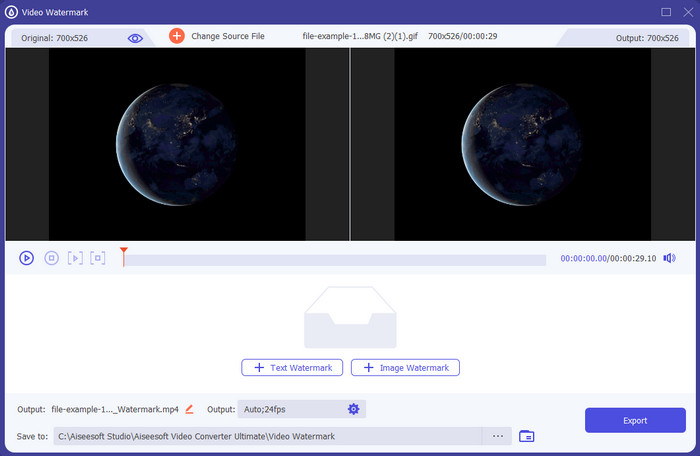
Kos: Percubaan percuma tersedia, harga bermula pada $39.50 untuk setahun, $55.20 untuk seumur hidup, dan untuk 2-5 unit Lesen Seumur Hidup $119.00.
Platform Disokong: Windows dan Mac.
Jika anda mahukan aplikasi untuk menambah teks pada video, anda perlu memilih alat yang paling banyak dipilih pada tahun 2022, iaitu FVC Video Converter Ultimate. Alat ini menyokong format yang meluas untuk anda muat naik, jadi menambah fail video di sini tidak akan menjadi masalah; anda juga boleh menukar format jika perlu. Pada pandangan pertama pada antara muka GUI, alat ini kelihatan kemas dan profesional pada masa yang sama. Walaupun ia adalah alat profesional, pengguna yang mempunyai sedikit atau tiada pengalaman boleh dengan cepat belajar cara menggunakannya. Lengkung pembelajarannya tidak setegar Adobe Photoshop.
Selain itu, alat itu membanggakan namanya sebagai alat muktamad kerana ia mempunyai proses muat naik dan muat turun yang paling pantas, sama ada satu, dua atau lebih fail. Pengekodan format fail lossy atau lossless adalah pantas dan mudah jika anda menggunakan alat ini. Walaupun alat ini agak mahal daripada senarai editor teks video, kami masih mendapati alat ini sebagai yang paling mudah digunakan lagi paling berkesan.
Muat Turun PercumaUntuk Windows 7 atau lebih baharuMuat Turun Selamat
Muat Turun PercumaUntuk MacOS 10.7 atau lebih baharuMuat Turun Selamat
Adobe Photoshop
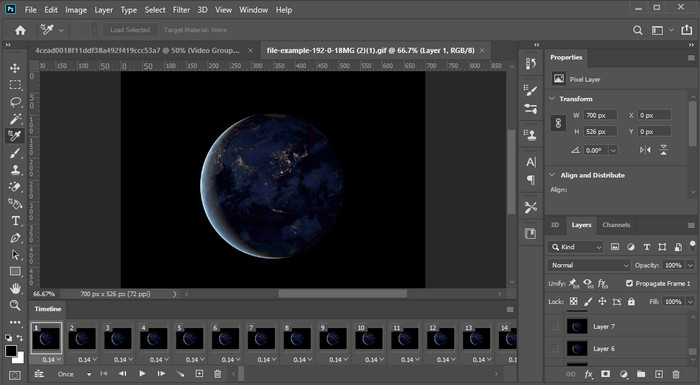
Kos: Percubaan percuma 7 hari dan $20.99 setiap bulan.
Platform Disokong: Windows, Mac dan iPad.
Perlu alat profesional untuk melaksanakan tugasan ini? Adobe Photoshop ialah alat profesional dalam senarai ini. Antara muka GUI yang lengkap dan ciri-cirinya menjadikannya pilihan utama golongan profesional untuk penyunting yang boleh mereka muat turun pada platform mereka. Selain itu, alat ini menawarkan ciri penyuntingan lanjutan yang boleh anda gunakan untuk menjadikan teks pada video kelihatan lebih baik berbanding sebelum ini.
Walau bagaimanapun, alat ini bukanlah pilihan terbaik jika anda seorang pemula dalam menyunting kerana ia sangat teknikal sehingga sesetengah profesional perlu membaca beberapa tutorial tentang cara melaksanakan tugas tertentu. Tetapi jika anda ingin menggunakan ini, tambahkan teks pada apl video; anda boleh memuat turunnya di laman web rasmi Adobe.
iMovie
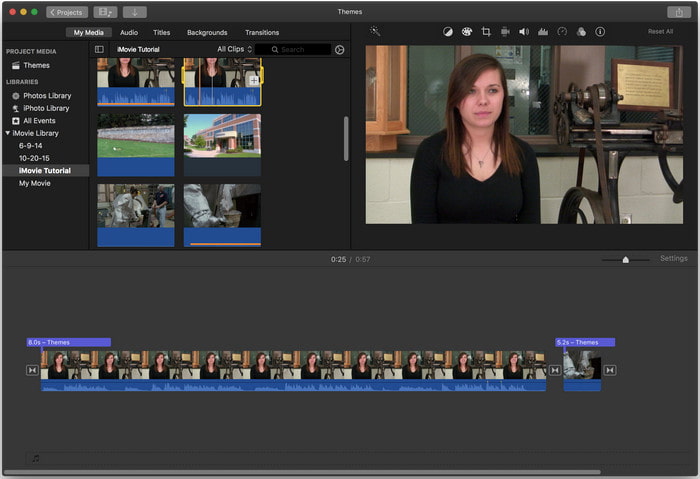
Kos: Percuma, telah dipra‑pasang.
Platform Disokong: Mac dan iOS.
Jika anda memerlukan alat percuma pada peranti Mac atau iOS anda untuk menambah tera air pada video, anda boleh menggunakan iMovie untuk melaksanakan tugasan ini. Alat ini tidak boleh dimuat turun pada mana-mana peranti Windows atau Android kerana ia hanya untuk peranti Apple. Walaupun alat ini mempunyai platform sokongan yang terhad, ia masih dianggap sebagai salah satu penyunting tera air terbaik yang boleh anda gunakan pada Mac dan iOS. Kebanyakan pemula akan suka menggunakannya kerana keupayaan penyuntingan penuhnya yang percuma. Jadi, jika anda mempunyai Mac atau iOS, anda patut cuba dahulu aplikasi tambah teks pada video ini dan lihat sama ada ia menepati keperluan anda.
Bahagian 2. 3 Aplikasi Teks Video Terbaik Tersedia dalam Semua Android dan iOS
Semua alat yang disebutkan di atas tersedia pada Windows dan Mac, manakala sesetengahnya menyokong peranti mudah alih terhad. Bagaimana jika anda mempunyai peranti mudah alih dan ingin menambah teks sebagai tera air pada video? Adakah anda masih boleh melakukannya? Anda boleh dengan alat yang kami sediakan di bawah. Baca dengan berhati-hati untuk mengetahui sama ada alat ini akan mencukupi keperluan anda.
Editor Video: Teks pada Video
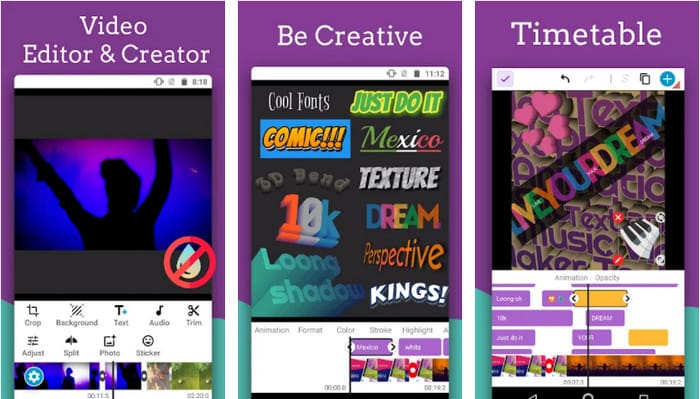
Kos: Percuma untuk dimuat turun.
Platform Disokong: Android.
Walaupun terdapat banyak aplikasi tambah teks pada video yang boleh dimuat turun secara percuma di Android, kami masih mendapati Video Editor: Text on Video sangat baik dalam banyak aspek. Aplikasi Android ini menawarkan banyak ciri penyuntingan lanjutan untuk menjadikan video anda kelihatan menonjol. Jika anda mahu menggunakannya dan menambah tera air pada video anda, ia juga mempunyai animasi teks untuk memasukkan teks animasi pada video.
Walaupun alat ini percuma untuk dimuat turun, masih terdapat banyak pembaikan dan perlu diperbaiki dalam alat ini, seperti pepijat dan gangguan yang dihadapi oleh sesetengah pengguna. Selain itu, sesetengah iklan akan muncul sebaik sahaja anda membuka apl pada telefon anda dan menggunakannya. Walau bagaimanapun, pembangun terus mengemas kini alat untuk menjadi editor video terbaik pada Android untuk mencapai potensi penuhnya.
Vont - Teks pada Video 4+
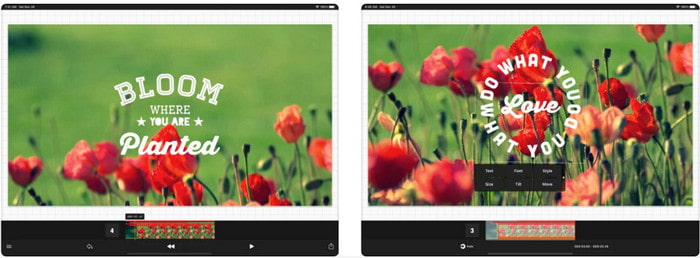
Kos: Percuma untuk dimuat turun, pembelian dalam aplikasi dari $2.99 hingga $9.49.
Platform Disokong: iPhone, iPad dan Android.
Vont - Text on Videos 4+ ialah salah satu aplikasi terbaik untuk menambah teks pada video di semua peranti mudah alih. Aplikasi ini menyokong kedua-dua peranti Android dan iOS, jadi secara semula jadi alat ini mendapat reputasi dan populariti pada kedua-dua pihak. Tetapi jika kita bandingkan di mana aplikasi ini berfungsi dengan lebih baik, boleh dikatakan ia lebih sesuai pada peranti iOS kerana ia menyokong lebih banyak format dan mempunyai ciri penyuntingan yang lebih terperinci untuk anda gunakan.
Walaupun alat ini lebih baik pada iOS, kami masih boleh bersetuju bahawa alat ini sangat baik untuk digunakan walaupun pada peranti Android untuk menambah tera air dengan cepat pada sesetengah video.
Teks Pada Video: Editor Vid Mudah 4+
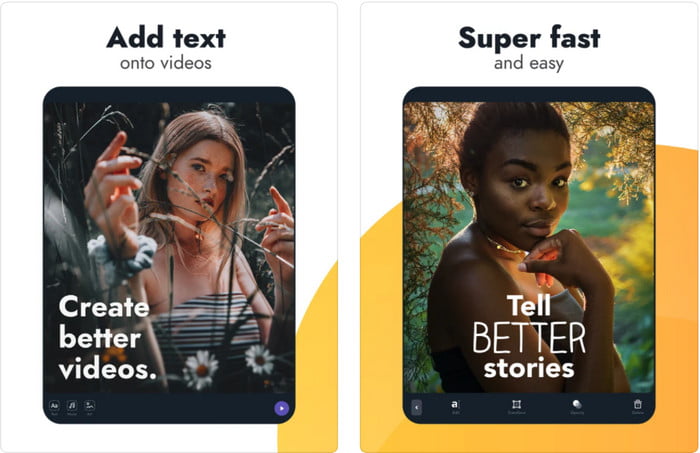
Kos: Percuma untuk dimuat turun, pembelian dalam aplikasi dari $1.99 hingga $49.99
Platform Disokong: iPhone dan iPad.
Jika anda ingin tahu aplikasi teks pada video yang terbaik di iOS, memang tidak dinafikan bahawa ia adalah Text On Video: Easy Vid Editor 4+. Alat ini menyokong beberapa ciri penyuntingan yang boleh anda gunakan untuk menambah tera air teks pada video anda dengan pelbagai gaya fon dengan mudah.
Seperti Photoshop, alat ini mempromosikan penanda air teks 3D untuk membantu anda memanipulasi teks dan meletakkannya di mana-mana seolah-olah ia ada semasa anda mengambil video atau foto. Walaupun kami menganggapnya sebagai yang terbaik, kami tetap berpendapat ia bukan alat pro yang anda perlukan jika anda meminati pengeditan terperinci yang diperlukan oleh profesional.
Berkaitan:
Tambah Sarikata pada Video
Bahagian 3. Soalan Lazim tentang Tambah Apl Tera Air
Adakah selamat untuk memuat turun aplikasi tera air teks?
Ia selamat jika anda telah memuat turun alat di tapak rasmi atau pemuat turun. Ia tidak akan menyebabkan sebarang masalah jika anda memuat turunnya di laman web rasmi. Walau bagaimanapun, tidak semua tapak web dilindungi, jadi anda mesti berhati-hati dengan memuat turun yang paling selamat untuk menggunakan alat pada sistem pengendalian anda untuk mengelakkan sebarang masalah.
Yang manakah melakukan apl tera air teks yang berprestasi lebih baik, pada desktop atau telefon?
Tidak dinafikan bahawa apl tera air teks desktop berprestasi lebih baik untuk tugas berat kerana desktop mempunyai CPU yang lebih tinggi daripada telefon. Tetapi jika anda mahukan pengeditan separuh wajaran, maka tera air teks telefon adalah pilihan anda, kerana anda boleh membawanya ke mana-mana dan menggunakannya pada bila-bila masa tanpa menyediakan desktop.
Adakah ia sesuai untuk membeli untuk aplikasi tera air teks?
Jika anda mempunyai belanjawan yang ketat, kami cadangkan menggunakan alat percuma, tetapi terdapat beberapa batasan, dan mengharapkannya kerana ia percuma. Tetapi jika anda ingin mempunyai ciri terbaik yang tersedia dalam versi premium, kami cadangkan anda membelinya atau melanggannya kerana anda tidak boleh mendapatkannya dengan versi percuma.
Kesimpulannya
Kini setelah kita selesai menganalisis alat-alat ini, tibalah masanya untuk memuat turun yang paling sesuai untuk anda. Kami berharap siaran ini membantu anda membuat keputusan alat mana yang patut digunakan, tetapi jika anda masih tidak dapat membuat pilihan, kami mencadangkan anda memilih FVC Video Converter Ultimate. Ini kerana ia adalah alat serba guna yang boleh anda muat turun pada Windows dan Mac, dan semua fungsinya direka dengan baik untuk membantu anda dalam tugasan tertentu. Jadi, tanpa ragu, inilah aplikasi tera air teks terbaik yang boleh anda muat turun daripada senarai di atas.
-
 Cara Menambah Audio dan Muzik ke Video secara percuma di Komputer / Telefon Anda
 Artikel ini menunjukkan 4 cara mudah untuk menambahkan audio ke video secara percuma. Tidak kira trek audio mana yang ingin anda tambahkan ke dalam video anda, anda boleh mendapatkan hasil yang memuaskan di sini.
-
 Tukar GIF kepada Format Video: Tukar Meme GIF kepada Video [2025]
 Tentukan cara menukar GIF kepada format video dengan bantuan alatan yang disenaraikan di bawah. Pilih yang mana satu dan pelajari cara melakukannya, sambil kami mengumpulkan bukti yang mencukupi mengenainya.
-
 GIF yang luar biasa untuk Aplikasi Video untuk Peranti Android & iOS
 Adakah anda tahu bahawa anda boleh menukar GIF kepada mana-mana format video yang anda suka menggunakan telefon anda? Pilih apl terbaik pada Android atau iOS anda.
