


 Video Converter Ultimate
 Screen Recorder
 Reparație video
2 moduri rapide și ușoare de a converti M2TS în AVI cu pași furnizați
Pe măsură ce pășim tot mai mult în viitor, multe formate nu mai beneficiază de prea mult suport, cum este și M2TS. Acest format folosește încă vechiul container Blu-ray Audio Video, care utilizează fluxul MPEG-2 pentru a transporta datele. Nu poți accesa acest format pe unele dispozitive precum iPhone, iPod și chiar Android, deoarece acestea nu pot citi structura formatului. Totuși, dacă încă ai fișiere cu această extensie și vrei să le urmărești, îți recomandăm să convertești formatul în AVI. Așadar, haide să descoperim acum care este cea mai bună modalitate de a te ajuta în încercarea ta de a converti un fișier M2TS. Mai mult, dacă îți menții ritmul de lectură al acestui articol, vei învăța să convertești M2TS în AVI, online sau offline.

Partea 1. M2TS vs. AVI
După cum am explicat mai devreme, fișierele M2TS erau un container pe Blu-ray care acceptă diferite videoclipuri, audio și un alt flux într-un singur container. De asemenea, dacă extensia de fișier de pe Blu-ray sau AVCHD este în acest format, atunci așteptați-vă ca calitatea acesteia să fie excelentă. Deși acest format de fișier funcționează bine, suportul pe care îl câștigă pe unele playere media este încă slab. O alta este că atunci când doriți să redați acest tip de extensie de fișier, veți avea nevoie de plug-in-play, un codec și câteva componente pentru a viziona videoclipul în acest format. Spre deosebire de cazul în care extensia de fișier este .avi. Acest format câștigă fani pe întregul web datorită cât de bună poate conține calitatea video a acestui format. Cu toate acestea, dimensiunea fișierului este o problemă mare, deoarece nu are un codec adecvat pentru a reduce dimensiunea fișierului. Dar dacă comparăm M2TS și AVI, ambele sunt excelente. Cu toate acestea, suporturile sunt diferite, iar flexibilitatea formatului AVI vă poate aduce.
Partea 2. Prima modalitate este de a converti M2TS în AVI online cu cel mai simplu instrument web
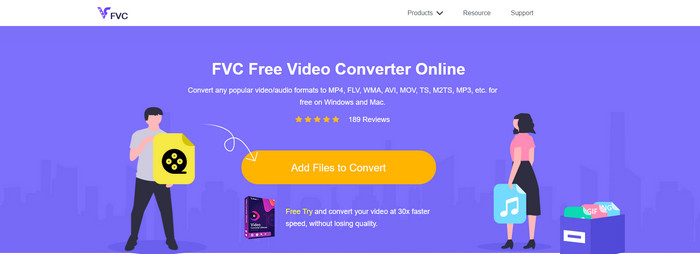
Poate te întrebi dacă poți converti M2TS în AVI gratuit; atunci acest paragraf este pentru tine, prezentându-ți FVC Free Video Converter. Acest instrument web este unul dintre cele mai bune convertoare online pe care le poți găsi pe internet. În plus, dacă ai o problemă la conversia formatului, acesta este o soluție: poți modifica bitrate‑ul, rezoluția și rata cadrelor. Deși instrumentul suportă o gamă medie de formate diferite, tot nu dispune de funcții avansate, astfel încât să-ți facă rezultatul final la fel de impresionant cum poate face FVC Video Converter Ultimate. Totuși, dacă nu vrei să plătești și ai conexiune la internet, acesta ar trebui să fie alegerea ta pentru a converti formatul într-o versiune nouă.
Pro
- Nu este nevoie de software pentru a descărca, deoarece poate fi accesat pe web.
- Acceptă varietăți medii ale formatului pe care îl puteți alege.
- Gratuit și fără anunțuri pe interfața site-ului.
Contra
- Are nevoie de o conexiune la internet pentru a-l putea accesa.
- Unele formate nu sunt acceptate aici și are suport limitat pentru format.
Pași pentru utilizarea convertorului online pe web
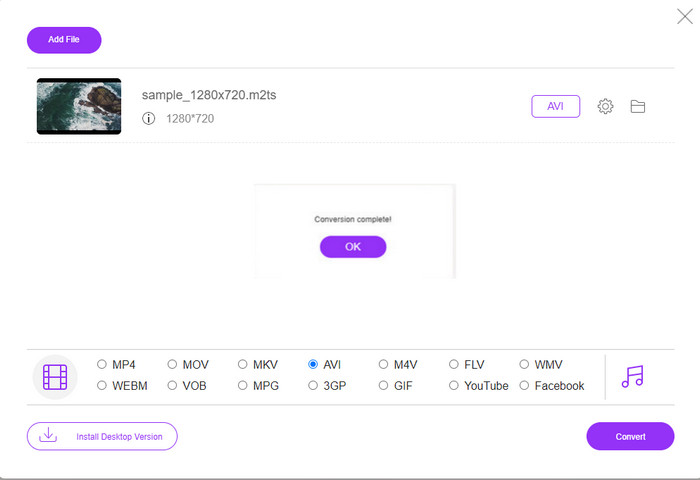
Pasul 1. Dă clic pe acest link pentru a deschide site‑ul principal al convertorului online. Nu trebuie să‑ți faci griji, deoarece acest link este sigur de accesat – l‑am testat chiar noi.
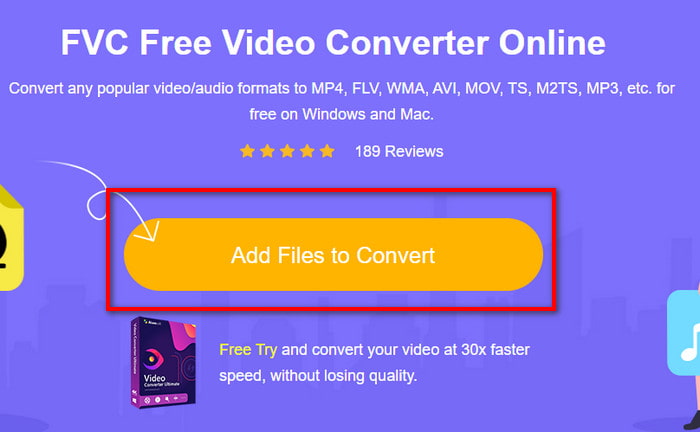
Pasul 2. Apoi fă clic pe Add Files to Convert, iar pe ecran va apărea un folder; selectează fișierul cu extensia .m2ts și apasă pe Open.
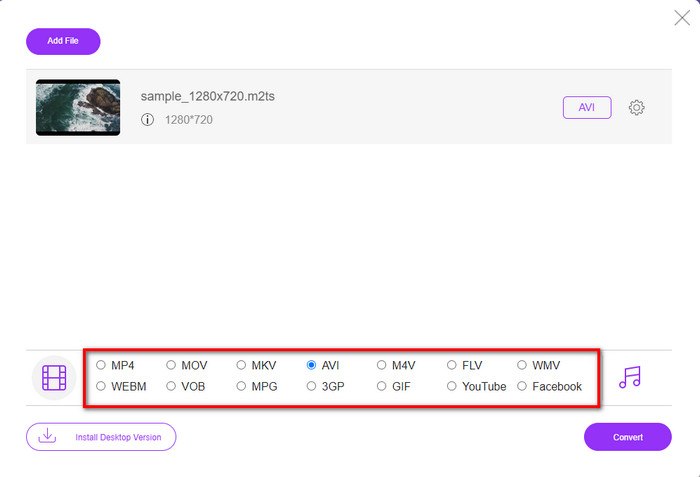
Pasul 3. După ce ai introdus fișierul, pe ecran va apărea o interfață cu opțiunile de format disponibile mai jos; alege formatul AVI din listă.
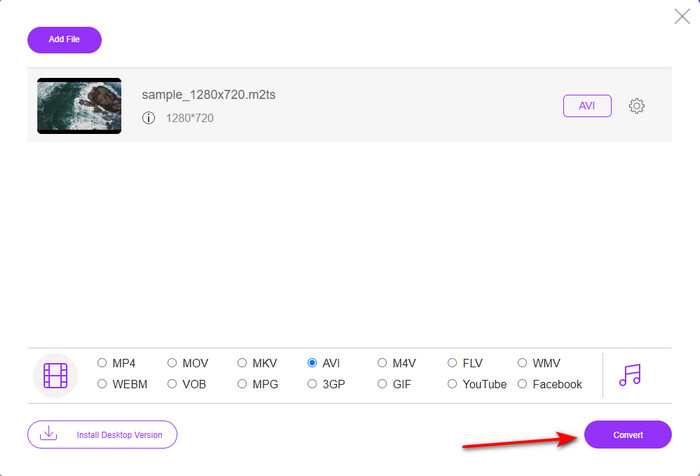
Pasul 4. După ce ai selectat formatul, fă clic pe Convert pentru a începe transformarea fișierului în AVI.
Pasul 5. Conversia formatului va dura aproximativ un minut; apoi va apărea un folder cu fișierul convertit pe care l‑ai creat mai devreme.
Partea 3. A doua cale este să utilizați instrumentul final pentru a converti M2TS în AVI offline
Dacă îți dorești un instrument care oferă performanțe net superioare convertoarelor online sau offline disponibile, atunci FVC Video Converter Ultimate este instrumentul perfect pentru tine. Acest program se descurcă excelent în diverse sarcini, fie că este vorba de editare, creare de GIF‑uri, schimbare de format, amplificare de volum și multe altele. Numeroase funcții avansate, dar simplificate, au fost deja integrate în acest software pentru a oferi cel mai bun rezultat clienților săi. Da, este adevărat, trebuie să devii client înainte de a avea acces la acest instrument „ultimate”. Însă nu este nevoie să fii dezamăgit, deoarece nu este scump și oferă o performanță mult mai bună în comparație cu alte convertoare. De asemenea, acest program suportă toate formatele cunoscute și, fără îndoială, și formatul de fișier pe care îl suportă dispozitivul tău sau desktopul. Mai mult, dacă vrei să experimentezi cel mai bun proces de conversie, urmează pașii indicați pentru utilizarea acestui convertor M2TS în AVI.
Pro
- Acceptă funcții mult mai avansate pe care ți-ar plăcea să le folosești.
- Poate converti un fișier în câteva secunde datorită accelerării hardware și conversiei rapide pe care le oferă acest instrument.
- Disponibil pe toate platformele și acceptă toate formatele.
Contra
- Pentru a accesa instrumentul, va trebui să plătiți.
- Mai întâi trebuie descărcat pe unitatea computerului dvs.
Pași pentru a converti offline formatul video M2TS în format AVI
Pasul 1. Descarcă software‑ul pe platforma ta făcând clic pe butonul de descărcare de mai jos. Apoi instalează‑l, efectuează configurarea și deschide programul.
Descărcare gratuită pentru Windows 7 sau o versiune ulterioară Descărcare securizată
Descărcare gratuită pentru MacOS 10.7 sau o versiune ulterioară Descărcare securizată
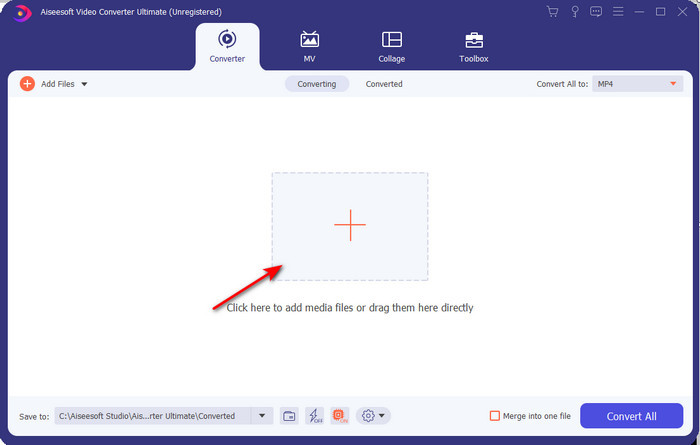
Pasul 2. Pornește software‑ul, fă clic pe butonul + pentru a încărca fișierul .m2ts din folder, apoi apasă pe Open.
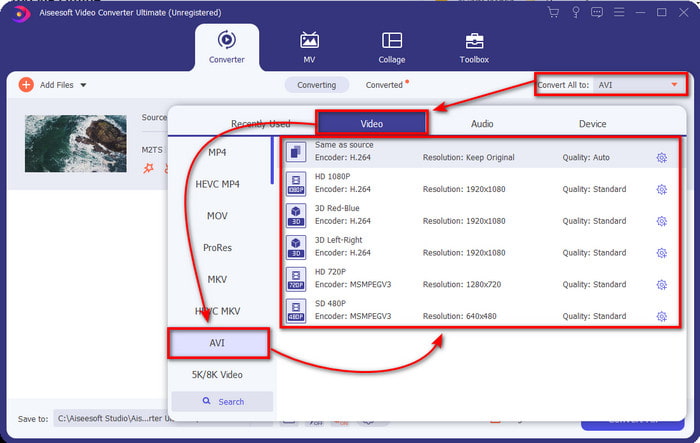
Pasul 3. Acum, în partea dreapta‑sus a interfeței, vei vedea meniul Convert All to; fă clic pe el. După clic, va apărea un submeniu, apoi localizează formatul AVI în listă.
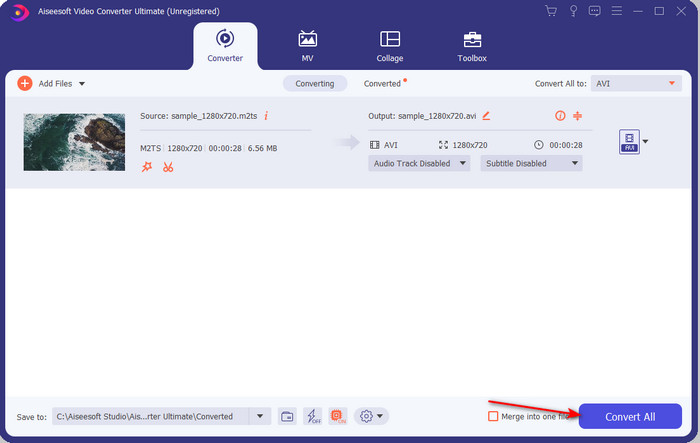
Pasul 4. După ce ai selectat formatul, să începem conversia făcând clic pe Convert All.
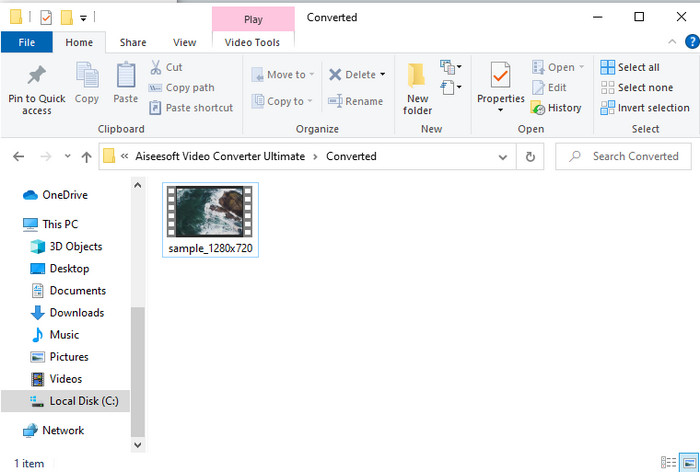
Pasul 5. După ce procesul de conversie s‑a încheiat, pe ecran va apărea un folder; fă clic pe fișier pentru a reda videoclipul .m2ts convertit.
Partea 4. Întrebări frecvente despre M2TS și AVI
După conversia M2TS în AVI, rămâne calitatea acestuia?
După conversia M2TS în AVI, calitatea videoclipului ar trebui păstrată. Cu toate acestea, există șansa ca calitatea să se schimbe dacă setați calitatea de ieșire la medie sau scăzută. Acest lucru poate fi evitat dacă îl setați la 1080 sau 4k, dar dimensiunea fișierului va fi mai mare în comparație cu cele de calitate scăzută.
De ce nu pot juca M2TS pe Windows Media Player?
Există, de fapt, un singur motiv pentru care nu poți reda fișierele cu extensia .m2ts. Iar acest motiv este faptul că nu sunt suportate. Așadar, dacă vrei totuși să‑ți urmărești fișierul .m2ts, este obligatoriu fie să îl convertești, fie să găsești un alt player media terț care poate reda fișiere M2TS.
MTS și M2TS sunt diferite?
Dacă ar fi să comparăm aceste două forme de fișiere, să nu te aștepți la o mare diferență. Ambele folosesc formatul video AVCHD, care îți păstrează calitatea videoclipului la un nivel cât mai înalt. Pentru a afla mai multe informații despre fișierele MTS și M2TS, citește articolul Ce Diferență există între MTS și M2TS.
Concluzie
Împreună am găsit acum diferite tehnici despre cum să vă convertiți fișierul M2TS în AVI. Pe măsură ce am investigat fiecare instrument în parte, am descoperit că FVC Video Converter Ultimate funcționează bine la conversia fișierelor. Deci, în cele din urmă, vă sugerăm să descărcați convertorul fenomenal pentru o conversie mai ușoară și să experimentați cel mai rapid proces de conversie de până acum.
-
 Cum se convertește M2TS în MKV gratuit și online
 Doriți să convertiți M2TS în MKV păstrând în același timp calitatea originală? Această postare vă arată metode gratuite și online pentru a schimba M2TS în MKV fără pierderi.
-
 [2021] Top 6 moduri gratuite și online de a converti M2TS în MP3
 Poate fi convertit un fișier M2TS în MP3? În această postare, am enumerat primele 6 moduri gratuite și online pentru a vă ajuta să convertiți M2TS în MP3, AAC, AIFF și mai multe formate audio.
-
 Cum să convertiți M2TS în MOV gratuit [Online și Offline]
 Trebuie să convertiți M2TS în MOV pentru a reda fișiere video pe mai mulți jucători și platforme? Acest articol vă va ajuta să găsiți cea mai bună metodă online / offline pentru a converti M2TS în MOV pe Windows / Mac.
