


 Video Converter Ultimate
 Screen Recorder
 Reparație video
 Descărcare sigură
Completați tutorialul despre cum să eliminați filigranul Weibo pe care va trebui să-l cunoașteți
Weibo este o platformă de socializare cunoscută folosită pentru a partaja, a disemina și a obține informații precum Twitter pe care le puteți folosi adesea în China. De asemenea, puteți posta și descărca miniaturi, fotografii și videoclipuri aici. Cu toate acestea, va exista un filigran odată ce îl exportați. Mulți utilizatori doresc să-l elimine, deoarece deranjează imaginile conținutului.
În ciuda miilor de programe pentru eliminarea filigranelor disponibile, puține instrumente pot elimina filigranele în mod eficient. Așadar, dacă nu îți place filigranul de pe materialele vizuale pe care le descarci, acest articol adună cele mai bune instrumente pe care le poți folosi. Le-am testat pentru a demonstra că sunt funcționale și practice în îndepărtarea filigranului. Pentru a te învăța cum să elimini filigranul Weibo, trebuie să urmărești cu atenție acest articol.

Partea 1. Cum să eliminați filigranul din videoclipul Weibo folosind Ultimate Watermark Remover
Filigranul Weibo poate fi o problemă pentru alte instrumente, deoarece majoritatea lasă o pată în locul filigranului. Totuși, dacă folosești FVC Video Converter Ultimate, nu va rămâne nicio urmă în zona filigranului. Indiferent cât de mare sau mic este filigranul, acest instrument îl poate șterge eficient, fără nicio urmă. Astfel, te poți bucura să urmărești videoclipul exportat pe Weibo. Cu alte cuvinte, eliminarea filigranului cu ajutorul acestui instrument este floare la ureche.
Mai mult, puteți utiliza acest instrument și pentru alte lucruri, cum ar fi tăierea, îmbinarea, comprimarea, tăierea, crearea de GIF-uri și multe altele. Și dacă doriți să adăugați un filigran pe videoclipul dvs., astfel încât nimeni să nu vă poată fura, puteți utiliza acest software pentru a face acest lucru. Este software-ul all-in-one necesar pe desktop. Vrei să știi cum să elimini filigranul din videoclipul Weibo? Puteți urma pașii următori, în timp ce vă explicăm cum să o faceți pas cu pas.
Descărcare gratuită pentru Windows 7 sau o versiune ulterioară Descărcare securizată
Descărcare gratuită pentru MacOS 10.7 sau o versiune ulterioară Descărcare securizată
': Înainte de a urma pașii următori, asigurați-vă că ați exportat videoclipul Weibo pe care doriți să eliminați filigranul, astfel încât să îl puteți găsi cu ușurință în dosar.
Pasul 1. Mai întâi, trebuie să descarci software-ul pe desktop și să alegi versiunea în funcție de sistemul de operare. După instalarea software-ului, urmează procesul de configurare WinRAR care va apărea pe ecran, dă clic pe Start Now pentru a-l lansa și continuă mai departe.
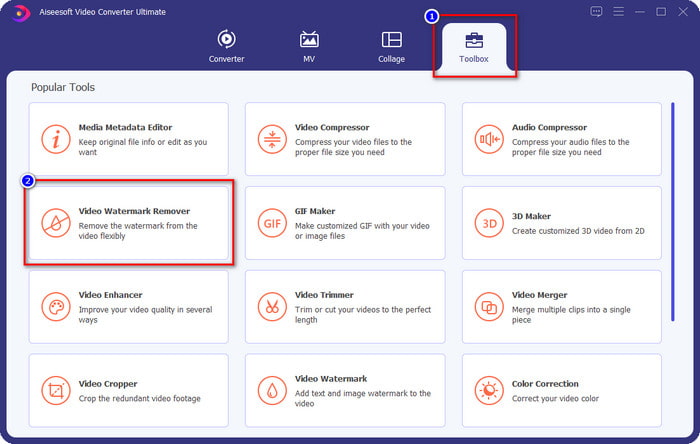
Pasul 2. Mergi la secțiunea Toolbox și caută Video Watermark Remover; fă clic pe aceasta.
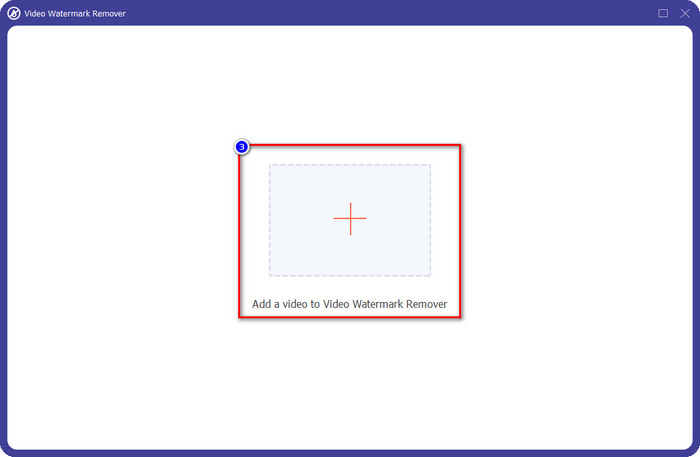
Pasul 3. Apasă butonul + și localizează în folder videoclipul Weibo cu filigran pe care l-ai descărcat mai devreme, dă clic pe fișier și apasă Open pentru a-l încărca acum.
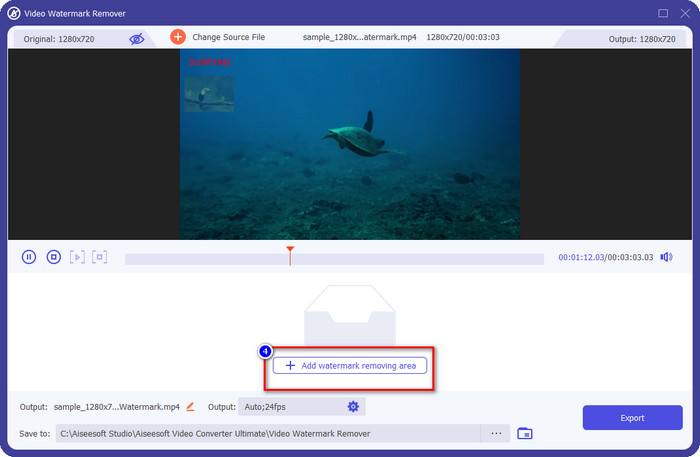
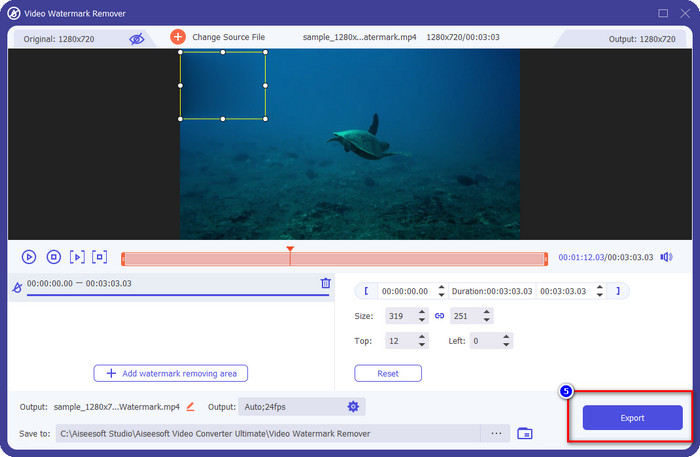
Pasul 4. În noua fereastră care va apărea, dă clic pe Add Watermark Removing Area pentru a continua cu eliminarea filigranului.
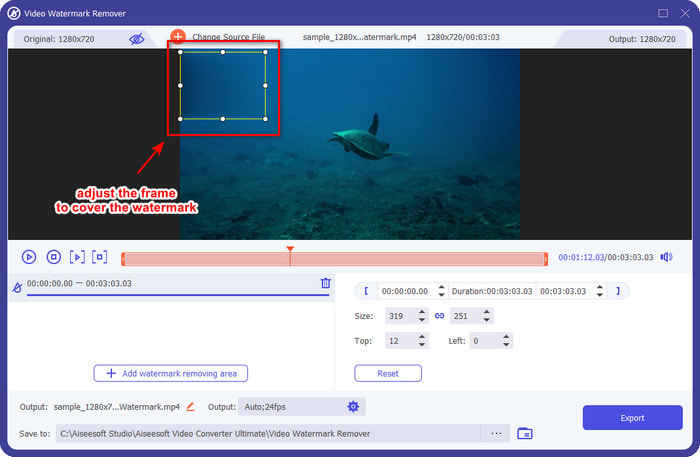
Pasul 5. Trage și menține apăsat pe caseta de selecție pentru a acoperi filigranul; o poți, de asemenea, mări sau micșora în funcție de preferințe și acoperă-l înainte de a exporta.
Pasul 6. După ce ai poziționat caseta de selecție peste filigran, apasă Export pentru a elimina filigranul de pe videoclipul pe care l-ai încărcat. Nu este nevoie să aștepți mult, deoarece acceptă un proces ultra-rapid; vei avea videoclipul Weibo fără filigran în doar câteva secunde.
Partea 2. Cum să eliminați filigranul de pe Weibo Photo folosind versiunea gratuită pe web
Cum să salvezi fotografiile Weibo fără filigran? Nu poți salva o imagine fără filigran dacă este exportată pe Weibo. Însă poți folosi FVC Free Watermark Remover pentru a șterge filigranul de pe imagini. Este un eliminator complet de filigrane pentru imaginile cu filigran. Din punct de vedere al funcționalității, putem spune că acest instrument este mult mai bun decât alte programe de îndepărtare a filigranelor pe care le poți folosi pe web. Așadar, dacă vrei să elimini filigranul de pe o imagine, aceasta este prima opțiune pe care ai putea să o încerci. Deși poate elimina filigranul de pe imagini, nu este capabil să îl elimine din videoclipuri, așa cum o poate face varianta Ultimate pentru tine.
Cu toate acestea, este gratuit de utilizat, iar interfața sa web este curată, astfel încât nici măcar nu veți vedea reclame care v-ar putea deranja. Vrei să știi cum să folosești acest instrument web? Apoi urmați pașii indicați mai jos pentru a încerca singur.
Notă: La fel ca și videoclipul, asigurați-vă că descărcați imaginea Weibo pe care doriți să o aveți și asigurați-vă că o plasați într-un folder vizibil și ușor de accesat.
Pasul 1. Pentru a accesa eliminatorul de filigrane online, dă clic pe acest link pentru a-l deschide.
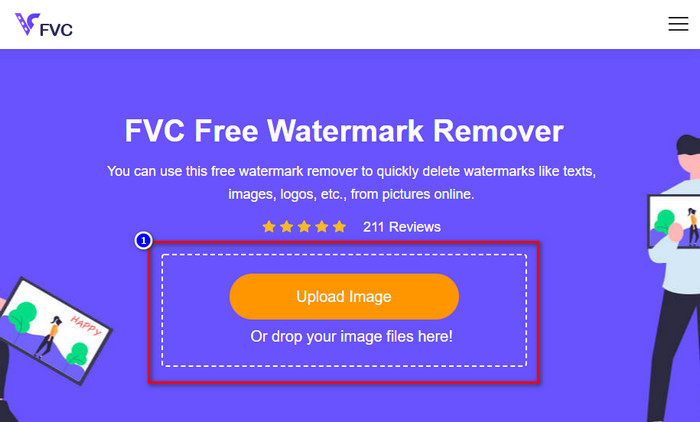
Pasul 2. Pe interfața web, apasă Upload Image, apoi va apărea un folder pe ecran, găsește imaginea și apasă Open pentru a o încărca.
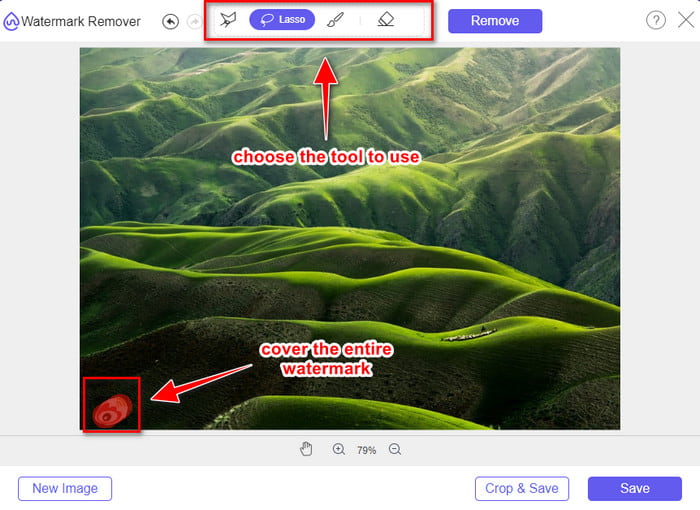
Pasul 3. Poți trasa conturul filigranului aici pentru a-l elimina și asigură-te că fiecare milimetru al filigranului este inclus în zona pe care ai conturat-o.
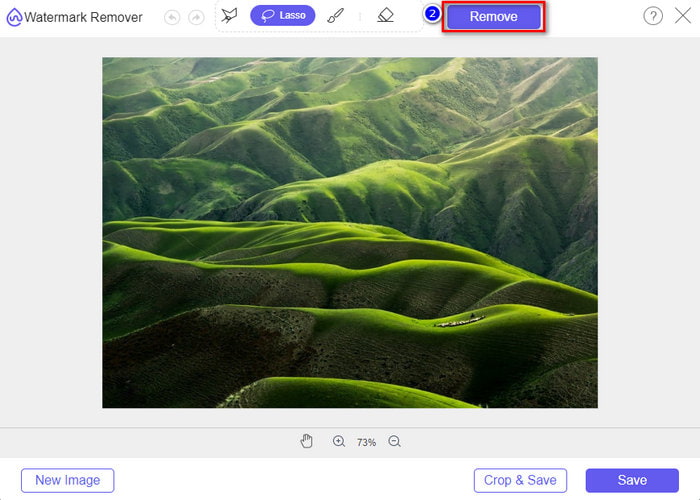
Pasul 4. Apasă Remove pentru a șterge filigranul din imagine.
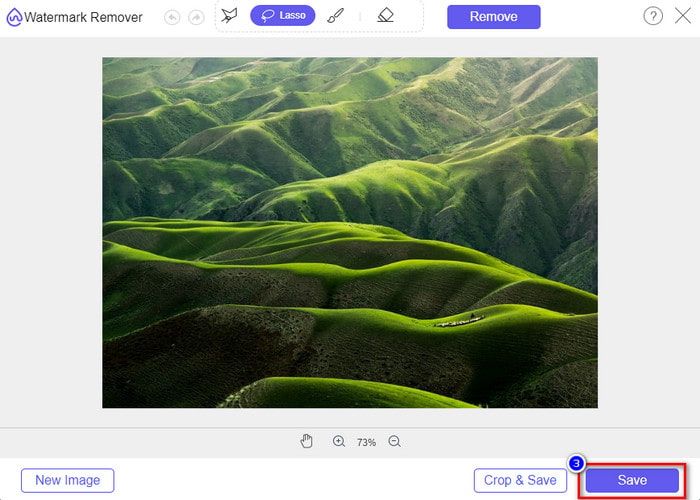
Pasul 5. După ce ai îndepărtat filigranul de pe imaginea Weibo, apasă Save pentru a descărca imaginea Weibo fără filigran.
Articole similare:
Cum să elimini filigranul TikTok
Cum să adaugi filigran unui videoclip
Partea 3. Întrebări frecvente despre cum să eliminați filigranul Weibo
De ce filigranul Weibo a devenit neclar după export?
Unele instrumente estompează filigranul, astfel încât să nu poată fi văzut pe mediile vizuale pe care le-au exportat pe Weibo. Dar nu toate instrumentele estompează filigranele; unii elimină filigranul de pe suporturile vizuale fără nicio urmă. Deci, dacă doriți să eliminați filigranul de pe Weibo fără a-l estompa, trebuie să cunoașteți instrumentul pe care îl menționăm mai sus pentru a vă ajuta să îl eliminați.
Pot acoperi sigla Weibo pe fișierul exportat?
Da, poti. În acest fel, nu veți vedea filigranul lui Weibo pe fișier. Cu toate acestea, manipularea acestuia ar acoperi unele părți ale fișierului, așa că, în loc să vă ajute, ar putea înrăutăți fișierul. Deci, este necesar un dispozitiv de îndepărtare a filigranului pentru a șterge filigranul fișierului.
Toate fișierele exportate de pe Weibo au un filigran?
Exportarea oricărui tip de fișier pe această platformă de microblogging va lăsa un semn. Indiferent ce este, filigranele sunt adăugate fișierului. Totuși, îl puteți elimina cu instrumentul pe care l-am menționat mai devreme în acest articol.
Concluzie
Uimitor, nu? FVC are instrumentul de care ai nevoie pentru a elimina instantaneu filigranul Weibo de pe videoclipuri și imagini. Chiar dacă nu ai experiență sau nu ești profesionist în acest tip de editare, editarea este posibilă cu instrumentul menționat mai sus. Așadar, dacă vrei să elimini un filigran de pe o imagine, fie că este exportată pe Weibo sau nu, FVC Free Watermark Remover este singurul instrument de care vei avea nevoie. Însă pentru videoclipuri și GIF-uri trebuie să folosești un software profesional, ușor de utilizat și accesibil, cum este FVC Video Converter Ultimate. Ce mai aștepți? Elimină filigranul de pe materialele tale vizuale pentru a te bucura de ele fără nicio urmă a semnului.
-
 Cel mai bun mod Cum să adăugați filigran la un videoclip în Photoshop pe Windows și Mac
 Vrei să știi cum să adaugi un filigran la un videoclip pe Photoshop? În acest caz, acest articol vă va oferi lucrurile pe care trebuie să le știți.
-
 3 cele mai bune soluții despre cum să eliminați cu ușurință filigranul din videoclipuri
 Doriți să eliminați filigranul enervant de pe videoclip? Cu acest blog, puteți afla diferitele idei despre eliminarea filigranului dintr-un videoclip.
-
 Cele mai bune 4 moduri de a elimina filigranul din GIF [Online și Offline]
 Trebuie să eliminați filigranul din GIF? Cu instrumentul din acest articol, veți învăța diferitele stiluri cu diferitele dispozitive de îndepărtare a filigranelor disponibile pe platforma dvs.
