


 Video Converter Ultimate
 Screen Recorder
 Reparație video
 Descărcare sigură
Cea mai bună aplicație de îmbunătățire a culorii foto pe care trebuie să o descărcați pe dispozitivele dvs. mobile [gratuit]
În timpul procesării unei imagini, culoarea este esențială pentru a o face atrăgătoare pentru public și pentru cei care privesc subiectul. În fiecare pixel există date corespunzătoare despre culori. Indiferent cât de bună este fotografia pe care ai făcut-o, există momente când va fi nevoie să o procesezi în continuare pentru a arăta publicului imagini cu adevărat impresionante. Din fericire, poți face ajustările chiar și pe Android și iOS, iar acest articol prezintă cele mai bune aplicații din diferite magazine de unde poți descărca. Pentru a obține detalii mai rafinate în imaginile pe care le-ai făcut, trebuie să citești acest articol și să descarci chiar acum o aplicație de îmbunătățire a culorilor fotografiilor!

Partea 1. Top 4 amplificatori de culoare a fotografiilor pe care le puteți descărca din Playstore și Appstore
EnhanceFox - AI Photo Enhancer 12+
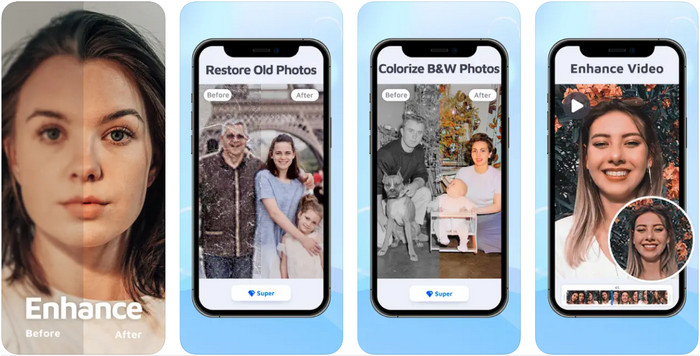
Poți descărca această aplicație de îmbunătățire a culorilor fotografiilor pe iOS pentru ajustarea designului grafic. EnhanceFox le oferă utilizatorilor șansa de a face imaginile pe care le-au realizat mai rafinate decât rezultatul inițial. Chiar dacă ești începător în editarea de imagini, vei reuși să stăpânești folosirea acestei aplicații pentru a-ți face fotografiile mai frumoase ca niciodată. De asemenea, poate transforma pozele neclare în imagini cu rezoluție înaltă cu ajutorul inteligenței artificiale integrate. Deși poți folosi versiunea gratuită a aplicației, va trebui să cumperi versiunea Pro pentru a avea acces la toate funcțiile.
Pro
- Puteți descărca gratuit aplicația pe iOS.
- Repara și transformă imaginile într-un aspect mai bun.
- Această aplicație este susținută de AI.
Contra
- Unele funcții nu sunt disponibile pe versiunea gratuită a acestuia.
- Veți avea nevoie de o conexiune la internet pentru a vă procesa imaginea.
Remini - AI Photo Enhancer 4+
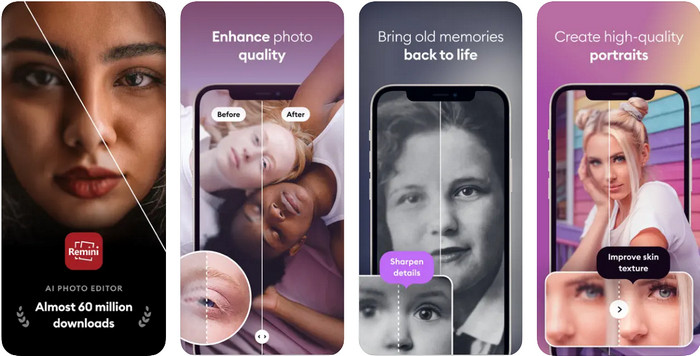
Remini este una dintre cele mai populare aplicații de îmbunătățire a culorilor fotografiilor pe care le poți descărca pe iOS și Android. Puterea sa de a îmbunătăți imaginile a atras atenția multor utilizatori de pe ambele platforme. Cu setul său de funcții de editare, poți recondiționa fotografii vechi în mai puțin de o secundă, cu ajutorul tehnologiei bazate pe inteligență artificială. În plus, îți poți înfrumuseța selfie-urile înainte de a le folosi. Deși este nevoie să cumperi aplicația, poți alege tipul de abonament dorit, cum ar fi săptămânal, lunar sau anual.
Pro
- Transformă-ți fotografia facială într-o imagine netedă și mătăsoasă.
- Reparați culoarea pierdută pe imaginile pe care le aveți cu tehnologia AI.
- Înfrumusețează-ți imaginea schimbând setările din această aplicație.
Contra
- Prețul fiecărei funcții a acestei aplicații are plăți suplimentare.
- Reînnoiește automat taxa de abonament după încheierea unui abonament.
Colorizate - Colorează la fotografiile vechi
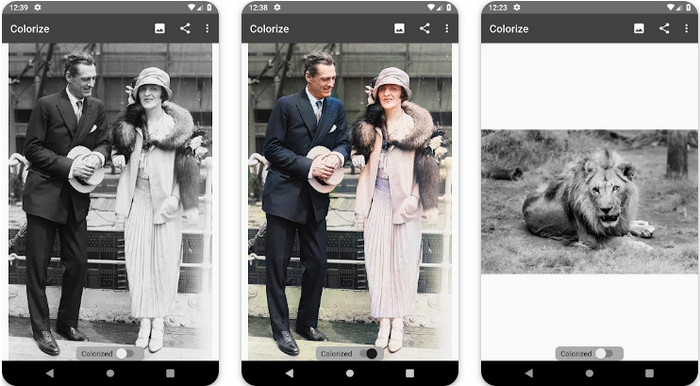
Colorize este o aplicație inteligentă de scanare pe care o poți descărca pe dispozitive Android pentru a reface culorile pierdute din imagini și pentru a realiza restaurarea fotografiilor vechi. Poți învăța cum să îmbunătățești culoarea ochilor în poze cu ajutorul funcțiilor de editare pe care aplicația le oferă și pe care altele nu le suportă. Această aplicație poate transforma fotografiile alb-negru în versiuni color datorită tehnologiei Photomyne. Aplicația este bine concepută și incredibil de ușor de folosit, chiar și dacă este prima dată când editezi o imagine. La fel ca celelalte aplicații menționate, oferă achiziții în aplicație înainte să poți utiliza toate funcțiile.
Pro
- Adaugă automat culori imaginilor alb-negru cu Photomyne.
- Profesioniștii sau nu pot utiliza cu ușurință acest software datorită construcției sale.
- Setările de colorare ale acestei aplicații sunt cu mult superioare altor aplicații de colorare a imaginilor.
Contra
- Pierde unele pete atunci când adăugați culoare imaginii.
- Decupează automat imaginea atunci când este procesată.
- Va trebui să achiziționați aplicația pentru a preveni limitările.
Photoshop Express Photo Editor
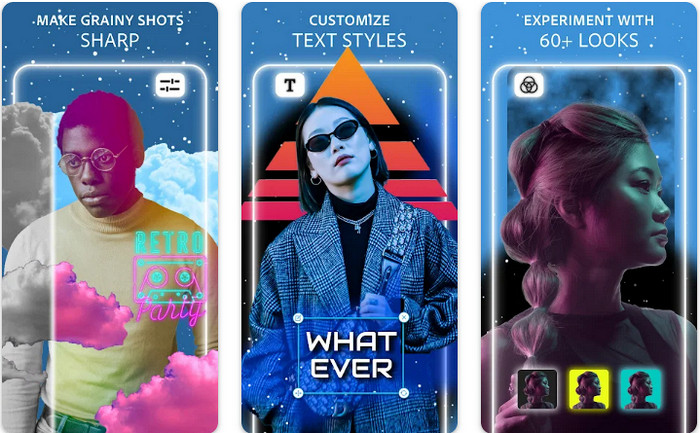
Photoshop Express Photo Editor este o versiune mini a programului profesional pe care milioane de experți și editori îl folosesc deja pentru a transforma imaginile în HD. Poți avea acest Photoshop pentru îmbunătățirea culorilor fotografiilor pe Android și iOS. Rezolvă problema? Da, și o face fără efort. Așa cum am menționat mai devreme, această aplicație este similară cu Photoshop, nu ca interfață grafică, ci ca funcții de editare. Le oferă utilizatorilor cel mai detaliat rezultat, prin adăugarea sau ajustarea PPI-ului fiecărei imagini pe care ai capturat-o. Totuși, aplicația este dificil de utilizat și probabil va trebui să îți sacrifici timp pentru a citi cum funcționează. Cu toate acestea, este un pachet software complet de care vei avea nevoie.
Pro
- Puteți descărca software-ul nu numai pe desktop, ci și pe dispozitive mobile.
- Acceptă funcții de editare profesionale pe care le puteți aplica fotografiilor dvs.
- Are asemănări cu Photoshop, deoarece ambele oferă un rezultat profesional.
- Puteți face multe tipuri de editare aici pe care cealaltă aplicație nu vi le poate oferi.
Contra
- Aplicația poate fi scumpă în comparație cu alte achiziții în aplicație.
- Trebuie să îmbunătățească alte probleme minore.
Partea 2. Top recomandat pentru îmbunătățirea calității fotografiilor pe care nu ați avea nevoie să descărcați [Serviciul web]
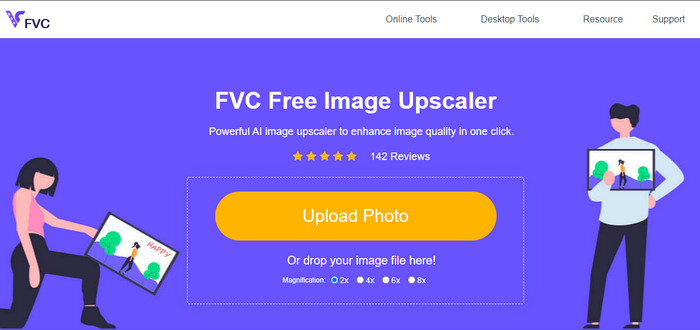
FVC Free Image Upscaler te poate ajuta să rezolvi problema fără a plăti nimic. Acest enhancer al calității fotografiilor este disponibil online, astfel încât nu trebuie să îl descarci înainte de a-l folosi. În plus, poți profita de puternica funcție de editare bazată pe inteligență artificială, care poate scana ce nu este în regulă la imaginea ta și poate corecta imediat. Comparativ cu celelalte aplicații menționate, aceasta este, de departe, soluția de îmbunătățire 'la un singur clic' de care ai nevoie. Încarcă fotografia, schimbă factorul de mărire și vei obține versiunea îmbunătățită a imaginii. Dacă folosești acest serviciu, nu este nevoie de ajustări complicate sau reglaje suplimentare. Vrei să îl încerci? Dă clic pe link, care te va duce direct pe site-ul acestui enhancer.
Partea 3. Întrebări frecvente despre Photo Color Enhancer
Trebuie să devin profesionist pentru a folosi un amplificator de culoare foto?
Dacă utilizați un software bine dezvoltat, va trebui să aveți o idee, nu un profesionist, despre caracteristicile acestuia și funcția lor față de imagine. Cu toate acestea, există software simplificat, ceea ce înseamnă că AI este acceptată; uneori, nu ar trebui să faci modificările, sau alteori o faci. Pentru începători, trebuie să utilizați un software ușor de utilizat înainte de a vă transforma jocul la îmbunătățirea profesională.
Ce se întâmplă cu imaginea Îmi îmbunătățesc culoarea?
Imaginile cu o culoare bine dezvoltată vor fi mai detaliate și mai clare în comparație cu imaginile care acceptă mai puține culori. Pixelul lor nu poate fi văzut în comparație cu fotografiile care au o calitate scăzută acceptată.
Ce format de imagine acceptă cea mai bună combinație de culori a imaginii?
JPEG și PNG acceptă 16 milioane de culori și sunt unul dintre cele mai bune formate de imagine pe care le puteți utiliza în diferite scopuri. Dar HEIC acceptă biți avansați în comparație cu cele două formate de imagine.
Concluzie
Ce îmbunătățitor de culoare foto ați alege dintre aplicația pe care o analizăm? Ei bine, cu toate informațiile pe care le adăugăm, vă puteți da seama rapid ce aplicație ar trebui să descărcați pe dispozitiv. Deși au avantaje și dezavantaje diferite, totuși pot îmbunătăți rapid culorile imaginilor tale.
-
 Top 7 Pixels Enhancer pentru toate browserele web pe care trebuie să le utilizați
 Dacă doriți să aflați care sunt cele mai bune amplificatoare de pixeli de utilizat, mai bine verificați această postare. Acest articol enumeră șapte cele mai bune îmbunătățiri de pixeli ai fotografiilor pentru toate browserele web.
-
 Cea mai bună aplicație Photo Resizer online, offline, Android și iPhone
 Care sunt cele mai bune aplicații de redimensionare a fotografiilor? Faceți clic pe pagină pentru a afla primele cinci cele mai puternice aplicații de redimensionare a fotografiilor pe care le puteți utiliza pentru a îmbunătăți sau a redimensiona fișierul.
-
 Top 7 cele mai bune aparate de mărire a fotografiilor online și offline
 Doriți să aflați cele mai performante aparate de mărire a fotografiilor pentru dispozitivul dvs. Windows sau Mac? Citiți această postare pentru a cunoaște cele mai bune aparate de mărire a fotografiilor care merită încercate.
