


 Video Converter Ultimate
 Screen Recorder
 Reparație video
 Descărcare sigură
5 cei mai buni jucători M4A gratuiți pentru a reda fișiere M4A pe Android și computer
Nu poți deschide direct fișiere M4A pe telefonul tău Android? Cauți un player M4A pentru Android sau pentru computer?
M4A este un format audio Apple care poate fi redat direct pe dispozitive Mac sau iOS, precum iPhone, iPad și iPod. Ca format audio fără pierderi, M4A este superior MP3 atât ca grad de comprimare, cât și ca calitate audio. Totuși, M4A nu este acceptat de Android și Windows Media Player.

Așadar, ai nevoie de un player M4A pentru a reda fișierele audio M4A pe telefonul tău Android sau pe un PC cu Windows. Mai jos îți recomandăm 5 playere M4A gratuite. Poți verifica principalele caracteristici ale fiecărui player M4A și apoi îl poți alege pe cel care îți place.
Partea 1. Cel mai bun player M4A gratuit pentru computer - FVC Free Video Player
FVC Free Video Player este un software foarte popular pentru redarea fișierelor video și audio, care te poate ajuta să redai diverse fișiere M4A atât pe Mac, cât și pe PC cu Windows. Pe lângă M4A, acceptă la nivel înalt orice format video și audio frecvent folosit, inclusiv MP4, MOV, AVI, MKV, FLV, RMVB, AAC, AC3, MP3, ALAC, FLAC și altele.
Descărcare gratuităPentru Windows 7 sau versiuni ulterioareDescărcare sigură
Descărcare gratuităPentru MacOS 10.7 sau versiuni ulterioareDescărcare sigură
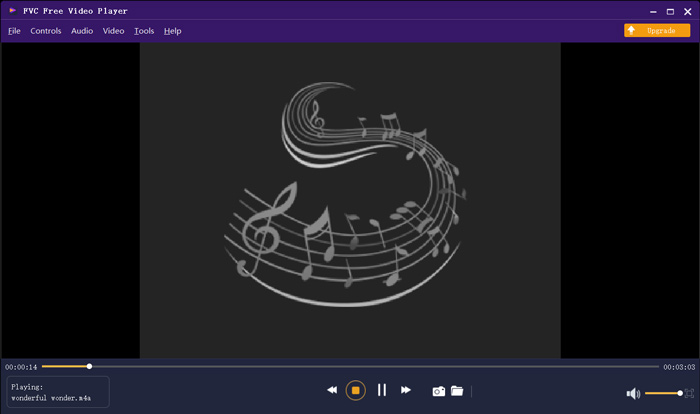
Acest player M4A gratuit este proiectat cu cele mai noi tehnologii de decodare audio precum Dolby, DTS, AAC și TrueHD. Puteți obține un efect de sunet excelent pentru a vă bucura de fișierele M4A. Când doriți să redați fișiere M4A pe computer, puteți naviga la site-ul oficial al acestui player M4A gratuit pe orice browser precum IE, Chrome, Firefox sau Safari.
Partea 2. Aplicația gratuită pentru Android M4A Player - VLC pentru Android
VLC Media Player este un instrument gratuit și open‑source pentru redarea fișierelor media, care îți permite să redai cu ușurință fișiere M4A. Oferă versiuni diferite pentru a reda toate tipurile de fișiere media pe computer, dispozitive Android și iOS. Când vrei să asculți audio M4A pe telefonul tău Android, poți accesa Google Play și instala gratuit aplicația VLC for Android.
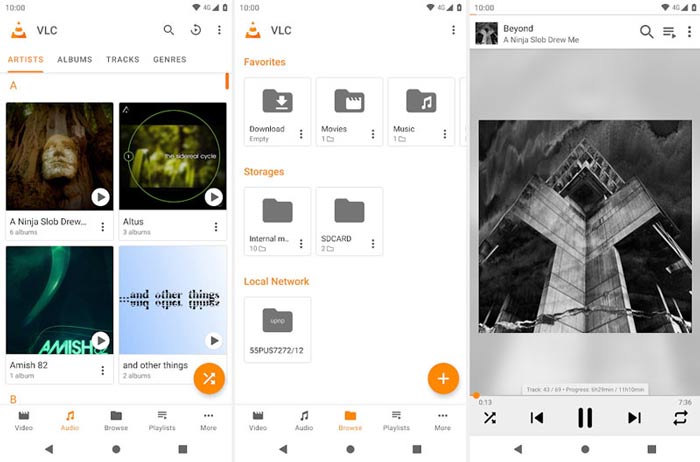
Această aplicație gratuită M4A player pentru Android poate reda fișiere video și audio în orice format popular, cum ar fi MP4, MOV, AVI, MP3, M4A, AAC și multe altele. Poate scana și localiza rapid toate fișierele M4A de pe dispozitiv, chiar și cardul SD. VLC media player poate fi o alegere bună, indiferent dacă doriți să jucați M4A pe Android sau Windows PC.
Partea 3. Player M4A implicit pentru Mac și PC - iTunes
iTunes îți poate fi deja cunoscut dacă ești utilizator de iOS sau Mac. Ar trebui să știi că toate fișierele muzicale și audio cumpărate din iTunes sunt în format M4A. iTunes poate fi playerul M4A implicit pe Mac. iTunes oferă, de asemenea, o versiune pentru Windows, ca să poți reda fișiere M4A pe un PC. iTunes nu este un instrument bun pentru gestionarea datelor iOS, dar poate funcționa ca un player M4A gratuit atât pentru Mac, cât și pentru computerul cu Windows.
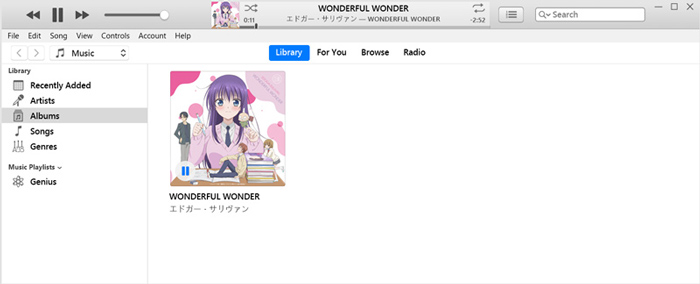
iTunes vă permite să achiziționați și să ascultați direct muzică M4A din iTunes Store. Pentru fișierele locale M4A, le puteți trage și fixa pe iTunes pentru redare. Alegeți sunetul M4A și faceți clic pe pictograma Redare pentru a începe redarea.
Partea 4. M4A Player pentru Android și Windows - KMPlayer
KMPlayer este una dintre cele mai populare aplicații pentru redarea muzicii și te poate ajuta să redai fișiere M4A cu ușurință. Oferă atât aplicații pentru computer, cât și pentru mobil, pentru a reda fișiere audio M4A. Ca player M4A gratuit, nu afișează reclame care să îți întrerupă redarea. Pe lângă M4A, KMPlayer este compatibil și cu numeroase formate video 4K, HD și cu formate audio fără pierderi.
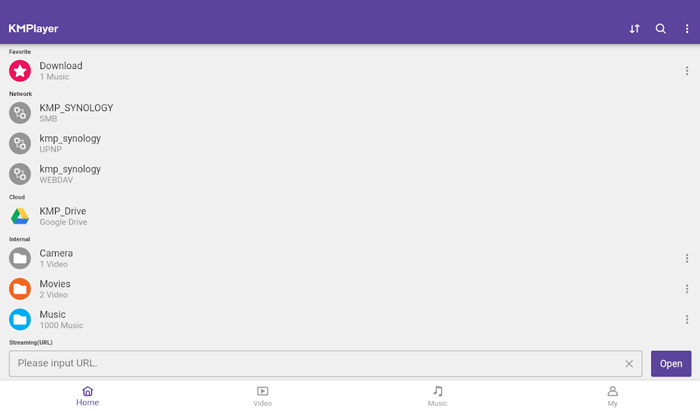
KMPlayer oferă un mod simplu de a crea melodiile și listele de redare ale filmelor. Fiind o aplicație puternică pentru player M4A, vă permite să redați muzica M4A și conținutul stocat în Google Drive. Este proiectat cu o funcție excelentă de căutare pentru a găsi cu ușurință muzică și videoclipuri care vă plac.
Partea 5. Player M4A online - Player TimeStretch
TimeStretch Player este un player audio online ușor de utilizat, care te poate ajuta să redai fișiere M4A cu o calitate înaltă a sunetului. Acceptă multe formate audio, inclusiv MP3, M4A și OGG. Ca player audio M4A online, are o interfață simplă. Trebuie doar să dai clic pe Open Track pentru a încărca fișierul M4A pe care vrei să îl redai.
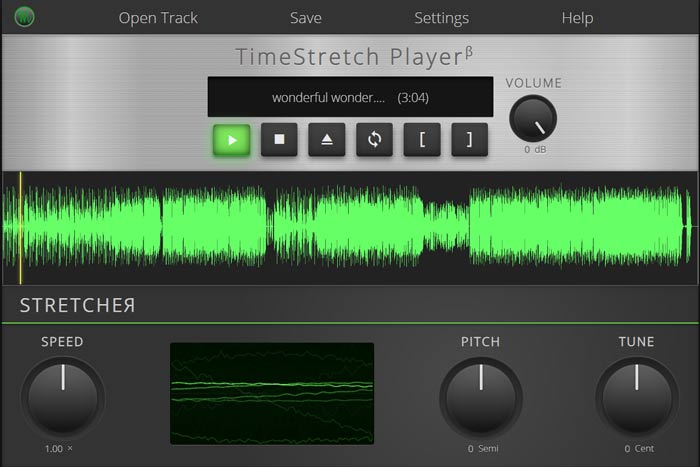
Pentru jocul M4A, vi se oferă comenzile complete. Puteți regla în mod liber viteza de redare, tonul, volumul și tonul în funcție de nevoile dvs. Pe lângă funcția de redare, acest player online M4A vă permite, de asemenea, să convertiți fișierul audio într-un format popular precum MP3.
Partea 6. Întrebări frecvente despre M4A Player
Întrebarea 1. Are iPhone o aplicație player M4A încorporată?
M4A este formatul audio nativ pentru dispozitivele Apple. Puteți deschide direct fișierul M4A cu aplicația Muzică de pe iPhone.
Întrebarea 2. Cum se convertesc gratuit M4A în MP3?
Când vrei să convertești M4A în MP3, te poți baza pe popularul software de conversie audio, Free Online Audio Converter. Îți permite să faci conversia audio din M4A în MP3 fără nicio pierdere de calitate a sunetului.
Întrebarea 3. M4A este de bună calitate?
Da. Ca format audio fără pierderi, M4A cu codec ALAC poate oferi o calitate ridicată a sunetului. Poate oferi o calitate audio mai bună decât MP3 la aceeași rată de biți.
Concluzie
Dacă ești utilizator de Windows sau Android, este posibil să te confrunți cu problema imposibilității de a reda fișiere M4A. După ce citești acest articol, poți obține 5 dintre cele mai bune playere M4A gratuite pentru a te bucura de muzica ta M4A la calitate înaltă. Dacă ai vreo recomandare mai bună de player M4A, te rugăm să o împărtășești în comentarii cu ceilalți cititori.
-
 Cum se convertește M4A în MP3 cu 4 convertoare audio gratuite
 Nu puteți reda M4A și trebuie să-l convertiți în MP3? Există vreo modalitate gratuită de a converti M4A în MP3 online? Această postare prezintă 4 moduri gratuite de a vă ajuta să convertiți M4A în MP3 cu iTunes, convertoare audio profesionale și online.
-
 Descărcare MP3 Player - Cele mai bune 10 playere gratuite de muzică MP3 din 2021
 Care este cel mai bun player de muzică MP3? Cum pun muzică pe un player MP3? Cum se descarcă playerul de muzică MP3? Această postare vă oferă o recenzie detaliată a celor mai bune 10 playere MP3 gratuite pentru Windows PC și Mac.
-
 Obțineți cel mai bun player MP4 pentru a reda fișiere MP4 cu o calitate vizuală ridicată
 Citiți și obțineți cel mai bun player MP4 din recomandările celui mai recent 10 software de video player MP4. Puteți reda fișiere video MP4 pe Windows și Mac fără probleme.
