


 Video Converter Ultimate
 Screen Recorder
 Reparație video
Cele mai bune 2 moduri gratuite de a comprima fișiere MPV mari pe Windows și Mac
Cum se comprimează fișiere MPV? Tocmai ați înregistrat un videoclip cu înregistratorul de ecran pe Windows 10. Ca urmare, înregistratorul a produs un fișier MPV mare pe care nu îl puteți viziona sau edita. Ce este mai rau? MPV nu se află pe lista formatelor video populare. Vedeți cum puteți comprima fișiere video MPV mari în acest articol.

Partea 1: Cum să comprimați videoclipurile mari MPV online
Cea mai rapidă soluție este să folosiți FVC Free Video Compressor. Cu acest cel mai bun compresor MPV, trebuie doar să urmați 3 pași simpli pentru a finaliza sarcina de comprimare a fișierelor video MPV mari online.
Funcții principale:
- 1. Reduceți fișierele video de la orice dimensiune, menținând în același timp o calitate ridicată.
- 2. Personalizați setările de fiecare dată când comprimați un fișier
- 3. Interfață ușor de utilizat pentru toate nivelurile de utilizatori, inclusiv începători.
- 4. Suport TS, MOV, 3GP, MP4, WMV, RMVB, AVI și mai multe formate
Pași pentru comprimarea fișierelor MPV online
Pasul 1: Încărcați compresorul MPV și intrați în interfață.
Porniți FVC Free Video Compressor și faceți clic pe butonul Add Files to Compress. Selectați fișierul MPV pe care doriți să îl încărcați și să îl comprimați.

Notă: La prima utilizare a acestui compresor MPV, trebuie să descărcați și să rulați un fișier numit fvc-launcher.exe. După instalarea launcher‑ului, faceți din nou clic pe butonul Add Files to Compress. Fereastra Open va apărea.
Pasul 2: Personalizați setările pentru comprimarea MPV.
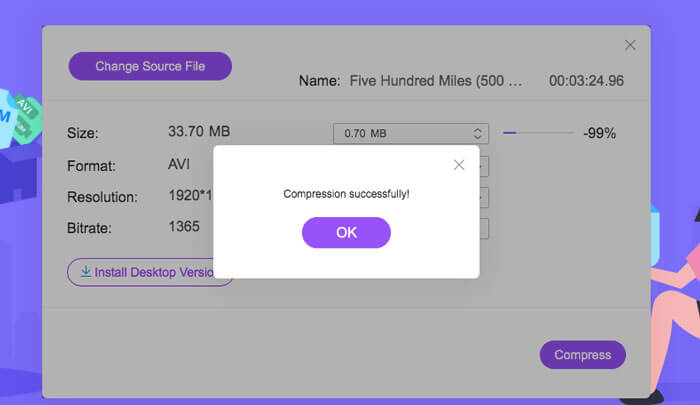
Dimensiune: Glisați pentru a modifica dimensiunea fișierului de ieșire. Cu cât fișierul video de ieșire este mai mic, cu atât se va pierde mai mult din calitatea imaginii.
Format: Alegeți formatul dorit.
Rezoluție: Puteți reduce rezoluția sau o puteți păstra pe cea originală.
Bitrate: Rata de biți finală depinde de combinația dintre dimensiune și rezoluție.

Pasul 3: Începeți comprimarea fișierului MPV și așteptați rezultatul.
Faceți clic pe butonul Compress și alegeți calea în care doriți să salvați fișierul MPV comprimat. În timpul procesului de comprimare a fișierului MPV, evitați să închideți browserul sau să opriți computerul.
Lectură suplimentară:
Cum să comprimați fișiere WebM online cu 2 compresoare video gratuite
2 moduri simple de a comprima fișiere MXF la o dimensiune mai mică
Partea 2: Cum să comprimați videoclipurile MPV mari în mod nativ pe Windows și Mac
Mai mult decât simpla comprimare a fișierelor video MPV la o dimensiune mai mică, este posibil să doriți și să editați videoclipul. FVC Free Video Compressor nu vă oferă această posibilitate. Prin urmare, aveți nevoie de Aiseesoft Video Converter Ultimate. Este un instrument complet pentru a converti, copia (rip), edita și comprima fișiere video MPV.
Funcții principale:
- 1. Comprimați fișierele video MPV cu cea mai mică pierdere de calitate
- 2. Compatibil cu Windows 10/8/7 și Mac OS X 10.7 sau o versiune ulterioară.
- 3. Includeți toate formatele de codificare precum H.264, VP8, H.265 / HEVC etc.
- 4. Suportă peste 1000 de formate: AVI, WMV, MP3, MP4, FLAC, WMA și multe altele.
- 5. Accelerarea hardware și software oferă o viteză maximă.
- 6. Aplicați efecte puternice și filtre uimitoare într-un singur clic.
Descărcare gratuită pentru Windows 7 sau o versiune ulterioară Descărcare securizată
Descărcare gratuită pentru MacOS 10.7 sau o versiune ulterioară Descărcare securizată
Pasul 1: Descărcați, instalați și lansați compresorul MPV avansat pe Windows sau Mac. Apoi treceți la fila Toolbox.
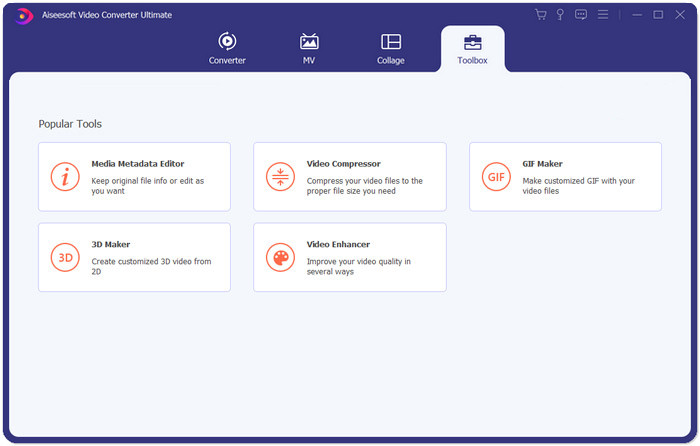
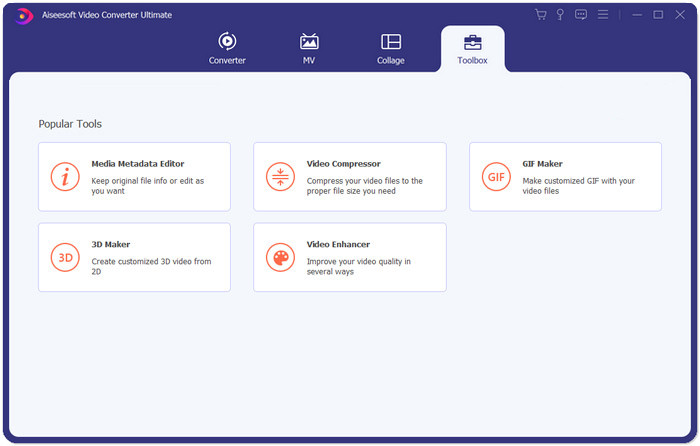
Pasul 2: Pentru a comprima fișierul MPV, trebuie să folosiți Video Compressor.
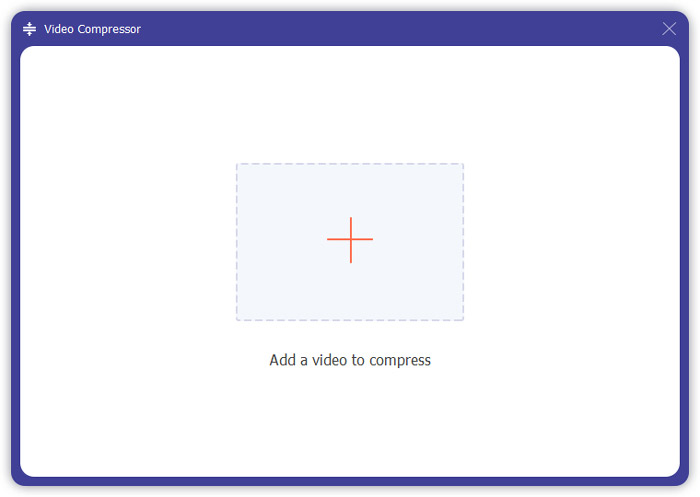
Pasul 3: Faceți clic pe butonul “+” și selectați fișierul MPV pe care doriți să îl comprimați.
Pasul 4: Personalizați setările înainte de a începe comprimarea fișierului MPV. Dimensiune: Puteți glisa bara de procentaj pentru a ajusta dimensiunea fișierului de ieșire sau puteți introduce direct dimensiunea dorită.
Format: MPV nu se află pe listă. Puteți alege orice format dintre cele 16 disponibile.
Rezoluție: Cel mai bine este să selectați Auto. De asemenea, o puteți reduce la o rezoluție mai mică.
Bitrate: Rata de biți va fi calculată automat în funcție de dimensiunea comprimată.
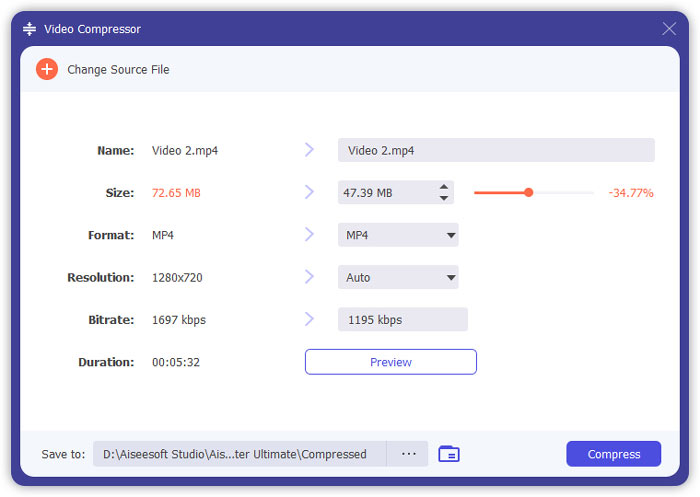
Pasul 5: Faceți clic pe butonul Compress din colțul din dreapta jos al interfeței Video Compressor. Înainte de aceasta, puteți schimba numele fișierului de ieșire.
Partea 3: Întrebări frecvente despre comprimarea MPV
Ce este un fișier MPV?
MPV este un fel de fișier video de flux elementar MPEG. Conține date video brute și necomprimate.
Trebuie să convertesc MPV în MP4?
Ar depinde de circumstanțe. De exemplu, dacă aveți de gând să luați fișierul pe un computer de clasă și să îl redați în clasă, ar fi bine să îl convertiți în MP4 în prealabil pentru o mai bună compatibilitate.
Pot deschide un fișier MPV cu Windows Media Player?
Da. Windows Media Player acceptă fișiere MPV.
Pot deschide un fișier MPV cu QuickTime?
Nu. Pentru a deschide un fișier MPV pe Mac, puteți descărca și instala Blu-ray player.
Concluzie
Acest articol a introdus două modalități gratuite de a comprima fișiere MPV uriașe pe Windows și Mac. Cea mai simplă modalitate este de a utiliza compresorul video FVC Free. Pentru o experiență mai completă, puteți descărca Video Converter Ultimate. Este un instrument all-in-one pentru a converti, tăia și comprima fișiere MPV.
-
 Cum se poate comprima video pentru Facebook gratuit și online
 Dacă vi se interzice să încărcați un videoclip mare pe Facebook, nu vă faceți griji. Doar comprimați dimensiunea video mare de la GB la MB cu compresorul video gratuit.
-
 Comprimă MPEG-4 | Cum se micșorează fișierele MPEG-4 fără a pierde calitatea
 Nu aveți suficient spațiu de stocare pentru a păstra toate fișierele dvs. MPEG-4? Iată câteva soluții care vă pot ajuta să vă micșorați fișierele video.
-
 Compresie VOB: Cum se reduce cu ușurință dimensiunea fișierelor VOB online gratuit
 Căutați metode de comprimare a fișierelor VOB? Aflați cel mai bun mod de a reduce dimensiunea fișierelor VOB în acest articol.
