


 Video Converter Ultimate
 Screen Recorder
 Reparație video
 Descărcare sigură
Înregistratorul de ecran AMV de top pentru computerele Windows și Mac
Actions Media Video cunoscut și sub numele de AMV. Este un format de fișier video produs special pentru a înlocui MP4 ca format universal redabil pentru majoritatea playerelor media. Dacă sunteți familiarizat cu formatul AVI, aceasta este o versiune modificată și îmbunătățită a acestuia. Acest format de fișier conține un videoclip comprimat. Formatul AMV este creat pentru a permite jucătorilor și dispozitivelor de producție economică să redea videoclipuri. Cu toate acestea, fișierul inițial redat este redus, deoarece rata de cadre este redusă. În ciuda acestui fapt, îl puteți considera în continuare ca un format alternativ bun atunci când redați videoclipul de ieșire.
Relativ vorbind, poți lua în considerare și utilizarea unui program de înregistrare a ecranului care te poate ajuta să redai videoclipuri în format AMV cu ușurință. Există, de fapt, o mulțime de instrumente care pot face acest lucru pentru tine. Pe de altă parte, nu trebuie să fie întotdeauna un fișier AMV. Este pur și simplu bine de știut că acum există un astfel de fișier. Astfel, am enumerat câteva înregistratoare video .amv pentru platformele Android și computer. Poți verifica lista de mai jos pentru a afla mai multe.

Partea 1. Top AMV Recorder online
1. FVC Free Screen Recorder
Când vorbim despre instrumente gratuite accesibile online, s-ar putea să te gândești la limitări, filigran și lipsă de siguranță. Deși acest lucru poate fi adevărat, nu toate programele gratuite de înregistrare a ecranului sunt la fel. Există unele care au ieșit din tipar și au oferit soluții la aceste probleme. FVC Free Screen Recorder este unul dintre ele. Cu siguranță acest instrument îți va oferi mai multă libertate în ceea ce privește nevoile tale de înregistrare a ecranului. Cu dimensiunea ajustabilă a cadrului, poți selecta raportul de aspect dorit și îți poți personaliza înregistrările. De asemenea, rata de biți (Bitrate) este reglabilă. Rata de biți este importantă deoarece te poate ajuta să ajustezi calitatea videoclipului pe care îl exporți. Mai sunt încă multe lucruri de aflat despre acest instrument remarcabil.
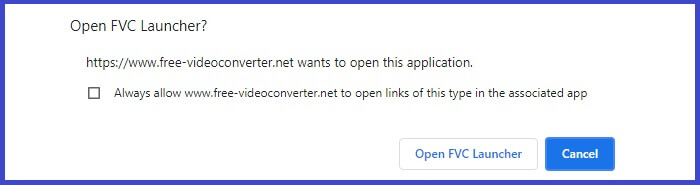
Pasul 1. Lansează aplicația accesând pagina oficială https://www.free-videoconverter.net/free-screen-recorder/. Fă clic pe butonul Start Recording pentru a lansa aplicația.
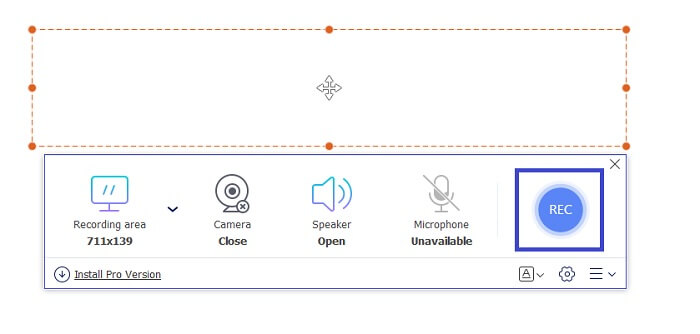
Pasul 2. După ce instrumentul este lansat, ajustează raportul de aspect al înregistrării mutând cadrul punctat până când obții dimensiunea dorită a videoclipului. Apoi fă clic pe REC pentru a începe înregistrarea.
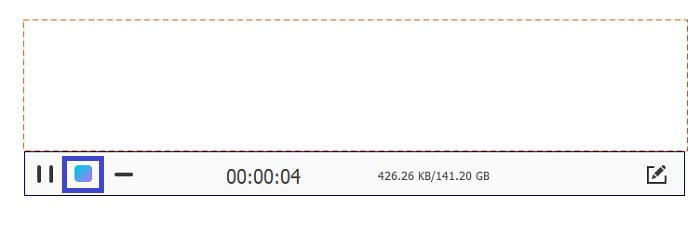
Pasul 3. În timpul înregistrării, fă clic pe pictograma Creion pentru a activa adnotarea în timp real, unde poți adăuga forme, linii și text. Când ai terminat înregistrarea, fă clic pe butonul Pătrat albastru pentru a opri înregistrarea.
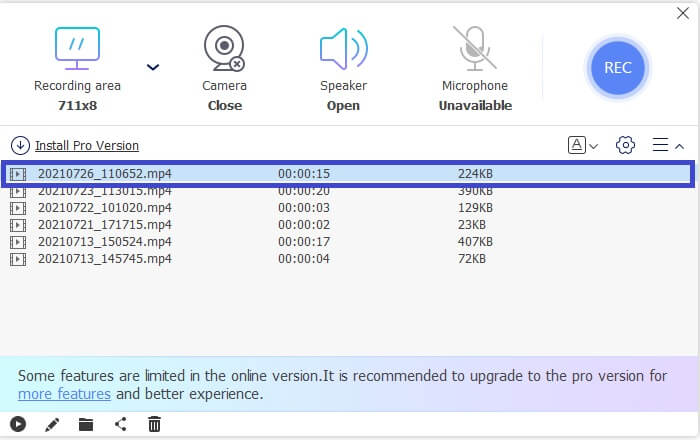
Pasul 4. Pentru a vizualiza fișierul înregistrat, fă clic pe numele fișierului din partea de jos a interfeței principale. Dă dublu clic pentru a-l reda.
Pro
- Înregistrare nelimitată.
- Fără limită de durată.
- Bitrate reglabil pentru ieșire video de înaltă calitate.
- Tunderea video este acceptată.
Contra
- Îi lipsesc subtitrările generate automat.
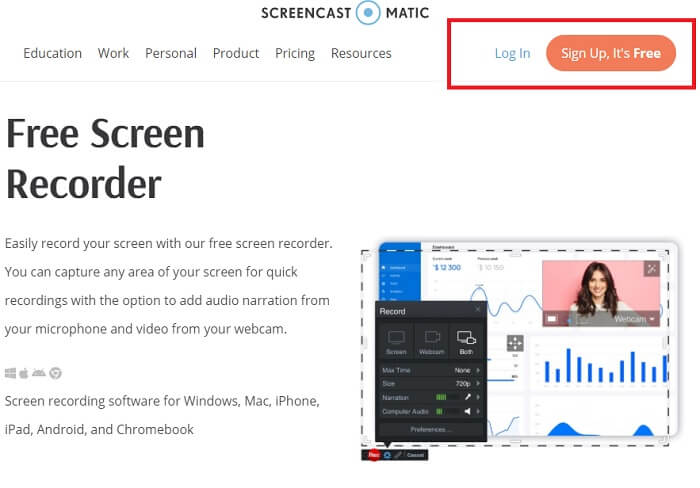
2. Screencast-O-Matic
Personalizați-vă înregistrarea cu Screencast-O-Matic și experimentați amestecarea și potrivirea ecranului înregistrând videoclipuri importate și videoclipuri înregistrate. Ca să nu mai vorbim, este un instrument online care poate captura de ecran, vă permite să desenați pe ecran, cu subtitrări automate și poate înregistra audio în același timp. Puteți alege să adăugați narațiune sau subtitrări în timp ce înregistrați videoclipul. Acest lucru este util în principal producătorilor de tutoriale video și celor care economisesc bani. Singurul dezavantaj al acestei aplicații gratuite este procesul de înregistrare. Este lung. Între timp, iată cum îl puteți folosi.
Pasul 1. Accesează pagina principală și înregistrează-te pentru un cont.
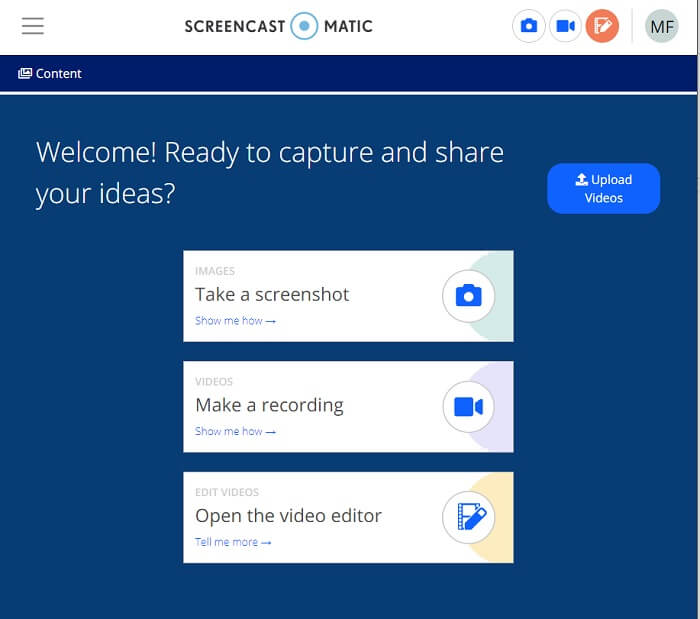
Pasul 2. După înregistrare, vei ajunge pe această pagină unde ești întrebat ce acțiune vrei să faci. Alege Make a Recording.
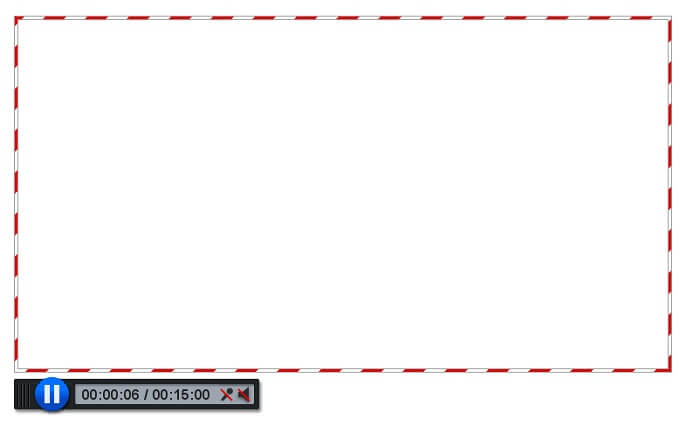
Pasul 3. Instrumentul va apărea apoi. Pentru a începe înregistrarea, fă clic pe butonul roșu REC. Vei face clic pe același buton pentru a opri înregistrarea.
Dacă nu sunteți mulțumit de caracteristicile pe care aceste două aplicații gratuite uimitoare le pot oferi, puteți continua să citiți următorul instrument oferit pentru dvs. De data aceasta vom vorbi despre instrumentele premium pe care le puteți descărca de pe computer.
Partea 2. Înregistrare AMV de top pentru desktop
1. FVC Screen Recorder
Primul instrument pentru desktop este FVC Screen Recorder. Are capacitatea de a înregistra ecranul computerului, sistemul audio și de a captura streaming online fără zgomot de fundal. Instrumentul înregistrează sunetul de sistem al computerului, ceea ce înseamnă că calitatea audio este foarte satisfăcătoare. Pe lângă formatele foarte acceptate, acest instrument acceptă tehnologia de accelerare pentru streamingul online de jocuri. FARA filigran, doar inregistrare de calitate. Veți obține cele mai bune numai dacă utilizați acest instrument. Calitate HD, sunet fără pierderi, înregistrare lină în timpul fluxului live și accelerare. Tot ce aveți nevoie pentru nevoile dvs. de înregistrare este aici. Mai mult decât atât, există o funcție de blocare a ferestrei care vă permite să înregistrați doar o anumită fereastră. În plus, instrumentul este ușor de utilizat, începeți făcând clic pe butonul de mai jos.
Descărcare gratuităPentru Windows 7 sau versiuni mai noiDescărcare sigură
Descărcare gratuităPentru MacOS 10.7 sau versiuni mai noiDescărcare sigură
Pasul 1. Fă clic pe butonul Video Recorder pentru a începe înregistrarea.
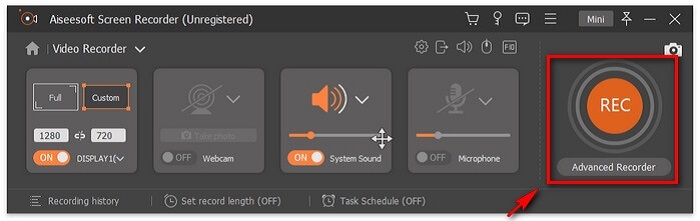
Pasul 2. Începe înregistrarea și adaugă adnotări pe ecran în timp ce înregistrezi.
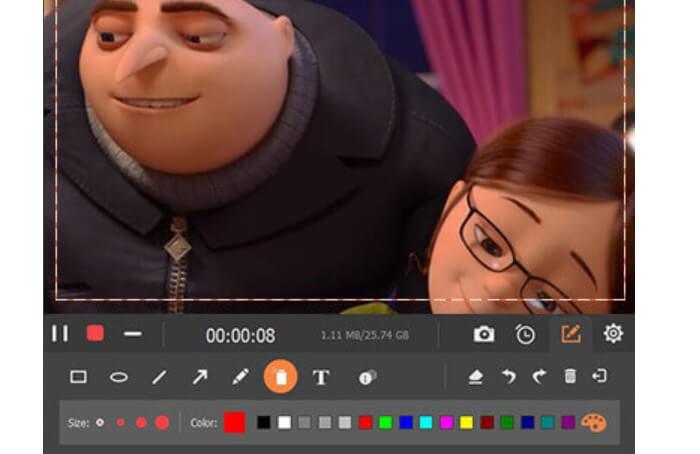
Pasul 3. La final, oprește înregistrarea făcând clic pe butonul Pătrat roșu.

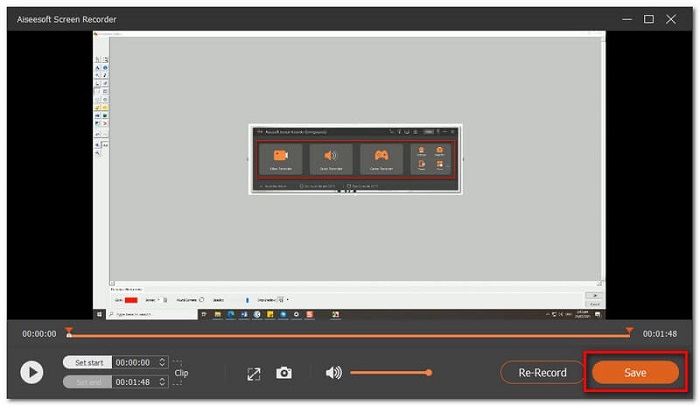
Pasul 4. Acum va apărea o altă fereastră. Alege între Re-Record și Save.
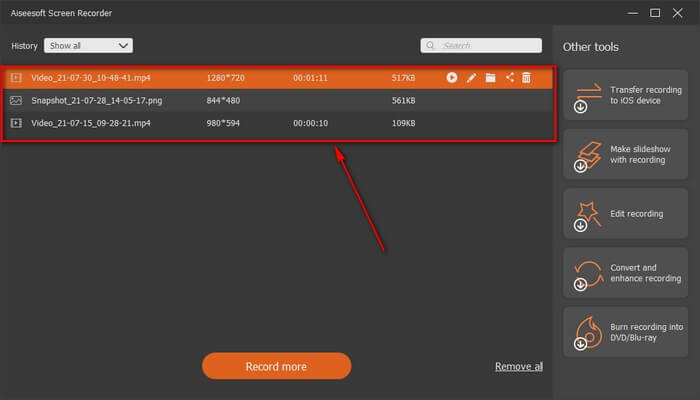
Pasul 5. Găsește fișierul înregistrat în următoarea fereastră care va apărea.
2. Bandicam
În cele din urmă avem Bandicam. Este unul dintre cele mai fiabile instrumente atunci când vine vorba de înregistrarea ecranului. Unul este pentru că instrumentul are o interfață foarte simplă. Toate setările pe care trebuie să le verificați și caracteristicile sunt date pe un singur ecran. Pe măsură ce lansați instrumentul, puteți vedea imediat toate setările și caracteristicile. Într-adevăr, definiția reală a unei interfețe ușor de utilizat. Chiar și un începător la acest tip de tehnologie poate face față cu ușurință. Pentru a vă arăta ceea ce se spune, iată cum îl puteți folosi.
Pasul 1. Mergi pe site-ul oficial al instrumentului pentru a descărca și instala aplicația.
Pasul 2. Fă clic pe butonul REC din partea dreaptă sus a interfeței. Apoi instrumentul îți va cere să ajustezi dimensiunea cadrului.
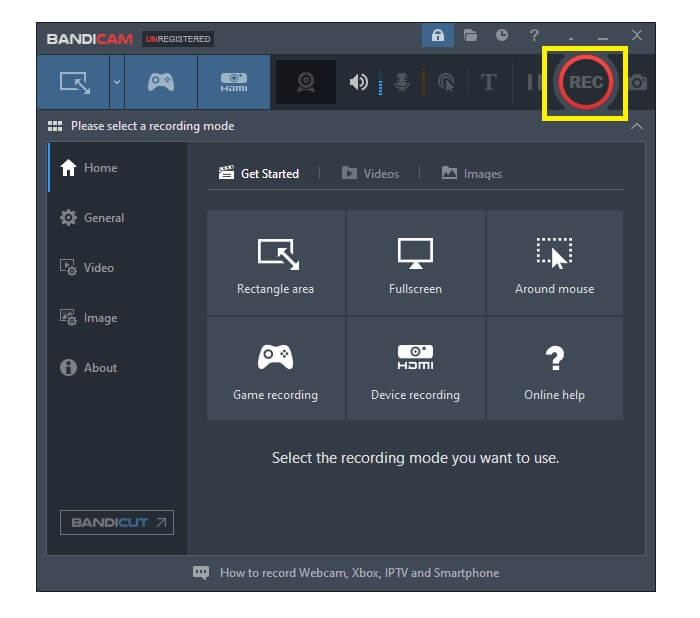
Pasul 3. De acolo începe să adnotezi în timp ce înregistrezi. Fă clic pe butonul X din colțul din dreapta pentru a încheia înregistrarea.
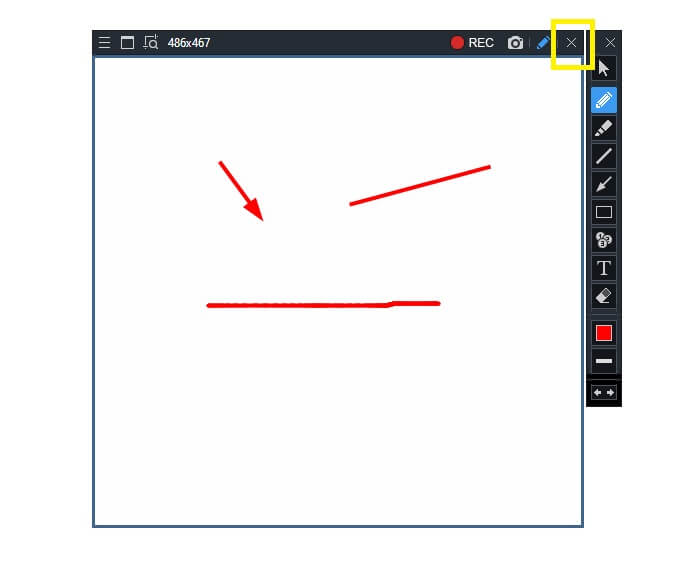
Toate instrumentele scrise sunt într-adevăr utile. Bandicam reprezintă simplitate și utilizare. Între timp, Screencast-O-Matic este versatil. Pe de altă parte, FVC Screen Recorder poate oferi atât instrumente gratuite, cât și instrumente premium care depășesc cu totul instrumentele enumerate. Funcția de blocare a ferestrei este în special un avantaj, deoarece permite multitasking și eficiență. Niciun alt recorder de ecran nu poate face această abilitate, este doar cu FVC Screen Recorder.
Citește mai mult:
1. Cum să convertești MP4 în AMV
2. Cum să comprimi fișiere AMV de mari dimensiuni
Partea 3. Întrebări frecvente despre AMV Recorder
De ce nu pot deschide un fișier AMV pe computerul meu?
Există mai multe motive pentru care. Totuși, cel mai frecvent este că fișierul nu are software adecvat pe computer. Descărcați unul online.
MP4 Player nu se joacă Eroare de format și cum să remediați asta?
Este simplu. Schimbă fișierul .amv la cea mai recentă versiune. Convertește-l. Dacă vrei să îl convertești, urmează ghidul de mai jos:
1. Accesează acest link https://www.free-videoconverter.net/free-online-video-converter/.
2. Deschide lansatorul, apoi încarcă fișierul.
3. Alege formatul pe care îl preferi. După ce ai terminat, fișierul va fi randat în scurt timp.
4. Fă clic pe butonul de descărcare pentru a obține fișierul înregistrat.
Cum pot asocia un fișier cu software-ul?
Există două moduri de a face acest lucru. Unul este să alegi fișierul AMV, apoi să selectezi Choose default program, apoi Browse. Cealaltă metodă este să înregistrezi un fișier în Windows Registry.
Concluzie
În concluzie, AMV este bine să cunoașteți formatul pe care îl puteți lua în considerare, dar nu este recomandat celor care caută videoclipuri de bună calitate. De asemenea, lista înregistratoarelor de ecran AMV nu se limitează doar la AMV, ci poate produce mai multe formate precum MP4, MOV și multe altele.
-
 Top 5 Cele mai bune înregistratoare de mouse și tastatură pentru Windows și Mac
 Iată primele cinci cele mai bune programe de înregistrare a mouse-ului și a tastaturii, care vă pot salva mișcările mouse-ului și clicurile de pe tastatură și pot repeta evenimentele.
-
 Top 4 înregistratoare de ecran AVI gratuite pentru a captura imagini video ca fișiere AVI
 Pentru a înregistra ecranul în fișiere AVI de înaltă calitate, articolul identifică și a distribuit primele 4 înregistratoare de ecran AVI gratuite din această postare. Aflați mai multe detalii pentru a-l găsi pe cel dorit în consecință.
-
 Top 6 înregistratoare WAV gratuite disponibile pentru Windows și Mac
 Cel mai bun software de înregistrare WAV pe care îl împărtășim în acest articol are o varietate de caracteristici utile, care vă ajută să capturați profesioniști audio și vocali.
