


 Video Converter Ultimate
 Screen Recorder
 Reparație video
Aflați cel mai bun 4 convertor SWF în FLV offline și online pe Windows și Mac
În prezent, caut o soluție pentru a încărca fișierele mele SWF pe site-uri de partajare video precum Youtube, Facebook, MySpace și altele. Mă puteți ajuta să găsesc cea mai rapidă modalitate de a rezolva această problemă?
Această problemă este frecventă, mai ales dacă videoclipul tău are extensia de fișier .swf. Totuși, acest format este des întâlnit pe web, însă partajarea fișierului pe platformele de partajare video nu funcționează. Mai mult, dacă vrei să îți distribui fișierele SWF, trebuie să convertești formatul într-unul mult mai bine suportat, cum ar fi FLV. Așadar, hai să vedem cele patru „nestemate ascunse”, convertoare SWF în FLV offline și online pe care le poți folosi, citind acest articol.

Partea 1. Convertiți SWF în FLV online gratuit cu FVC Free Video Converter Online
FVC Free Video Converter Online este convertorul video fără egal pe care îl poți folosi pentru a converti SWF în FLV online, gratuit. Acest instrument web este specializat în convertirea fișierelor într-un nou format fără a descărca unealta pe desktopul tău. Pe lângă capacitatea de conversie, poți schimba și specificațiile video și audio în funcție de nevoi. Vrei să știi cum să folosești acest convertor web „ușor ca o pană”? Atunci copiază pașii scriși mai jos.
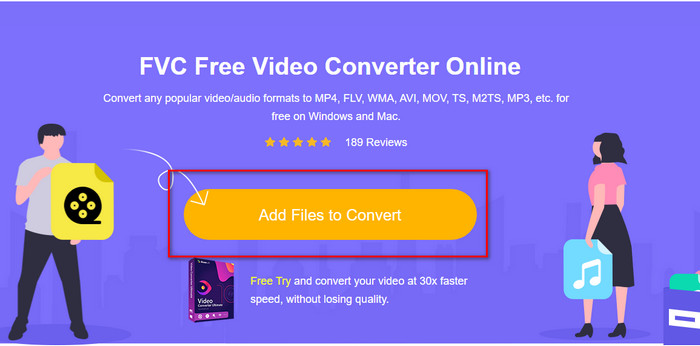
Pasul 1. Fă clic pe acest link pentru a deschide o filă nouă care te va direcționa către pagina oficială a FVC Free Video Converter Online.
Pasul 2. Pe site, dă clic pe Add Files to Convert, apoi se va deschide un folder de pe computer; selectează fișierul .swf și apasă Open.
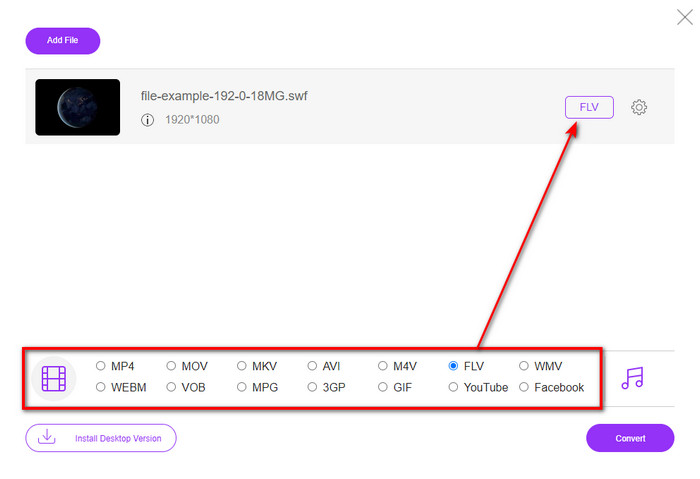
Pasul 3. După inserarea fișierului, sub lista de formate, alege formatul FLV.
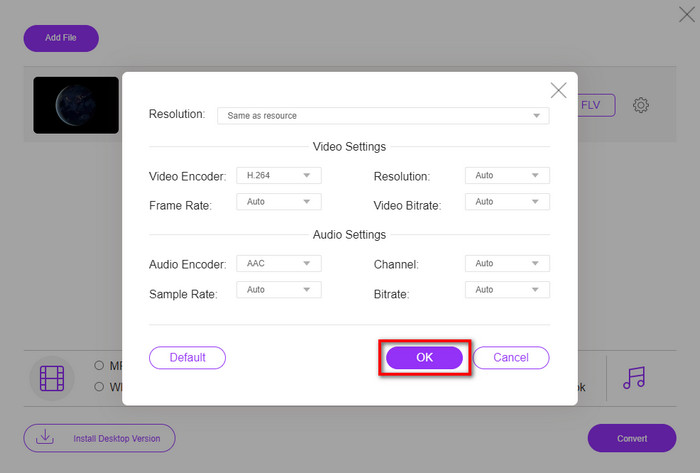
Pentru a modifica specificațiile video și audio, apasă butonul cu rotița de setări.
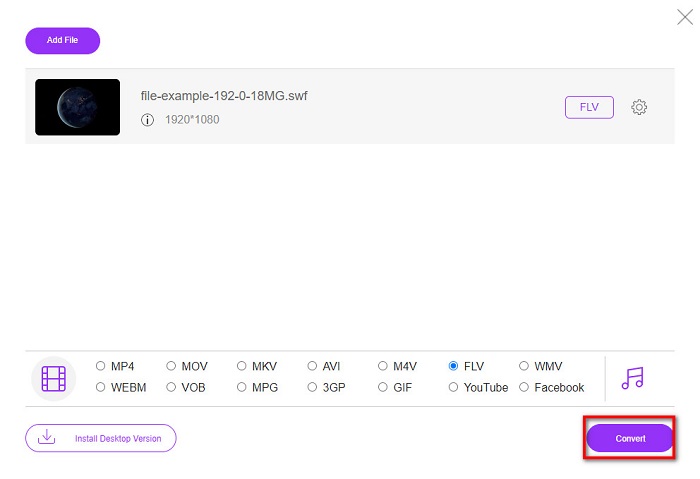
Pasul 4. Pentru a începe procesul de conversie, apasă butonul Convert.
Partea 2. Convertiți SWF în FLV cu FFmpeg
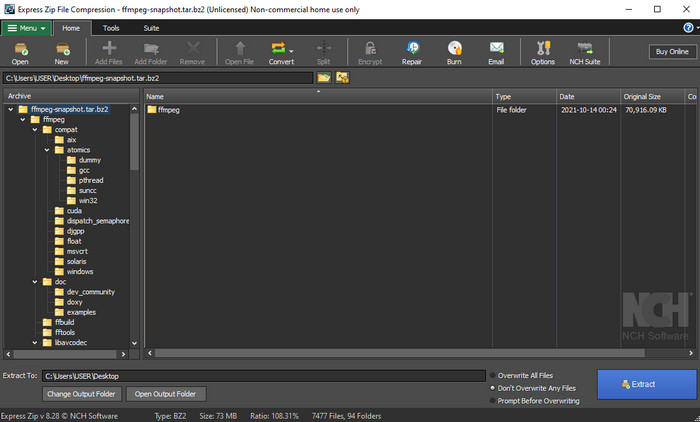
FFmpeg are o interfață și comenzi unice pentru a converti SWF în FLV gratuit. Dacă cunoști deja acest convertor, știi cum se folosește; totuși, nu toată lumea îl cunoaște. Pe scurt, acest convertor nu este unul tipic, de genul celor folosite uzual pe web sau descărcate cu interfață grafică. În loc să folosești butoane pentru comenzi, va trebui să folosești linia de comandă (prompt) pentru a controla acest convertor.
Pasul 1. Descarcă convertorul FFmpeg pe unitatea ta de stocare, apoi deschide-l.
Pasul 2. Pe computer, deschide fereastra de Command Prompt (linia de comandă).
Pasul 3. Navighează în CMD până la folderul în care se află fișierul SWF, apoi introdu comanda. Copiază această comandă și insereaz-o în Command Prompt: ffmpeg -i input.swf -vn -ar 44100 -ac 2 -b:a 192k output.flv și apasă Enter pentru a începe procesul.
Partea 3. Convertiți SWF în FLV în Flash
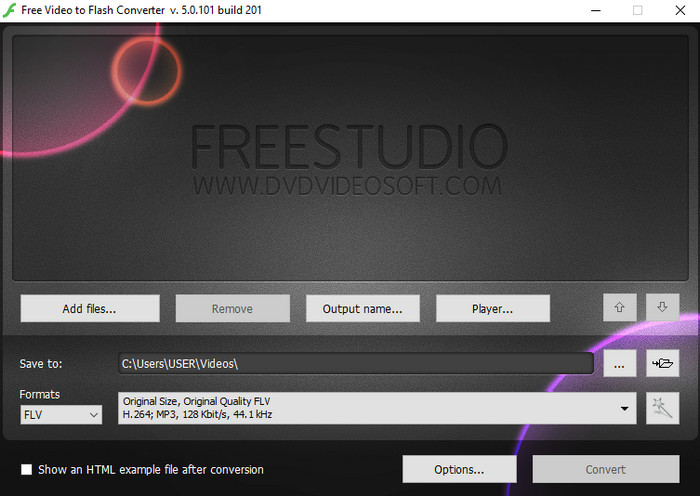
Free Video to Flash Converter este un convertor gratuit pe care îl poți descărca pe Windows. Acest convertor oferă două formate dintre care poți alege. Este creat special pentru conversia fișierelor doar în format FLV sau SWF. Așadar, dacă vrei să îți convertești fișierele SWF în AVI, MP4, MOV, MKV și altele, nu poți face asta aici. Haide să învățăm cum să convertești SWF în FLV în Flash fără alte întârzieri.
Pasul 1. Descarcă software-ul oficial Flash Converter pe Windows și rulează aplicația.
Pasul 2. Apasă Add Files pentru a încărca fișierul în convertor. Apoi apasă Formats, caută FLV și poți alege și calitatea.
Pasul 3. Pornește conversia făcând clic pe butonul Convert din partea dreaptă-jos a interfeței.
Partea 4. Cum să convertiți SWF în FLV cu ajutorul celui mai bun convertor SWF pe Windows și Mac
Încă nu ești mulțumit de primele trei convertoare SWF în FLV online și offline prezentate mai sus? Dacă da, încearcă să folosești FVC Video Converter Ultimate. Acest convertor depășește așteptările oricărui utilizator, în special prin viteza extrem de mare a procesului de conversie. Pe lângă conversia fenomenală, are și funcții avansate de editare pentru a-ți îmbunătăți videoclipul și o casetă de instrumente (Toolbox) pentru alte scopuri. Mai mult, pașii de ghid de mai jos îți vor garanta un succes de 101% în conversia fișierului.
Pasul 1. Înainte de a folosi unealta, trebuie să o descarci pe unitatea ta Windows sau Mac, să urmezi procesul de instalare și să o rulezi.
Descărcare gratuită pentru Windows 7 sau o versiune ulterioară Descărcare securizată
Descărcare gratuită pentru MacOS 10.7 sau o versiune ulterioară Descărcare securizată
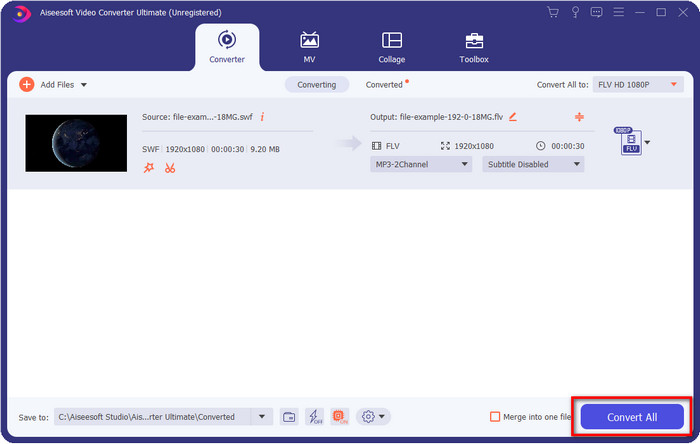
Pasul 2. După ce rulează pe sistemul tău, fă clic pe Add Files pentru a încărca fișierele SWF pe care vrei să le convertești.
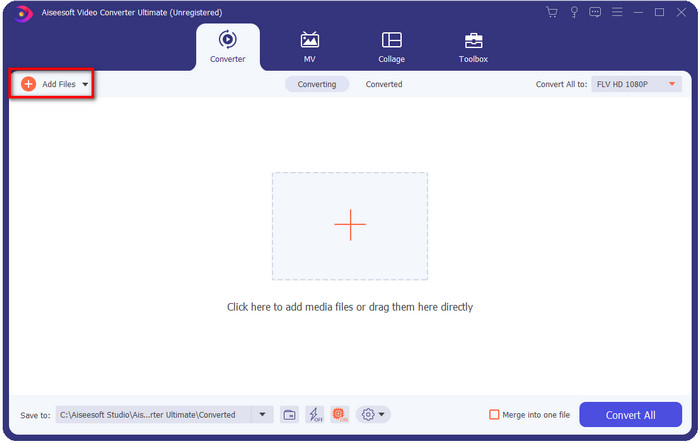
Pasul 3. Apasă opțiunea Convert All to și alege formatul FLV. Poți selecta și calitatea pentru înaltă definiție sau poți păstra versiunea originală.

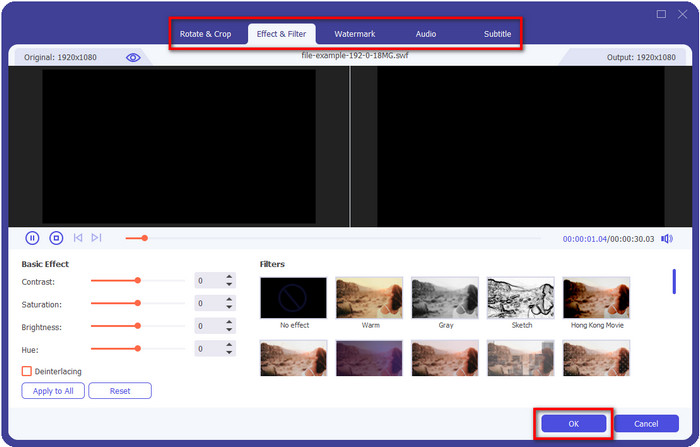
Dacă vrei să îmbunătățești și mai mult rezultatul video, apasă butonul cu bagheta magică. Vei fi dus la diverse opțiuni de editare, cum ar fi Crop, Rotate, Add Effects, Subtitle, Audio și Watermark. Pentru a salva modificările făcute, apasă OK.
Pasul 4. Fă clic pe Convert All și procesul va începe. Va fi nevoie de foarte puțin timp pentru a converti SWF în FLV; după conversie, pe ecran va apărea un folder cu fișierul FLV.
Partea 5. Cunoștințe extinse despre SWF și FLV
ShockWave File sau SWF este un format Adobe, dar Macromedia l-a creat. Este cunoscut pentru păstrarea animațiilor și a sunetelor bazate pe vectori utilizate pe web. Mai mult decât atât, deoarece este o bază vectorială, puteți ajusta cu ușurință scalarea grafică pentru a se potrivi sau a mări. În afară de animația vectorială, dimensiunea fișierului este atât de mică încât să încarce videoclipul mai repede, chiar dacă aveți o conexiune lentă la internet. Dar formatul nu este acceptat dacă doriți să le partajați pe platformele de partajare video.
Deși FLV este, de asemenea, sub Adobe, acest format este mai bun decât SWF. Formatul FLV sau FlashVideo este formatul video standard pe majoritatea site-urilor web. Acest format poate conține două codecuri diferite destinate video și audio. Și la fel ca fișierul SWF, acest format este mic pentru a încărca fișierul mai repede pe web; odată ce descărcați fișierul FLV pe unitate, îl puteți reda pe playerul media, chiar dacă nu este încă complet.
Ar fi de ajutor dacă ați converti SWF în FLV, deoarece SWF are o mulțime de imperfecțiuni pe care le puteți găsi în formatul FLV. Mai ales dacă fișierul video este lung, deoarece .swf poate conține doar un cadru limitat pe secundă, va exista șansa să nu îl puteți utiliza. Dar FLV poate reține videoclipuri lungi cu ușurință. În plus, dacă doriți să vă concentrați pe calitate, FLV are o calitate mai bună decât SWF.
Partea 6. Întrebări frecvente despre conversia SWF în FLV
Fișierul SWF acceptă transparența?
La fel ca PNG și GIF, acest format acceptă și tonuri de gri cu culori adevărate sau atribuiți o singură culoare pentru a-l face transparent.
Unde pot viziona videoclipuri SWF?
Deocamdată nu poți reda fișiere SWF în playerul media implicit, deoarece nu sunt suportate. Totuși, poți da clic pe acest link și poți afla mai multe despre Top 4 playere media SWF pentru Windows sau Mac.
Pot salva fișierul .swf al telefonului meu?
Salvarea fișierelor SWF pe telefon este posibilă, dar redarea lor pe playerul media local nu este posibilă. Pentru că acest format nu este pentru compatibilitatea telefonului, ci pentru web. Deci, dacă descărcați un fișier cu această extensie, așteptați-vă că nu îl puteți utiliza; cu toate acestea, îl puteți converti într-un format redabil, cum ar fi MP4, pe telefon.
Concluzie
Acest articol scoate la lumină „nestematele” de convertoare pe care le poți folosi pentru a converti SWF în FLV fără a degrada calitatea fișierului SWF. Pe măsură ce am adunat toate aceste convertoare, am descoperit că FVC Video Converter Ultimate este nestemata ascunsă pe care o cauți pentru această problemă. Oferă cel mai bun rezultat și cel mai rapid proces de conversie, comparativ cu toate uneltele menționate. Acum, trebuie doar să alegi comoara pe care vrei să o folosești pentru problema ta de conversie, descărcând sau accesând unealta pe web.
-
 Convertoare utile DV în FLV pentru a converti DV în FLV [2022]
 Dacă sunteți în căutarea celor mai bune și ușoare instrumente de utilizat pentru a converti DV în FLV, iată cel mai bun articol pe care să-l citiți. Aveți o perspectivă excelentă, săpat prin toate informațiile din acest articol.
-
 Cum să convertiți MPG în FLV fără a pierde calitatea [Dovedit]
 Trebuie să vizionați filmul preferat pe acest player media, dar nu acceptă MPG. Încercați să vă convertiți fișierul MPG în FLV utilizând aceste convertoare pe care le prezintă acest articol.
-
 Convertiți TRP în FLV cu cele mai ușoare metode offline și online
 Doriți să vă convertiți fișierul video TRP în FLV rapid și fără probleme? Citiți acest articol pentru a vă oferi cel mai bun software și serviciu online care se potrivește cel mai bine situației.
