


 Screen Recorder
 Reparație video
 Descărcare sigură
Cum să eliminați fundalul din GIF-uri folosind programe eficiente
GIF este abrevierea de la Graphics Interchange Format și este folosit pe scară largă în comunicarea online, cum ar fi trimiterea de mesaje sau chiar comentarea unei postări. Eliminarea fundalului din GIF‑uri sau imagini poate fi dificilă dacă nu ai programe software create special pentru acest tip de sarcină! Datorită popularității lor, tot mai mulți utilizatori sunt interesați să editeze și să își creeze propriile GIF‑uri. Din fericire, am adunat programe online fiabile și ușor de utilizat care îi pot ajuta pe utilizatori să elimine fundalul din GIF‑uri.
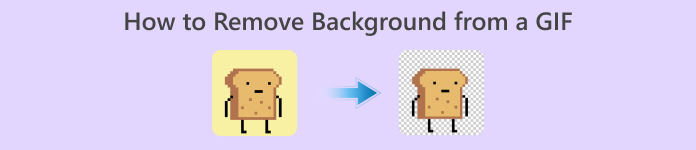
Recomandat: Eliminator de fundal fără FVC
FVC Free Background Remover este un instrument util atunci când vine vorba de eliminarea fundalului din pozele tale. Folosește inteligență artificială pentru a contura și recunoaște persoana din fotografie. În plus, instrumentul este disponibil pe Windows/Mac. Per total, este un instrument comod și de încredere pe care îl poți folosi oricând și oriunde.
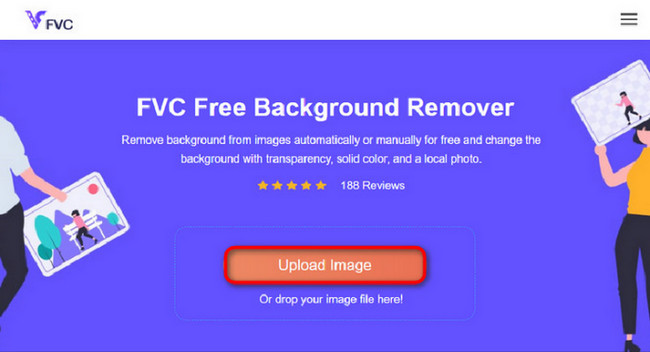
Pasul 1. Încarcă Imaginea/GIF
Primul pas este să deschizi browserul pe computerul tău. După deschiderea programului online, ți se oferă opțiunea de a încărca imaginea. Dă clic pe Upload Image pentru a adăuga GIF‑ul căruia vrei să îi elimini fundalul.
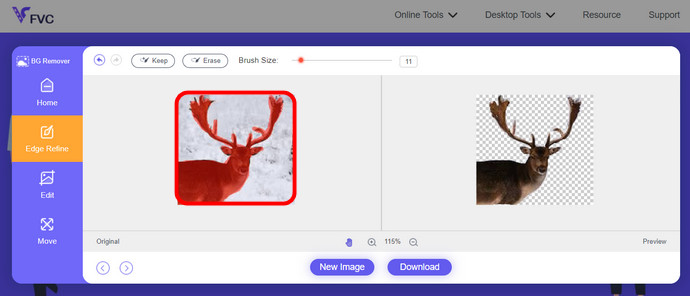
Pasul 2. Editează Imaginea
După încărcare, acum aveți voie să eliminați orice eliminare imprecisă a evidențierilor din recunoașterea AI. Doar faceți clic și trageți mouse-ul și faceți-o după bunul plac.
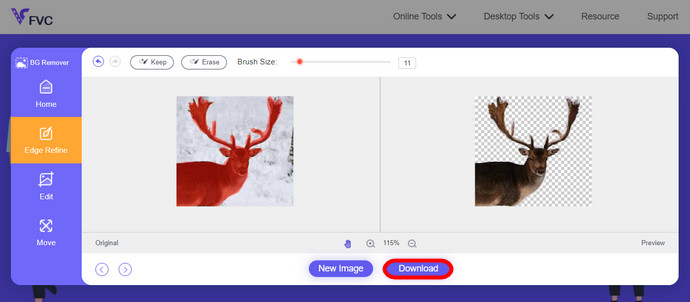
Pasul 3. Descarcă Imaginea Editată
La final, apasă butonul Download. Ai reușit acum să elimini cu succes fundalul din imaginea ta.
Partea 1. Eliminați fundalul GIF folosind EZGIF.com
Acest software online este un software de editare și conversie a fotografiilor/gif-urilor. Poate edita și converti GIF, PNG, WEBP, IMG și multe alte formate. Aici, vă puteți edita GIF-ul cu software-ul de editare care vine cu software-ul.
Pasul 1. Intră pe Site
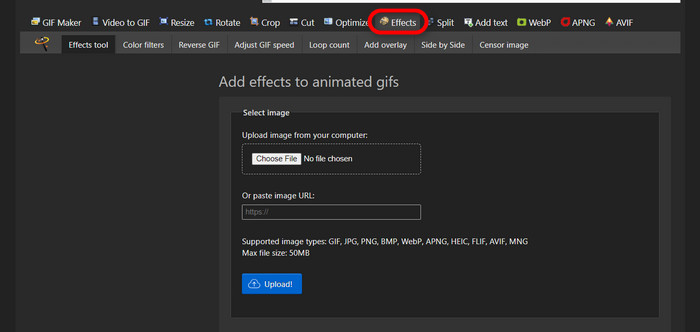
Pentru a folosi acest instrument online, deschide browserul și introdu linkul. Ți se oferă imediat opțiuni în funcție de nevoile tale. Acest site îți oferă posibilitatea de a elimina fundalul din GIF‑ul tău. Apasă pe Effects pentru a începe.
Pasul 2. Alege și Încarcă o Imagine/un GIF
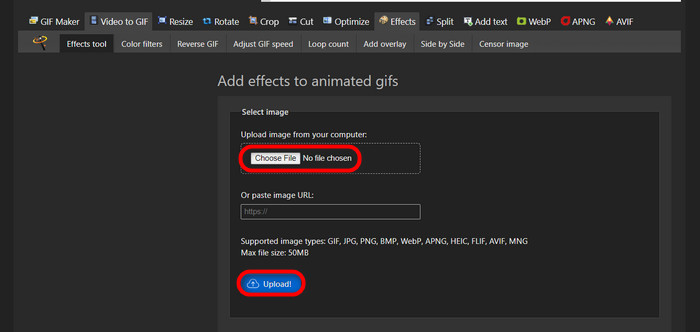
Acum, alege fișierul dorit pentru încărcare. Dă clic pe Choose Files, găsește‑l în folderul desemnat și apasă Upload pentru a încărca fișierul ales.
Pasul 3. Editează Imaginea
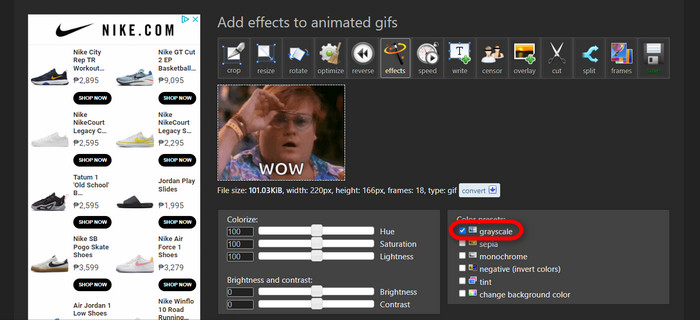
După încărcare, ești aproape de procesul de a elimina fundalul din GIF sau de a face fundalul GIF‑ului negru. Acum, dă clic pe grayscale pentru a închide fundalul la culoare.
Pasul 4. Previzualizează și Convertește Imaginea/GIF
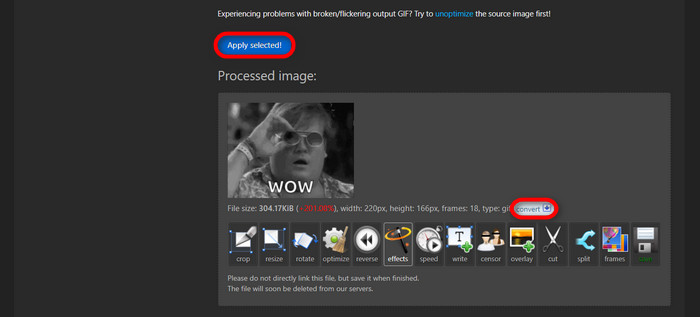
După ce ai aplicat efectul, ai redimensionat și decupat noul GIF, dă clic pe Apply Selected, iar acesta îți va afișa o previzualizare a GIF‑ului editat. Apoi, apasă butonul convert pentru a descărca fișierul.
Partea 2. Faceți un GIF fără fundal în Remove.bg
Acest site este, de asemenea, conceput pentru a elimina orice fundal din orice fotografie. Aici, vă oferă opțiunea de a edita în continuare fotografia de fundal eliminată automat. Este alimentat cu un AI priceput care poate recunoaște subiectul principal și poate elimina fundalul fără probleme.
Pasul 1. Încarcă Imaginea/GIF
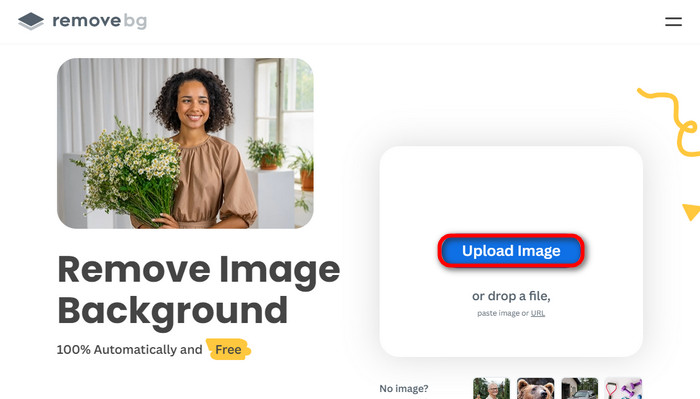
Să începem prin a încărca imaginea. Deschide programul online în browser când ești pe pagină. Apoi, dă clic pe Upload Image.
Pasul 2. Verifică și Editează Imaginea
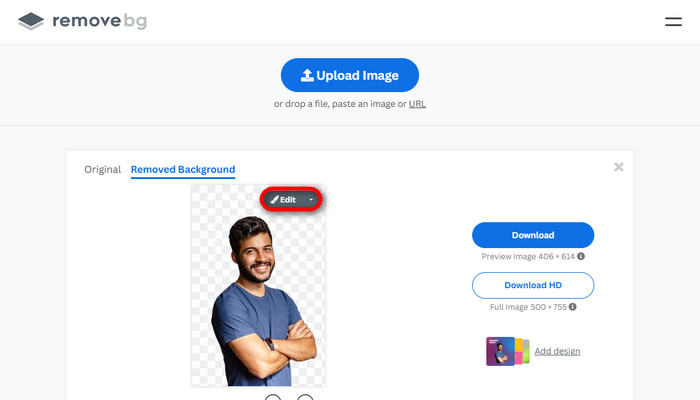
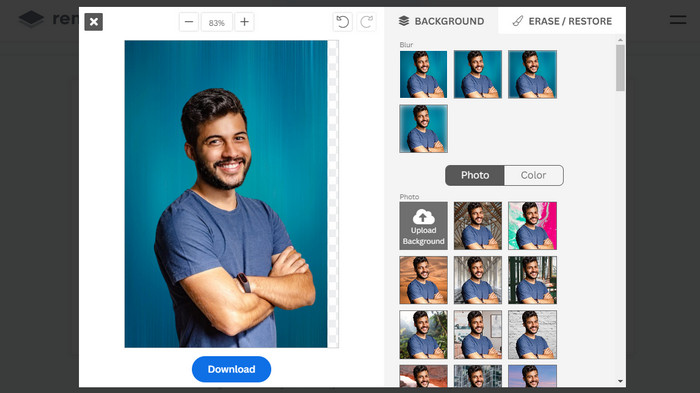
După ce imaginea este încărcată, fundalul ar trebui deja să fie eliminat automat, dar poți totuși să îți editezi fotografia. Poți vedea fotografia originală dând clic pe butonul Original de lângă butonul Removed Background. Utilizatorii pot aplica foarte ușor un fundal negru imaginii lor folosind acest software.
Pasul 3. Descarcă Imaginea Editată
În această parte ai terminat de editat și acum poți descărca imaginea. Doar apasă pe butonul Download de sub fotografie.
Partea 3. Utilizați GIFMagic în Eliminarea fundalului GIF
În GIFMagic, efecte speciale, adăugare de text, animare și multe altele! Toate acestea sunt posibile folosind acest program online. GIF-urile sunt ușor de lucrat atunci când vine vorba de editare în acest software!
Pasul 1. Încarcă Imaginea/GIF
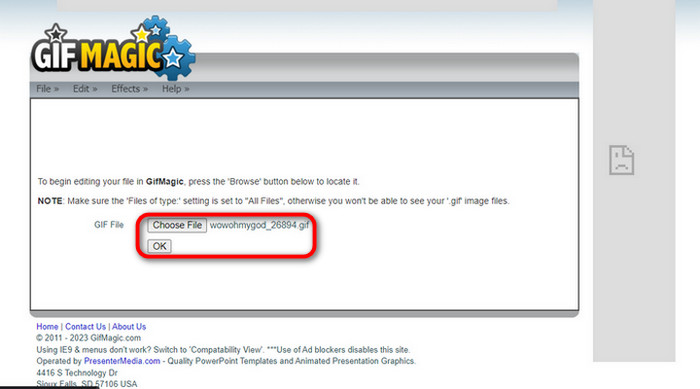
După ce te conectezi, site‑ul îți permite să încarci fișierul ales în software. Poți încărca fișiere .gif sau .img, lucru util pentru alți utilizatori. Pentru a alege fișierul, dă clic pe Upload, iar după ce l‑ai ales, apasă butonul OK.
Pasul 2. Editează Imaginea
După ce ajungi pe pagină, vei vedea butoanele Edit și Effects lângă butonul File. Fișierul tău poate fi editat în această secțiune, așa că fă‑ți magia și distrează‑te editând.
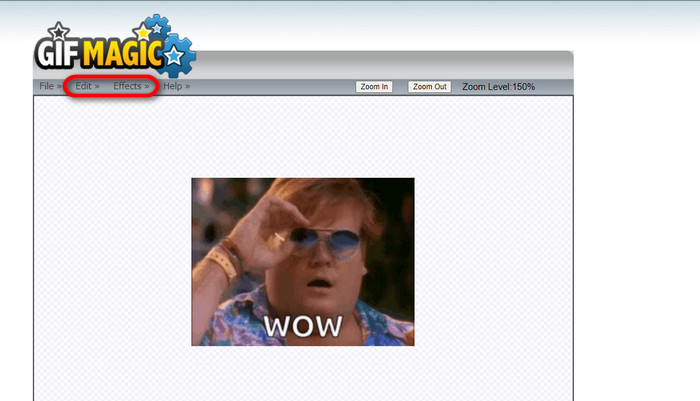
Pasul 3. Descarcă GIF‑ul Editat
După ce ai făcut fundalul GIF‑ului transparent, trebuie doar să dai clic pe butonul File și apoi pe Save. Gata! Totul este finalizat și descărcat.
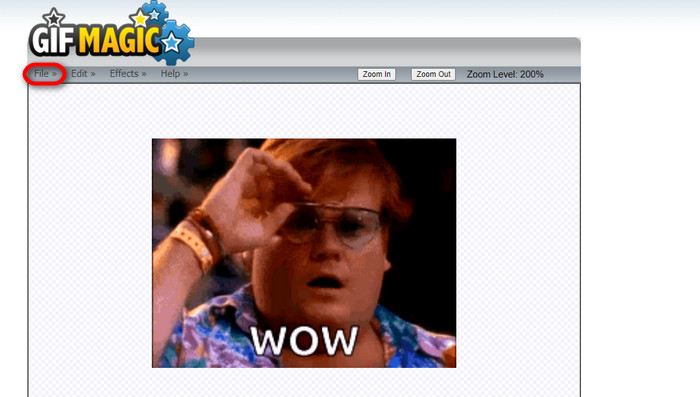
Partea 4. Faceți fundalul GIF transparent folosind LunaPic
LunaPic este un instrument online gratuit care este capabil să elimine GIF-urile de fundal online. Poate evalua și edita PNG, GIF, JPG, JPEG și multe alte tipuri de imagini. Este un software bine fundamentat care este folosit pentru editare pe multe platforme.
Pasul 1. Încarcă Imaginea/GIF
După ce ai intrat pe site în browserul tău implicit sau în orice alt browser ales, încarcă fișierul .img sau .gif pe site. Doar dă clic pe butonul Upload.
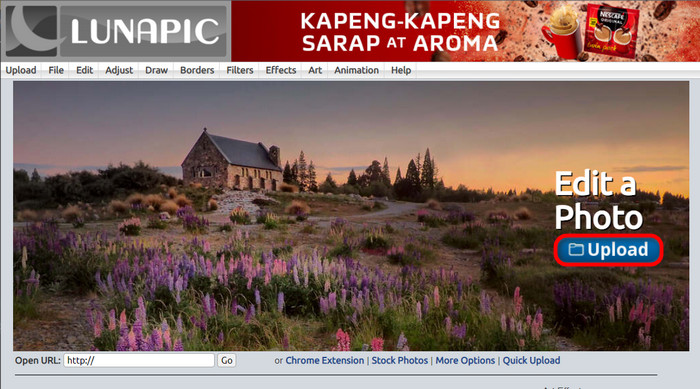
Pasul 2. Editează Imaginea/GIF
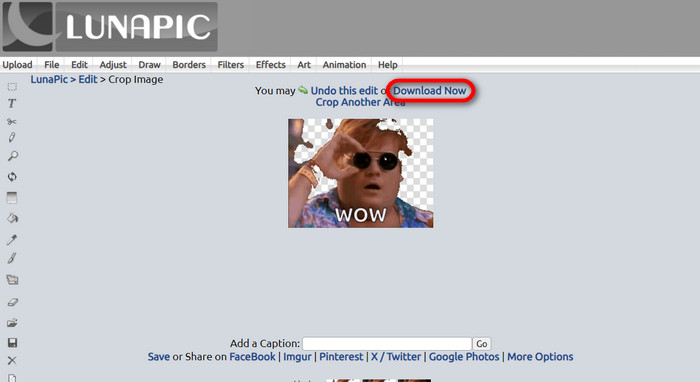
Apoi, poți edita fișierul și poți face fundalul GIF‑ului transparent dând clic pe Edit apoi pe butonul instrument Crop Image. Începe să decupezi fundalul imaginii.
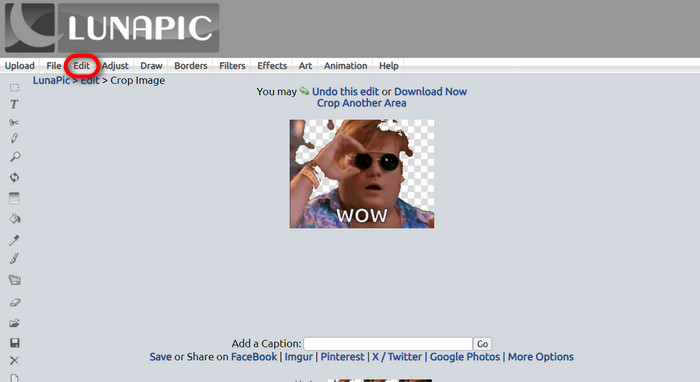
Pasul 3. Descarcă GIF‑ul Editat
După ce ai decupat fundalul sau dacă ai încercat să creezi un GIF cu fundal alb, poți acum să dai clic pe butonul Download now! pentru a salva fișierul editat!
Lecturi suplimentare:
4 metode excelente de a elimina watermark‑ul din GIF [Online & Offline]
Dezvăluirea celor mai bune instrumente pentru desktop, online și mobil

Video Converter Ultimate
345+ Descărcări- Vizionați cu plăcere videoclipurile dvs. fără acele filigrane enervante care vă blochează conținutul.
- Produceți videoclipuri de bună calitate, care au rezoluții înalte pentru o vizionare mai bună.
- Vă permite să eliminați orice filigran de pe orice tip de videoclip.
- Vă oferă nenumărate formate în care să vă convertiți fișierul.
Descărcare gratuităPentru Windows 7 sau versiuni mai recenteDescărcare sigură
Descărcare gratuităPentru MacOS 10.7 sau versiuni ulterioareDescărcare sigură
Partea 5. Întrebări frecvente despre eliminarea fundalului
Pot converti un PNG animat într-un GIF?
Da, este posibil să convertiți PNG în GIF. Cu toate acestea, există mai multe tipuri de date care pot fi convertite în mai multe formate atâta timp cât aveți programul potrivit.
Pot schimba culoarea fundalului meu GIF după ce îl elimin?
Desigur, există multe programe care oferă acest tip de funcționalitate. Încearcă FVC Background Remover pentru o eliminare ușoară a fundalului.
Pot face un fundal GIF transparent în vopsea?
Nu, vopseaua nu are acest tip de capacitate. Dar poți căuta și alte programe care oferă acest tip de muncă.
Ce este un GIF animat cu transparență?
Un GIF animat cu transparență este o imagine care afișează doar o anumită parte a imaginii odată plasată pe un anumit site web. Poate avea mai multe imagini afișate dacă este plasat pe un alt site web.
GIF permite transparența?
Da, dar nu complet transparent. Acceptă doar transparență pe 1 bit.
Concluzie
Există acum o mare importanță și cerere pentru programe care pot edita GIF‑uri, precum cele menționate mai sus. Decuparea, editarea, suprapunerea de straturi și ștergerea sunt toate posibile în zilele noastre cu doar câteva clicuri. Utilizatorii inovează și se gândesc la lucruri pe care nimeni nu le‑a făcut până acum, cum ar fi realizarea unui GIF cu fundal alb. Astfel de utilizatori sunt motivul pentru care au fost create programe atât de puternice precum FVC Background Remover.
-
 Alegeți cel mai bun GIF Cropper online și offline pentru a decupa GIF-uri [2023]
 Alegerea celui mai bun instrument de decupare este o necesitate în timp ce această caracteristică a creatorilor de GIF este disponibilă. Deci, care este cea mai bună alegere pentru a decupa fișierele și cum să le utilizați?
-
 Aflați 4 moduri despre cum să creați GIF-uri din imagini [Online și Offline]
 Vrei să știi cum să creezi GIF-uri din compilarea imaginilor tale? Apoi faceți clic pe acest link și citiți următoarele exemple
-
 Buclă GIF cu cel mai bun GIF animat Looper pe Windows și Mac
 Vrei să afli secretul pentru cel mai bun GIF buclă și să faci unul? Dacă da, ești în locul potrivit. Aflați cum să creați o buclă cu cel mai bun looper disponibil.
