


 Video Converter Ultimate
 Screen Recorder
 Reparație video
 Descărcare sigură
Modalități eficiente de a face fotografii HD online și pe Android [tutorial complet]
Este un miracol? Este magie? Ei bine, nu este, și puteți face fotografii HD instantaneu fără a utiliza Adobe Photoshop sau orice software profesional pe dispozitiv. Informațiile din acest articol vă pot transforma imaginile la înaltă definiție cu cei mai buni îmbunătățitori pe care i-am găsit pe web și pe dispozitivele dvs. Android. Ar putea fi imposibil să se ocupe de această sarcină, mai ales pentru cei care nu au experiență în această situație. Cu toate acestea, nu ar trebui să vă faceți griji dacă ați urma acest ghid.

Partea 1. Cum să faci o fotografie HD fără un instrument profesional pe web gratuit [alegerea editorului]
Primul drum. Cum să faci o fotografie HD prin creșterea dimensiunii imaginilor [Top Choice of the Editor]
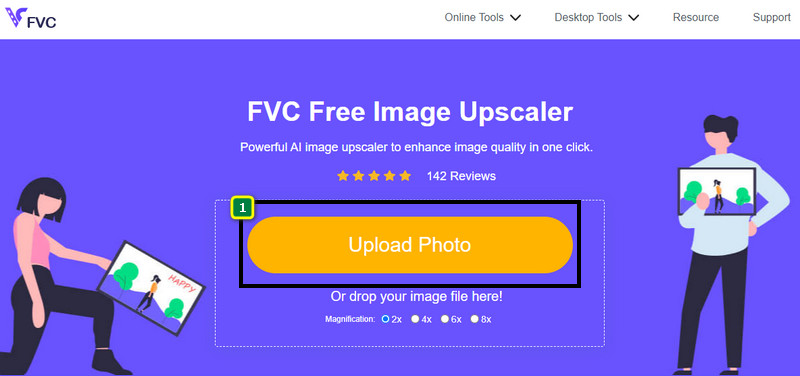
FVC Free Image Upscaler este un amplificator de imagini puternic pe care îl poți folosi pentru a mări numărul de pixeli din imagine și a o transforma în HD. Acest amplificator online folosește inteligență artificială care poate detecta imperfecțiunile din imagine și le poate îmbunătăți instantaneu, fără să fie nevoie să ajustezi prea multe opțiuni. În plus, poți mări imaginea de 2x, 4x, 6x și 8x, fără a întinde imaginea pe care o încarci aici. Vrei să știi secretul despre cum poți face o fotografie să devină HD cu acest instrument? Urmează pașii indicați mai jos.
Pasul 1. Deschide amplificatorul de imagini online făcând clic pe acest link. Vei fi direcționat către site-ul oficial și nu trebuie să îți faci griji, deoarece este sigur pe orice browser pe care îl folosești sau îl preferi.
Pasul 2. Fă clic pe Upload Photo pentru a adăuga imaginea de calitate scăzută pe care vrei să o transformi în HD. Are și funcție de glisare și fixare (drag and drop) pentru a adăuga imaginea, dacă vrei să încerci această opțiune.
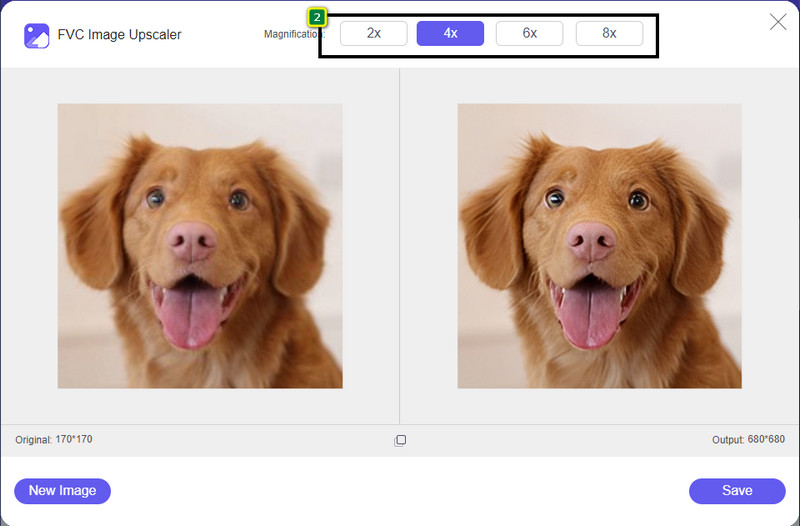
Pasul 3. Așteaptă ca instrumentul să proceseze imaginea, apoi selectează nivelul de mărire pe care vrei să îl aplici imaginii tale, iar aceasta va fi transformată în HD.
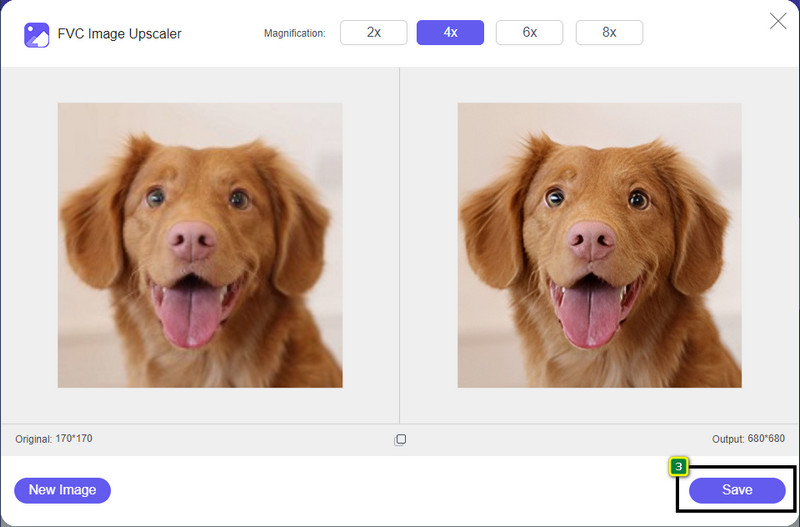
Pasul 4. Acum poți salva imaginea pe care ai mărit-o aici făcând clic pe butonul Save din partea de jos. Imaginea în înaltă definiție va fi salvată în folderul de pe unitatea ta, iar tu o poți verifica pentru a vedea rezultatul.
Calea a 2-a. Cum să faci o imagine HD prin conversia imaginilor
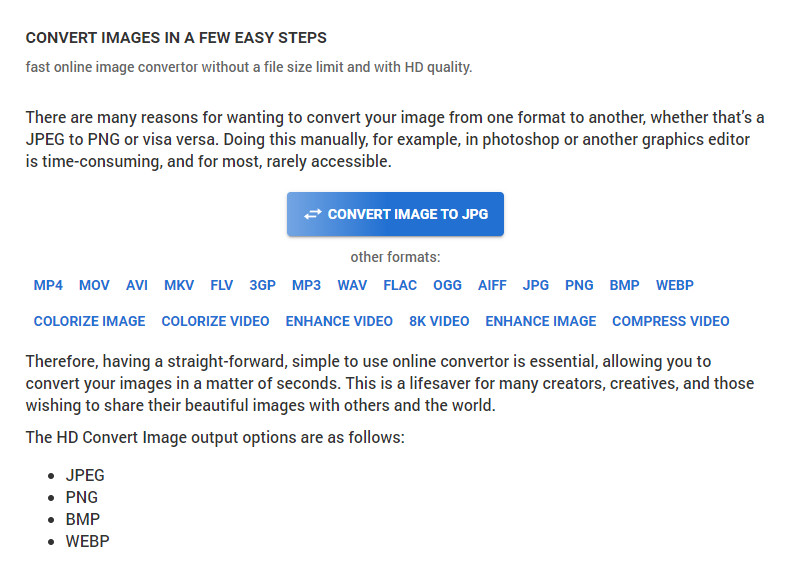
Deși HDconvert.com îți poate îmbunătăți imaginea la o calitate înaltă, procesul urmează un alt traseu. Cu acest instrument, poți converti o imagine de calitate slabă în HD încărcând-o aici și modificând câteva opțiuni pentru a obține rezoluția dorită. Nu putem trece cu vederea faptul că poate converti imaginea încărcată în JPG, PNG, BMP sau WebP, în timp ce îți modifică și calitatea imaginii. În plus, poți ajusta câteva opțiuni avansate pentru imagine, cum ar fi redimensionarea, sau poți să le omiți dacă nu vrei să fie aplicate. Totuși, va trebui să cumperi versiunea premium pentru a obține o calitate înaltă a imaginii. Ești curios cum funcționează acest instrument? Dacă da, continuă să citești ca să afli cum să faci o fotografie să arate mai HD.
Pasul 1. Deschide site-ul oficial al acestui convertor, fă clic pe Convert Image to JPG, then Select Files pentru a încărca imaginea pe care vrei să o convertești în HD.
Pasul 2. Selectează formatul de imagine pe care vrei să îl aplici imaginii tale și fă clic pe Next.
Pasul 3. Modifică calitatea imaginii ajustând slider-ul la procentajul preferat sau la 100% și apasă Next.
Pasul 4. Apasă Convert File pentru a exporta aici imaginea pe care ai convertit-o în HD.
Calea a 3-a. Cum să faci o imagine HD prin îmbunătățirea imaginii
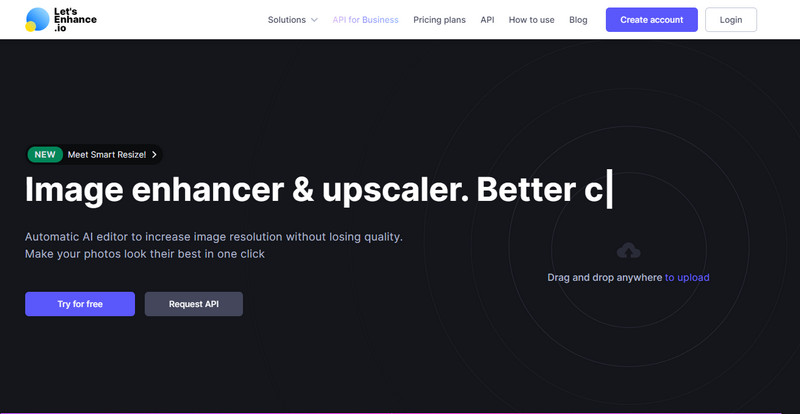
Let's Enhance.io te poate ajuta să îmbunătățești calitatea fotografiilor tale pe desktop până la un nivel mai bun, precum HD. Nu vei avea dificultăți în a îmbunătăți imaginea în HD dacă folosești acest instrument. Spre deosebire de primul instrument, înainte de a putea folosi versiunea gratuită, va trebui să te conectezi cu un cont existent sau să îți creezi un cont aici. Chiar dacă este necesară autentificarea, poți fi sigur că performanța sa îți oferă rezultate la fel de bune ca alte programe pentru desktop care îmbunătățesc imagini. Așadar, dacă vrei să folosești acest enhancer pentru fotografii HD, poți citi pașii indicați mai jos, în timp ce îl testăm pentru a-ți arăta cum se folosește.
Pasul 1. Deschide browserul web, caută numele acestui serviciu și dă clic pe linkul care apare în rezultate.
Pasul 2. Apasă pictograma upload pentru a adăuga imaginea pe care vrei să o îmbunătățești în HD.
Pasul 3. La secțiunea „operation”, modifică setările dorite pentru a transforma imaginea ta în înaltă definiție.
Pasul 4. După ajustări, fă clic pe Start Processing pentru a procesa imaginea de calitate scăzută în HD.
Pasul 5. Apasă pictograma download pentru a descărca fotografia pe care ai îmbunătățit-o aici.
Partea 2. Cum să faci o fotografie HD pe Android cu PicsArt
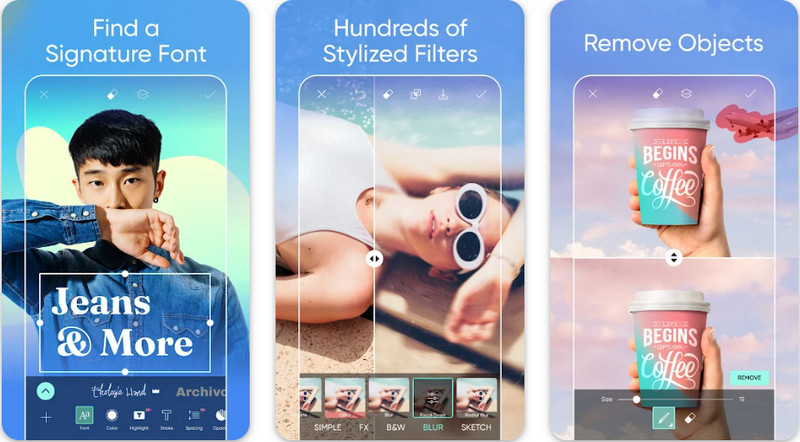
Pentru utilizatorii de Android care au nevoie să își transforme imaginile în HD, puteți încerca să descărcați aplicația PicsArt din Play Store. Este o soluție pentru mulți utilizatori datorită numeroaselor funcții de editare pe care le poți aplica imaginilor, făcându-le să arate mai bine decât versiunea lor inițială. Deși această aplicație poate face multe pentru tine, versiunea gratuită lasă un filigran pe produsul final. Dacă nu îți place filigranul, va trebui să cumperi versiunea premium. Per ansamblu, aplicația este alegerea noastră când vine vorba de a face imaginile clare și HD. Așadar, dacă vrei să obții imagini de înaltă calitate pe dispozitivul tău Android, nu poți greși alegând această aplicație. Urmează tutorialul de mai jos despre cum să faci o fotografie HD în PicsArt.
Pasul 1. Descarcă aplicația din Play Store și deschide-o.
Pasul 2. Fă clic pe pictograma + pentru a alege din galerie imaginea pe care vrei să o transformi în HD.
Pasul 3. Atinge butonul Effects și selectează HDR; ajustează opțiunile pentru a transforma imaginea în HD, apoi apasă pictograma check.
Pasul 4. În partea de sus a ecranului telefonului, fă clic pe pictograma download pentru a salva imaginea HD în galeria ta. Pentru a schimba rezoluția fotografiilor pe iPhone, apasă aici pentru a afla mai multe detalii.
Partea 3. Întrebări frecvente despre cum se creează imagini HD
Realizarea imaginii la HD mărește dimensiunea fișierului?
Absolut! Dimensiunea imaginii care nu este HD și HD au dimensiuni diferite de fișier. HD are mai multe date de pixeli care vă pot prezenta o imagine detaliată, iar dimensiunea sa este, de asemenea, mai grea decât imaginea care nu este HD.
Transformarea imaginii 4k în HD este o alegere proastă?
Poate părea că este, dar dacă doriți să economisiți spațiu de stocare, puteți transforma imaginile 4k în HD, iar diferențele lor de calitate vizuală nu sunt prea mari. Vă puteți bucura de imaginea dvs. 4k chiar dacă a devenit HD.
De ce trebuie să fac imaginea HD?
Transformarea imaginii în HD ar putea face imaginea mai detaliată ca aspect și atrăgătoare pentru ochi în comparație cu cele care nu sunt. Deci, dacă doriți să îmbunătățiți imaginea în HD, veți avea nevoie de un instrument pentru a mări pixelii de pe imagine pentru a aduce HD-ul la viață.
Concluzie
Uimitor nu? Puteți face fotografii HD cu diferitele moduri pe care le adăugăm aici, fără ajutorul unui software profesional precum Adobe Photoshop. Copiați pașii în instrumentul ales de dvs. și îmbunătățiți-vă imaginea de calitate scăzută într-una mai bună, cum ar fi HD.
-
 Îmbunătățiți rezoluția fotografiilor iPhone cu ajutorul Top Enhancers
 Doriți să aveți nevoie de îmbunătățirea rezoluției fotografiilor iPhone? Ei bine, în acest articol acoperim cele mai bune instrumente pe care le poți folosi și alte trucuri pe care trebuie să le cunoști!
-
 Restaurare fotografii vechi online și offline [Pași simpli]
 Doriți să restaurați o fotografie veche? Cu aceste instrumente, veți cunoaște vechiul proces de restaurare a fotografiilor. Citiți această postare pentru a afla cele mai simple metode.
-
 Top 7 Pixels Enhancer pentru toate browserele web pe care trebuie să le utilizați
 Dacă doriți să aflați care sunt cele mai bune amplificatoare de pixeli de utilizat, mai bine verificați această postare. Acest articol enumeră șapte cele mai bune îmbunătățiri de pixeli ai fotografiilor pentru toate browserele web.
