


 Video Converter Ultimate
 Screen Recorder
 Reparație video
 Descărcare sigură
Top 10 cele mai remarcabile aplicații de redimensionare a fotografiilor pentru computere
Mulți oameni întâmpină dificultăți în a găsi un instrument pentru redimensionarea imaginilor, deoarece unele instrumente afectează calitatea acestora după redimensionare. De asemenea, mulți editori foto doresc să-și redimensioneze imaginile pentru a le îmbunătăți calitatea sau pentru a economisi spațiu pe dispozitivele lor. Totuși, redimensionarea fotografiilor poate fi complicată, deoarece poate influența calitatea. Însă există și programe software pe care le poți folosi pentru a-ți redimensiona imaginile menținându-le calitatea. Așadar, dacă ești în căutarea celor mai bune aplicații de redimensionare foto, le-am enumerat mai jos. Citește acest articol pentru a descoperi cei mai remarcabili și puternici șapte photo resizers.

Partea 1. Cele mai remarcabile redimensionare de fotografii online
O redimensionare online a fotografiilor pentru a vă redimensiona imaginea este un avantaj dacă doriți să economisiți spațiu pe dispozitiv. Aplicațiile online nu vă vor cere să descărcați nimic, deoarece în cele din urmă le puteți utiliza în browser. În plus, multe aplicații online sunt gratuite și sunt complet sigure. Prin urmare, citiți această secțiune în detaliu pentru a cunoaște primele patru cele mai bune redimensionări de imagini online.
FVC Free Image Upscaler
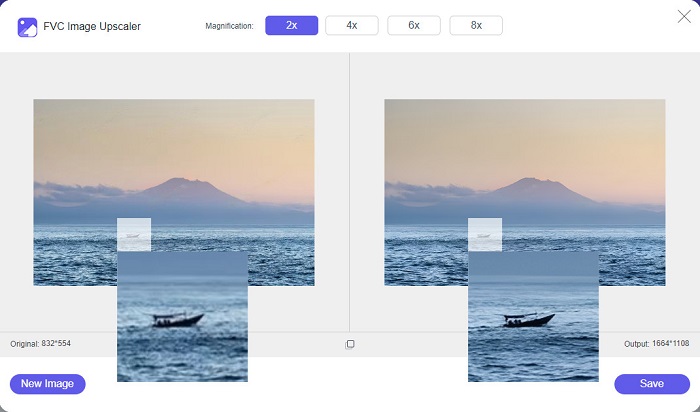
FVC Free Image Upscaler este cel mai bun redimensionator de poze online care îți permite să redimensionezi imaginea fără pierderi de calitate. Mai mult, îți poți îmbunătăți imaginea la măriri de 2x, 4x, 6x și 8x. În plus, acceptă cele mai comune formate de imagine, precum PNG, JPG, JPEG și BMP. De asemenea, are o interfață prietenoasă, deoarece are un aspect simplu. Iar dacă vrei să redimensionezi imaginea fără pierderi de calitate, atunci FVC Free Image Upscaler este instrumentul potrivit pentru tine. În plus, folosește tehnologie AI (Inteligență Artificială) care detectează automat porțiunile de calitate scăzută din imagine și le îmbunătățește rapid. Și, spre deosebire de alte programe online, nu conține reclame care te-ar putea distrage.
Pro
- Este gratuit și sigur de utilizat.
- Are un proces de încărcare rapid.
- Puteți previzualiza rezultatul înainte de a o salva.
- Accesibil pe toate browserele web, cum ar fi Google, Firefox și Safari.
Contra
- Este un instrument dependent de internet.
icons8.com
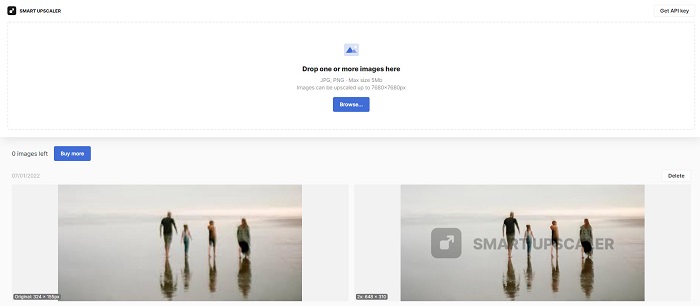
icons8.com este un alt redimensionator foto online pe care îl poți folosi dacă vrei să-ți redimensionezi imaginea. icons8.com te va ajuta să obții dimensiunea dorită pentru imaginea ta. În plus, dacă vrei să îmbunătățești calitatea imaginii, această aplicație este ceea ce cauți. Are un upscaler de imagini care te va ajuta să-ți îmbunătățești calitatea fotografiilor. Mai mult, îl poți folosi gratuit, fără abonament. Iar dacă te întrebi dacă este sigur de utilizat, răspunsul este da. Poți folosi această aplicație fără să îți faci griji pentru siguranța datelor tale. Totuși, atunci când redimensionezi o imagine cu acest instrument, rămâne un filigran pe imagine.
Pro
- Are o interfață software ușor de utilizat.
- Acceptă cele mai comune formate de fișiere.
- Îți poate îmbunătăți imaginea cu ușurință.
Contra
- Lăsați un filigran pe imagine când o redimensionați.
Zyro.com
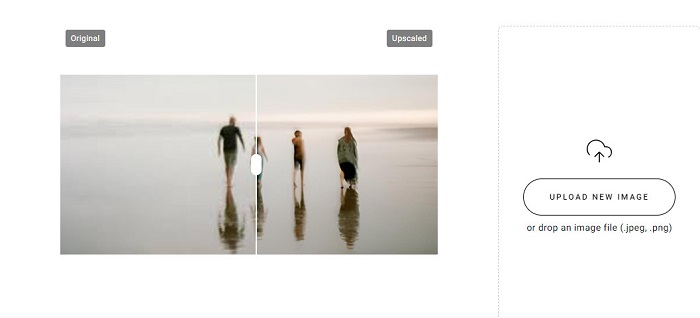
O altă aplicație online pe care o poți folosi pentru a-ți redimensiona imaginea este Zyro.com. Dacă vrei să redimensionezi fotografia pentru a-i îmbunătăți calitatea, Zyro.com este instrumentul pe care îl cauți. În plus, acest redimensionator de imagini gratuit folosește tehnologie AI care îmbunătățește automat calitatea unei imagini. Nu trebuie nici să îți faci griji pentru fișierele pe care le încarci, deoarece acceptă formatele standard de imagine, precum PNG, JPG și JPEG. În plus, este accesibil pe aproape toate browserele web, inclusiv Google și Safari.
Pro
- Este un instrument prietenos pentru începători.
- Este gratuit și sigur de utilizat.
- Nu conține reclame.
Contra
- Are un proces de încărcare lent.
Upscale.media
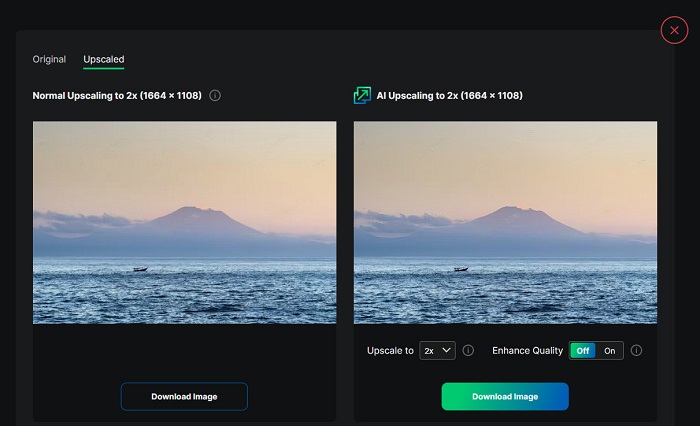
Dacă cauți un instrument pentru a-ți îmbunătăți sau redimensiona imaginea, ai putea folosi Upscale.media. Acest instrument online folosește, de asemenea, tehnologie AI, ceea ce îl face convenabil pentru mulți utilizatori care vor să își redimensioneze imaginile. În plus, acceptă cele mai standard formate de imagine, precum JPEG, JPG, WebP, PNG și altele. Ceea ce este impresionant la această aplicație este că are o opțiune prin care îți poți îmbunătăți imaginea pentru a avea o calitate bună. Și, deși este o aplicație bazată pe web, nu conține reclame care te-ar putea distrage în timp ce îți redimensionezi imaginea.
Pro
- Acceptă o mare varietate de formate.
- Are o interfață de procesare rapidă.
- Vă permite să vedeți previzualizarea rezultatelor dvs.
Contra
- Veți avea un proces de încărcare lent când internetul este lent.
ImageResizer.com
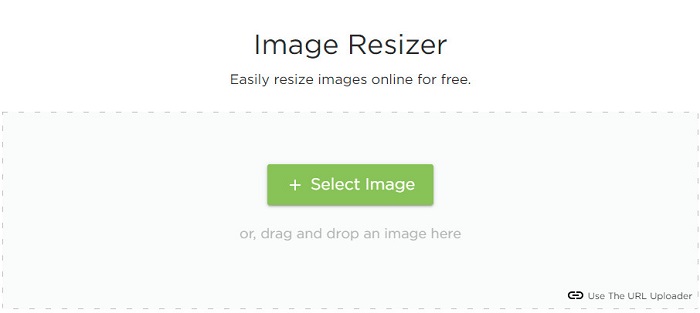
ImageResizer.com este, de asemenea, unul dintre cele mai bune redimensionatoare online de pixeli foto, care îți permite să redimensionezi orice imagine. Prin ajustarea pixelilor imaginii, poți reduce dimensiunea fișierului. În plus, acceptă aproape toate formatele de imagine, precum JPG, PNG și WebP. Deși este un instrument online, are un proces rapid de redimensionare. Mai mult, este gratuit de utilizat și este garantat că este sigur de accesat.
Pro
- Funcționează pe aproape toate browserele web.
- Este un instrument ușor de utilizat.
Contra
- Conține reclame.
Partea 2. Cele mai puternice redimensionări de fotografii offline
Deși redimensionarea fotografiilor online sunt foarte convenabile, deoarece economisesc spațiu pe dispozitivul dvs., instrumentele offline impun, de asemenea, rezultate și avantaje grozave. Unul dintre avantajele utilizării unui dispozitiv de redimensionare a imaginii offline este că acestea sunt sigure de utilizat și nu vă va necesita să accesați internetul. În plus, majoritatea aplicațiilor offline sunt procesate rapid. Așadar, am căutat cele mai utilizate dispozitive de redimensionare a imaginii offline și le-am ales pe cele mai bune dintre ele. Mai jos sunt enumerate primele cinci cele mai bune redimensionări de fotografii offline pentru computerul dvs.
Redimensionare XN
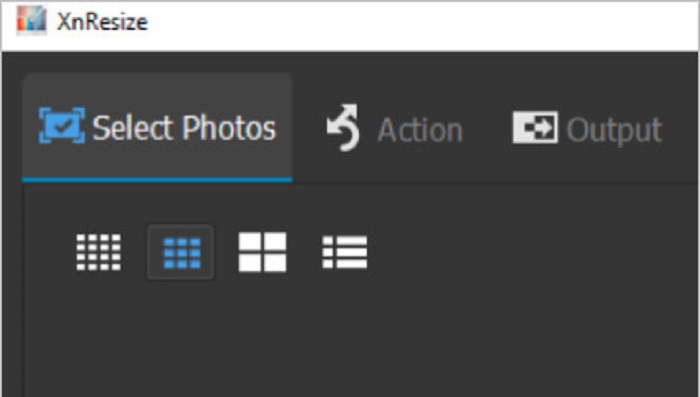
XN Resize este un software de redimensionare foto cu procesare rapidă, disponibil pentru descărcare pe PC-urile cu Windows. Acest redimensionator de imagini te va ajuta dacă vrei să reduci sau să îmbunătățești calitatea fotografiei. Mulți oameni, în prezent, doresc să își încarce pozele pe diverse platforme de social media. Dar, pentru a încărca fotografii, dimensiunea fișierului nu trebuie să depășească limitele impuse de platforme. Așadar, XN Resize este un instrument care te va ajuta să îți redimensionezi imaginea la o dimensiune mai mică a fișierului, permițându-ți astfel să o încarci pe diferite platforme. Dezavantajul acestui instrument este că acceptă doar câteva formate de fișiere și nu are funcții de editare. Cu toate acestea, cu XN Resize poți ajusta înălțimea și lățimea imaginii în funcție de preferințe.
Pro
- Puteți ajusta orientarea imaginii.
- Are o caracteristică pentru a vă roti imaginea.
- Are o interfață ușor de utilizat.
Contra
- Are caracteristici limitate de utilizat.
FastStone Photo Resizer
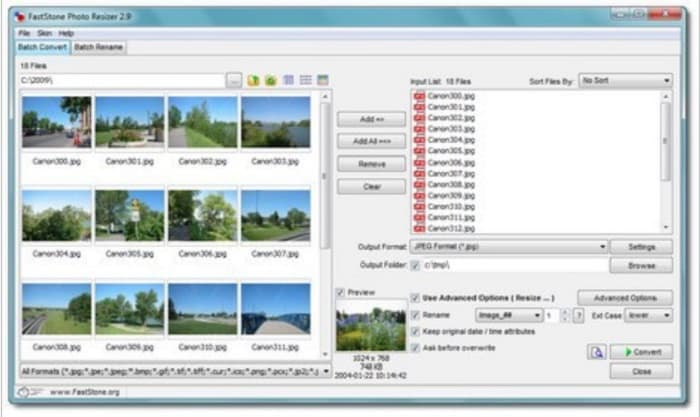
FastStone Photo Resizer nu este doar o aplicație pentru realizarea de capturi de ecran. Are și o funcție prin care îți poți redimensiona imaginea. Mai mult, după ce faci capturi de ecran, îți va afișa multe funcții de editare pe care le poți folosi, una dintre ele fiind funcția de redimensionare. FastStone ar putea fi instrumentul cel mai potrivit pentru tine dacă vrei să folosești un redimensionator de imagini gratuit și sigur. În plus, cu această aplicație poți redenumi imaginile și le poți salva rapid pe dispozitiv. Și mai grozav la FastStone Photo Resizer este că oferă funcții prin care poți converti, decupa, roti și adăuga text la imagine.
Pro
- Suporta structura de foldere sau non-folder.
- Are funcții de drag and drop.
- Este disponibil pentru descărcare pe PC Windows.
Contra
- După versiunea de încercare, trebuie să achiziționați aplicația.
Redimensionare foto de înaltă calitate
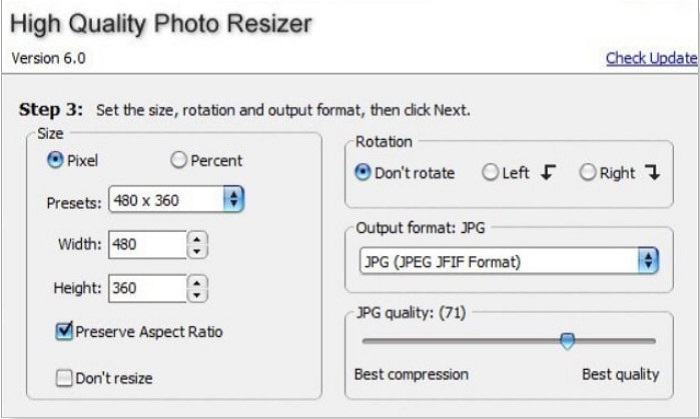
Aplicația High Quality Photo Resizer ar putea fi soluția dacă vrei să redimensionezi rapid fotografia. Cu această aplicație poți seta dimensiunea, roti și chiar stabili formatul de ieșire al fotografiei. În plus, poți ajusta pixelii imaginii după preferințe. De asemenea, îți permite să alegi între cea mai bună comprimare sau cea mai bună calitate. Când alegi cea mai bună comprimare, vei obține un fișier de dimensiuni reduse, dar cu o calitate mai scăzută. Pe de altă parte, dacă selectezi cea mai bună calitate, vei avea o imagine de calitate înaltă, dar cu un fișier de mari dimensiuni. În plus, are o interfață prietenoasă datorită funcțiilor ușor de navigat.
Pro
- Acceptă diferite formate de imagine, cum ar fi BMP, GIF, JPG, JPEG și PNG.
- Se poate descărca gratuit.
Contra
- Nu conține nicio funcție de editare.
cesiu
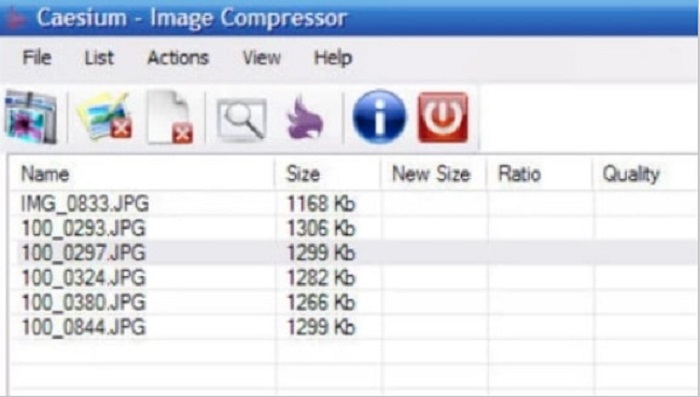
Caesium se numără, de asemenea, printre cei mai buni redimensionatori foto pentru PC. Caesium este cunoscut pentru simplitatea și procesarea sa eficientă. Mulți profesioniști folosesc software-uri de editare populare pentru a-și comprima imaginile sau pentru a le reduce dimensiunea. Mai mult, poți previzualiza în timp real rezultatul imaginii pentru a vedea diferența față de imaginea originală. Unul dintre avantajele utilizării acestei aplicații este că poate procesa simultan mai multe imagini fără a strica calitatea acestora. În plus, acceptă cele mai standard formate de imagine, cum ar fi formatele JPEG și PNG. Și știai că? Caesium este gratuit de utilizat și nu îți cere să te abonezi.
Pro
- Are o interfață de utilizator simplă.
- Vă permite să exportați imaginile cu ușurință.
- Puteți previzualiza imaginea înainte de a o salva.
- Se poate descărca pe toate platformele cross-media, cum ar fi Windows, Mac și Linux.
Contra
- Uneori are un proces de descărcare lent.
FILEminimizer Imagini
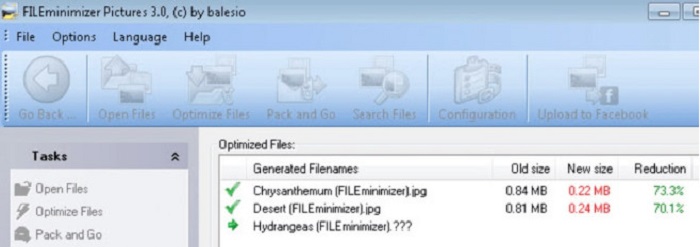
Cauți un program software care să te ajute să micșorezi imaginile? FILEminimizer Pictures ar putea fi răspunsul la problema ta. Această aplicație offline îți permite să reduci dimensiunea imaginii cu până la 98% folosind tehnologia sa integrată de optimizare a fișierelor. În plus, acest instrument îți salvează imaginea în formatul original și poate exporta fișierele rapid. Și, deoarece este o aplicație de redimensionare foto, va reduce dimensiunea imaginii prin scăderea rezoluției. Prin urmare, așteaptă-te ca, pe măsură ce îți redimensionezi imaginea, să îi scadă și calitatea.
În plus, oferă patru procese de compresie diferite, comprese în loturi, facilitatea de a aplica compresie fără pierderi și multe altele. Deși nu este gratuit să utilizați aplicația, are totuși o versiune de încercare gratuită pe care o puteți folosi. Prin urmare, dacă sunteți în căutarea unui redimensionator de fotografii în lot, ați putea lua în considerare utilizarea acestui instrument.
Pro
- Acceptă diverse formate, cum ar fi JPG, BMP, GIF și PNG.
- Puteți exporta imagini pe e-mailul dvs.
- Are un proces rapid de redimensionare.
Contra
- După perioada de încercare gratuită, trebuie să faceți upgrade cumpărând aplicația.
Legat de:
Cea mai bună aplicație de redimensionare foto online, offline, pentru Android și iPhone
Top 7 cei mai buni măriri de fotografii online și offline
Partea 3. Întrebări frecvente despre Photo Resizeers
Există o aplicație pentru a redimensiona fotografiile pe iPhone?
Image Size este o aplicație pentru iPhone pe care o puteți descărca gratuit. Această aplicație este printre cele mai bune aplicații de redimensionare a fotografiilor pentru iPhone.
Pot comprima o imagine fără a pierde calitatea?
Reducerea dimensiunii imaginii necesită ajustarea rezoluției și a pixelilor acesteia. Deci, atunci când comprimați o imagine, așteptați-vă să aibă o calitate mai scăzută.
Există un Kapwing Photo Resizer?
Din fericire, puteți folosi Kapwing pentru a vă redimensiona imaginea. Redimensionarea foto Kapwing vă permite să decupați, să micșorați sau să măriți o imagine.
Concluzie
Redimensionatoarele de fotografii menționate mai sus sunt cele mai bune aplicații online și offline pentru redimensionarea imaginilor. Fiecare are caracteristici distincte, așa că asigură-te că îl alegi pe cel mai potrivit pentru tine. Însă, dacă vrei să folosești un redimensionator foto gratuit și excelent, atunci FVC Free Image Upscaler este instrumentul potrivit pentru tine.
Articole similare
-
 Îmbunătățiți rezoluția fotografiilor iPhone cu ajutorul Top Enhancers
 Doriți să aveți nevoie de îmbunătățirea rezoluției fotografiilor iPhone? Ei bine, în acest articol acoperim cele mai bune instrumente pe care le poți folosi și alte trucuri pe care trebuie să le cunoști!
-
 Restaurare fotografii vechi online și offline [Pași simpli]
 Doriți să restaurați o fotografie veche? Cu aceste instrumente, veți cunoaște vechiul proces de restaurare a fotografiilor. Citiți această postare pentru a afla cele mai simple metode.
-
 Top 7 Pixels Enhancer pentru toate browserele web pe care trebuie să le utilizați
 Dacă doriți să aflați care sunt cele mai bune amplificatoare de pixeli de utilizat, mai bine verificați această postare. Acest articol enumeră șapte cele mai bune îmbunătățiri de pixeli ai fotografiilor pentru toate browserele web.
