


 Video Converter Ultimate
 Screen Recorder
 Reparație video
 Descărcare sigură
Cum să eliminați gratuit filigranul WOW Slider
WOW Slider este unul dintre cei mai populari creatori de slideshow-uri pe care îi poți folosi pentru a realiza prezentări de imagini impresionante. Aplicația este gratuită la descărcare și nu ocupă mult spațiu pe dispozitiv. În plus, are o interfață intuitivă, ceea ce îți ușurează crearea de slideshow-uri. Spre deosebire de alte platforme de imagini, WOW Slider nu folosește Flash și nu necesită niciun plug-in. Totuși, WOW Slider adaugă filigrane (watermark) pe slideshow-ul pe care îl creezi. De aceea, mulți utilizatori caută o metodă de a elimina gratuit filigranul WOW Slider. Continuă să citești ca să afli cum să elimini gratuit filigranul WOW Slider.

Partea 1. Cum să eliminați filigranul WOW Slider fără a cumpăra
Puteți elimina filigranul folosind aplicația dacă ați achiziționat WOW Slider. Dar dacă nu, puteți folosi instrumente pentru a elimina filigranul WOW Slider din prezentarea de diapozitive. Prin urmare, citiți această parte cuprinzător pentru a afla cum să eliminați glisorul WOW fără a cumpăra.
Eliminator de filigran fără FVC
FVC Free Watermark Remover se numără printre cele mai populare instrumente online de îndepărtare a filigranelor, accesibil pe toate browserele web, precum Google, Firefox și Safari. Acest instrument online este sigur, gratuit și nu necesită abonament. În plus, este o aplicație potrivită pentru începători deoarece are o interfață intuitivă. De asemenea, acceptă multe formate de imagine, inclusiv PNG, JPG, JPEG, BMP etc. Ce este impresionant la acest instrument este că poți alege dintre diferite unelte de selecție pentru a elimina filigranul de pe imaginea ta. Așadar, dacă vrei să folosești acest eliminator de filigrane gratuit, urmează pașii de mai jos.
Cum să eliminați filigranul WOW Slider folosind FVC Free Watermark Remover:
Pasul 1. Mai întâi, deschide browserul și caută FVC Free Watermark Remover. Pentru acces rapid, dă clic pe linkul furnizat.
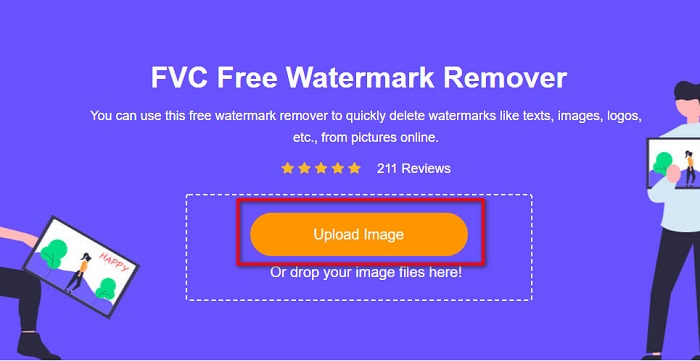
Pasul 2. Apoi, dă clic pe butonul Upload Image pentru a încărca imaginea WOW Slider de pe care vrei să elimini filigranul.
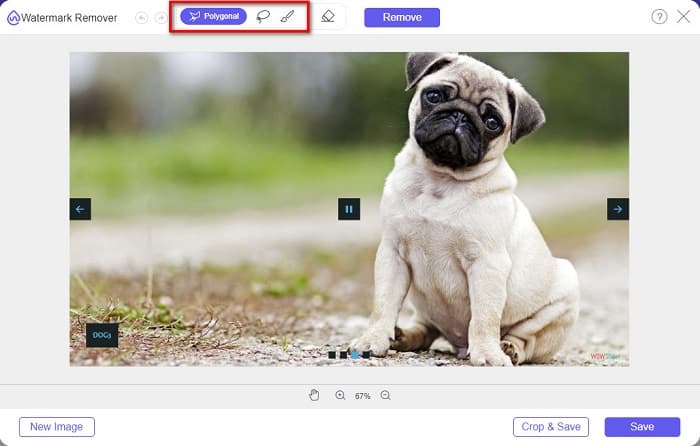
Pasul 3. După ce ai încărcat imaginea, selectează unealta de selecție pe care vrei să o folosești pentru a elimina filigranul. Poți alege între Lasso, Polygonal sau Brush.
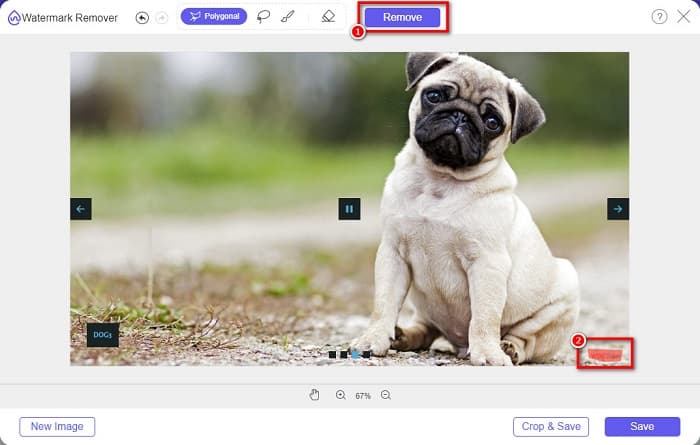
Pasul 4. Apoi, trasează zona în care este poziționat filigranul WOW Slider. Apoi dă clic pe Remove pentru a șterge filigranul de pe imagine.
Pasul 5. La final, dă clic pe butonul Save pentru a salva imaginea pe computer.
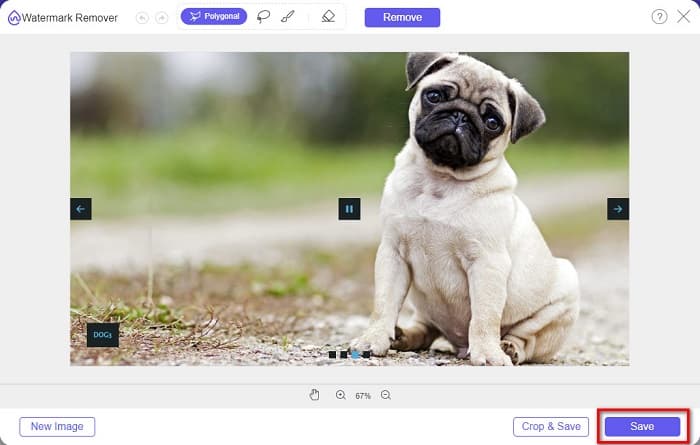
Si asta e! Acum puteți vizualiza imaginea WOW Slider fără filigranul WOW Slider.
Expert Bitwar Watermark
Bitwar Watermark Expert este un eliminator de filigrane care poate elimina filigranul WOW Slider de pe slideshow-ul tău. Acest program offline de îndepărtare a filigranelor are o interfață simplă, ceea ce îl face ușor de folosit pentru începători. În plus, îți permite să elimini sau să adaugi filigrane pe imaginile sau videoclipurile tale. Iar în versiunea VIP poți procesa în lot videoclipurile de pe care vrei să elimini filigranul. Poți descărca acest software pe computerul tău cu Windows. Totuși, trebuie să cumperi aplicația înainte de a avea acces la celelalte funcții. Cu toate acestea, Bitwar Watermark Expert este un instrument excelent pentru a elimina filigranele de pe slideshow-urile tale WOW Slider.
Ștergeți filigranul WOW Slider din prezentarea de diapozitive folosind Bitwar Watermark Expert:
Pasul 1. Descarcă Bitwar Watermark Expert pe dispozitiv, apoi deschide-l după descărcare.
Pasul 2. Pe interfața principală a programului vei vedea patru opțiuni. Dă clic pe Photo Watermark Remover.
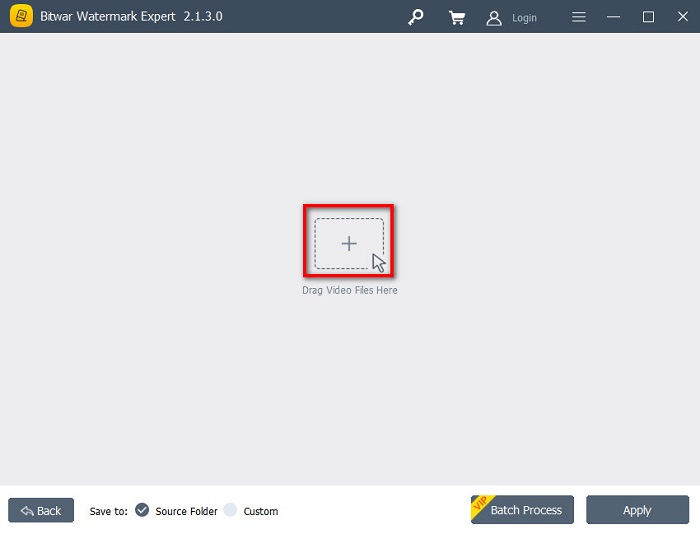
Pasul 3. Apoi dă clic pe butonul cu semnul + din mijlocul ecranului pentru a încărca imaginea WOW Slider.
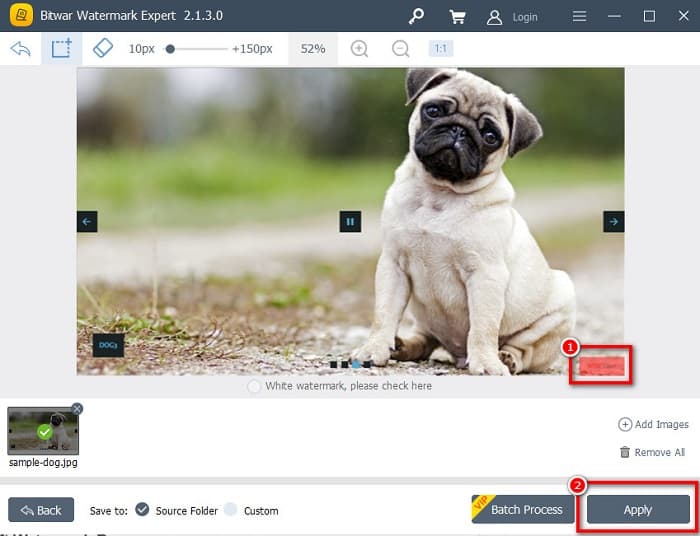
Pasul 4. În continuare, selectează o unealtă de selecție pe care vrei să o folosești pentru a elimina filigranul de pe imagine. Apoi selectează zona cu filigran din imagine.
Pasul 5. În final, dă clic pe butonul Apply pentru a elimina filigranul din slideshow-ul tău WOW Slider. Urmând acești pași, poți elimina filigranele din Placeit.
Apowersoft Watermark Remover
Un alt program offline de eliminare a filigranelor pe care îl poți folosi este Apowersoft Watermark Remover. Acest eliminator de filigrane permite eliminarea ușoară a oricăror filigrane (logo, text, imagine) de pe videoclipurile tale. De asemenea, îl poți descărca pe aproape toate platformele, inclusiv Windows și Mac. În plus, are o funcție prin care poți elimina și adăuga filigrane pe imagine. Dispune și de trei unelte de selecție a filigranului pentru a elimina filigranul WOW Slider de pe slideshow-ul tău. Mai mult, este un instrument ușor de utilizat, cu o interfață simplă. Dezavantajul acestui instrument este că are puține funcții de editare.
Cum să eliminați logo-ul filigranului WOW Slider folosind Apowersoft Watermark Remover:
Pasul 1. Pe dispozitivul tău, descarcă Apowersoft Watermark Remover. Urmează procesul de instalare, apoi deschide aplicația.
Pasul 2. Apoi, dă clic pe opțiunea Remove watermark from the image. După aceea, trage și plasează fotografia de pe care vrei să elimini filigranul.
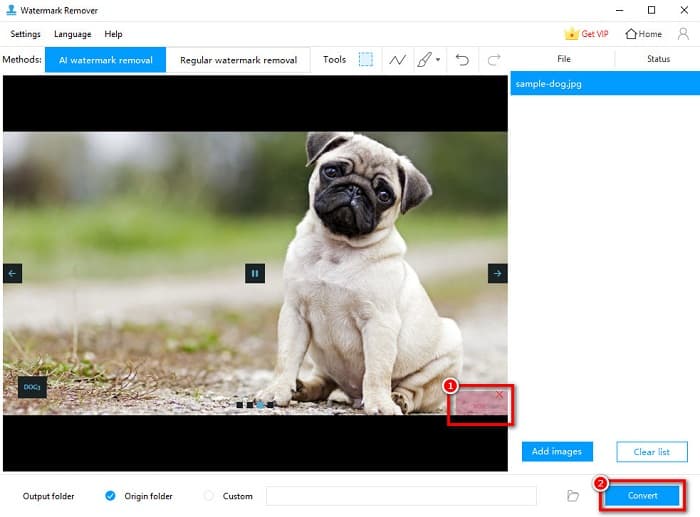
Pasul 3. Vei vedea uneltele pentru eliminarea filigranului în panoul Tools. Apoi dă clic pe unealta de selecție pe care vrei să o folosești. Apoi trasează sau selectează filigranul de pe imagine.
Pasul 4. Când ai terminat, dă clic pe butonul Convert pentru a salva rezultatul.
Partea 2. Cum să eliminați filigranul din WOW Slider prin achiziționare
Poate doriți să citiți această parte dacă căutați cum să eliminați filigranul din WOW Slider.
Folosind WOW Slider, puteți crea prezentări de diapozitive uimitoare cu o calitate uimitoare. Cu interfața sa software ușor de utilizat, puteți produce prezentări de diapozitive de înaltă calitate pe care le puteți partaja prietenilor dvs. În plus, dacă doriți să creați un suvenir pentru cel mai bun prieten al tău, crearea unei prezentări de diapozitive folosind WOW Slider este o idee bună.
Partea neplăcută atunci când creezi un slideshow folosind WOW Slider este că acesta adaugă un filigran pe rezultat. Dar dacă ai cumpărat aplicația WOW Slider, nu va mai trebui să elimini niciun filigran, deoarece rezultatele tale nu vor avea filigranul WOW Slider. Așadar, îți vom arăta cum să elimini filigranul prin achiziționare.
Pasul 1. Descarcă WOW Slider pe dispozitiv și, imediat după descărcare, asigură-te că plătești și introduci codul de licență pentru a te înregistra.
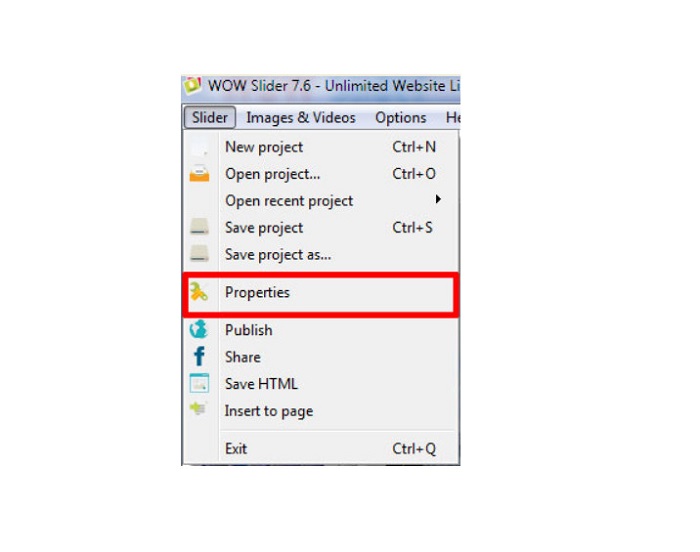
Pasul 2. După înregistrare, dezactivează filigranul din Menu panel > Slider > Properties.
Pasul 3. Va apărea o fereastră de proprietăți, apoi dă clic pe Design opțiune.
Pasul 4. În fila Design vei vedea o casetă de bifare numită Watermark. Debifează caseta pentru a dezactiva filigranul de pe slideshow.
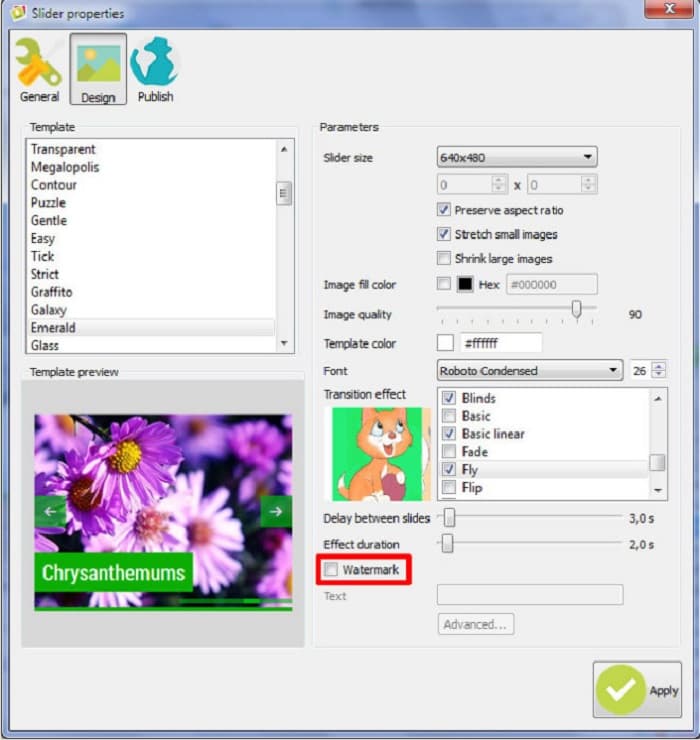
Pasul 5. Poți publica slideshow-ul pe site-ul tău fără filigranul WOW Slider.
Partea 3. Întrebări frecvente despre eliminarea filigranului WOW Slider
De ce WOW Slider pune filigrane pe prezentările de diapozitive produse?
WOW Slider încorporează filigran în ieșirile lor de prezentare, astfel încât utilizatorii să fie încurajați să utilizeze versiunea fără filigran. Aplicația nu va lăsa un filigran pe ieșire dacă achiziționați aplicația.
Puteți elimina mai multe filigrane din videoclip?
Da. Elementele de eliminare a filigranelor vă permit să eliminați două sau mai multe filigrane de pe videoclip. Dacă doriți să eliminați mai multe filigrane de pe videoclipul dvs., utilizați FVC Video Converter Ultimate.
Care este cel mai bun dispozitiv de îndepărtare a filigranelor online de folosit?
Există multe eliminatoare de filigrane online pe care le poți găsi pe internet. Însă mulți recomandă FVC Free Watermark Remover deoarece este sigur și gratuit.
Concluzie
Acum că problema ta legată de cum să elimini filigranul WOW Slider este rezolvată! Folosind eliminatoarele de filigrane menționate mai sus, poți elimina cu ușurință filigranul WOW Slider de pe slideshow-ul tău. Dar dacă vrei o aplicație online gratuită și sigură, folosește FVC Free Watermark Remover.
-
 Modalități gratuite de a elimina filigranul VideoShop de pe videoclipuri [fără efort]
 Pentru a elimina filigranul VideoShop, dispozitivul dvs. va avea nevoie de un dispozitiv de îndepărtare a filigranului. Pentru a afla care sunt acestea, citiți acest articol.
-
 3 abordări pentru a elimina filigranul video Viva pe videoclipuri [Cea mai rapidă cale]
 Veți avea nevoie de un dispozitiv de îndepărtare a filigranului dedicat pentru a elimina filigranul Viva Video de pe videoclipuri. Citiți acest articol pentru a afla mai multe despre el!
-
 Instrumente finale pentru a elimina filigranul din videoclipurile exportate Renderforest
 Pentru a elimina filigranul din Renderforest, veți avea nevoie de un dispozitiv de îndepărtare a filigranului pe dispozitiv, toate instrumentele pe care le puteți utiliza sunt aici.
