


 Video Converter Ultimate
 Screen Recorder
 Reparație video
Aflați cele mai bune convertoare video în MP3 pe web, desktop și telefoane mobile
Muzica este una dintre cele mai bune forme de divertisment pe care ni le poate oferi lumea. Pentru a ne susține dragostea pentru muzică, mai ales pentru artiștii pe care îi ascultăm zilnic. În unele cazuri, se întâmplă să vrei foarte tare să asculți melodia ta preferată, dar să nu ai internet. Fără griji, poți fi „salvat” descărcând videoclipul muzical. Totuși, fișierul video descărcat are o dimensiune mult mai mare decât un simplu fișier audio. Pentru a rezolva această problemă, vom analiza diferite instrumente pe care le poți folosi pentru a converti fișiere video în format MP3 și astfel să economisești spațiu. Te poți baza pe acest articol, deoarece oferă argumente solide pentru a „rezolva cazul”, așa că păstrează ritmul și să începem.

Partea 1. Cel mai bun convertor video în MP3 pentru Windows și Mac cu diagramă de comparație
Convertor MP3 FVC gratuit
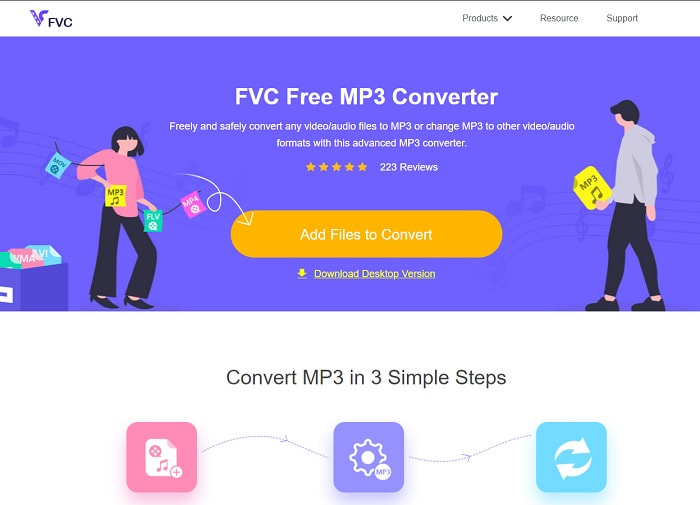
Dacă ești în căutarea unui convertor video în MP3 gratuit, atunci FVC Free MP3 Converter îți oferă exact asta. Deși acest instrument pune la dispoziție o mulțime de funcții similare cu cele ale convertoarelor pentru mobil și ale altor convertoare online, el rămâne „regele convertoarelor” pe web când vine vorba de viteză și acuratețe a conversiei. Totuși, are un interval mic de formate acceptate, ceea ce îți poate limita libertatea de a converti orice dorești. Chiar și așa, rămâne un convertor bun. Pentru a afla mai multe despre acest instrument, continuă să parcurgi pașii de mai jos despre cum se folosește.
Pasul 1. Dă clic pe hyperlinkul de mai sus care duce la pagina principală a aplicației online.
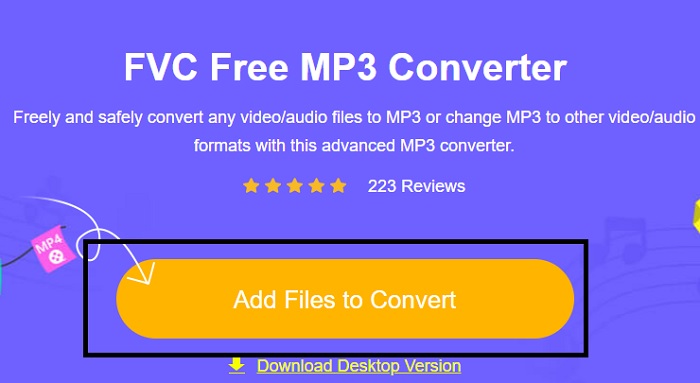
Pasul 2. Apoi, apasă pe Add Files to Convert pentru a deschide și lansa instrumentul.
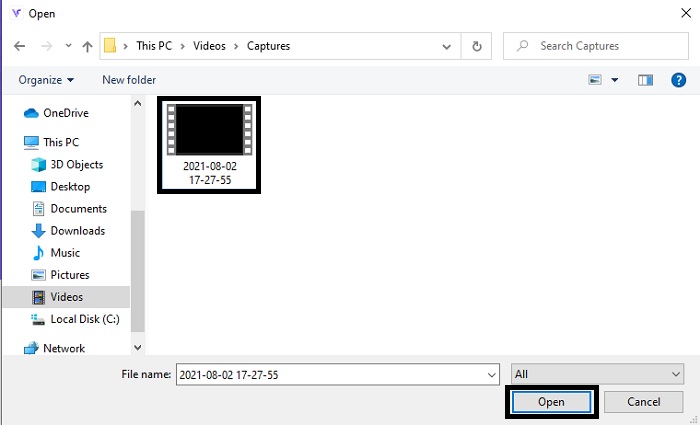
Pasul 3. Găsește fișierul video pe care vrei să îl convertești și fă clic pe Open pentru a-l încărca.
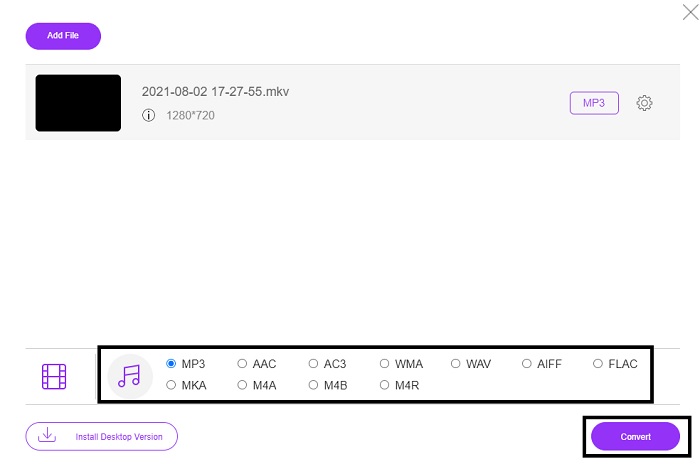
Pasul 4. Alege aici formatul audio în care vrei să fie convertit fișierul. Când ești gata să începi conversia, apasă pe Convert.
Pasul 5. Dacă vrei să asculți fișierul convertit, poți da clic pe acest folder pentru a afișa locația fișierului.
FVC Video Converter Ultimate
Dacă primul instrument nu îți oferă conversia dorită, poți folosi FVC Video Converter Ultimate, un convertor preferat de mulți de-a lungul timpului. Spre deosebire de orice alt convertor pe care l-ai folosit sau nu, acesta este foarte special prin varietatea funcțiilor sale. Se spune că nimic nu îl poate depăși în privința conversiei, editării, creării, îmbunătățirii etc. Poate te gândești că nu este ușor de utilizat, dar te înșeli. Este extrem de simplu de folosit și chiar dacă nu ești profesionist în conversii, poți obține rezultate excelente. Așadar, după cum am spus, să investigăm cum să convertești video în MP3 cu ajutorul celui mai bun convertor la care te poți gândi.
Pasul 1. În primul rând, descarcă acest program pentru desktop pe unitatea ta. Modifică setările de instalare dacă dorești și apasă pe „Finish” pentru a salva schimbările.
Descărcare gratuită pentru Windows 7 sau o versiune ulterioară Descărcare securizată
Descărcare gratuită pentru MacOS 10.7 sau o versiune ulterioară Descărcare securizată
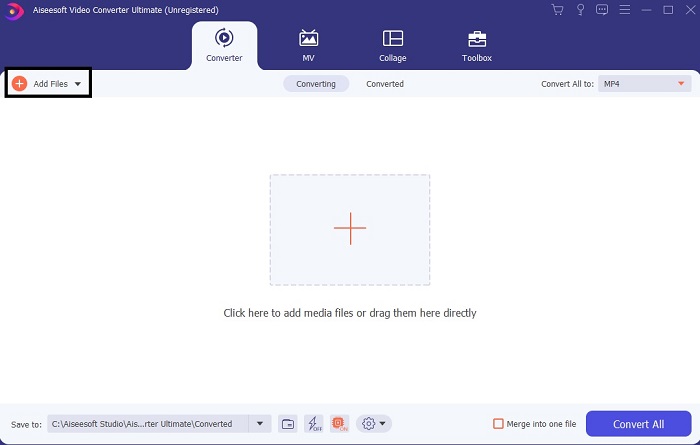
Pasul 2. O interfață de acest tip va apărea pe ecran. Apasă pe Add Files sau pe semnul plus pentru a adăuga fișierul în interfață.
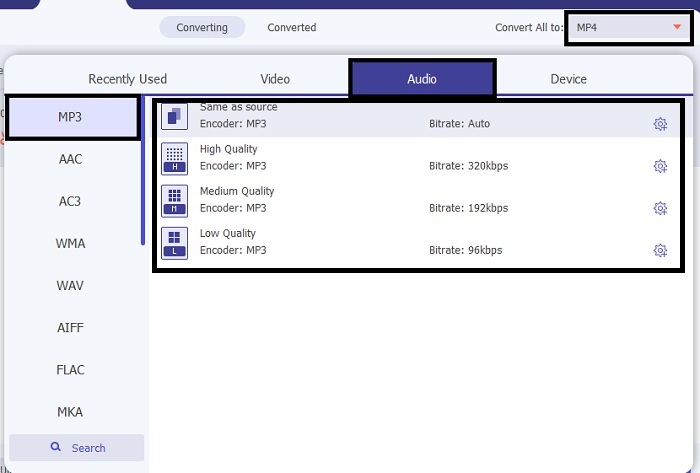
Pasul 3. După ce ai ales fișierul pe care vrei să îl convertești, fă clic pe meniul drop-down de lângă opțiunea Convert All și alege dintre peste 500 de formate.
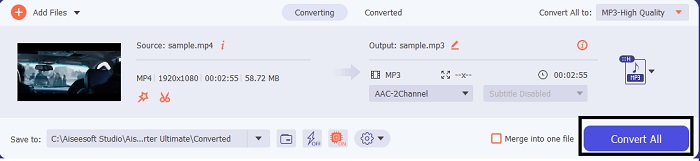
Pasul 4. Apoi apasă pe Convert All pentru a începe conversia fișierului video în MP3.
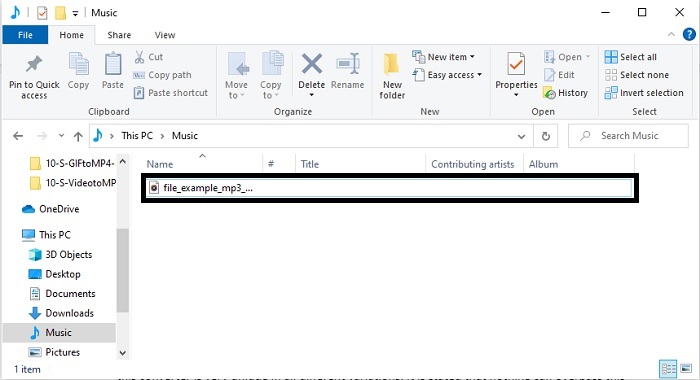
Pasul 5. După ce totul este gata, pe ecran va apărea un manager de fișiere. Dă clic pe fișierul convertit pentru a-l asculta și a te bucura de el.
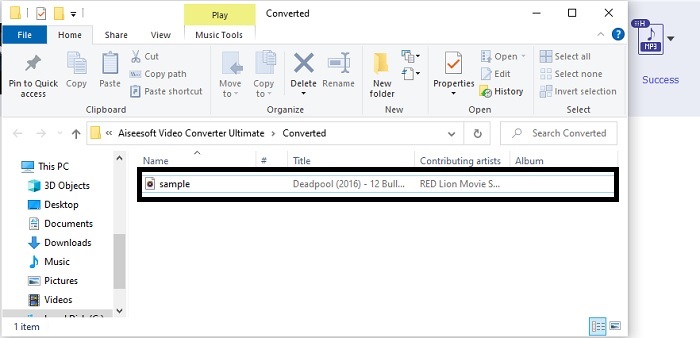
Pași suplimentari pentru a vă îmbunătăți sunetul înainte de a converti cu ajutorul FVC Video Converter Ultimate
Editează sunetul folosind una dintre funcțiile din FVC Video Converter Ultimate. Înainte de a converti fișierul video, este mai bine să îmbunătățești sunetul, pentru ca mai târziu să îl poți asculta la o calitate cât mai bună. Pentru a afla cum se face, urmează pașii de mai jos pentru a amplifica sunetul cu Volume Booster.
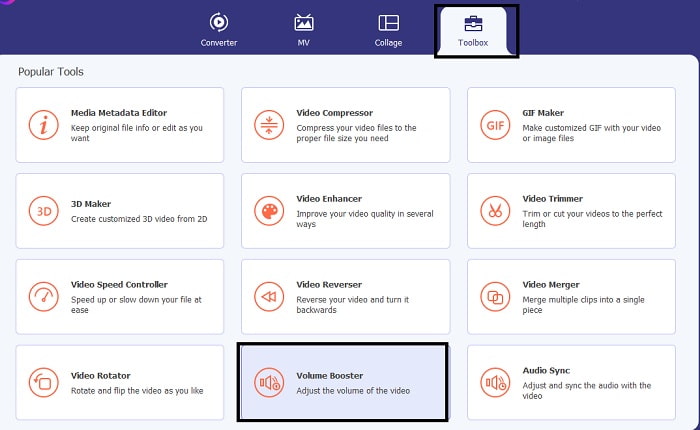
Pasul 1. Dacă ai instalat deja programul, mergi la Toolbar și dă clic pe Volume Booster.
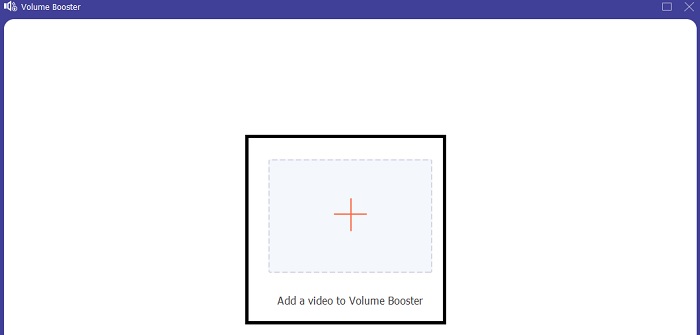
Pasul 2. Selectează fișierul video pe care vrei să îl îmbunătățești și fă clic pe Open pentru a-l încărca.
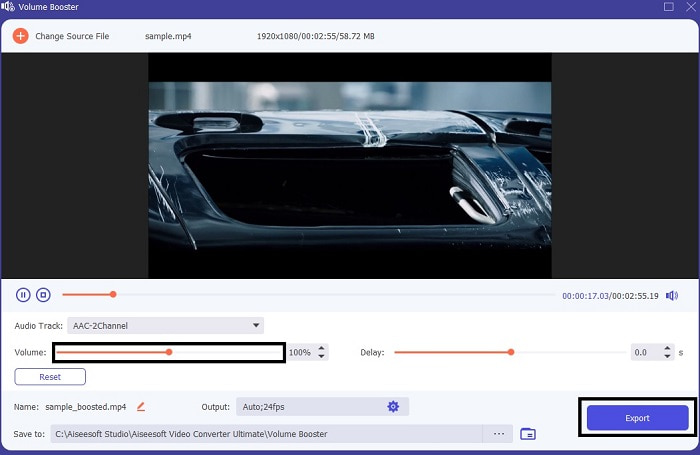
Pasul 3. Ajustează sliderul de volum după preferință. Apoi apasă pe pictograma cog și modifică setările de ieșire; când ai terminat, apasă pe OK pentru a salva modificările. Apasă pe Export pentru a salva rezultatul final și bucură-te de el.
Comparație între FVC Free Video Converter și Video Converter Ultimate
Deși ambele instrumente oferă ceea ce aveți nevoie pentru că sunt cele mai bune în propria lor specialitate. A decide ce să folosești s-ar putea să-ți fie greu. Dar pentru a rezolva acest caz, iată graficul de comparație dintre cele două instrumente. Să investigăm punctele lor slabe și punctele forte ca instrumente individuale.
| Caracteristici | Convertor MP3 FVC gratuit | Video Converter Ultimate |
| Conversie audio |  | |
| Caracteristici de editare |  | |
| Ușor de descărcat sau de accesat | | |
| Ușor de utilizat | | |
| Program suportat | Instrument bazat pe web | Instrument bazat pe desktop |
| Software disponibil | În toate programele | În toate programele |
| Gama de prețuri | Instrumentul său online gratuit | Pentru 1 lună: $25.00 Pentru un an: $31.20 Pentru licență pe viață: $55.20 |
Partea 2. Aplicații video în MP3 pentru dispozitive iPhone și Android
1. Convertor video în MP3
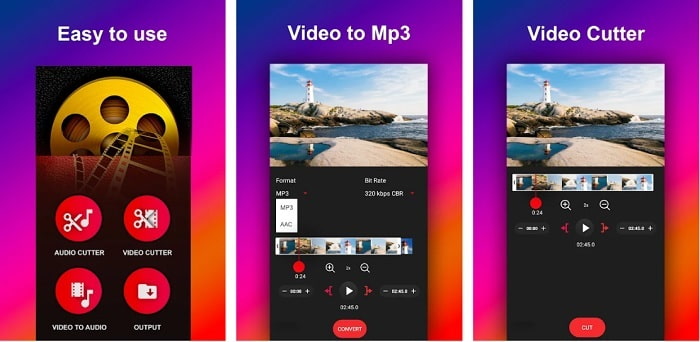
Dacă ești în căutarea unui convertor video în MP3 pentru Android, îți poate plăcea aplicația Video to MP3 Converter. Acest instrument este creat special pentru a converti orice fișier media în format MP3 sau AAC. De asemenea, poți schimba bitrate-ul și poți tăia fișierele audio direct în aplicație. În ciuda faptului că oferă o calitate înaltă a ieșirii, fișierul convertit nu este salvat direct în directorul de muzică, ceea ce poate fi deranjant: în loc să îl asculți imediat, trebuie să îl cauți după finalizarea conversiei.
2. MP4 în MP3 - Convertiți video în audio, tăiați tonuri de apel
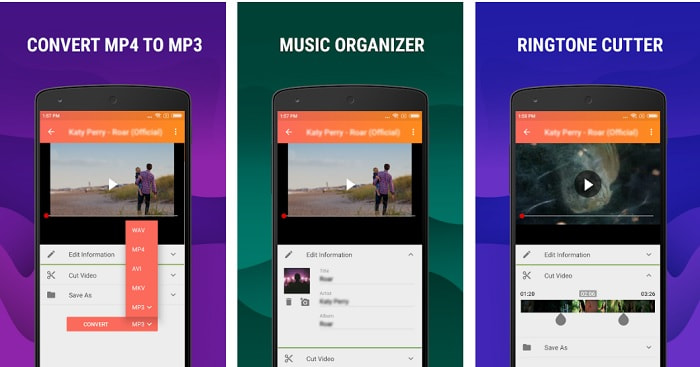
Deși primul instrument din listă oferă conversia în MP3 de care ai nevoie, MP4 to MP3 - Convert Video to Audio, Cut Ringtones îl poate depăși într-o anumită măsură. Totuși, aceasta este o aplicație destinată exclusiv utilizatorilor de Android, așa că, dacă folosești iOS, nu o vei putea folosi. Pe Play Store are un rating de 4,0 stele, dar numărul utilizatorilor nu este foarte mare. Mulți au aceeași problemă: după convertire, fișierul este greu de găsit, la fel ca în aplicația precedentă. Cu toate acestea, unii utilizatori o folosesc în continuare ca convertor MP3 personal, deoarece permite conversia mai multor fișiere simultan.
Articole similare:
3. Convertorul audio
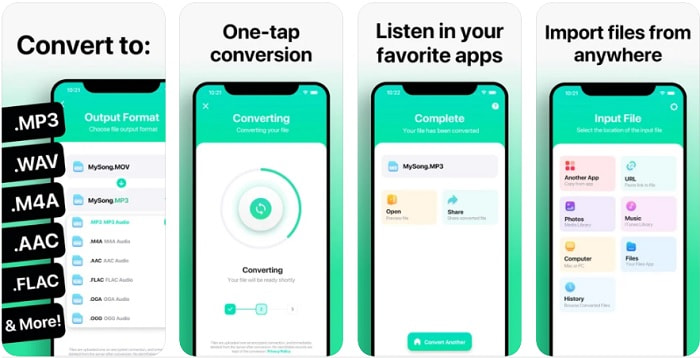
Dacă ești utilizator iOS, poate crezi că nu poți face conversii audio pe telefon la o calitate bună. Te înșeli, pentru că The Audio Converter oferă un proces de conversie excelent și multe alte opțiuni. Conversia videoclipurilor în MP3 pe iPhone este ușor de realizat cu ajutorul acestui instrument. Dezavantajul este că, în versiunea gratuită, există o limită de dimensiune a fișierului. Dacă vrei să convertești fișiere mai mari, trebuie să plătești un abonament. În plus, dacă vrei să anulezi abonamentul, nu există un buton clar de anulare. Trebuie să fii atent la acest instrument, deoarece pot apărea costuri nedorite pe card dacă folosești această metodă de plată.
Partea 3. Diagrama comparativă
| Caracteristici | Convertor MP3 FVC gratuit | FVC Video Converter Ultimate | Convertor video în MP3 | MP4 în MP3 - Convertiți video în audio, tăiați tonurile de apel | Convertorul audio |
| Convertor audio | | | | | |
| Formate suportate | MP3, AAC, AC3, WMA, WAV, AIFF, FLAC, MKA, M4A, M4B, M4R | 500+ format media disponibil | MP3 și AAC | MP3 | MP3 și AAC |
| Accesibilitatea instrumentului | Instrument bazat pe web | Instrument bazat pe desktop | Aplicație bazată pe telefon Android | Aplicație bazată pe telefon Android | Aplicație bazată pe telefoane iOS |
| Gama de prețuri | Instrumentul său online gratuit | Pentru 1 lună: $25.00 Pentru un an: $31.20 Pentru licență pe viață: $55.20 | Aplicație Android descărcabilă gratuită | $6.49 – $19.99 per articol | Abonament Premium$3.99 Abonament pe viață$6.99 |
Partea 4. Întrebări frecvente despre Video în MP3
De ce nu pot fi redate videoclipurile mele pe computer?
Există șansa ca formatul video să nu fie acceptat de playerul media implicit. În acest caz, ai putea folosi FVC Free Video Player pentru a reda videoclipul. Acceptă peste 200 de formate cunoscute, astfel încât poți viziona aproape orice fișier video aici, fără să îți faci griji că nu va porni.
Este MP3 cel mai bun format audio?
Deși MP3 este cunoscut ca un format audio universal, folosit peste tot pentru redare, înregistrare și stocarea fișierelor audio, există un format audio și mai bun: AAC. Chiar dacă acest format este superior, fișierele AAC sunt de obicei mai mari decât cele MP3, dar nu atât de mari ca fișierele AVI. Pentru a converti fișiere MP3 în AAC, poți folosi convertorul online MP3 în AAC, în locul unor instrumente nesigure și cu rată scăzută de compresie.
Care este dezavantajul audio?
Fișierele audio sunt mult mai mici decât fișierele video, însă sunt mai puțin interactive, pentru că nu oferă publicului și o componentă vizuală. Așadar, dacă realizezi un podcast, ar fi bine să alegi un recorder audio performant, cum este FVC Screen Recorder. Acest instrument oferă opțiuni avansate de editare a înregistrărilor și acceptă mult mai multe formate audio decât alte programe pe care le poți descărca sau folosi online. Dacă înregistrarea este problema ta, există o singură soluție, iar aceasta este FVC Screen Recorder. Dă clic aici pentru a descoperi și alte recordere MP3 profesionale.
Concluzie
Acum că am ajuns la finalul articolului, problema pe care o aveam la început este rezolvată. Chiar dacă acum ne despărțim și lăsăm „cazul” în mâinile tale, căutarea se va încheia atunci când vei alege instrumentul perfect pe care te poți baza, la fel ca pe FVC Video Converter Ultimate. De fiecare dată când folosești acest program, te poți aștepta la un proces de conversie rapid, fiabil și sigur. Dacă întâmpini probleme la fișierul audio și vrei să îl îmbunătățești, o poți face tot cu ajutorul lui. Sperăm, de asemenea, că vei continua să „investighezi” FVC Video Converter Ultimate, deoarece acest instrument oferă unele dintre cele mai bune rezultate la conversie. Cu ajutorul acestor dovezi precise pe care ți le-am prezentat, dacă ești acum mulțumit, putem spune că „dosarul este închis”.
-
 [2021] Top 6 moduri gratuite și online de a converti M2TS în MP3
 Poate fi convertit un fișier M2TS în MP3? În această postare, am enumerat primele 6 moduri gratuite și online pentru a vă ajuta să convertiți M2TS în MP3, AAC, AIFF și mai multe formate audio.
-
 4 100% Metode de lucru pentru a converti fișiere video FLV în format MP3
 Cum se convertește un FLV într-un fișier MP3? Tot ce trebuie să faceți este să citiți cu atenție acest articol, să găsiți metoda preferată și să urmați ghidul nostru pas cu pas pentru a obține ceea ce doriți.
-
 Top 4 metode pentru a converti OGG în MP3 fără a pierde calitatea
 Cum să vă convertiți fișierele OGG în format MP3 pentru a le asculta pe computer sau dispozitiv mobil? Aici împărtășim cele mai simple 5 modalități de a face acest lucru pe desktop sau online.
