


 Video Converter Ultimate
 Screen Recorder
 Reparație video
 Descărcare sigură
Care sunt cele mai bune înlocuiri QuickTime disponibile în toate software-urile (gratuit și plătit)
QuickTime Player is the local media player in the Mac’s system. It is the best Apple free media player indeed but the accessibility of the media player is unavailable in the other operating systems. Like the Windows OS and such. So, users who use Mac are having difficulties on choosing what is the best QuickTime player replacement that they should use. Without furthermore, this write-up will provide you with sufficient evidence about the tool themselves. And what are the other alternatives you should use to watch in such as efficient QuickTime can provide. Carry on reading this article to know more about these media players.

Partea 1. Cea mai bună înlocuire QuickTime online
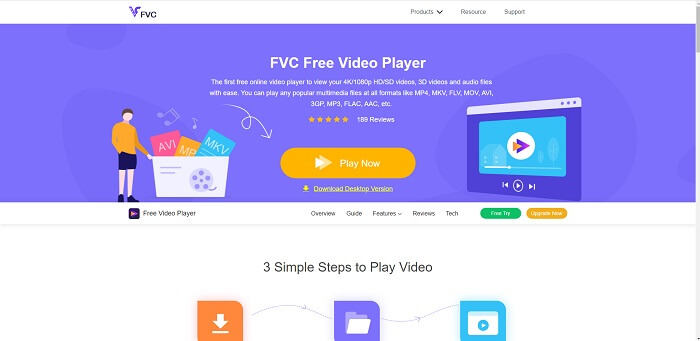
If you’re looking for the best alternative to QuickTime player online then this is for you. It doesn’t require you to sign-up or log-in and pay. Also, the amazing feature of it is that you can access it anytime anywhere with the help of internet connection without asking you if you are a robot and asking you to pinpoint if this is a fire hydrant, cars, bus, crosswalks, and more. FVC Free Video Player is here to change your game on watching your favorite videos and audio online. It is like a QuickTime player but online. No download needed and no need to worry it is malware free.
Pro
- Un instrument online de înlocuire QuickTime pe care îl puteți accesa prin web.
- Cea mai bună alegere înregistrator de pe web. De asemenea, nu are nevoie să descărcați instrumentul. Doar lansați-l, plasați-l și urmăriți-l.
- Protejat împotriva programelor malware, fără anunțuri pe web și în timpul jocului.
Contra
- dependent de internet.
- Dacă internetul este instabil, nu vă puteți bucura de vizionarea fișierului.
Partea 2. Alternativa Prime Elite QuickTime Player pentru Mac și Windows 10
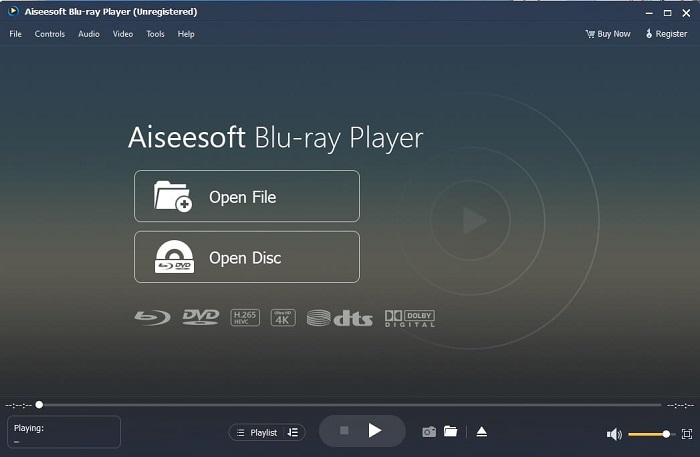
If the free online tool provides you a good quality on watching and listening to your favorite video and audio then this tool will change all of that. If you’re searching for a treasure that has been hidden for a long time. Then this is the time to let you know that searching for it is over because as of today you already found it. This tool is the best QuickTime player alternative for Windows 10 and Mac because it performs much better and in more file formats. Blu-ray Player is the lost treasure. If you’re looking for the media player that provides you with excellent performance to listen and watch your favorite video or song. Also, they say that every treasure you take, you must pay a price. It is the most common conception that this will cost you a lot because it is said that it is better than the QuickTime itself. But to tell you that, it is not. To be honest this tool is far more superior than the other media player that you will find in this article or in the web itself. It is a must try media player if you’re looking for the best like you’re watching from cinema’s quality.
Descărcare gratuităPentru Windows 7 sau versiuni ulterioareDescărcare sigură
Descărcare gratuităPentru MacOS 10.7 sau versiuni ulterioareDescărcare sigură
Pro
- Media player clasa S.
- Funcționează bine fără conexiune la internet.
- Acceptă toate platformele pe care le cunoașteți și pe care nu le cunoașteți. Cu mai multă calitate în video și audio.
Contra
- Este necesar să fie descărcat pe PC sau Mac.
- Vă va costa $36.00.
Partea 3. Alte 4 alternative utile QuickTime Player
Lista de mai jos este exemplele pe care ați putea dori să le utilizați sau să le întâlniți pe web dacă căutați un înlocuitor pentru QuickTime. Pentru că s-a spus înainte că QuickTime este playerul media implicit pentru Mac OS. Citiți celelalte alternative la QuickTime player pentru Mac și Windows pe care probabil le utilizați pentru a viziona videoclipuri dacă QuickTime nu este acceptat pe platforma dvs.
1. VLC Media Player
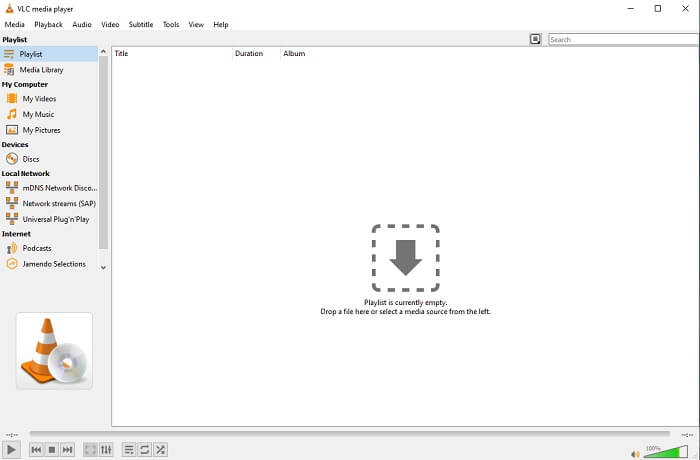
Acest instrument își construiește numele ca cel mai bun player media de pe întregul web. Datorită accesibilității sale, majoritatea utilizatorilor îl folosesc ca prima lor alegere. De asemenea, poate reda DVD-uri, VCD-uri, CD-uri și multe altele fără a mai adăuga codec-uri. Pentru a face totul simplu, este un jucător rapid și de clasă A.
Pro
- Unul dintre cele mai bune playere media.
- Interfață simplă.
- Instrumentele offline trebuie descărcate.
Contra
- Unele formate nu pot fi redate.
- Veți întâlni câteva erori care nu au fost încă remediate.
2. KM Player

A QuickTime replacement for windows and mac that allows you to play different file formats with high quality one. Unlike VLC Media Player, WMV playback can be easily played using this KM Player. Also, it can play 3D video playback and do some of the editing.
Pro
- Cel mai frecvent utilizat media player.
- Cunoscut pentru accelerația hardware.
- Redare video 3D.
Contra
- Este un spyware/adware.
- Îți poate încetini sistemul din cauza instalării inevitabile pe care o va face. așa că aveți grijă dacă doriți să descărcați acest software.
3. MPlayer
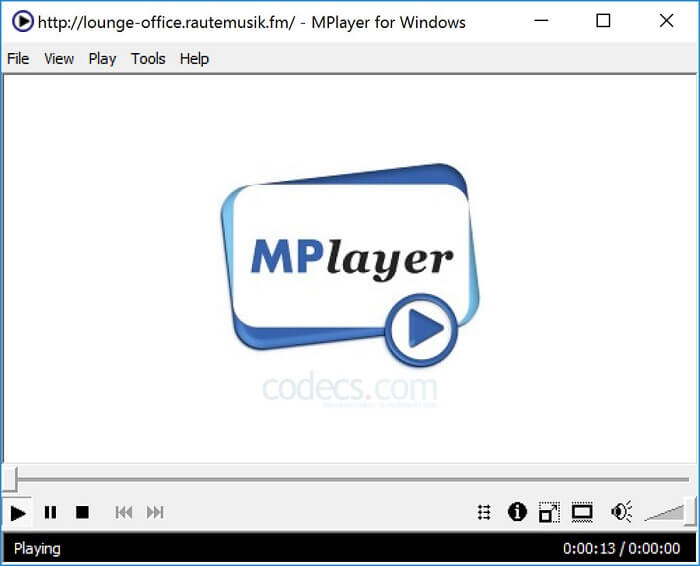
This tool allows the user to work with two separate windows. For example, the video window is separated from the main interface. MPlayer can play different formats. Also, it supports specially the files that have been recorded over the Ffmpeg.
Pro
- Instrument spot-on.
- nu este nevoie de codec suplimentar.
- Taste de scurtătură.
Contra
- În unele cazuri, fișierele pe care le redați pe celălalt media player pot fi redate, dar dacă îl utilizați, există posibilitatea ca acesta să nu fie redat. Este încă din motive necunoscute.
- Lipsa redării directorului.
4. Perian
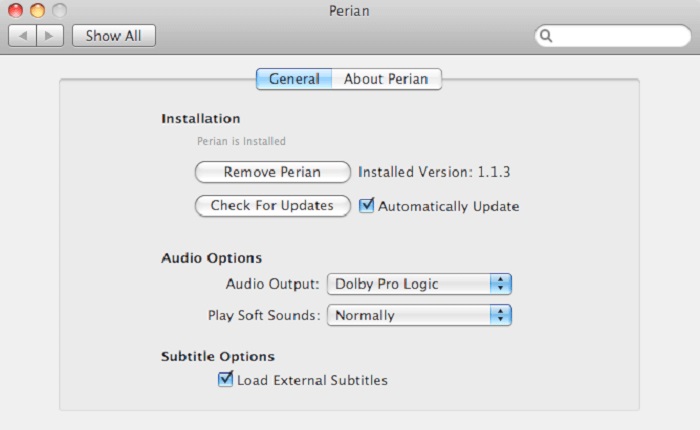
If you have an outdated QuickTime and still want to know what are the other options for you then this is for you. Perian is known as the Swiss knife you may use on your Mac operating system. If the old version of the QuickTime can’t play your desired format, then you may use this. Because it allows you to play more file formats in the QuickTime Player.
Pro
- Încă funcționează chiar și pe QuickTime învechit.
- Suportă mai multă redare pentru versiunile mai vechi QuickTime.
- Formatul de subtitrare SSA și SRT de la QuickTime este încă acceptat.
Contra
- Nu va funcționa pe versiunea modernă a QuickTime 10.
- Dacă utilizați o versiune de QuickTime din 2012, atunci nu este nevoie să o utilizați. Deoarece QuickTime poate oferi ceea ce acest instrument poate oferi și mai mult.
Partea 4. Întrebări frecvente despre QuickTime Player
Ce pot face în afară de a reda videoclipuri pe QuickTime?
QuickTime also has these other features like recording, editing and trimming it, rearrange, rotate and you may as well share a video and images.
QuickTime are o versiune pro a acestuia?
Da, are și o versiune pro a acestuia. Ca de obicei, versiunea pro oferă mai multe funcții decât versiunea gratuită.
Există un format de fișier care nu poate fi redat dacă utilizați QuickTime?
In some cases, MOV & MP4 are unplayable because they are complex codecs. Also, this is most commonly encountered if your QuickTime is the older version. So, the best solution is to convert MOV into MP4.
Concluzie
Now that you know what are the tools that can be used if you want a media player like QuickTime. As it is mentioned earlier, these different tools have their own specialty, common traits, and what separates them from other media players. But it is clearer that the best QuickTime player replacement or to be more specific the tool that can beat the QuickTime is the Blu-ray Player. It overpowers QuickTime players in all aspects, especially the availability of the tool and more. But maybe you're still thinking about why you need to buy this tool. Only reason is that it is far superior with the other tools you might find over the web or in other articles. So what are you waiting for? Watch like a boss by using this as your personal choice media player.
-
 Cel mai bun player video HD 1080p pentru Windows/Mac/iOS/Android din 2025. Feed de comentarii
 Dacă sunteți în căutarea unui player video pentru a viziona videoclipuri de înaltă definiție 1080p pe computerul dvs., verificați opțiunile noastre despre cele mai bune playere video HD 1080p pentru Mac, Windows PC, iOS și Android.
-
 5 metode viabile pentru a remedia QuickTime nu poate deschide fișierele MOV Feed de comentarii
 Formatul MOV este creat în principal pentru redare în QuickTime Player. Cu toate acestea, uneori puteți constata că nu joacă în el. Aflați cum să remediați QuickTime nu va reda fișiere MOV din această postare.
-
 Cum să convertiți fișierele MKV pentru a le juca pe PS3 fără probleme
 Doriți să redați videoclipuri MKV pe PS3? Cu toate acestea, PS3 nu poate reda direct fișiere MKV. Acest articol vă va arăta modalități de a converti videoclipurile MKV în formate video acceptate de PS3 pentru a le reda pe PS3 fără probleme.
