


 Video Converter Ultimate
 Screen Recorder
 Reparație video
 Descărcare sigură
Cel mai bun înregistrator audio MP2 cu pași și sfaturi fiabile pentru PC și Mac
MP2 este un alt fișier audio comprimat cu pierderi. Deși formatul MP3 este mult mai popular decât alte formate audio, standardul rămâne MP2. Pentru că este un format audio standard, este predispus la pierderi de date. Totuși, transferul de date prin internet nu va fi o problemă pentru tine. În unele cazuri, utilizatorii au dificultăți în a decide care este cel mai bun înregistrator MP2 care să le satisfacă nevoile. În acest caz, lista de mai jos oferă pași detaliați și informații pe care ai putea dori să le folosești. Continuă să citești acest articol ca să afli care sunt acele înregistratoare audio care pot produce fișiere în format MP2.

Partea 1. Cel mai bun recorder MP2 pentru Windows și Mac
FVC Free Audio Recorder
Unul dintre cele mai bune înregistratoare audio online îți poate fi de ajutor. FVC Free Audio Recorder, așa cum sugerează și numele, este un instrument gratuit folosit de mulți utilizatori pe internet. Dacă internetul nu este o problemă pentru tine, atunci te poți baza pe acest înregistrator VHS MP2 online pentru a obține un format de ieșire bun. Fără a mai spune că acest instrument este dezvoltat de FVC, așa că este 100% lipsit de malware, deci ești gata de folosire. Mai mult, iată lista de pași de mai jos, așa că asigură-te că îi urmezi cu atenție.
Pasul 1. Fă clic pe acest link pentru a merge pe site.
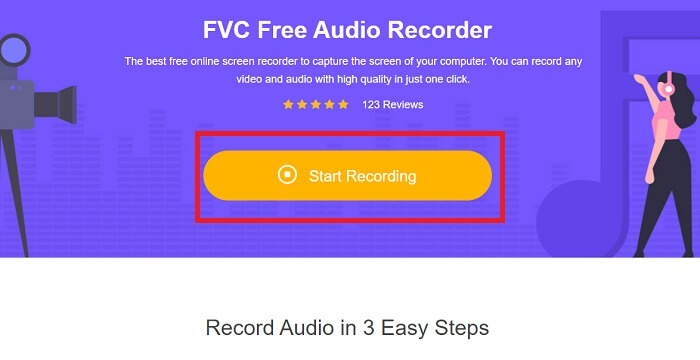
Pasul 2. Dă clic pe Start Recording pentru a lansa înregistratorul.
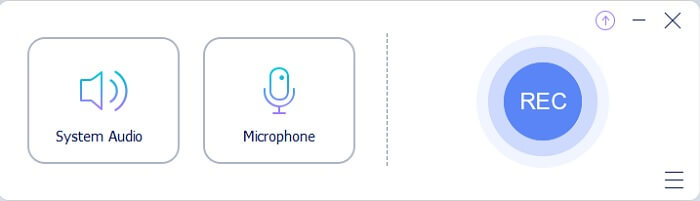
Pasul 3. O bară de instrumente plutitoare ca aceasta va apărea pe ecran.
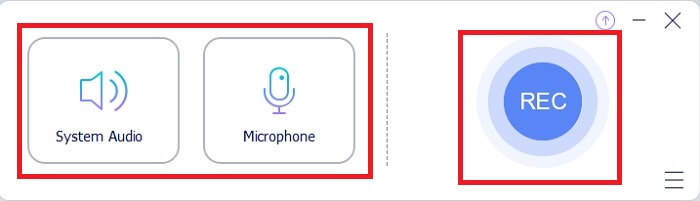
Pasul 4. Fă clic pe System Sound și Microphone pentru a adăuga sunetul de sistem și vocea ta. Dacă ai terminat, apasă butonul rotund REC pentru a începe înregistrarea.
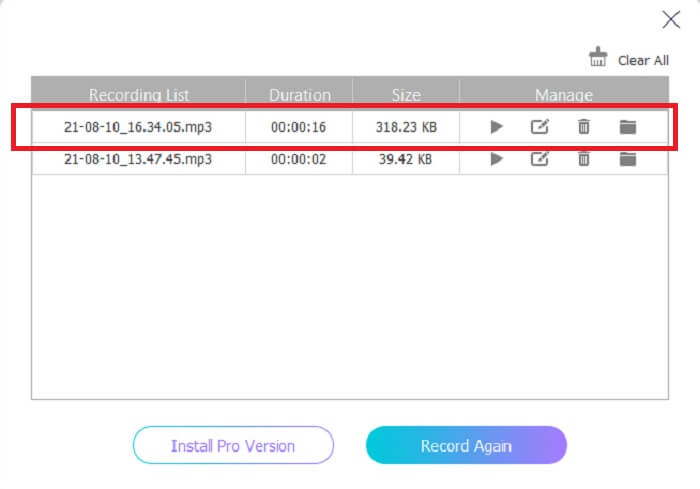
Pasul 5. Dacă înregistrarea s‑a încheiat, dă clic pe butonul în formă de cub pentru a opri înregistrarea. Fișierul este salvat automat pe PC‑ul tău și te poți bucura de el.
Partea 2. Înregistrare MP2 extinsă și ușor de utilizat pentru a înregistra audio MP2
1. FVC Screen Recorder
Dacă instrumentul online te face să spui 'wow', atunci acest program te va face să spui „excelent”. Spre deosebire de înregistratorul online, FVC Screen Recorder este un instrument multifuncțional care nu îți limitează creativitatea. În timp ce îți îmbunătățește înregistrările audio, te duce la un alt nivel pe care alte instrumente nu îl pot oferi. Poate încă te întrebi dacă acest program poate fi înregistratorul tău MP2; să spunem doar că rămâne să descoperi tu. Fără alte întârzieri, să trecem mai departe ca să îți demonstrăm că acesta este instrumentul pe care îl cauți. Citește cu atenție pașii de mai jos.
Pasul 1. Descarcă programul pe PC sau Mac. Instalează‑l pe desktop și modifică Preferences, iar dacă totul este deja setat, fă clic pe Finish pentru a lansa instrumentul.
Descărcare gratuităPentru Windows 7 sau versiuni mai noiDescărcare sigură
Descărcare gratuităPentru MacOS 10.7 sau versiuni mai noiDescărcare sigură
Pasul 2. Programul se va lansa automat. O bară de instrumente ca aceasta va apărea pe ecran. Fă clic pe Audio Recorder pentru a continua.
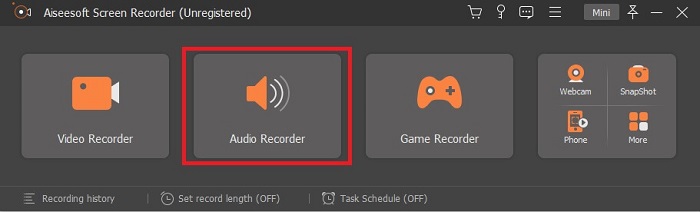
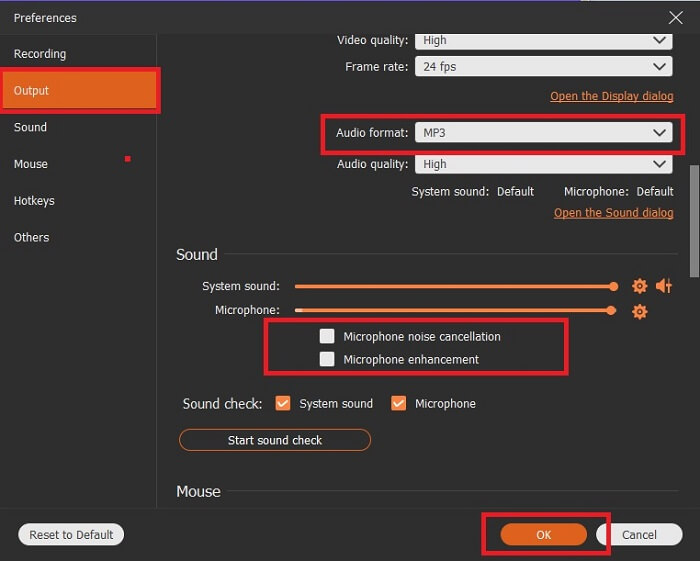
Pasul 3. Caută pictograma în formă de roată dințată și fă clic pe ea. Schimbă setările de Output în funcție de preferințe. Apasă OK pentru a salva modificările.
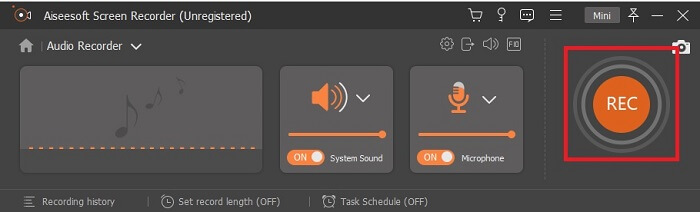
Pasul 4. Verifică dacă System Sound și Microphone sunt activate înainte de înregistrare. Dacă este deja gata, apasă butonul în formă de disc pentru a începe înregistrarea.
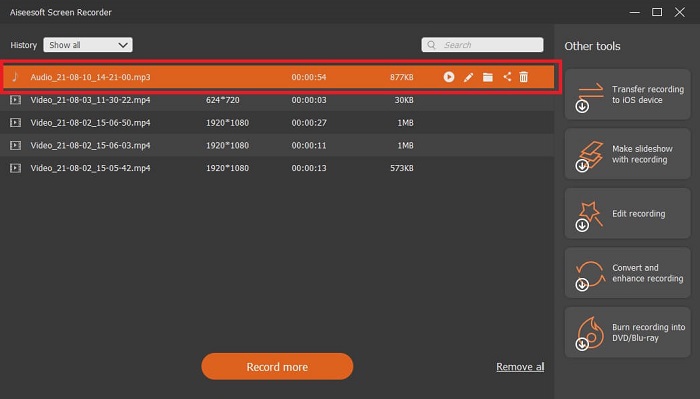
Pasul 5. Când ești gata să oprești înregistrarea, dă clic pe butonul în formă de pătrat. Apoi Save și apasă Next pentru a produce înregistrarea. Dacă vrei să reasculți înregistrarea, apasă butonul cu linii paralele pentru a verifica înregistrarea pe care tocmai ai făcut‑o. Primul fișier va fi cea mai recentă înregistrare, iar ultimul va fi cea mai veche.
2. Audio Boo
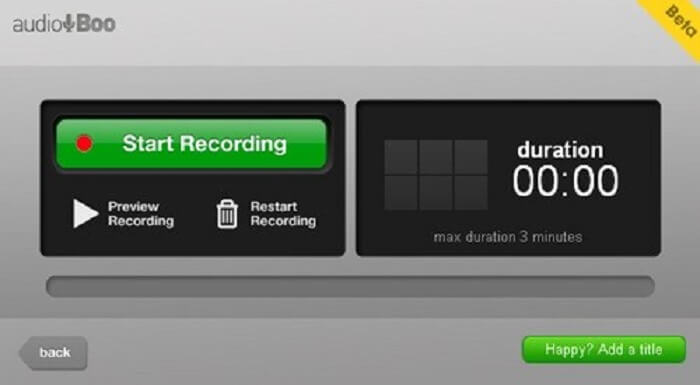
Un alt instrument pe care îl poți folosi pentru înregistrări scurte este Audio Boo. Acesta le permite utilizatorilor să facă înregistrări de tip scurt. De exemplu, să cânți pentru persoana iubită și să îi trimiți înregistrarea, să ții un jurnal audio, să înregistrezi scurte mementouri audio și multe altele. Însă, din cauza limitărilor, nu poți înregistra o conversație completă, sesiuni lungi de cântat etc. Așadar, dacă te întrebi cât durează înregistrarea disponibilă, durata maximă este de 3 minute.
3. Adobe Audition
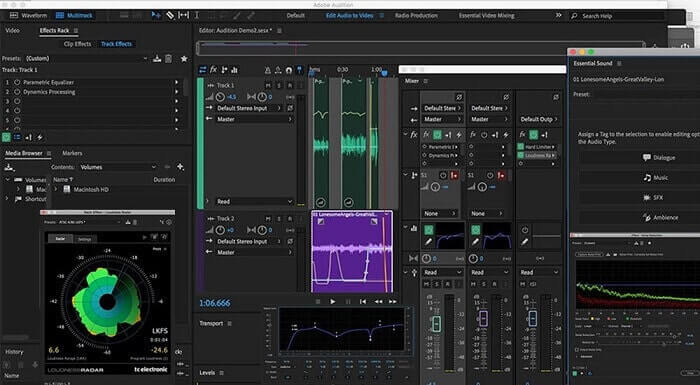
Un instrument care permite utilizatorului să înregistreze o înregistrare de calitate. De asemenea, este susținut de Adobe, așa că așteptați o ieșire de bună calitate pe care o va produce. Acest lucru este cel mai frecvent utilizat de către producătorul de muzică, cântăreți, organizator de muzică și ca atare. Acesta este un înregistrator mai industrializat. Este un pic copleșitor pentru noul utilizator să folosească acest tip de înregistrator Mp2. Dar produce o calitate bună ca și celelalte înregistratoare MP2.
Lecturi suplimentare
Partea 3. Diagrama comparativă
| Funcție / funcții instrument | FVC Free Audio Recorder | FVC Audio Recorder (Premium) | Audio Boo | Adobe Audition |
| Inregistrare audio | DA | DA | DA | DA |
| Anularea zgomotului | NU | DA | NU | DA |
| Îmbunătățirea microfonului | NU | DA | NU | DA |
| Instrumente de editare | NU | DA | NU | DA |
| Program / uri disponibile | Toate programele sunt acceptate | Toate programele sunt acceptate | iPhone, iPod touch și iPad. | Windows 7, Windows 8.1 sau Windows 10 OS X Yosemite, OS X El Capitan sau macOS Sierra |
| Formate disponibile | MP3 și MP2 | MP3, MP2, WMA, AAC, M4A, FLAC, OGG, AMR, Opus și multe altele. | MP3 | AC3, M4A, MAT, VOX, W64, WAV și multe altele |
| Prețul instrumentului (dacă este plătibil) | Instrument online gratuit | Pentru 1 lună: $25.00 Pentru un an: $31.20 Pentru licență pe viață: $55.20 | Instrument gratuit descărcabil | $27.62 / moment, pentru anual $315.61 / ani, pentru anual $41.43 / plan lunar |
Partea 4. Întrebări frecvente despre MP2 Recorder
Pot converti MP2 într-un alt format?
Da, poți, folosind acest Convertor MP2 disponibil online; de asemenea, ai putea dori să încerci acest convertor avansat pentru un rezultat mult mai bun.
Care este cel mai bun deputat? 1, 2, 3 sau 4?
Aceste formate de fișiere MP sunt toate containere pentru audio, video și text. Dar diferența majoră dintre ele este ceea ce conțin. MP1 este primul care realizează primul format de casetă. MP2 acceptă 1 până la 2 canale și standardul pentru redarea posturilor de televiziune și radio digitale. MP3 este formatul cel mai frecvent utilizat care salvează înregistrarea audio sau formatul audio. MP4 conține format audio, video și text.
Vreau să-mi redăm videoclipul, dar playerul media nu acceptă formatul, ce ar trebui să fac?
Poți folosi acest player media, deoarece suportă aproape toate formatele diferite pe care le cunoști.
Concluzie
În sfârșit, acum cunoaștem diferitele instrumente de pe web cu ajutorul acestui articol. Așadar, dacă încă îți este greu să alegi care este cel mai bun instrument pentru tine, aceste sfaturi te pot ajuta să decizi care este cel mai potrivit. Programul de înregistrare pe care îl folosești ar trebui să fie ușor de utilizat, fiabil, disponibil pe toate platformele în caz că îți schimbi dispozitivul actual, astfel încât acest lucru să nu îți afecteze înregistrările audio, să fie de durată, să primească actualizări constante, să fie accesibil ca preț și, mai presus de toate, lipsit de malware. Dacă bănuiala ta este FVC Screen Recorder, atunci ai dreptate. Pentru că acest instrument nu te limitează, nu este greu de folosit și nici prea scump. Așadar, nu mai este nevoie să cauți alt program dacă acesta poate oferi mai mult decât celelalte.
-
 Top 5 Cele mai bune înregistratoare de ecran WebM pentru Windows / Mac
 Aflați mai multe despre fișierele extensiei WebM citind articolul și descoperiți aplicațiile de înregistrare a ecranului WebM pe care le puteți utiliza pentru a înregistra videoclipuri WebM.
-
 Cele mai bune 4 înregistratoare video SWF accesibile online pentru feedul gratuit de comentarii
 Ați auzit despre fișierul SWF? Aflați mai multe despre acest format de fișier și descoperiți modalități de înregistrare a fișierelor SWF folosind instrumente online gratuite.
-
 Recordere video MTV incomparabile Compatibile pe feedul de comentarii ale computerului Mac / Windows
 Acest articol vă va ajuta să aflați despre formatul de fișier MTV și o listă de înregistratoare video MTV pe care le puteți utiliza pentru a înregistra cu ușurință ecranele computerului.
