


 Video Converter Ultimate
 Screen Recorder
 Reparație video
Cele mai bune dintre cele mai bune convertoare pe care le puteți folosi pentru a converti 3GP în AVI online și offline
Formatul 3GP este un format flexibil care transferă fluxurile audio și video pe telefoanele mobile de a treia generație folosind GSM. El se potrivește cu conectivitatea 3G pentru o transmitere mai rapidă a fișierelor. Acest format este utilizat cel mai frecvent pe versiunile vechi de telefoane, deoarece este multifuncțional și se transferă rapid. Totuși, fișierele 3GP nu mai pot fi redate astăzi pe playerul media local, pentru că acest format nu permite playerelor media noi să înțeleagă structura lui. Așadar, cea mai bună modalitate de a viziona toate fișierele 3GP pe telefon sau pe desktop este conversia lor. În loc să cauți pe internet cel mai bun convertor pe care îl poți folosi, am adunat patru convertoare dintre care poți alege. Instrumentele menționate mai jos sunt excelente și pot converti 3GP în AVI fără pierderi de calitate.

Partea 1. Convertiți 3GP în AVI offline cu Ultimate Converter
FVC Video Converter Ultimate
Dacă nu vrei să depui niciun efort pentru a converti fișierele tale 3GP, îți recomandăm cu tărie să folosești FVC Video Converter Ultimate. Acest software este una dintre cele mai bune opțiuni pentru conversia fișierelor, iar conversia se realizează foarte rapid, în câteva secunde. Mai mult, mulți utilizatori care au încercat acest program împărtășesc aceeași opinie. În concluzie, au afirmat clar că acest instrument i-a ajutat să-și rezolve problema de conversie într-o clipită.
O explicație suplimentară, acest instrument nu este doar cel mai bun în conversia fișierului; are, de asemenea, cele mai avansate funcții pe care ați dori să le încercați. Exemple sunt editorul, generatorul de GIF, amplificatorul de volum, sincronizarea audio și video, inversarea și multe altele. Dacă cumpărați acest instrument, veți obține toate instrumentele menționate mai devreme și mai sunt multe de făcut. Deci, acum, să încercăm să urmăm pas cu pas pentru a converti 3GP în AVI pe Mac și PC fără a-și pierde calitatea.
Pasul 1. Dă clic pe butonul de descărcare și alege dacă ești utilizator de PC sau Mac, apoi instalează programul.
Descărcare gratuită pentru Windows 7 sau o versiune ulterioară Descărcare securizată
Descărcare gratuită pentru MacOS 10.7 sau o versiune ulterioară Descărcare securizată
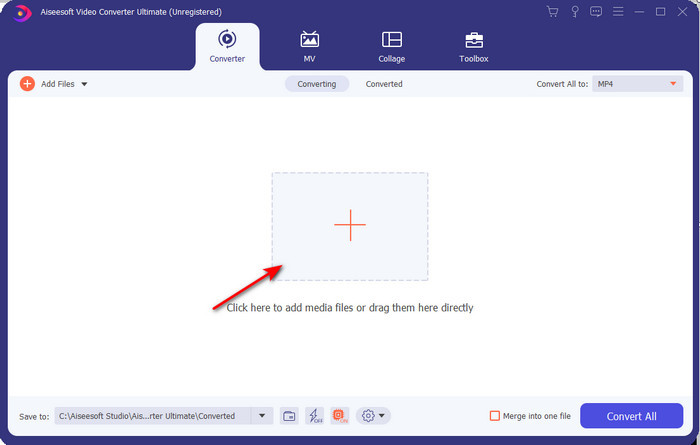
Pasul 2. Lansează instrumentul, dă clic pe semnul + din mijlocul interfeței, selectează fișierul .3gp din folderul tău și apoi apasă pe Open. De asemenea, poți realiza aici o conversie în lot; dă clic pe Add Files pentru a adăuga mai multe fișiere.
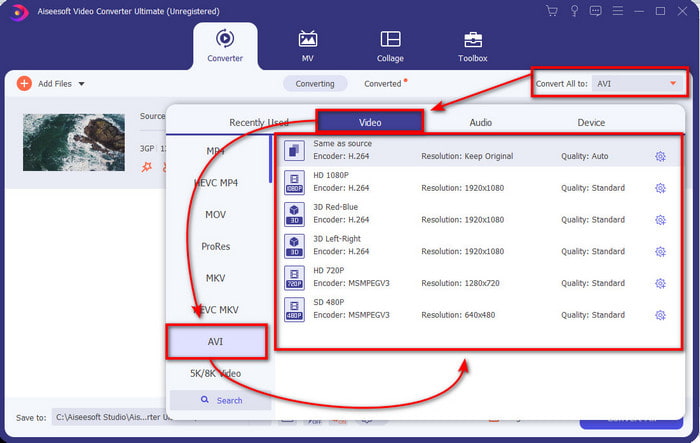
Pasul 3. Pentru a schimba 3GP, dă clic pe opțiunea Convert All to și alege formatul AVI din categoria Video.
Pasul 4. Pentru a începe procesul de conversie, apasă pe Convert All, iar conversia fișierelor tale 3GP va începe acum.

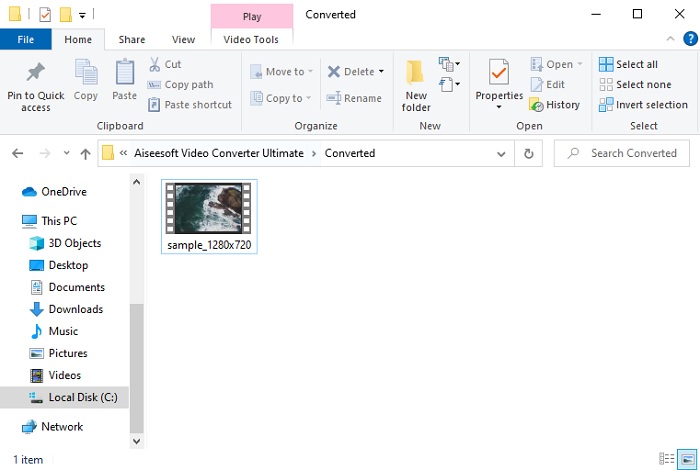
Pasul 5. După conversie, pe ecran va apărea un folder cu fișierul 3GP convertit. Dă clic pe noul fișier AVI pe care l-ai creat pentru a-l viziona și edita ulterior, dacă dorești.
Partea 2. 3 convertoare online disponibile pentru a converti 3GP în AVI
1. FVC Free Video Converter Online

Ne asigurăm că instrumentul din această listă este cel mai bun convertor online din 3GP în AVI, și acesta este FVC Free Video Converter Online. Toate funcțiile pe care ai dori să le vezi la un convertor online se află aici. Este cel mai bun convertor online din toate punctele de vedere pe care le menționăm. De exemplu, dacă îți dorești un convertor online eficient, un proces de conversie sigur și fără reclame, atunci acesta este instrumentul web pentru tine. Deși instrumentul web arată foarte bine și funcționează perfect, el suportă totuși un număr mediu de formate. Funcțiile avansate pe care le-ai putea întâlni în timp ce folosești FVC Video Converter Ultimate nu sunt disponibile aici. Însă avantajul față de versiunea software este că este complet gratuit. Fără alte întârzieri, să trecem la pașii pentru a-ți converti fișierul într-o nouă versiune.
Pasul 1. Accesează acest link pentru a merge pe site.
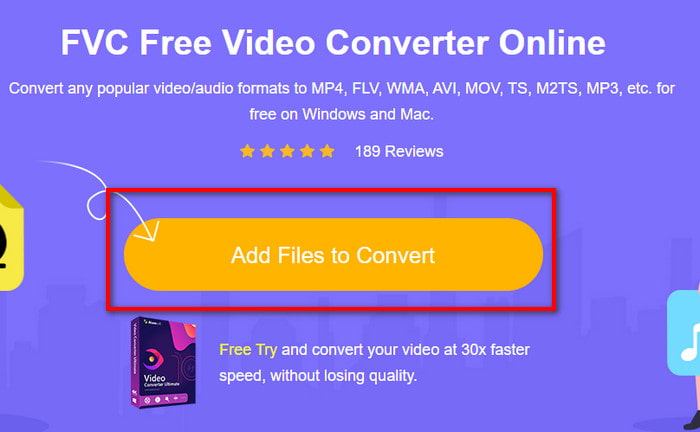
Pasul 2. Apasă pe Add Files to Convert pentru a lansa instrumentul online, iar un folder va apărea; caută fișierul .3gp. Dacă este prima dată când folosești acest instrument, va trebui să descarci launcher‑ul dând clic pe Add Files to Convert și apoi să apeși din nou pentru a-l lansa.
Pasul 3. După ce ai selectat fișierul, alege formatul AVI în secțiunea de mai jos.
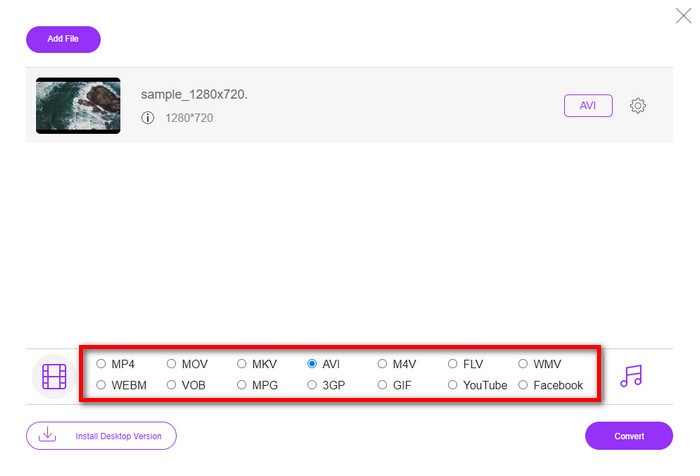
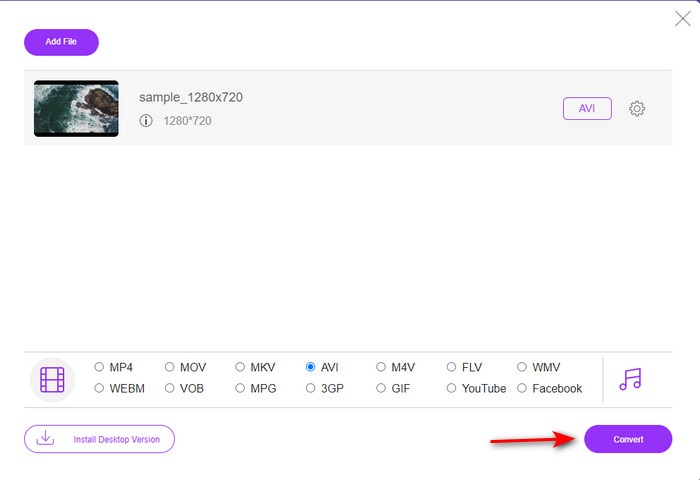
Pasul 4. Dacă ești gata să convertești fișierul, dă clic pe Convert.
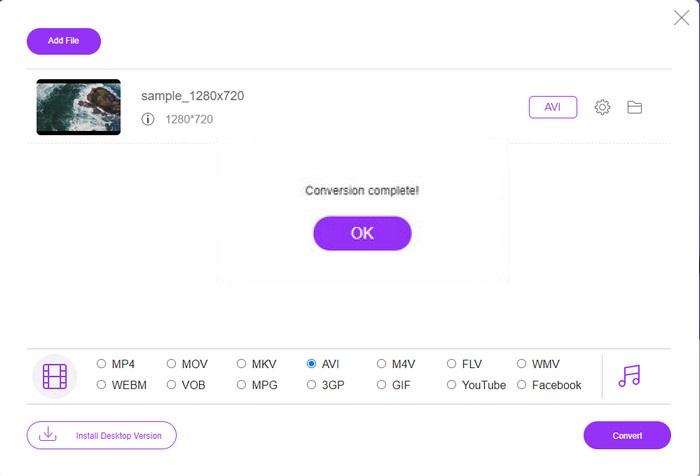
Pasul 5. După conversie, un folder va apărea din nou, dar acum cu fișierul pe care l-ai convertit mai devreme.
2. Fconvert.com
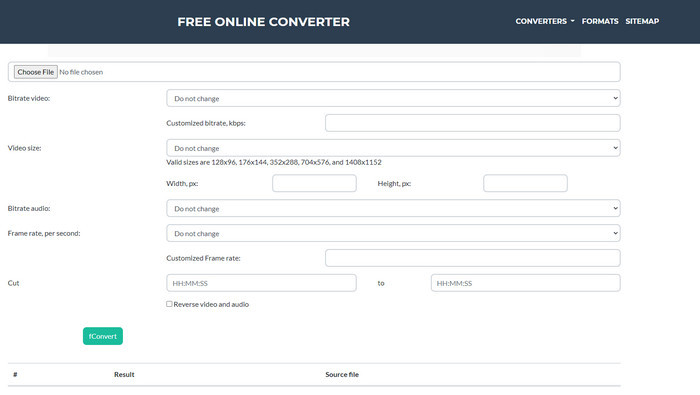
În ceea ce privește conversia fișierelor, Fconvert.com trebuie să fie pe listă, deoarece acest instrument web este unul dintre convertoarele extraordinare pe care le poți folosi gratuit. Acest convertor poate converti aproape toate formatele cunoscute și, probabil, și unul dintre fișierele tale. Totuși, există o problemă cu acest instrument, și anume reclamele. De fiecare dată când dai clic pe ceva pe site, mai întâi apare o reclamă, înainte de a merge la ceea ce ai selectat. Deși reclamele sunt enervante, aplicația arată în continuare curat și oferă o performanță foarte bună la conversia formatelor. Așa că, dacă vrei să experimentezi cât de bun este acest instrument, urmează pașii de mai jos și învață cum să convertești 3GP în AVI gratuit.
Pasul 1. Caută în browser site-ul principal al acestui instrument.
Pasul 2. Dă clic pe AVI sub video, apasă pe Choose File, localizează fișierul .3gp, apoi derulează în jos și apasă pe fConvert.
Pasul 3. Derulează în jos și vei vedea secțiunea Result; dă clic pe fișier pentru a-l descărca.
3. Anyconv
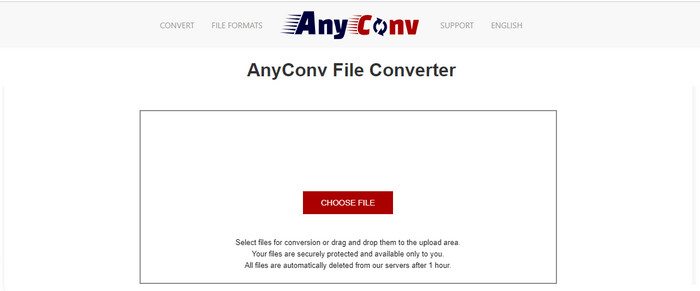
Un alt instrument specializat în conversia formatelor este Anyconv. Acest instrument web este foarte diferit de Fconvert.com, deoarece este mult mai bun și mai rapid. De asemenea, acest instrument are mai puține reclame decât cel anterior. Deși are mai puține reclame, acestea sunt mai mari decât pe Fconvert.com, însă, din punct de vedere al performanței, acest instrument se descurcă foarte bine. Să testăm acest instrument pentru a vedea dacă funcționează pentru conversia 3GP în AVI gratuit, fără alte întârzieri.
Pasul 1. Deschide motorul de căutare și găsește site-ul Anyconv.
Pasul 2. Apasă pe Choose File, va apărea un folder, încarcă fișierul .3gp în instrumentul web și continuă. Pentru a schimba formatul, trebuie să dai clic pe butonul drop-down și să cauți AVI. Pentru a începe procesul de conversie, apasă pe Convert.
Pasul 3. Așteaptă până când procesul se termină, apoi apasă pe Download AVI pentru a descărca fișierul convertit.
Partea 3. Ce format este cel mai bun; 3GP sau AVI
Dacă utilizați un telefon de a treia generație și doriți să stocați videoclipuri de înaltă calitate, transferați-l mai repede în a treia generație de telefon, atunci 3GP este formatul pentru sarcină. Cu toate acestea, dacă încercați să trimiteți formatul AVI pe telefoanele din a treia generație, fișierul nu se va deschide deoarece acest format nu este acceptat. Dar în cazul de astăzi, AVI este mult mai bun. A câștigat deja mult suport de la toate playerele și editorii media în comparație cu 3GP. Deși formatul AVI este cea mai bună alegere astăzi, dimensiunea fișierului este enormă în comparație cu 3GP și, dacă ați fi pe cale să-l salvați pe telefon, ar consuma mult spațiu. În plus, ambele formate sunt grozave, dar au scopuri și utilizări diferite.
Partea 4. Întrebări frecvente despre 3GP și AVI
Pot folosi FFmpeg pentru a converti 3GP în AVI?
Poți folosi FFmpeg pentru a-ți converti fișierul 3GP; totuși, este mai dificil de utilizat, dar gestionabil dacă îți acorzi timp. Primul pas este să descarci fișierul zip FFmpeg pe computer și apoi să îl dezarhivezi. Al doilea pas este să deschizi CMD pentru a comunica cu instrumentul. Apoi localizează fișierul folosind linia de comandă, ffmpeg -i input.3gp -vn -ar 44100 -ac 2 -b:a 192k output.avi, copiază acest cod și lipește-l în CMD, apoi apasă Enter pentru a începe procesul de conversie.
Se poate juca 3GP pe telefoanele din a patra generație?
Acest format este folosit pe telefoanele de a treia generație și încă poți reda videoclipuri în format 3GP pe unele telefoane de a patra generație, dar nu pe toate. Pentru că, după cum s-a spus mai devreme, 3GP este pentru telefoanele de generația a treia și nu pentru unele telefoane de generația a patra. Sau poți apela la playere 3GP profesionale pentru a te bucura de videoclipurile tale.
Ce format este mai bun: 3GP sau MP4?
În ceea ce privește calitatea și formatul cel mai bine suportat, MP4 este mult mai bun în această privință. Totuși, 3GP este mult mai mic și funcționează mai bine în rețele 3G pentru transferul mai rapid al acestui format de fișier. Vrei să convertești MP4 în 3GP sau invers, dă clic aici pentru a afla mai multe detalii.
Concluzie
Fiecare călătorie trebuie să se încheie, iar acum puteți converti cu ușurință 3GP în AVI cu ajutorul instrumentelor menționate mai sus. Mai mult, toate instrumentele prezentate mai sus, să includem FFmpeg, funcționează grozav. Totuși, cea mai bună alegere revine întotdeauna FVC Video Converter Ultimate. Acest instrument depășește toate conversiile online pe care le pot face în conversie și multe alte aspecte. Deci, acum, dacă doriți să obțineți software-ul, faceți clic pe butonul de descărcare și faceți conversia rapid.
-
 [Online și gratuit] 3 metode de a converti MP4 în 3GP fără probleme
 Doriți să convertiți MP4 în 3GP într-un mod rapid și ușor? Aici vom împărți 3 convertoare MP4 în 3GP pentru a schimba MP4 în 3GP pentru redare pe diferite telefoane mobile.
-
 Top 3 moduri gratuite de a converti FLV în 3GP pe Windows / Mac
 Nu puteți deschide fișierele FLV pe smartphone sau tabletă? Nu vă faceți griji! Aici împărtășim trei metode de a converti FLV în 3GP fără a pierde calitatea pentru a juca pe mobil.
-
 Alegere excelentă pentru a converti MKV într-un format AVI
 Învățați cum să convertiți videoclipuri MKV cu pași simpli furnizați exclusiv pentru dvs. Vrei să știi cum? Apoi faceți clic pe acest link pentru a afla mai multe.
