


 Video Converter Ultimate
 Screen Recorder
 Reparație video
Aflați care sunt cele mai bune 2 convertoare pentru a converti gratuit RMVB în AVI
Dacă ești în căutarea unei compresii mai eficiente, folosește formatul RMVB, deoarece acest format utilizează rate de biți variabile pentru codarea sunetului și a videoclipului. Acest format este cel mai bun container pentru stocarea materialelor de streaming codate la o rată de biți constantă. Deși formatul este cea mai bună alegere pentru streaming online, va fi totuși nevoie să folosești un player media sau un codec media pentru a viziona videoclipul cu extensia de fișier .rmvb. Așadar, dacă este așa, hai să-ți ușurăm viața aflând ce convertor de fișiere RMVB în AVI poți folosi pentru a-ți converti fișierele RMVB.
Partea 1. Cel mai bun convertor offline RMVB în AVI pentru Windows și Mac [Cea mai rapidă și eficientă modalitate]
Primul din listă este convertorul fenomenal pe care îl vei îndrăgi; FVC Video Converter Ultimate oferă cea mai rapidă și mai sigură modalitate de a converti RMVB în AVI gratuit. Toate funcțiile pe care le oferă acest instrument sunt esențiale pentru toți cei care convertesc formate des. De asemenea, dacă vrei să îți editezi videoclipul, să îți amplifici sunetul, să creezi un GIF unic și să faci și mai multe, acest instrument este o alegere excelentă pentru oricine. Deși poți converti aici formatul gratuit, instrumentul în sine nu este gratuit. Totuși, nu va trebui să cheltuiești sute de dolari pentru a-l descărca, accesa și pentru a experimenta capacitățile complete ale acestui convertor. Presupunând că ai cumpărat și descărcat acest instrument, acum este momentul potrivit să îți folosești imaginația pentru a obține cel mai bun rezultat cu ajutorul lui. Iar acum, detaliile de mai jos reprezintă pașii despre cum să îți convertești fișierele RMVB într-un nou format.
Pași pentru a converti RMVB în AVI cu FVC Video Converter Ultimate:
Pasul 1. Descarcă acest convertor RMVB în AVI pe PC sau Mac, instalează-l, fă configurarea și dă clic pe Start Now.
Descărcare gratuită pentru Windows 7 sau o versiune ulterioară Descărcare securizată
Descărcare gratuită pentru MacOS 10.7 sau o versiune ulterioară Descărcare securizată
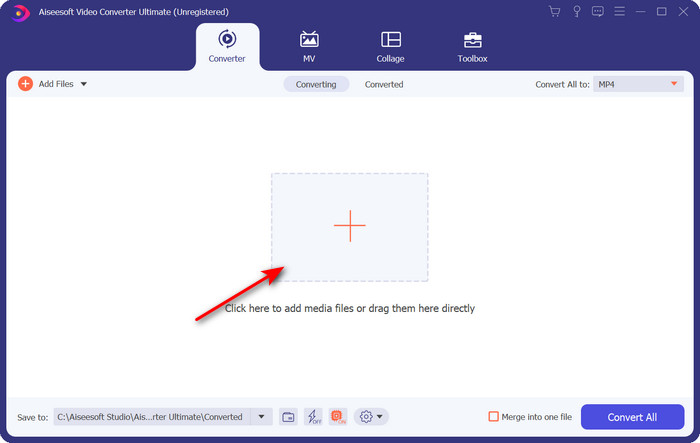
Pasul 2. Rulează programul și încarcă fișierul .rmvb în interfață făcând clic pe butonul + din mijloc. Găsește fișierul în folder și apasă pe Open.
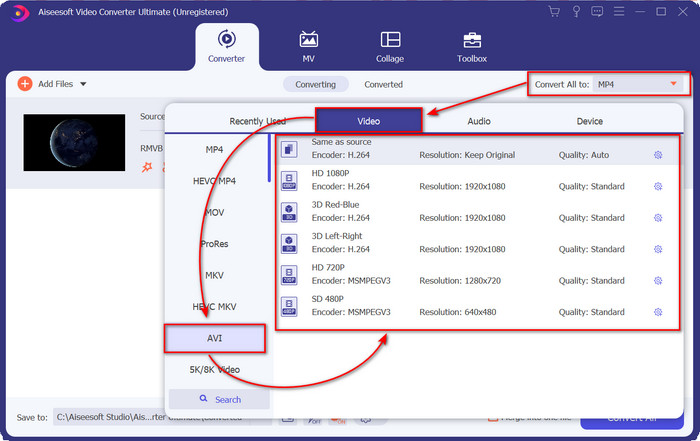
Pasul 3. Mergi la Convert All to: și caută formatul AVI, apoi fă clic pe el.
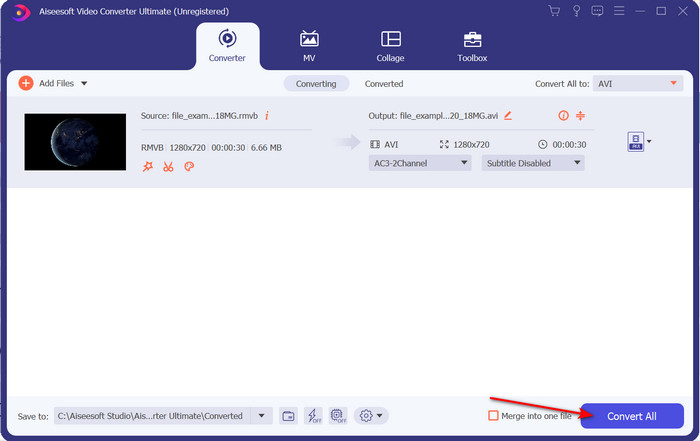
Pasul 4. După ce ai terminat de ales formatul, începe conversia fișierului făcând clic pe Convert All.
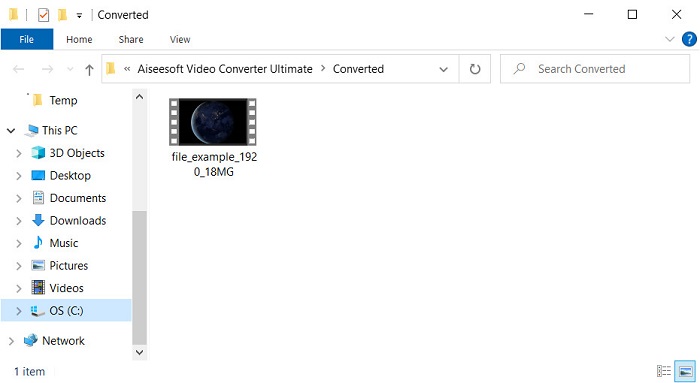
Pasul 5. Un folder cu noul fișier .rmvb va apărea pe ecran; fă clic pe fișier pentru a urmări videoclipul și bucură-te.
Pro
- Cutia de instrumente oferă mai multe utilități populare care vă vor ajuta cu diferite probleme pe care le-ați întâlni.
- Oferă de 30 de ori mai rapidă în conversia fișierului în comparație cu celelalte convertoare online și offline.
- Este sigur că oricine cu sau fără experiență în conversie poate converti cu ușurință.
- Conversia lot se face rapid cu diferite formate.
Contra
- Pentru a accesa instrumentul, va trebui să plătiți pentru el, dar nu este mai mult de o sută de dolari.
- Descărcarea este necesară pe PC sau Mac.
Partea 2. Cel mai bun convertor online RMVB în AVI pentru browser web [gratuit]
Cauți un convertor RMVB în AVI online? Atunci, FVC Free Video Converter Online este una dintre opțiuni. Acest instrument web îți permite să convertești fără a descărca software-ul. Este accesibil pentru cei care au o conexiune la internet. De asemenea, este gratuit, sigur și nu are reclame pe site în timpul conversiei. În plus, poți converti aici fișiere fără nicio limită. Poți alege dintre mai multe formate disponibile. Totuși, acest instrument web nu are aceleași funcții avansate pe care le oferă FVC Video Converter Ultimate. Mai mult, nu poți accesa acest instrument dacă nu ai conexiune la internet, la fel ca în cazul altor instrumente web. Așadar, dacă vrei să încerci și să convertești fără să cheltuiești bani, urmează pașii indicați mai jos.
Pași pentru a converti RMVB în AVI online cu FVC Free Video Converter Online:
Pasul 1. Pentru a accesa acest convertor RMVB în AVI online, trebuie să dai clic pe acest link.
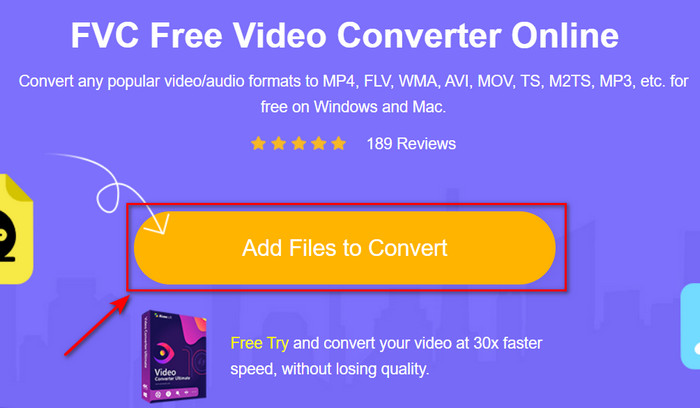
Pasul 2. Apasă pe Add Files to Convert, iar dacă este prima dată când folosești acest instrument, un launcher se va descărca automat; apasă din nou pe Add Files to Convert și va apărea un folder. Caută fișierul .rmvb în folder și fă clic pe Open.
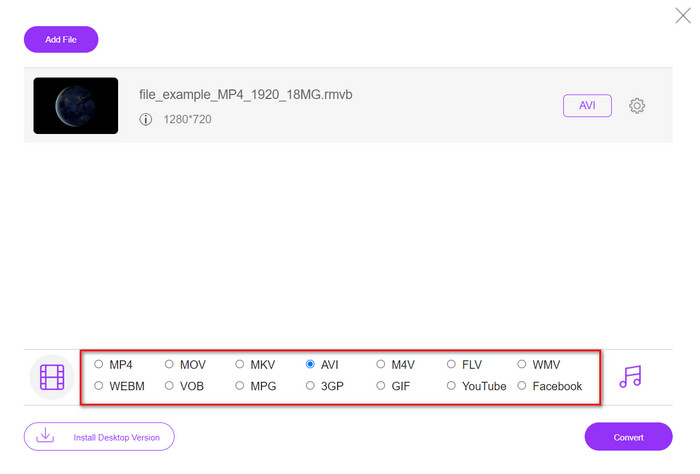
Pasul 3. După ce fișierul apare în interfața web, fă clic pe AVI dintre opțiunile disponibile mai jos.
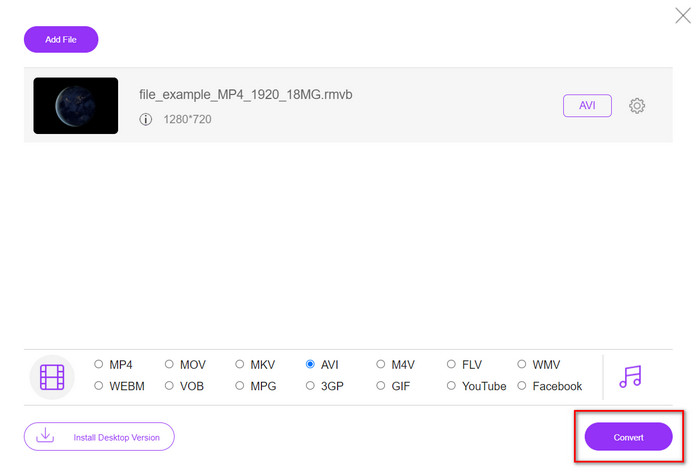
Pasul 4. După ce ai selectat AVI, începe conversia apăsând pe Convert.
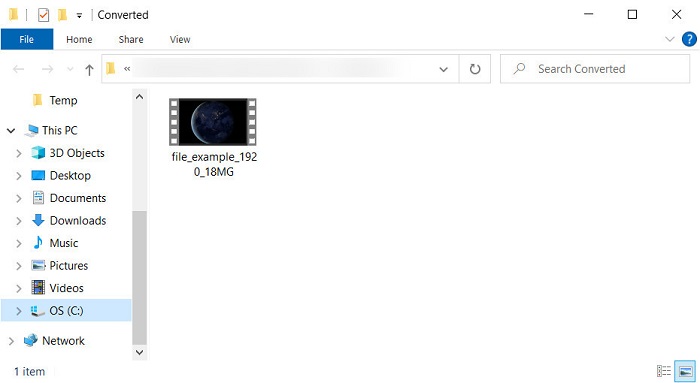
Pasul 5. Când conversia fișierului s-a terminat, va apărea pe ecran un folder cu fișierul, iar dacă vrei să-l urmărești, fă clic pe el.
Pro
- Nu este necesară nicio descărcare pentru a-l accesa, în afară de programul de instalare.
- Gratuit și nu are reclame pe interfața web.
- Deschideți instrumentul web într-un browser diferit, deoarece este disponibil în toate.
Contra
- Dependent de internet, ceea ce înseamnă că dacă nu ai internet, nu îl poți folosi.
- Nu are funcții de editare precum FVC Video Converter Ultimate.
Partea 3. Întrebări frecvente despre RMVB și AVI
Pot reda fișierul RMVB pe Quicktime?
Quicktime poate reda diverse formate, iar acest player media suportă diferiți codeci integrați în pista ta video sau audio. Totuși, .rmvb nu este unul dintre formatele acceptate, așa că, pentru a reda fișierul .rmvb în Quicktime, trebuie să îl convertești într-un format compatibil, cum ar fi MOV, MPEG-4, AVI și alte formate acceptate. Dar poți apela la playere RMVB pentru a te bucura fără probleme de videoclipurile tale RMVB.
De ce nu pot deschide fișiere .rmvb pe Windows Media Player?
Deoarece codecul fișierelor dvs. .rmvb nu este acceptat în acest player media, să presupunem că doriți să vizionați un videoclip cu extensia de fișier .rmvb. În acest caz, este obligatoriu să instalați un codec video pe computer înainte de a-l reda. Dar pentru a evita această problemă, încercați să convertiți formatul într-un format plauzibil pe care îl acceptă acest player media.
Pot salva un videoclip în format RMVB pe telefonul meu?
Da, îl puteți salva, dar nu îl puteți reda pe playerul dvs. video implicit și pentru a reda fișierul, trebuie să descărcați un player video terță parte care acceptă acest format.
Concluzie
În concluzie, acum înțelegem ce este formatul RMVB și ce tip de codare acceptă acest format. Deși formatul este excelent pentru transmiterea fișierelor online, unele playere media tot nu acceptă acest format din cauza structurii sale complexe. Așadar, îți prezentăm două soluții dintre care poți alege și poți învăța cum să convertești fișiere RMVB în AVI: un instrument poate fi accesat online fără niciun cost de utilizare, iar celălalt este convertorul fenomenal care face toate sarcinile într-o clipită. Presupunând că alegi FVC Free Video Converter Online, atunci te poți aștepta la cea mai bună conversie online. Totuși, dacă decizi să descarci o versiune mult mai bună, atunci te poți aștepta la o performanță de top.
-
 Ghid despre cum să convertiți RMVB în MP4 pe Windows / Mac (3 moduri gratuite)
 Doriți să convertiți RMVB în MP4 pentru o redare ușoară pe computer sau pe telefonul mobil? Veți găsi modalități simple de a vă converti fișierele RMVB în MP4 în acest ghid.
-
 Top 4 aplicații gratuite pentru convertizor RMVB în FLV pe desktop sau online
 Acest articol vă va spune cel mai bun software de conversie RMVB în FLV și aplicații web care pot converti fișierele RMVB (RealMedia Variable Bitrate) în video FLV.
-
 Cea mai bună metodă de utilizat în conversia AMV în AVI [Aprobat]
 Vă este greu să convertiți fișierul video în format AMV în AVI? Iată câteva sfaturi oferite pe care le puteți găsi doar în acest articol.
