


 Video Converter Ultimate
 Screen Recorder
 Reparație video
Revizuire completă despre cum să convertiți fișierul SWF în AVI cu cele 5 convertoare
Un format creat prin efortul comun al ShockWave Flash și Adobe este SWF. Acest format este conceput pentru a conține și reda animații video pe Flash Player sau pe web, cu ajutorul modulelor Flash. Totuși, este foarte dificil să urmărești videoclipuri animate în format SWF, deoarece niciun player media nu acceptă acest format în afară de Flash Player. În acest caz, va trebui să găsești un convertor pentru a putea viziona fișierul .swf pe desktop. Așadar, mai jos îți prezentăm convertoarele pe care le poți folosi pentru a converti SWF în AVI online și offline.
Partea 1. SWF vs AVI: Care este mai bun?
Mai devreme, am explicat unele dintre datele pe care le-am adunat în timpul cercetării noastre despre fișierele SWF. Dar știați că acest fișier folosește un vector mai degrabă decât un pixel? Pentru a înțelege mai bine, haideți să aprofundăm în ea. Pixelii sunt cutii minuscule care sunt afișate pe ecran. Practic, toate aceste pătrate mici au culori diferite și toate sunt îmbinate pentru a crea o imagine vizuală. Cu toate acestea, vectorii folosesc ecuații matematice pentru a calcula forma care va avea parte de pe ecran. Deci, dacă încercăm să vizionam videoclipuri SWF, atunci ne așteptăm la o calitate vizuală mult mai bună decât orice format.
AVI este unul dintre formatele de fișiere renumite care are o dimensiune mare de fișier în comparație cu celelalte formate. Și principalul motiv pentru care dimensiunea fișierului AVI este mare este doar pentru că este necomprimat. Și pentru că este necomprimat așteptați ca fișierul să păstreze calitatea, dar într-o dimensiune mult mai mare.
Singurul motiv pentru care va trebui să învățați cum să convertiți un fișier SWF în AVI este să vizionați videoclipul care se află încă sub extensia de fișier .swf. În plus, vă facem deja căutarea mult mai ușoară decât oricând, deoarece compilam diferite instrumente pe care le puteți alege. De asemenea, toate instrumentele menționate mai jos oferă o conversie grozavă, care literalmente vă va ajuta să rezolvați această problemă.
Partea 2. 5 dintre cele mai bune convertoare SWF în AVI disponibile pe desktop și web
1. FVC Video Converter Ultimate
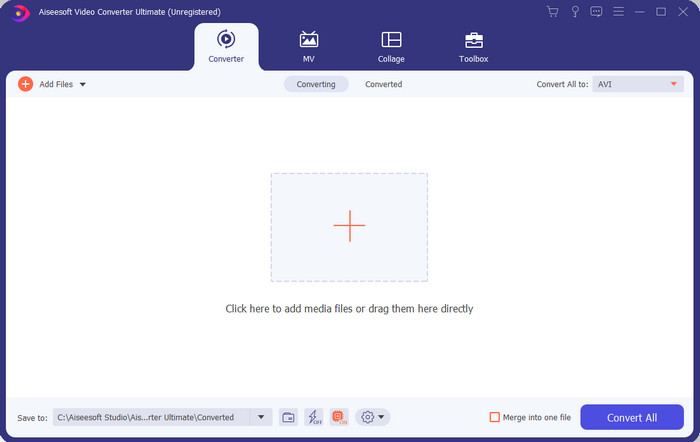
Dacă ești în căutarea unui software cu adevărat excepțional pentru a converti fișiere .swf, atunci FVC Video Converter Ultimate este alegerea potrivită. Nu ar fi pe primul loc dacă nu ar oferi o conversie remarcabilă. De asemenea, suportă peste 200 de formate, atât binecunoscute, cât și mai puțin familiare. Spre deosebire de convertoarele enumerate mai jos, acesta este mult superior ca interfață, funcționalitate, funcții avansate, accesibilitate și nu numai. Dacă ai căutat un convertor deosebit, poți spune că această căutare a luat sfârșit, pentru că l-ai găsit. Mai mult, dacă încă nu ești convins de acest instrument, îl poți testa personal descărcând mai întâi acest cel mai bun convertor gratuit din SWF în AVI.
Pro
- Acceptă accelerarea hardware și conversia rapidă pentru conversie într-o clipire.
- Gamă largă de formate de fișiere media acceptate.
- Funcțiile de editare sunt disponibile după ce plata a fost decontată.
- Conversia lotului se poate face cu ușurință.
Contra
- Trebuie plătit mai întâi înainte de a-l putea folosi, dar este foarte ieftin.
- Mai întâi trebuie să fie descărcat pe unitatea dvs.
2. VLC Media Player
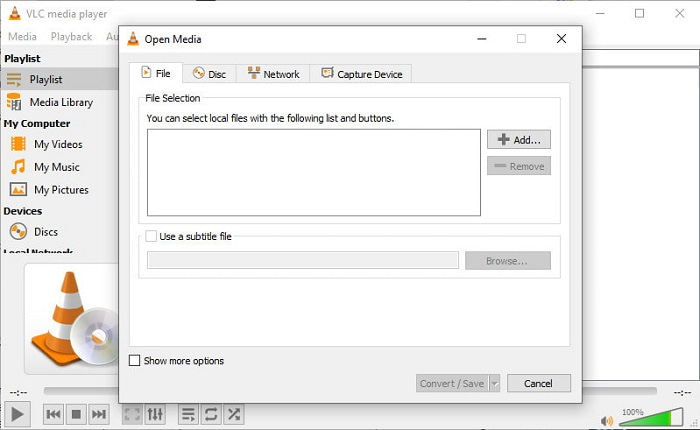
Acest player media are o funcție „secretă” pe care îți va plăcea să o folosești. VLC Media Player nu este folosit doar ca player media, ci oferă și o funcție de conversie. Totuși, formatele acceptate de convertorul integrat sunt foarte puține și nu poți seta rezoluția. De asemenea, procesul de conversie a formatelor aici îți va da, cu siguranță, mai multă bătaie de cap decât alte convertoare. Dar dacă vrei să încerci acest convertor gratuit din SWF în AVI, atunci descarcă playerul media.
Pro
- Are un convertor încorporat alături de playerul media.
- Descarcat gratuit pe orice platforma.
- Este sigur de descărcat și procesul de conversie este, de asemenea, protejat.
Contra
- Format mai mic acceptat decât celelalte convertoare disponibile în această listă.
- Procesul de conversie este mult de făcut înainte de a putea face conversia.
3. Convertio
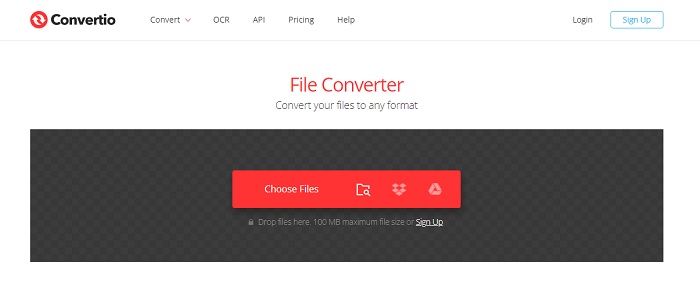
Dacă vrei să convertești SWF în AVI online, încearcă Convertio, deoarece oferă o conversie simplă și eficientă. De asemenea, acest instrument web este sigur de utilizat, iar toate fișierele convertite cu ajutorul lui vor fi șterse de pe site. O altă caracteristică interesantă este că poți efectua conversii în lot dacă îți creezi un cont. Totuși, procesul de încărcare și descărcare îți va consuma, cu siguranță, destul de mult timp și poate deveni deranjant pentru utilizatori. Dacă nu vrei să cheltuiești bani pentru conversie, merită să-l încerci.
Pro
- Nu este nevoie să descărcați software-ul pe unitatea dumneavoastră înainte de a-l putea folosi.
- Acceptă un nivel mediu de formate din care puteți alege.
- 2 formate de fișiere pot fi convertite în același timp.
Contra
- Încărcarea și descărcarea fișierului după conversie v-ar lua mult timp.
- Dependent de internet, ceea ce înseamnă că dacă internetul este lent, atunci se așteaptă mult timp.
4. OnlineConvertFree.com
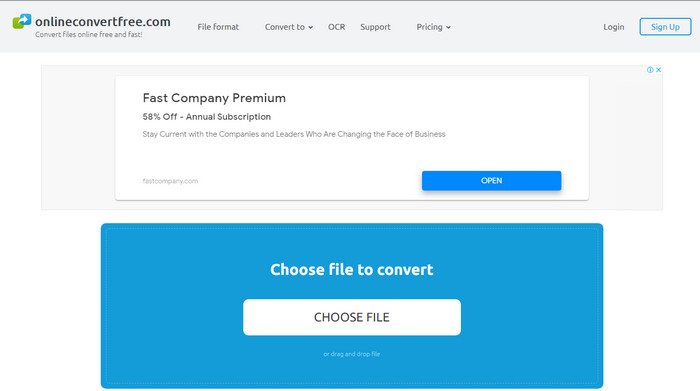
Un alt convertor video online din SWF în AVI pe care îl poți folosi este OnlineConvertFree.com. Dacă simplitatea înseamnă frumusețe, atunci acesta ar trebui să fie alegerea ta pentru conversie. Spre deosebire de primul instrument online menționat, acesta este mult mai simplu, dar suportă mai puține formate dintre care poți alege. De asemenea, dimensiunea fișierului este limitată în acest software online. Așadar, dacă ai un fișier mai mare de 20 MB, trebuie să te aștepți că nu îl vei putea folosi cu acest instrument. Totuși, dacă vrei să convertești fișiere și, în același timp, să nu cheltuiești mult, folosește acest serviciu.
Pro
- Accesul este gratuit.
- Acest convertor poate fi folosit dacă aveți o conexiune la internet.
- Interfața generală arată bine.
Contra
- Nu poate fi accesat dacă internetul nu este disponibil.
- Reclamele distrug site-ul.
Partea 3. 5 pași despre cum să convertiți SWF în AVI pe FVC Video Converter Ultimate
Iată pașii detaliați despre cum să utilizați FVC Video Converter Ultimate. Toți pașii furnizați aici vă vor garanta o experiență ușoară și totuși fenomenală.
Pasul 1. Mai întâi, trebuie neapărat să descarci instrumentul pe unitatea computerului tău, alegând dacă este PC sau Mac. Apoi instalează software-ul pe unitate, parcurge cu ușurință procesul de instalare și fă clic pe Start Now.
Descărcare gratuită pentru Windows 7 sau o versiune ulterioară Descărcare securizată
Descărcare gratuită pentru MacOS 10.7 sau o versiune ulterioară Descărcare securizată
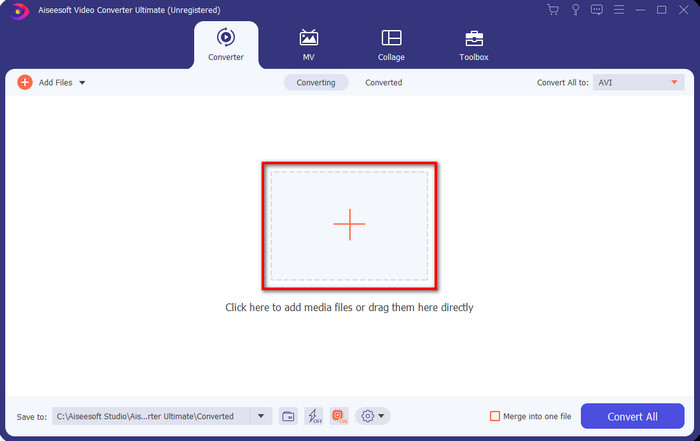
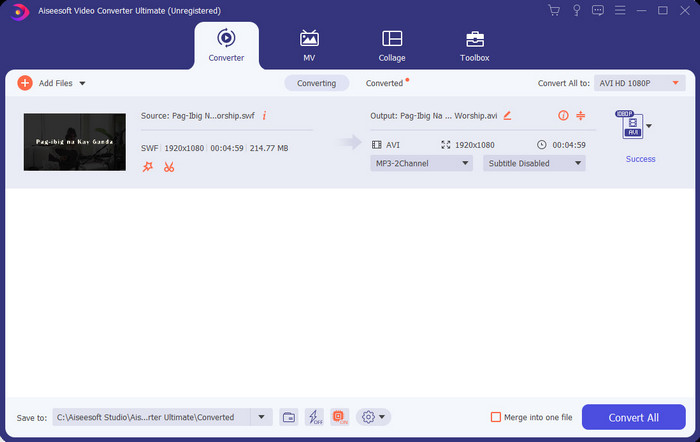
Pasul 2. Deschide programul pe care l-ai instalat pe unitate, apoi fă clic pe butonul + și localizează fișierul în folderul care va apărea. Apasă Open pentru a continua.
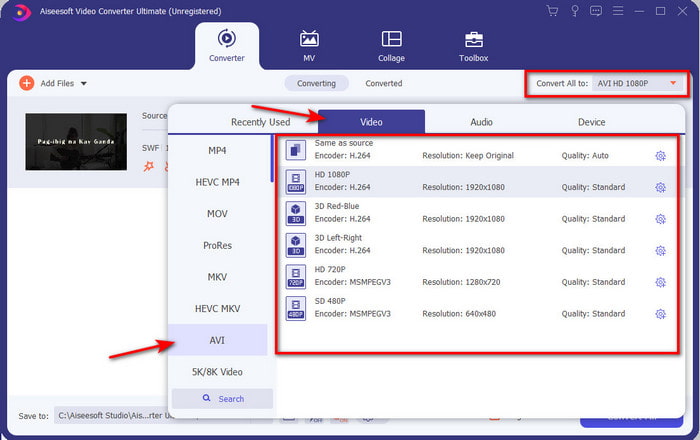
Pasul 3. Pentru a schimba fișierul SWF în format AVI, fă clic pe butonul drop-down, selectează formatul AVI și alege rezoluția.
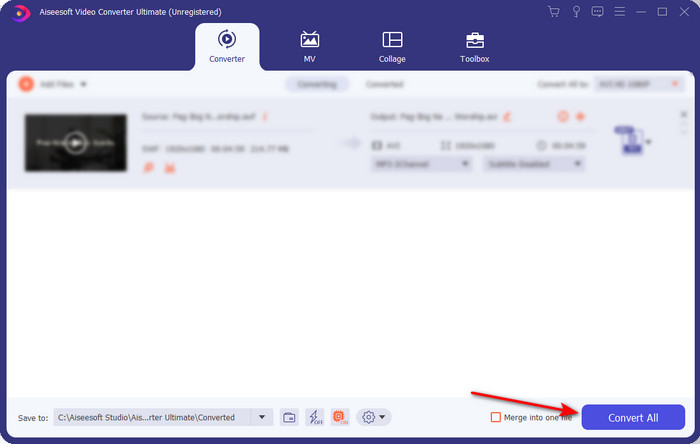
Pasul 4. După ce ai terminat de selectat formatul, apasă pe Convert All pentru a începe procesul de conversie.
Pasul 5. După ce conversia s-a încheiat, va apărea un folder cu fișierul convertit. Fă clic pe noul fișier AVI pentru a-l viziona și, dacă vrei, îl poți transfera ulterior.
Partea 4. Întrebări frecvente despre SWF și AVI
Pot juca SWF pe celelalte playere media?
Cu siguranță nu, deoarece formatul .swf nu este acceptat de playerul tău media, chiar dacă folosești o aplicație terță. Cea mai bună soluție pentru a reda un fișier .swf este să îl transformi într-un alt format, pentru a-l putea reda. Dacă însă nu vrei să-l convertești, atunci trebuie să folosești Flash Player pentru a reda fișierele în format SWF.
Este .swf mai mic ca dimensiune?
Desigur că da; pe lângă faptul că sunt de dimensiuni reduse, fișierele SWF se încarcă mult mai rapid decât alte formate, datorită structurii lor. Poți încerca comprimarea fișierelor SWF cu un compresor video dacă sunt prea mari.
Fișierul meu SWF poate regla transparența?
Ei bine, îl poți seta să fie transparent dacă vrei sau nu dacă nu vrei. De asemenea, puteți adăuga un canal alfa cu culoarea de pe afișaj sau în tonuri de gri pentru a-l seta ca transparent.
Concluzie
Pe măsură ce încheiem acest articol, am aflat deja ce este SWF și celălalt scop al acestuia. De asemenea, am aflat că nu poți folosi fișierul .swf dacă nu folosești Flash Player și, în afară de asta, nu îl poți reda. Deci, acum, cea mai bună soluție pentru a reda fișierul SWF este să îl convertiți într-un nou format, cum ar fi AVI. Mai mult, toate instrumentele menționate mai sus își îndeplinesc treaba ca convertor. Dar nu există niciun instrument care să ofere o soluție mult mai rapidă și mai ușoară decât FVC Video Converter Ultimate.
-
 SWF în MP4: Convertiți gratuit SWF în MP4 online și PC
 Cum se deschide fișierul SWF fără Adobe Flash Player? Luați cel mai bun 3 convertor SWF în MP4 gratuit pentru a schimba gratuit SWF în MP4 online și pe PC / Mac în 3 pași.
-
 [2 Soluții] Cum să convertiți cu ușurință SWF în fișiere GIF gratuit
 Când nu reușiți să exportați formatul GIF prin intermediul software-ului Flash, puteți încerca să salvați fișierele în format SWF la început. Apoi, puteți afla 2 modalități ușoare de a converti SWF în fișiere GIF din acest articol.
-
 Alegere excelentă pentru a converti MKV într-un format AVI
 Învățați cum să convertiți videoclipuri MKV cu pași simpli furnizați exclusiv pentru dvs. Vrei să știi cum? Apoi faceți clic pe acest link pentru a afla mai multe.
