


 Video Converter Ultimate
 Screen Recorder
 Reparație video
Cele mai alese 5 editoare de etichete video AVI pe sistemul Windows și Mac [Ușor de utilizat]
Eticheta AVI te poate ajuta să determini ce se află în acel fișier, verificându-l. Totuși, nu toate etichetele fișierelor tale AVI sunt corecte, așa că vei avea nevoie de un instrument pentru a le corecta singur. Însă piața editorilor de tag‑uri este prea vastă pe web, nu‑i așa că e frustrant? Știm cum este să cauți instrumentul perfect pe care ar trebui să îl folosești. Din fericire, am ales cel mai bun editor de metadate pe care ar trebui să îl folosești pentru a edita, adăuga sau elimina etichetele fișierelor tale AVI. În discuția de azi, ne vom asigura că vei descoperi editorul perfect de tag‑uri video AVI pe care îl poți avea pe desktop.

Partea 1. Top 5 editori de etichete AVI disponibile pe Windows și Mac
Video Converter Ultimate [Cel mai bun editor de metadate AVI pentru 2023]
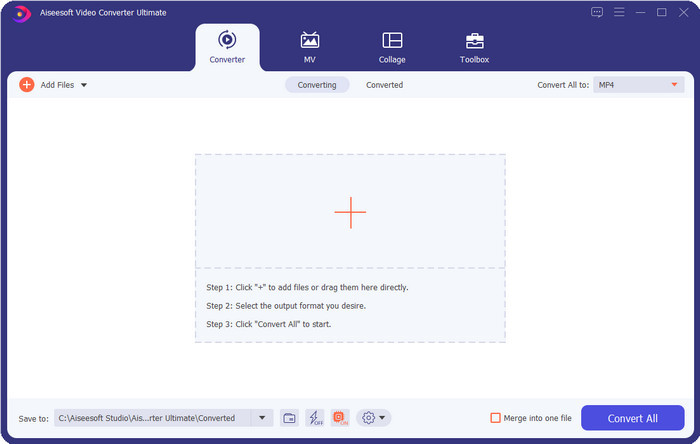
Este cel mai bun editor de tag‑uri video AVI pe care îl poți folosi pentru a schimba sau elimina cu ușurință etichetele fișierelor tale AVI. Dacă vrei cele mai avansate, dar în același timp simple funcții software, care să te fascineze, atunci Video Converter Ultimate este alegerea potrivită. În plus, poți folosi aici multiple funcții de editare a metadatelor pentru a organiza, corecta sau actualiza corect etichetele. Înainte să descarci și să încerci alt editor desktop, îți recomandăm cu tărie să folosești acest instrument, deoarece, descărcându‑l, vei avea un instrument all‑in‑one. Vrei să știi de ce ai nevoie de acest instrument? Mai jos enumerăm cele 5 motive pe care le poți citi pentru a te ajuta să decizi de ce ar trebui să îl descarci.

FVC Video Converter Ultimate
5.689.200+ Descărcări- Este cel mai bun software pe care îl poți folosi și care acceptă o multitudine de formate precum MP4, MOV.
- Pentru procesul rapid de editare a metadatelor, acest instrument funcționează perfect.
- Învățați să adăugați etichetele esențiale pe fișierele dvs. sau să le eliminați cu doar câteva clicuri distanță.
- Acceptă toate platformele desktop, cum ar fi Windows și Mac.
Descărcare gratuită pentru Windows 7 sau o versiune ulterioară Descărcare securizată
Descărcare gratuită pentru MacOS 10.7 sau o versiune ulterioară Descărcare securizată
AVI MetaEdit
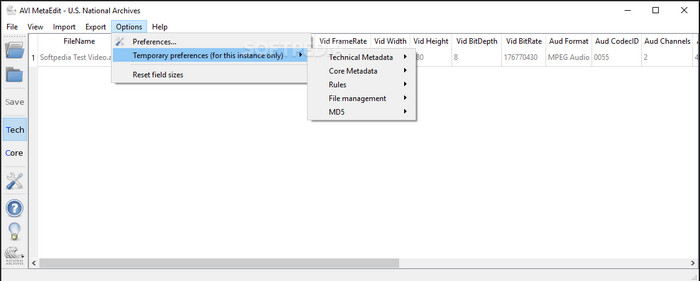
Dacă ești în căutarea unui editor de metadate AVI pentru Mac și Windows, atunci AVI Meta Edit ar putea fi instrumentul potrivit. Acest program le oferă utilizatorilor posibilitatea de a edita etichetele sau informațiile din fișierele media, în special AVI. Cu acest instrument poți edita separat metadatele tehnice și metadatele de bază ale fișierelor, fiecare incluzând informații diferite despre fișier. Deși programul îți poate oferi funcții de editare în profunzime, este totuși confuz de utilizat din cauza abrevierilor și termenilor scurtați incluși în interfață.
Machete Video Editor Lite
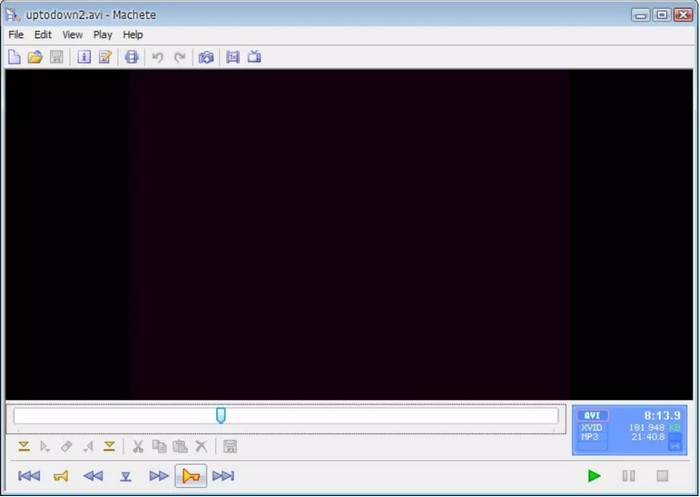
Dacă vrei să editezi metadatele AVI pe Windows 10, atunci trebuie să încerci Machete Video Editor Lite. Cu acest program poți edita cu ușurință etichetele fișierelor tale AVI și WMV. De asemenea, oferă o interfață simplă, generată clar, pentru a‑i ajuta pe utilizatori să înțeleagă ce funcții sunt disponibile în acest instrument. Din cauza simplității interfeței, puțini utilizatori îl iau în considerare, decât dacă nu au alte opțiuni pentru a‑și edita metadatele. În plus, informațiile de tip metadata pe care le poți completa în acest program sunt limitate, la fel ca și formatele acceptate.
abcAVI Tag Editor
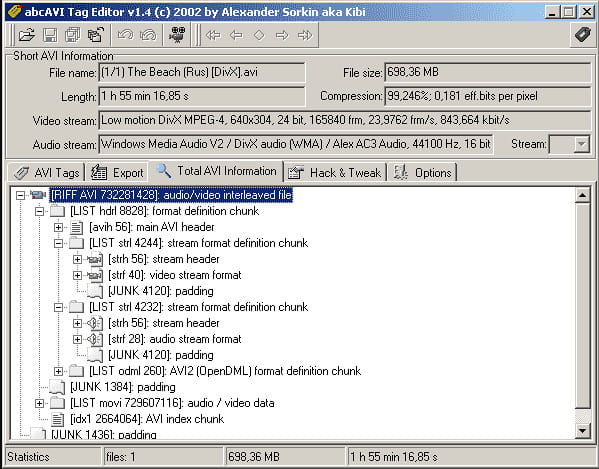
Poți descărca un alt editor de tag‑uri AVI open‑source pentru Windows, abcAVI Tag Editor. Cu acest program poți ajusta cu ușurință metadatele fișierelor tale AVI, însă acceptă doar formatul AVI. Mai mult, poți adăuga sau actualiza etichetele de care ai nevoie pentru fișierele tale AVI cu doar câteva clicuri. Chiar dacă programul funcționează bine, se observă că interfața sa grafică este foarte slabă; aranjarea elementelor este departe de ceea ce oferă alte instrumente. În plus, nu acceptă alte formate la încărcare, în afară de AVI.
FFmpeg
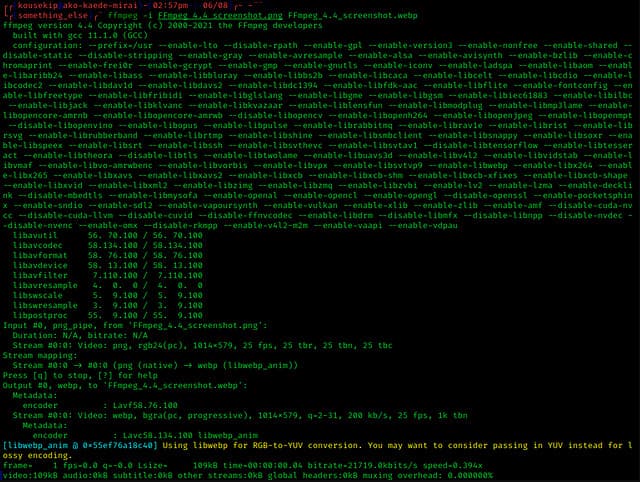
Ultimul din listă este FFmpeg, software‑ul bazat pe comenzi pe care îl poți folosi pentru a edita proprietățile fișierelor AVI pe Windows și Mac. Acest instrument este folosit pentru conversia, editarea și redarea fișierelor media, dar în prezent poți realiza și editarea metadatelor oricărui fișier media. Spre deosebire de celelalte instrumente, acest program nu are butoane pe care să le folosești pentru a da comenzi, ci utilizează un limbaj specific de calculatoare pentru a executa sarcinile. Iar pentru a comunica cu programul, trebuie să deschizi linia de comandă și să introduci un cod specific pentru a finaliza editarea de care ai nevoie. Este dificil de utilizat, dar este un instrument profesional pe care îl poți descărca pe computerul tău.
Articole similare:
Editor de tag‑uri pentru muzică
Cel mai bun editor de tag‑uri MP4
Partea 2. Diagramă de comparație în Top 5 Editor de metadate AVI
| Caracteristici | Video Converter Ultimate [Cel mai bun editor de metadate AVI pentru 2022] | AVI MetaEdit | Machete Video Editor Lite | abcAVI Tag Editor | FFmpeg |
| Ușor de utilizat |  | | | |  |
| Sigur de utilizat | | | | | |
| Disponibil pe ambele sisteme de operare | | | | | |
| Interfață intuitivă | | | | | |
| Formate acceptate | Pornește de la AVI, MP4, MKV, FLV, MOV și alte peste 1000 de formate de fișiere | AVI | AVI și WMV | AVI | AVI, MOV, MP4, FLV și multe altele |
Partea 3. Întrebări frecvente despre Editorul de metadate AVI
Este sigur să utilizați un Editor de metadate AVI online?
Să presupunem că nu aveți suficient spațiu pe desktopul pe care îl utilizați în prezent; vă recomandăm să utilizați un instrument online pentru a efectua sarcina. Cu toate acestea, nu toate instrumentele pe care le puteți accesa gratuit pe internet sunt de încredere sau de încredere. Dar dacă doriți să utilizați un instrument online, trebuie să păstrați cele trei linii directoare pe care le căutăm mereu pe site-ul web pe care îl vizităm. În primul rând, vă recomandăm să vă uitați în partea de sus lângă bara de căutare; există o pictogramă de lacăt, ceea ce înseamnă că este sigur de utilizat, așa că dacă acel blocare este rupt, înseamnă că conexiunea dvs. nu este protejată. Verificați activitatea reclamelor a reclamelor; uneori, reclamele pot transporta programe malware pe desktop, ceea ce duce la coruperea fișierelor de pe disc. Nu permiteți cookie-uri; uneori, cookie-urile sunt o modalitate excelentă de a ști câți utilizatori vizitează site-ul web, dar locația dvs. este adesea vizibilă cu cookie-uri. Păstrați asta în minte pentru a evita să alegeți editorul greșit online.
Care instrument are cele mai bune rezultate la editarea etichetelor AVI?
Conform cercetărilor noastre, putem vedea că Video Converter Ultimate funcționează foarte bine în toate aspectele, fără a transpira când îl folosiți. Dacă aveți nevoie de mai multe informații despre editor, puteți citi următoarele informații de mai sus pentru a afla mai multe și pentru a le descărca.
Există vreo limitare în adăugarea de metadate pe AVI?
Până acum, nu putem vedea nicio limită privind informațiile pe care le puteți adăuga la fișierele dvs. AVI sau în orice fișier media. Cu toate acestea, unii editori de metadate nu pot introduce informațiile de care aveți nevoie în fișier. Adăugarea de metadate pe AVI nu are limitări, dar este instrumentul care limitează informațiile pe care le puteți adăuga într-un singur fișier.
Concluzie
Nu este uimitor că avem opțiuni diferite când vine vorba de editarea metadatelor fișierelor AVI? Într‑adevăr, cei cinci editori de metadate AVI pe care i‑am enumerat în acest articol pot fi instrumentele perfecte de care ai nevoie pentru a edita etichetele sau metadatele fișierelor tale AVI. Chiar dacă am enumerat cinci opțiuni, putem stabili cu ușurință care instrument are avantajul când vine vorba de editarea metadatelor AVI, și anume Video Converter Ultimate. Cu acest editor poți face mai mult decât să editezi, să adaugi sau să elimini metadate în fișierele AVI. Vrei să știi ce altceva poți face aici? În acest caz, apasă butonul de descărcare și vezi singur.
-
 Cele mai simple 5 moduri de a elimina metadatele din orice fișier media
 Cum să eliminați metadatele? Este greu să o faci? Trebuie să cumpăr sau să folosesc un instrument gratuit pentru a elimina etichetele? Toate aceste întrebări au răspunsuri în acest articol.
-
 Top 5 extractoare de metadate disponibile online și offline [2025]
 Puteți găsi mai multe extractoare de metadate pe piață, dar astăzi alegem doar cele cinci extractoare de etichete cele mai alese în funcție de public.
-
 Top 5 editori de metadate video pentru 2025 [Recenzie imparțială]
 Doriți să vedeți metadatele video? Dacă da, citiți detaliile de mai jos pentru a înțelege pe deplin subiectul și pentru a afla care instrument vi se potrivește cel mai bine.
