


 Video Converter Ultimate
 Screen Recorder
 Reparație video
[Recenzie completă] Care sunt cel mai bun editor de metadate video de pe desktop
Metadatele video vă pot ajuta în multe feluri; un exemplu excelent este aranjarea fișierelor în funcție de dată și oră, autori, dimensiunea fișierului și multe altele, practic pentru a le organiza. Deși metadatele există în orice fișier media, trebuie uneori să le edităm din anumite motive. Totuși, alegerea editorului pe care ar trebui să îl folosiți poate fi o sarcină dificilă, deoarece există o mulțime de editoare de metadate pe piață. Pentru a vă ușura această povară, vă ajutăm să analizați diferite editoare pentru datele dvs., pe care le puteți găsi pe piață și care oferă doar rezultate excelente. Toate detaliile și instrumentele sunt verificate în profunzime pentru a vă oferi o recenzie sinceră a fiecărui software. Să intrăm mai adânc în informațiile despre primele cinci editare de metadate video pe care vă puteți baza.

Partea 1. 5 dintre cele mai bune editoare de metadate video disponibile pe desktop offline
Video Converter Ultimate [foarte sugerat]
Descărcare gratuită pentru Windows 7 sau o versiune ulterioară Descărcare securizată
Descărcare gratuită pentru MacOS 10.7 sau o versiune ulterioară Descărcare securizată
Sisteme de operare compatibile: Windows, Mac și Linux
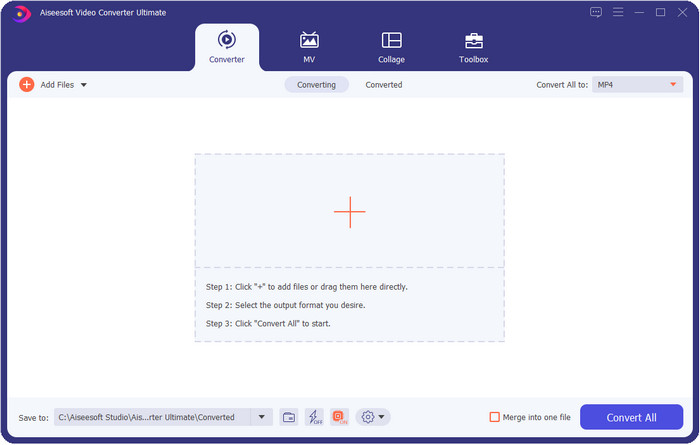
Video Converter Ultimate este cel mai bun editor de metadate video pentru vizualizarea, eliminarea și editarea metadatelor din fișierul dvs. Acest editor de metadate nu este un editor obișnuit, deoarece este un pachet complet de funcții pe care le puteți stăpâni rapid într-un timp scurt. Cu acest instrument, puteți adăuga o mulțime de elemente interesante la metadatele dvs., cum ar fi comentarii, imagine de copertă, an, gen (dacă este vorba de muzică) și multe altele, în mai puțin de o secundă. Vreți să știți ce ne uimește la acest instrument? Spre deosebire de alte programe, acestea creează o copie a fișierului pe care l-ați editat, ceea ce nu este prietenos cu spațiul de stocare. Dar dacă folosiți acest instrument, fișierul pe care îl încărcați în aplicație nu va avea o copie creată, iar metadatele pe care le adăugați se vor aplica aceluiași fișier; este, așadar, econom de spațiu. Mai mult, dacă aveți nevoie de un instrument complet, aceasta este alegerea perfectă pentru toți utilizatorii care au nevoie de un vizualizator de metadate pe Mac și Windows.
Pro
- Acceptă mai multe formate pe care le puteți încărca, cum ar fi MP4, MKV, AVI, FLV, MP3 și alte peste 1000 de formate media pentru a modifica sau elimina metadatele cu ușurință.
- Permite oricărui utilizator să aibă o experiență ușoară în editarea metadatelor.
- Este cea mai bună alegere pentru utilizatorii de Windows și Mac să descarce acest editor de metadate pe unitatea lor.
- Eliminați cu ușurință metadatele cu mai multe fișiere cu câteva clicuri.
Contra
- Achiziționarea instrumentului și descărcarea acestuia este esențială, dar va merita fiecare bănuț și unitate de computer.
ExifTool
Sisteme de operare compatibile: Windows, Mac și Unix
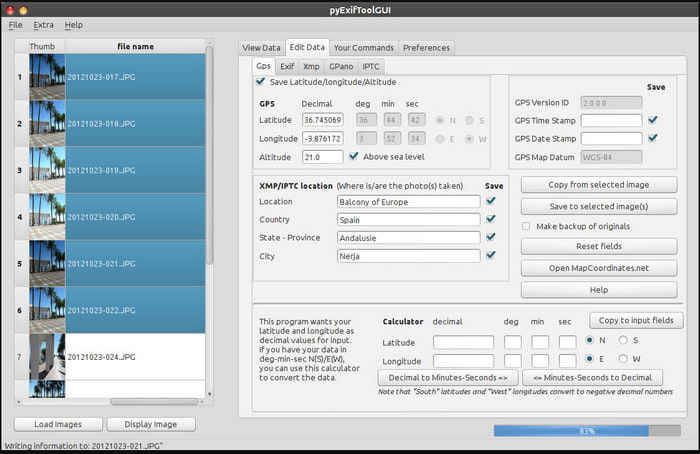
ExifTool este un editor de metadate video bine-cunoscut pentru Windows, Mac și Unix, la care puteți avea acces cu ușurință gratuit. Suportă mai multe formate video și imagine pentru a modifica sau elimina metadatele. De asemenea, acest instrument vă permite să editați mai multe metadate pe fișiere diferite simultan. Spre deosebire de alte editoare din această listă, putem observa că se întâmplă multe lucruri în această unealtă; așadar, dacă sunteți nou în editarea metadatelor, veți avea nevoie de timp pentru a vă familiariza cu instrumentul.
Pro
- Descarcat gratuit.
- Poate edita și vizualiza cu ușurință metadatele.
Contra
- Interfața și opțiunile sunt confuze de utilizat.
Metadate++
Sisteme de operare compatibile: Windows
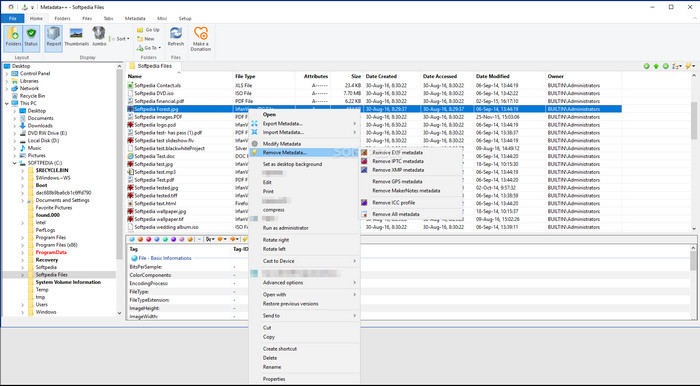
Dacă doriți să vă bazați pe un editor de metadate video open-source pe Windows, ați putea folosi Metadata++. Acest instrument vă ajută să adăugați sau să eliminați rapid metadatele din fișier folosind combinații de taste rapide, pentru a evita utilizarea frecventă a mouse-ului. Totuși, editorul nu este la fel de eficient ca altele din această listă, dar vă puteți baza în continuare pe el dacă doriți să îl folosiți.
Pro
- Taste rapide sunt disponibile pentru procesul rapid de editare a metadatelor.
- Adăugați cu ușurință metadate pe fișierele care nu au.
- Descărcare gratuită pe Windows.
Contra
- GUI este depășit.
- Prea multe funcții trebuie să fie înțelese înainte de a le folosi.
MyMeta
Sisteme de operare compatibile: Windows
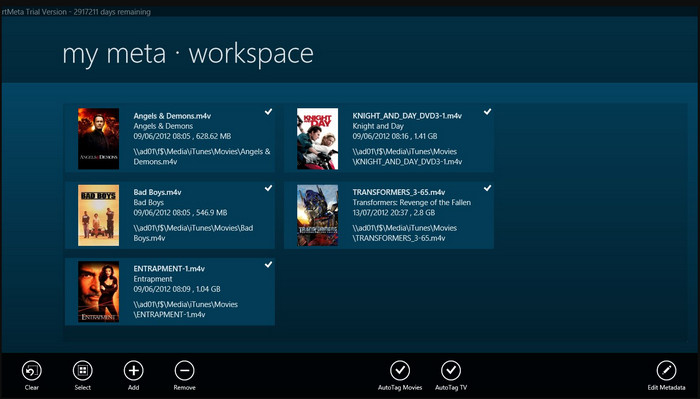
MyMeta este un editor de metadate video cu care puteți edita instantaneu fișierele MP4, M4V și MOV. Acest instrument are o funcție de creare automată a metadatelor și a copertei, pe baza rezultatelor de pe internet. De asemenea, puteți folosi acest instrument pentru a eticheta fișierele conform informațiilor disponibile. Deși instrumentul este foarte bun, formatele pe care le suportă sunt doar MP4, M4V și MOV.
Pro
- Ușor de folosit.
- Eticheta automată vă permite să copiați metadatele unui anumit fișier în câteva clicuri.
- GUI îngrijit.
Contra
- Acceptă doar MP4, M4V și MOV. Deci, dacă încercați să încărcați un alt format aici, acesta nu este acceptat.
- Unele caracteristici nu se potrivesc cu cerințele utilizatorului.
VLC Media Player
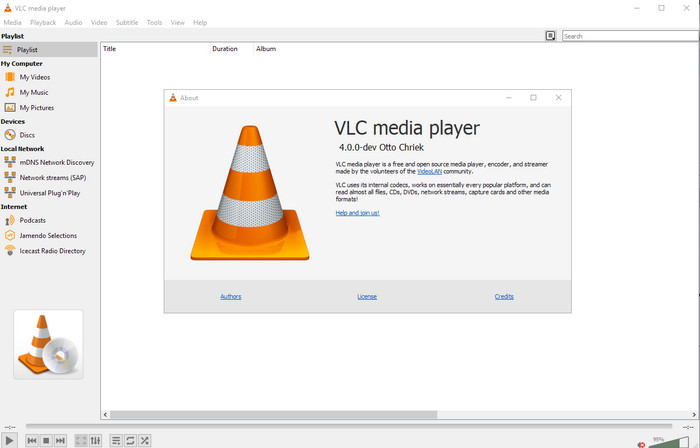
Sisteme de operare compatibile: Windows, Mac, Linux
VLC Media Player este creat pentru redarea fișierelor media, însă puteți folosi acest editor de metadate video open-source și pentru a edita metadatele fișierelor. Așa cum am menționat, poate reda cu ușurință o gamă largă de formate cu diferite codecuri pe aproape orice platformă la care v-ați putea gândi, deoarece este un player video de top. Deși poate reda mai multe formate de fișiere, formatele de fișiere acceptate pentru editarea metadatelor sunt limitate și nu la fel de numeroase precum în cazul altor instrumente menționate.
Pro
- Editor de metadate open source de descărcat.
- Ușor de utilizat.
- Disponibil în toate sistemele de operare.
Contra
- Acceptă formatul mediu pentru încărcare.
- GUI-ul instrumentului este învechit.
Partea 2. Diagramă de comparație despre Editorul de metadate video
| Caracteristici | Video Converter Ultimate [foarte sugerat] | ExifTool | Metadate++ | MyMeta | VLC Media Player |
| Adăugați și eliminați metadate |  | | | | |
| Ușor de utilizat | | | | | |
| Suporta formate cu gamă largă | |  | | | |
| Cea mai bună alegere pentru începători | | | | | |
| Editați metadatele lotului | | | | | |
Partea 3. Cum să adăugați, să eliminați și să editați metadate utilizând Editorul de metadate foarte sugerat
Dacă ați ales să folosiți Video Converter Ultimate ca editor de metadate video, vă sugerăm să urmați pașii indicați mai jos. Fără alte introduceri, haideți să ne menținem ritmul și să începem să folosim acest instrument „ultimate” pentru această sarcină „ultimate”.
Pasul 1. Descărcați instrumentul făcând clic pe butonul de descărcare prezentat mai jos; alegeți dacă folosiți Windows sau Mac. După procesul de descărcare, trebuie să dați clic pe fișier pentru a-l instala imediat, apoi lansați programul după ce instalarea este gata.
Descărcare gratuită pentru Windows 7 sau o versiune ulterioară Descărcare securizată
Descărcare gratuită pentru MacOS 10.7 sau o versiune ulterioară Descărcare securizată
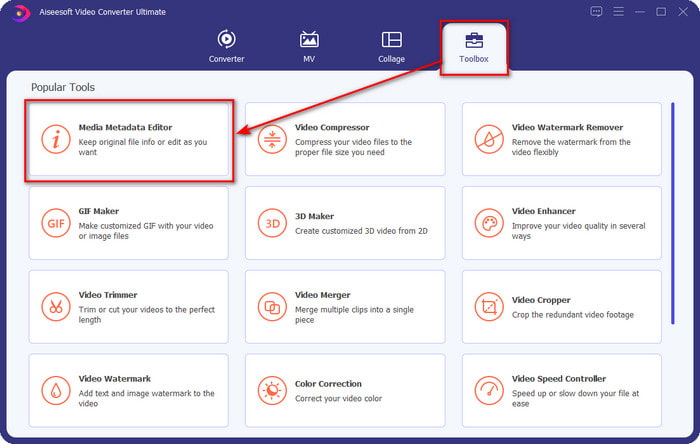
Pasul 2. După ce ați lansat instrumentul, dați clic pe secțiunea Toolbox și, în cadrul acesteia, căutați Media Metadata Editor; faceți clic pe el înainte de a trece la pasul următor.
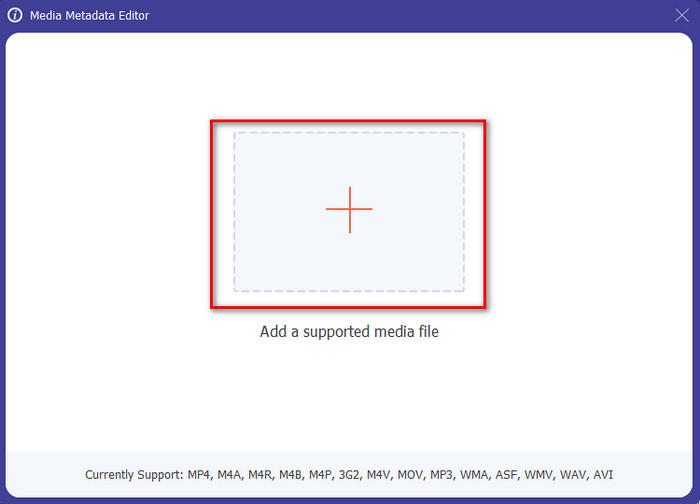
Pasul 3. Introduceți fișierul făcând clic pe pictograma +, iar pe ecran va apărea un folder; selectați fișierul media căruia doriți să-i editați metadatele și apăsați Open.
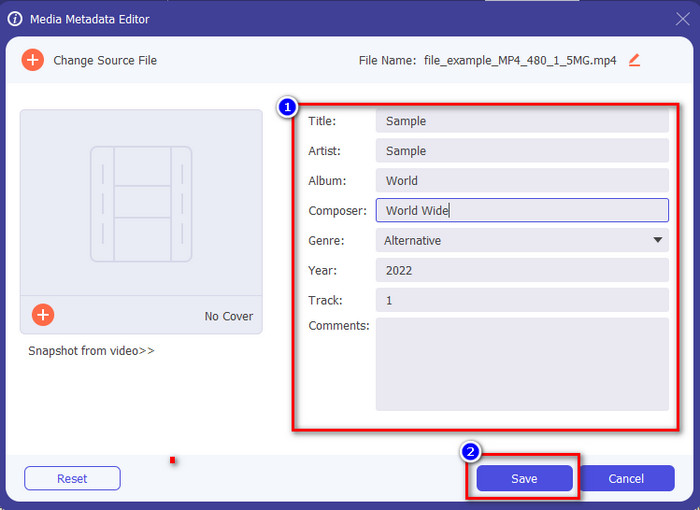
Pasul 4. În noua fereastră care va apărea pe ecran, puteți acum edita, elimina și adăuga metadate în casetele de text afișate. Dacă sunteți mulțumit de metadatele setate, faceți clic pe Save pentru a aplica metadatele pe fișier. Simplu, nu-i așa? Ei bine, asta poate face acest instrument „ultimate”.
Partea 4. Întrebări frecvente despre Editorul de metadate video
Pot vedea metadatele online?
Da, puteți folosi FVC Free Video Converter Online pentru a vizualiza online metadatele unui fișier video; urmați pașii de mai jos pentru a afla cum să le vedeți. Mai întâi, faceți clic pe link pentru a deschide o filă nouă în browser; acest link vă va direcționa automat către site-ul oficial al convertorului online FVC. Apoi, faceți clic pe Add Files to Convert; dacă este prima dată când îl utilizați, va trebui să descărcați lansatorul și să dați clic pe fișier pentru a-l instala. Faceți din nou clic, iar de data aceasta va apărea un folder al computerului; selectați fișierul al cărui metadate doriți să le vizualizați și apăsați Open pentru a continua. Pe ecran va apărea o fereastră nouă; faceți clic pe pictograma i, după care veți putea vedea metadatele videoclipului.
Care sunt părțile metadatelor?
Metadatele includ diferite tipuri de informații despre fișierul media: numele autorului, compoziția, locația, setările, dispozitivul folosit, data, ora, genul dacă este vorba de muzică, imagine și multe altele. Însă, de cele mai multe ori, metadatele depind de tipul fișierului; dacă fișierul este o carte audio, acestea vor fi diferite față de un fișier video.
ID3 este un eșantion de metadate?
ID3 este un container de metadate văzut pe fișierele media MP3; practic, pe fișiere audio.
Concluzie
Software-ul pe care îl prezentăm în acest articol vă poate ajuta să vizualizați, să editați, să adăugați sau să eliminați metadatele unui videoclip, chiar dacă nu aveți suficiente cunoștințe despre metadate. Acum că aveți la dispoziție primele 5 editoare de pe piață, a sosit momentul să alegeți instrumentul pe care să vă bazați pentru această sarcină. Dacă simțiți că sunteți nehotărât, vă recomandăm să folosiți Video Converter Ultimate din mai multe motive. Spre deosebire de celelalte instrumente, acest software poate îndeplini această sarcină în câteva secunde. Dacă tot nu credeți ceea ce spunem, trebuie să descărcați instrumentul, să îl încercați și să vedeți celelalte funcții pe care le oferă.
-
 4 dintre cele mai bune vizualizatoare de metadate online și offline [Actualizat 2025]
 Pot verifica metadatele fișierului meu? Da, poți, cu ajutorul acestei postări îți vom prezenta diferitele vizualizatoare de metadate pe care le poți folosi.
-
 Top 5 extractoare de metadate disponibile online și offline [2025]
 Puteți găsi mai multe extractoare de metadate pe piață, dar astăzi alegem doar cele cinci extractoare de etichete cele mai alese în funcție de public.
-
 7 editori populari de etichete muzicale pe Windows, Mac și dispozitive mobile
 Etichetele muzicale sunt populare de utilizat pentru aranjarea muzicii din biblioteca dvs. în funcție de datele din interior. Dacă vrei să-l schimbi? Citiți detaliile de mai jos pentru a afla mai multe.
