


 Видео конвертер Ultimate
 Устройство записи экрана
 Видео ремонт
 Безопасная загрузка
Как объединить файлы MPG на компьютере
Когда вы пытаетесь скопировать фильм с DVD на компьютер, он обычно сохраняется в формате MPG. Поскольку скопированный фильм почти всегда разбивается на несколько коротких MPG-клипов, вам может понадобиться объединить несколько видеоклипов в формате MPG в один, чтобы получить целый фильм. В этой статье мы покажем вам, как объединить файлы MPG двумя способами.

Часть 1. Как объединить файлы MPG с помощью Video Converter Ultimate
Чтобы объединить фильмы MPG и их редактировать, вам может потребоваться профессиональное программное обеспечение для объединения видео. Video Converter Ultimate - лучший способ решить вашу проблему. Благодаря мощным функциям объединения, преобразования и редактирования видео вы можете свободно объединять множество файлов MPG и настраивать их на своем компьютере.
- 1. Присоединяйтесь и конвертируйте различные типы видеоформатов, включая файлы MPG, одним щелчком мыши.
- 2. Несколько функций редактирования видео MPG, включая обрезку, разделение, вращение и добавление водяных знаков и субтитров.
- 3. Специальный набор инструментов, который предоставляет вам усилитель видео MPG для повышения качества видео.
- 4. Добавьте тему и фильтры, чтобы украсить свои видеоклипы mpg.
Бесплатная загрузкаДля Windows 7 или более поздних версийБезопасная загрузка
Бесплатная загрузкаДля MacOS 10.7 или более поздних версийБезопасная загрузка
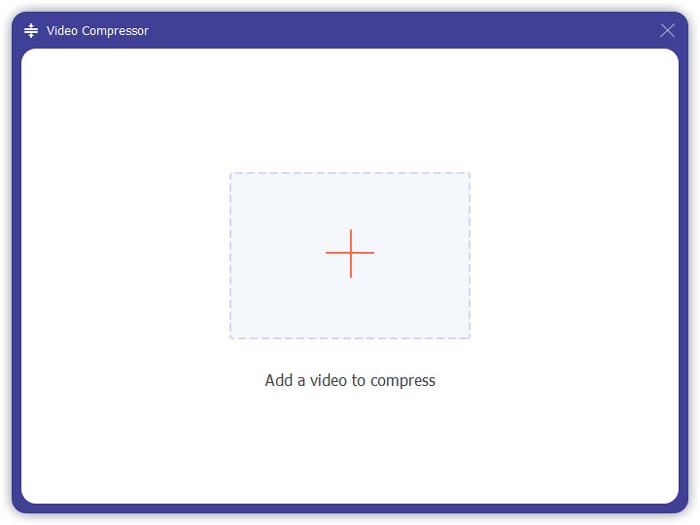
Шаг 1. Скачайте и установите Video Converter Ultimate. Выберите интерфейс Converter (Конвертер). Затем вы можете добавить файлы MPG, которые хотите объединить, нажав на квадрат Add Files в центре интерфейса. Также вы можете перетащить несколько файлов MPG в этот квадрат. Программа позволяет добавить несколько файлов MPG и объединить их в один.
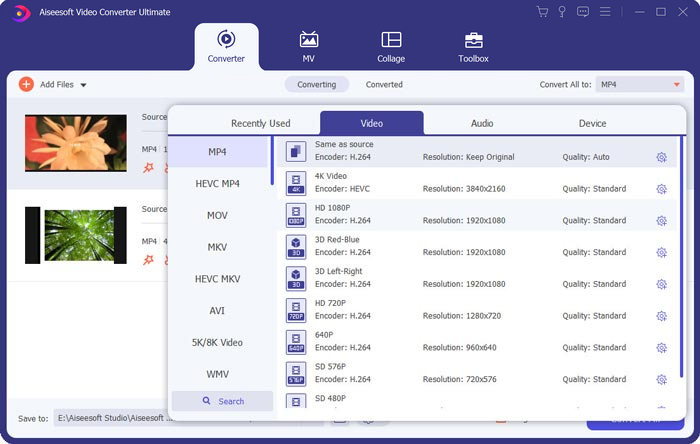
Шаг 2. Затем выберите формат видео, который вы хотите получить на выходе, нажав поле Convert All to справа. В меню вы можете выбрать различные форматы, включая MP4, MOV, MKV и т.д. Параметры выбранного формата можно отрегулировать вручную, нажав на значок gear (шестерёнка).
Шаг 3. Чтобы отредактировать ваши видео, нажмите на значок scissor (ножницы), чтобы открыть интерфейс редактирования. Вы можете задать время начала и окончания видео, чтобы обрезать его. MPG‑видео в левой панели расположены в хронологическом порядке. Если вы хотите изменить порядок клипов, просто перетащите их и расположите в другом порядке. В итоговом объединённом видео клип, расположенный выше, будет воспроизводиться перед клипом, расположенным ниже.
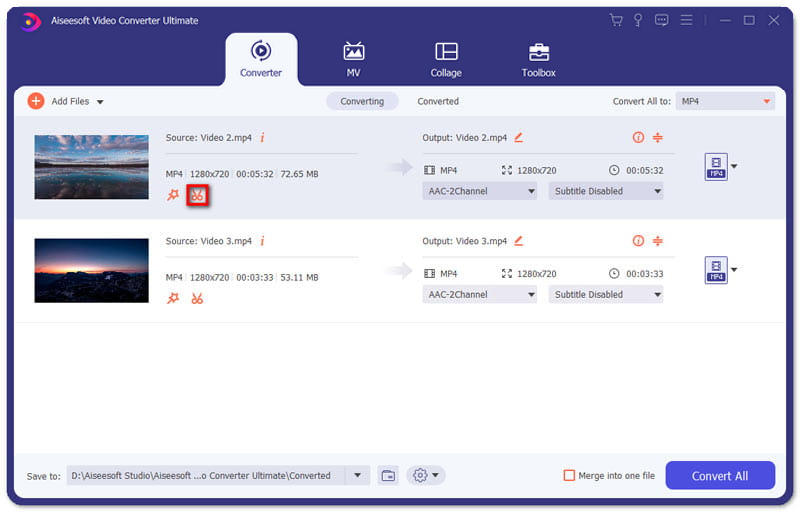
Шаг 4. Когда вы закончите редактирование, вы можете объединить клипы и экспортировать финальный проект. Учтите, что видео будут объединены в хронологическом порядке в соответствии с последовательностью в интерфейсе редактирования. Чтобы начать объединение, отметьте поле Merge into One File (Объединить в один файл) и нажмите кнопку Convert All. После завершения вы найдёте объединённое видео в целевой папке.
Затем вы можете воспроизводить MPG‑файлы напрямую с помощью проигрывателя MPG MPEG.
Часть 2. Как бесплатно присоединиться к файлам MPG в Интернете
Если вы хотите объединить файлы MPG онлайн и бесплатно, вы можете воспользоваться сервисом Free Online Video Merger. Простой и хорошо продуманный интерфейс удобен для всех пользователей.
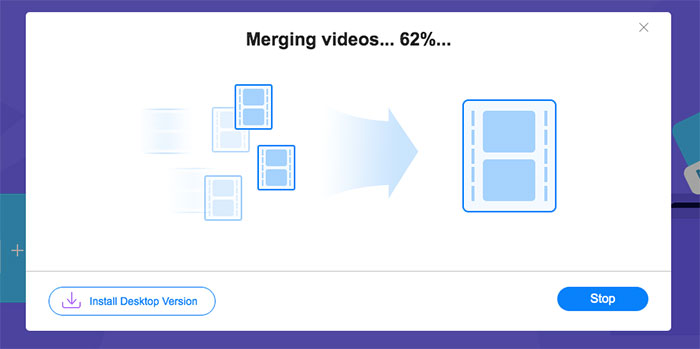
Шаг 1. Скачайте лаунчер и установите модуль объединения. Затем вы можете добавить файлы MPG, нажав на значок «+» в интерфейсе. Внизу экрана вы можете настроить разрешение и формат объединённого видео в меню. Последовательность клипов на экране идёт слева направо в хронологическом порядке.
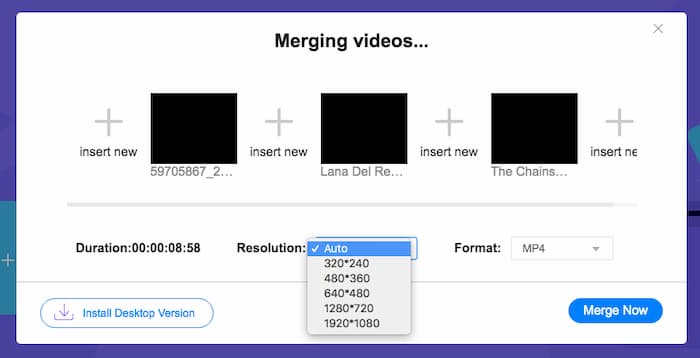
Шаг 2. Чтобы начать объединение, нажмите кнопку Merge Now (Объединить). Когда процесс объединения завершится, вы найдёте видео в стандартной папке Download (Загрузки) на вашем компьютере.
Часть 3. Часто задаваемые вопросы о присоединении к файлам MPG
1. Как я могу открыть видеофайл MPG?
Обычно видеофайл MPG имеет версии MPEG-1 и MPEG-2. MPEG-1 совместим с большинством основных медиаплееров, таких как Windows Media Player и VLC Media Player. MPEG-2 разработан для DVD-видео. Вы можете скачать сторонний DVD-декодер, чтобы открыть его.
2. Что такое файл MPG?
Файл MPG - это широко используемый видеофайл для сохранения видео- и аудиоданных. Он может сохранять и сжимать большие аудио- и видеоданные в небольшой размер без потери качества. Он стандартизирован Группой экспертов по движущимся изображениям (MPEG). MPG используется для сохранения и распространения фильмов в Интернете. Файлы MPG сохраняются как PS или MPEG-PS в формате контейнера программного потока.
3. Как я могу бесплатно объединить видеофайлы MPG?
В Интернете есть множество бесплатных инструментов для присоединения к видео. Упомянутое выше бесплатное онлайн-слияние видео - это бесплатный инструмент с простым и понятным интерфейсом, который может удовлетворить ваши потребности.
Заключение
Когда вы хотите объединить несколько файлов MPG в один, вам нужен профессиональный инструмент для склейки видео. В этой статье вы можете узнать, как пользоваться такими программами, чтобы решить вашу задачу. Если у вас есть вопросы по инструментам для объединения видео или вы хотите подробнее узнать о том, как объединять файлы MPG, оставьте свой комментарий ниже.
-
 2 лучших метода для присоединения видео MXF от Sony X70
 Если вы сняли несколько видеороликов в формате MXF с Sony X70, как лучше всего объединить файлы MXF? Вот 2 эффективных метода объединения видео высокого качества.
-
 2 способа сжатия видео для YouTube
 Видео на YouTube большие и загружаются медленно? Просто уменьшите размер видеофайла для YouTube двумя способами онлайн и на компьютере.
-
 GIF Player - 5 лучших GIF-плееров для ПК с Windows, Mac, Android и iPhone
 Какая программа открывает файлы GIF? Как просмотреть GIF-файлы на Android? Есть ли на iPhone проигрыватель GIF для открытия файлов GIF? В этом посте представлены 5 лучших GIF-плееров для вас.
