


 Видео конвертер Ultimate
 Устройство записи экрана
 Видео ремонт
Найдите 4 лучших офлайн- и онлайн-конвертера SWF в FLV для Windows и Mac
В настоящее время я ищу решение для загрузки моих SWF-файлов на сайты обмена видео, такие как Youtube, Facebook, MySpace и другие. Можете ли вы помочь мне найти самый быстрый способ решить эту проблему?
Эта проблема встречается довольно часто, особенно если ваше видео имеет расширение файла .swf. Хотя этот формат широко используется в интернете, он плохо подходит для обмена файлами на видеохостингах. Более того, если вы хотите делиться SWF‑файлами, вам нужно конвертировать их в более поддерживаемый формат, например FLV. Итак, давайте рассмотрим четыре скрытых «жемчужины» — автономные и онлайн‑конвертеры SWF в FLV, которыми вы можете воспользоваться, прочитав эту статью.

Часть 1. Конвертируйте SWF в FLV онлайн бесплатно с помощью бесплатного онлайн-конвертера видео FVC
FVC Free Video Converter Online — это непревзойдённый онлайн‑конвертер, с помощью которого вы можете бесплатно конвертировать SWF в FLV. Этот веб‑инструмент специализируется на преобразовании файлов в новый формат без загрузки программы на ваш компьютер. Помимо функции конвертации, вы также можете менять параметры видео и звука в соответствии со своими потребностями. Хотите узнать, как пользоваться этим лёгким веб‑конвертером? Тогда выполните шаги, описанные ниже.
Шаг 1. Нажмите на эту ссылку, чтобы открыть новую вкладку и перейти на официальную страницу FVC Free Video Converter Online.
Шаг 2. На сайте нажмите Add Files to Convert, после чего откроется окно проводника; выберите файл .swf и нажмите Open.
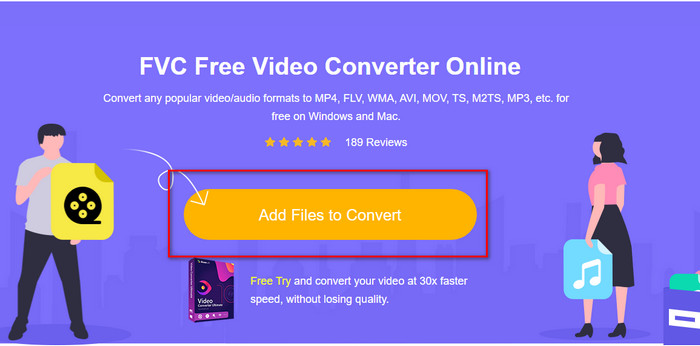
Шаг 3. После добавления файла в списке форматов выберите FLV.
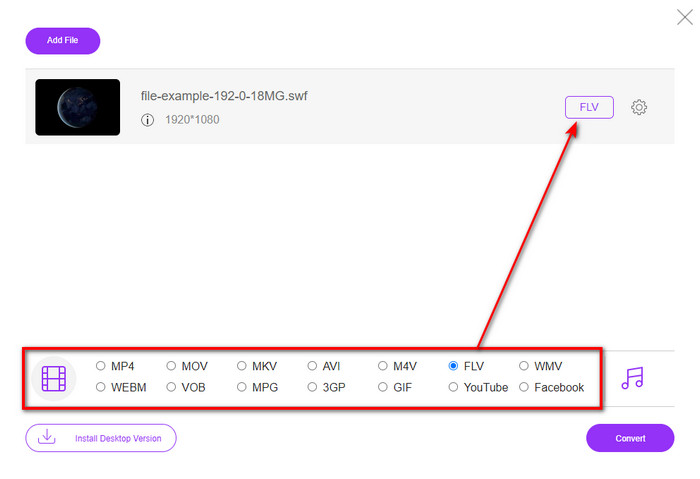
Чтобы изменить параметры видео и звука, нажмите кнопку шестерёнки.
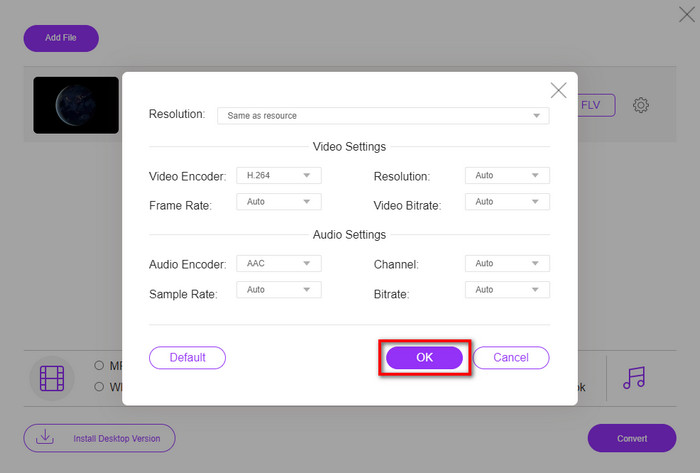
Шаг 4. Чтобы начать процесс конвертации, нажмите кнопку Convert.
Часть 2. Преобразование SWF в FLV с помощью FFmpeg
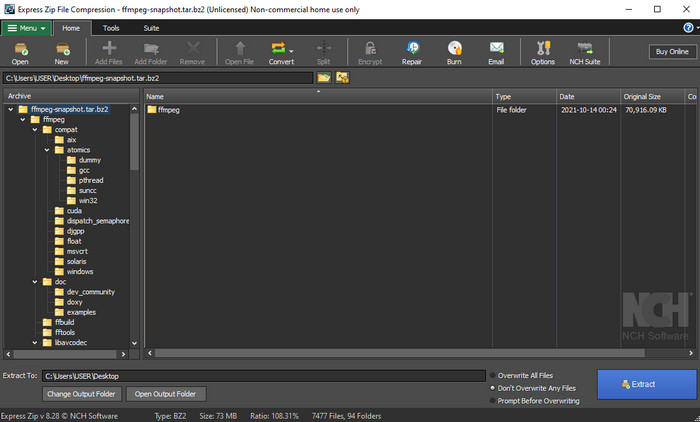
FFmpeg имеет особый интерфейс и команды для бесплатного конвертирования SWF в FLV. Если вы уже знакомы с этим конвертером, то знаете, как им пользоваться; однако знают его далеко не все. Кратко объясняя, этот конвертер не похож на типичные видеоконвертеры, которыми обычно пользуются в интернете или после установки. Вместо кнопок для управления вам нужно вводить команды через консоль.
Шаг 1. Скачайте конвертер FFmpeg на свой диск и откройте его.
Шаг 2. На компьютере откройте командную строку.
Шаг 3. В командной строке перейдите в папку с вашим SWF‑файлом. Затем вставьте его. Скопируйте эту команду и вставьте её в командную строку: ffmpeg -i input.swf -vn -ar 44100 -ac 2 -b:a 192k output.flv и нажмите Enter, чтобы запустить процесс.
Часть 3. Преобразование SWF в FLV во Flash
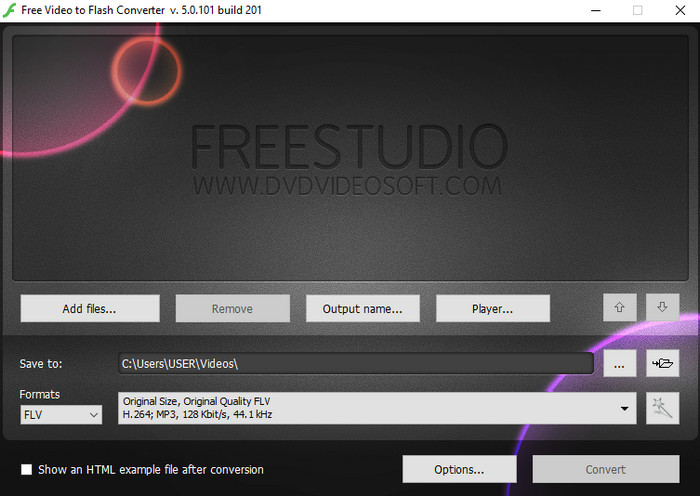
Free Video to Flash Converter — это бесплатный конвертер для загрузки и использования в Windows. В нём доступны всего два выходных формата. Он предназначен исключительно для конвертации файлов в формат FLV или SWF. Поэтому, если вы хотите конвертировать свои SWF‑файлы в AVI, MP4, MOV, MKV и другие форматы, здесь это сделать нельзя. Без лишних промедлений давайте узнаем, как конвертировать SWF в FLV во Flash.
Шаг 1. Скачайте официальную версию Flash Converter для Windows и запустите приложение.
Шаг 2. Нажмите Add Files, чтобы загрузить файл в конвертер. Затем нажмите Formats, найдите FLV и выберите его, вы также можете выбрать качество.
Шаг 3. Начните конвертацию, нажав кнопку Convert в правом нижнем углу интерфейса.
Часть 4. Как конвертировать SWF в FLV с помощью лучшего конвертера SWF на Windows и Mac
Всё ещё не удовлетворены первыми тремя онлайн‑ и офлайн‑конвертерами SWF в FLV, описанными выше? В таком случае попробуйте FVC Video Converter Ultimate. Этот конвертер превосходит ожидания пользователей, особенно по скорости процесса конвертации. Помимо впечатляющего преобразования, он также предлагает расширенные функции редактирования для улучшения вашего видео и раздел «Toolbox» для других задач. Кроме того, приведённая ниже инструкция гарантирует вам стопроцентный успех (101%) при конвертации файла.
Шаг 1. Прежде чем пользоваться программой, скачайте её на диск вашего компьютера с Windows или Mac, выполните установку и запустите её.
Бесплатная загрузкаДля Windows 7 или более поздних версийБезопасная загрузка
Бесплатная загрузкаДля MacOS 10.7 или более поздних версийБезопасная загрузка
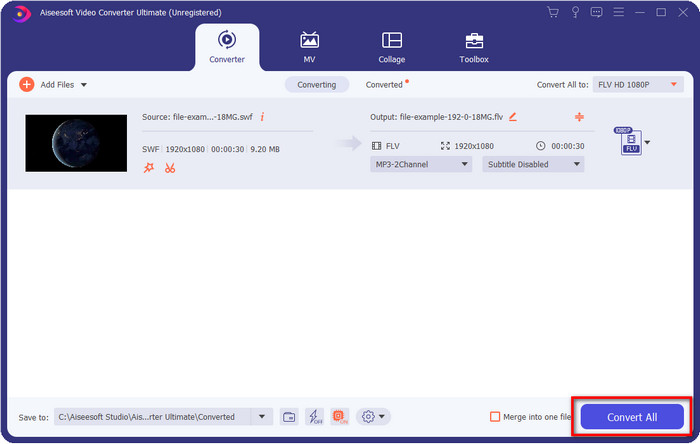
Шаг 2. После запуска программы нажмите Add Files, чтобы загрузить SWF‑файлы, которые вы хотите конвертировать.
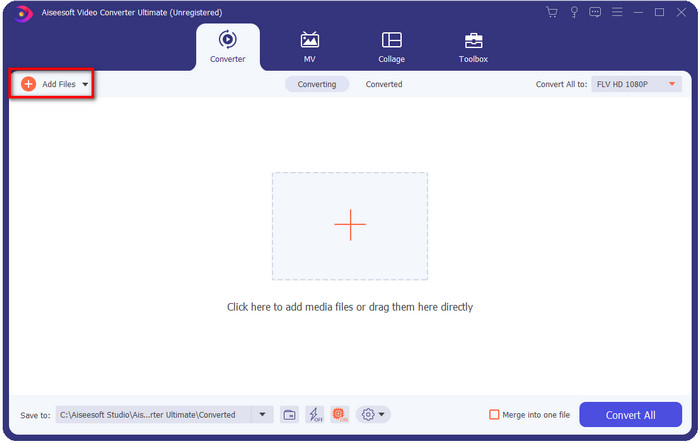
Шаг 3. Нажмите опцию Convert All to и выберите формат FLV. Вы также можете задать качество — для высокочёткого видео или сохранения оригинала.

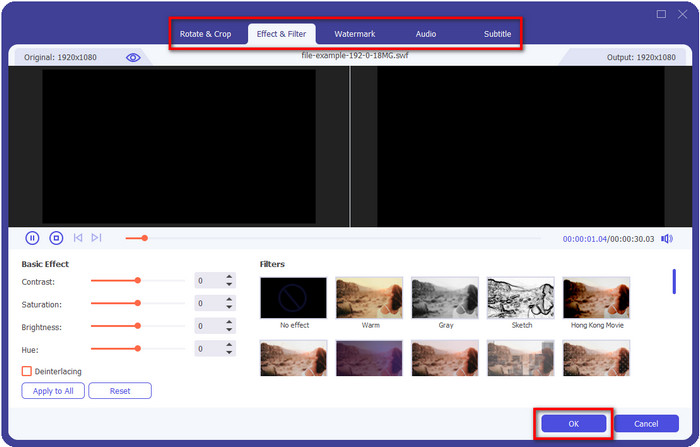
Если вы хотите ещё больше улучшить итоговое видео, нажмите кнопку волшебной палочки. Она откроет вам различные инструменты редактирования, такие как Обрезка (Crop), Поворот (Rotate), Добавление эффектов (Add Effects), Субтитры (Subtitle), Аудио (Audio) и Водяной знак (Watermark). Чтобы сохранить внесённые изменения, нажмите OK.
Шаг 4. Нажмите Convert All, и процесс начнётся. Конвертация SWF в FLV займёт немного времени; по её завершении на экране откроется папка с полученным FLV‑файлом.
Часть 5. Расширенные знания о SWF и FLV
Файл ShockWave или SWF - это формат Adobe, но его создал Macromedia. Он известен тем, что хранит векторную анимацию и звуки, используемые в Интернете. Более того, поскольку это векторная основа, вы можете легко настроить масштабирование графики для соответствия или увеличения. Помимо векторной анимации, размер файла настолько мал, что видео загружается быстрее даже при медленном подключении к Интернету. Но этот формат не поддерживается, если вы хотите поделиться ими на платформах для обмена видео.
Хотя FLV также принадлежит Adobe, этот формат лучше, чем SWF. FLV или FlashVideo Format - стандартный формат видео на большинстве веб-сайтов. Этот формат может содержать два разных кодека, предназначенных для видео и аудио. И, как и файл SWF, этот формат невелик, чтобы файл быстрее загружался в Интернет; как только вы загрузите FLV-файл на свой накопитель, вы сможете воспроизвести его на своем медиаплеере, даже если он еще не завершен.
Было бы полезно, если бы вы преобразовали SWF в FLV, потому что SWF имеет много недостатков, которые вы можете найти в формате FLV. Особенно, если видеофайл длинный, так как .swf может содержать только ограниченное количество кадров в секунду, есть вероятность, что вы не сможете его использовать. Но FLV с легкостью может хранить длинные видео. Более того, если вы хотите сосредоточиться на качестве, FLV имеет лучшее качество, чем SWF.
Часть 6. Часто задаваемые вопросы о преобразовании SWF в FLV
Поддерживает ли SWF-файл прозрачность?
Подобно PNG и GIF, этот формат также поддерживает оттенки серого с истинными цветами или назначает один цвет, чтобы сделать его прозрачным.
Где я могу посмотреть видео в формате SWF?
На данный момент вы не можете просматривать SWF‑файлы в стандартном медиаплеере, так как этот формат не поддерживается. Однако вы можете нажать на эту ссылку и узнать больше о 4 лучших SWF‑плеерах для Windows и Mac.
Могу ли я сохранить .swf моего телефона?
Сохранение SWF-файлов на вашем телефоне возможно, но невозможно воспроизвести их на локальном медиаплеере. Потому что этот формат предназначен не для совместимости с телефоном, а для Интернета. Итак, если вы загружаете файл с этим расширением, ожидайте, что вы не сможете его использовать; однако вы можете преобразовать его в воспроизводимый формат, например MP4, на своем телефоне.
Заключение
В этой статье мы раскрыли для вас «драгоценные» конвертеры, с помощью которых можно преобразовать SWF в FLV без потери качества исходного SWF‑файла. Изучая все эти программы, мы пришли к выводу, что FVC Video Converter Ultimate — это тот самый скрытый «самоцвет», который поможет решить вашу задачу. Он обеспечивает наилучшее качество результата и самый быстрый процесс конвертации по сравнению с другими упомянутыми инструментами. Теперь вам остаётся выбрать «сокровище», которым вы воспользуетесь для конвертации, — скачав программу или открыв онлайн‑инструмент в браузере.
-
 Полезные конвертеры DV в FLV для преобразования DV в FLV [2022]
 Если вы ищете лучшие и простые инструменты для преобразования DV в FLV, вот лучшая статья для вас. Получите отличное понимание, покопавшись во всей информации этой статьи.
-
 Как конвертировать MPG в FLV без потери качества [проверено]
 Вы должны смотреть свой любимый фильм на этом медиаплеере, но он не поддерживает MPG. Попробуйте преобразовать файл MPG в FLV с помощью этих конвертеров, которые описаны в этой статье.
-
 Конвертируйте TRP в FLV с помощью самых простых офлайн и онлайн-методов
 Вы хотите быстро и без проблем конвертировать видеофайл TRP в FLV? Прочтите эту статью, чтобы предоставить вам лучшее программное обеспечение и онлайн-сервис, которые лучше всего подходят для вашей ситуации.
