


 Видео конвертер Ultimate
 Устройство записи экрана
 Видео ремонт
Краткое и простое для понимания руководство по конвертации TRP в MOV
Формат TRP не слишком распространён, поэтому воспроизводить его в медиаплеерах или редактировать в редакторах бывает непросто. Некоторые пользователи пытались просто изменить расширение .trp на .ts, .mpg, .mp4 и снова запустить такие файлы в плеере. Но у многих это не получилось: хотя расширение и меняется, внутренняя структура файла остаётся прежней. Чтобы избежать этой ошибки, проще всего сразу конвертировать TRP в MOV. Ниже вы узнаете, что такое формат TRP и как преобразовать его в удобный для воспроизведения формат MOV.

Часть 1. Что такое ВНЖ и МОВ
TRP известен тем, что мультиплексирует цифровые потоки для видео и аудио, а затем воспроизводит их синхронно. Более того, этот формат часто используется для исправления ошибок в каждом цифровом видеовещании или DVB. Кроме того, .trp использует два отдельных кодека для кодирования видео в H.263 или H.264 и AC3 для аудио. После кодирования хранящиеся здесь видео-аудиофайлы готовы к трансляции по всей сети без ограничений по расстоянию. Хотя формат выглядит превосходно, файлы хранятся при сохранении высокого качества. Тем не менее, некоторые программы не подходят для этого формата.
Напротив, формат MOV предпочитает воспроизводить высококачественное видео и аудио на каждом проигрывателе Quicktime. Хотя формат предназначен для Apple, вы все равно можете воспроизводить видео, даже если у вас нет Mac или iOS, потому что этот формат поддерживает множество медиаплееров и редакторов.
Так что теперь идеальное решение этой проблемы TRP — преобразовать его, особенно если вы хотите перенести файл на Mac или iPhone, а затем воспроизвести или отредактировать его позже. Без дальнейших задержек давайте перейдем к конвертеру, который идеально подходит для преобразования файлов TRP в MOV.
Часть 2. Как преобразовать TRP в MOV с помощью феноменального программного обеспечения на Windows/Mac
Этот конвертер TRP в MOV стоит на первом месте, потому что это лучший инструмент для преобразования файлов TRP — FVC Video Converter Ultimate. Это идеальная программа, чтобы максимально быстро и просто декодировать и кодировать ваши TRP‑файлы. Помимо перекодирования, с помощью этого ПО вы также можете редактировать видео, объединять, обрезать, кадрировать и многое другое. Этим программа обязана пользователям, которые доверили ей конвертацию своих файлов и приобрели её.
Плюсы
- Самый быстрый конвертер TRP, который вы можете использовать для преобразования TRP в MOV, AVI, MP4, MKV и многие другие.
- Нет ограничений на преобразование, и пакетное преобразование работает хорошо.
- Доступно для загрузки на всех настольных компьютерах ПК или Mac.
- Расширенные функции находятся внутри встроенной панели инструментов.
Минусы
- Вам нужно купить программное обеспечение, прежде чем использовать его.
- Необходимо загрузить файл на диск.
Без каких-либо дополнительных объяснений, давайте начнем использовать этот настоятельно рекомендуемый конвертер, выполнив следующие действия.
Шаг 1. Прежде чем запускать программу, скачайте её на диск, затем установите и нажмите «Start Now», чтобы открыть приложение.
Бесплатная загрузкаДля Windows 7 или более поздних версийБезопасная загрузка
Бесплатная загрузкаДля MacOS 10.7 или более поздних версийБезопасная загрузка
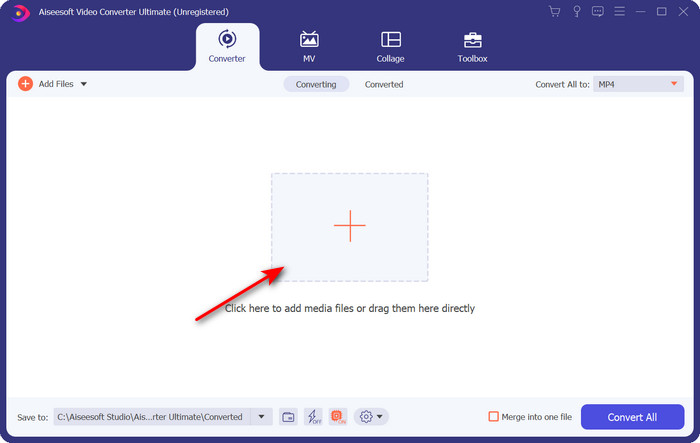
Шаг 2. Нажмите кнопку «+» в центре интерфейса программы; на экране откроется папка, найдите файл .trp и нажмите Open, чтобы загрузить его.
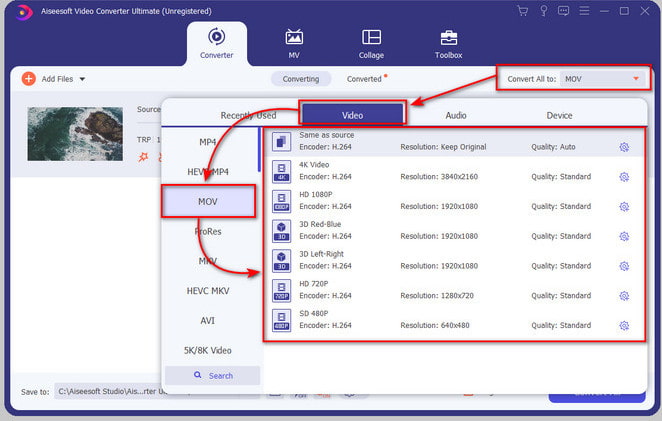
Шаг 3. Нажмите Convert All и найдите формат MOV, затем выберите предпочитаемое разрешение.
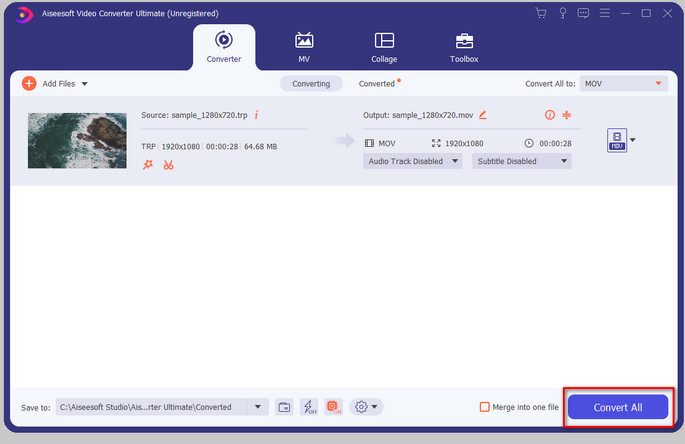
Шаг 4. Когда будете готовы начать конвертацию в .mov, нажмите Convert All.
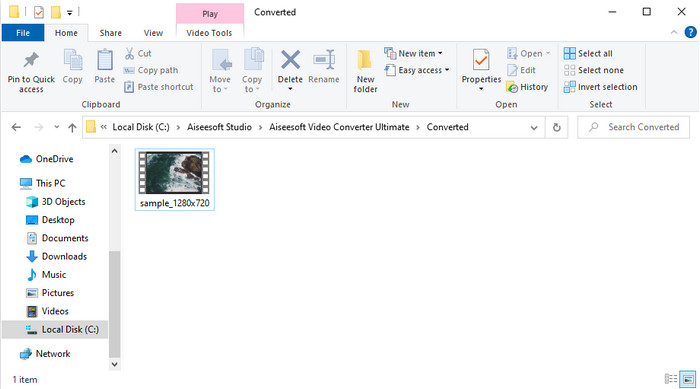
Шаг 5. Подождите, пока процесс завершится, после чего появится новая папка с ранее сконвертированными файлами. Чтобы просмотреть файл на Mac или любом устройстве iOS, просто откройте его.
Часть 3. Как бесплатно конвертировать TRP в MOV во всех браузерах онлайн
Не хотите устанавливать программу, чтобы преобразовать TRP в MOV? Тогда мы советуем использовать FVC Free Video Converter Online для конвертации файлов прямо в браузере. В отличие от первого инструмента выше, этот онлайн‑конвертер работает в сети. Он безопасен с точки зрения вредоносного ПО и не содержит рекламы в интерфейсе. Недостаток в том, что воспользоваться им без доступа к интернету нельзя. Кроме того, по количеству поддерживаемых форматов этот сервис уступает FVC Video Converter Ultimate. Зато он полностью бесплатен и не накладывает ограничений на использование. Если вы хотите попробовать этот онлайн‑конвертер, переходите к инструкции по работе с ним.
Плюсы
- Совместим со всеми поисковыми системами.
- Нет ограничений на преобразование TRP в MOV, MP4, AVI и т. д.
- Нет надоедливой рекламы в интерфейсе.
Минусы
- Вы не можете выполнять пакетное преобразование, как окончательный инструмент.
- Для доступа к веб-инструменту требуется Интернет, поскольку это интернет-инструмент.
Шаг 1. Чтобы запустить веб‑сервис, нажмите эту ссылку.
Шаг 2. Щёлкните по Add Files to Convert, после чего откроется проводник; найдите нужный файл в папке и нажмите Open.
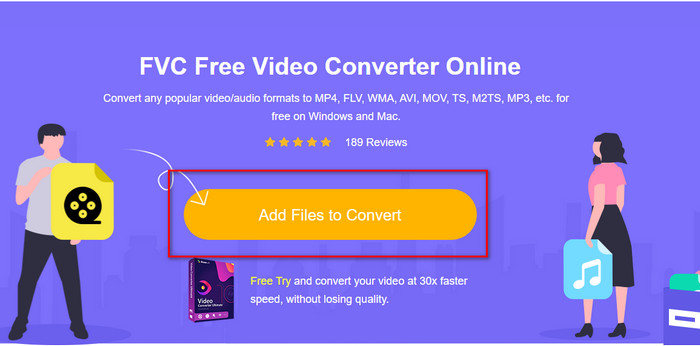
Шаг 3. Выберите MOV в списке ниже или укажите любой другой нужный формат.
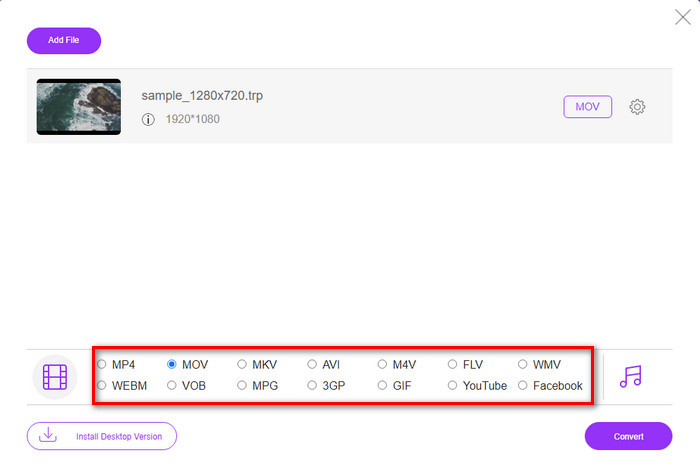
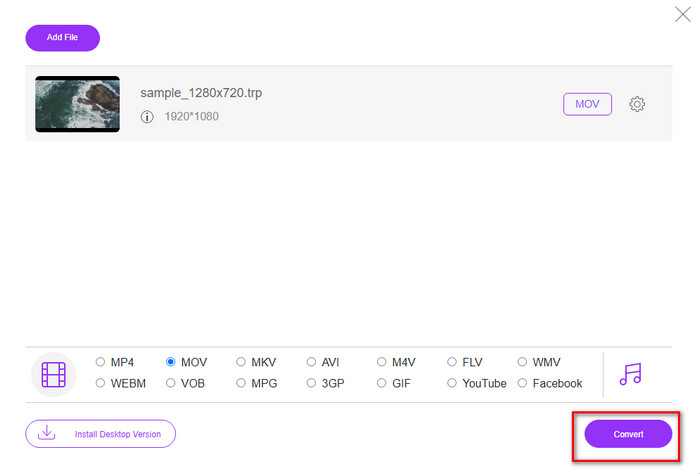
Шаг 4. Чтобы начать конвертацию файла, нажмите Convert.
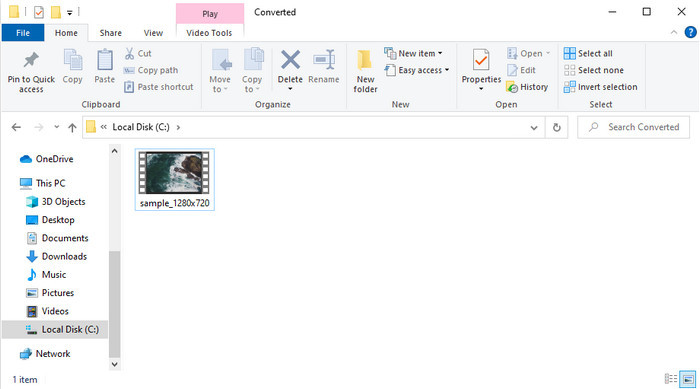
Шаг 5. После завершения конвертации на экране откроется папка с получившимся файлом.
Часть 4. Часто задаваемые вопросы о преобразовании TRP в MOV
Могу ли я объединить файлы .trp в одно видео?
Да, вы можете объединить два и более .trp‑видео и скачать их как один файл. Сделать это очень просто с помощью FVC Video Converter Ultimate. Хотите узнать, как? Тогда перейдите по этой ссылке и уделите 5 минут, чтобы узнать, как объединять файлы TRP, а также другие форматы, такие как MP4, MOV, AVI и т.д.
Сколько времени займет конвертация TRP в MOV?
Это зависит от того, как долго видео вы конвертируете, или если вы используете веб-инструмент, это будет зависеть от того, насколько быстр ваш интернет. Процесс будет варьироваться в зависимости от того, что вы используете. Тем не менее, успех обеспечен, если вы используете конвертеры, представленные выше.
Изменяется ли размер файла TRP после конвертации?
Размер файла может немного измениться, но не должен увеличиться вдвое или втрое. Если же вы считаете, что получившиеся .trp‑видео слишком объёмные, прочитайте эту статью и узнайте, как сжать TRP‑видео.
Заключение
В заключение: если вы хотите конвертировать файлы TRP в MOV онлайн, мы настоятельно рекомендуем пользоваться FVC Free Video Converter Online. Это отличный онлайн‑конвертер, который поможет преобразовать формат в новый. Но если вы хотите конвертировать файлы ещё проще и выполнять пакетную обработку, используйте FVC Video Converter Ultimate. Этот инструмент обеспечивает наилучшее качество результата, продвинутые функции и широкий выбор форматов — вы сможете в полной мере раскрыть возможности конвертации с помощью двух указанных решений. В любом случае вы не ошибётесь с выбором конвертера.
-
 Самое простое руководство о том, как конвертировать TRP в AVI на Windows и Mac
 Может быть, вы не знакомы с форматом видео TRP и задаетесь вопросом, как вы собираетесь конвертировать TRP в AVI? Прочтите эту статью, чтобы узнать подробности, касающиеся этой проблемы.
-
 Отличные методы для преобразования VOB в MOV
 Загрузка онлайн-видео удобна, но что, если видео находится в формате VOB, а ваш проигрыватель не поддерживает его? Этот пост научит вас конвертировать VOB в MOV.
-
 Быстрые и простые советы по конвертации WMV в MOV [Проверено]
 Вы хотите знать, какие самые лучшие и простые в использовании конвертеры, конвертирующие WMV в MOV? Продолжайте читать эту статью, поскольку в ней обсуждаются все возможные варианты, которые вам следует рассмотреть.
