


 Видео конвертер Ultimate
 Устройство записи экрана
 Видео ремонт
Как конвертировать AVI в MP3 с помощью бесплатных руководств ниже
Как уже говорилось, файлы AVI сохраняют лучшее качество видео и звука, которое вы когда-либо желали. К сожалению, плохая часть этого - огромный размер файла. Каждые 3-4 минуты медиафайла, хранящегося на нем, размер файла может достигать 3-4 гигабайт. Что подавляюще для пользователя формата AVI. Прежде чем вы начнете грустить или разочароваться, теперь есть способ сохранить качественный звук AVI на вашем компьютере. Без потери качества это и есть конвертировать. Если вы хотите знать, как конвертировать AVI в MP3, вы на правильном пути. Потому что мы собираемся решить, как конвертировать и какие другие доступные конвертеры вы можете использовать для создания высококачественного аудио в формате MP3. Если вы продолжите читать эту статью, вы поймете процесс конвертации, о котором мы говорим.

Часть 1. Как конвертировать AVI в MP3 онлайн
1. Бесплатный конвертер MP3 FVC
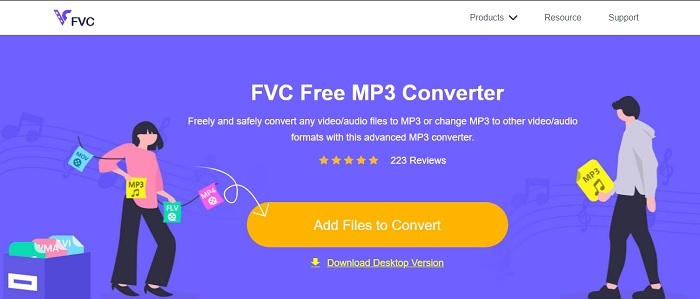
Если вы хотите узнать, какой онлайн‑сервис является лучшим бесплатным конвертером AVI в MP3, то это именно он. Представляем вам FVC — пробную версию функционала его продвинутого конвертера FVC Free MP3 Converter. Этот онлайн‑инструмент дает вам максимальные преимущества, когда речь идет о конвертации. Если бы мы стали ранжировать все инструменты здесь, этот все равно занял бы первое место. И не только потому, что он обеспечивает надежное сжатие, но и благодаря высокой скорости конвертации. Хотите узнать, насколько быстро проходит процесс? Тогда следуйте инструкциям ниже и протестируйте его сами, чтобы убедиться.
Шаг 1. Нажмите на эту ссылку, чтобы перейти на главную страницу инструмента.
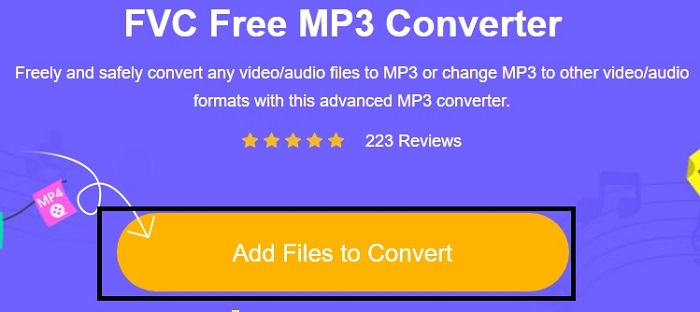
Шаг 2. Нажмите кнопку Add Files to Convert и выберите Allow, чтобы запустить инструмент.
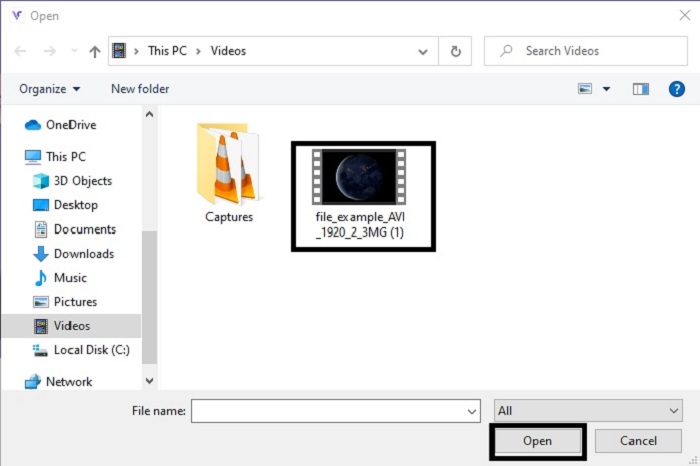
Шаг 3. Выберите файл, который вы хотите конвертировать. После выбора нажмите Open, чтобы продолжить.
Шаг 4. Измените формат AVI на аудиоформат MP3 или любой другой, который вам нужен.
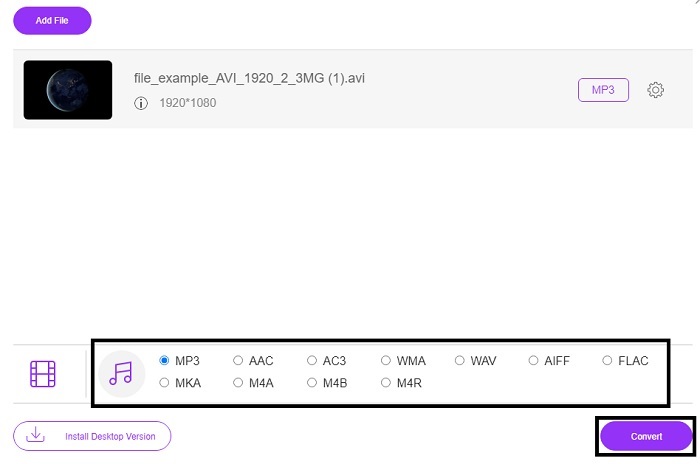
Шаг 5. Чтобы начать процесс, нажмите Convert и подождите пару минут до завершения. После окончания вы сможете найти файл в своей папке.
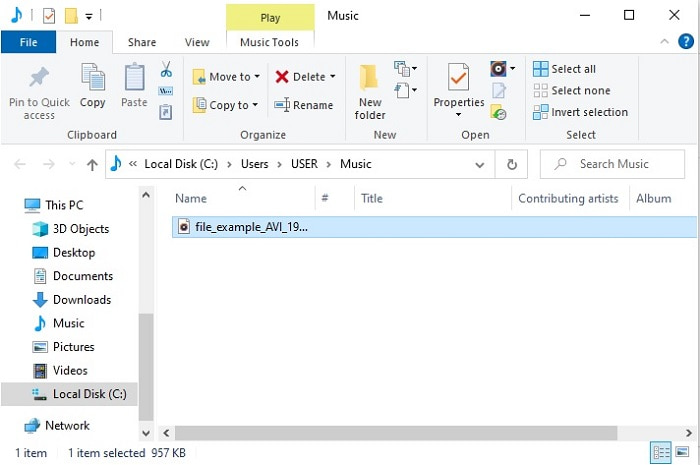
2. Convertio
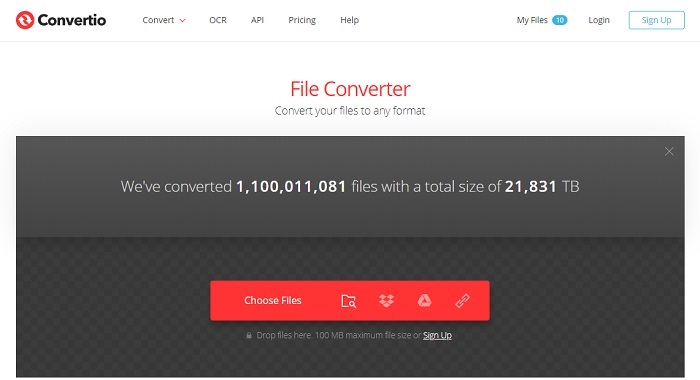
Когда речь заходит о том, как бесплатно конвертировать AVI в MP3 на Mac, на помощь приходит Convertio. Этот инструмент обеспечивает качественное сжатие и конвертацию и для Windows. В отличие от FVC Free MP3 Converter, этот сервис умеет конвертировать документы, электронные книги, векторы и многое другое. Но здесь вы не можете менять битрейт, fps и кодеки, как в первом инструменте. Хотя процесс конвертации здесь быстрый и эффективный, первый инструмент все равно его превосходит. Тем не менее попробовать Convertio стоит, так как он прост и очень удобен в использовании. Подойдет как новичкам, так и опытным пользователям.
Шаг 1. Перейдите на сайт Convertio.
Шаг 2. Выберите файл, который хотите конвертировать, и загрузите его.
Шаг 3. Выберите формат MP3 и нажмите «convert», чтобы начать.
3. Замзар
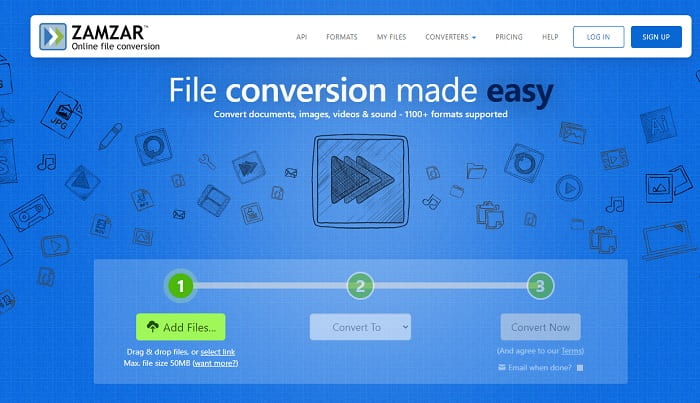
Используйте Zamzar, если хотите конвертировать AVI‑файлы в MP3 онлайн. Кроме того, этот сервис представляет собой простой и в то же время классический конвертер, с которым вы, возможно, уже сталкивались. Но наименее удобный момент здесь в том, что форматы — аудио, изображения, видео и любые другие — собраны в одном выпадающем списке. Поэтому поиск нужного формата немного утомителен, хотя в целом управиться с этим можно. Учтите, что этот сервис принимает файлы размером только до 50 МБ и позволяет выполнить лишь одну конвертацию за раз. Хотите узнать, как пользоваться Zamzar? Тогда следуйте инструкции ниже.
Шаг 1. Найдите официальный сайт Zamzar. Нажмите «add file», чтобы выбрать файл, который нужно конвертировать.
Шаг 2. В подменю «convert to» выберите итоговый формат, который вам нужен.
Шаг 3. Нажмите «convert now», чтобы запустить процесс.
Часть 2. Лучший конвертер AVI в MP3 на ПК и Mac
Подводя итог всему сказанному о замечательных возможностях онлайн‑программ для конвертации AVI в MP3, всё же FVC Video Converter Ultimate остается королем конвертации во всей сети. Задумывались ли вы, что процесс конвертации файла можно вывести на совершенно новый уровень? Конкретнее говоря, используя эту программу как ваш персональный конвертер, вы сможете делать гораздо больше, чем просто конвертировать файлы.
В отличие от онлайн-инструмента, приведенного выше, это программное обеспечение специализируется не только на преобразовании, но и на обрезке, улучшении, увеличении громкости и т. Д. Вместо использования первого инструмента, описанного выше, почему бы вам не попробовать использовать этот инструмент? Теперь мы перейдем к тому, как сделать идеальное преобразование вашего файла AVI и оживить его в формате MP3. Следуйте инструкциям ниже, чтобы лучше понять процесс преобразования этого инструмента.
Шаг 1. Загрузите официальный Ultimate‑инструмент FVC, нажав кнопку загрузки. Пройдите процесс установки и нажмите «finish», чтобы сохранить настройки.
Бесплатная загрузкаДля Windows 7 или более поздних версийБезопасная загрузка
Бесплатная загрузкаДля MacOS 10.7 или более поздних версийБезопасная загрузка
Шаг 2. После этого программа автоматически откроется на вашем экране. Вот так она выглядит.
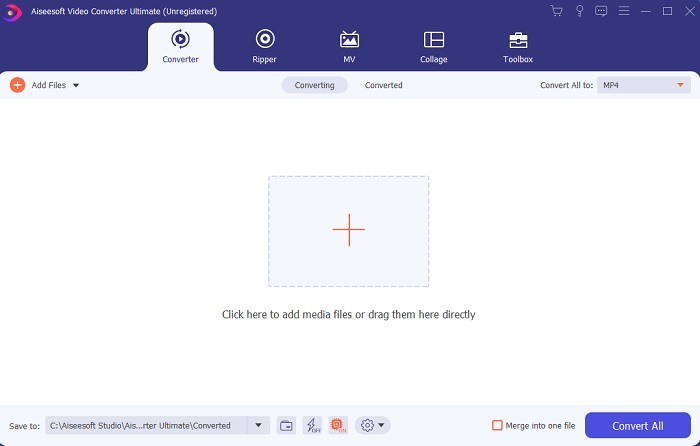
Шаг 3. В главном окне выберите AVI‑файл, который хотите конвертировать, нажав кнопку Add Files. Дополнительно: если файлов много, вы можете просто перетащить их мышью (drag‑and‑drop).
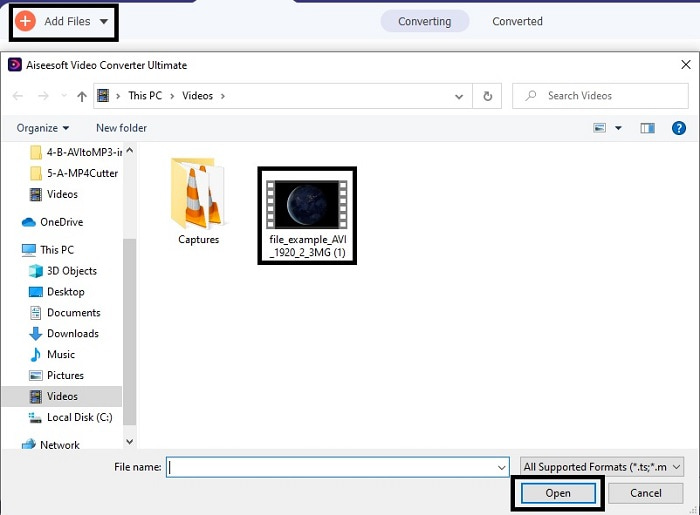
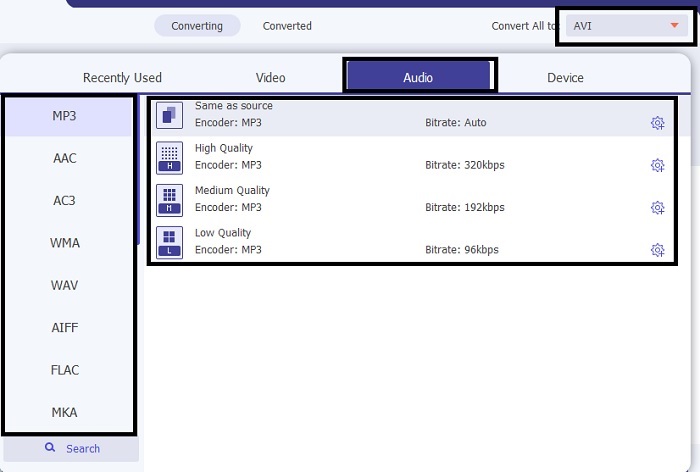
Шаг 4. В правом верхнем углу вы увидите небольшое submenu — нажмите на него. Выберите формат MP3 или любой другой аудио‑/видеоформат, который вам нужен. После выбора нажмите Convert All, чтобы запустить процесс — он начнется через несколько секунд.
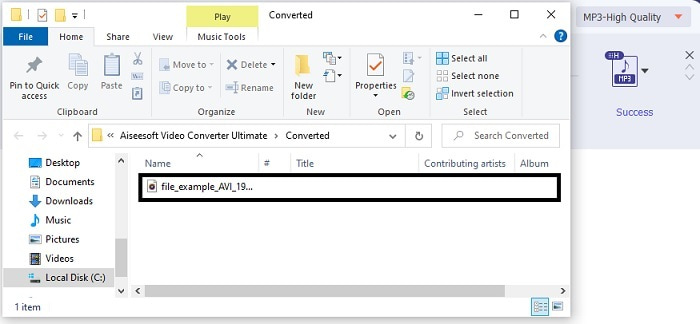
Шаг 5. Конвертация займет всего несколько секунд, и после ее завершения на экране автоматически откроется менеджер файлов. Нажмите на сконвертированный файл, чтобы прослушать его, а если хотите улучшить звук, позже можете воспользоваться инструментами на панели.
Кроме того, с помощью этого инструмента вы также можете конвертировать WMV в MP3 или MOV в MP3.
Часть 3. Часто задаваемые вопросы о преобразовании AVI в MP3
Что такое MP3?
MP3 хранит высококачественный аудиоформат. В настоящее время он стал очень популярным, потому что это наиболее часто используемый аудиоформат. Лучшими примерами MP3 являются песни, записи и многое другое.
MP3 с потерями или без потерь?
MP3 является примером сжатия данных с потерями. Это отлично подходит для хранения аудиоданных по сравнению с другими несжатыми, такими как упомянутый ранее AVI.
Может ли MP3 хранить видео файлы?
Ответ: нет. MP3 предназначен только для хранения аудиофайлов. Но вы можете добавлять видеофайлы в улучшенную версию MP3, которая представляет собой MP4, также известный как универсальный мультимедийный формат. Щелкните здесь, чтобы узнать о различиях между MP3 и MP4.
Заключение
Теперь стало понятнее, вместо аудиоформата AVI лучше преобразовать его в формат MP3. В приведенном выше списке рассказывается о том, как конвертировать и какие другие варианты подходят для ваших нужд. Но все же у FVC Video Converter Ultimate есть функция среди других, перечисленных. Возможно, вы думаете, что вам просто нужен простой конвертер без функций редактирования, и это нормально. Но в конечном итоге вы почувствуете, что в нем чего-то не хватает, чего вы не можете найти в конвертере в списке. Вместо того, чтобы ждать, пока это произойдет, почему бы вам не использовать это и быть готовым к будущему. Итак, чтобы обеспечить вашу будущую конверсию, вы должны приобрести идеальный инструмент, к которому нужно подготовиться.
-
 4 Методы работы 100% для преобразования видеофайлов FLV в формат MP3
 Как конвертировать FLV в файл MP3? Все, что вам нужно сделать, это внимательно прочитать эту статью, найти свой любимый метод и следовать нашему пошаговому руководству, чтобы получить то, что вы хотите.
-
 4 лучших метода конвертации OGG в MP3 без потери качества
 Как преобразовать файлы OGG в формат MP3 для прослушивания на компьютере или мобильном устройстве? Здесь мы расскажем о 5 самых простых способах сделать это на компьютере или в Интернете.
-
 Как конвертировать M4A в MP3 с помощью 4 бесплатных аудиоконвертеров
 Не можете воспроизвести M4A и хотите преобразовать его в MP3? Есть ли бесплатный способ конвертировать M4A в MP3 онлайн? В этом посте рассказывается о 4 бесплатных способах конвертации M4A в MP3 с помощью iTunes, онлайн-конвертеров и профессиональных аудиоконвертеров.
