


 Видео конвертер Ultimate
 Устройство записи экрана
 Видео ремонт
Топ-5 лучших бесплатных видеоплееров MOV для Android и планшетных устройств
Этот проприетарный формат файлов Apple не поддерживается на вашем устройстве Android. Поскольку его воспроизведение на вашем устройстве ограничено, он предназначен только для плееров QuickTime. Но вы всё равно хотите его посмотреть, потому что на нём записаны ваша свадьба, джем‑сейшены, монтажи, деловые встречи, обсуждения с преподавателями и многое другое. Вместо того чтобы покупать Mac Pro только ради просмотра этого видео, просто продолжайте читать эту статью, чтобы узнать, какое Android‑приложение лучше всего подходит для воспроизведения файлов формата MOV. Ещё одно его преимущество в том, что вы сократите свои затраты, так как все инструменты, представленные здесь, являются бесплатными. Так что можете не переживать и просто расслабиться — эта статья вам поможет. Чтобы узнать больше об этом приложении, доступном на вашем Android‑телефоне, обязательно читайте дальше. Далее следует более подробная информация, так что начнём и держите темп чтения.

Часть 1. 5 лучших надежных приложений, доступных в Play Store для воспроизведения файлов MOV на Android
В приведенном ниже списке представлены 5 впечатляющих файлов, которые вы можете использовать для воспроизведения невоспроизводимого файла MOV на вашем устройстве. Дополнительную информацию обо всех этих сторонних инструментах необходимо загрузить, прежде чем вы сможете их использовать.
1. VLC для Android
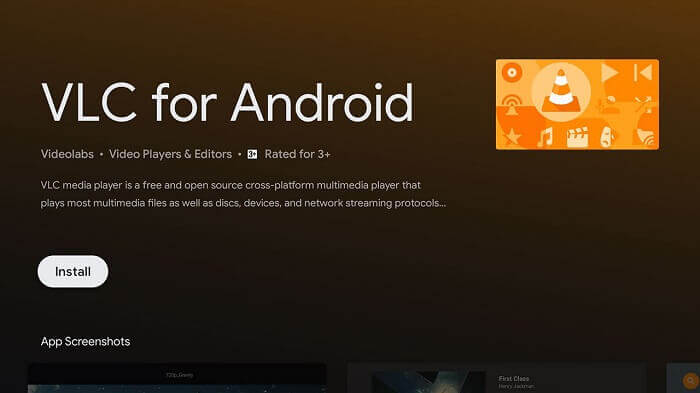
Это самый популярный медиаплеер среди всех, перечисленных в этом списке. Он стал одним из самых надёжных медиаплееров, доступных на всех устройствах — будь то ПК, Mac, iOS, Android, Linux и другие. Этот инструмент поддерживает практически все форматы файлов, известные в сети. Поэтому, если вы ищете лучший вариант, это должен быть ваш первый выбор, потому что VLC for Android — это самый мощный плеер, доступный в Play Маркете.
2. Видеоплеер MPlayer для всех форматов Full HD 4K
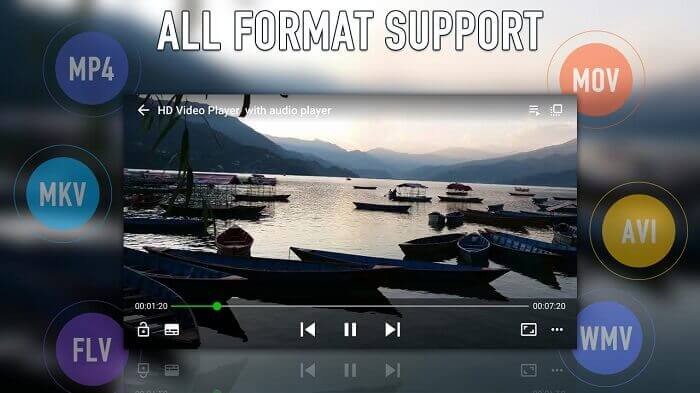
Ещё один медиаплеер, который вы можете найти в Play Маркете, — это MPlayer, он поддерживает почти все доступные форматы, как и VLC, а также обеспечивает качество видео 4K. С помощью этого приложения вы также можете воспроизводить видео в фоновом режиме. Кроме того, в нём есть зеркальный режим на экране воспроизведения.
3. UPlayer видеопроигрыватель во всех форматах.
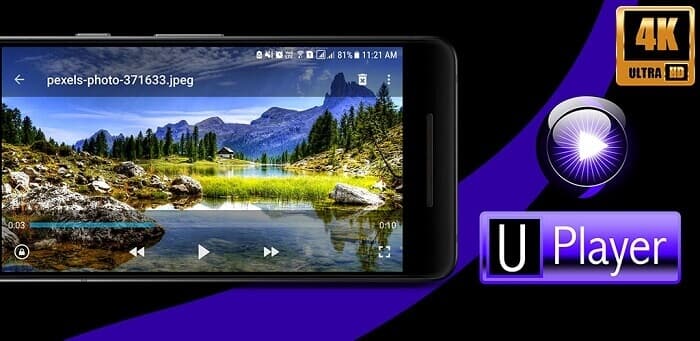
Так же как и первые два медиаплеера, он поддерживает разные типы форматов, особенно MOV. Как уже упоминалось ранее, все эти приложения — это бесплатные MOV‑плееры для устройств на Android, и это одно из них. Лучшая особенность, которая выделяет его среди других, — это красивый пользовательский интерфейс. Но, несмотря на внешний вид, он также может находить и удалять файлы с помощью функции Duplicate Video Finder. Так что вы в выигрыше, поскольку экономите и место, и время на поиск всех этих дублирующихся видео.
4. KMPlayer-видеоплеер и музыкальный проигрыватель.
В описании говорится, что это идеальный инструмент для воспроизведения. KMPlayer помогает пользователям, у которых возникают проблемы с просмотром видео с субтитрами. Одна из лучших функций этого инструмента — возможность создавать собственные плейлисты для видео и музыки. Таким образом, вы потратите меньше времени на то, чтобы запустить и найти то, что хотите посмотреть или послушать.
5. FX Player: универсальный видеоплеер
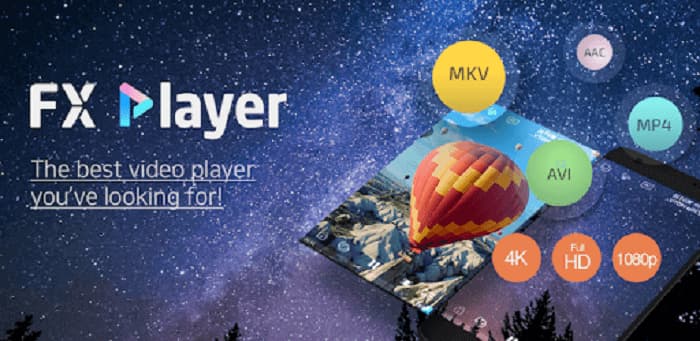
Еще один универсальный видеоплеер, доступный на android. Но разница в том, что он может воспроизводить видео уже на вашем телефоне и даже в сети. Хотите послушать последний популярный музыкальный клип, даже не платя за него? Скачать видео через Интернет? Конвертировать и извлекать аудио в формат MP3? Это действительно инструмент, который сохраняет лучшее напоследок. Кроме того, название действительно настоящее, это универсальный видеоплеер, который вы когда-либо желали, но остерегайтесь рекламы.
Часть 2. Лучший альтернативный способ играть в MOV на Android
Если скачивание стороннего медиаплеера, как в списке выше, — это не ваш вариант, тогда этот альтернативный способ может стать отличным выбором. Вместо загрузки попробуйте конвертировать файл с помощью FVC Online Video Converter. Этот инструмент решит вашу проблему, особенно если ваши видео или аудио не поддерживаются вашим стандартным медиаплеером. Конвертируйте любой тип формата файла в нужный вам без труда. Если вы хотите узнать больше об этом инструменте, обязательно продолжайте читать дальше. Ниже приведены шаги по правильному преобразованию файла. Прочитайте и внимательно следуйте инструкциям, чтобы добиться желаемого результата.
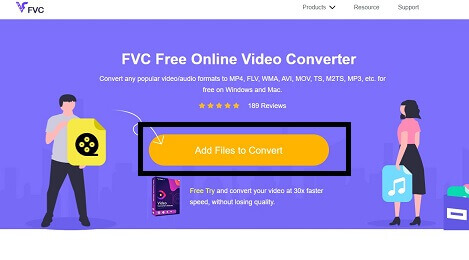
Шаг 1. Нажмите на эту ссылку, и откроется веб‑сайт. Если вы видите FVC Video Online Converter, значит вы на верном пути.
Шаг 2. Чтобы конвертировать видео, нажмите Add Files to Convert, после чего откроется проводник — выберите видео, которое хотите преобразовать. Дополнительная информация: для успешного конвертирования убедитесь, что у вас стабильное интернет‑соединение.
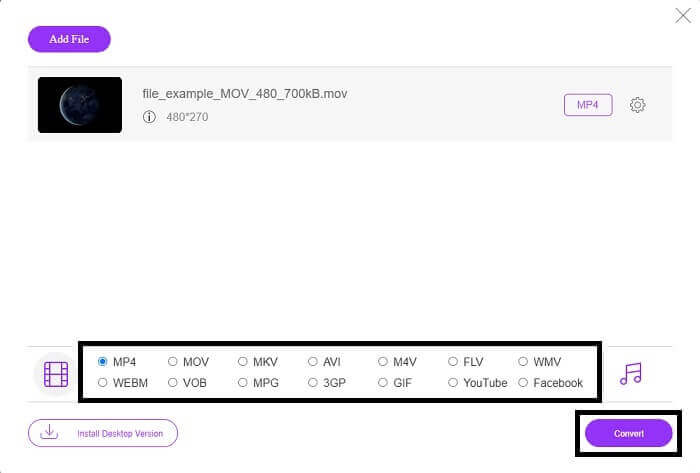
Шаг 3. После того как вы добавили свой MOV‑файл, выберите видео‑ или аудиоформат, в который вы хотите получить новый файл. Когда будете готовы к конвертации, нажмите кнопку Convert, чтобы получить итоговый файл и запустить процесс. Однако продолжительность конвертации зависит от размера файла. Если файл довольно большой, придётся подождать несколько минут, чтобы он был корректно обработан. Не переживайте, этот процесс конвертации безопасен, поэтому вам не о чем беспокоиться — никакие данные и коды не будут утрачены.
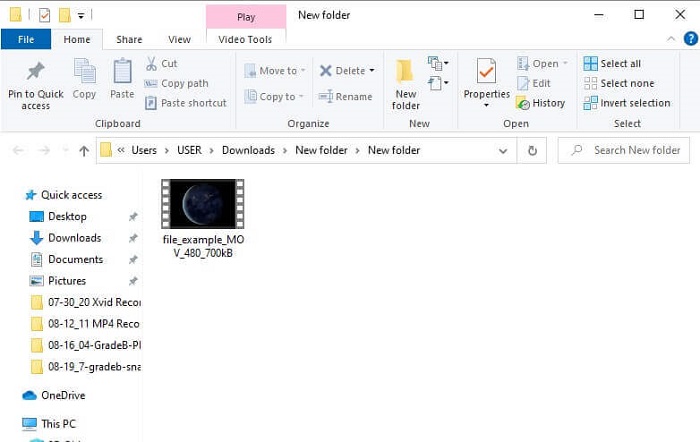
Шаг 4. Когда конвертация завершится, чтобы проверить результат, перейдите в папку, которую вы создали, или найдите файл через проводник, чтобы просмотреть итоговый вариант. Теперь вы можете наслаждаться своим воспроизводимым форматом файла.
Часть 3. Часто задаваемые вопросы о приложениях Android, поддерживающих файлы MOV
Почему я не могу воспроизводить файлы MOV на своем телефоне Android?
Причины, по которым вы не можете просматривать видео на своём устройстве, связаны со следующими факторами. Нажмите на эту ссылку, чтобы узнать, в чём именно они заключаются.
Формат MOV хорош?
MOV — это хороший формат файлов с высококачественным воспроизведением. Хотя иногда у вас могут возникать проблемы с воспроизведением этого формата, вы можете конвертировать MOV в MP4 или другие популярные форматы файлов с помощью онлайн‑инструмента, такого как FVC Free Online Video Converter.
Какое сжатие MOV-файла использует с потерями или без потерь?
Он использует формат файла с потерями для правильного хранения вашего видео.
Заключение
Подводя итог, можно сказать, что в этой статье представлены лучшие видеоплееры для MOV для Android, которые можно найти в Play Маркете. Поэтому не нужно переживать и покупать новое устройство только ради того, чтобы просмотреть видео. Вместо того чтобы платить за покупку устройства или кому‑то за просмотр, попробуйте воспользоваться своими возможностями. Этот «непроигрываемый» файл MOV станет воспроизводимым благодаря этим пяти лучшим приложениям. Как уже было сказано, перечислены лучшие функции каждого из них, а также показаны уникальные особенности каждого инструмента. Поэтому, если в будущем вы снова забудете, как воспроизводить файлы MOV, обязательно обратитесь к этой статье, потому что она приводит весомые доказательства и опирается только на факты.
-
 8 лучших проигрывателей MOV для воспроизведения файлов QuickTime MOV с оригинальным качеством
 Просто узнайте больше о 8 лучших проигрывателях MOV, доступных как для Windows, так и для Mac. Вы можете выбрать нужный и подходящий для воспроизведения файлов MOV с исходным качеством.
-
 2 простых способа конвертировать файлы MOV в FLV на Windows / Mac
 Как конвертировать MOV в FLV бесплатно? Вот лучшие видео конвертеры для настольных компьютеров и онлайн, которые позволяют конвертировать ваш MOV-файл в FLV за считанные секунды, не платя ни копейки.
-
 5 рабочих методов исправить QuickTime не может открыть файлы MOV
 Формат MOV в основном создан для воспроизведения в QuickTime Player. Однако иногда вы можете обнаружить, что они не играют в нее. Узнайте, как исправить QuickTime не воспроизводит файлы MOV из этого сообщения.
