


 Видео конвертер Ultimate
 Устройство записи экрана
 Видео ремонт
 Безопасная загрузка
Ознакомьтесь с основными сведениями о приложениях для записи формата AMR
AMR or also known as Adaptive Multi-Rate is a lossy format. This type of file contains voice recording, MMS messages and such. It was made specifically for 3G phones only but now you can open it with the other media player that supports this format. Moreover, users encounter trouble choosing what is the best AMR recorder that fits their demands. So, this article talks about the tools that are all based on your specification, steps, information and many more. Read this write-up to know what is the best for you as their future customer. Without any more delay let’s now proceed.
Часть 1. Лучший регистратор AMR для Windows и Mac
FVC бесплатный аудиорекордер

An online tool that allows you to record any calls, jamming sessions, voice over, and many more. FVC Free Audio Recorder is a tool developed by the FVC which allows the user to experience a better recording online. This tool does the task as an audio recorder. If you have a doubt about this tool, why don’t you try it first. So, without any more explanation, let’s explore this incredible tool and learn from it by following this simple step provided to you.
Step 1. Press the link to go to the main website. Don’t worry, it is malware free.
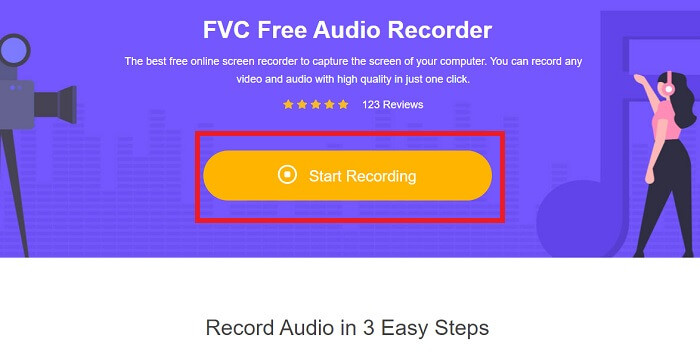
Step 2. launch the tool by clicking Start Recording.
Step 3. A toolbar like this will show to your screen. It only means that the tool is already running.
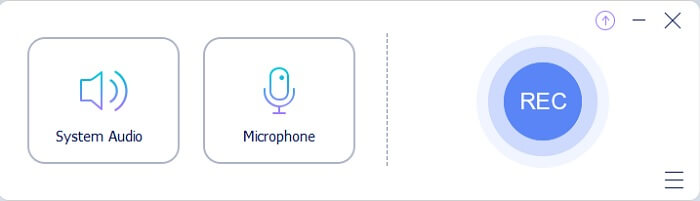
Step 4. The tool bar has a Speaker to add the sound in the system and Mic for your voice. If you’re ready click the round button to Start.
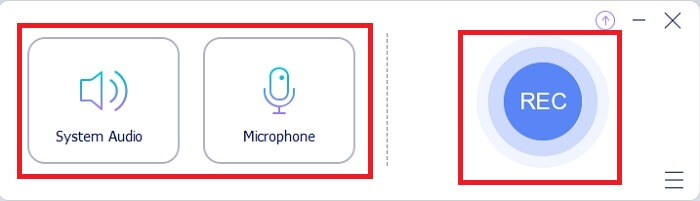
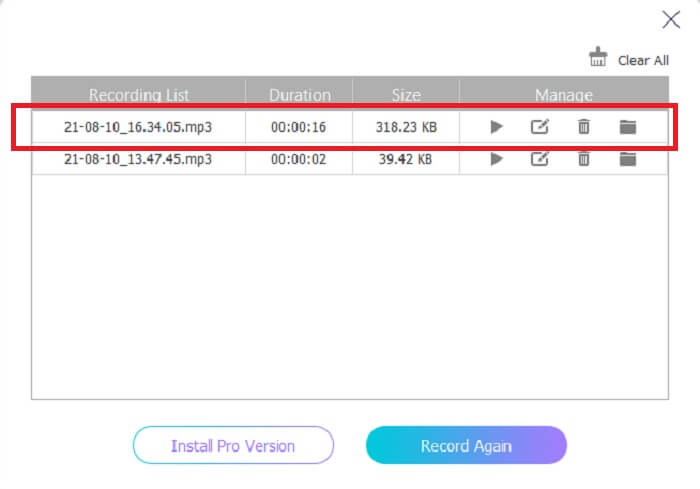
Step 5. If recording is already finished, click the cube shape button to stop the recording. It will be automatically saved in your storage. If you want to re-listen again the recording click the three-lined below and the recording list will show the first one that is the latest.
Часть 2. 4 лучших альтернативных инструмента для AMR Recorder для Windows и Mac
1. Устройство записи экрана FVC
If you are looking for the best mp3, amr, wav, ac3 audio recorder then this is for you. No need to look for the other tools, instead focus on what this tool can provide. Because this tool is the one-and-only FVC Screen Recorder. This is the finest premium video-audio recorder that most people use as their first-choice recorder. Not only that, maybe you’re wondering why you should use this tool as your personal recorder. Then it is an honor to introduce this tool and provide these easy steps for you. Without further ado let’s proceed to the steps. Follow it thoroughly to become a pro in recording.
Step 1. Choose between the platform that you’re currently using. Download it then install. Change the Preferences according to your wants and click the Finish to save.
Бесплатная загрузка для Windows 7 и более поздних версий. Безопасная загрузка.
Бесплатная загрузка для MacOS 10.7 или более поздних версий. Безопасная загрузка.
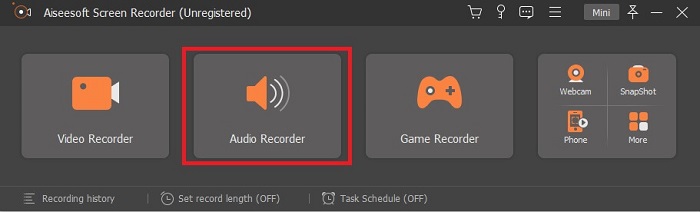
Step 2. After launching the tool, A floating toolbar like this will show in your display. Then click the Audio Recorder to proceed.
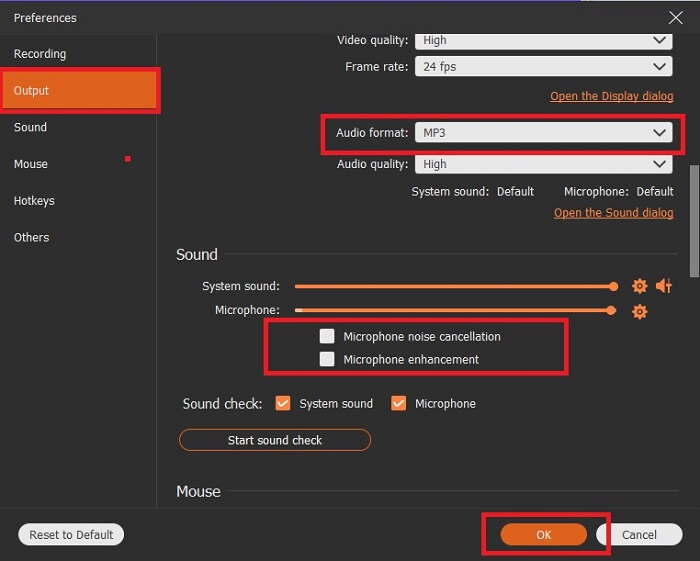
Step 3. Find the gear icon to go to the settings. Change the Audio output to the format you want and adjust other options then click OK to save.
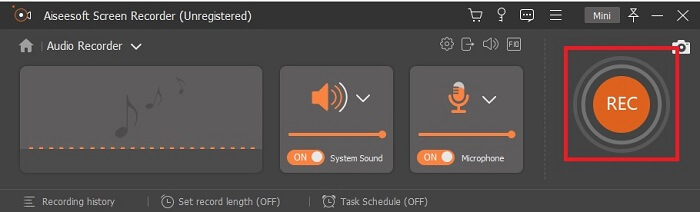
Step 4. In the toolbar, click the System Sound and Microphone to add the audio system and your voice. If everything is done, now you’re ready to go. Click the round REC button to start recording.
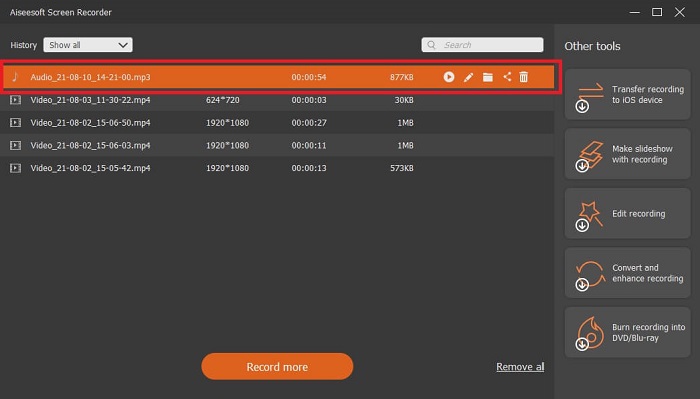
Step 5. If everything is settled and done, click the box button to stop the recording. Click the Save and Next to save the final output. If you want to recap your recording then click the parallel line and a history of your recording will show.
2. Наглость
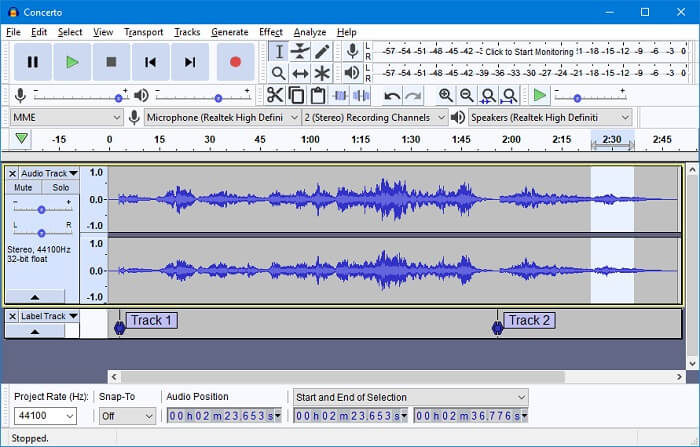
Another audio recording tool. Audacity is a bit complicated if you're new to the interface but in later days you’ll get onto this. You may as well record and edit it, like merging audio tracks. But the program has a limited mixing ability and the files for installation of the tool are separated for the plug-ins and encoders.
3. Вавозавр
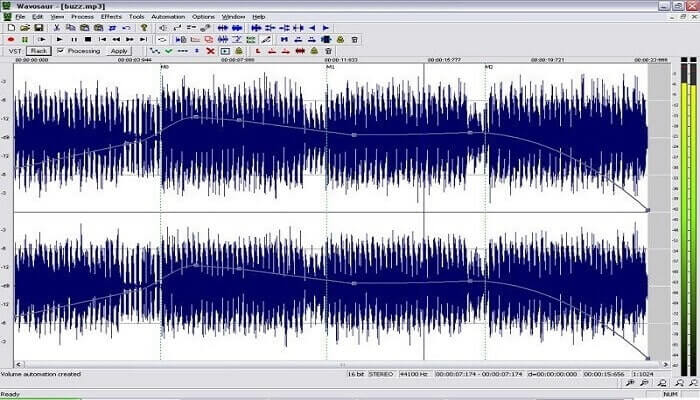
Wavosaur has tools to record and edit, such as copy, trimming, splitting etc. This tool can do the most complicated things like music arrangement, complex beat, and many more. If you’ve been troubled on how to use the tool because you’re not familiar with it, it also provides a video tutorial for you to understand.
4. Adobe Audition
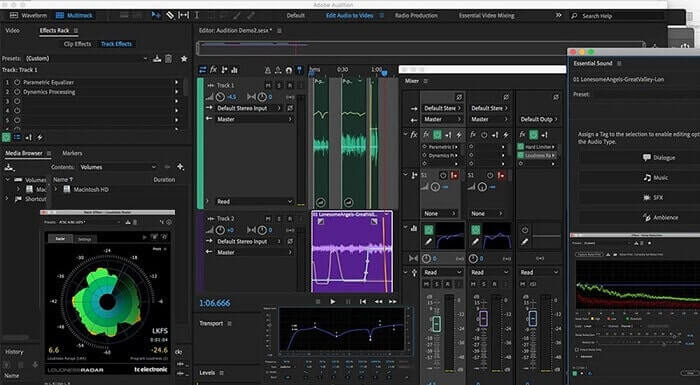
This tool is most commonly used in industrial recording. If money is no issue to you then Adobe Audition is a good tool for music producing. It provides precise editing of the music, cleaning it up, sound design and others. But the tool can’t provide you a one-time payment and it has an overwhelming User Interface. So, you must be prepared if you want to try using the tool.
Часть 3. Сравнительная таблица
| Функции | FVC бесплатный аудиорекордер | Регистратор экрана FVC | Мужество | Вавозавр | Adobe Audition |
| Аудио запись |  | | | | |
| Шумоподавление |  | | | | |
| Инструменты редактирования | | | | | |
| Улучшение микрофона | | | | | |
| Специальность | Простая, но эффективная запись | Пользователям предоставляется больше возможностей, чем в бесплатной версии с профессиональным выводом. Тем не менее, его легко использовать с профессиональным выводом. | Основные эффекты, редактирование и добавление. | Инструменты редактирования для воспроизведения, остановки, записи, перемотки и многого другого. | обширный набор инструментов. |
| Доступный формат / с | MP3 и AMR | MP3, WMA, AAC, M4A, FLAC, OGG, AMR, Opus и многие другие. | WAV, AIFF и MP3 | WAV и MP3 | AC-3, M4A, MAT, VOX, W64, WAV и многие другие |
| Ценовой диапазон | Это бесплатный онлайн-инструмент | На 1 месяц: 1ТП2Т25.00 На год: 1ТП2Т31.20 Для бессрочной лицензии: $55.20 | Бесплатное скачиваемое программное обеспечение | Бесплатное скачиваемое программное обеспечение | $27.62 / момент, для годовых $315,61 / лет, для годовых $41.43 / ежемесячный план |
Часть 4. Часто задаваемые вопросы об AMR Recorder
Какие бывают типы файлов AMR?
Amr has two types of format standards the AMR-NB and the AMR-WB.
AMR-NB is a narrowband version or known as the basic version. It includes a low bitrate that you may have on MP3 that ranges from 300 to 3400 that are most commonly used for traditional telephones. Examples of its bitrate are:06.70 kbps, 07.40 kbps, 07.95 kbps, 10.20 kbps, 12.20 kbps.
While the AMR-WB occupies a much broader bandwidth. It stores more quality audio than the NB, the range of it is from 50 to 7000 Hz. Because of its wide range frequency GSM and UMTS use this to optimize. Here are some lists of the bitrates it used:15.85 kbps, 18.25 kbps, 19.85 kbps, 23.05 kbps, 23.85 kbps.
Почему мой AMR не может быть открыт в моем медиаплеере?
Like any other file formats, some of the media players don't support this type of format. So, if you want to play your AMR recordings, FVC Free Video Player might help you to play it.
AMR - это сжатый формат файла?
Да, это сжатый формат аудиокодека для кодирования речи.
Заключение
В заключение скажу, что у этих инструментов есть свои собственные способности и уникальность. Но не все из них - лучший выбор для новичков. Итак, если вы хотите узнать лучший рекордер, который выбирают как новичок, так и эксперт. FVC Screen Recorder - это многофункциональный инструмент, который позволяет вам делать то, что вы хотите. Это не ограничивает пользователя вашей границей. Но это помогает вам идти дальше и выйти в безопасную зону. Так чего же вы ждете, этот специальный инструмент не будет для вас обузой, а станет вашим большим подспорьем.
-
 Топ-5 лучших программ записи экрана WebM для Windows / Mac: углубленный обзор
 Узнайте больше о файлах расширения WebM, прочитав статью, и откройте для себя приложения для записи экрана WebM, которые можно использовать для записи видео с экрана в формате WebM.
-
 4 лучших SWF-видеомагнитофона, доступных в Интернете бесплатно
 Слышали ли вы о файле SWF? Узнайте больше об этом формате файла и узнайте, как записывать файлы SWF с помощью бесплатных онлайн-инструментов.
-
 Несравненные видеомагнитофоны MTV, совместимые с компьютерами Mac / Windows
 Эта статья поможет вам узнать о формате файлов MTV и список видеомагнитофонов MTV, которые вы можете использовать для записи экранов компьютеров с легкостью.
