


 Видео конвертер Ultimate
 Устройство записи экрана
 Видео ремонт
2 быстрых и простых способа преобразования M2TS в AVI с предоставленными шагами
По мере того как мы движемся в будущее, многие форматы получают всё меньше поддержки, например M2TS. Этот формат по‑прежнему использует старый контейнер Blu-ray Audio Video, в котором для передачи данных применяется поток MPEG‑2. На некоторых устройствах, таких как iPhone, iPod и даже Android, этот формат недоступен, потому что они не могут распознать его структуру. Однако, если у вас всё ещё есть файлы с таким расширением и вы хотите их посмотреть, мы рекомендуем конвертировать их в формат AVI. Итак, давайте разберёмся, какой способ лучше всего поможет вам в задаче конвертации M2TS. Кроме того, если вы продолжите читать этот материал, вы узнаете, как конвертировать M2TS в AVI онлайн или офлайн.

Часть 1. M2TS против AVI
Как мы объясняли ранее, файлы M2TS раньше были контейнером на Blu-ray, который поддерживает разные видео, аудио и другой поток в одном контейнере. Кроме того, если расширение вашего файла на вашем Blu-ray или AVCHD находится в этом формате, ожидайте, что его качество будет отличным. Хотя этот формат файла работает хорошо, поддержка, которую он получает в некоторых медиаплеерах, по-прежнему скудна. Другой заключается в том, что, когда вы хотите воспроизвести этот тип расширения файла, вам потребуются plug-in-play, кодек и некоторые компоненты для просмотра видео в этом формате. В отличие от расширения вашего файла .avi. Этот формат завоевывает поклонников во всей сети из-за высокого качества видео, которое он может содержать. Однако размер файла - большая проблема, потому что у него нет подходящего кодека для уменьшения размера вашего файла. Но если сравнивать M2TS и AVI, они оба отличные. Тем не менее, поддержка отличается, и гибкость формата AVI может вам подарить.
Часть 2. Первый способ - конвертировать M2TS в AVI онлайн с помощью самого простого веб-инструмента.
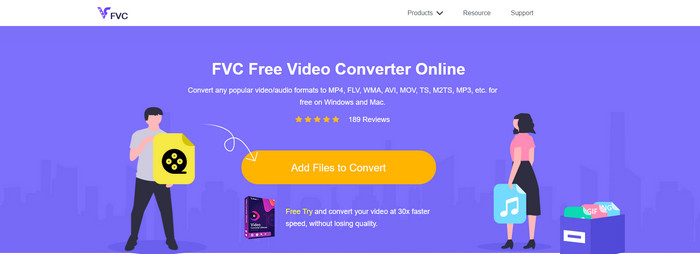
Если вы задаётесь вопросом, можно ли бесплатно конвертировать M2TS в AVI, то это решение для вас — представляем FVC Free Video Converter. Этот онлайн‑инструмент — один из лучших конвертеров в сети. Кроме того, если у вас возникают сложности с изменением формата, он тоже поможет: вы можете менять битрейт, разрешение и частоту кадров. Хотя инструмент поддерживает средний набор различных форматов, у него всё же нет продвинутых функций, которые позволяют сделать итоговый результат выдающимся, как это может FVC Video Converter Ultimate. Однако, если вы не хотите платить и у вас есть доступ к интернету, этот вариант отлично подойдёт, чтобы конвертировать видео в новый формат.
Плюсы
- Никакого программного обеспечения не нужно загружать, потому что оно доступно в Интернете.
- Он поддерживает средние варианты формата, который вы можете выбрать.
- Бесплатно и без рекламы на интерфейсе сайта.
Минусы
- Для доступа к нему требуется подключение к Интернету.
- Некоторые форматы здесь не поддерживаются, а поддержка форматов ограничена.
Шаги по использованию онлайн‑конвертера в браузере
Шаг 1. Нажмите эту ссылку, чтобы открыть главный сайт онлайн‑конвертера. Не переживайте, переход по ссылке безопасен — мы проверили её сами.
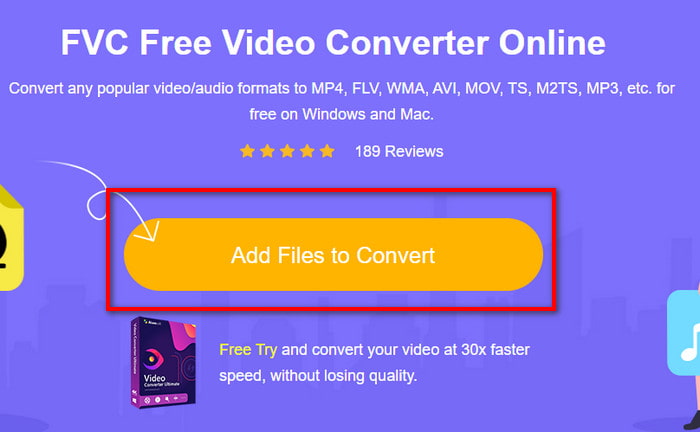
Шаг 2. Затем нажмите Add Files to Convert, после чего на экране откроется окно проводника. Выберите файл с расширением .m2ts и нажмите Open.
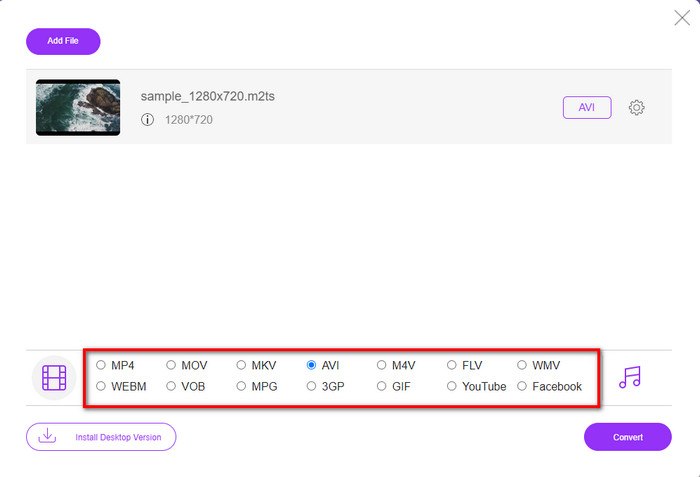
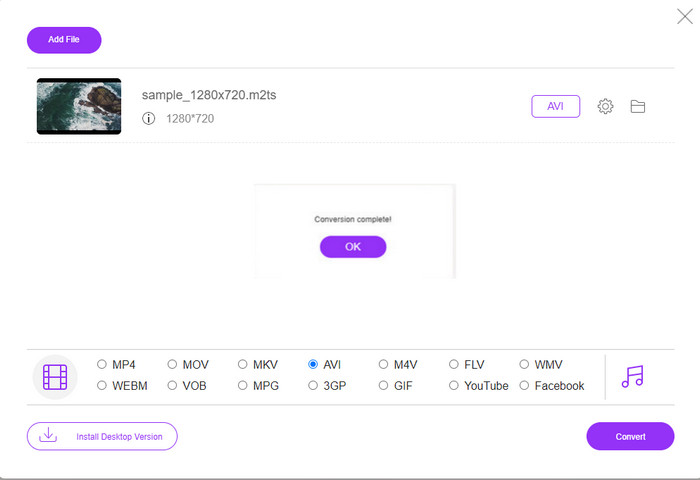
Шаг 3. После добавления файла на экране появится интерфейс с доступными вариантами форматов внизу; выберите из списка формат AVI.
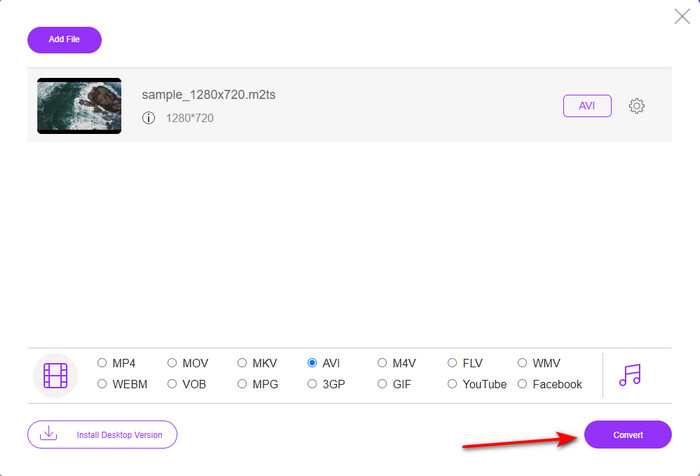
Шаг 4. Как только формат выбран, нажмите Convert, чтобы начать преобразование файла в AVI.
Шаг 5. Конвертация формата займёт примерно минуту; затем откроется папка с уже преобразованным файлом.
Часть 3. Второй способ - использовать Ultimate Tool для преобразования M2TS в AVI в автономном режиме.
Если вам нужен инструмент, который работает заметно лучше большинства онлайн‑ и офлайн‑конвертеров, то FVC Video Converter Ultimate — идеальный вариант. Эта программа отлично справляется с разными задачами: редактированием, созданием GIF, изменением формата, увеличением громкости и многим другим. В программное обеспечение уже добавлено множество продвинутых, но простых в использовании функций, чтобы обеспечить пользователю максимально качественный результат. Да, верно, чтобы получить доступ к этому инструменту, нужно стать его пользователем‑клиентом. Но не расстраивайтесь: цена невысокая, а по качеству работы он превосходит многие другие конвертеры. Кроме того, программа поддерживает все известные форматы и, без сомнения, форматы файлов, с которыми работают ваши устройства или компьютер. И если вы хотите получить лучший опыт конвертации, следуйте приведённой ниже пошаговой инструкции по использованию этого конвертера M2TS в AVI.
Плюсы
- Он поддерживает гораздо более продвинутые функции, которые вы хотели бы использовать.
- Может конвертировать файл за несколько секунд благодаря аппаратному ускорению и быстрому преобразованию, которое обеспечивает этот инструмент.
- Доступен на всех платформах и поддерживает все форматы.
Минусы
- Чтобы получить доступ к инструменту, вам нужно будет заплатить.
- Сначала его необходимо загрузить на диск вашего компьютера.
Шаги по офлайн‑конвертации видеоформата M2TS в формат AVI
Шаг 1. Скачайте программу для своей платформы, нажав кнопку загрузки ниже. Затем установите её, выполните начальные настройки и запустите инструмент.
Бесплатная загрузкаДля Windows 7 или более поздних версийБезопасная загрузка
Бесплатная загрузкаДля MacOS 10.7 или более поздних версийБезопасная загрузка
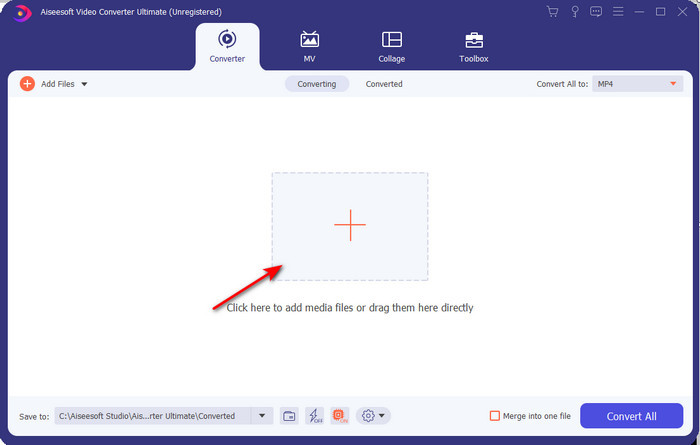
Шаг 2. Откройте программу, нажмите кнопку «+», чтобы добавить файл .m2ts из папки, и нажмите Open.
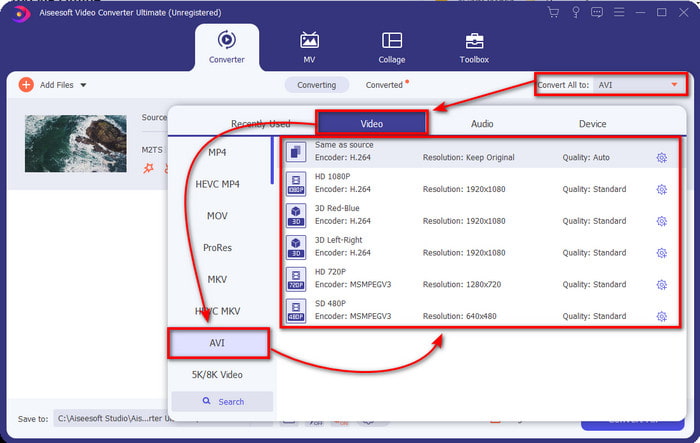
Шаг 3. Теперь в правом верхнем углу интерфейса вы увидите меню Convert All to — нажмите на него. После нажатия откроется подменю, в котором нужно найти в списке формат AVI.
Шаг 4. После выбора формата можно начинать конвертацию, нажав Convert All.
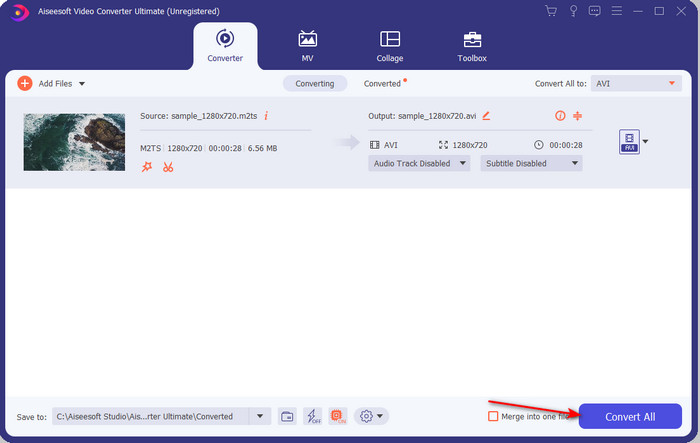
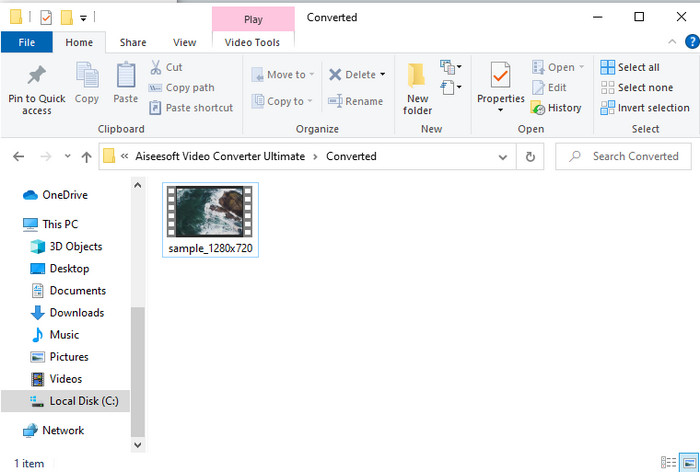
Шаг 5. Когда конвертация завершится, на экране откроется папка; нажмите на файл, чтобы посмотреть уже преобразованный .m2ts.
Часть 4. Часто задаваемые вопросы о M2TS и AVI
После конвертации M2TS в AVI качество остается?
После конвертации M2TS в AVI качество видео должно сохраниться. Однако есть вероятность, что качество изменится, если вы установите качество вывода на среднее или низкое. Этого можно избежать, если вы установите его в 1080 или 4k, но размер файла будет больше по сравнению с файлами низкого качества.
Почему я не могу воспроизвести M2TS на своем проигрывателе Windows Media?
Есть одна основная причина, по которой вы не можете воспроизвести файл с расширением .m2ts: он просто не поддерживается. Поэтому, если вы всё же хотите просмотреть свой .m2ts, вам необходимо либо конвертировать его, либо найти сторонний медиаплеер, который умеет воспроизводить файлы M2TS.
МТС и М2ТС разные?
Если сравнивать эти два формата, можно сказать, что принципиальной разницы между ними нет. Оба используют видеоформат AVCHD, который сохраняет максимально возможное качество изображения. Чтобы получить больше информации о файлах MTS и M2TS, прочитайте материал 'What Is Difference Between MTS and M2TS».
Заключение
Вместе мы нашли различные методы преобразования файла M2TS в AVI. Когда мы исследовали каждый инструмент по отдельности, мы обнаружили, что FVC Video Converter Ultimate хорошо справляется с преобразованием файлов. Итак, в конце мы предлагаем вам скачать феноменальный конвертер, чтобы упростить конвертацию и испытать самый быстрый процесс конвертации.
-
 Как конвертировать M2TS в MKV бесплатно и онлайн
 Хотите конвертировать M2TS в MKV, сохранив исходное качество? В этом посте показаны бесплатные онлайн-методы для преобразования M2TS в MKV без потерь.
-
 [2021] 6 лучших бесплатных онлайн-способов конвертировать M2TS в MP3
 Можно ли преобразовать файл M2TS в MP3? В этом посте мы перечислили 6 лучших бесплатных онлайн-способов конвертировать M2TS в MP3, AAC, AIFF и другие аудиоформаты.
-
 Как конвертировать M2TS в MOV бесплатно [онлайн и офлайн]
 Вам нужно преобразовать M2TS в MOV для воспроизведения видеофайлов на нескольких проигрывателях и платформах? Эта статья поможет вам найти лучший онлайн / офлайн метод преобразования M2TS в MOV на Windows / Mac.
