


 Видео конвертер Ultimate
 Устройство записи экрана
 Видео ремонт
Овладейте искусством преобразования файла OGV в формат AVI через Интернет и офлайн
Файлы OGV — это открытый формат, разработанный Xiph.org, который имеет ту же структуру, что и OGG Vorbis. Кроме того, этот формат может содержать один или несколько кодеков для сжатия видеопотоков. Однако при воспроизведении файла .ogv в Windows Media Player или QuickTime не поддерживаются такие кодеки, как Theora, Daala или Dirac. В этом случае вы не сможете просмотреть видео по причинам несовместимости. Решение этой проблемы — конвертировать файл в более широко поддерживаемый формат, например AVI. В этой статье перечислены конвертеры, которые вы можете использовать, и описано, как конвертировать файлы OGV в AVI.
Часть 1. OGV и AVI — обзор
Как сообщалось ранее, OGV — это файлы с открытым исходным кодом, в которых хранятся высококачественные видеопотоки. Но если вы хотите синхронизировать воспроизведение медиафайлов, то AVI должен быть выбором. Хотя эти два контейнера по-прежнему удобны в использовании, у них есть свое предназначение. Давайте определим их назначение, найдя дополнительную информацию об этих двух форматах.
OGV
Еще одной целью OGV является воспроизведение видео в HTML 5, потому что это один из лучших незапатентованных форматов, которые вы можете вставлять в Интернет. С обновленным HTML 5 вам не понадобится подключаемый модуль для воспроизведения видео в Интернете. Кроме того, этот формат дает веб-дизайнеру поддержку мультимедиа и удобство. Хотя файлы OGV поддерживают потоковое видео в формате HTML 5, этот формат по-прежнему не поддерживает другие медиаплееры для воспроизведения этого формата.
AVI
Между тем, формат AVI уже получает широкую поддержку со стороны всех медиаплееров и редакторов по сравнению с OGV. И из-за его несжатого формата размер файла, сохраненного в этом формате, намного больше, чем в другом формате мультимедиа. Хотя файлы более обширны, вы все же можете использовать различные типы кодеков для сжатия этого формата и сохранения их меньшего размера. Однако если вы сжимаете файл под этот формат, то ожидайте, что качество видео изменится.
И теперь, когда у нас есть представление об этих двух форматах, самое время конвертировать OGV в AVI на Linux, ПК и Mac. Чтобы воспроизвести его на локальном медиаплеере или отредактировать видео, необходимо преобразовать файл в AVI.
Часть 2. Лучший автономный конвертер для преобразования OGV в AVI
FVC Видеоконвертер Ultimate
Хотите узнать, какой конвертер OGV в AVI лучше всего подходит и обеспечивает самый быстрый и безопасный процесс конвертации? Если да, то FVC Video Converter Ultimate — отличный выбор. Среди всех конвертеров, которые мы нашли и протестировали в интернете, этот инструмент не имеет равных и действительно обеспечивает выдающееся качество результата. В этом программном обеспечении есть множество продвинутых функций в наборе инструментов, таких как редактор, объединение, сжатие и многое другое. Кроме того, процесс конвертации в 30 раз быстрее, поскольку программа использует аппаратное ускорение и обеспечивает более высокую скорость конвертации по сравнению с другими онлайн- и офлайн-конвертерами.
Более того, если вы хотите выполнить пакетное преобразование, вы можете легко сделать это здесь, не напрягаясь. Кроме того, интерфейс и расширенные функции доступны как для пользователей Windows, так и для Mac. Итак, теперь давайте перейдем к шагам по преобразованию вашего файла OGV в новый формат AVI в течение нескольких секунд, выполнив следующие шаги.
Шаг 1. Прежде чем конвертировать OGV в AVI на Windows или Mac, сначала загрузите программу. Установите её на жёсткий диск компьютера и нажмите Start Now, чтобы запустить её в системе.
Бесплатная загрузкаДля Windows 7 или более поздних версийБезопасная загрузка
Бесплатная загрузкаДля MacOS 10.7 или более поздних версийБезопасная загрузка
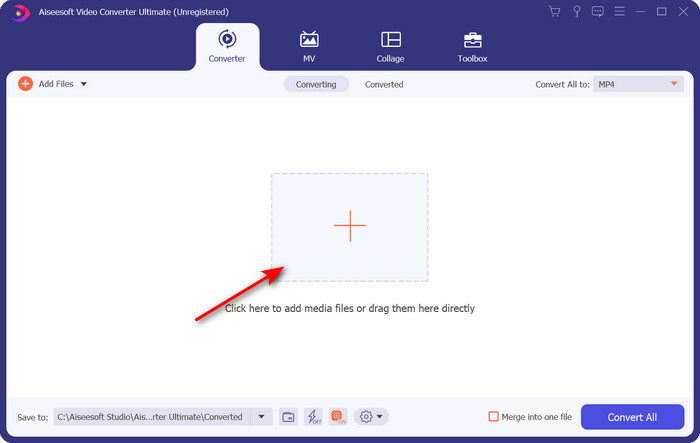
Шаг 2. Загрузите файл .ogv, нажав кнопку с символом +; откроется окно проводника, где вы сможете найти файл, затем нажмите Open.
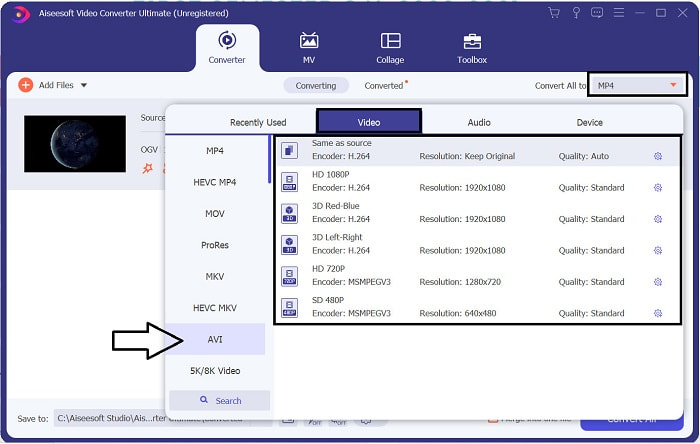
Шаг 3. После загрузки файла нажмите Convert All to, выберите формат AVI или другой формат, в который вы хотите получить конечный результат.
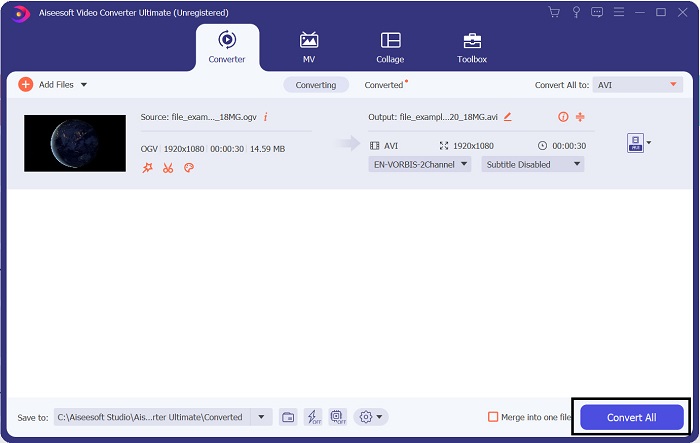
Шаг 4. Нажмите Convert All, чтобы запустить процесс конвертации; он займёт всего несколько секунд благодаря высокой скорости конвертации, поддерживаемой этим инструментом.
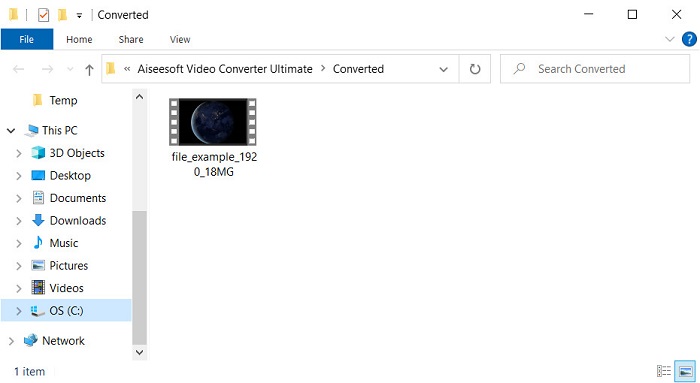
Шаг 5. По завершении конвертации на экране откроется папка, содержащая файл .avi; нажмите на файл, чтобы просмотреть его в вашем медиаплеере.
Часть 3. Лучший бесплатный конвертер OGV в AVI, доступный онлайн
Бесплатный конвертер видео FVC онлайн
Не хотите загружать конвертер на диск и предпочитаете бесплатно конвертировать OGV в AVI онлайн? Тогда FVC Free Video Converter Online — лучший вариант. Сегодня конвертацию можно выполнить онлайн, просто найдя в интернете веб-инструмент, который поможет вам. Однако не все веб-сервисы поддерживают такие форматы, как .ogv. Хотя существует несколько надёжных конвертеров, этот онлайн-конвертер считается самым безопасным, не содержит рекламы и является любимым выбором многих пользователей. Чтобы продолжить и конвертировать свои OGV-файлы без установки какого-либо конвертера и без ограничений, выполните следующие шаги.
Шаг 1. Перейдите на официальный сайт FVC Free Video Converter Online, нажав на эту ссылку.
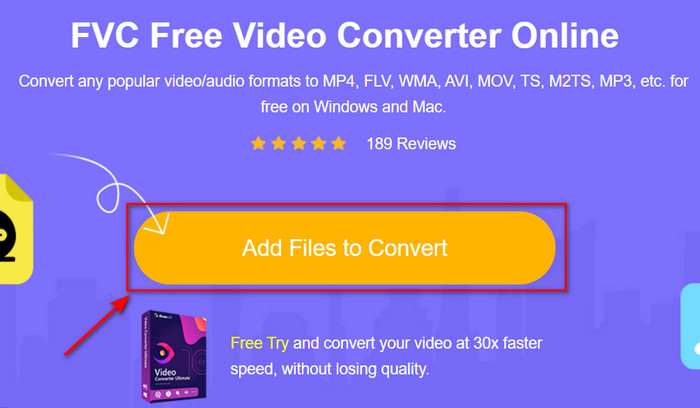
Шаг 2. Когда сайт откроется, нажмите Add Files to Convert, чтобы загрузить лаунчер. Нажмите эту кнопку ещё раз, чтобы открыть папку с файлами .ogv, затем нажмите Open для загрузки. Дополнительная информация: хотя здесь нет ограничений на количество конвертаций, вы всё же не сможете выполнять пакетное преобразование.
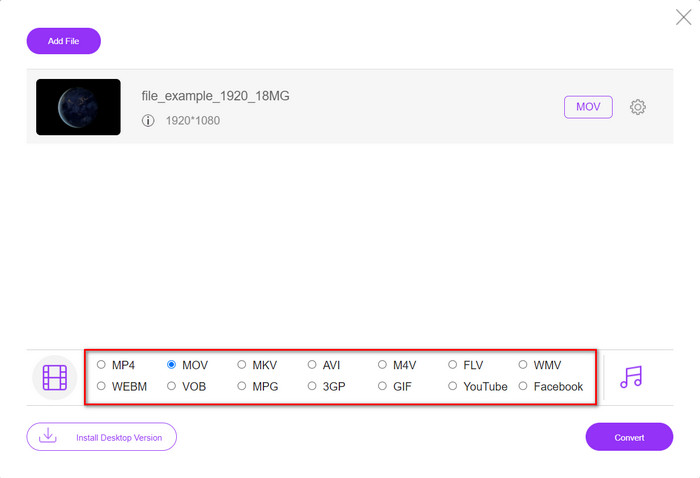
Шаг 3. В подменю выберите формат AVI и нажмите на него.
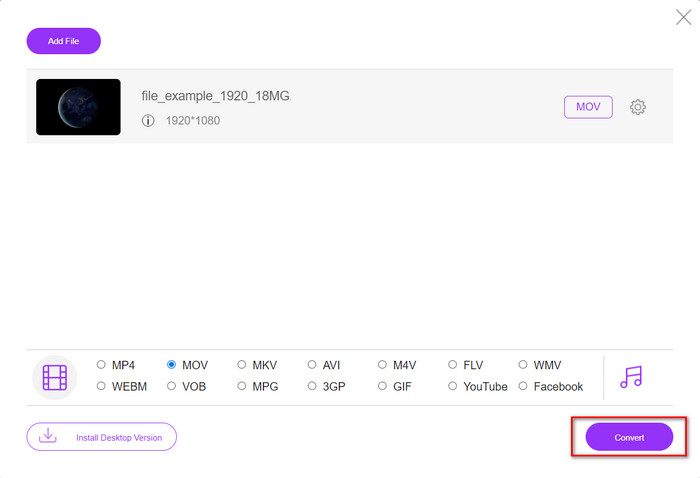
Шаг 4. Начните конвертацию формата OGV в AVI, нажав кнопку Convert.
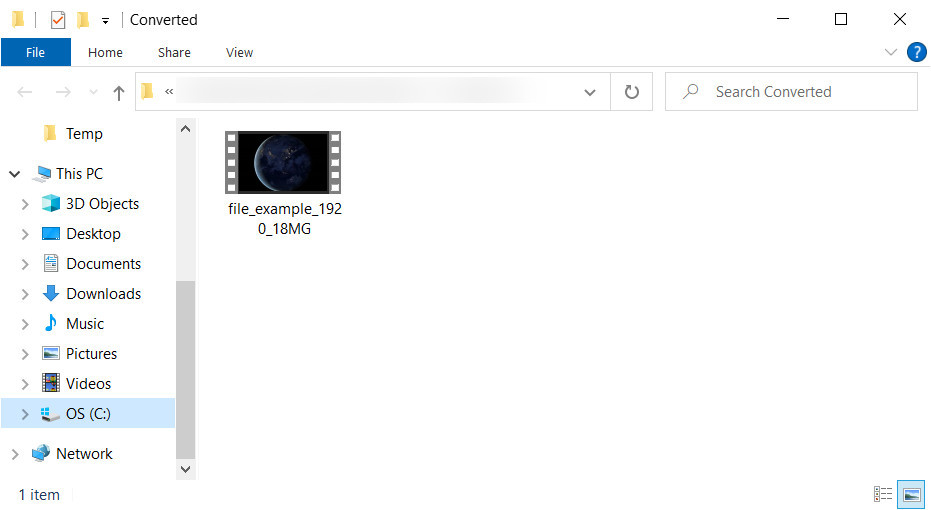
Шаг 5. Конвертация файла скоро завершится; появится папка с файлом .avi.
Часть 4. Часто задаваемые вопросы о преобразовании OGV в AVI
Могу ли я воспроизвести .ogv на VLC?
Да, вы можете воспроизвести видеофайл .ogv в плеере VLC — это делается очень просто, и VLC является одним из самых популярных медиаплееров, которые можно бесплатно скачать. Но если вы хотите узнать о 5 лучших альтернативах VLC, нажмите эту ссылку, чтобы познакомиться с другими медиаплеерами для ПК и Mac.
OGG и OGV это одно и то же?
Xiph.org основал OGG и OGV как один из лучших форматов, которые вы можете использовать, в которых используются такие кодеки, как Vorbis и Theora. Хотя .ogg может содержать видео и аудио, он по-прежнему лучше всего подходит для аудио по сравнению с видео. Напротив, .ogv — лучший формат для видео- и аудиофайлов.
После конвертации .ogv качество стало меньше?
Это зависит от того, какой конвертер вы используете, потому что некоторые конвертеры OGV не обеспечивают высокое качество выхода. В отличие от FVC Video Converter Ultimate, этот инструмент позволяет регулировать качество — низкое, среднее или высокое, — чтобы сделать итоговый файл более качественным и при этом компактным по размеру.
Заключение
Все упомянутые в этой статье конвертеры преобразуют OGV в AVI без потери качества. Лучше всего выбрать такой конвертер, который обеспечивает наиболее эффективный способ преобразования формата. Если вы хотите конвертировать один файл, не тратя деньги, используйте FVC Free Video Converter Online. Но если вы хотите выполнять пакетное преобразование без труда и без необходимости постоянно искать интернет-соединение, вам следует загрузить FVC Video Converter Ultimate.
-
 2 из лучших вариантов конвертера файлов RMVB в AVI [онлайн и офлайн]
 Не знаете, как конвертировать RMVB в AVI? В этой статье основное внимание уделяется конвертерам, которые вы можете использовать для преобразования RMVB в AVI, будь то онлайн или офлайн.
-
 Как конвертировать XviD в AVI без потери качества видео [2025]
 Вы хотите преобразовать ваш файл XviD в AVI? Если это так, прочтите эту статью, поскольку мы больше говорим о XviD и о том, как преобразовать ваш файл XviD в формат AVI.
-
 Лучшая стратегия преобразования файла DV в формат AVI с подробными инструкциями
 Вы хотите преобразовать ваш DV-файл в AVI? Затем прочтите эту статью, чтобы узнать об уникальном инструменте, который вы можете использовать для конвертации, и о медиаплеере для воспроизведения вашего DV на вашем ПК или Mac.
