


 Видео конвертер Ultimate
 Устройство записи экрана
 Видео ремонт
Подробный обзор 5 лучших конвертеров для конвертации OGV в WMV
Не знаете, как вообще конвертировать OGV в WMV и воспроизвести файл в Windows Media Player? Вам повезло: сегодня мы представим разные инструменты, с помощью которых можно конвертировать файл OGV. Хотите узнать, что это за пять инструментов? В конце вы также узнаете, как конвертировать ваш OGV‑файл в WMV. Так что пристегнитесь — мы не хотим заставлять вас ждать дольше, и давайте сразу начнём наше небольшое путешествие.

Часть 1. 5 лучших конвертеров OGV в WMV онлайн и офлайн
Вверх 1. Конвертер видео FVC Ultimate
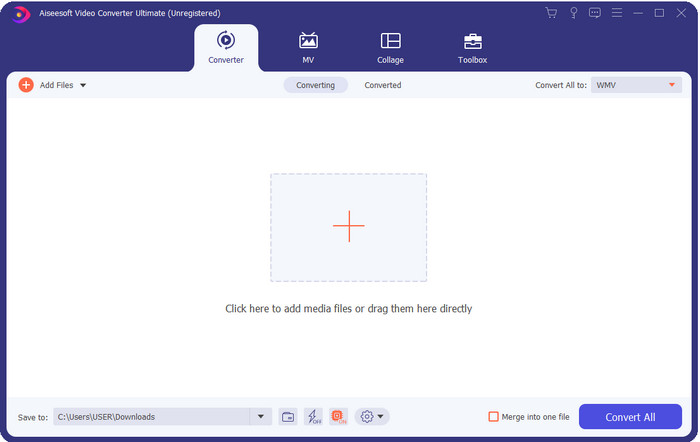
FVC Video Converter Ultimate — один из лучших конвертеров OGV в WMV, которые можно установить на компьютер. Этот инструмент обеспечивает невероятно высокую скорость конвертации, что уже впечатлило многих пользователей. Более того, конвертация — не единственная сильная сторона программы. Здесь вы можете пользоваться продвинутыми функциями редактирования, чтобы сделать видео более выразительным, уменьшить его размер или объединить несколько роликов. В целом, если вы только начинаете разбираться в преобразовании форматов, это лучший выбор: вы сможете конвертировать файлы без лишних усилий, проще простого — и при этом получить профессиональный результат.
Бесплатная загрузкаДля Windows 7 или более поздних версийБезопасная загрузка
Бесплатная загрузкаДля MacOS 10.7 или более поздних версийБезопасная загрузка
Плюсы
- Конвертируйте OGV в WMV, AVI, MOV, MP4 и более 200 доступных форматов менее чем за минуту.
- Его сильной стороной является преобразование и расширенные функции редактирования, которые вам понадобятся.
- Невероятный конвертер, который может использовать любой, даже без опыта, надежный и легкий.
- Доступно во всех операционных системах для загрузки на Windows и Mac.
Минусы
- Чтобы приобрести это программное обеспечение, вам необходимо сначала приобрести его.
- Загрузите его на диск вашего компьютера.
Вверх 2. Медиаплеер VLC
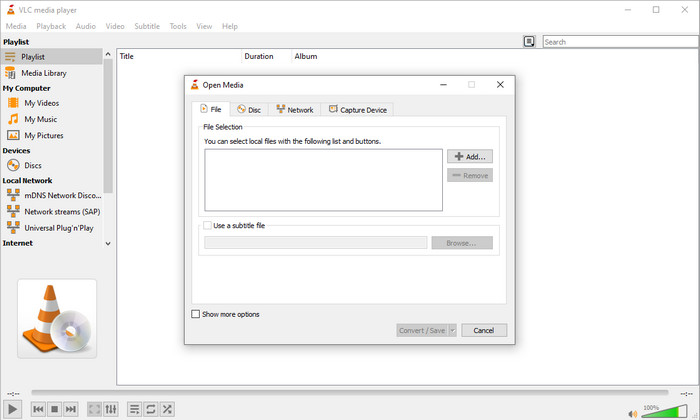
VLC Media Player — один из самых скачиваемых и доступных медиаплееров для любых устройств. Этот видеоплеер также может конвертировать ваш OGV в WMV или в другой нужный вам формат. Хотя плеер и умеет конвертировать, ему всё же не хватает поддержки некоторых форматов, особенно когда нужно преобразовать файл в строго определённый тип. Но если VLC уже установлен на вашем компьютере, почему бы не попробовать использовать его как видеоплеер‑конвертер, чтобы изменить формат?.
Плюсы
- Бесплатная загрузка и поддержка различных форматов для воспроизведения и конвертации.
- Доступно на всех устройствах для использования.
- Быстрый процесс конвертации.
Минусы
- Он поддерживает ограниченный формат, который вы можете выбрать.
- Не ваш типичный конвертер.
- Требуется много шагов, прежде чем вы сможете конвертировать.
Топ 3. Конвертировать
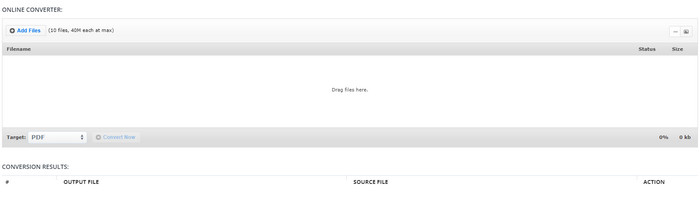
Aconvert поможет вам в задаче конвертации файлов OGV. Этот онлайн‑конвертер OGV в WMV обеспечивает достаточно удобный процесс преобразования, чтобы вы испытывали меньше неудобств. Однако на веб‑интерфейсе конвертера очень много рекламы, что может сильно раздражать. Кроме того, этот инструмент ограничивает ваш опыт: конвертировать можно только до десяти раз, а размер каждого файла — не более 40 МБ. Но не стоит переживать: сервис бесплатен для всех пользователей интернета, которые хотят конвертировать файлы онлайн.
Плюсы
- Доступно в Интернете для использования.
- Он поддерживает известный формат, который вы можете вставить.
- Дружественный интерфейс.
Минусы
- Формат опций для конечного вывода имел много недостатков.
- На сайте много надоедливой рекламы.
Топ 4. Video2Edit.com
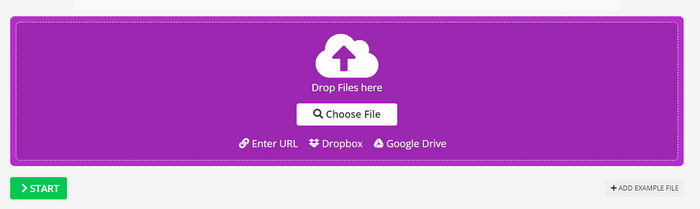
Video2Edit.com похож на Aconvert, но даже лучше, потому что здесь вы можете изменить настройки видео до того, как конвертировать OGV в WMV. Также можно поменять аудиокодек — доступно три варианта. Кроме того, этот конвертер позволяет сделать ещё много разных вещей. Но есть и недостатки: список поддерживаемых форматов ограничен, на сайте тоже есть реклама, а сам процесс конвертации довольно медленный.
Плюсы
- Многофункциональный преобразователь.
- Доступно во всей сети, доступ к которому может получить любой.
- Он может модифицировать видео и аудио кодеки.
Минусы
- Реклама в интерфейсе.
- Процесс конвертации занимает много времени.
Топ 5. Бесплатный онлайн-конвертер видео FVC
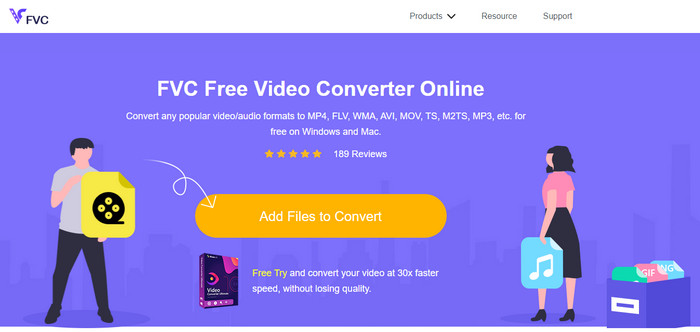
FVC Free Video Converter Online обеспечивает более качественный процесс конвертации OGV в WMV, чем VLC, Aconvert и Video2Edit.com. Этот онлайн‑сервис даёт практически профессиональный результат, сравнимый с FVC Video Converter Ultimate, хотя и поддерживает не все форматы, доступные в настольной версии. Более того, вы можете настроить качество и повысить разрешение для лучшего результата. Ещё одно преимущество — отсутствие навязчивой рекламы во время конвертации. Вы сможете спокойно работать, без всплывающих объявлений, и конвертировать файлы без каких‑либо ограничений по количеству и размеру.
Плюсы
- Он поддерживает больше форматов, чем VLC, Adconvert и Video2Edit.
- Он может изменить ваши характеристики видео и аудио.
- Простой доступ к веб-конвертеру в любое время и в любом месте, где есть подключение к Интернету.
- В интерфейсе нет рекламы, и он выглядит более профессионально.
Минусы
- Если у вас нет Интернета, вы не сможете использовать этот конвертер, как два других онлайн-конвертера.
- Нет функций редактирования.
Часть 2. Как конвертировать OGV в WMV с помощью FVC Video Converter Ultimate
А теперь, если вас впечатлили возможности FVC Video Converter Ultimate, обязательно прочтите следующее. Чтобы понять, как конвертировать OGV в WMV с помощью этого мощного инструмента, просто выполните описанные ниже шаги.
Шаги по конвертации OGV в WMV с помощью FVC Video Converter Ultimate:
Шаг 1. Скачайте программу‑конвертер для Windows или Mac, следуйте подсказкам установщика и запустите конвертер.
Бесплатная загрузкаДля Windows 7 или более поздних версийБезопасная загрузка
Бесплатная загрузкаДля MacOS 10.7 или более поздних версийБезопасная загрузка
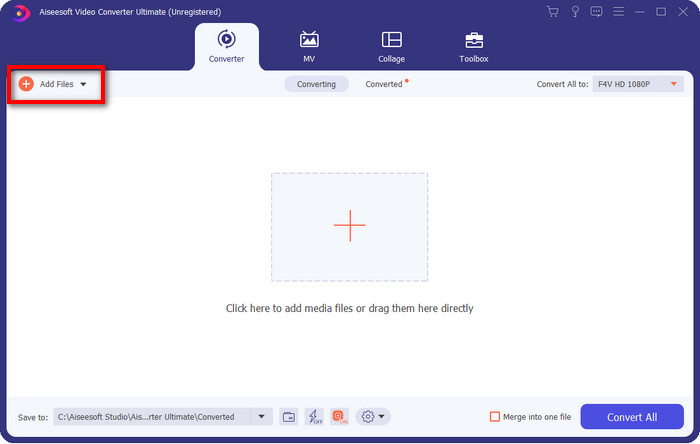
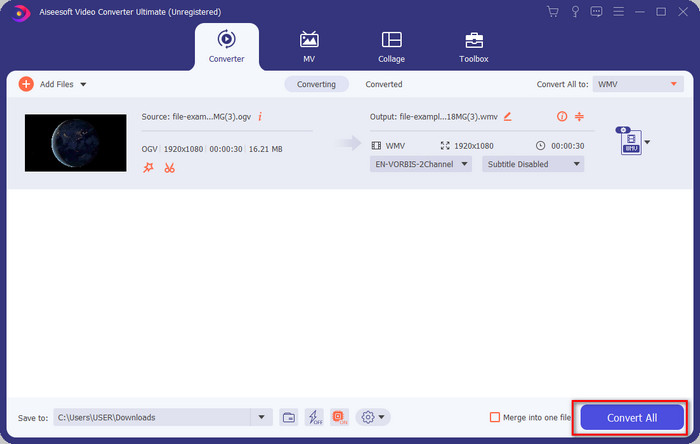
Шаг 2. После запуска конвертера загрузите файл OGV, нажав кнопку Add Files в левом верхнем углу интерфейса и выбрав Open.
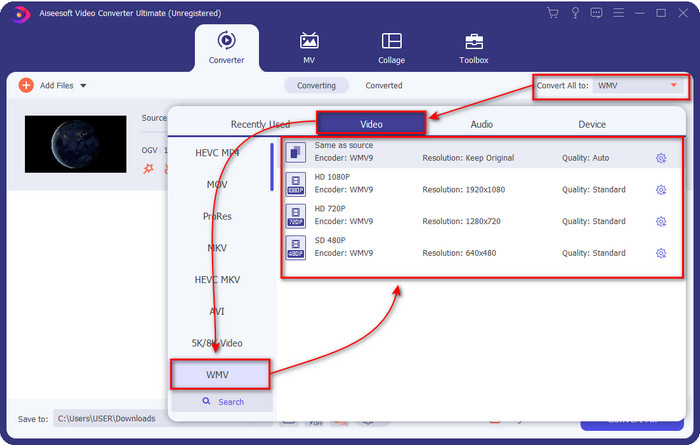
Шаг 3. После загрузки файла OGV выберите формат WMV в меню Convert All to.
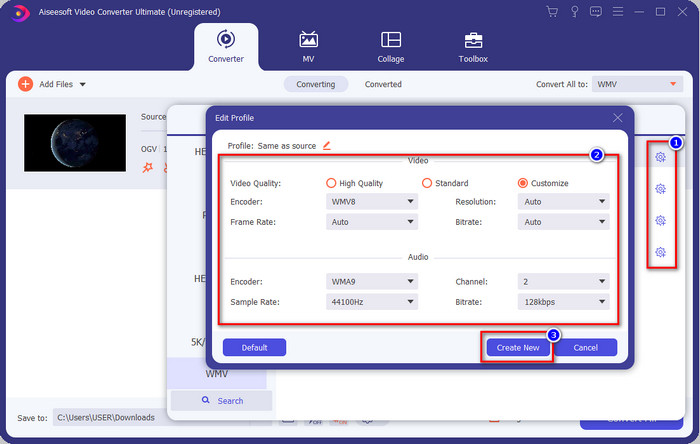
Необязательно: Хотите изменить сам профиль видео? Тогда нажмите значок шестерёнки, настройте кодировщик, частоту кадров или дискретизацию для видео и аудио. Чтобы сохранить изменения, нажмите Create New. После настройки вы увидите значок шестерёнки над выбранным форматом.
Шаг 4. Нажмите Convert All, чтобы запустить процесс. После завершения конвертации откроется папка на компьютере с готовым WMV‑файлом.
Часть 3. Сравнительная таблица
| Особенности конвертеров | FVC Видеоконвертер Ultimate | VLC Media Player | Конвертировать | Video2Edit.com | Бесплатный конвертер видео FVC онлайн |
| Преобразование форматов |  | | | | |
| Функции редактирования | |  | | | |
| Изменить настройки видео и аудио | | | | | |
| Интернет-зависимый | | | | | |
| Объявления бесплатно | | | | | |
Часть 4. Часто задаваемые вопросы о преобразовании OGV в WMV
Могу ли я использовать конвертер FFmpeg OGV в WMV?
Да, вы можете использовать FFmpeg для конвертирования OGV в WMV, но этот конвертер нельзя назвать удобным и понятным для обычного пользователя. Если вы всё же хотите воспользоваться этим инструментом, выполните следующие шаги. Запустите программу и пропишите путь к FFmpeg.exe в системе. Откройте Command Prompt (Командную строку) и перейдите к каталогу с OGV‑файлом, который нужно конвертировать. Затем введите команду ffmpeg -i input.ogv -vn -ar 44100 -ac 2 -b:a 192k output.wmv и нажмите Enter для начала обработки.
Можно ли играть в OGV на Mac?
Вы не сможете воспроизвести файлы OGV в QuickTime, потому что используемый кодек в этом формате не поддерживается. Но есть способ сделать их совместимыми с Mac — нужно конвертировать их в MOV. Хотите узнать, как преобразовать OGV в MOV? Тогда перейдите по этой ссылке.
Являются ли OGV и OGG одним и тем же форматом?
OGV и OGG — это точные контейнеры, но у них есть различия в том, что они содержат. Например, файлы OGG могут хранить высококачественный звук, но не видео. Напротив, OGV может хранить высококачественный аудио- и видеоконтент.
Заключение
Теперь, когда мы познакомились с конвертерами OGV в WMV, которые вы можете использовать, пришло время выбрать подходящий инструмент. Хотя все представленные программы вам помогут, мы выяснили, что FVC Video Converter Ultimate действительно обеспечивает высокий уровень качества для своих пользователей. Трудно поверить, на что способен этот инструмент. Выбор теперь за вами, но если вы ещё не определились, мы рекомендуем остановиться на FVC Video Converter Ultimate. Хотите узнать о программе ещё больше? Просто скачайте её и пользуйтесь без каких‑либо ограничений.
-
 2 самых популярных конвертера, доступных для преобразования файлов OGV в AVI [2021]
 Хотите конвертировать файлы OGV в AVI? В этой статье представлены два лучших решения, которые вы можете использовать, чтобы сделать ваше преобразование безопасным и быстрым, не теряя доверия к видео.
-
 Потрясающий конвертер OGV в FLV, который вы не должны пропустить [Проверено]
 Если вам интересно, как быстро преобразовать файлы OGV в FLV, эта статья покажет вам единственный конвертер, который вам когда-либо понадобится.
-
 3 способа бесплатно конвертировать файлы M2TS в WMV на Windows / Mac / в Интернете
 Вот 3 простых способа конвертировать видео M2TS в WMV. Вы можете быстро изменить формат видео с M2TS на WMV на Windows, Mac и в Интернете. Пакетное преобразование поддерживается.
