


 Видео конвертер Ultimate
 Устройство записи экрана
 Видео ремонт
Отличные методы подтверждения преобразования TRP в AVI [2021]
Файлы виде высокой чёткости, хранящиеся в транспортном формате MPEG‑2 Part 1, известны как файлы TRP. С помощью этого программного обеспечения выполняется мультиплексирование цифровых видеои аудиопотоков с их синхронизацией на выходе. Оно также включает функции коррекции ошибок. Термин TRP часто используется в цифровом телевещании. Файлы TRP обычно содержат видео- и аудиоданные в форматах H.264 и AC3. Их можно просматривать и воспроизводить с помощью различных видеоплееров. Столкнувшись с этим новым форматом видеофайлов, который может показаться некоторым пользователям непривычным, вы можете задуматься, как конвертировать такой файл в другой формат, например TRP в AVI? Продолжайте читать эту статью, потому что мы представим возможное решение, которое поможет вам справиться с этой проблемой.

Часть 1. Введение в подробности о видеоформатах TRP и AVI
Формат файла TRP представляет собой тип файла цифрового видео, который соответствует требованиям кодирования видео MPEG-2. Расширение файла .trp используется для файлов TRP. В качестве альтернативы, эти файлы TRP называются видеофайлами высокой четкости MPEG-2. Кроме того, файл TRP содержит цифровой звук в кодировке A3C. Эти файлы .trp включают транспортные протоколы высокого разрешения для потоков DVD (цифровое видеовещание). Определенные телевизионные приставки и цифровые видеомагнитофоны используют эти файлы TRP для трансляции содержимого DVD. Эти файлы .trp можно просмотреть и воспроизвести с помощью видеопроигрывателей и мультимедийных инструментов, таких как медиаплеер VLC группы проекта Video LAN. Дополнительные преобразователи цифрового видео и инструменты редактирования могут создавать, открывать, редактировать и преобразовывать файлы TRP в другие стандартные форматы цифрового видео.
Однако формат Audio and Video Interleaved (AVI) позволяет в цифровом виде хранить аудио- и видеоданные в файле AVI для последующего воспроизведения. Все версии операционных систем Microsoft Windows имеют встроенную поддержку формата AVI. Расширение файла .avi используется для обозначения файлов AVI. Формат AVI поддерживается всеми основными операционными системами, в том числе и Windows. В контейнер AVI можно помещать видео- и аудиофайлы, созданные с использованием различных кодеков, таких как DivX или XviD. Здесь мы рассмотрели преимущества и недостатки формата AVI, а также кратко его историю, структуру и способы конвертации.
Часть 2. Как конвертировать TRP в AVI в автономном режиме
Начиная с офлайн-конвертации TRP в AVI, этот лучший инструмент надёжен при восстановлении и преобразовании широкого спектра форматов. Video Converter Ultimate может конвертировать TRP в AVI максимально быстро. Кроме того, вы можете изменить качество выходного видео перед загрузкой файла. Этот конвертер также включает различные инструменты, которые помогут вам вывести ваш видеофайл на новый уровень. Поскольку он поддерживает множество видеоформатов, вам не придётся беспокоиться о конвертации незнакомых видеоформатов в нужный вам формат. Теперь, когда вы узнали об этом лучшем конвертере, вы можете ознакомиться с процедурами, приведёнными ниже:
Шаг 1. Для начала нажмите кнопку Бесплатная загрузка ниже, чтобы запустить процесс загрузки. После завершения загрузки вы можете выбрать, скачивать ли программу для Windows или для Mac, в зависимости от предпочтений. Прежде чем просто запустить программу, необходимо установить её на рабочий стол компьютера и нажать Начать сейчас, чтобы приступить к работе.
Бесплатная загрузкаДля Windows 7 или более поздних версийБезопасная загрузка
Бесплатная загрузкаДля MacOS 10.7 или более поздних версийБезопасная загрузка
Шаг 2. Запустите загруженное приложение. При первом запуске программы появится окно с интерфейсом Converter. Здесь вы будете добавлять свой видеофайл и начинать конвертацию.
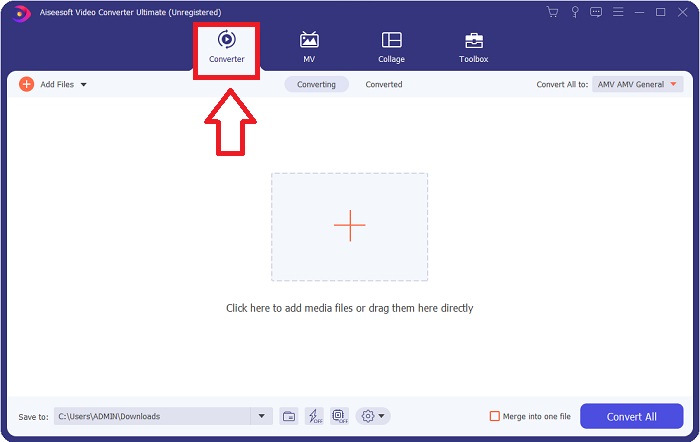
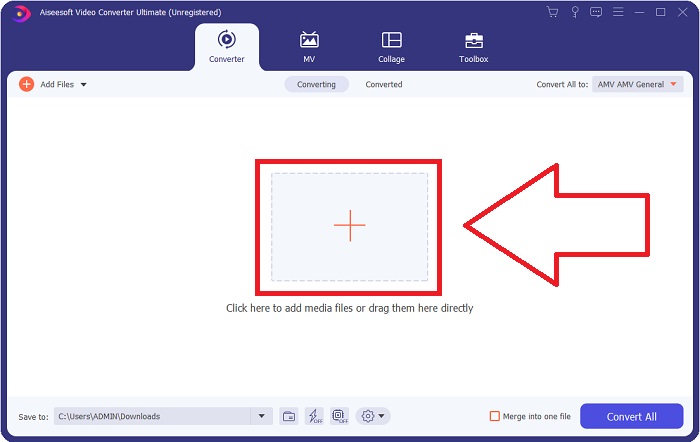
Шаг 3. Импортируйте файлы в программу, перетащив видеофайл или нажав на значок +.
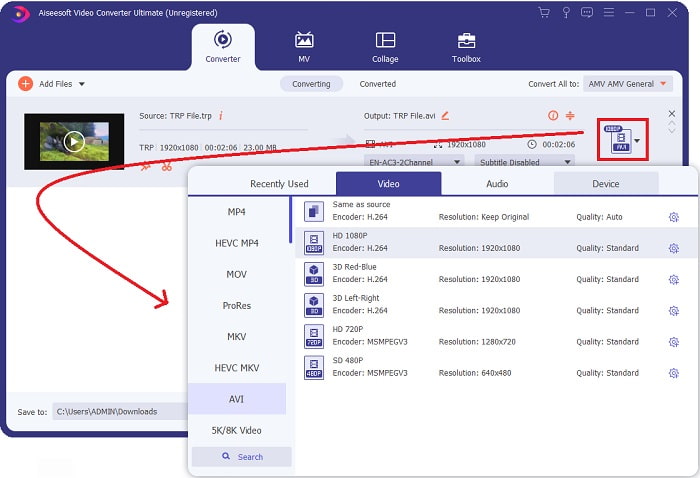
Шаг 4: В правом верхнем углу нажмите значок стрелки вниз рядом с опцией Конвертировать всё в, чтобы открыть панель. Затем перейдите к списку категорий Видео и выберите видеоформат AVI. Однако если нужный вам выходной формат видео отсутствует в списке, вы можете изменить параметры качества в соответствии со своими потребностями. Нажав на значок шестерёнки, вы можете изменить разрешение, частоту кадров и даже качество звука. Чтобы сохранить изменения, нажмите кнопку Создать новый.
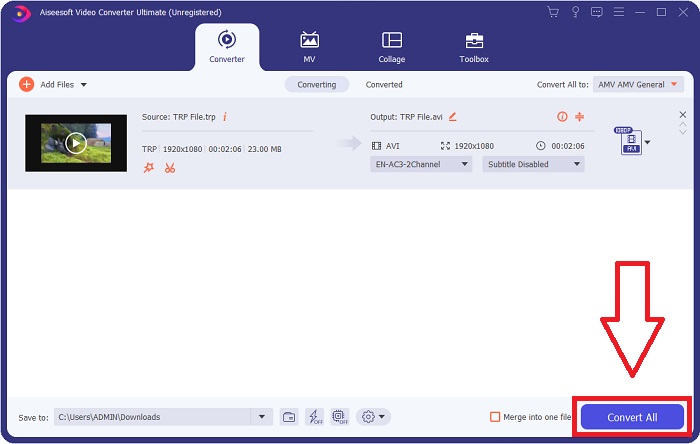
Шаг 5. Когда вы закончите редактирование видео и оно будет готово к конвертации, нажмите Конвертировать всё, чтобы начать процесс переноса готового файла на ваш компьютер.
Часть 3. Как конвертировать TRP в AVI онлайн
Если у вас нет времени скачивать Video Converter Ultimate, вы можете воспользоваться и онлайн-версией этого программного обеспечения. Free Video Converter Online — лучший онлайн‑инструмент, доступный в интернете, который может быстро конвертировать множество форматов. В отличие от других онлайн‑конвертеров, этот конвертер не ограничивает количество поддерживаемых форматов, поэтому он рекомендуется начинающим пользователям. Чтобы узнать больше об этом онлайн‑инструменте, ознакомьтесь с процедурами, приведёнными ниже.
Шаг 1. Перейдите на главный сайт онлайн‑конвертера FTVideo Converter, нажав на эту ссылку.
Шаг 2. Если вы используете его впервые, нажмите кнопку Добавить файлы для конвертации, чтобы скачать лаунчер для вашего компьютера. После загрузки он автоматически запустится. Затем выберите файл в вашей папке и нажмите Открыть.
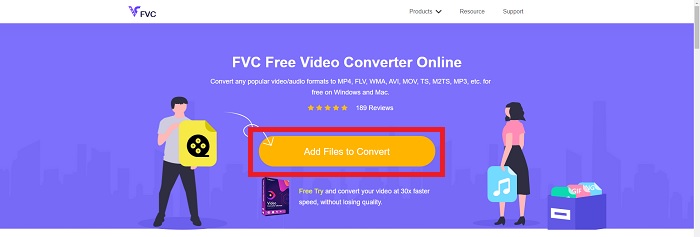
Шаг 3. Перед началом процесса конвертации выберите формат AVI в выпадающем меню ниже, щёлкнув по нему.
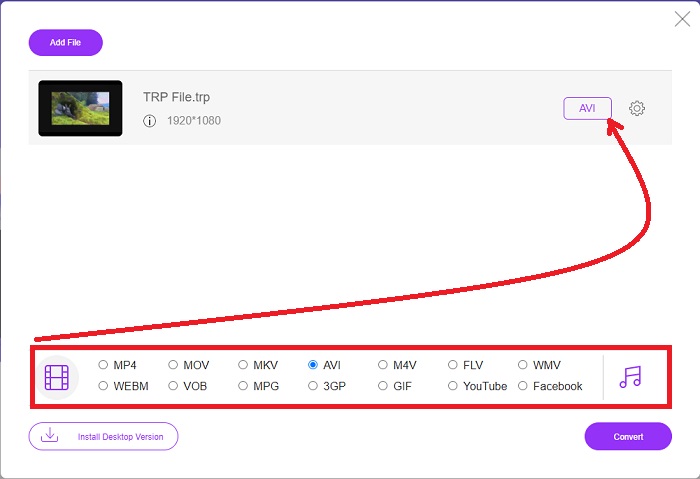
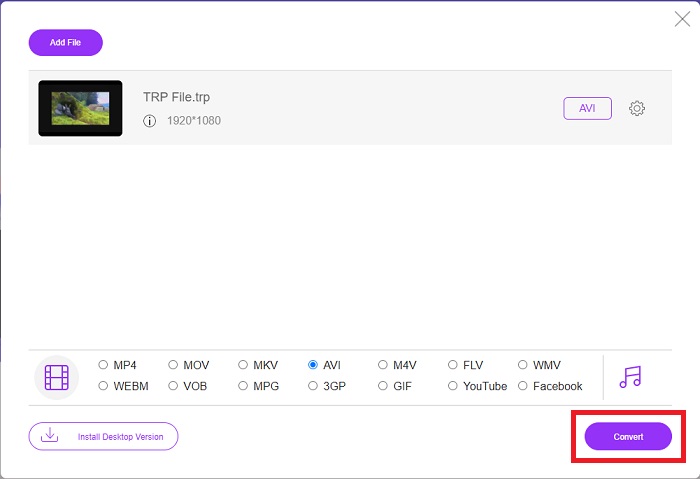
Шаг 4. После выбора формата нажмите Конвертировать, чтобы начать процесс преобразования файла в другой формат.
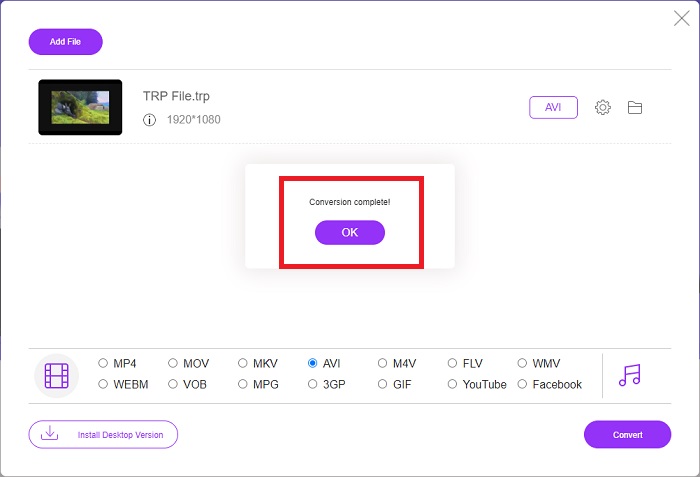
Шаг 5. Через несколько минут появится папка с преобразованным файлом; просто нажмите на неё, чтобы начать просмотр.
Часть 4. Сравнение TRP и AVI
| Особенности | FVC Видеоконвертер Ultimate | Бесплатный конвертер видео FVC |
| Пакетное преобразование |  |  |
| Аппаратное ускорение и ускорение конвертации | | |
| Интернет-соединение | | |
| Улучшение или редактирование видео | | |
| Программа Поддерживается | Веб-инструмент | Настольный инструмент |
Часть 5. Часто задаваемые вопросы о преобразовании TRP в AVI
Какая польза от AVI?
AVI — это аббревиатура от Audio Video Interleaved. AVI — это видео‑ и аудиоформат файла, используемый для цифрового хранения аудио- и видеоданных с целью последующего воспроизведения. Он также используется для хранения видеоданных. Формат AVI по умолчанию поддерживается во всех версиях операционной системы Microsoft Windows. Расширение файла для AVI — .avi.
В чем недостатки AVI?
Слабое сжатие и потеря соотношения сторон при увеличении окна медиаплеера — наиболее распространённые проблемы, с которыми сталкиваются пользователи формата AVI. Можно конвертировать файл AVI в файл MP4. Поэтому, если вы работаете с файлами AVI, вы должны понимать важность такой конвертации.
В чем преимущество РВП?
Популярность TRP канала позволяет компаниям ориентироваться на аудиторию на основе их популярности и измерять рентабельность инвестиций. Используя этот метод, вещательные корпорации могут взимать с рекламодателей более высокие расценки, когда в эфире транслируются более популярные передачи.
Заключение
Учитывая всё вышесказанное, мы узнали, что Video Converter Ultimate — это лучший конвертер из описанных инструментов, который вам стоит рассмотреть. Поскольку он обеспечивает быструю конвертацию и поддерживает множество форматов, его можно рекомендовать как средство или программу для преобразования незнакомых видеоформатов, таких как TRP.
-
 Как конвертировать TS в AVI / MKV / MOV / WMV онлайн и бесплатно на Win / Mac
 Хотите быстро конвертировать файлы TS в AVI / MKV / MOV / WMV? В этой статье представлены онлайн и офлайн-конвертеры видео с полным руководством. Может быть, здесь вы найдете лучший бесплатный конвертер TS.
-
 [Бесплатно и онлайн] 7 способов конвертировать MTS в AVI на компьютере Mac / Windows
 Как с легкостью конвертировать MTS в AVI? В этом руководстве вы найдете 7 бесплатных и простых способов конвертировать файлы MTS в AVI на Windows или Mac без потери качества.
-
 Учебник по преобразованию файлов MP4 в AVI с помощью 7 бесплатных видео конвертеров
 Хотите получить все бесплатные способы конвертировать видео AVI в MP4? Вы не должны пропустить эту статью. Вот 7 способов бесплатно конвертировать файлы AVI в MP4 на Windows, Mac, iPhone, Android и в Интернете.
