


 Видео конвертер Ultimate
 Устройство записи экрана
 Видео ремонт
В подробных обзорах о 3 веб- и настольных конвертерах, используемых для преобразования файлов WMV в AVI
There will be a time that you want to convert your file into a new one because they aren't playable. An excellent example in this situation is the WMV format. If you are a Windows user, you have already heard of this format. It stores different video and audio files in one container. However, this format doesn't gain support from most of the media players. So the best way to watch the video file stored in the file extension of .wmv is to convert. If you're asking the same question as others, can you convert WMV to AVI? Then try to proceed below as we accumulate different web tools you can use with the steps provided.
Часть 1. Лучшие конвертеры 3 для бесплатной конвертации WMV в AVI онлайн
Топ 1. Бесплатный онлайн-конвертер видео FVC
Converting can be quickly done if you have internet access and use this FVC Free Video Converter Online. This software supports a much faster and better conversion, unlike other webtool. Also, you will not need to wait for the file to upload because this tool doesn't want you to wait for too long. Another good thing about this web tool is the built-in converted video library this tool provides. To access the video or audio, you convert efficiently and effectively. However, if you don't have internet access, you can't use this just like the other web tool below. Moreover, if you want to try this tool, then here are some provided steps you can follow to convert WMV to AVI for free online.
Step 1. First, go to the main website of the FVC by clicking this link.
Step 2. Then click Add Files to Convert to install the launcher of the web tool. No need to worry because it is only just a few bytes, and it is safe also. If the installer is on your drive, re-click the Add Files to Convert, choose the .wmv format on the folder, and click Open.
Скачайте версию для ПК, чтобы конвертировать файлы пакетно.
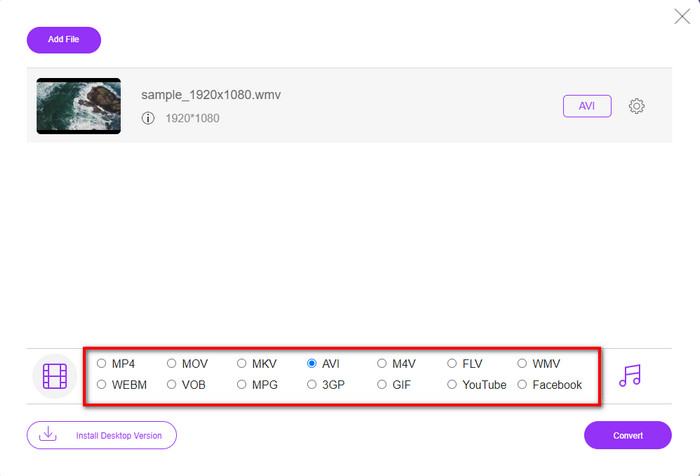
Step 3. Once the WMV file is on the interface, you must now choose the AVI format on the options available below.
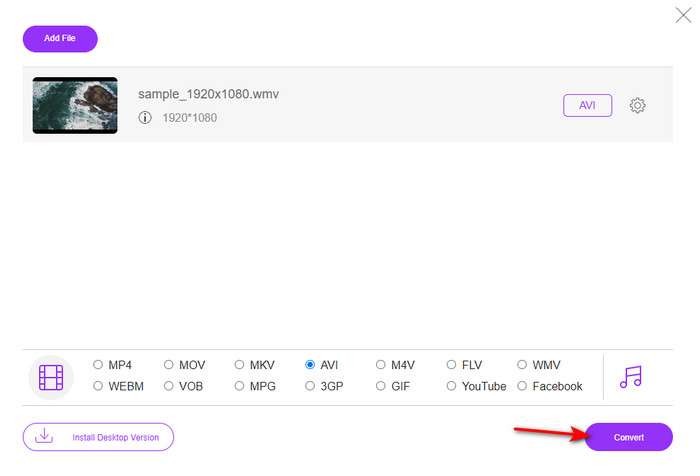
Step 4. After selecting the format, it is now the right time to convert it by clicking Convert.
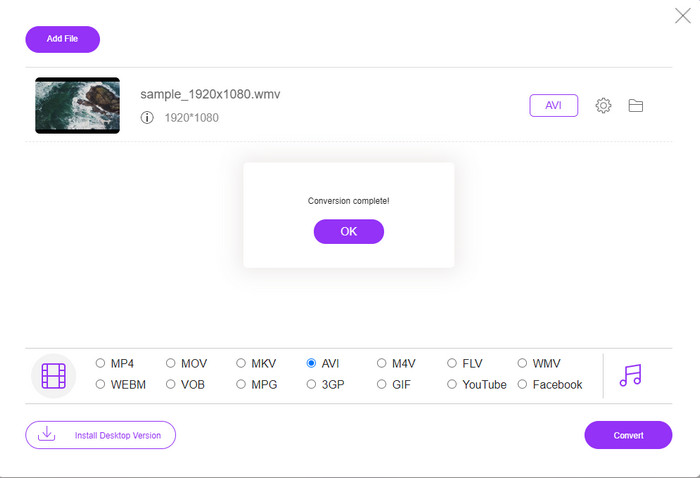
Step 5. Wait for a few minutes for the process to end, and if it is a folder containing your converted file will show on your screen. Then click it to watch the new WMV format you've made with this tool.
Топ 2. Преобразование
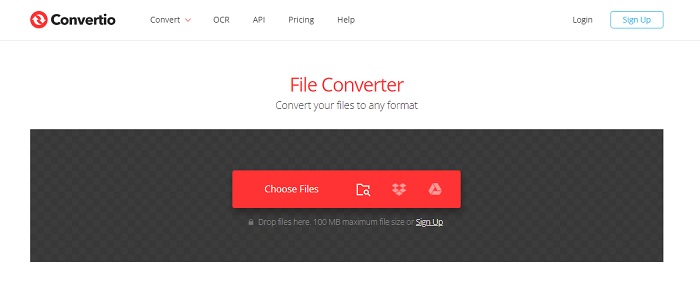
Another online converter you can use to convert WMV files to AVI for free is the Convertio. Unlike the web tool mentioned first, you will not need a launcher to use it. Also, you can convert PDFs, images, audio, and more in this tool. However, the major drawback is that uploading and downloading files will take a lot of time. Also, it doesn't have a built-in library containing all the converted files you've made. So now, if you want to use this as your converter, then follow these steps.
Step 1. Go to your favorite browser and search Convertio.io.
Step 2. Click Choose File and locate the WMV file you want to convert to the folder. Then click the drop-down button and choose AVI.
Step 3. The uploading process will take your time, and click Download to save the converted format.
Топ 3. CloudConvert
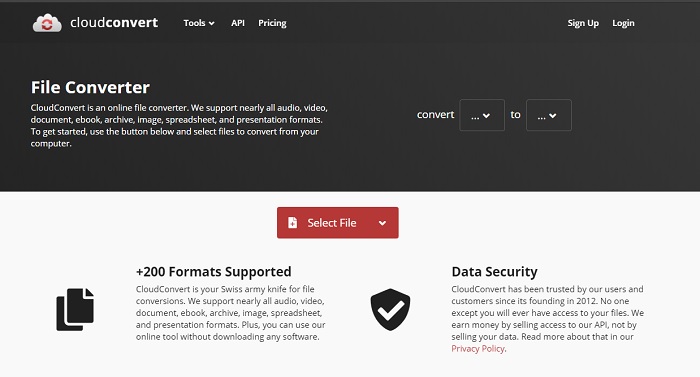
CloudConvert supports small-scale formats you can choose to convert on. Also, the conversion process here is safe and doesn't keep a record of your converting process. Just like the Convertio, this tool doesn't have a library as well. And the process of converting format here is so much slower as it doesn't support hardware acceleration to boost the conversion speed. Moreover, if you want to experience a free convert WMV to AVI online, copy the steps below.
Step 1. Open your web browser and search the Cloud Convert.
Step 2. Press Select File, then search for the .wmv file on the folder that will show on your screen.
Step 3. Click Convert to, choose the AVI format, click the Convert button, click Download after the conversion.
Часть 2. Как преобразовать WMV в AVI на Mac и ПК с помощью конвертера Lightning Speed
The online software mentioned above can't copy what FVC Video Converter Ultimate provides to its customers. If you are looking for a multi-purpose tool, this must be the best choice. Also, you can use this software as a converter, editor, GIF maker, and more. Moreover, this software is more than expected on what it can do and how fast it can finish. The overall performance of this tool amazes us and if you want to be surprised too, then download this phenomenal converter on your desktop. And now, let's proceed with converting WMV to AVI on Mac and PC by following the step-by-step procedure we made below.
Step 1. Before you can access the tool, you will need to download it first and choose which platform you are currently using. Then install the software on your desktop and so the quick set-up takes less than a minute.
Бесплатная загрузкаДля Windows 7 или более поздних версийБезопасная загрузка
Бесплатная загрузкаДля MacOS 10.7 или более поздних версийБезопасная загрузка
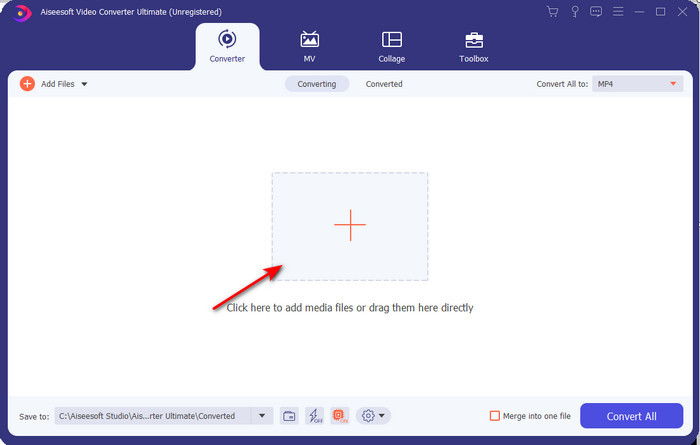
Step 2. Open the software to proceed to the next step; after launching it, you will see a + sign; click it to add the files, then select Open.
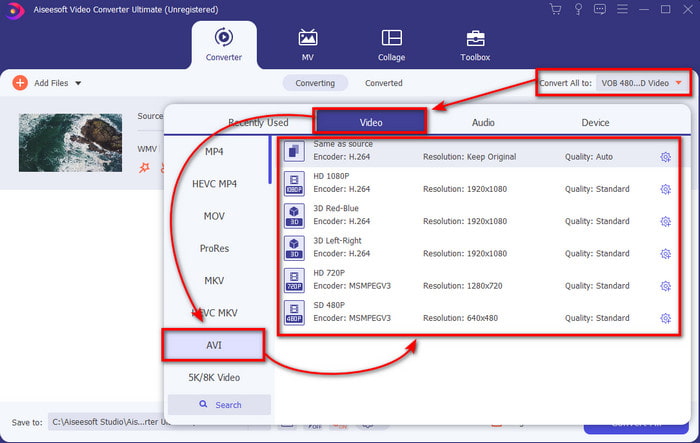
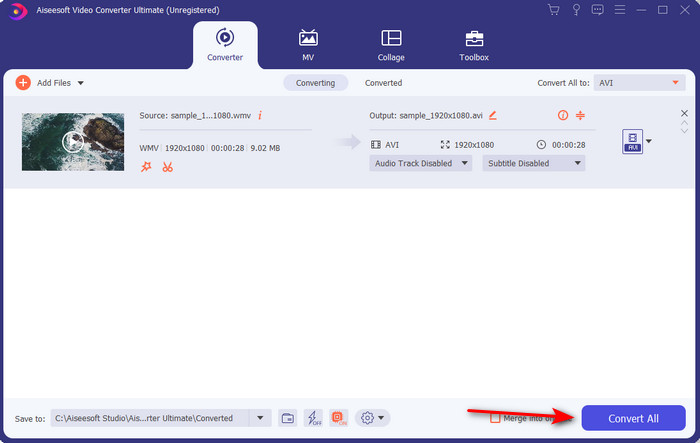
Step 3. To change the format, click the drop-down menu of Convert All to and choose AVI on the submenu.
Step 4. So now, to convert the WMV file to AVI successfully, click Convert All and wait for several seconds for the process to be done.
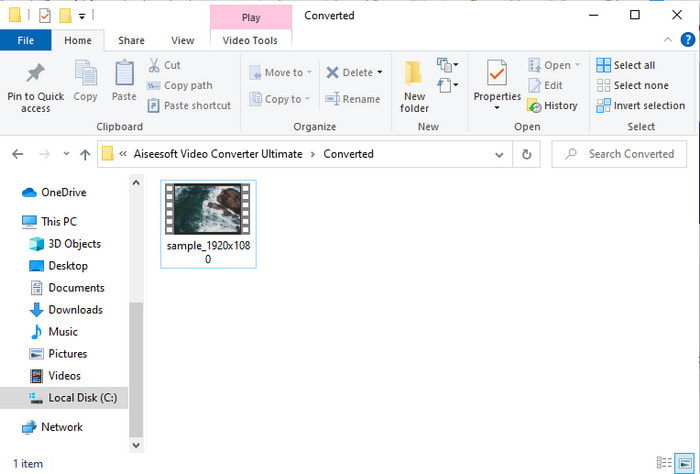
Step 5. After converting, a folder will show on your screen with the converted file you made a few seconds ago. To watch it click the video file and enjoy your converted WMV file without losing the quality.
Часть 3. WMV VS AVI; Какой формат работает лучше всего
WMV и AVI — одни из лучших контейнеров для видеофайлов, которые вы хотели бы использовать. Два упомянутых формата могут содержать высококачественное видео и аудио, но теперь давайте определим их различия, прочитав эту сравнительную таблицу.
| WMV | AVI | |
| Также известен как | Видео Windows Media | Аудио Видео Взаимосвязь |
| Лучшее использование для | Раньше он превращал большой файл в меньший для хорошо структурированного потокового видео в Интернете. | Используется для хранения видео и аудио по отдельности и их одновременного воспроизведения без каких-либо задержек. |
| Разработано | Microsoft | Microsoft |
| Недостатки формата | Он получает меньше внимания и поддержки со стороны медиаплееров. | Нужен кодек, чтобы сжать этот большой файл в гораздо меньший, но в пределах допустимого. |
WMV против AVI
Созданный Microsoft, WMV был одним из самых распространенных видеоформатов еще в 2000-х годах. Его можно просмотреть в Интернете и воспроизвести с помощью различных медиаплееров в Windows. И это также формат видеофайла по умолчанию для проигрывателя Windows Media. Но в последнее время его захватили другие форматы.
Основанный на формате файла обмена ресурсами (RIFF), формат AVI был представлен Microsoft в 1992 году. Он может сохранять высококачественное видео/аудио, поскольку использует меньшее сжатие. Но это также приводит к большому размеру файла AVI, что может быть проблемой при ограниченном пространстве.
Часть 4. Часто задаваемые вопросы о форматах WMV и AVI
Влияет ли преобразование WMV в AVI на качество?
Качество файла WMV при конвертации в AVI не должно меняться. Однако предположим, что ваш WMV изменился, а качество упало. В этом случае используемый вами конвертер не поддерживает высококачественный пиксель вашего видео.
Изменится ли размер моего WMV после конвертации?
Размер файла WMV может немного отличаться от исходного размера файла. Есть причина, по которой он меняется. Одна из причин заключается в том, что сжатый файл становится несжатым, поэтому размер файла изменяется. Но изменения должны быть близки к исходному размеру файла и не должны быть слишком большими.
Могу ли я использовать WMV для прикрепления видео к электронному письму?
Да, идеально использовать формат WMV и прикреплять видео к электронному письму, потому что, по словам Microsoft, он поддерживает лучшее и более быстрое сжатие, чем MPEG-4. Кроме того, он известен как миниатюрный формат из-за того, насколько маленьким может быть размер файла. При этом качество видео остается.
Заключение
Когда мы закончим, нам будет легче понять, что не все платформы и программное обеспечение поддерживают WMV. Более того, веб-инструмент работает хорошо, но есть один инструмент, который может конвертировать пакетные файлы намного быстрее и проще: FVC Video Converter Ultimate. Предположим, вы хотите испытать феноменальное преобразование, которое обеспечивает это программное обеспечение. В этом случае вы должны загрузить его сейчас на свой рабочий стол и использовать.
-
 Как конвертировать WMV в MP4 бесплатно и онлайн [решено]
 Как конвертировать файлы WMV в MP4? Вот 4 простых способа конвертировать WMV в MP4 на Mac и Windows с помощью простых шагов.
-
 WMV в MP3 - Как конвертировать видео в аудио бесплатно [настольный/онлайн]
 Во время просмотра видео в формате WMV вы находите аудио часть увлекательной. Таким образом, вы хотите воспроизвести его на своем MP3-плеере. Но очевидно, что ваш плеер не поддерживает формат WMV. Это заставляет задуматься, есть ли способ конвертировать WMV в MP3.
-
 2 самых простых способа конвертировать файлы WMV в FLV на ПК / Mac
 Как вы можете конвертировать WMV в FLV? Во-первых, вам нужно прочитать наши рекомендации и найти свой любимый метод, а затем следовать нашему руководству, чтобы быстро выполнить работу.

