


 Видео конвертер Ultimate
 Устройство записи экрана
 Видео ремонт
 Безопасная загрузка
Несложные методы удаления логотипа iSkysoft из видео
iSkysoft — это отличное приложение с множеством полезных функций, благодаря которым оно выделяется среди других программ. Это простое приложение, позволяющее конвертировать видео из одного формата в другой и выполнять базовое редактирование. Однако самый неприятный момент этого ПО в том, что после его использования на видео появляется большой водяной знак iSkysoft. С таким крупным водяным знаком/логотипом смотреть видео совершенно некомфортно. К счастью, существуют надежные программы, с помощью которых можно удалить мешающие объекты, такие как логотип/водяной знак iSkysoft. Если вы хотите узнать лучшие способы, как удалить логотип iSkysoft с видео, обязательно прочтите эту статью.

Часть 1. Удаление логотипа iSkysoft из видео на рабочем столе
Логотип iSkysoft на экране действительно раздражает, особенно когда вы смотрите свои любимые видео. Но больше переживать не нужно. Вы можете избавиться от логотипа с помощью программы Video Converter Ultimate. Это надежное ПО помогает удалить логотип iSkysoft с видео двумя простыми способами: с помощью инструмента Video Watermark Remover и инструмента Video Cropper. С их помощью вы легко уберёте логотип iSkysoft с ролика. Если логотип iSkysoft находится в углу видео, рекомендуется воспользоваться инструментом Video Cropper. Но если логотип размещён по центру, лучше использовать инструмент Video Watermark Remover. Так вы сможете смотреть любимые фильмы и ролики, не раздражаясь из‑за логотипа.
Кроме того, помимо удаления водяных знаков из ваших видео, Video Converter Ultimate имеет больше функций. Он имеет видеоулучшитель, слияние видео, кадрирование, триммер, ротатор, конвертер и многое другое. Кроме того, одной из основных функций этого приложения является преобразование различных форматов видеофайлов. Непрофессиональные пользователи также могут использовать это приложение, поскольку оно имеет простой интерфейс. Если вы хотите узнать, как удалить логотип iSkysoft из своего видео, мы покажем вам два простых способа, которые предоставляет это приложение.
Использование удаления водяных знаков с видео
Шаг 1: Сначала скачайте на компьютер программу Video Converter Ultimate, чтобы пользоваться её возможностями. После загрузки выполните установку и запустите приложение.
Бесплатная загрузкаДля Windows 7 или более поздних версийБезопасная загрузка
Бесплатная загрузкаДля MacOS 10.7 или более поздних версийБезопасная загрузка
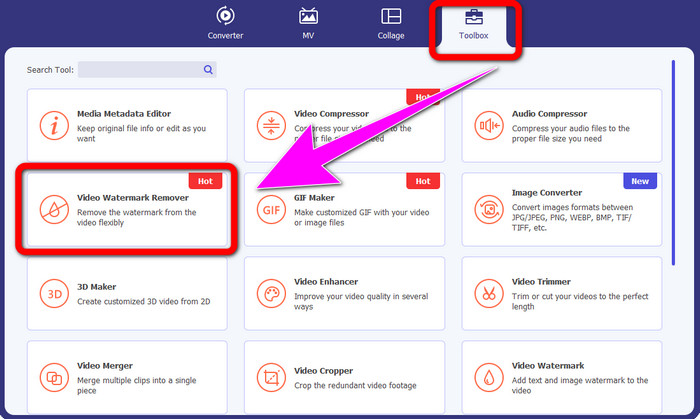
Шаг 2: После запуска программы перейдите на вкладку Toolbox и выберите инструмент Video Watermark Remover. На экране откроется новое окно.
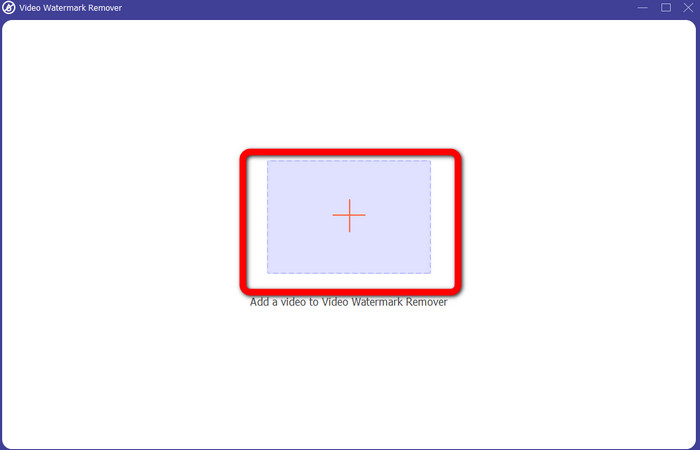
Шаг 3: Когда появится новый интерфейс, нажмите на значок плюса и добавьте видео с логотипом iSkysoft, который хотите удалить.
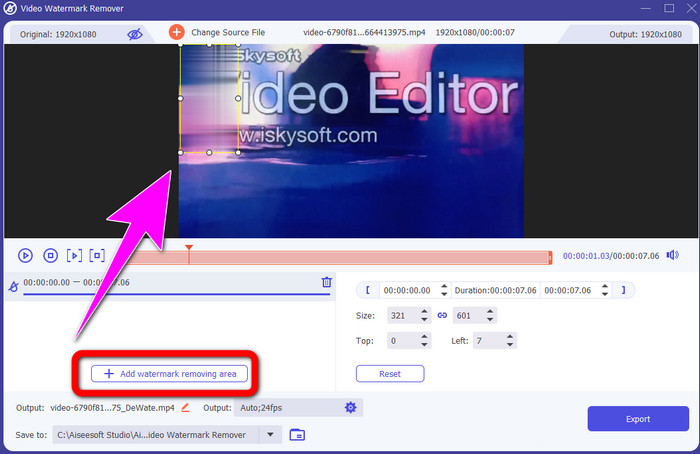
Шаг 4: Затем нажмите кнопку Add Watermark Removing Area. Переместите рамку по видео и закройте ею логотип iSkysoft.
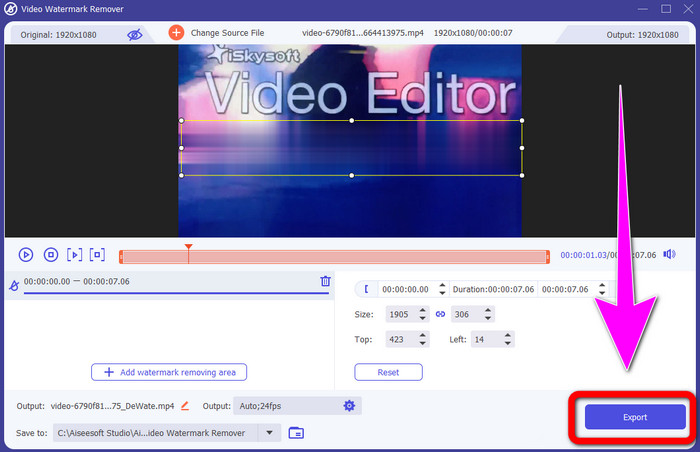
Шаг 5: Наконец, нажмите кнопку Export, чтобы сохранить готовое видео.
Использование обрезки видео
В этой части мы покажем вам, как удалить логотип iSkysoft из вашего видео с помощью инструмента Video Cropper.
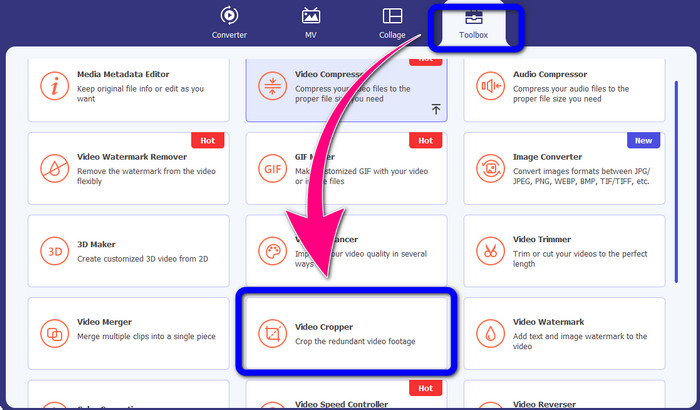
Шаг 1: Запустите приложение на компьютере. На вкладке Toolbox нажмите инструмент Video Cropper. Как и в случае с предыдущим инструментом, на экране появится ещё одно окно.
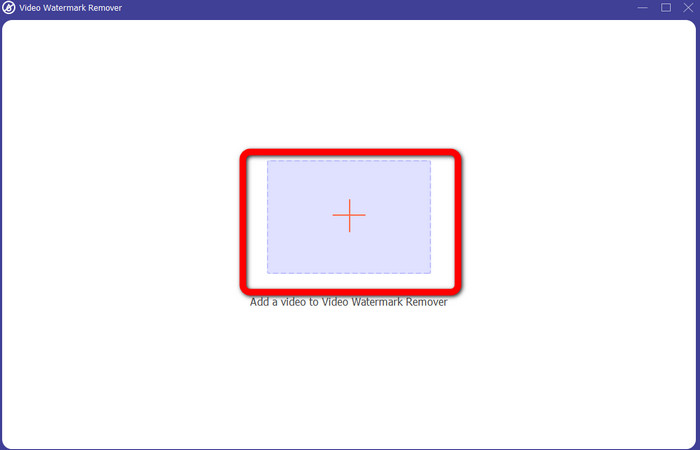
Шаг 2: Нажмите кнопку с плюсом, чтобы импортировать видео с логотипом iSkysoft.
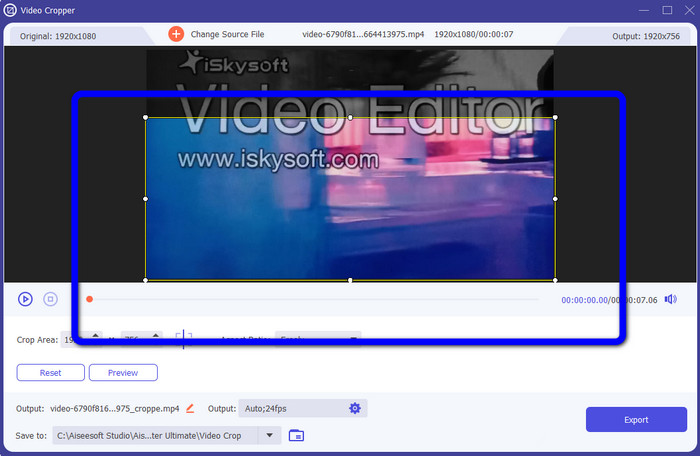
Шаг 3: На этом этапе вы можете обрезать видео, чтобы удалить логотип iSkysoft. Используйте мышь, чтобы перемещать границы кадра.
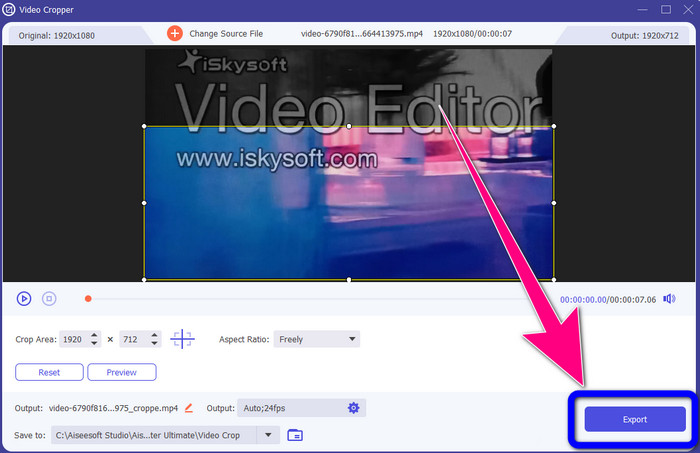
Шаг 4: На заключительном шаге нажмите кнопку Export и сохраните итоговый файл на компьютер.
Часть 2: Как удалить логотип iSkysoft из видео онлайн
Использование HitPaw
Вы также можете удалить логотип iSkysoft онлайн. Один из лучших инструментов для этого — HitPaw. Это онлайн‑приложение позволяет легко убрать логотип с видео. Им можно пользоваться как на компьютере, так и в браузере, что удобно для всех. Кроме того, HitPaw безопасен в использовании: он гарантирует, что ваши видео редактируются и просматриваются только вами. К тому же вам не нужно беспокоиться об ограничениях — у программы нет лимитов на количество логотипов, которые можно удалить с видео. Покупать это приложение не нужно, оно бесплатное. Однако, если вы удаляете логотип или любой
ненужные элементы из вашего видео, вы должны подождать немного дольше. Это приложение имеет медленную процедуру удаления, которая отнимает много времени у пользователей. Кроме того, это зависит от вашего интернет-соединения. Он будет работать хорошо, если у вас есть быстрое соединение. Но, если у вас медленное соединение, то ожидайте некоторой задержки. Следуйте простым шагам ниже, чтобы удалить логотип iSkysoft из ваших видео.
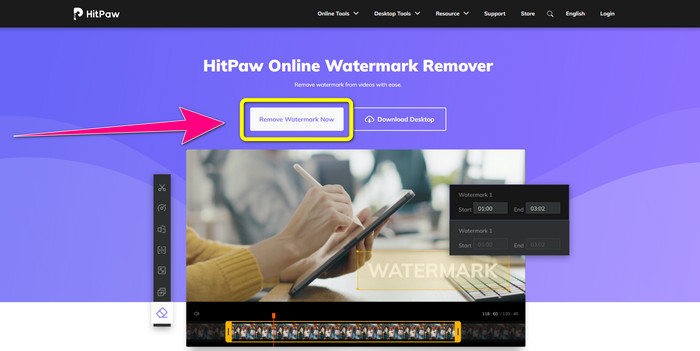
Шаг 1: Перейдите на сайт HitPaw. Нажмите кнопку Remove Watermark Now - Choose File, чтобы вставить видео с логотипом iSkysoft, который хотите удалить.
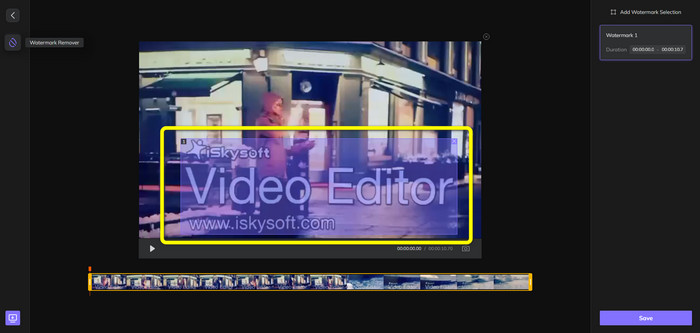
Шаг 2: После добавления видео на экране появится синяя рамка. Используйте её, чтобы закрыть логотип iSkysoft. Вы можете изменить размер рамки.
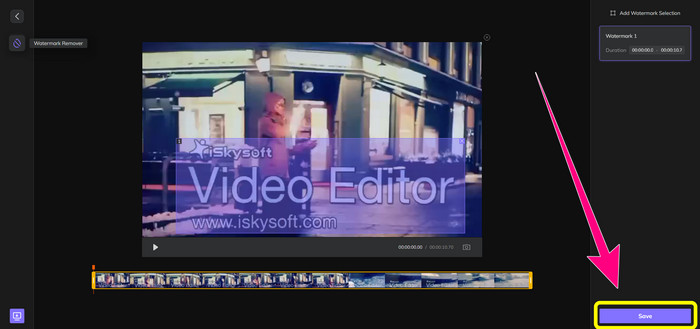
Шаг 3: Когда вы полностью закроете логотип iSkysoft на видео, нажмите кнопку Save. Дождитесь завершения процесса удаления и сохраните ролик.
Использование видео для удаления водяных знаков онлайн
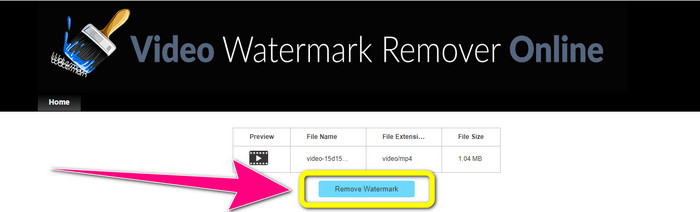
Ещё один онлайн‑инструмент, который вы можете использовать, — Video Watermark Remover Online. С его помощью можно удалить логотип iSkysoft с видео. Это также простое в использовании ПО, подходящее для непрофессионалов. Вы можете убрать любые раздражающие элементы с видео без потери качества. Однако в бесплатной версии есть ограничение на удаление логотипов: вы можете обработать только 5 видео. Если хотите обрабатывать больше файлов в Video Watermark Remover Online, нужно оформить подписку. Кроме того, вы не сможете сохранить результат в другом формате — только в исходном, что не слишком удобно. Наконец, обработка файлов происходит довольно медленно. Следуйте простым инструкциям ниже, чтобы удалить логотип iSkysoft с видео.
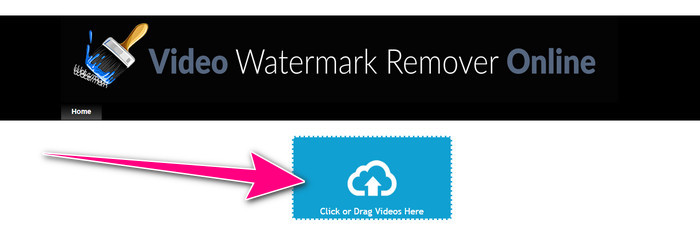
Шаг 1: Перейдите на сайт Video Watermark Remover Online. Нажмите кнопку Click or Drag Videos Here, чтобы импортировать видеофайл с логотипом iSkysoft, который хотите удалить.
Шаг 2: Затем нажмите кнопку Remove Watermark и дождитесь окончания процесса удаления.
Связанные материалы:
Самый быстрый способ удалить логотип с видео в Adobe Premiere Pro
Как удалить логотип с видео с помощью Windows Movie Maker
Часть 3. Часто задаваемые вопросы об удалении логотипа iSkysoft
Можно ли убрать логотип с картинки?
Да, вы можете использовать FVC Free Watermark Remover, чтобы легко и быстро стереть логотип с изображения.
Является ли удаление водяного знака незаконным?
Согласно разделу 1202 Закона США об авторском праве, удаление водяных знаков без разрешения владельца является незаконным.
Как удалить логотип бесплатно?
Вы можете использовать бесплатную пробную версию Video Converter Ultimate, чтобы бесплатно удалить логотип из видео.
Заключение
В этой статье были представлены отличные способы удалить логотип iSkysoft с видео с помощью настольных и онлайн‑инструментов. Но если вы ищете действительно удобную программу для удаления логотипов, скачайте Video Converter Ultimate. Это приложение обеспечивает быстрое удаление и доступно для всех пользователей.
-
 8 выдающихся средств для удаления водяных знаков с видео онлайн и офлайн
 Если вы ищете лучшее бесплатное программное обеспечение для удаления водяных знаков с видео, которое вы можете использовать на своих телефонах с Windows, Mac, iPhone и Android, эта статья для вас.
-
 Лучшие методы удаления водяного знака Biteable из видео
 Эта статья расскажет вам о самом надежном и фантастическом средстве для удаления водяных знаков. Эти замечательные приложения помогут вам решить эту проблему
-
 Простые в освоении процедуры удаления логотипа с видео
 Вы ищете лучшее и простое средство для удаления логотипа с видео? Тогда эта статья вам подойдет. Воспользуйтесь возможностью узнать об удалении логотипа из видео.
