


 Видео конвертер Ultimate
 Устройство записи экрана
 Видео ремонт
[Полный обзор] Каковы лучшие редакторы метаданных видео на рабочем столе
Метаданные видео могут помочь вам во многом; отличный пример — сортировка файлов по дате и времени, авторам, размеру файла и многим другим параметрам, то есть их упорядочивание. Хотя метаданные есть у каждого медиафайла, нам нередко нужно редактировать их по определённым причинам. Однако выбрать подходящее приложение бывает непросто, потому что на рынке представлено множество редакторов метаданных. Чтобы облегчить вам задачу, мы поможем рассмотреть разные редакторы для работы с вашими данными, доступные на рынке и ориентированные на высокий уровень качества. Все функции и возможности тщательно проверены, чтобы дать вам честный обзор каждого программного обеспечения. Давайте подробнее разберёмся с пятью лучшими редакторами метаданных видео, на которые вы можете положиться.

Часть 1. 5 лучших редакторов метаданных видео, доступных на рабочем столе в автономном режиме
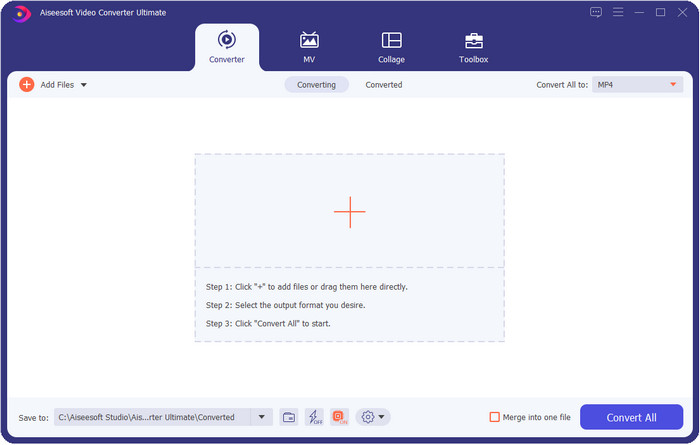
Video Converter Ultimate [Настоятельно рекомендуется]
Бесплатная загрузкаДля Windows 7 или более поздних версийБезопасная загрузка
Бесплатная загрузкаДля MacOS 10.7 или более поздних версийБезопасная загрузка
Совместимые ОС: Windows, Mac и Linux
Video Converter Ultimate — лучший редактор метаданных видео для просмотра, удаления и редактирования метаданных в ваших файлах. Это не обычный редактор: он представляет собой полноценный набор функций, которые можно быстро освоить. С его помощью вы можете за считанные секунды добавить к метаданным множество полезной информации: комментарии, обложку, год, жанр (если это музыка) и многое другое. Хотите узнать, что нас особенно впечатляет в этом инструменте? В отличие от другого ПО, которое создаёт копию уже отредактированного файла (что неэкономно по месту на диске), этот инструмент не делает дубликаты: метаданные применяются непосредственно к загруженному файлу — это экономит пространство. Более того, если вам нужен универсальный инструмент, это идеальный выбор для всех пользователей, которым требуется просмотр и редактирование метаданных на Mac и Windows.
Плюсы
- Он поддерживает несколько форматов, в которые вы можете загружать, такие как MP4, MKV, AVI, FLV, MP3 и другие 1000+ форматов мультимедиа, чтобы легко изменять или удалять метаданные.
- Это позволяет любому пользователю легко редактировать метаданные.
- Для пользователей Windows и Mac лучше всего загрузить этот редактор метаданных на свой диск.
- Легко удаляйте метаданные нескольких файлов несколькими щелчками мыши.
Минусы
- Приобретение инструмента и его загрузка очень важны, но это будет стоить каждой копейки и дискового пространства.
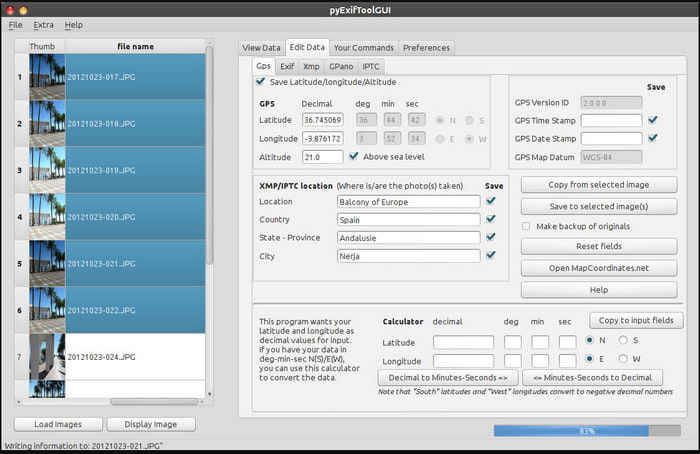
ExifTool
Совместимые ОС: Windows, Mac и Unix
ExifTool — хорошо известный редактор метаданных видео для Windows, Mac и Unix, который вы можете свободно использовать бесплатно. Он поддерживает множество форматов видео и изображений для изменения или удаления метаданных. Кроме того, этот инструмент позволяет редактировать несколько наборов метаданных в разных файлах одновременно. В отличие от других редакторов из этого списка, здесь «много всего происходит» в интерфейсе, поэтому, если вы новичок в редактировании метаданных, вам потребуется время, чтобы разобраться в инструменте.
Плюсы
- Бесплатная загрузка.
- Он может легко редактировать и просматривать метаданные.
Минусы
- Интерфейс и опции сбивают с толку.
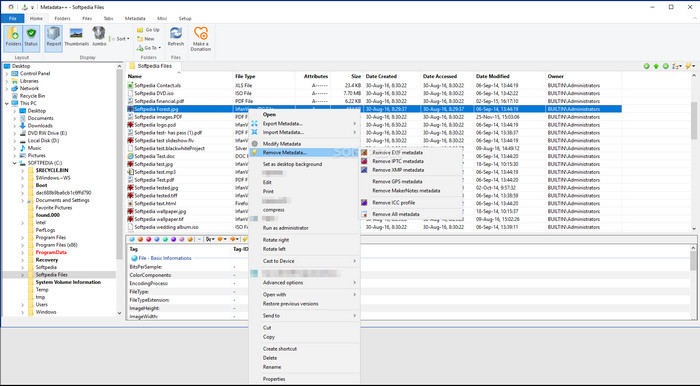
Метаданные++
Совместимые ОС: Windows
Если вы хотите воспользоваться открытым (open‑source) редактором метаданных видео для Windows, вам может подойти Metadata++. Этот инструмент позволяет быстро добавлять или удалять метаданные в файле с помощью горячих клавиш, реже прибегая к мыши. Однако по эффективности редактор уступает другим решениям из списка, но на него всё же можно положиться, если вы решите им пользоваться.
Плюсы
- Горячие клавиши доступны для быстрого процесса редактирования метаданных.
- Легко добавляйте метаданные в файлы, которых нет.
- Бесплатная загрузка в Windows.
Минусы
- Графический интерфейс устарел.
- Слишком много функций нужно понять, прежде чем вы будете их использовать.
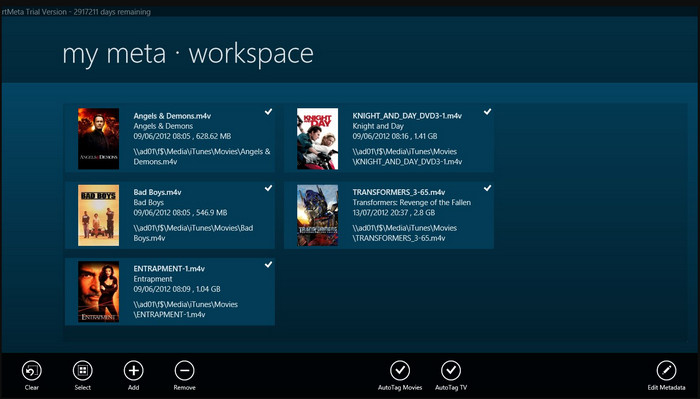
Моя Мета
Совместимые ОС: Windows
MyMeta — это редактор метаданных видео, с помощью которого вы можете мгновенно редактировать файлы MP4, M4V и MOV. В нём есть функция автоматического создания метаданных и обложки на основе результатов из интернета. Также вы можете использовать этот инструмент для тегирования файлов согласно найденной информации. Хотя инструмент сам по себе хорош, он работает только с форматами MP4, M4V и MOV — поддержка ограничена только ими.
Плюсы
- Легко использовать.
- Автоматический тег позволяет копировать метаданные определенного файла в несколько кликов.
- Аккуратный графический интерфейс.
Минусы
- Он поддерживает только MP4, M4V и MOV. Поэтому, если вы пытаетесь загрузить сюда другой формат, он не поддерживается.
- Некоторые функции не соответствуют требованиям пользователя.
VLC Media Player
Совместимые ОС: Windows, Mac, Linux
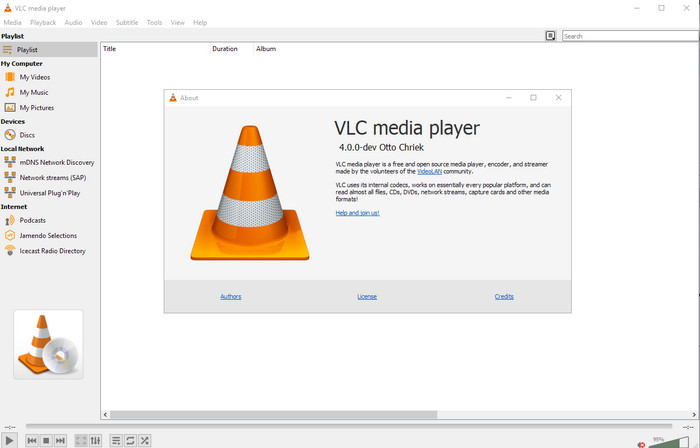
VLC Media Player создан прежде всего для воспроизведения медиафайлов, но этот открытый редактор метаданных видео можно также использовать для редактирования метаданных файла. Как уже упоминалось, он без труда воспроизводит широкий спектр форматов с различными кодеками практически на любой платформе, потому что это один из лучших видеопроигрывателей. Хотя он и поддерживает множество форматов для воспроизведения, список форматов, в которых можно редактировать метаданные, ограничен и не так широк, как у других упомянутых инструментов.
Плюсы
- Редактор метаданных с открытым исходным кодом для загрузки.
- Дружественный интерфейс.
- Доступен во всех операционных системах.
Минусы
- Он поддерживает средний формат для загрузки.
- Графический интерфейс инструмента устарел.
Часть 2. Сравнительная таблица редактора метаданных видео
| особенности | Video Converter Ultimate [Настоятельно рекомендуется] | ExifTool | Метаданные++ | Моя Мета | VLC Media Player |
| Добавить и удалить метаданные |  | | | | |
| Дружественный интерфейс | | | | | |
| Поддерживает широкий диапазон форматов | |  | | | |
| Лучший выбор для начинающих | | | | | |
| Редактировать пакетные метаданные | | | | | |
Часть 3. Как добавлять, удалять и редактировать метаданные с помощью рекомендуемого редактора метаданных
Если вы решили использовать Video Converter Ultimate в качестве редактора метаданных видео, рекомендуем следовать описанным ниже шагам. Без лишних слов давайте продолжим в том же темпе и начнём использовать этот мощный инструмент для этой ответственной задачи.
Шаг 1. Скачайте программу, нажав кнопку загрузки ниже; выберите, используете ли вы Windows или Mac. После завершения загрузки щёлкните по файлу, чтобы сразу установить программу, затем запустите её после окончания установки.
Бесплатная загрузкаДля Windows 7 или более поздних версийБезопасная загрузка
Бесплатная загрузкаДля MacOS 10.7 или более поздних версийБезопасная загрузка
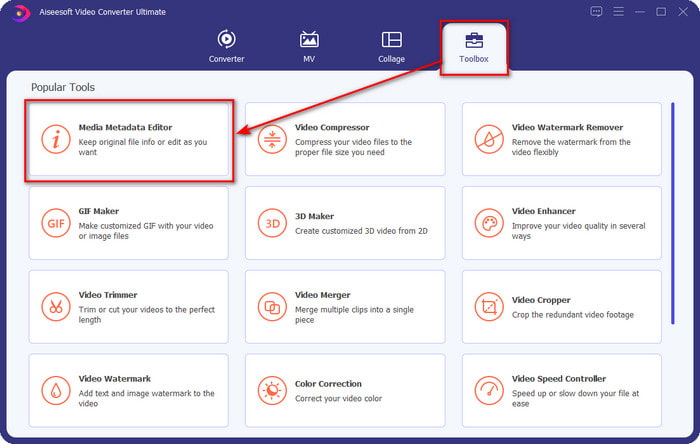
Шаг 2. После запуска программы перейдите в раздел Toolbox, а затем найдите пункт Media Metadata Editor; нажмите на него, прежде чем переходить к следующему шагу.
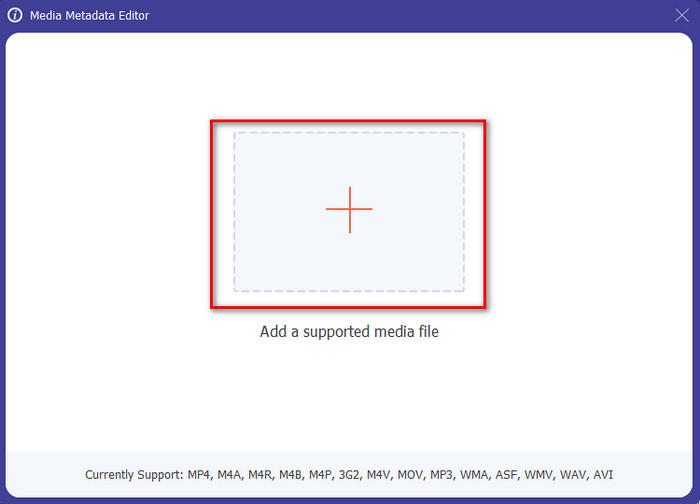
Шаг 3. Добавьте файл, нажав на значок +; на экране откроется окно проводника. Выберите медиафайл, в котором хотите отредактировать метаданные, и нажмите Open.
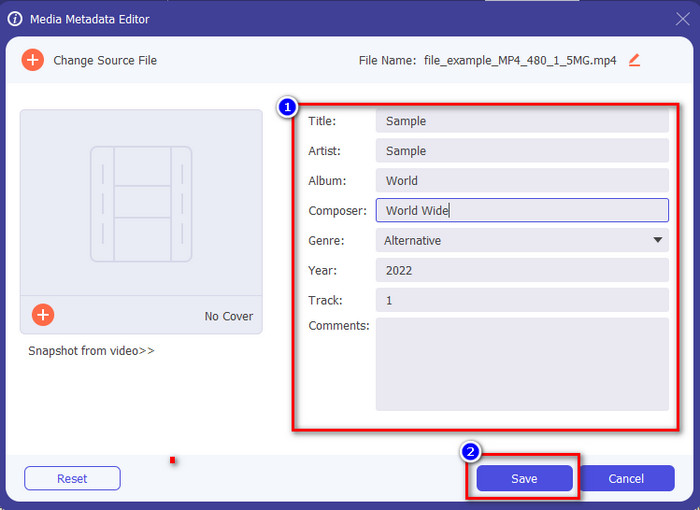
Шаг 4. В новом окне, которое появится на экране, вы сможете редактировать, удалять и добавлять метаданные в соответствующие текстовые поля. Когда вы будете довольны результатом, нажмите Save, чтобы применить изменения к файлу. Легко и просто, не так ли? Именно так и работает этот «ultimate»‑инструмент.
Часть 4. Часто задаваемые вопросы о редакторе метаданных видео
Могу ли я просматривать метаданные онлайн?
Да, вы можете использовать FVC Free Video Converter Online, чтобы просматривать метаданные видео онлайн; выполните следующие шаги, чтобы узнать, как это сделать. Сначала нажмите на ссылку, чтобы открыть новую вкладку браузера; по этой ссылке вы автоматически попадёте на официальный сайт онлайн‑конвертера FVC. Затем нажмите Add Files to Convert; если вы используете сервис впервые, вам нужно будет скачать лаунчер и установить его, щёлкнув по файлу. Нажмите кнопку ещё раз — теперь откроется окно проводника, выберите файл, метаданные которого вы хотите просмотреть, и нажмите Open для продолжения. На экране появится новое окно; нажмите значок i — после этого вы увидите метаданные видео.
Из каких частей состоят метаданные?
Метаданные включают разные типы информации о медиафайле: имя автора, произведение (композицию), местоположение, настройки, использованное устройство, дату, время, жанр (если это музыка), изображение и многое другое. Но в большинстве случаев метаданные зависят от типа файла: если это аудиокнига, набор метаданных будет отличаться от метаданных видеофайла.
Является ли ID3 образцом метаданных?
ID3 — это контейнер метаданных, который можно увидеть в медиафайлах MP3; в основном, на аудио файлы.
Заключение
Программы, представленные в этой статье, помогут вам просматривать, редактировать, добавлять или удалять метаданные видео, даже если у вас нет глубоких знаний о метаданных. Теперь, когда у вас есть пятёрка лучших редакторов на рынке, самое время решить, какому инструменту вы доверите эту задачу. Если вы всё ещё сомневаетесь, мы рекомендуем Video Converter Ultimate по целому ряду причин. В отличие от других инструментов, это ПО способно выполнить задачу за считанные секунды. Если вы всё ещё не верите нашим словам, скачайте программу, попробуйте её в деле и посмотрите, какие ещё возможности она предлагает.
-
 4 лучших просмотрщика метаданных онлайн и офлайн [Обновлено в 2025 г.]
 Могу ли я проверить метаданные моего файла? Да, вы можете, с помощью этого поста мы познакомим вас с различными средствами просмотра метаданных, которые вы можете использовать.
-
 5 лучших экстракторов метаданных, доступных онлайн и офлайн [2025]
 Вы можете найти несколько экстракторов метаданных на рынке, но сегодня мы выбираем только пять наиболее популярных экстракторов тегов в зависимости от аудитории.
-
 7 популярных редакторов музыкальных тегов для Windows, Mac и мобильных устройств
 Музыкальные теги популярны для упорядочения музыки в вашей библиотеке в соответствии с данными внутри. Что делать, если вы хотите изменить его? Прочтите подробности ниже, чтобы узнать больше.
