


 Video Dönüştürücü Ultimate
 Ekran kaydedicisi
 Video Onarımı
 Güvenli İndirme
Çevrimiçi ve Android'de HD Fotoğraf Yapmanın Etkili Yolları [Komple Eğitim]
Bu bir mucize mi? Büyü mü? Öyle değil ve Adobe Photoshop veya cihazınızda herhangi bir profesyonel yazılım kullanmadan anında fotoğraf HD yapabilirsiniz. Bu makaledeki bilgiler, web'de ve Android cihazlarınızda bulduğumuz en iyi geliştiricilerle resimlerinizi yüksek tanımlı hale getirebilir. Özellikle bu durumda deneyimsiz olanlar için bu görevi yerine getirmek imkansız olabilir. Yine de, bu kılavuzu izlediyseniz endişelenmenize gerek yok.

Bölüm 1. Web'de Profesyonel Bir Araç Olmadan Ücretsiz Olarak Fotoğraf HD Nasıl Yapılır [Editörün Seçimi]
1. Yol. Görüntüleri Yükselterek Fotoğraf HD Nasıl Yapılır [Editörün En İyi Seçimi]
FVC Free Image Upscaler, görüntünüzdeki pikselleri büyütüp HD’ye dönüştürmek için kullanabileceğiniz güçlü bir görüntü büyütme aracıdır. Bu çevrimiçi büyütücü, görselinizdeki hataları algılayıp, çok fazla ayar yapmanıza gerek kalmadan anında iyileştirebilen bir yapay zekâya sahiptir. Ayrıca yüklediğiniz görüntüyü bozmadan 2x, 4x, 6x ve 8x oranlarında büyütebilirsiniz. Bir fotoğrafı bununla nasıl HD yapabileceğinizin sırrını mı merak ediyorsunuz? Aşağıya eklediğimiz adımları takip edebilirsiniz.
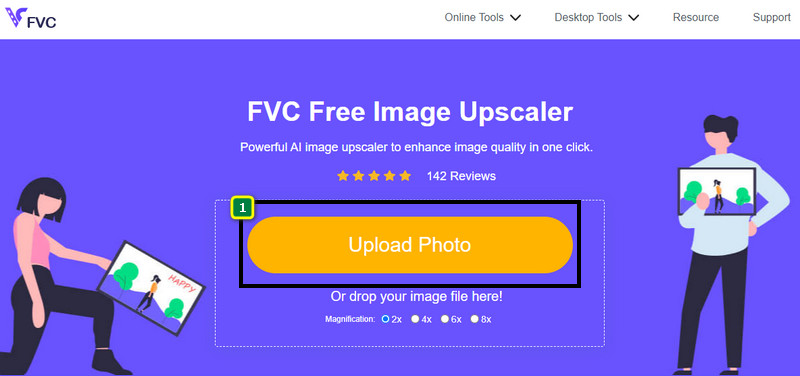
Adım 1. Bu bağlantıya tıklayarak çevrimiçi görüntü büyütücüyü açın. Sizi resmi web sitesine yönlendirecektir ve şu anda kullandığınız veya tercih ettiğiniz herhangi bir tarayıcıda tamamen güvenlidir.
Adım 2. HD’ye dönüştürmek istediğiniz düşük kaliteli görüntüyü eklemek için Upload Photo seçeneğine tıklayın. İsterseniz sürükle‑bırak özelliğini kullanarak da görüntüyü ekleyebilirsiniz.
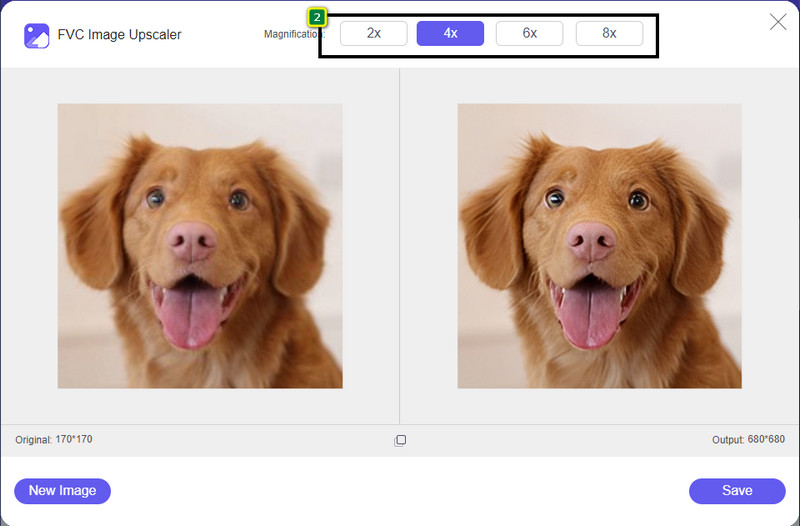
Adım 3. Aracın görüntüyü işlemesini bekleyin, ardından görselinize uygulamak istediğiniz büyütme oranını seçin; araç görüntünüzü HD’ye dönüştürecektir.
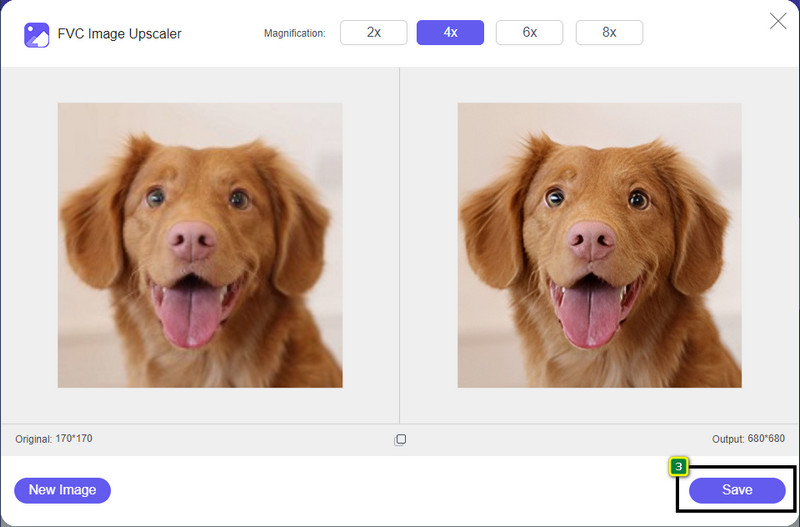
Adım 4. Büyüttüğünüz görüntüyü, alt kısımda yer alan Save düğmesine tıklayarak kaydedebilirsiniz. Araç, yüksek çözünürlüklü görüntüyü sürücünüzdeki bir klasöre kaydeder; sonucu görmek için oradan kontrol edebilirsiniz.
2. Yol. Görüntüleri Dönüştürerek HD Nasıl Resim Yapılır?
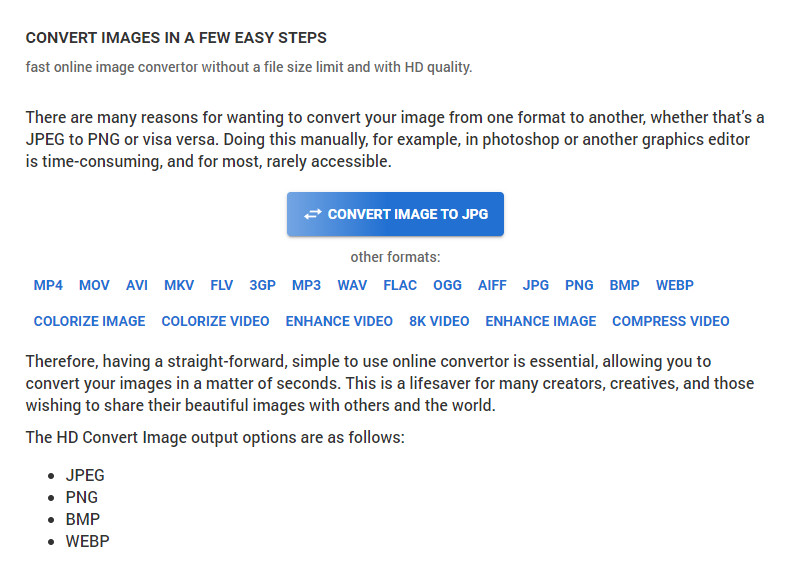
Her ne kadar HDconvert.com görsellerinizi yüksek kaliteli yapabilse de, bunu farklı bir yöntemle gerçekleştirir. Bu araçla, düşük kaliteli görüntüyü buraya yükleyip bazı seçenekleri değiştirerek istediğiniz çözünürlüğe ulaşabilirsiniz. Yüklediğiniz görüntüyü dönüştürürken kalitesini de değiştirerek JPG, PNG, BMP veya WebP formatına çevirebildiğini inkâr edemeyiz. Ayrıca, isterseniz yeniden boyutlandırma gibi gelişmiş seçeneklerle görüntünüzü özelleştirebilir veya uygulanmasını istemiyorsanız bu adımı atlayabilirsiniz. Ancak yüksek görüntü kalitesi elde etmek için premium sürümü satın almanız gerekir. Bu aracın nasıl çalıştığını merak ediyor musunuz? Öyleyse, bir fotoğrafı nasıl daha HD gösterebileceğinizi öğrenmek için okumaya devam edin.
Adım 1. Bu dönüştürücünün resmi web sitesini açın, Convert Image to JPG, then Select Files seçeneğine tıklayarak HD’ye dönüştürmek istediğiniz görüntüyü yükleyin.
Adım 2. Görüntünüze uygulamak istediğiniz dosya formatını seçin ve Next butonuna tıklayın.
Adım 3. Görüntü kalitesini, slider çubuğunu tercih ettiğiniz yüzdeye veya 100% seviyesine getirerek ayarlayın ve Next düğmesine basın.
Adım 4. Görüntüyü HD’ye dönüştürülmüş olarak dışa aktarmak için Convert File düğmesine tıklayın.
3. Yol. Görüntüyü Geliştirerek Görüntü HD Nasıl Yapılır
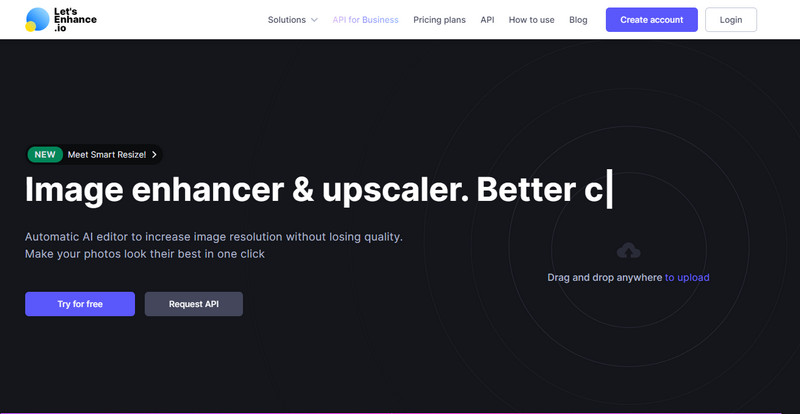
Let's Enhance.io, masaüstünüzdeki fotoğrafınızı HD gibi daha iyi bir kaliteye yükseltmenize yardımcı olabilir. Bu aracı kullanırsanız, görüntünüzü HD’ye yükseltirken zorluk yaşamazsınız. İlk araçtan farklı olarak, ücretsiz sürümünü kullanmadan önce mevcut bir hesabınızla giriş yapmanız veya burada yeni bir hesap oluşturmanız gerekir. Giriş zorunlu olsa da, performansının masaüstü programlarında elde edebileceğiniz düzeyde, görüntü iyileştirme konusunda son derece başarılı olduğundan emin olabilirsiniz. Bu yüzden, bu fotoğraf HD geliştirme aracını kullanmak istiyorsanız, nasıl kullanılacağını göstermek için denediğimiz aşağıdaki adımları okuyabilirsiniz.
Adım 1. Web tarayıcınızı açın, adını aratın ve sonuçlarda görünen bağlantıya tıklayın.
Adım 2. HD’ye yükseltmek istediğiniz görüntüyü eklemek için upload simgesine basın.
Adım 3. Operation (işlem) bölümünde, görüntünüzü yüksek çözünürlüklü hale getirmek için ayarları değiştirin.
Adım 4. Ayarlamaları yaptıktan sonra düşük kaliteli görüntüyü HD’ye dönüştürmek için Start Processing düğmesine tıklayın.
Adım 5. Burada geliştirdiğiniz fotoğrafı indirmek için download simgesine basın.
Bölüm 2. PicsArt ile Android'de Fotoğraf HD Nasıl Yapılır
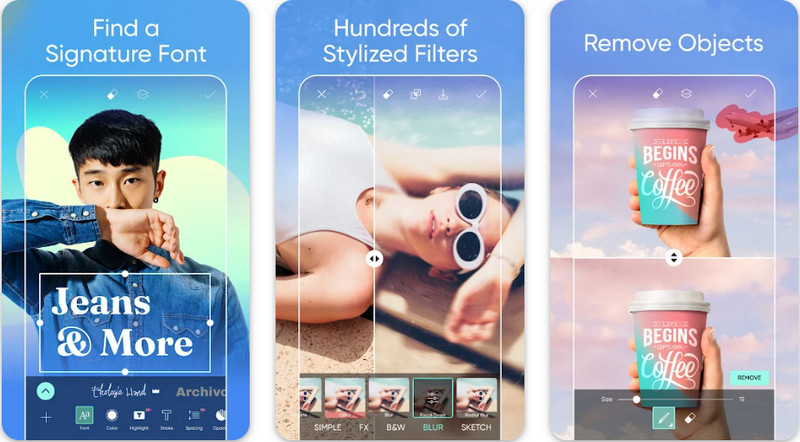
Görsellerini HD’ye dönüştürmek isteyen Android kullanıcıları, Play Store’dan PicsArt uygulamasını indirebilir. Farklı düzenleme özellikleri sayesinde birçok kullanıcı için bir çözüm olmuş, görüntünüzü ham hâlinden çok daha iyi göstermenize yardımcı olmuştur. Uygulama sizin için pek çok şey yapabilse de, ücretsiz sürüm son çıktıda filigran bırakır. Filigranı sevmiyorsanız premium sürümü satın almanız gerekir. Genel olarak, görüntüleri netleştirme ve HD yapma konusunda bu uygulama bizim tercihimizdir. Android cihazınızda görüntüyü yüksek kaliteli yapmak istiyorsanız, bu uygulamayı seçerek hata yapmış olmazsınız. Aşağıdaki PicsArt ile fotoğrafı HD yapma eğitimini uygulayabilirsiniz.
Adım 1. Uygulamayı Play Store’dan indirin ve başlatın.
Adım 2. Galerinizden HD’ye dönüştürmek istediğiniz görüntüyü seçmek için + simgesine tıklayın.
Adım 3. Effects’e dokunun ve HDR’yi seçin; görüntünüzü HD yapmak için seçenekleri ayarlayın ve ardından check simgesine basın.
Adım 4. Telefonunuzun üst kısmındaki download simgesine tıklayarak HD görüntüyü galerinizde kaydedin. iPhone’da fotoğraf çözünürlüğünü değiştirmek için daha fazla bilgi edinmek isterseniz buraya tıklayın.
Bölüm 3. Image HD Nasıl Yapılır Hakkında SSS
Görüntüyü HD yapmak dosya boyutunu büyütür mü?
Kesinlikle! HD olmayan görüntü boyutu ve HD farklı dosya boyutlarına sahiptir. HD, size ayrıntılı bir görüntü sunabilecek daha fazla piksel verisine sahiptir ve boyutu da HD olmayan görüntüden daha ağırdır.
4k görüntüyü HD'ye çevirmek kötü bir seçim mi?
Öyle görünebilir ancak depolama alanından tasarruf etmek istiyorsanız 4k görüntüleri HD'ye çevirebilirsiniz ve görsel kalite farkları çok fazla değil. HD olmasına rağmen 4k görüntünüzün keyfini çıkarabilirsiniz.
Görüntüyü neden HD yapmam gerekiyor?
Görüntünüzü HD'ye dönüştürmek, olmayanlara kıyasla görüntünüzü daha ayrıntılı ve göze çekici hale getirebilir. Bu nedenle, görüntüyü HD'ye geliştirmek istiyorsanız, HD'yi hayata geçirmek için görüntüdeki pikselleri yükseltmek için bir araca ihtiyacınız olacaktır.
Sonuç
Şaşırtıcı değil mi? Adobe Photoshop gibi profesyonel yazılımların yardımı olmadan buraya eklediğimiz farklı yöntemlerle fotoğraf HD yapabilirsiniz. Adımları istediğiniz araca kopyalayın ve düşük kaliteli görüntünüzü HD gibi daha iyi bir görüntüye dönüştürün.
-
 En İyi Geliştiricilerle iPhone Fotoğraf Çözünürlüğünü Daha İyi Hale Getirin
 iPhone fotoğraf çözünürlüğünü iyileştirmeye mi ihtiyacınız var? Pekala, bu yazıda kullanabileceğiniz en iyi araçları ve bilmeniz gereken diğer püf noktalarını ele alıyoruz!
-
 Çevrimiçi ve Çevrimdışı Eski Fotoğraf Restorasyonu [Kolay Adımlar]
 Eski bir fotoğrafı geri yüklemek mi istiyorsunuz? Bu araçlarla eski fotoğraf restorasyon sürecini bileceksiniz. En basit yöntemleri öğrenmek için bu gönderiyi okuyun.
-
 Kullanmanız Gereken Tüm Web Tarayıcıları için En İyi 7 Piksel Geliştirici
 Kullanılacak en iyi piksel geliştiricileri bilmek istiyorsanız, bu gönderiye göz atsanız iyi olur. Bu makale, tüm web tarayıcıları için en iyi yedi fotoğraf pikseli geliştiricisini listeler.
