


 Video Dönüştürücü Ultimate
 Ekran kaydedicisi
 Video Onarımı
 Güvenli İndirme
Görüntüleri Kayıpsız Bir Şekilde 50KB'a Nasıl Kolayca Sıkıştırırsınız [2024]
Görüntü dosyası boyutları, özellikle günümüzde modern kameralar ve cihazların sağladığı ayrıntılı bilgiler ve yüksek çözünürlük nedeniyle değişir. Dijital içerik 2024'te de bir şey olmaya devam ederken, görüntü dosyası boyutlarını yönetme ve optimize etme ihtiyacını anlıyoruz. İster web sitesi performansını artırmak, ister depolama alanından tasarruf etmek veya sorunsuz paylaşımı kolaylaştırmak için olsun, verimli görüntü sıkıştırması esastır.
Yani, görsellerinizi küçültecek bir araç arıyorsanız, doğru yerdesiniz. Bu rehber, yüksek kaliteyi korurken daha küçük dosya boyutları elde etmenizi sağlayarak, görselleri kayıpsız biçimde 50 KB’a nasıl sıkıştırabileceğinizi gösterecek. Daha fazlası için okumaya devam edin!

Bölüm 1. Görüntüyü Belirgin Kalite Kaybı Olmadan 50KB'a Sıkıştırın
Görüntü sıkıştırma araçlarının kullanımındaki sorun, genellikle görüntü kalitesini bozmasıdır, ancak durum her zaman böyle değildir. Doğru araçlar kullanılarak doğru şekilde yapıldığında, görüntü kalitesi korunabilir veya belirgin bir kalite kaybı olmadan sıkıştırılabilir.
Görsel kalitesini koruyan en iyi resim sıkıştırma araçlarından biri FVC Ücretsiz Görsel Sıkıştırıcıdır. Hızlı ve kullanıcı dostu olan bu araç, kaliteden çok fazla ödün vermeden görselleri 50 KB’a sıkıştırmak için tasarlanmıştır. JPEG, PNG, SVG ve GIF gibi çeşitli fotoğraf formatlarını sıkıştırmada oldukça başarılıdır ve alternatif yazılımlara kıyasla daha yüksek düzeyde sıkıştırma sunar. Ayrıca tamamen ücretsizdir ve farklı cihazlar kullanılarak çevrimiçi olarak kolayca erişilebilir. Öte yandan, birden fazla görseli sıkıştırıyorsanız, bu araç sizin için idealdir; çünkü görselleri aynı anda sıkıştırır ve kolay erişebilmeniz için hepsini tek bir zip dosyasında kaydeder.
FVC Ücretsiz Görsel Sıkıştırıcı ile görselleri 50 KB’a nasıl sıkıştırabileceğiniz burada
Adım 1. Öncelikle resmi web sitelerine gitmeniz gerekir.
Adım 2. Ardından, 50 KB’a sıkıştırmak istediğiniz fotoğrafları içe aktarmak için Upload Images (Görselleri Yükle) seçeneğine tıklayın.
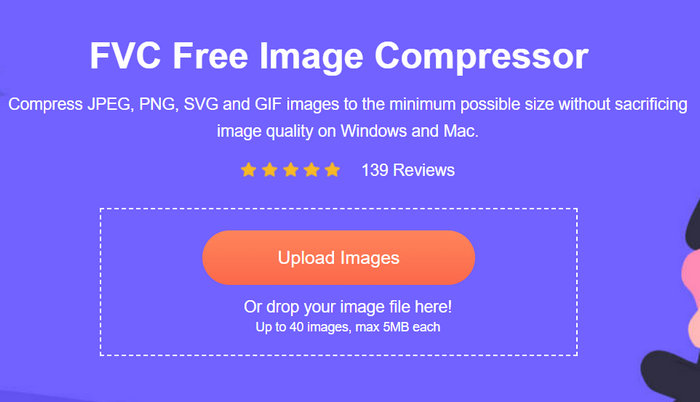
Adım 3. Sıkıştırma işleminden sonra görsellerinizin yeni, sıkıştırılmış boyutunu önizleyebilirsiniz. Son olarak, görselinizi kaydetmek için Download (İndir) seçeneğine tıklayın.
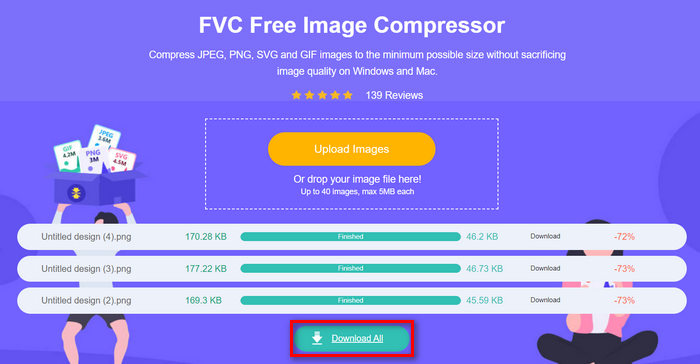
FVC Ücretsiz Görsel Sıkıştırıcı’yı en iyi yapan şey, bu görsel boyutu küçültücünün son derece basit ve sezgisel bir arayüze sahip olmasıdır. Kullanıcıların yalnızca iki temel adımı vardır: yükleme ve dışa aktarma; çünkü sıkıştırma işlemi, görseller içe aktarıldıktan sonra otomatik olarak yapılır.
Bölüm 2. Özel Kaliteyle Bir Görüntüyü Çevrimiçi Olarak 50KB'a Sıkıştırın
Kişiselleştirilmiş kalite seçeneklerine sahip bir çevrimiçi görüntü sıkıştırma aracı tercih ediyorsanız, Duplichecker tam size göre. Bu araç, görsel bütünlüğü korurken özel görüntü dosyası boyutlarını sıkıştırmak için hızlı ve zahmetsiz bir çözüm sunar. Bu araç, akıcı bir arayüzle kullanıcılara görüntü dosyalarını küçültmek için hızlı bir çözüm sunar. Dahası, bu JPEG, PNG ve GIF formatlarını destekler ve kullanıcıların dosya dengesi boyut küçültmelerini özelleştirmelerine olanak tanır. Ayrıca, Duplicheck toplu işlemeyi destekler ve birden fazla görüntünün aynı anda 50 KB'ye sıkıştırılmasını sağlar. Son olarak, bu araç tamamen ücretsizdir.
Duplichecker kullanarak görselleri 50 KB’a nasıl sıkıştırabileceğiniz burada
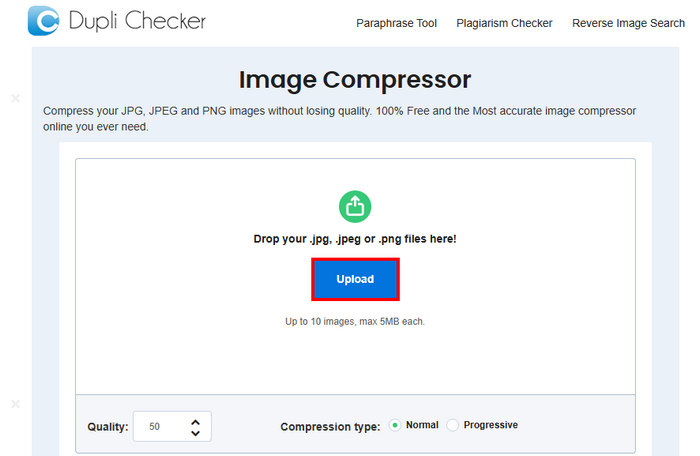
Adım 1. 50 KB’a sıkıştırmak istediğiniz görseli yüklemek için Upload (Yükle) düğmesine tıklayın.
Adım 2. Sonra, sol altta Quality (Kalite) seçeneğini göreceksiniz. İstediğiniz sıkıştırılmış kaliteyi seçin veya yazın. Bu aşamada 50 yazın.
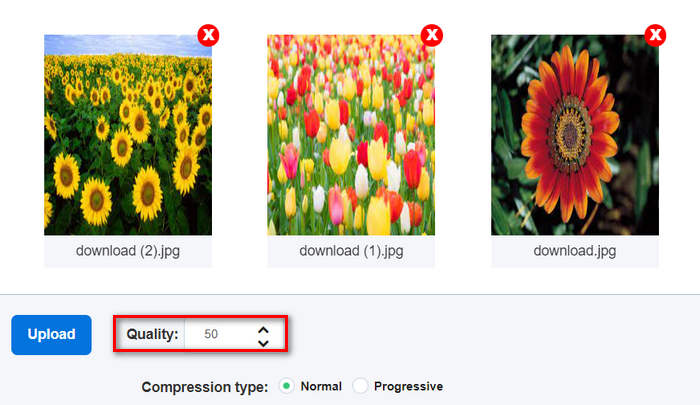
Bu görüntü kalitesi KB veya Kilobayt cinsindendir.
Adım 3. Kaliteyi seçtikten sonra, artık tercih ettiğiniz sıkıştırma türünü seçebilirsiniz.

Adım 4. Ayarladıktan sonra biraz aşağı kaydırın ve görsellerinizi 50 KB’a sıkıştırmak için Compress (Sıkıştır) düğmesine tıklayın.
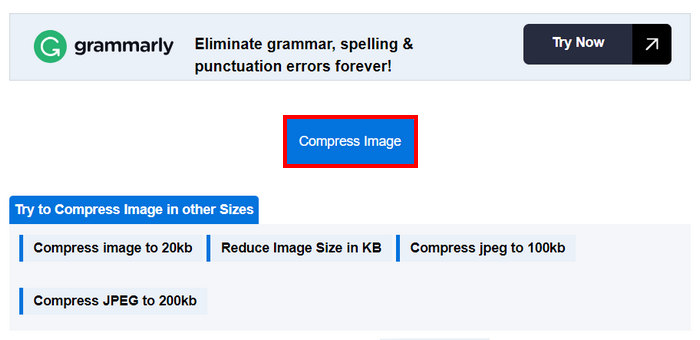
Adım 5. Son olarak, sıkıştırılmış görsellerinizi kaydetmek için Download All düğmesine tıklayın. Bu dosyalar doğrudan cihazınıza kaydedilecektir.
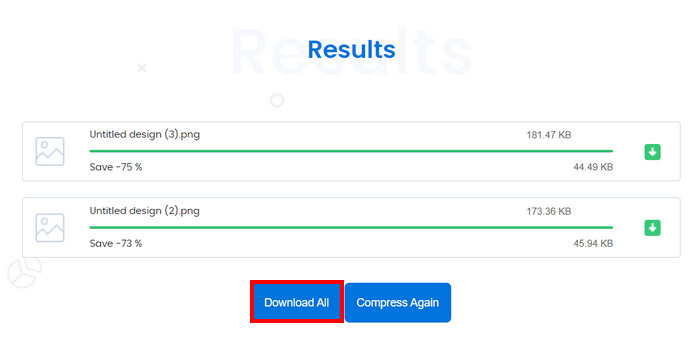
Görüntü sıkıştırmanızı 50KB'a özelleştirmek istiyorsanız bu araç gerçekten harika. Ancak, birden fazla görüntüyle dönüştürme yapıldığında sistem durdu, ancak yeniden yüklemek sorunu çözdü.
Bölüm 3. Bir Görüntüyü Toplu Olarak 50KN'ye Sıkıştırın
RedKetchup Bulk Image Resizer, kullanıcıların fotoğrafları yeniden boyutlandırmasına ve görselleri toplu halde 50 KB’a sıkıştırmasına yardımcı olmak için tasarlanmış çevrimiçi bir araçtır. Bu araç, etkili çevrimiçi görsel işleme araçlarıyla bilinen RedKetchup paketinin bir parçasıdır. Son olarak, kullanıcı dostu arayüzü ve hızlı işleme yetenekleri, kullanıcıların görselleri toplu halde kolay ve zahmetsizce sıkıştırmasını sağlar.
RedKetchup Bulk Image Resizer kullanarak görselleri toplu halde 50 KB’a nasıl sıkıştırabileceğiniz burada
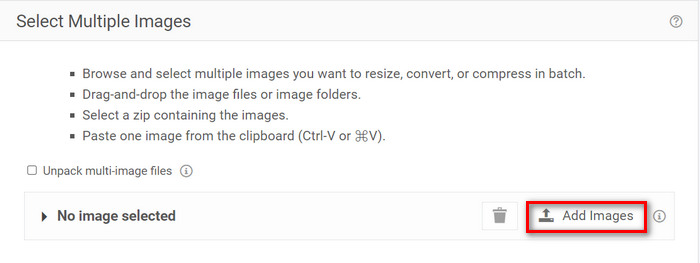
Adım 1. Önce, toplu olarak sıkıştırmak istediğiniz görselleri içe aktarmak için Add Files (Dosya Ekle) düğmesine tıklayın.
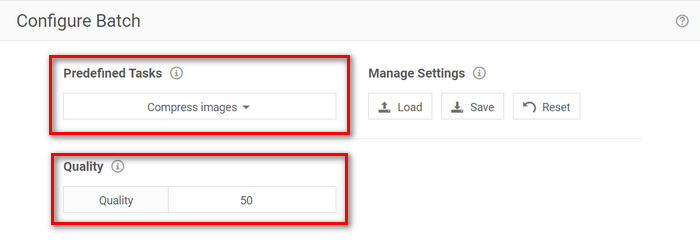
Adım 2. Şimdi, Configure Batch (Toplu İşlem Yapılandırma) bölümünde, Önceden Tanımlı Görev menüsünden Compress Images (Görselleri Sıkıştır) seçeneğini seçin ve Quality (Kalite) menüsüne istediğiniz dosya boyutunu yazın.
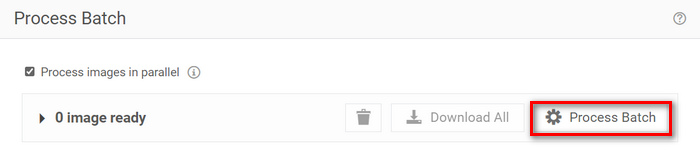
Adım 3. Ardından, görselleri aynı anda sıkıştırmak için Process Batch (Toplu İşlemi Başlat) düğmesine tıklayın.
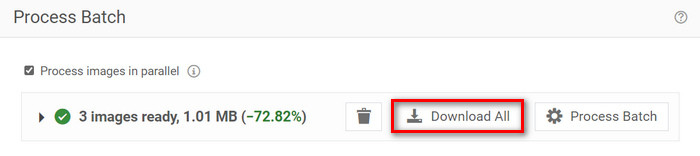
Adım 4. Son olarak, sıkıştırılmış görsellerinizi kaydetmek için Download All (Tümünü İndir) düğmesine tıklayın.
Yani, toplu sıkıştırma için birden fazla dosyaya hitap edebilen bir araç arıyorsanız, bu araç tam size göre. Ancak, dosyalarınızı indirirken reklamlarla uğraşmanız gerekir.
Bölüm 4. 3 Görüntü Sıkıştırma Aracının Karşılaştırılması
Görüntüleri 50KB'a sıkıştırmanıza yardımcı olabilecek üç araca bir göz atalım.
| Görüntü Sıkıştırma Aracı | Desteklenen Biçim | Kalite | Hız | Toplu Sıkıştırma |
| FVC Ücretsiz Görüntü Kompresörü | JPEG, PNG, SVG ve GIF | Yüksek kalite | Hızlı | 40 adet görseli aynı anda sıkıştırabilir. |
| Çoğaltıcı Denetleyici | JPG, JPEG, GIF ve PNG | Yüksek kalite | Yavaş | 10 adet görseli aynı anda sıkıştırabilir. |
| RedKetchup Toplu Resim Boyutlandırıcı | PNG, JPEG, WEBP veya HEIC | Yüksek kalite | Hızlı | 1000'den fazla görseli aynı anda sıkıştırabilir. |
FVC Free Image Compressor hızlı işleme sunar ve aynı anda 40 adede kadar görüntüyü işleyebilir, yüksek kaliteli sıkıştırılmış görüntüler sağlarken geniş bir format yelpazesini destekler. Bu arada, Duplichecker biraz daha yavaştır ancak yine de yüksek kaliteli sonuçlar sunar ve 10 adede kadar görüntünün toplu sıkıştırılmasını destekler. RedKetchup Bulk Image Resizer aynı anda 1000 adede kadar görüntüyü sıkıştırabilir, hızlı işleme ve geniş format desteği sağlar. Ancak, sıkıştırılmış görüntülerinizi bu araçla indirirken reklamlardan kaçınmak için onu premium bir hesaba yükseltmeniz gerekir.
Bölüm 5. Bir Görüntüyü 50KB'a Sıkıştırma Hakkında SSS
50KB kaç pikseldir?
50KB'lık bir görüntünün piksel sayısı, karmaşıklığına, renklerine ve sıkıştırma algoritmasına bağlı olarak büyük ölçüde değişebilir. Genellikle, 50KB'lık bir görüntünün boyutu yaklaşık 200 × 230 pikseldir, ancak bu, görüntü içeriğine ve biçimine göre farklılık gösterebilir.
PNG dosya boyutunu 50KB'a nasıl düşürebilirim?
Bir PNG dosyası boyutunu 50 KB’a düşürmek için FVC Ücretsiz Görsel Sıkıştırıcı, Duplichecker veya RedKetchup Bulk Image Resizer gibi çevrimiçi bir görsel sıkıştırma aracı kullanın. PNG dosyanızı yükleyin, kalite ayarlarını 50 KB dosya boyutunu hedefleyecek şekilde yapın ve görseli sıkıştırın.
Normal bir fotoğraf kaç KB'tır?
Normal bir fotoğrafın boyutu çözünürlüğe ve formata bağlı olarak değişir. Genellikle, modern akıllı telefonlarla çekilen fotoğraflar 1MB ile 5MB arasında değişir.
Sonuç
Sonuç olarak, bir görseli 50 KB’a veya herhangi bir dosya boyutuna sıkıştırmayı öğrenmek, büyük görsel dosyalarla çalışırken son derece önemlidir. FVC Ücretsiz Görsel Sıkıştırıcı, Duplichecker ve RedKetchup Bulk Image Resizer gibi araçlarla, görsel kalitesinden ödün vermeden en iyi sıkıştırma oranına ulaşabilirsiniz. İster web sitenizin yüklenme hızını optimize ediyor olun, ister cihazınızda depolama alanı tasarrufu yapmak ya da platformlar arasında sorunsuz paylaşım sağlamak isteyin, bu yöntemler size mutlaka pratik çözümler sunacaktır.
-
 MP4 Videoyu Daha Küçük Boyuta Sıkıştırma
 MP4 video yüklemek için çok mu büyük? Video boyutunu küçültmek mi istiyorsunuz? MP4 dosyasını sınırsız olarak daha küçük boyuta sıkıştırmanın 3 etkili yolu.
-
 En İyi 10 HD Video Dönüştürücü Yazılımının İncelenmesi
 10 öneriden en iyi HD video dönüştürücü yazılımını almak için Okuyun ve Karşılaştırın. İşte çoklu platform için her bir HD video dönüştürücünün ayrıntılı incelemeleri.
-
 MTS Dosyası Nedir ve MTS'yi MP4 / MOV / MKV / AVI'ye Dönüştürme
 MTS dosyası nedir ve onu nasıl oynatabilirim? Bu gönderi size MTS dosyasının temel bir talimatını verir. Dahası, MTS dosyasını MP4, MOV, AVI, MPEG, MTS, MKV veya diğer formatlara yüksek kalitede dönüştürmek için 3 basit yol elde edebilirsiniz.
