Kullanici rehberi

Video Dönüştürme Çözümleri

Başlamak

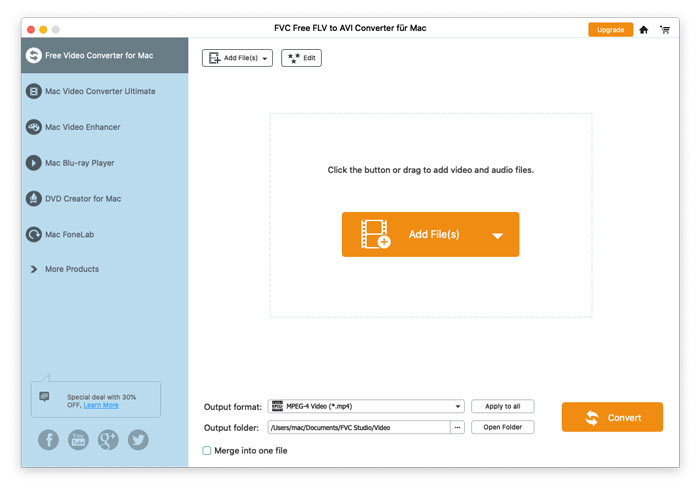
FVC Free FLV to AVI Converter, videoları FLV ve AVI videoları arasında dönüştürmenize yardımcı olabilir ve ayrıca videolarınızı düzenlemenin kolay bir yolunu sunar. Bu eğitimde, bu ücretsiz yazılımı daha iyi anlamanıza yardımcı olmak için bu FLV'den AVI'ye dönüştürücünün tüm özelliklerini tanıtacağız.
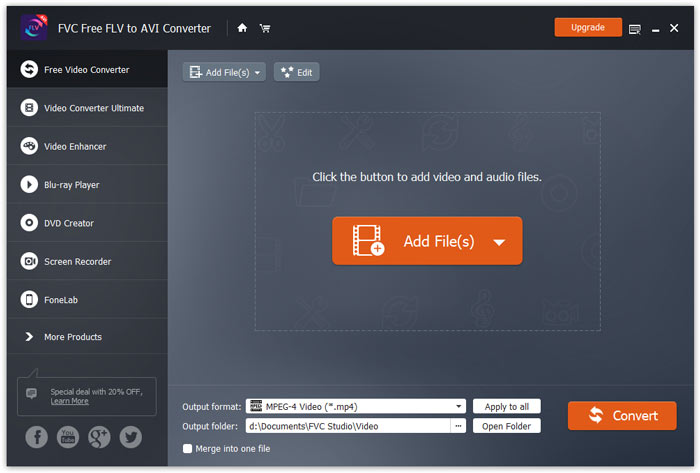
Ana arayüz

Indirin ve yükle

Başlamak için, programı doğrudan indirmek için yukarıdaki Ücretsiz İndir düğmesini tıklayın. Programı indirdikten sonra, indirilen dosyaya çift tıklayın ve ardından yüklemek için ekrandaki talimatları izleyin.

Kurulumu bilgisayarınıza indirin. İndirilen dosyaya çift tıklayın ve kurulum talimatlarını izleyin, ardından uygulamayı çalıştırın.

Tercihler

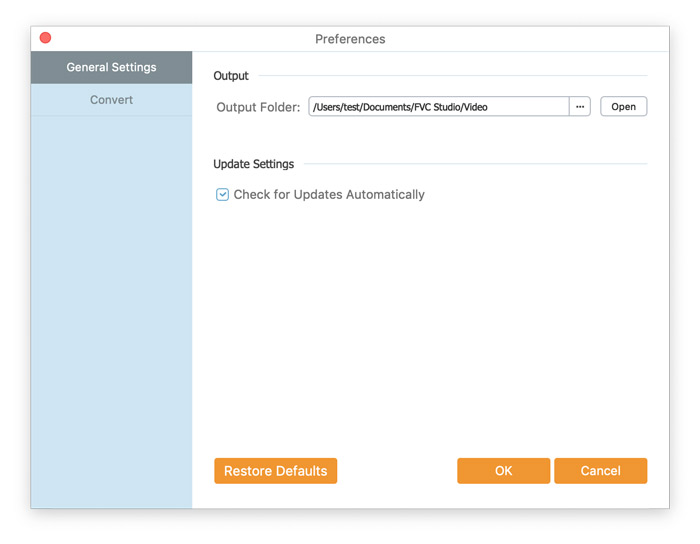
FVC Free FLV to AVI Converter sizin için çeşitli özelleştirilebilir tercihler sunar. Çıktı klasörünü, CPU benzeşimini ve daha fazlasını seçebilirsiniz.
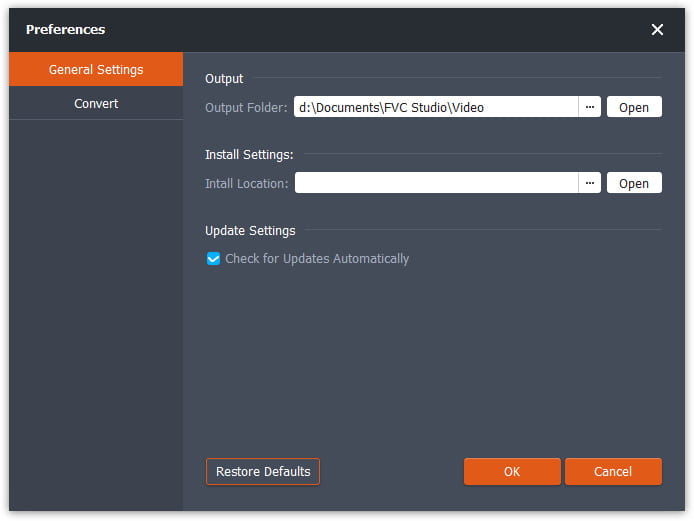
Tercihler

FLV'yi AVI'ye dönüştür

Step 1. Add a FLV file to the program

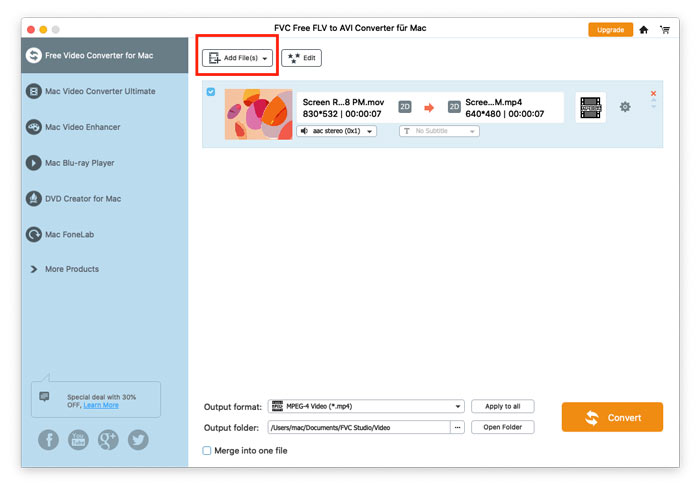
Run the converter, click Add File(s) in the top-left corner of the window to add one or multiple videos into the program.
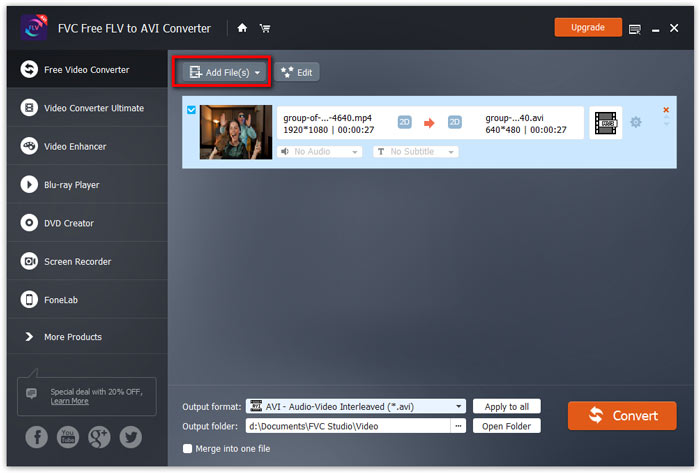
FLV Dosyaları Ekle

Step 2. Edit the video (optional)

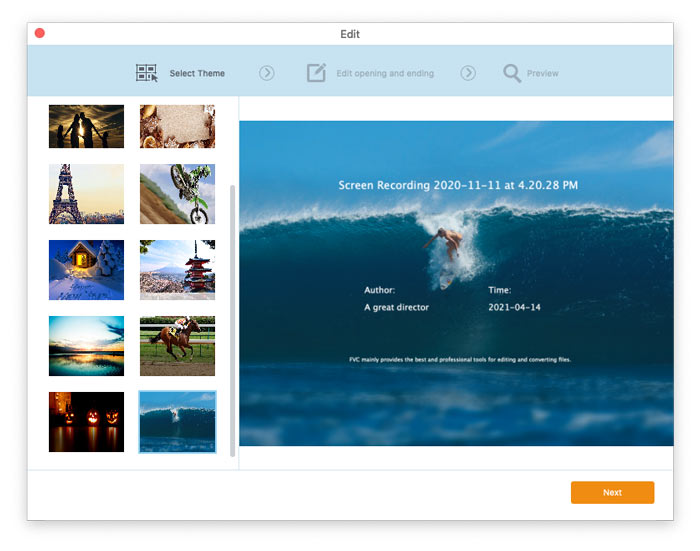
For editing your video file, click on the Edit button from the top menu bar. Then, you will be taken to the window where you need to select a theme for your video.
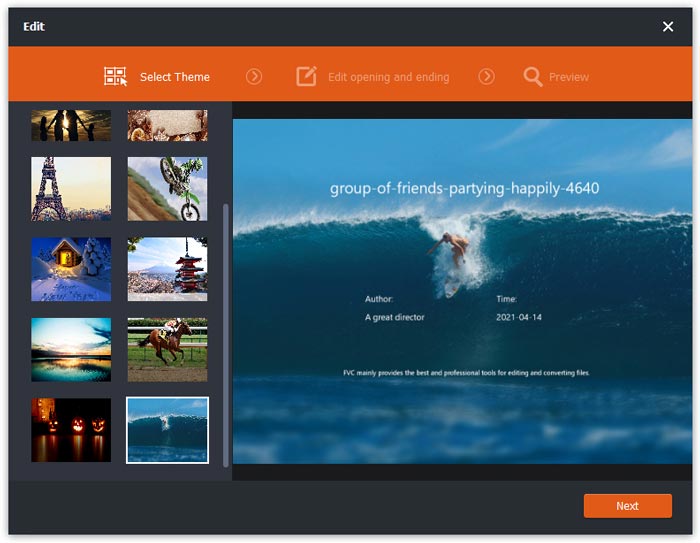
Tema seçin

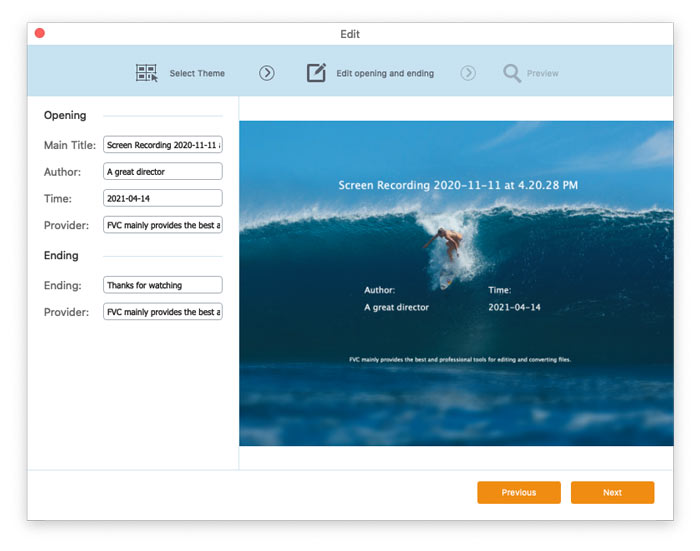
Then, click Next to proceed. Here you can customize the main title, author, time, and provider in the opening and ending of the video.
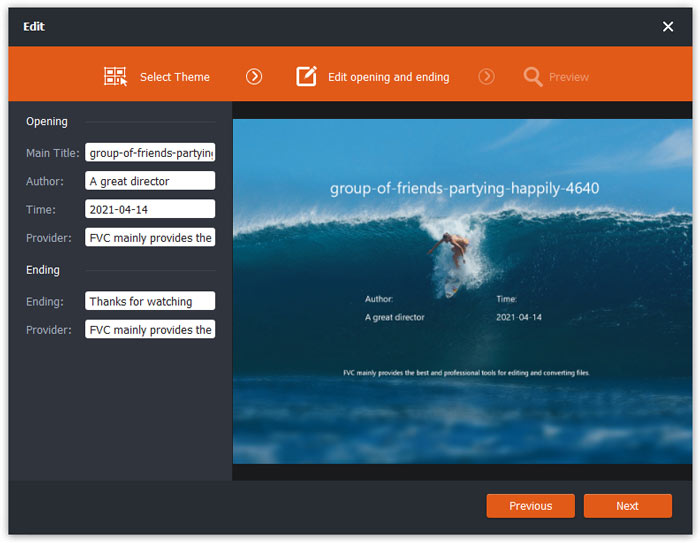
Tema Ayarlarını Değiştir

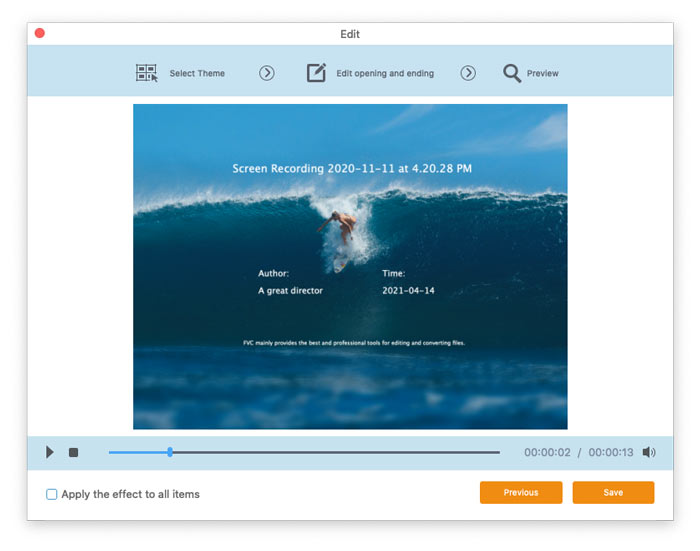
Click Next and then you can preview the video. If you are satisfied with the result, click the Save button to save the settings.
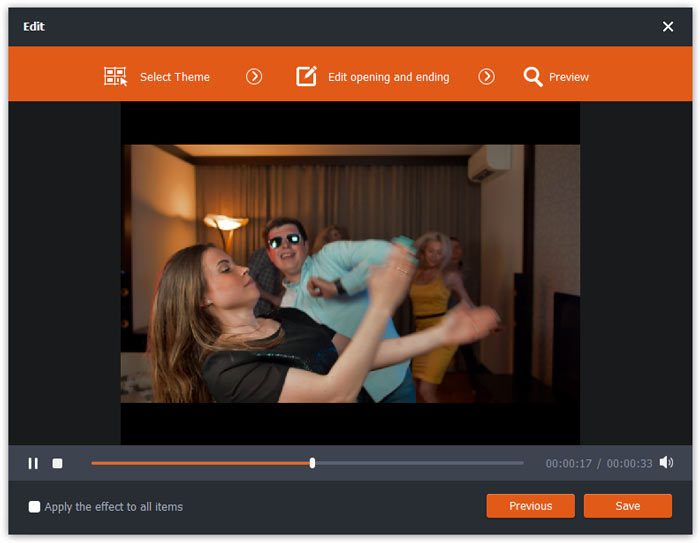
Tema Ayarlarını Kaydet

Step 3. Set the target format

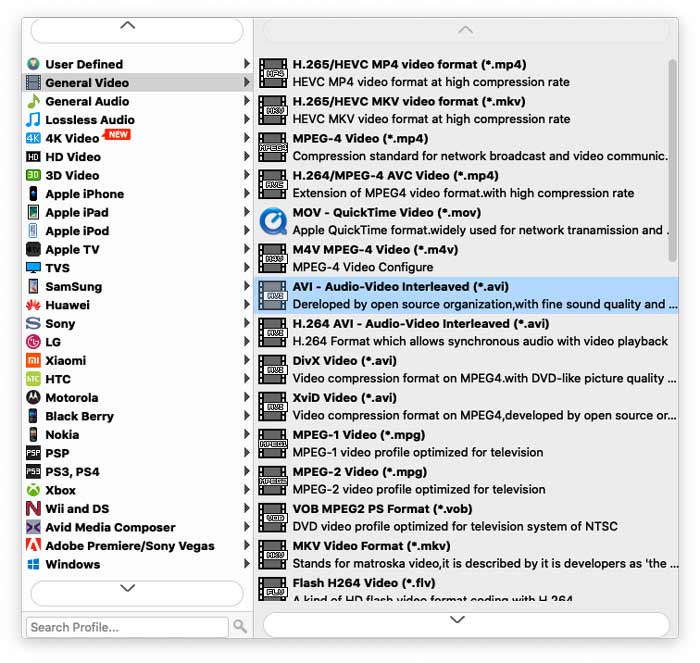
Then, go to the Output format field, and choose AVI you want to convert.
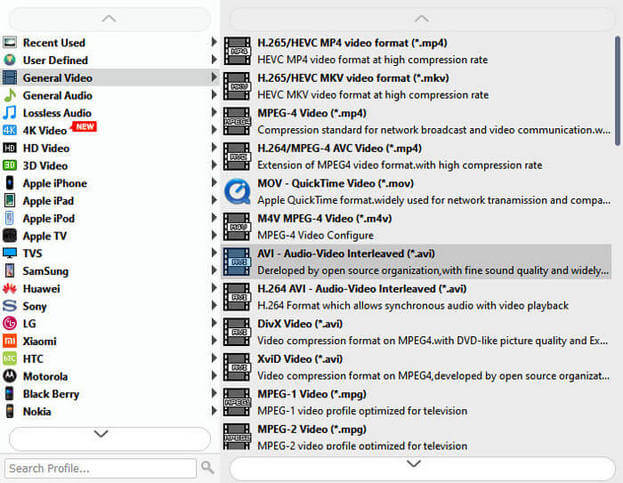
AVI'yi seçin

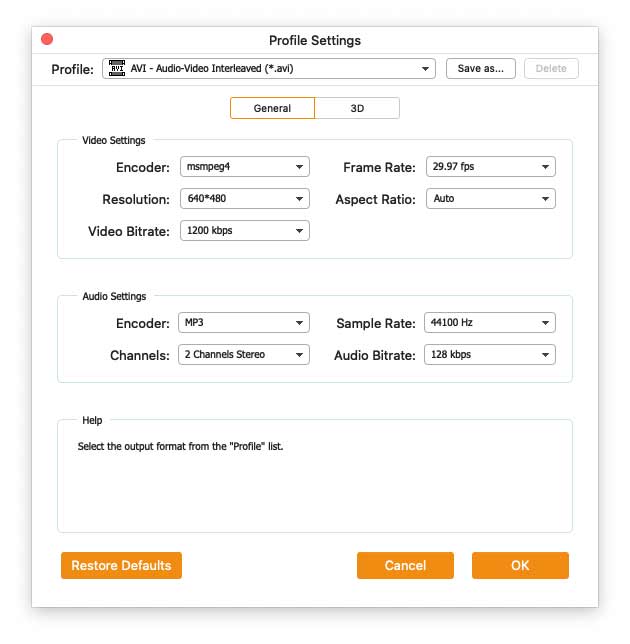
Dişli simgesine tıklayın ve video ile ses parametrelerini gereksiniminize göre ayarlayın. Ardından Tamam düğmesine tıklayın.
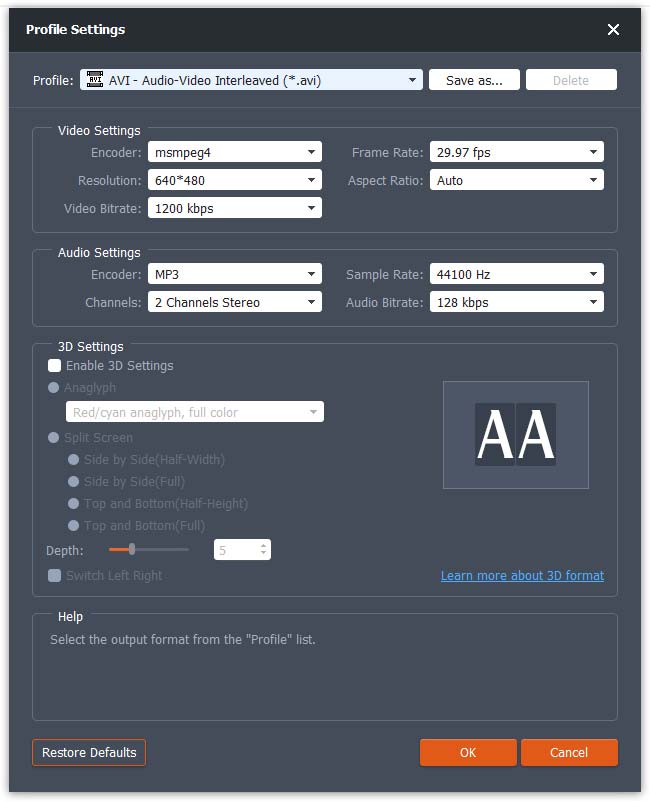
Profil ayarları

Step 4. Start converting FLV to AVI

After selecting the format, go to the Output folder field to choose the destination folder and then click the Convert button at the lower right corner to convert FLV videos to AVI format.
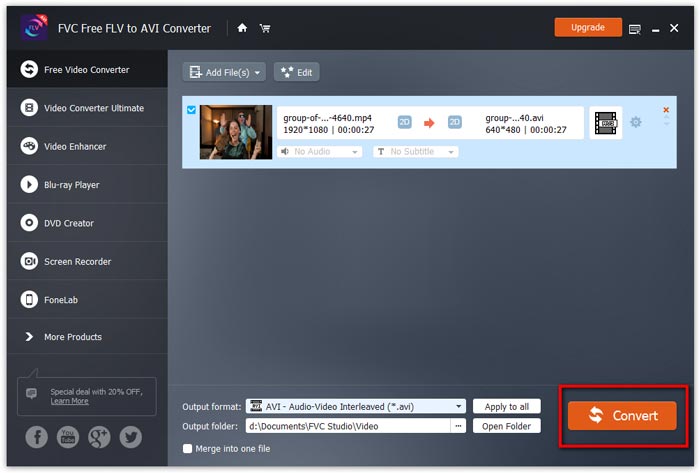
Dönüşümü başlat

Kullanici rehberi

Video Dönüştürme Çözümleri

Başlamak

FVC Free FLV to AVI Converter, videoları FLV ve AVI videoları arasında dönüştürmenize yardımcı olabilir ve ayrıca videolarınızı düzenlemenin kolay bir yolunu sunar. Bu eğitimde, bu ücretsiz yazılımı daha iyi anlamanıza yardımcı olmak için bu FLV'den AVI'ye dönüştürücünün tüm özelliklerini tanıtacağız.

Ana arayüz

Indirin ve yükle

Başlamak için, programı doğrudan indirmek için yukarıdaki Ücretsiz İndir düğmesini tıklayın. Programı indirdikten sonra, indirilen dosyaya çift tıklayın ve ardından yüklemek için ekrandaki talimatları izleyin.

Kurulumu bilgisayarınıza indirin. İndirilen dosyaya çift tıklayın ve kurulum talimatlarını izleyin, ardından uygulamayı çalıştırın.

Tercihler

FVC Free FLV to AVI Converter sizin için çeşitli özelleştirilebilir tercihler sunar. Çıktı klasörünü, CPU benzeşimini ve daha fazlasını seçebilirsiniz.

Tercihler

FLV'yi AVI'ye dönüştür

Step 1. Add a FLV file to the program

Run the converter, click Add File(s) in the top-left corner of the window to add one or multiple videos into the program.

FLV Dosyaları Ekle

Step 2. Edit the video (optional)

For editing your video file, click on the Edit button from the top menu bar. Then, you will be taken to the window where you need to select a theme for your video.

Tema seçin

Then, click Next to proceed. Here you can customize the main title, author, time, and provider in the opening and ending of the video.

Tema Ayarlarını Değiştir

Click Next and then you can preview the video. If you are satisfied with the result, click the Save button to save the settings.

Tema Ayarlarını Kaydet

Step 3. Set the target format

Then, go to the Output format field, and choose AVI you want to convert.

AVI'yi seçin

Dişli simgesine tıklayın ve video ile ses parametrelerini gereksiniminize göre ayarlayın. Ardından Tamam düğmesine tıklayın.

Profil ayarları

Step 4. Start converting FLV to AVI

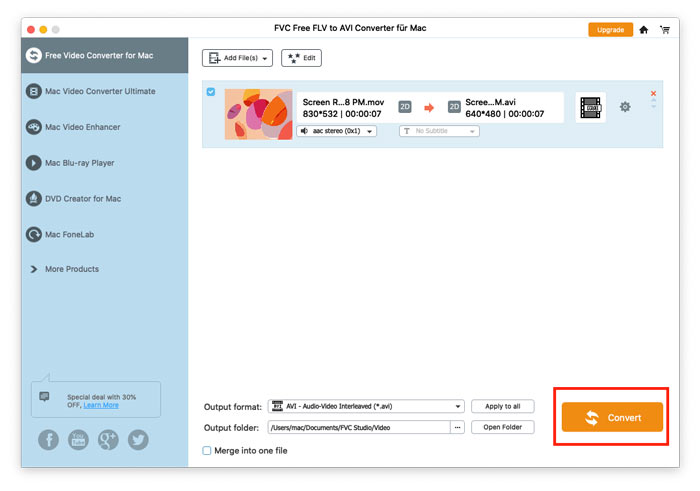
After selecting the format, go to the Output folder field to choose the destination folder and then click the Convert button at the lower right corner to convert FLV videos to AVI format.

Dönüşümü başlat