


 Video Dönüştürücü Ultimate
 Ekran kaydedicisi
 Video Onarımı
 Güvenli İndirme
Zahmetsizce Kullanabileceğiniz HEIC Dönüştürücü Hakkında Nihai İnceleme
Dünyada her gün 4,5 milyardan fazla görüntü çekilmektedir. Düzenli olarak bir kişi ortalama olarak günde yaklaşık 20 fotoğraf çekiyordu. Dünya çapındaki geniş etkisi ile çoğumuz, Apple'ın standart görüntü formatını HEIC olarak değiştirdiğinde yaptığı gibi, görüntüyü daha iyi kalitede saklamak için bir adım daha attık. Bu görüntü formatı, yüksek kaliteli bir fotoğraf içerebilir, ancak boyutu JPG veya PNG'den daha küçüktür. Böylece, geliştirilmiş sıkıştırmasıyla, görüntü dosyası bu biçimdeyse çoğumuz iOS sürücümüzde daha fazla yer kazanabiliriz. Sonuç olarak, format her iOS 11 ve macOS High Sierra'da popüler oldu.
Format ne kadar iyi olursa olsun, dosyayı başka cihazlara aktardığınızda muhtemelen açmayacaksınız. Bu tür durumlarda bir dönüştürücü çok daha kullanışlı olabilir. Bu sorunu çözmek için okumaya devam edin; bu makalede ücretsiz olarak kullanabileceğiniz ve her iki tarafta da satın alabileceğiniz beş HEIC dönüştürücüsünü tanıtıyoruz. 7 dakikadan kısa sürede çözüm bulmanız için ihtiyaç duyacağınız bilgileri almak üzere okumaya devam edin.

Bölüm 1. Web'de Bulunan En İyi 3 Ücretsiz HEIC Dönüştürücü
FVC Ücretsiz HEIC to JPG Dönüştürücü
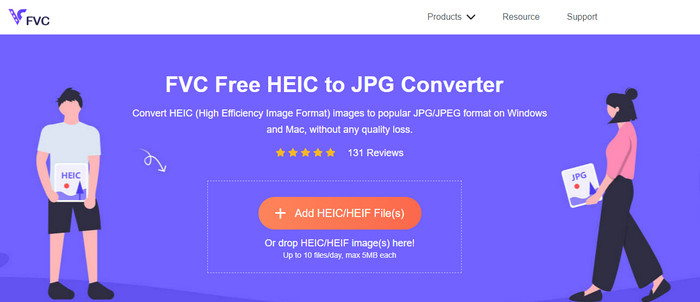
FVC Free HEIC to JPG Converter, web üzerinde kullanabileceğiniz basit ve etkili bir ücretsiz HEIC dönüştürücü sunar. Bu web aracıyla dosyayı siteye yüklemek için kolayca sürükleyip bırakabilirsiniz; dönüştürme işlemini başlatmanıza gerek yoktur çünkü otomatik olarak başlayacaktır. Her ne kadar bu web tabanlı araç toplu dönüştürmeyi desteklemese de, yine de mutlaka bilmeniz gereken en iyi çevrim içi dönüştürücülerden biri olarak kabul edilir. Diğer bazı dönüştürücüler dönüştürdüğünüz görsellerin kalitesini düşürürken, bu araç HEIC dosyanızın kalitesini düşürmez ve JPG’ye dönüştürdükten sonra da aynı kaliteyi korur.
Belki bu aracı kullanıp kullanmadığınızı merak ediyorsunuz, yükleyici gibi ek dosyalar indirmeniz gerekiyor mu? Neyse ki, bunu kullanırken yükleyiciyi sürücünüze indirmenize ve anında kullanmanıza gerek kalmayacak. Piyasada bulunan diğer dönüştürücülerin aksine, araca favori tarayıcınızdan erişilebildiğinden kurulum gerekmez. Araç, HEIC dosyanızda sorunsuz bir şekilde mükemmel şekilde çalışsa da, sınırlı işlevsellik vardır; bu, günlük olarak boyut ve dönüşüm sağlar. Çevrimiçi dönüştürücüyü kullanmaya karar verdiğinizi varsayalım. Temizliğini ve genel görünümünü görmek için yukarıdaki bağlantıya tıklayın.
JPGHEIC.com
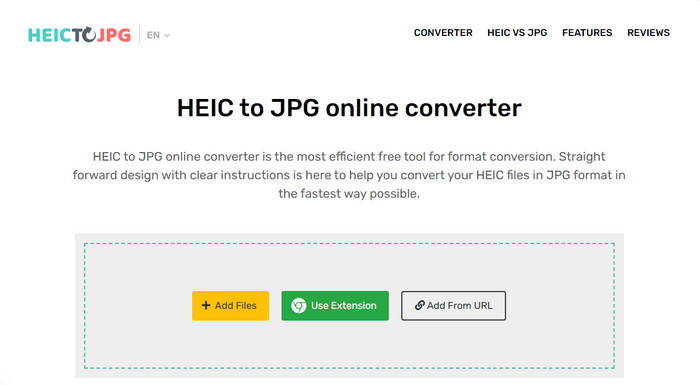
JPGHEIC.com, yukarıda tanıttığımız HEIC görsel dönüştürücüyle aynı şekilde çalışır. Ancak bu aracı etkileyici kılan, web aracının kullanım sayısı ve dosya boyutu açısından herhangi bir sınırlamasının olmamasıdır. Bu araçla medya dosyasını ana siteye sürükleyip bırakarak kolayca ekleyebilirsiniz. Ayrıca, JPG formatına dönüştürmek istediğiniz HEIC görselinin bağlantısını bir URL ile yükleyebilirsiniz. Aracın resmi bir web sitesi olsa da, ana siteyi ziyaret etmek yerine daha kolay erişim için Chrome uzantısını da kullanabilirsiniz. Web dönüştürücü ile uzantının işlev ve özellikleri birbirinden çok farklı değildir.
Ücretsiz bir dönüştürücü olmasına rağmen, yanlışlıkla tıklayıp açabileceğiniz bazı can sıkıcı reklamlar var. Bu nedenle, virüs içerebilecek reklamları açmamak için tıklamamaya dikkat edin. Bu aracı kullandıktan sonra buraya yüklediğiniz dosya bir saat sonra silinecektir. Bu web aracında dosya tamamen silinmeden önce bunlara erişebilirsiniz.
Freeconvert.com
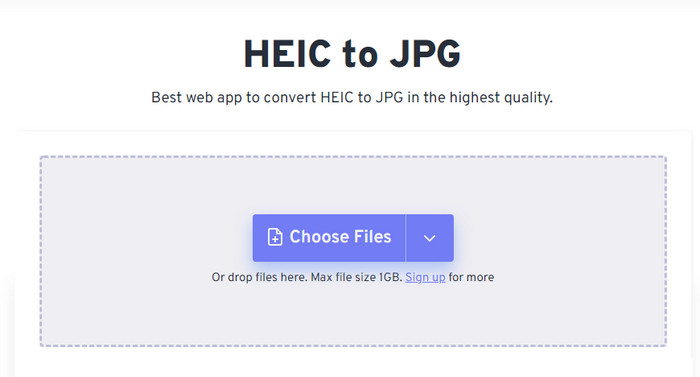
Freeconvert.com, favori web tarayıcınızda kullanabileceğiniz, sürükle ve bırak işlevini destekleyen, kullanımı zahmetsiz bir HEIC dosya dönüştürücüsüdür; böylece HEIC dosyalarını eklemek çok daha kolay hâle gelir. Yukarıda eklediğimiz çevrim içi dönüştürücünün aksine, bu araç yalnızca JPG’yi çıktı formatı olarak sunmakla kalmaz; aynı zamanda BMP, PNG, TIFF, WebP vb. formatlara da dışa aktarma yapabilirsiniz. Web aracı her ne kadar harika görünse de, özellikle dosya boyutu konusunda can sıkıcı olabilecek bazı kısıtlamalar vardır. Ancak desteklediği 1 GB’lık dosya boyutu, internette ya da bu makalede bulabileceğiniz diğer web araçlarından çok daha yüksektir.
Desteklenen dosya boyutuna ve dönüştürmeye ek olarak, boyutu, sıkıştırmayı değiştirebilir ve HEIC dosyanızdaki meta verileri kaldırabilirsiniz. Aracı kullanmanın avantajlarından biridir; daha da önemlisi, bunları manuel olarak değiştirmek istiyorsanız. Daha iyi hale getiren ek özelliklere sahip olmasına rağmen, bu aracın dönüştürme hızı beklediğimiz kadar hızlı değil.
Bölüm 2. Windows ve Mac'te İndirilebilen En İyi 2 Ücretli HEIC Dönüştürücü
Aiseesoft HEIC Dönüştürücü - Windows ve Mac'te En İyi HEIC Dönüştürücü
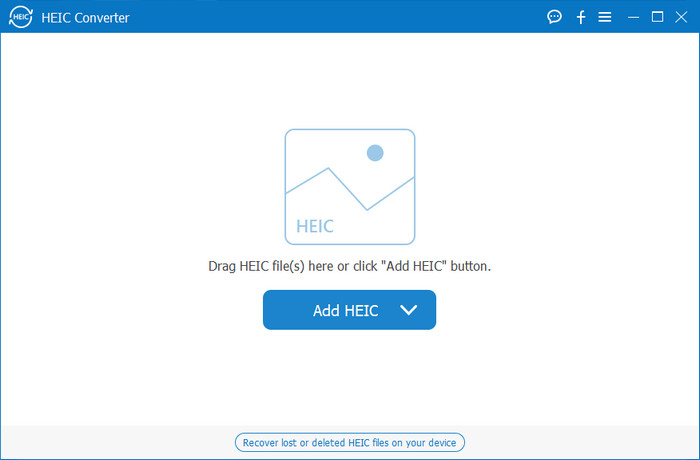
Windows 10/11 ve Mac üzerinde profesyonel bir HEIC dönüştürücü kullanarak her şey mümkün olduğunca sorunsuz ilerleyebilir; tıpkı Aiseesoft HEIC Converter gibi. Bu, her iki işletim sistemi için de tercih etmeniz gereken en iyi dönüştürücüdür. Yazılıma abone olarak, şimdiye kadar deneyimleyeceğiniz en benzersiz ve son derece hızlı dönüştürme sürecine sahip olabilirsiniz. HEIC dosyanızı yükledikten sonra, formatı JPG’ye dönüştürdüğünüzde herhangi bir fark görmezsiniz. Profesyonel olsanız da olmasanız da, HEIC dosyanızı dönüştürmek ve başarıyı garanti altına almak için güvenebileceğiniz mükemmel araç budur.
Şimşek benzeri dönüştürme hızına ek olarak, isterseniz kaliteyi düşürme ve HEIC'inizde depolanan EXIF verilerini JPG'ye kaydetme olanağına da sahip olabiliriz. Performans açısından, dönüştürme hızı, basit kullanıcı arayüzü ve diğer sağlamlaştırılmış işlevler, bu aracın görüntü dönüştürme konusunda İşaretlemediği hiçbir şey kalmadı. Aracı kullandıktan sonra, memnun kalana kadar tüm HEIC dosyalarını buraya yükleyebilirsiniz. Bu aracın desteklediği özellikler hakkında daha fazla bilgi edinmek için aşağıdaki içeriği okuyun.
Özellikler:
◆ Birden fazla HEIC dosyasını aynı anda bir JPG formatına dönüştürmeyi destekler.
◆ Bu araçta her bir görüntü dosyasının dosya boyutu bir sorun değildir.
◆ Takım aynı kaliteyi koruduğu için kalite kaybı sorun olmaz.
◆ Gururla dönüştürme hızı ile dosyalarınızı hemen dönüştürün.
◆ Yazılımın Windows veya Mac'inizde mevcut olması.
TunesBro HEIC Dönüştürücü
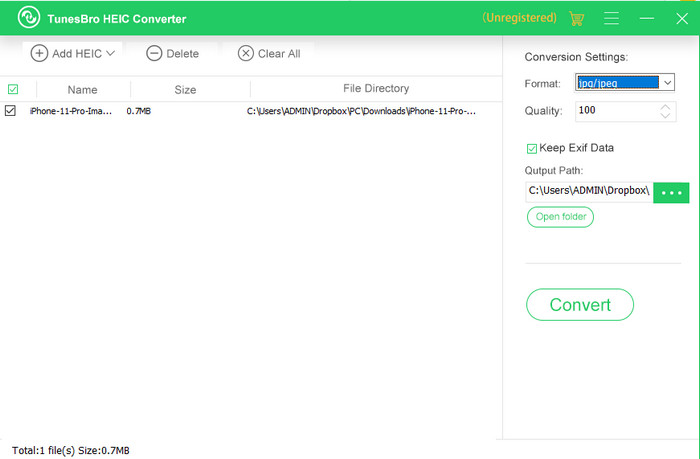
TunesBro HEIC Converter, Windows ve Mac’inize indirebileceğiniz, iyi bilinen bir HEIC dönüştürücüdür. Tanıttığımız ücretli dönüştürücüye benzer şekilde, bu araçla internet bağlantınız olmasa bile HEIC görselinizi orijinal kalitesini kaybetmeden dönüştürebilirsiniz. Profesyonel olmasanız bile, sezgisel arayüzü sayesinde aracı kolayca kullanabilirsiniz. Bazı popüler dönüştürücüler bile dönüştürme konusundaki genel işlevsellik ve performans bakımından bu araçla yarışamaz. Ancak fiyatlarını karşılaştırdığımızda, bu aracın fiyatı Aiseesoft HEIC Converter’dan daha yüksektir. Yine de diğer bazı dönüştürücülere göre daha ucuzdur.
Birçok kullanıcı, kişisel dönüştürücü olarak kullanmayı biraz pahalı buluyor; maliyetli olmasının nedeni, dönüştürmede size yardımcı olabilecek özellikleri desteklemesidir. HEIC'i standart bir biçime dönüştürmeyi düşünüyorsanız, bütçesi kısıtlı kullanıcılar için bunu son seçenek olarak seçmek isteyebilirsiniz. Ancak kullanıcı dostu bir toplu dönüştürücüye sahip olmak istiyorsanız, aracı masaüstünüze indirin.
Bölüm 3. Hangisi En İyisi? 5 HEIC Dönüştürücü için Karşılaştırma Tablosu
| Özellikleri | FVC Ücretsiz HEIC to JPG Dönüştürücü | JPGHEIC.com | Freeconvert.com | Aiseesoft HEIC Dönüştürücü | TunesBro HEIC Dönüştürücü |
| Dönüşüm hızı | Hızlı | Biraz yavaş | Biraz yavaş | en hızlı | Hızlı |
| Çoklu HEIC Dosyasını Dönüştür |  | | |  | |
| Dönüştürdükten Sonra Meta Verileri Tut | | | | | |
| Kullanıcı dostu | | | | | |
| İnternete Bağlı | | | | | |
Bölüm 4. HEIC Dönüştürücüler hakkında SSS
HEIC'i dönüştürmek neden yavaş?
Eğer internete ihtiyaç duyan bir araç kullanıyorsanız internet bağlantınızı kontrol etmelisiniz fakat internetiniz stabil ise sorun kullandığınız araçtadır. Kullandığınız aracın desteklediği müşteri hizmetleri ile iletişime geçebilirsiniz. Olmadığını varsayalım, o zaman dönüştürücüyü değiştirmenizi öneririz. Ancak bu çevrimdışı bir araçsa, kullandığınız aracın donanım hızlandırması veya hızlı dönüşümü yoktur. Bu nedenle, çevrimdışı bir dönüştürücü seçmeden önce, hızı ve güvenilirliği hakkında bazı makalelere göz atmalısınız.
HEIC neden desteklenmiyor?
Yerel olarak desteklenmemesinin nedenlerinden biri, sıkıştırma türünün şu anda kullanılıyor olmasıdır. HEIC'in desteklediği sıkıştırma, tüm cihazların desteklemediği modern bir kayıplı sıkıştırmadır. Bu nedenle, bu tür durumlarda bir dönüştürücü seçmek özellikle önemlidir.
HEIC yalnızca iOS'ta kullanılabilir mi?
Şimdilik bu görüntü formatı güncel ve her iOS 11 ve sonraki sürümlerde yakaladığınız görüntü için standart format olacak. Ancak yakında, format Android ve Windows'ta da mevcut olacak, çünkü yüksek kaliteli bir resmi JPG'den daha az boyutta depolayabilen en iyi formatlardan biri.
Sonuç
Özellikle HEIC formatında görsel alan taraf sizseniz, bir HEIC dönüştürücü seçmenin şart olduğu konusunda hemfikiriz. Daha önce formatın harika olduğundan bahsettik ve şimdiye kadar dosya boyutu ve kalite açısından JPG’den daha iyi bir seçenek olduğu doğrulandı. Bu makaleyi okumayı tamamladığınıza göre, artık size en uygun aracı seçme zamanı; çevrim içi mi yoksa çevrim dışı mı istediğinize karar verin. Her ikisi de iyi birer seçenek olsa da, Aiseesoft HEIC Converter birçok açıdan daha iyidir. Aracı masaüstünüze satın alıp indirerek inceleyin ve tüm işlevlerinden faydalanın.
-
 6 Etkili Çevrimdışı ve Çevrimiçi Yolla HEIC'i JPG'ye Dönüştürün
 HEIC'i JPG'ye nasıl dönüştüreceğinizi bilmek ister misiniz? Bu durumda, bu görevi tamamen bitirmek ve halletmek için kullanabileceğiniz 6 çevrimiçi ve çevrimdışı yol ekliyoruz.
-
 2025'in En İyi 5 HEIC - JPG Dönüştürücü Seçimi
 HEIC'den JPC'ye dönüştürücü ile görüntü formatını kolayca taşınabilir bir JPG'ye değiştirebilirsiniz. Bu 5 aracın ne olduğunu bilmek ister misiniz? Bu makaleyi okuyun.
-
 HEIC'i 2025'te En İyi 4 Geliştirilmiş Yöntemi Kullanarak PDF'ye Dönüştürün
 En iyi HEIC'den PDF'e dönüştürücü hakkında daha fazla bilgi edinmek için bu 2025'i indirebilirsiniz. Bunlar hakkında bir inceleme sağladığımız için bu makaleyi okuyabilirsiniz.
