


 Video Dönüştürücü Ultimate
 Ekran kaydedicisi
 Video Onarımı
.AVI Dosyalarını Oynatmak için Kullanabileceğiniz Farklı AVI Oynatıcıların Neler Olduğunu Öğrenin
All of us love to watch movies, k-dramas, seasons, and more. So, instead of streaming the video to the website, we tend to download the file to avoid loading on screen. Moreover, having AVI files is hard to play on your media player because this format needs to be compressed. After you compress the file, you will need to download the encoder you use which is a bit of a hassle. So, to fix this problem we presented to you this different AVI Media Player you can use to play .avi files. Choose which tool the aid below to fix the problem. So, let's continue exploring the available solutions on the web or program.

Bölüm 1. En İyi Çevrimiçi AVI Dosya Oynatıcısı
FVC Ücretsiz Video Oynatıcı
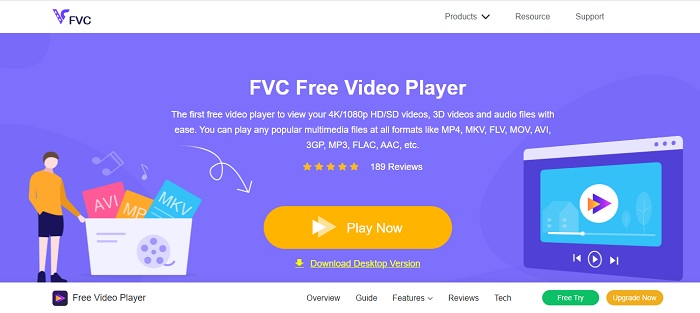
If downloading the AVI file player is not your forte then you must consider using the FVC Free Video Player. This tool is ad free, so if you access the tool on your search engine expect to see no ads. Because the tool is free and easy to access. Most of the users use this to play AVI files on their computer. But the tool doesn't support most of the formats and codecs. Still, it is the best tool in town. So, if you want to access this free tool brought to you by FVC, then follow the steps below to know how to play .avi files online.
Step 1. To go on the main website of the AVI player online you must click this link.
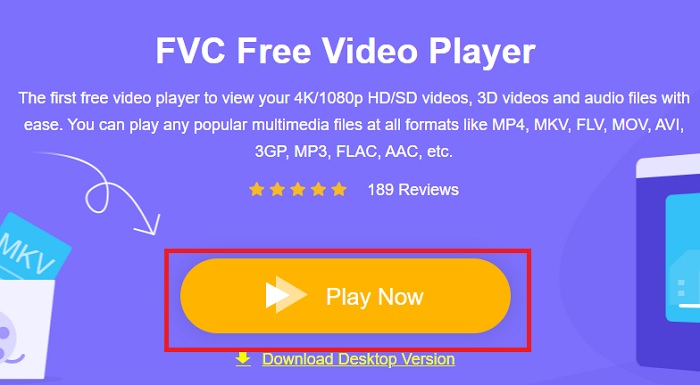
Step 2. Click Play Now to start and launch the media player online.
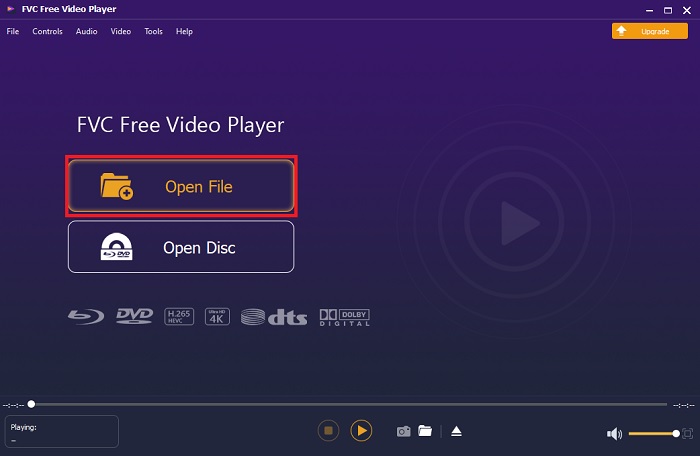
Step 3. Press the Open File and locate the AVI file you want to be played. Then click open to start watching the file.
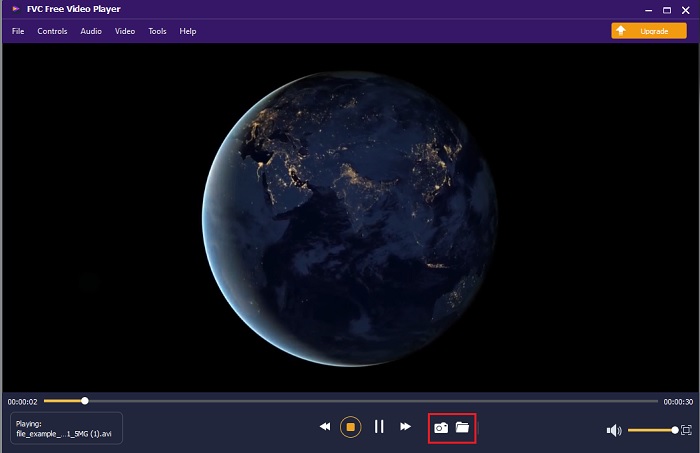
Step 4. While the AVI file plays on your screen you can also take screenshots if you want as well. Click the folder to look at the screen capture you just did.
Step 5. To play another AVI file or any other video file just repeat the steps presented in here and just enjoy it.
Bölüm 2. En İyi Çevrimdışı AVI Dosyası Oynatıcılarının 4'ü
1. FVC Blu-ray Oynatıcı
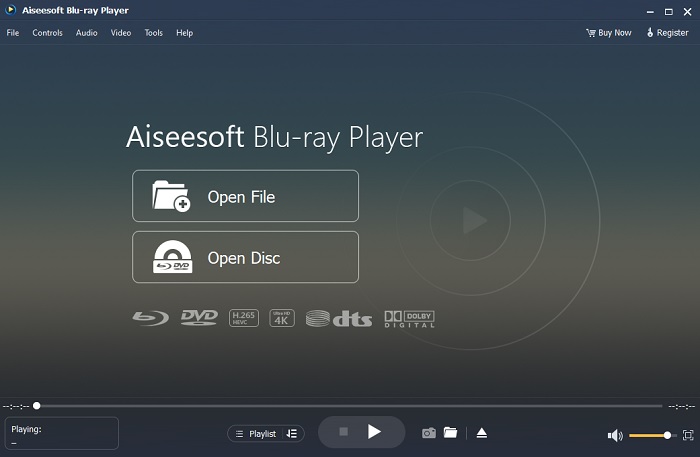
If you want to have a cinematic vibe while watching your video then you must use Blu-ray Player. Unlike any AVI player this tool became popular to a lot of users in the entire world. Also, this tool has a similar feature like the other media player. But what are the main differences from the other? First of all, this tool has a lot of formats to support and play with. Second, the media player can be played even if the download is not completed. Last, the CDs, DVDs, or Blu-ray you insert on the optical disc drive can be played here also. So, achieve something like watching a movie on your computer without paying a lot by downloading this tool.
Ücretsiz İndirWindows 7 veya üstü içinGüvenli İndirme
Ücretsiz İndirMacOS 10.7 veya üstü içinGüvenli İndirme
Artıları
- Burada listelenen diğer medya oynatıcılardan daha fazla formatı destekler.
- Veriler kaybolsa veya bozulsa bile dosyayla ilgili birkaç ayrıntıyı izleyin veya dinleyin. Ayrıca burada video oynattığınızda kendinizi sinemada gibi hissedeceksiniz.
- Ton, doygunluk, parlaklık, kontrast ve gama ışınlarının video efektini ayarlayabilir.
Eksileri
- Bu araç ücretlidir ancak pahalı değildir.
- Sürücünüze indirilebilir medya oynatıcı.
2. DosyaAtı
File Horse is a compilation of different tools on its website. Although this AVI player for Mac and Windows can be accessed easily. Still the website of the tool has a lot of ads on it. So, be careful not to click them to avoid opening a new tab of the unnecessary website. Also, the pesky ads in here can make your entire system a bit lag.
Artıları
- Problemler için farklı çözümler içerir.
- Araçlar için arama motoru gibidir.
- Araçları buradan ücretsiz indirin.
Eksileri
- Sinir bozucu reklamlar web sitesinin her yerinde.
- Araç için indirme deseni biraz sert. İndirme düğmesi olmasına rağmen, indirmek istediğiniz aracın bir sürümünü seçmeniz gerekir.
3. VLC Media Player
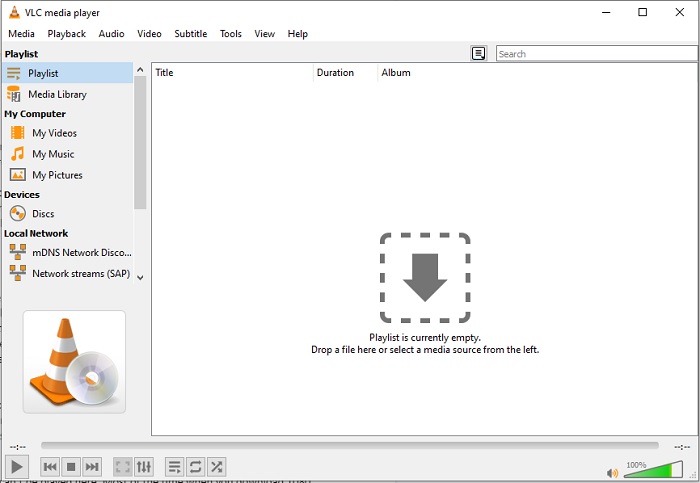
If you're looking for the most renowned AVI video player then VLC Media Player is the name of it. Most of us already use VLC to play and watch videos on our devices. Although this is the most used media player in this list. Still, the tool encounters a lot of bugs and unplayed format because of the code malfunction. Another thing, we test to play AVI files here. The video played well in the beginning but when we take more time and time there are some problems we encounter already.
Artıları
- Videoları izlemek ve oynatmak için en çok kullanılan araç.
- Bu yazılımda oynatılacak formatların ve kodeklerin çoğunu destekleyin.
- Burada ayrıca sınırlı destek dosya formatı ile dönüştürme yapabilirsiniz.
Eksileri
- Bazı video oynatma işlemleri burada oynatılamaz. Çoğu zaman internet üzerinden 1080 px videoları indirip burada oynatıyorsunuz. Videoların kalitesi 720 piksele düşürülecek.
- Burada oynanan bilinen formatların çoğu, AVI ve MOV gibi arızalarla karşılaşıyor.
4. Windows Medya Oynatıcı
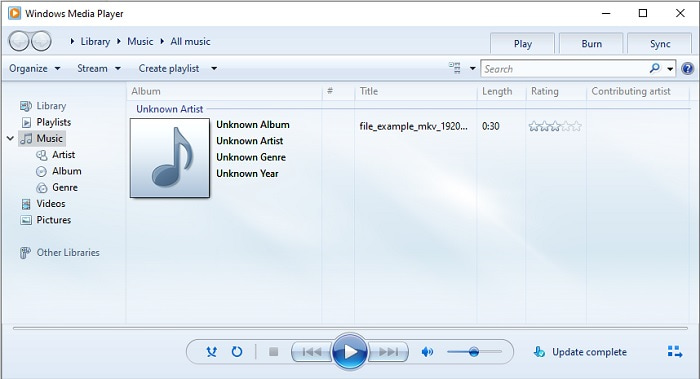
The default AVI player for Windows 10 is the Windows Media Player. Most of the Microsoft developed formats are great if you play it here, like AVi. But this tool has a problem playing other formats that have been created by others like MOV. Also, if you play a format that has an encoded codec then expect to download another software to just play that video. Because it supports less codecs with less formats as well.
Artıları
- Masaüstünüzde zaten yüklü olduğu için indirmeye gerek yok.
- Kullanımı VLC'den çok daha kolaydır.
- Aracın karmaşıklığı, VLC'ye kıyasla o kadar da zor değil.
Eksileri
- Yalnızca Windows'ta kullanılabilir. Dolayısıyla, bir Mac kullanıcısıysanız ana aracı kullanamazsınız.
- Araçtan gelen kodek ve format desteği eksikliği.
Bölüm 3. AVI Player hakkında SSS
Android'de .avi dosyaları nasıl oynatılır?
First download AVI player on Android. When you search for a media player app on Play Store, there will be a lot of options you can choose to play the .avi file on your Android devices.
AVI formatı en ideal format mı?
AVI, üzerinde ham ancak yüksek kaliteli medya dosyalarını depolamak için kullanabileceğiniz en iyi biçimlerden biridir. Ancak format sıkıştırılmamış olduğundan AVI'yi codec ile yeni bir formata dönüştürmek idealdir. Bu nedenle, AVI dönüştürücü hakkında daha fazla bilgi edinmek için en iyi dönüştürücüler hakkında konuşmaya odaklanan yeni bir makaleye gitmek için bu bağlantıyı tıklayın.
AVI videolarım neden Android telefonlarımda oynatılamıyor?
There are some most common misconceptions about why AVI files can’t be played on your phone. So, to determine what is the problem on your Android phone you must know the reason and learn how to fix it. So, let's go and know why videos aren't playing on your Android phones.
Sonuç
To conclude, in this article we talk about a lot of solutions to fix the AVI problems. But there is one tool that provides the best visual output as a media player. The FVC Blu-ray player provides more cinema or iMax vibes than the other media player. So, why do you want to settle on a class-A tool if you can have an S-class produced by the FVC Blu-ray Player.
-
 op Farklı Kullanımlar için Android Cep Telefonları için En İyi 4 VOB Oynatıcı
 VOB videoları indirdiğinizde ve Android'de izlemek istediğinizde, bu yazıdaki aşağıdaki en iyi 4 VOB oynatıcıdan size en uygun olanı seçebilirsiniz.
-
 Android Mobil Cihazlarda MOV Dosyalarının Nasıl Oynanacağına İlişkin Olağanüstü Kılavuz
 MOV dosyalarınızın neden android medya oynatıcınızda oynatılmadığıyla ilgili bir sorun mu yaşıyorsunuz? O zaman bu makaleyi okuyun, size MOV dosyalarını düzeltmek ve oynanabilir hale getirmek için 2 farklı yöntem sağlayacaktır.
-
 2021'de Windows/Mac/iOS/Android için En İyi 1080p HD Video Oynatıcı
 Bilgisayarınızda 1080p yüksek çözünürlüklü videolar izlemek için bir video oynatıcı arıyorsanız, Mac, Windows PC, iOS ve Android için en iyi 1080p HD video oynatıcı seçimlerimize göz atın.
