


 Video Dönüştürücü Ultimate
 Ekran kaydedicisi
 Video Onarımı
DivX'i AVI'ye Dönüştürmek İçin Kullanılacak Dönüştürücülerin Neler Olduğunu Anlayın
DivX ve AVI, video dosyalarıyla ilişkilendirilmelerine rağmen birbirlerinin rakibi değildir ve bu ikisi arasında birçok fark vardır. Örneğin DivX, uzun videoların kapsayıcısını sıkıştırmak ve videonun kendi kalitesini kaybetmeden mümkün olduğunca küçültmek için kullanılır. AVI ise yüksek çözünürlüklü videoları saklamak için kullanabileceğiniz, ancak dosya boyutu daha büyük olan video kapsayıcılarına bir örnektir. Artık ikisi hakkında kısa bir arka plan bilgisine sahibiz. O hâlde daha derine inelim, bu ikisini daha iyi anlayalım ve bu makaleyi okumaya devam ederek DivX’i ücretsiz olarak AVI’ye nasıl dönüştüreceğimizi öğrenelim.
Bölüm 1. DivX ve AVI
Daha önce de belirtildiği gibi DivX ve AVI, hem bir dosyada hem de başka bir dosyada kullanılabildikleri için gerçekten kendilerine rakip değillerdir. Ayrıca DivX, DivX, Inc. tarafından geliştirilen bir dosya sıkıştırıcıdır. Bu kompresör tescilli ve DVD'lerin yeni nesil video kiralama olduğu söyleniyor. Ancak şimdi DVD'leri değiştirme girişimi başarısız olduğu için DivX kapatıldı. Ancak şimdi, araca hala erişebilir ve DivX'in sağladığı sıkıştırma türünü destekleyen bazı eski medya oynatıcılarda izleyebilirsiniz.
AVI, farklı kodeklerdeki herhangi bir video ve ses dosyasını barındırmak için kullanılan bir medya dosya biçimidir. Bu format, her türlü video veya ses akışını oynatmak için Microsoft tarafından geliştirilmiştir. 1992’nin sonlarında AVI, yalnızca Windows işletim sistemlerinde kullanılmak üzere gelişmiş ve geleceğe dönük video ve ses sunmak için oluşturuldu. Ancak günümüzde AVI’yi Mac veya Linux’ta hatta telefonlarınızda bile kullanabilirsiniz. Bununla birlikte, AVI formatının hâlâ geliştiremediği bir şey var; o da sıkıştırma ve buna bağlı dosya boyutu.
DivX
◆ Bir kabın dosya boyutunu, kalitesine dokunmadan küçültmek için kullanılan kompresörler.
◆ DivX Inc. şirketinin tescilli kompresörüdür.
◆ DVD'lerin daha iyi versiyonu olduğu söylendi ama denemesinde başarısız oldu.
◆ Günümüzde yeni medya oynatıcıların çoğu DivX'i desteklemiyor.
AVI
◆ Bu modern çağda devrim yaratan video ve ses kaplarından biri olarak bilinir.
◆ Bu biçim, platformların ve yazılımların çoğunda desteklenir.
◆ Kayıpsız olduğu için tam bir sıkıştırma desteği yoktur.
Ve şimdi ikisi arasındaki farkı bildiğimize göre, DivX dosyasını izlemek için kullanabileceğiniz çevrimiçi ve çevrimdışı DivX'ten AVI'ye dönüştürücüyü tanımanın tam zamanı.
Bölüm 2. En İyi Dönüştürücülerin 4. Bölümü ve DivX'i AVI'ye Nasıl Dönüştüreceğinizi Öğrenin
En İyi 1. FVC Video Dönüştürücü Ultimate
DivX’i dönüştürmek sizin için bir sorunsa o zaman FVC Video Converter Ultimate bunun cevabı olmalıdır. Diğer dönüştürücülerden farklı olarak, bu yazılım yıllar içinde sürekli geliştirilerek dikkat çeken dönüştürücülerden biri hâline gelmiştir. En iyilerden biri olmasının yanı sıra, donanım hızlandırma ve hızlı dönüştürme desteği sayesinde yaşayacağınız en hızlı dönüştürme sürecini sunar. Dahili özellikleri sayesinde de kolaylıkla üst sıralarda yerini almıştır. Ücretli olmasına rağmen, kullanırken yüksek ücretler ödemeniz gerekmez. Şimdi, Mac veya PC’de DivX’i AVI’ye nasıl dönüştüreceğinizi öğrenmek istiyorsanız, gelin bu aracı kendimiz denerken aşağıda belirtilen adımları izleyelim.
Adım 1. Her şeyden önce, bu aracı kullanmadan önce onu sürücünüze indirmeniz gerekir. Ardından yükleyin, kurulum işlemini yapın ve devam etmek için Start Now tuşuna basın.
Ücretsiz İndirWindows 7 veya üstü içinGüvenli İndirme
Ücretsiz İndirMacOS 10.7 veya üstü içinGüvenli İndirme
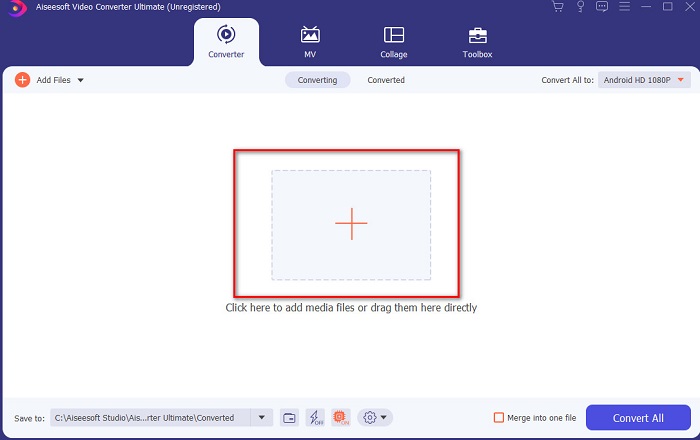
Adım 2. Devam etmek için aracı başlatın; ardından buna benzer bir arayüz görünecektir. Orta kısımdaki + düğmesine tıklayın, eklemek istediğiniz DivX dosyasını bulun ve ardından Open’a tıklayın.
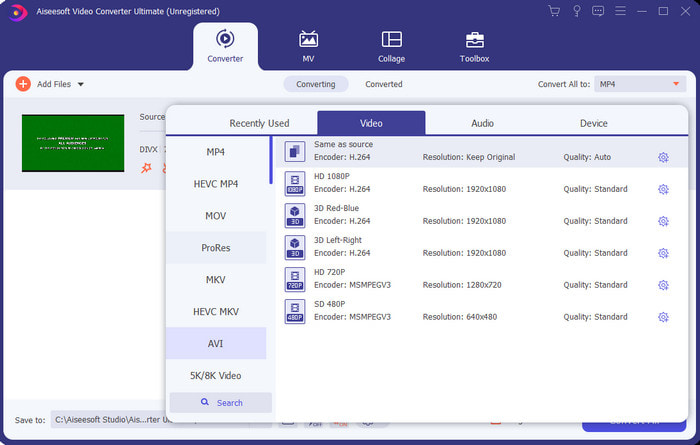
Adım 3. DivX’i AVI’ye dönüştürmek için Convert All to seçeneğine tıklayın, AVI formatını bulun ve üzerine tıklayın.
Adım 4. Dönüştürme işlemini başlatmak için Convert All düğmesine tıklayın ve işlemin tamamlanmasını bekleyin.
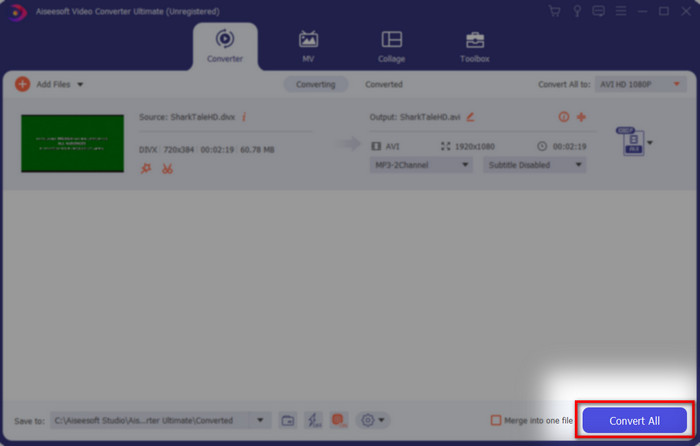
Adım 5. Dönüştürme işleminin tamamlanmasını bekleyin; işlem bittiyse ekranınızda dönüştürülmüş dosyanın bulunduğu bir klasör açılacaktır, dosyayı izlemek ve keyfini çıkarmak için üzerine tıklayın.
En İyi 2. Freemake Video Dönüştürücü
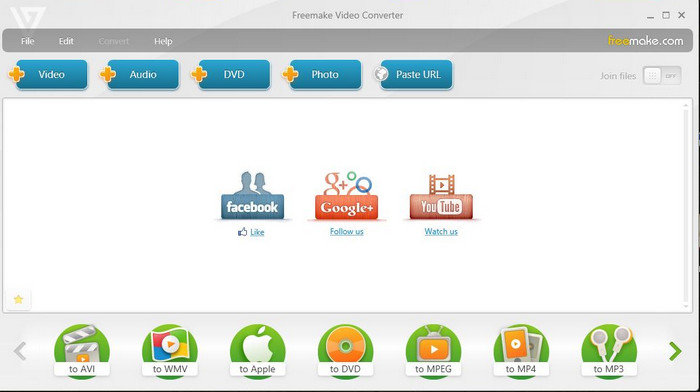
Format dönüştürmek için kullanabileceğiniz bir diğer indirilebilir yazılım ise Freemake Video Converter’dır. Bu araç, birçok kullanıcının herhangi bir medya dosyasını yeni bir formata dönüştürmesine yardımcı olmuştur. Ayrıca indirip güvenebileceğiniz en iyi yazılımlardan biri olarak yaygın biçimde kabul görmektedir. Araç iyi olsa da hâlâ bazı formatları desteklememekte ve dönüştürme süreci oldukça yavaştır. Çünkü bu araçta, FVC Video Converter Ultimate’ta olduğu gibi donanım hızlandırma bulunmamaktadır. Dolayısıyla DivX’i ücretsiz olarak AVI’ye dönüştürmek istiyorsanız, bu yazılım sizin başvuracağınız araç olabilir.
Artıları
- Herhangi bir yazılımı indirmek için ücretsiz.
- Görünüm bilge basittir.
Eksileri
- Donanım hızlandırması yok.
- Bazı biçimler burada desteklenmez.
En İyi 3. FVC Ücretsiz Video Dönüştürücü
Peki, bir medya dosyasını yeni bir formata dönüştürmek istiyor ama hiçbir şey indirmek istemiyorsanız ne olacak? O zaman FVC Free Video Converter size yardımcı olmak için burada. Yukarıda bahsedilen iki araçtan farklı olarak, bu araca herhangi bir indirme yapmadan da erişebilirsiniz. Yazılım çevrimiçi olarak ücretsiz kullanılsa da hâlâ bazı formatlar bu araçta desteklenmemektedir. Ayrıca dönüştürebileceğiniz format seçenekleri sınırlıdır. Ancak dönüştürme süreci, Freemake Video Converter ile karşılaştırdığımızda çok daha hızlıdır. Şimdi, DivX’i çevrimiçi olarak AVI’ye nasıl dönüştüreceğinizi bilmek istiyorsanız aşağıdaki adımları takip edin.
Adım 1. Bu bağlantıya tıklayarak FVC Free Video Converter’ın ana web sitesine gidin.
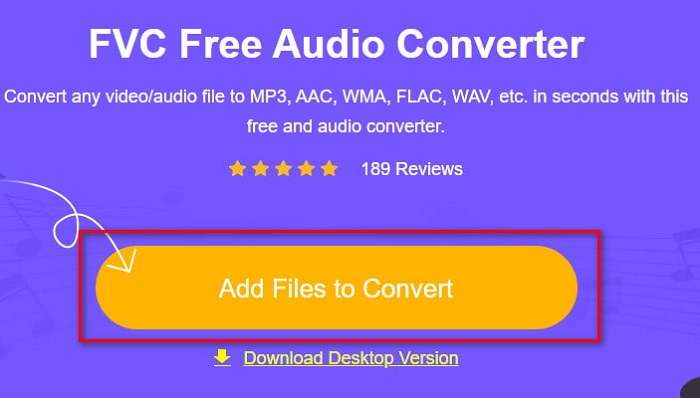
Adım 2. İlk kez kullanıyorsanız başlatıcıyı indirmek için Add Files to Convert düğmesine basın. Başlatıcı zaten yüklüyse tekrar Add Files to Convert düğmesine tıklayın, dosyayı klasörde bulun, seçin ve Open’a basın.
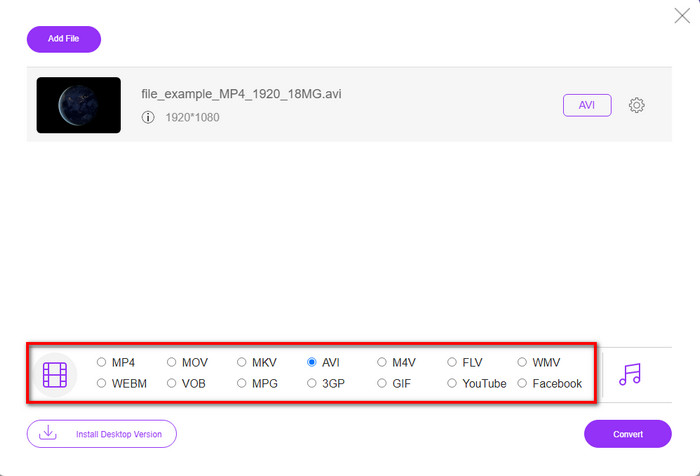
Adım 3. Aşağıda listelenen seçenekler arasından AVI formatını ya da dönüştürmek istediğiniz başka bir formatı seçin.
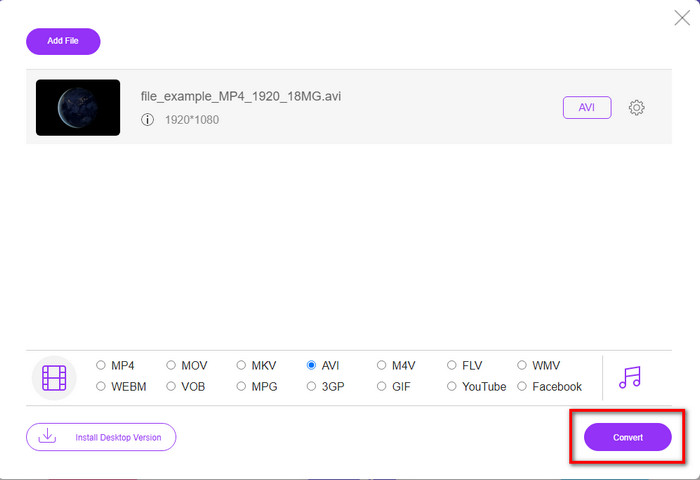
Adım 4. Format seçimini yaptıysanız artık Convert düğmesine tıklayarak dosyayı sürücünüze kaydetme zamanı gelmiş demektir.
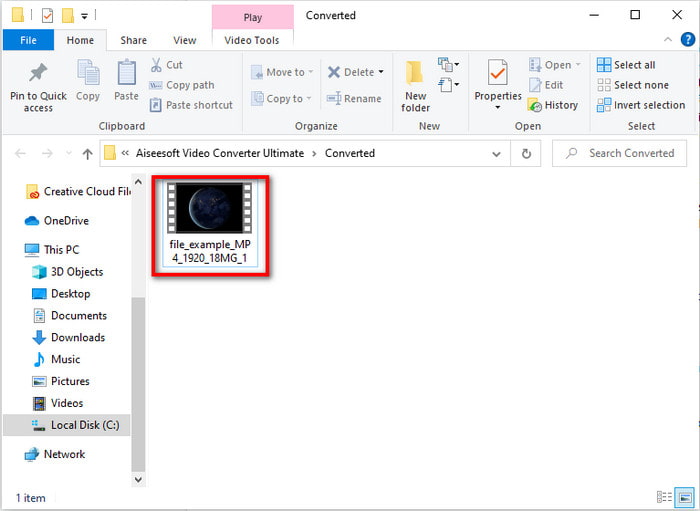
Adım 5. İşlem tamamlandıysa, ekranınızda dosyanın bulunduğu klasör açılmasını bekleyin. Dosyayı açmak için üzerine tıklayın ve dönüştürülmüş medya dosyasını izleyin.
En İyi 4. Online-Convert.com
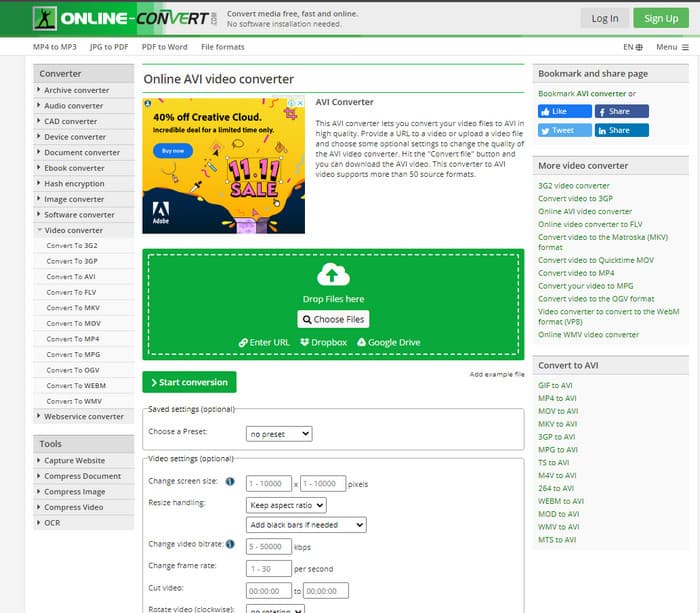
Herhangi bir medya dosyasını dönüştürmek için kullanabileceğiniz bir diğer çevrimiçi araç ise Online-Convert.com'dur. Bazı çevrimiçi araçlar gibi bu dönüştürücü de yalnızca sınırlı sayıda formatı destekler. Ancak, kullanabileceğiniz dahili bir video ayarlama özelliğine sahiptir; ne var ki bu özelliği kullanmak özellikle de bu konuda bilginiz yoksa oldukça zordur. Ayrıca, buraya dosya yüklemek ve indirmek, FVC Free Video Converter ile karşılaştırıldığında son derece yavaştır.
Artıları
- Web üzerinden erişim ücretsizdir.
- Aracın arayüzü harika ve çok az reklam var veya hiç yok.
- Dönüştürme işlemi internet bağlantısına bağlı olacaktır.
Eksileri
- İnternet olmadan erişilemez.
- İthalat ve ihracat süreci diğer araçlara göre çok zaman alacaktır.
Bölüm 3. Hangisi DivX'i AVI'ye Dönüştürmek İçin En İyisidir?
| Özellikleri | FVC Video Dönüştürücü Ultimate | Freemake Video Dönüştürücü | FVC Bedava Video Dönüştürücü | Online-Convert.com |
| Video ve Sesi Dönüştür |  | | | |
| Toplu Dönüştürme | |  | | |
| Donanım ivmesi | | | | |
| Program Tabanlı Araç | Masaüstü Tabanlı Araç | Masaüstü Tabanlı Araç | Web Tabanlı Araç | Web Tabanlı Araç |
| Ağ Bağlantısı | Gerekli değil | Gerekli değil | gereklidir | gereklidir |
Bölüm 4. DivX'ten AVI'ye Dönüştürücüler hakkında SSS
Hangisi daha iyi? DivX ve XviD?
DivX, video ve ses kapsayıcı dosyası için iyi bilinen bir özel kodlayıcıdır ve ayrıca kaliteyi kaybetmeden sıkıştırırken dosyayı diske kopyalama konusunda uzmanlaşmıştır. XviD, DivX'in nakavt versiyonudur ve DivX'ten biraz daha iyidir. Ayrıca, tescilli değildir, yani herkes bunu ne zaman ve ne zaman istersen kullanabilir.
Codec'ler nelerdir?
Bir dosyayı sıkıştırmak ve ses ve video dosyalarının herhangi birini daha küçük bir dosya boyutunda çok daha hızlı dağıtmak için bir codec bileşeni kullanılır. Ayrıca, yaptığınız sıkıştırılmış dosyayı güvenilirliğini bozmadan açmak için söz konusu codec bileşenine bağlı bir dosyayı açmak için kullanılır.
Daha küçük bir dosya boyutuna sahip olmak için sıkıştırmak mı yoksa dönüştürmek mi ideal?
Bir videonun kalitesini koruyup boyutunu küçültmek istiyorsanız, onu bu bağlantı yardımıyla sıkıştırmanız idealdir. Ancak çok daha kolay bir yöntem arıyorsanız, nasıl yapılacağı konusunda fikir edinmek için bu makaleyi okuyarak videoları MP4’e dönüştürmeyi düşünebilirsiniz.
Sonuç
Bu makaleyi tamamlarken, artık DivX’in ne olduğunu ve AVI’nin ne olduğunu anlamak bizim için daha kolay. Ayrıca, DivX dosyanızı AVI formatına dönüştürerek oynatmak için kullanabileceğiniz 4 faydalı aracı da size tanıttık. Artık, 0% başarı yaşamak istiyorsanız, başarıyı garantilemek için FVC Video Converter Ultimate’ı kullanın.
Ücretsiz İndirWindows 7 veya üstü içinGüvenli İndirme
Ücretsiz İndirMacOS 10.7 veya üstü içinGüvenli İndirme
-
 [Ücretsiz ve Çevrimiçi] Mac/Windows Bilgisayarda MTS'yi AVI'ye Dönüştürmenin 7 Yolu
 MTS'yi AVI'ye kolaylıkla dönüştürmek nasıl? Bu kılavuzda, kalite kaybı olmadan Windows veya Mac'te MTS dosyalarını AVI'ye dönüştürmenin 7 ücretsiz ve kolay yolunu bulacaksınız.
-
 MP4'ü 7 Ücretsiz Video Dönüştürücüyle AVI Dosyalarına Dönüştürme Eğitimi
 AVI'yi MP4 videoya dönüştürmenin tüm ücretsiz yollarını almak ister misiniz? Bu makaleyi kaçırmamalısınız. AVI dosyalarını Windows, Mac, iPhone, Android ve çevrimiçi olarak ücretsiz olarak MP4'e dönüştürmenin 7 yolu.
-
 FLV'yi Masaüstünde ve Çevrimiçi Olarak AVI'ye Dönüştürmenin 3 Kolay Yöntemleri
 İşte FLV video dosyalarınızı Windows ve Mac'te AVI formatına verimli bir şekilde dönüştürmenize yardımcı olacak üç yöntem, böylece onları yüksek kalitede izleyebilirsiniz.
