


 Video Dönüştürücü Ultimate
 Ekran kaydedicisi
 Video Onarımı
 Güvenli İndirme
Masaüstü ve Telefonlar için En İyi Video Filigran Kaldırma Uygulamaları
Bilgisayarınız ve telefonunuz için mükemmel bir video filigran kaldırma uygulaması mı arıyorsunuz? O hâlde bu makaleyi okumanızda fayda var. Günümüzde insanlar internet, telefon, televizyon ve daha pek çok yerde film, video klip, özet, slayt gösterisi ve benzeri videolar izlemeyi seviyor. Ancak bazen, en sevdiğiniz videolarda bir filigran bulunur. Bu yüzden, en sevdiğiniz film ya da videoların tadını çıkarmak yerine sinirlenip hayal kırıklığına uğrayabilirsiniz. Ayrıca ekranınızda videonun tamamını bile göremeyebilirsiniz. Neyse ki, bilgisayarlarınızı, iPhone’larınızı ve Android telefonlarınızı kullanarak videolarınızdan filigranları kaldırmak için yazılım uygulamalarından yararlanabilirsiniz. Bu uygulamalarla, ekranınızdaki gereksiz nesneler tarafından rahatsız edilmeden videolarınızı izlemekten keyif alabilirsiniz. Cihazlarınız için bu mükemmel ve etkili video filigran kaldırıcıları öğrenmek istiyorsanız, bu makaleyi sonuna kadar okuyun.

Bölüm 1: PC ve Mac için En İyi Video Filigran Sökücüler
1. Video Dönüştürücü Ultimate
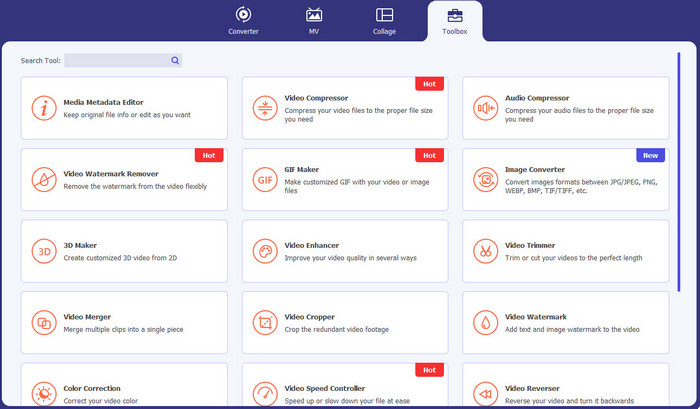
Video Converter Ultimate, videolarınızdaki filigranlar, metinler, logolar ve imzalar gibi gereksiz nesneleri kaldırmak istediğinizde kullanabileceğiniz bir uygulamadır. Ayrıca bu uygulama, yararlanabileceğiniz en iyi video filigran kaldırma uygulamalarından biridir. Dahası, filigranları kalite kaybı olmadan kaldırabilirsiniz. Buna ek olarak, Video Converter Ultimate kullanımı kolay, ücretsiz bir uygulamadır. Hem Mac’te hem de Windows’ta kullanılabilir olması kullanıcılar için oldukça pratiktir. Üstelik bu yazılım, yalnızca videolarınızdaki filigranları kaldırma konusunda güvenilir değildir. Video Converter Ultimate, MP4, MKV, FLV, AVI, MOV ve daha fazlası gibi çeşitli dosya formatlarını da destekler.
Ücretsiz İndirWindows 7 veya üstü içinGüvenli İndirme
Ücretsiz İndirMacOS 10.7 veya üstü içinGüvenli İndirme
Artıları
- Yeni başlayanlar için mükemmel.
- Kaldırma işlemi güvenli ve hızlıdır.
- Mac ve Windows'ta kullanılabilir.
- Kullanımı kolay.
- Çeşitli dosya formatlarını dönüştürebilir.
Eksileri
- Daha gelişmiş özellikler için yazılımı satın alın.
2. 123APPS
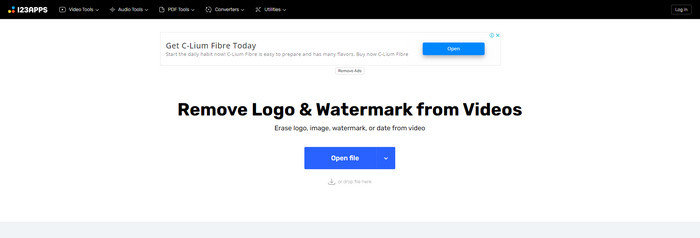
Ücretsiz çevrimiçi bir video filigran kaldırıcı arıyorsanız, 123APPS kullanabilirsiniz. Bu çevrimiçi araç, videolarınızdaki filigranlar, logolar, metinler ve benzeri gereksiz nesneleri kaldırabilir. Ayrıca bu uygulama, MOV, AVI, WMV, MP4 ve daha fazlası gibi farklı türde dosya formatlarını destekler. Bunun yanı sıra, 123APPS’in kolayca kullanabileceğiniz sezgisel bir arayüzü vardır. Yalnızca birkaç tıklamayla filigranları kaldırabilirsiniz; bu da yeni başlayanlar için uygundur. Üstelik bu uygulamanın video düzenleme aracı hızlı ve duyarlıdır; bilgisayarınıza herhangi bir şey indirmeniz gerekmez. Her şey çevrimiçi olarak sunulur. Ayrıca video dönüştürücü, ses dönüştürücü, görsel dönüştürücü, video kırpma, kesme, döndürme, ses düzeyi değiştirme, video hızını ayarlama ve daha fazlası gibi keyifle kullanabileceğiniz ek özellikleri de vardır. Ancak, bu uygulamanın kaydetme süreci oldukça yavaştır ve filigranların bulunduğu alanlar bulanıklaşır.
Artıları
- Bir veri koruma standardına sahiptir.
- Kullanıcılar için uygun.
- Kullanımı kolay.
Eksileri
- İnternet bağlantısı olmadan çalışamaz.
- Kaydetme işlemi çok yavaş.
- Sınırlı özellikler.
3. Apowersoft Çevrimiçi Video Filigran Temizleyici
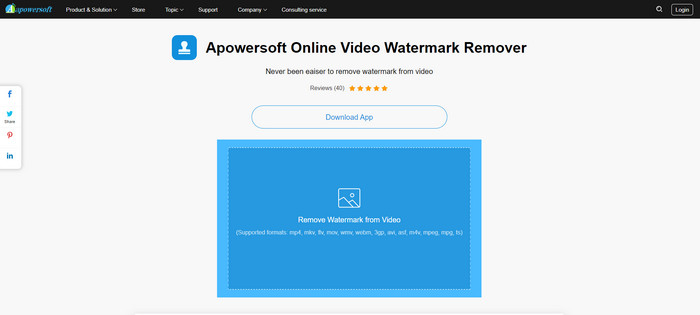
Videolarınızdan filigranları kaldırmak için kullanabileceğiniz bir başka dikkat çekici çevrimiçi araç arıyorsanız, Apowersoft Online Video Watermark Remover en iyi uygulamalardan biridir. Bu çevrimiçi aracı kullanarak videolarınızdaki filigranları kolayca kaldırabilirsiniz. Ayrıca, basit ve kullanımı kolay bir uygulamadır; filigran kaldırmaya yeni başlayanlar için idealdir. Bu araçla görsellerinizden de filigran kaldırabilirsiniz; bu da kullanıcılar için oldukça pratiktir. Çevrimiçi bir araç olduğu için uygulamayı bilgisayarınıza indirmeniz gerekmez. Ancak bu uygulamanın ücretsiz sürümü oldukça sınırlıdır ve dosya boyutu için 50 Mb’lık bir sınırı vardır. Ayrıca videolara filigran yükleme ve filigranları kaldırma işlemleri çok uzun sürer.
Artıları
- Gizlilik riski yok.
- Yeni başlayanlar için iyi olan basit bir arayüze sahiptir.
Eksileri
- Sınırlı özellikler.
- Filigranları yüklemek ve kaldırmak için çok uzun.
4. Tek Dönüştürücü
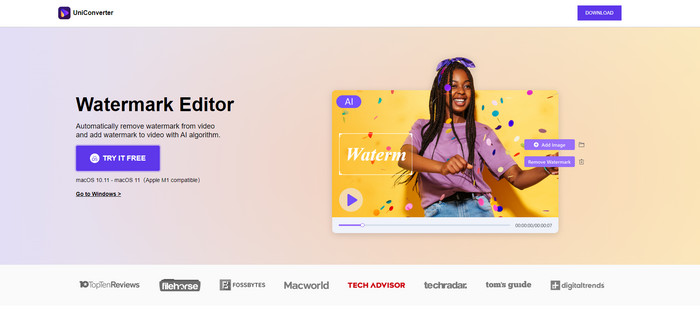
UniConverter, Mac ve Windows bilgisayarlarınızda kullanabileceğiniz bir diğer en iyi video filigran temizleme yazılımıdır. Bu uygulama ücretsiz olarak kullanılabilir. UniConverter, videolarınızda/filmlerinizde logolar, filigranlar, metinler ve daha fazlası gibi bazı rahatsız edici parçaları ortadan kaldırmanıza yardımcı olabilir. Ayrıca, video ve ses dönüştürücü, sıkıştırıcı, ses ve video düzenleme, video birleştirme, gürültü giderici, video arka planını değiştirme, filigran düzenleyici ve daha fazlası gibi kullanabileceğiniz bazı harika özelliklerle de karşılaşabilirsiniz. Ancak, bu uygulamanın ücretsiz deneme sürümü, özellikler açısından sınırlıdır. Ayrıca, yazılımı satın almak istiyorsanız, maliyetli olduğu için büyük miktarda hazırlamanız gerekir.
Artıları
- Kullanımı kolay.
- Güzel arayüz.
Eksileri
- Uygulama pahalıdır.
- Ücretsiz deneme için sınırlı özellikler.
5. Movavi
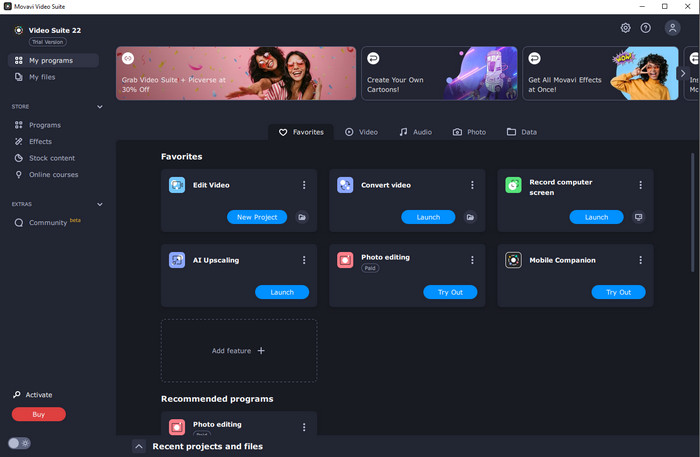
Diyelim ki filigran kaldırma amacıyla kullanmak ve satın almak için mükemmel ve güvenilir bir uygulama arıyorsunuz; o hâlde satın alabileceğiniz en iyi uygulamalardan biri Movavi’dir. Bu uygulama, videolarınızdan filigran, logo ve benzeri unsurları kaldırmak istiyorsanız son derece kullanışlı ve pratiktir. Videolarınızdaki filigranları kaldırmanın yanı sıra Movavi, video kırpma, renk düzeltme ve daha fazlası gibi mükemmel ve dikkat çekici düzenleme araçlarına da sahiptir. Ancak kaydetme süreci söz konusu olduğunda, oldukça yavaştır.
Artıları
- Ücretsiz deneme süresi boyunca özelliklere erişimi sınırlamaz.
- Kullanımı kolay.
- İleri düzey kullanıcılar ve yeni başlayanlar için uygundur.
- Basit bir arayüze sahiptir.
Eksileri
- Geri ödeme politikasıyla ilgili bazı sorunlar var.
- Daha uzun süre kullanmaktan zevk almak için uygulamayı satın almanız gerekiyor.
6. ManyCam
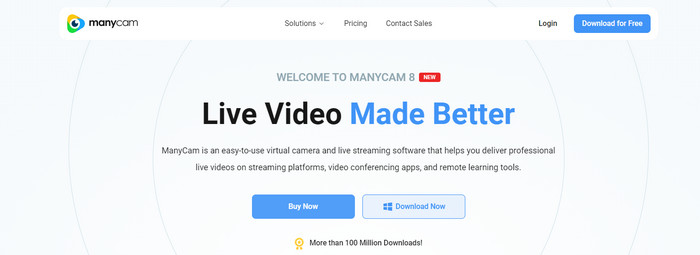
ManyCam, bilgisayarınızda kullanabileceğiniz bir başka ücretsiz video filigran kaldırma yazılımıdır. Bu yazılımla videolarınızdaki filigranları kaldırmak istiyorsanız, önce ManyCam uygulamasında aboneliği satın almanız veya etkinleştirmeniz gerekir. Bu sayede videolarınızdaki filigranları kaldırabilirsiniz. Aynı zamanda videolarınızı ManyCam üzerinden kaydederken videolarınız filigranlanmaz. Ayrıca ManyCam’i oyun yayını yapmak, eğitim videoları hazırlamak, yayın yapmak ve daha fazlası için de kullanabilirsiniz.
Artıları
- Sanal arka plan, 3B maske efektleri vb. gibi diğer araçlardan daha fazla özelliğe sahip olun.
- Oyuncular ve yayıncılar için mükemmel.
- Düzenlemeyi seven ileri düzey kullanıcılar için uygundur.
Eksileri
- Aboneliği etkinleştirmek çok pahalıdır.
- Yeni başlayanlar için uygun değil.
- Katman ayarları ve efektler gibi bazı özellikler karmaşıktır.
Bölüm 2: iOS ve Android için En İyi Video Filigran Sökücüler
1. Video Silgisi - Filigranı Kaldır
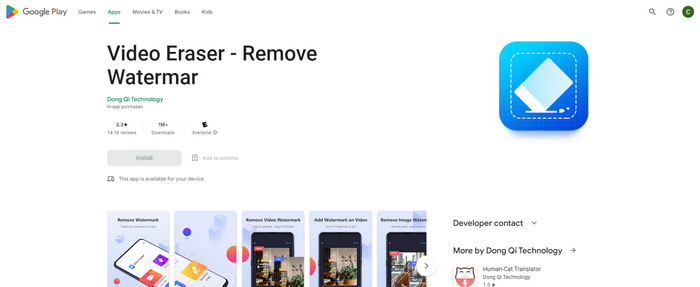
Android için en güvenilir ve en iyi video filigran temizleme uygulamasıyla ilgileniyorsanız, kullanabileceğiniz uygulama Video Silgisidir. Bu uygulama, güçlü bir filigran sökücüdür. Videolarınızdan ve resimlerinizden gereksiz nesneleri silmenize yardımcı olur. Ayrıca yeni başlayanlar için mükemmel olan kullanımı kolay bir uygulamadır. Filigranları sadece birkaç adımda silebilirsiniz. Ayrıca video düzenleme, videolara metin ve simgeler ekleme, videoları kırpma, videoları kırpma ve daha fazlası gibi kullanabileceğiniz farklı araçlara sahiptir. İşin güzel yanı, bu uygulamayı Android cihazınıza ücretsiz olarak indirebilmenizdir.
Artıları
- Hızlı ve verimli.
- Yeni kullanıcılar için uygun olan kullanımı basit.
- gibi harika özelliklere sahip her iki videodan da filigranları kaldırma ve görüntüler.
Eksileri
- Videolarınızdaki filigranları kaldırırken alan bulanıklaşacaktır.
2. FDCTool - Filigran Ekle ve Kaldır
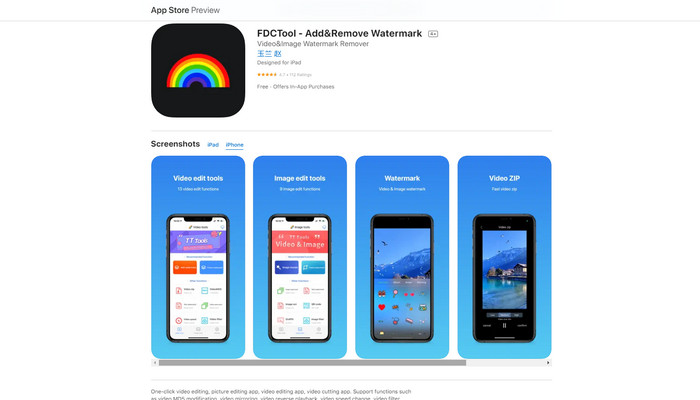
iPhone’unuz için kullanabileceğiniz en iyi video filigran kaldırıcı uygulamalardan birini arıyorsanız, FDCTool'u seçebilirsiniz. Bu uygulama, videolarınızdan, filmlerinizden ve kliplerinizden filigranlar, logolar, metinler vb. dikkat dağıtıcı nesneleri silmenize yardımcı olur. Ayrıca fotoğraf düzenleme, video düzenleme, video kesme, videoya metin ekleme vb. gibi mükemmel özelliklere de sahiptir. Son olarak, bu güvenilir uygulamayı kullanarak basit birkaç işlemle her türlü filigranı zahmetsizce kaldırabilirsiniz.
Artıları
- Yeni kullanıcılar için iyi.
- Tasarruf süreci açısından hızlı.
- Kalite kaybı olmadan filigranları kaldırma.
Eksileri
- Sınırlı özelliklere sahiptir.
Bölüm 3: Video Filigran Sökücü hakkında SSS
En çok önerilen Video Filigran Sökücü nedir?
Kullanabileceğiniz mükemmel ve tavsiye edilen video filigran kaldırıcı, Video Converter Ultimate’tır. Logolar, metinler, görseller ve benzeri gereksiz nesneleri kaldırmanıza imkân tanır.
Video filigran çıkarıcıları kullanarak çıkartmaları kaldırabilir miyim?
Evet elbette! Video filigran çıkarıcıları kullanarak videolarınızdaki etiketleri kaldırabilirsiniz. Tek yapmanız gereken filigran sökücü ile harika bir uygulama aramak ve videolarınızdan çıkartmaları kaldırmak için kullanmak.
Filigranları çevrimiçi olarak kaldırmak güvenli midir?
Evet öyle! Güvenebileceğiniz çevrimiçi araçlar var. Çevrimiçi video filigran çıkarıcıların çoğu güvenli ve güvenlidir.
Sonuç
Videolarınızdaki filigranları kaldırmanın izleyiciler üzerinde olumlu bir etkisi vardır. Bu nedenle, video filigran kaldırıcıların önemli olduğunu söyleyebiliriz. Videonuzun izlenmesini daha keyifli hâle getirir ve hayal kırıklığı yaşamanızı engeller. Ayrıca, videolarınızdaki filigranları kaldırmak istiyorsanız, kullanabileceğiniz en iyi uygulama Video Converter Ultimate’tır.
-
 Tiktok Videolarından Tiktok Filigranlarını Kaldırmanın 4 Etkili Yolu
 Dışa aktarılan Tiktok videolarınızdan Tiktok filigranını kaldırmanız mı gerekiyor? Burada sunduğumuz araçlar yardımıyla yapabilirsiniz; kolayca yapabilirsiniz.
-
 GIF'ten Filigranı Kaldırmanın En İyi 4 Yolu [Çevrimiçi ve Çevrimdışı]
 GIF'ten filigranı kaldırmanız mı gerekiyor? Bu makaledeki araçla, platformunuzda bulunan farklı filigran kaldırıcı ile farklı stilleri öğreneceksiniz.
-
 Videodaki Filigran Nedir ve Nasıl Eklenir veya Kaldırılır
 Filigranın ne olduğunu, hangi farklı türleri ve fotoğrafçıların bir filigran eklemesinin nedenini istiyor musunuz? Peki, tek yapmanız gereken bu makaleyi okumak.
