


 Video Dönüştürücü Ultimate
 Ekran kaydedicisi
 Video Onarımı
2 Windows ve Mac'te Büyük MPV Dosyalarını Sıkıştırmanın En İyi Ücretsiz Yolları
MPV dosyaları nasıl sıkıştırılır? Windows 10'da ekran kaydedicinizle bir video kaydettiniz. Sonuç olarak, kayıt cihazı izleyemeyeceğiniz veya düzenleyemeyeceğiniz büyük bir MPV dosyası üretti. Daha kötüsü ne? MPV, popüler video formatları listesinde yer almıyor. Bu makalede büyük MPV video dosyalarının nasıl sıkıştırılacağına bakın.

Bölüm 1: Çevrimiçi Büyük MPV Videoları Nasıl Sıkıştırılır
En hızlı çözüm, FVC Free Video Compressor kullanmaktır. Bu en iyi MPV sıkıştırıcıyla, büyük MPV videolarını çevrimiçi olarak sıkıştırma görevini yalnızca 3 basit adımı izleyerek tamamlayabilirsiniz.
Öne Çıkan Özellikler:
- 1. Yüksek kaliteyi korurken herhangi bir boyuttaki video dosyalarını küçültün.
- 2. Bir dosyayı sıkıştırırken her seferinde ayarları özelleştirin
- 3. Yeni başlayanlar da dahil olmak üzere tüm seviyelerdeki kullanıcılar için kullanımı kolay arayüz.
- 4. TS, MOV, 3GP, MP4, WMV, RMVB, AVI ve daha fazla formatı destekleyin
MPV Dosyalarını Çevrimiçi Sıkıştırma Adımları
Adım 1: MPV sıkıştırıcısını açın ve arayüze girin.
FVC Free Video Compressor’ı açın ve Add Files to Compress (Sıkıştırılacak Dosyaları Ekle) düğmesine tıklayın. Yüklenecek ve sıkıştırılacak MPV dosyasını seçin.

Not: Bu MPV sıkıştırıcıyı ilk kez kullanıyorsanız, fvc-launcher.exe adlı bir dosyayı indirip çalıştırmanız gerekir. Başlatıcıyı kurduktan sonra, Add Files to Compress düğmesine tekrar tıklamanız yeterlidir. Open penceresi açılacaktır.
Adım 2: MPV sıkıştırma ayarlarını özelleştirin.
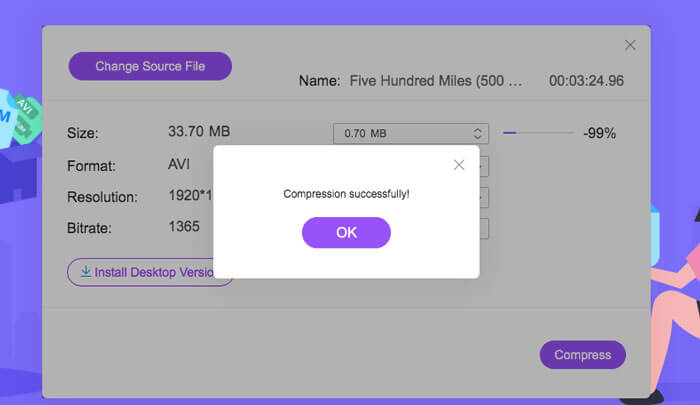
Boyut: Çıktı boyutunu değiştirmek için sürükleyin. Çıktı videosu ne kadar küçük olursa, o kadar fazla görüntü kalitesi kaybı olur.
Biçim: İstediğiniz biçimi seçin.
Çözünürlük: Çözünürlüğü düşürebilir veya orijinal haliyle bırakabilirsiniz.
Bit hızı: Son bit hızı, boyut ve çözünürlük kombinasyonuna bağlıdır.

Adım 3: MPV dosyasını sıkıştırmayı başlatın ve çıktıyı bekleyin.
Compress düğmesine tıklayın ve sıkıştırılmış MPV dosyasını kaydetmek istediğiniz yolu seçin. MPV dosyasını sıkıştırma işlemi sırasında tarayıcıyı kapatmaktan veya bilgisayarı kapatmaktan kaçının.
Daha Fazla Okuma:
2 Ücretsiz Video Sıkıştırıcı ile WebM Dosyası Çevrimiçi Nasıl Sıkıştırılır
MXF Dosyalarını Daha Küçük Boyuta Sıkıştırmanın 2 Kolay Yolu
Bölüm 2: Windows ve Mac'te Büyük MPV Videoları Yerel Olarak Nasıl Sıkıştırılır
MPV videosunu yalnızca daha küçük boyuta sıkıştırmakla kalmayıp aynı zamanda düzenlemek de isteyebilirsiniz. FVC Free Video Compressor bunu yapmanıza imkân tanımaz. Bu yüzden Aiseesoft Video Converter Ultimate’a ihtiyacınız vardır. Bu, MPV videolarını dönüştürmek, kopyalamak, düzenlemek ve sıkıştırmak için kapsamlı bir araçtır.
Öne Çıkan Özellikler:
- 1. MPV video dosyalarını en az kalite kaybıyla sıkıştırın
- 2. Windows 10/8/7 ve Mac OS X 10.7 veya üstü ile uyumludur.
- 3. H.264, VP8, H.265 / HEVC vb. Gibi tüm kodlama formatlarını dahil edin.
- 4. 1000'den fazla format desteği: AVI, WMV, MP3, MP4, FLAC, WMA ve daha fazlası.
- 5. Donanım ve yazılımın hızlandırılması nihai hız sağlar.
- 6. Tek bir tıklamayla güçlü efektler ve çarpıcı filtreler uygulayın.
Ücretsiz İndirWindows 7 veya üstü içinGüvenli İndirme
Ücretsiz İndirMacOS 10.7 veya üstü içinGüvenli İndirme
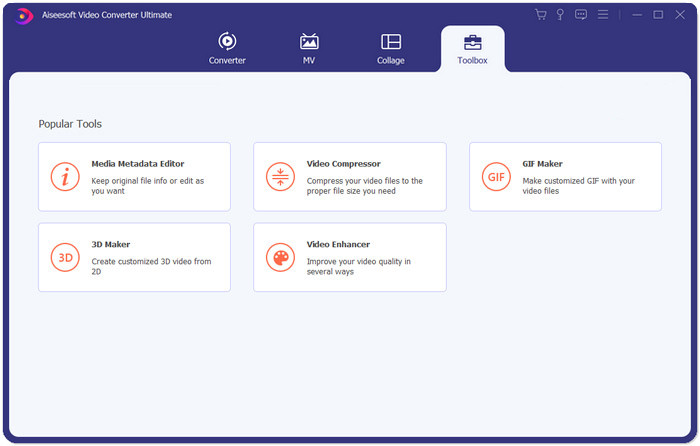
Adım 1: Windows veya Mac’inize nihai MPV sıkıştırıcıyı indirin, kurun ve başlatın. Toolbox sekmesine geçin.
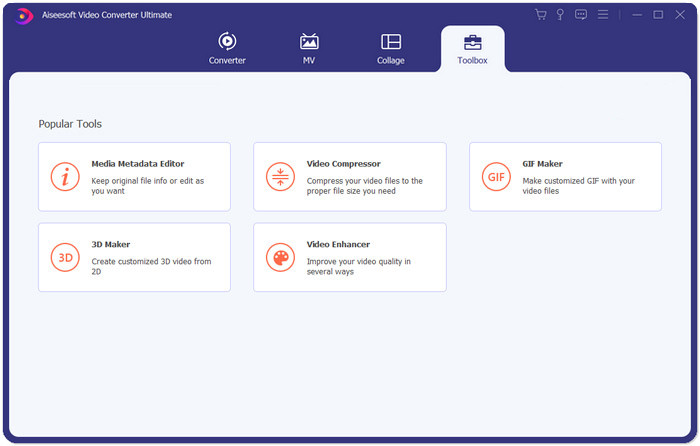
Adım 2: MPV dosyasını sıkıştırmak için Video Compressor (Video Sıkıştırıcı) özelliğini kullanmanız gerekir.
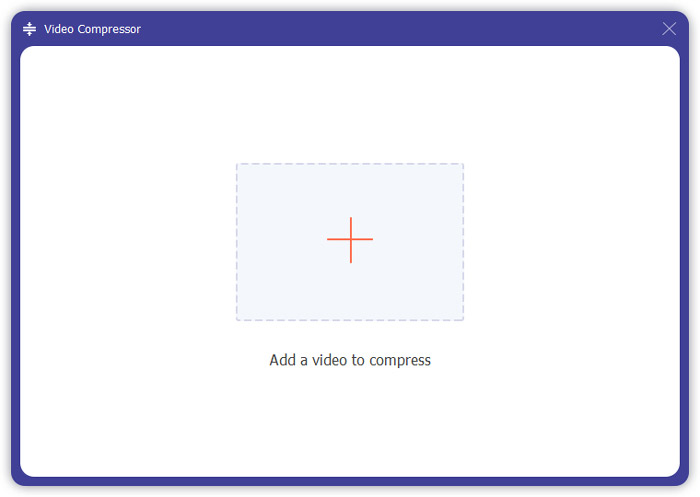
Adım 3: “+” düğmesine tıklayın ve sıkıştırmak istediğiniz MPV dosyasını seçin.
Adım 4: MPV dosyasını sıkıştırmaya başlamadan önce ayarları özelleştirin. Boyut: Çıktı boyutunu ayarlamak için yüzde çubuğunu sürükleyebilir veya doğrudan istediğiniz çıktı boyutunu yazabilirsiniz.
Biçim: MPV listede yer almaz. 16 seçenekten herhangi birini seçebilirsiniz.
Çözünürlük: Otomatik seçeneğini işaretlemeniz daha iyidir. Ayrıca daha düşük bir çözünürlüğe de düşürebilirsiniz.
Bit hızı: Bit hızı, sıkıştırılmış boyuta göre otomatik olarak hesaplanacaktır.
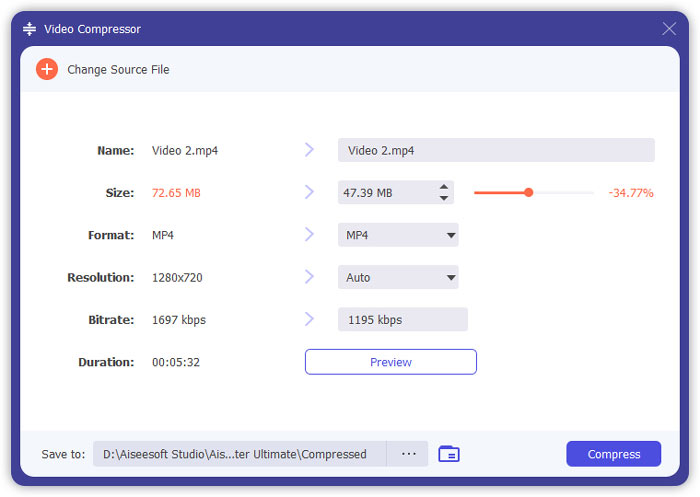
Adım 5: Video Compressor arayüzünün sağ alt kısmındaki Compress düğmesine tıklayın. Bundan önce çıktı dosyasının adını değiştirebilirsiniz.
Bölüm 3: MPV'yi Sıkıştırma Hakkında SSS
MPV dosyası nedir?
MPV, bir tür MPEG temel akış video dosyasıdır. Ham ve sıkıştırılmamış video verilerini içerir.
MPV'yi MP4'e dönüştürmem gerekir mi?
Koşullara bağlı. Örneğin, dosyayı bir sınıf bilgisayarına götürecekseniz ve sınıfta oynatacaksanız, daha iyi uyumluluk için önceden MP4'e dönüştürmeniz daha iyi olur.
Windows Media Player ile bir MPV dosyası açabilir miyim?
Evet. Windows Media Player, MPV dosyalarını destekler.
QuickTime ile bir MPV dosyası açabilir miyim?
Hayır. Mac’inizde bir MPV dosyası açmak için Blu-ray player indirebilir ve kurabilirsiniz.
Sonuç
Bu makale, Windows ve Mac'te büyük MPV dosyalarını sıkıştırmanın iki ücretsiz yolunu tanıttı. En basit yol, FVC Free Video Compressor kullanmaktır. Daha eksiksiz bir deneyim için Video Converter Ultimate'ı indirebilirsiniz. MPV dosyalarını dönüştürmek, kırpmak ve sıkıştırmak için hepsi bir arada bir araçtır.
-
 Facebook Ücretsiz ve Çevrimiçi için Video Nasıl Sıkıştırılır
 Facebook'a büyük bir video yüklemeniz yasaklandıysa endişelenmeyin. Ücretsiz video sıkıştırıcıyla büyük video boyutunu GB'den MB'ye sıkıştırmanız yeterlidir.
-
 MPEG-4'ü sıkıştır | Kaliteyi Kaybetmeden MPEG-4 Dosyaları Nasıl Daha Küçük Yapılır
 Tüm MPEG-4 dosyalarınızı saklamak için yeterli dosya depolama alanınız yok mu? Video dosyalarınızı küçültmenize yardımcı olabilecek bazı çözümler.
-
 VOB Sıkıştırma: VOB Dosyalarının Boyutunu Ücretsiz Olarak Çevrimiçi Olarak Kolayca Azaltma
 VOB dosyalarını sıkıştırmak için yöntemler mi arıyorsunuz? Bu makaleden VOB dosyalarını küçültmenin en iyi yolunu öğrenin.
