


 Chuyển đổi video Ultimate
 Trình ghi màn hình
 Sửa chữa video
Trong các bài đánh giá chi tiết về 3 bộ chuyển đổi web và máy tính để bàn được sử dụng để chuyển đổi tệp WMV sang AVI
There will be a time that you want to convert your file into a new one because they aren't playable. An excellent example in this situation is the WMV format. If you are a Windows user, you have already heard of this format. It stores different video and audio files in one container. However, this format doesn't gain support from most of the media players. So the best way to watch the video file stored in the file extension of .wmv is to convert. If you're asking the same question as others, can you convert WMV to AVI? Then try to proceed below as we accumulate different web tools you can use with the steps provided.
Phần 1. Top 3 trình chuyển đổi sang miễn phí Chuyển đổi WMV sang AVI trực tuyến
Top 1. FVC Free Video Converter Online
Converting can be quickly done if you have internet access and use this FVC Free Video Converter Online. This software supports a much faster and better conversion, unlike other webtool. Also, you will not need to wait for the file to upload because this tool doesn't want you to wait for too long. Another good thing about this web tool is the built-in converted video library this tool provides. To access the video or audio, you convert efficiently and effectively. However, if you don't have internet access, you can't use this just like the other web tool below. Moreover, if you want to try this tool, then here are some provided steps you can follow to convert WMV to AVI for free online.
Step 1. First, go to the main website of the FVC by clicking this link.
Step 2. Then click Add Files to Convert to install the launcher of the web tool. No need to worry because it is only just a few bytes, and it is safe also. If the installer is on your drive, re-click the Add Files to Convert, choose the .wmv format on the folder, and click Open.
Tải xuống phiên bản dành cho máy tính để bàn để chuyển đổi tập tin hàng loạt.
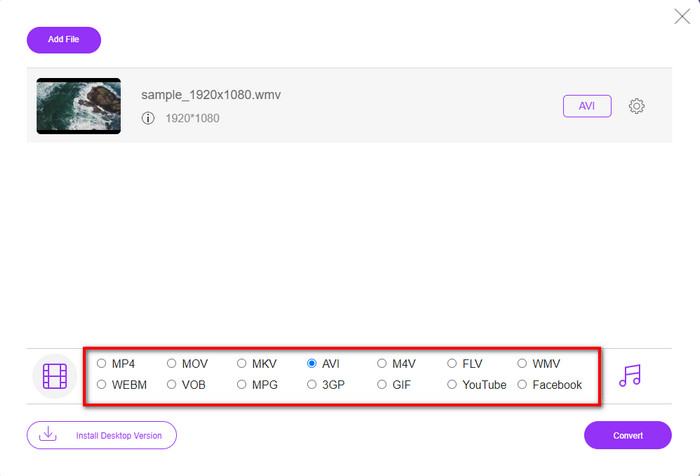
Step 3. Once the WMV file is on the interface, you must now choose the AVI format on the options available below.
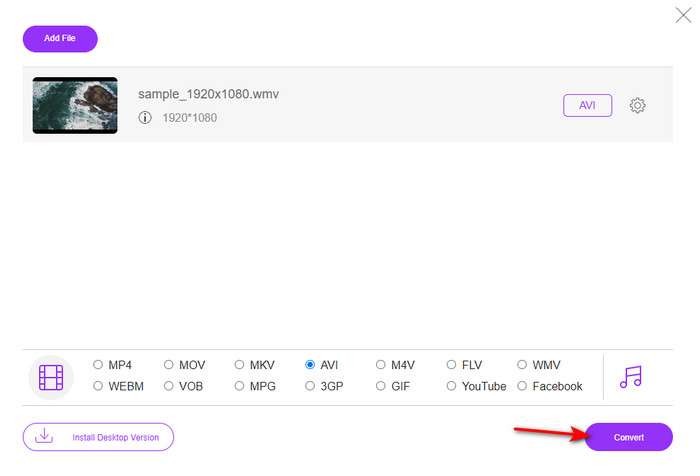
Step 4. After selecting the format, it is now the right time to convert it by clicking Convert.
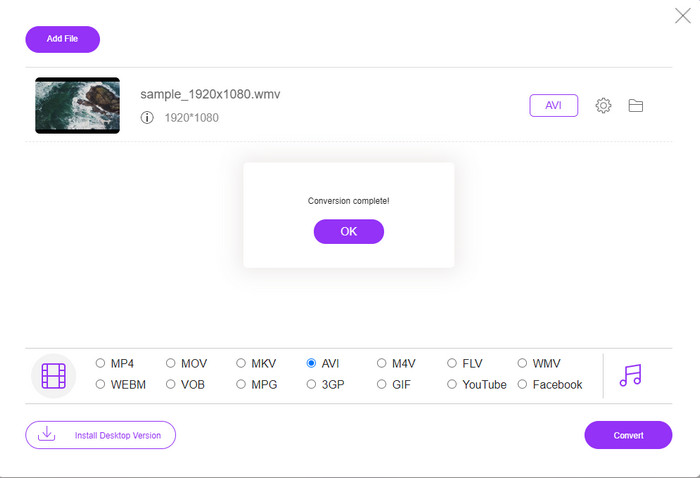
Step 5. Wait for a few minutes for the process to end, and if it is a folder containing your converted file will show on your screen. Then click it to watch the new WMV format you've made with this tool.
Đầu trang 2. Convertio
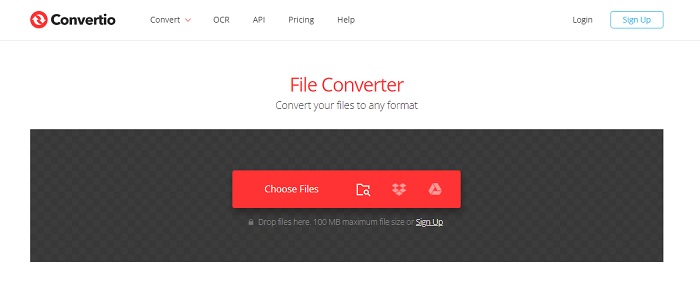
Another online converter you can use to convert WMV files to AVI for free is the Convertio. Unlike the web tool mentioned first, you will not need a launcher to use it. Also, you can convert PDFs, images, audio, and more in this tool. However, the major drawback is that uploading and downloading files will take a lot of time. Also, it doesn't have a built-in library containing all the converted files you've made. So now, if you want to use this as your converter, then follow these steps.
Step 1. Go to your favorite browser and search Convertio.io.
Step 2. Click Choose File and locate the WMV file you want to convert to the folder. Then click the drop-down button and choose AVI.
Step 3. The uploading process will take your time, and click Download to save the converted format.
Top 3. CloudConvert
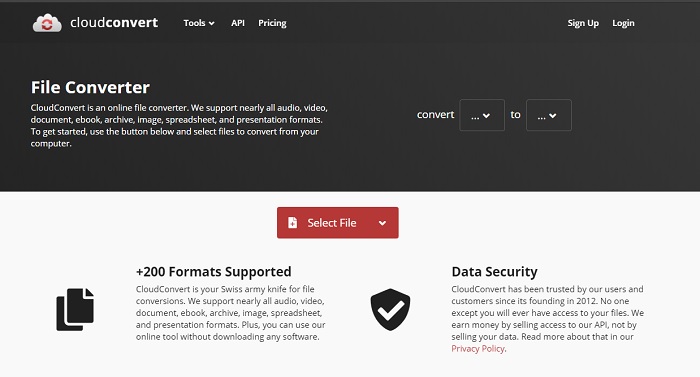
CloudConvert supports small-scale formats you can choose to convert on. Also, the conversion process here is safe and doesn't keep a record of your converting process. Just like the Convertio, this tool doesn't have a library as well. And the process of converting format here is so much slower as it doesn't support hardware acceleration to boost the conversion speed. Moreover, if you want to experience a free convert WMV to AVI online, copy the steps below.
Step 1. Open your web browser and search the Cloud Convert.
Step 2. Press Select File, then search for the .wmv file on the folder that will show on your screen.
Step 3. Click Convert to, choose the AVI format, click the Convert button, click Download after the conversion.
Phần 2. Cách thay đổi WMV thành AVI trên Mac & PC bằng Bộ chuyển đổi tốc độ cực nhanh
The online software mentioned above can't copy what FVC Video Converter Ultimate provides to its customers. If you are looking for a multi-purpose tool, this must be the best choice. Also, you can use this software as a converter, editor, GIF maker, and more. Moreover, this software is more than expected on what it can do and how fast it can finish. The overall performance of this tool amazes us and if you want to be surprised too, then download this phenomenal converter on your desktop. And now, let's proceed with converting WMV to AVI on Mac and PC by following the step-by-step procedure we made below.
Step 1. Before you can access the tool, you will need to download it first and choose which platform you are currently using. Then install the software on your desktop and so the quick set-up takes less than a minute.
Tải xuống miễn phí cho Windows 7 trở lên. Tải xuống an toàn.
Tải xuống miễn phí cho MacOS 10.7 trở lên. Tải xuống an toàn.
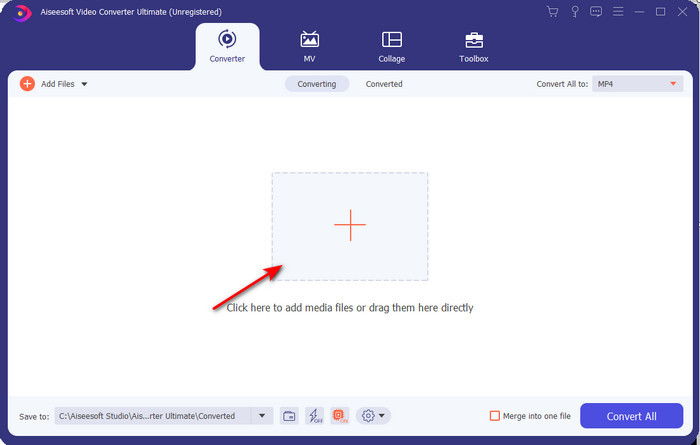
Step 2. Open the software to proceed to the next step; after launching it, you will see a + sign; click it to add the files, then select Open.
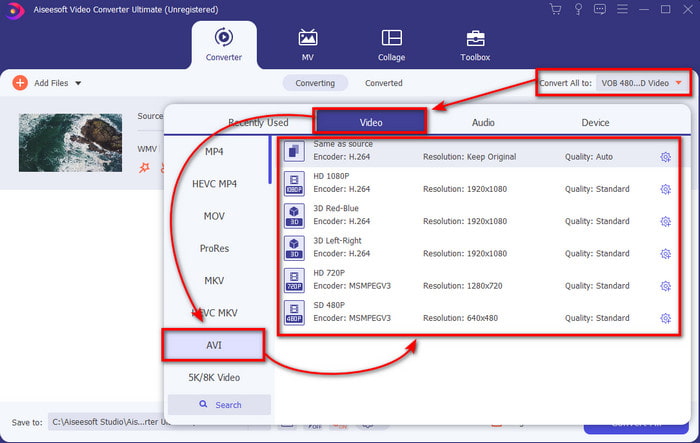
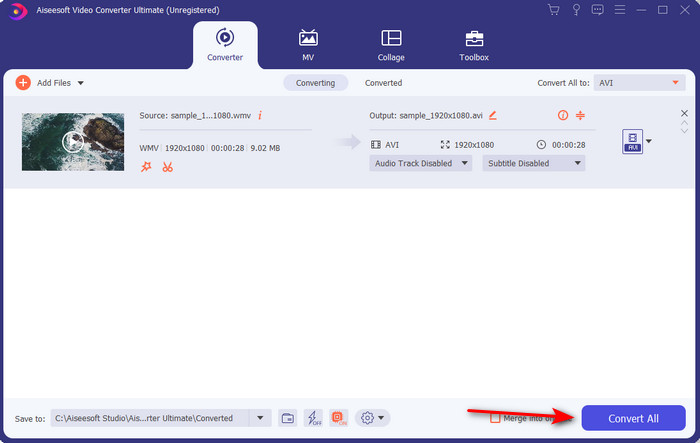
Step 3. To change the format, click the drop-down menu of Convert All to and choose AVI on the submenu.
Step 4. So now, to convert the WMV file to AVI successfully, click Convert All and wait for several seconds for the process to be done.
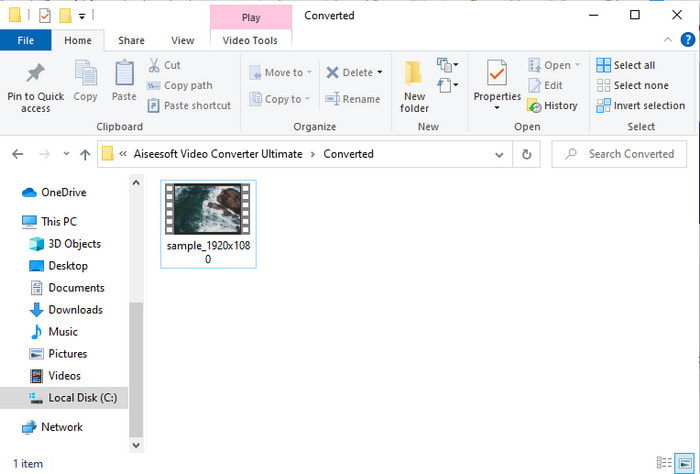
Step 5. After converting, a folder will show on your screen with the converted file you made a few seconds ago. To watch it click the video file and enjoy your converted WMV file without losing the quality.
Phần 3. WMV VS AVI; Định dạng nào hoạt động tốt nhất
WMV và AVI là một số bộ chứa tệp video hàng đầu mà bạn muốn sử dụng. Hai định dạng được đề cập có thể chứa video và âm thanh chất lượng cao, nhưng bây giờ chúng ta hãy xác định sự khác biệt của chúng bằng cách đọc biểu đồ so sánh này.
| WMV | AVI | |
| Còn được biết là | Windows Media Video | Mức độ liên quan giữa âm thanh video |
| Sử dụng tốt nhất cho | Nó được sử dụng để biến một tệp lớn thành một tệp nhỏ hơn để phát video trực tuyến có cấu trúc tốt. | Được sử dụng để lưu trữ video và âm thanh riêng biệt và phát chúng đồng thời mà không có bất kỳ độ trễ nào. |
| Được phát triển bởi | Microsoft | Microsoft |
| Nhược điểm của Định dạng | Nó ít nhận được sự chú ý và ủng hộ từ các phương tiện truyền thông. | Nó cần codec để nén tệp lớn này thành một tệp nhỏ hơn nhiều nhưng trong một giới hạn. |
WMV so với AVI
Được sản xuất bởi Microsoft, WMV là một trong những định dạng video phổ biến nhất vào những năm 2000. Nó có thể được nhìn thấy trên web và được phát bởi nhiều trình phát đa phương tiện trên Windows. Và nó cũng là định dạng tệp video mặc định của Windows Media Player. Nhưng nó đã được tiếp quản bởi các định dạng khác gần đây.
Dựa trên Định dạng Tệp Trao đổi Tài nguyên (RIFF), định dạng AVI được Microsoft giới thiệu vào năm 1992. Nó có thể lưu video / âm thanh chất lượng cao vì nó sử dụng ít nén hơn. Nhưng điều đó cũng gây ra kích thước tệp lớn của tệp AVI, có thể là một vấn đề khi có dung lượng hạn chế.
Phần 4. Câu hỏi thường gặp về Định dạng WMV và AVI
Chuyển WMV sang AVI có ảnh hưởng đến chất lượng không?
Chất lượng của tệp WMV khi bạn chuyển nó thành AVI không được thay đổi. Tuy nhiên, giả sử WMV của bạn thay đổi và chất lượng giảm xuống. Trong trường hợp đó, trình chuyển đổi bạn sử dụng không hỗ trợ pixel chất lượng cao cho video của bạn.
Kích thước WMV của tôi có thay đổi sau khi tôi chuyển đổi không?
Kích thước tệp của WMV có thể khác một chút so với kích thước tệp gốc. Có một lý do tại sao nó thay đổi. Một trong những nguyên nhân là do tệp nén chuyển sang dạng không nén nên kích thước tệp thay đổi. Nhưng các thay đổi phải gần bằng kích thước tệp gốc và không được quá xa hoặc lớn như vậy.
Tôi có thể sử dụng WMV để đính kèm video vào email không?
Có, lý tưởng nhất là sử dụng định dạng WMV và đính kèm video vào email vì nó hỗ trợ nén tốt hơn và nhanh hơn so với MPEG-4, theo Microsoft. Ngoài ra, nó còn được gọi là định dạng thu nhỏ vì kích thước tệp có thể nhỏ đến mức nào. Tuy nhiên, chất lượng của video vẫn còn.
Phần kết luận
Cuối cùng, chúng ta dễ hiểu hơn rằng không phải tất cả các nền tảng và phần mềm đều hỗ trợ WMV. Hơn nữa, webtool hoạt động tốt, nhưng có một công cụ có thể chuyển đổi hàng loạt tệp nhanh hơn và dễ dàng hơn nhiều: FVC Video Converter Ultimate. Giả sử bạn muốn trải nghiệm sự chuyển đổi phi thường mà phần mềm này cung cấp. Trong trường hợp đó, bạn phải tải xuống ngay bây giờ trên máy tính để bàn của mình và sử dụng nó.
-
 Cách chuyển đổi WMV sang MP4 Miễn phí & Trực tuyến [Đã giải quyết]
 Làm thế nào để chuyển đổi các tập tin WMV sang MP4? Dưới đây là 4 cách dễ dàng để chuyển đổi WMV sang MP4 trên Mac và Windows với các bước đơn giản.
-
 WMV sang MP3 - Cách chuyển đổi video sang âm thanh miễn phí [Máy tính để bàn / Trực tuyến]
 Trong khi xem video WMV, bạn thấy phần âm thanh hấp dẫn. Vì vậy, bạn muốn phát nó trên máy nghe nhạc MP3 của mình. Nhưng rõ ràng trình phát của bạn không hỗ trợ định dạng WMV. Điều đó khiến bạn tự hỏi liệu có cách nào để chuyển đổi WMV sang MP3 hay không.
-
 2 cách dễ nhất để chuyển đổi tệp WMV sang FLV trên PC / Mac
 Làm thế nào bạn có thể chuyển đổi WMV sang FLV? Trước tiên, bạn cần đọc phần giới thiệu của chúng tôi và tìm ra phương pháp yêu thích của bạn, sau đó làm theo hướng dẫn của chúng tôi để thực hiện công việc một cách nhanh chóng.

