


 Chuyển đổi video Ultimate
 Trình ghi màn hình
 Sửa chữa video
 Tải xuống an toàn
5 trình phát GIF hàng đầu cho máy tính, Android và iPhone
GIF động có thể truyền tải nhiều thông tin hơn hình ảnh tĩnh. Bạn đang tìm một trình phát GIF tốt để xem mọi loại tệp GIF trên iPhone, iPad, điện thoại Android hoặc máy tính của mình phải không?
Bạn có thể dễ dàng nhận và gửi nhiều ảnh GIF hài hước trên các ứng dụng mạng xã hội. Tuy nhiên, sau khi lưu GIF về thiết bị, một số tệp lại không thể mở trực tiếp bằng trình phát đa phương tiện mặc định bạn đang dùng. Vì vậy bạn có thể băn khoăn liệu mình có nên cài một trình phát GIF để phát các tệp GIF hay không.

Bạn có thể xem trực tiếp tệp GIF trên ứng dụng mạng xã hội. Nhưng trong một số trường hợp, bạn lại không thể mở lại chúng bằng trình phát trên máy tính hoặc thiết bị Android/iOS cầm tay. Dựa trên nhu cầu đó, chúng tôi đã lập danh sách 5 trình phát GIF động để bạn lựa chọn. Dù bạn đang tìm trình phát GIF cho Android, iPhone hay máy tính, bạn đều có thể tìm được một trình phát phù hợp.
Phần 1. Trình phát GIF tốt nhất cho Mac và Windows - Trình phát video miễn phí FVC
FVC Free Video Player là công cụ phát tệp đa phương tiện miễn phí phổ biến, có thể giúp bạn phát mọi tệp GIF trên cả PC Windows 10/8/7/XP và Mac. Trình phát GIF miễn phí này là một dạng phần mềm phát trực tuyến giúp bạn mở mọi loại tệp video và âm thanh. Bạn cần cài một tệp khởi chạy nhỏ cho lần phát GIF đầu tiên. Nó tương thích với nhiều trình duyệt thường dùng như Chrome, Safari, IE, Firefox và nhiều trình duyệt khác.
Tải miễn phíDành cho Windows 7 hoặc mới hơnTải xuống an toàn
Tải miễn phíDành cho MacOS 10.7 hoặc mới hơnTải xuống an toàn
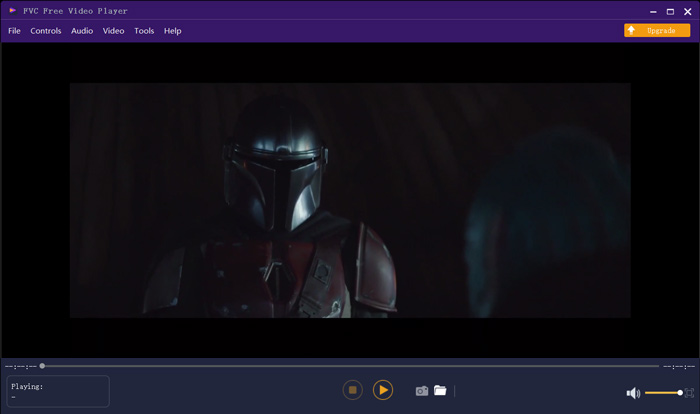
Không chỉ là một trình phát GIF miễn phí, nó hỗ trợ rất nhiều định dạng video và âm thanh phổ biến như MP4, MOV, FLV, AVI, WMV, VOB, MP3, AAC, ALAC, M4A, WAV, FLAC, v.v. Không có giới hạn kích thước tệp cho việc phát GIF. Nó có thể mang đến cho bạn trải nghiệm hình ảnh tuyệt vời. Hơn nữa, nó hỗ trợ công nghệ mã hóa âm thanh DTS-HD và Dolby TrueHD tiên tiến có thể mang lại hiệu ứng âm thanh tuyệt vời.
Phần 2. Ứng dụng trình phát GIF cho Android - OmniGIF
OmniGIF là công cụ phát GIF được thiết kế chủ yếu cho người dùng Android. Nếu bạn muốn mở GIF trên điện thoại Android, bạn có thể dựa vào ứng dụng này. Không chỉ là một trình phát GIF, OmniGIF còn đóng vai trò là trình tạo GIF và trình chỉnh sửa GIF. Nó cho phép bạn dễ dàng quản lý các tệp GIF, đoạn video và ảnh của mình. Với việc phát GIF trên thiết bị Android, bạn có thể tăng hoặc giảm tốc độ phát, phát xuôi và phát ngược, phát từng khung hình, và thực hiện nhiều thao tác khác tùy nhu cầu.
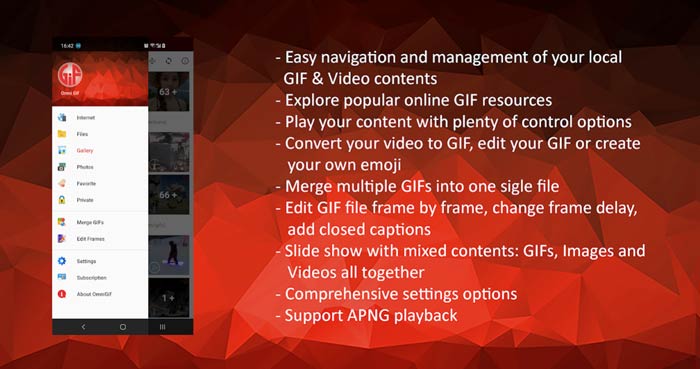
Ứng dụng trình phát GIF Android này cho phép bạn ẩn một số tệp riêng tư một cách bí mật. Nó cũng cung cấp cho bạn các chức năng chỉnh sửa và tạo ảnh GIF mạnh mẽ. Ngoài ra, OmniGIF cung cấp một tính năng chia sẻ tuyệt vời để chia sẻ nhanh chóng các tệp GIF, video clip hoặc ảnh của bạn lên Facebook, Instagram, Twitter, Messenger, Line, WhatsApp, Gmail và hơn thế nữa.
Phần 3. Ứng dụng Trình phát GIF cho iPhone và iPad - Trình xem GIF
GIF Viewer là ứng dụng phát GIF dành cho người dùng iOS. Bạn có thể cài miễn phí ứng dụng trình phát GIF này từ App Store trên iPhone hoặc iPad. Ứng dụng GIF player cho iOS này có thể dễ dàng phát, sắp xếp và chia sẻ các tệp GIF được lưu trong ứng dụng Ảnh (Photos). Nó cũng cho phép bạn thêm và xem ảnh GIF động từ các nguồn khác.
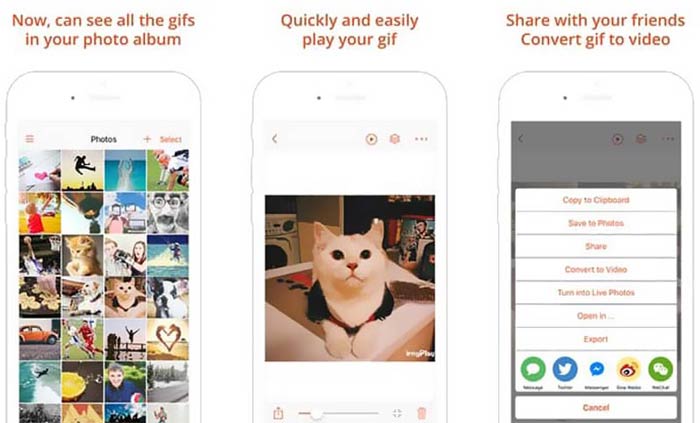
GIF Viewer có khả năng phát mọi loại tệp GIF từ bộ nhớ cục bộ, khay nhớ tạm, iCloud Drive, Dropbox và liên kết Twitter đã sao chép. Ngoài ra, trình phát GIF này còn có thể giúp bạn chuyển GIF thành video để phát lại tốt hơn trên thiết bị của bạn.
Phần 4. Trình phát GIF cho Mac và Windows PC - QuickTime Player
QuickTime Player là trình phát đa phương tiện mặc định trên Mac. Nó có thể hoạt động như một trình phát GIF để bạn mở và xem tệp GIF trên Mac. Nếu bạn đang dùng Mac, bạn có thể trực tiếp mở tệp GIF bằng trình phát được cài sẵn này. Ứng dụng cũng có phiên bản cho Windows để bạn phát GIF trên máy tính Windows.
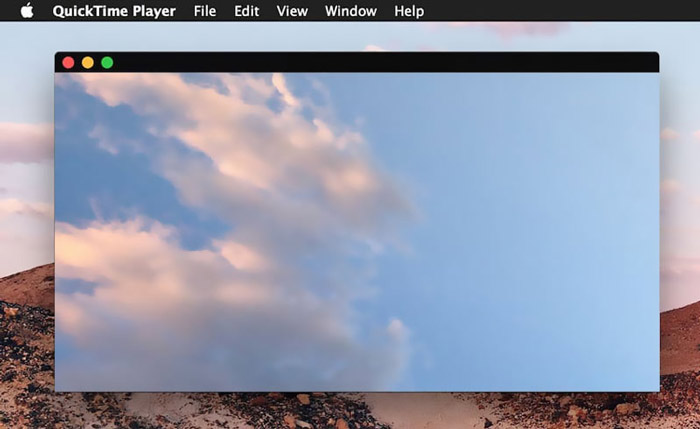
Là một trình phát, QuickTime chỉ có thể hỗ trợ một số định dạng video và âm thanh thường được sử dụng, chẳng hạn như MP4, MOV, M4V, AAC, M4A, MP3, v.v. Nó được thiết kế với một số tính năng chỉnh sửa và ghi âm cơ bản. Bạn có thể dựa vào trình phát GIF này để chụp màn hình và chỉnh sửa tệp.
Phần 5. Trình phát GIF trực tuyến miễn phí - OnlineImageTools
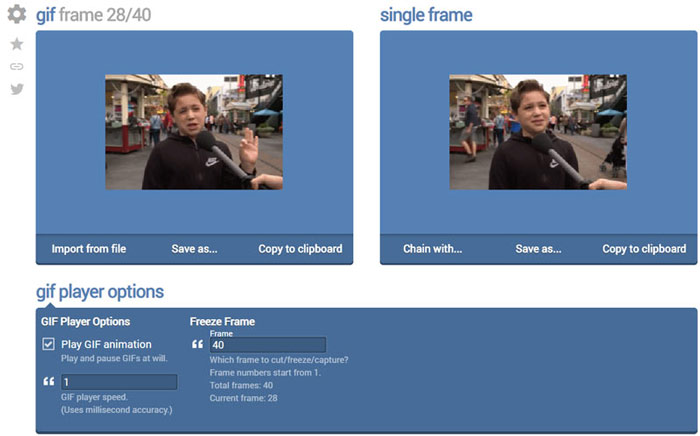
OnlineImageTools là công cụ phát tệp GIF trực tuyến cho phép bạn xem GIF trên cả máy Mac và PC Windows. Bạn không cần cài thêm plug-in hay tệp bổ sung nào để phát GIF. Trình phát ảnh GIF động miễn phí trên trình duyệt này cho phép bạn mở trực tiếp tệp GIF của mình online. Với việc phát GIF, nó cho phép bạn phát tệp GIF từng khung hình.
Phần 6. Những câu hỏi thường gặp về GIF Player
Câu hỏi 1. Làm thế nào để lưu ảnh GIF trên iPhone?
Khi muốn lưu tệp GIF trên iPhone, bạn có thể nhấn và giữ tệp GIF cho đến khi lời nhắc xuất hiện. Sau đó, bạn có thể chọn tùy chọn Lưu hình ảnh để lưu nó trong ứng dụng Ảnh.
Câu hỏi 2. Làm thế nào để chuyển đổi miễn phí video sang GIF?
Để tạo tệp GIF từ video, bạn có thể dựa vào công cụ Free Online Video Converter phổ biến. Công cụ này cho phép bạn chuyển đổi bất kỳ đoạn video nào sang GIF một cách dễ dàng.
Câu hỏi 3. VLC có chơi được GIF không?
Không. Trình phát phương tiện VLC chỉ có thể mở tệp GIF dưới dạng ảnh tĩnh.
Phần kết luận
Dù bạn đang tìm một trình phát GIF cho máy tính hay điện thoại di động, bạn đều có thể tìm được lựa chọn phù hợp trong 5 công cụ phát GIF được gợi ý ở trên. Hãy để lại lời nhắn cho chúng tôi nếu bạn vẫn còn bất kỳ câu hỏi nào về trình phát GIF hoặc việc phát GIF.
-
 Hướng dẫn nén GIF và giảm kích thước tệp với chất lượng cao
 Đây là 2 cách đơn giản để nén GIF trên máy tính hoặc điện thoại di động của bạn. Bạn có thể sử dụng FVC Free Online Video Compressor và Photoshop để giảm kích thước tệp GIF theo các khía cạnh khác nhau.
-
 10 trình phát FLV hàng đầu dành cho Windows, Mac, iOS và Android vào năm 2021
 Trình phát FLV giúp bạn dễ dàng truy cập các tệp FLV của mình trên thiết bị Windows, Mac, Android, iOS. Kiểm tra các trình phát tệp FLV tốt nhất mà bạn có thể tải xuống ngay bây giờ.
-
 8 Trình phát tệp SWF hàng đầu để phát tệp video Flash trên Windows và Mac
 Khi bạn muốn thưởng thức các bộ phim và trò chơi SWF trên PC và Mac, bạn có thể tìm hiểu thêm về các tính năng tuyệt vời của 8 trình phát tệp SWF tốt nhất từ bài viết.
