


 Chuyển đổi video Ultimate
 Trình ghi màn hình
 Sửa chữa video
 Tải xuống an toàn
Bộ giảm chất lượng hình ảnh tối ưu mà bạn phải có vào năm 2022 này
Việc tải nhiều hình ảnh lên và chia sẻ những gì đang xảy ra với chúng ta khắp internet đã trở nên dễ dàng nhờ các trang mạng xã hội khác nhau mà chúng ta có thể truy cập miễn phí. Đáng tiếc là hình ảnh lại bị giảm chất lượng khi bạn đăng lên các trang web này, đặc biệt nếu chất lượng ảnh ban đầu cao hơn tiêu chuẩn. Bạn có thể nghĩ đến việc cứ thế tải ảnh lên website, nhưng hãy dừng lại đã! Vì chúng tôi sẽ chỉ cho bạn một mẹo giúp giảm bớt mức độ nén áp dụng lên ảnh, đó là hạ chất lượng ảnh xuống. Bài viết này sẽ giới thiệu những công cụ giảm chất lượng ảnh tốt nhất mà bạn có thể dùng để giải quyết vấn đề. Hãy đọc kỹ các thông tin dưới đây để giúp bạn xác định công cụ phù hợp để sử dụng.

Phần 1. Các công cụ giảm chất lượng hình ảnh mà bạn phải biết để giảm chất lượng hình ảnh một cách dễ dàng [Xem lại]
ReduceImages.com
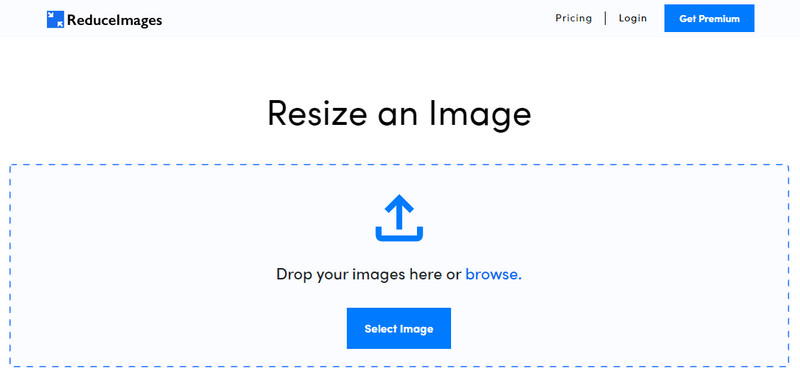
ReduceImages.com là một giải pháp trực tuyến phổ biến mà bạn có thể dùng để hạ chất lượng ảnh sao cho phù hợp với tiêu chuẩn của website. May mắn là đây là công cụ online, nên bạn không cần tải tệp xuống; bạn có thể bắt đầu sử dụng ứng dụng này trên bất kỳ trình duyệt nào trên thiết bị bằng cách tìm kiếm tên của nó. Thêm vào đó, bạn có thể thay đổi kích thước tệp JPG, PNG và GIF tải lên tại đây. Tuy bạn có thể dùng công cụ này miễn phí, nhưng cũng có vài hạn chế dễ gây khó chịu, đặc biệt nếu bạn muốn xử lý theo lô hoặc không thích quảng cáo. Nếu có chút ngân sách, bạn có thể mua gói trả phí; giá khởi điểm được hỗ trợ là $ 3,99.
Ưu điểm
- Sử dụng miễn phí và không cần cài đặt.
- Bạn có thể thay đổi kích thước hình ảnh ở đây nếu bạn muốn.
- Thay đổi nền của một hình ảnh trong suốt thành màu đen và trắng.
- Mọi người có thể tìm ra cách sử dụng nó ngay lập tức.
Nhược điểm
- Có một số quảng cáo trên phiên bản miễn phí.
- Nó không thể xử lý hàng loạt trên phiên bản miễn phí.
Lunapic
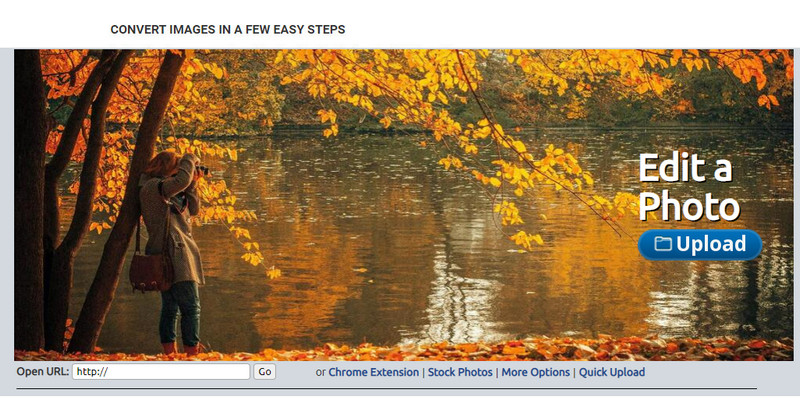
Lunapic là một công cụ cực kỳ dễ sử dụng để giảm chất lượng ảnh xuống độ phân giải bạn mong muốn, với giao diện giống Paint. Bạn sẽ nhanh chóng làm quen với công cụ online này vì nó khá giống với Paint nổi tiếng trên các thiết bị Windows. Dù bạn có thể dựa vào công cụ này để tối ưu chất lượng hình ảnh mong muốn, định dạng mà nó hỗ trợ chỉ là JPEG và không có loại nào khác. Bằng cách sao chép URL của hình ảnh mong muốn, bạn có thể tải ảnh cần chỉnh sửa lên đây nếu nó vẫn chưa được tải về. Giống như công cụ đầu tiên, bạn không cần cài đặt công cụ này để sử dụng vì nó hoạt động trên web.
Ưu điểm
- Giao diện người dùng trực quan cho phép bạn thao tác chất lượng dễ dàng.
- Ngăn xem trước được hỗ trợ để xem chất lượng hình ảnh đã điều chỉnh.
- Bạn có thể sao chép và dán URL của hình ảnh bạn muốn tải lên.
- Nó miễn phí và không hỗ trợ phiên bản cao cấp.
Nhược điểm
- Định dạng được hỗ trợ chỉ là JPEG.
- GUI đã lỗi thời và cần một số điều chỉnh.
EzGIF
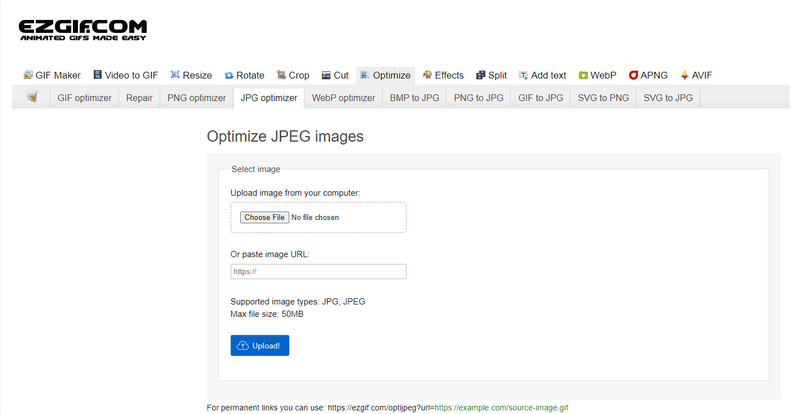
EzGIF có thể là trình tạo ảnh chất lượng thấp cho bạn, hay nói đơn giản là nó có thể tối ưu chất lượng những hình ảnh bạn tải lên đây. Nổi tiếng là công cụ sửa GIF, nhưng giờ nó cũng có thể dùng để thay đổi chất lượng JPEG, WebP và PNG khi cần. Công cụ này phổ biến hơn hai công cụ ở trên nhờ hiệu quả và thời gian hoạt động lâu năm như một công cụ web trên internet. Nó cung cấp giải pháp đơn giản nhưng hiệu quả, và bạn có thể dễ dàng làm chủ. Tuy nhiên, bạn không thể tải lên và xử lý nhiều tệp cùng lúc dù đây là một công cụ hữu ích. Đồng thời, bạn cũng không thể tải ảnh không thuộc các định dạng JPEG hoặc JPG, PNG, WebP và GIF, dù là tĩnh hay động.
Ưu điểm
- Nó hỗ trợ nhiều tính năng như điều chỉnh chất lượng, nâng cao, chuyển đổi và nhiều tính năng khác.
- Bạn có thể thoải mái truy cập và sử dụng trên các trình duyệt web khác nhau.
- Tối ưu hóa hình ảnh của bạn tại đây và xem kết quả trên ngăn xem trước trước khi xuất.
- Nó không thêm hình mờ sau khi thay đổi chất lượng của hình ảnh.
Nhược điểm
- Giao diện người dùng đồ họa của nó cần một số điều chỉnh.
- Nó không hỗ trợ các định dạng hình ảnh khác như BMP, SVG, HEIF và các định dạng khác.
- Tải lên hàng loạt hình ảnh không được hỗ trợ.
Adobe Photoshop
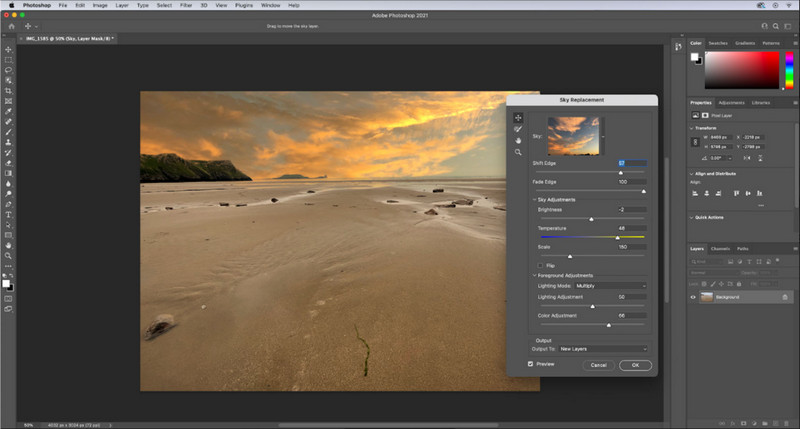
Adobe Photoshop như một “mã gian lận” trong cách giảm chất lượng ảnh vì nó là công cụ tốt nhất trong việc biến đổi hình ảnh. Với phần mềm này, bạn có thể tải bất kỳ bức ảnh nào và điều chỉnh thuật toán xử lý hình ảnh. Ai cũng thích dùng công cụ chuyên nghiệp vì nó có rất nhiều tính năng nâng cao mà bạn không thể tìm thấy ở các trình chỉnh sửa khác trên thị trường hay online. Có sự khác biệt giữa một công cụ “tốt nhất” và một công cụ “tạm ổn”, và chính công cụ này sẽ cho bạn thấy điều đó. Tuy nhiên, một số người dùng gặp khó khăn khi làm chủ nó vì giao diện nặng và phức tạp. Vậy nên, nếu đây là lần đầu bạn sử dụng phần mềm, có thể bạn sẽ gặp trở ngại. Nhìn chung, đây là trình chỉnh sửa ảnh chuyên nghiệp nhất mà bạn có thể dùng, điều mà ba công cụ đầu tiên không thể so sánh được.
Ưu điểm
- Nó cung cấp các tính năng độc quyền mà trình chỉnh sửa hình ảnh trực tuyến khác không có.
- Nó cung cấp các tính năng độc quyền mà trình chỉnh sửa hình ảnh trực tuyến khác không có.
- Cho đến nay, nó là sự lựa chọn tốt nhất để thực hiện chỉnh sửa hình ảnh chuyên nghiệp.
- Một công cụ nhỏ gọn và đầy đủ tính năng mà bạn có thể tải xuống trên các thiết bị khác nhau.
Nhược điểm
- Người dùng lần đầu gặp khó khăn trong việc tìm hiểu cách sử dụng nó.
- Bạn phải mua gói để tiếp tục sử dụng sau khi dùng thử miễn phí.
Phần 2. Phần thưởng: Cách làm cho hình ảnh chất lượng thấp cao hơn với công cụ nâng cấp hình ảnh hàng đầu trên web
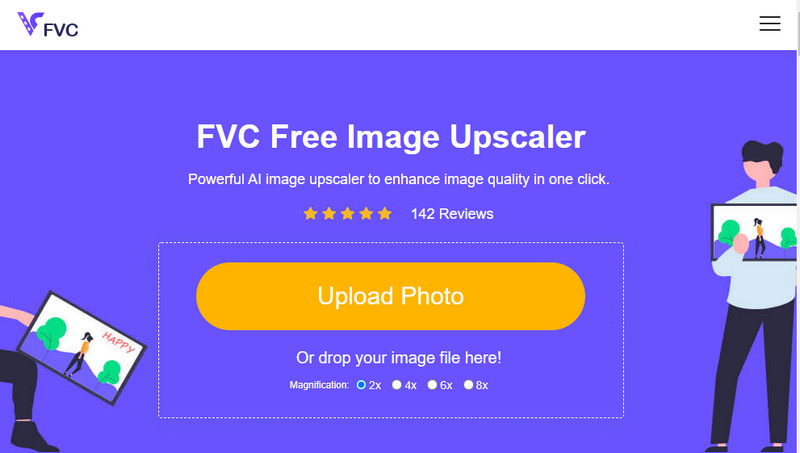
Bạn đã bao giờ tạo ra một bức ảnh chất lượng thấp bị vỡ hình hoặc mờ và muốn khôi phục lại chất lượng ban đầu chưa? Nếu có, bạn có thể dùng FVC Free Image Upscaler. Giải pháp online này có thể hoàn thành công việc bằng cách dò thuật toán trên hình ảnh, điều chỉnh chất lượng và phóng to dựa trên những gì AI phát hiện. Bạn sẽ nhận được nhiều lợi ích khi sử dụng công cụ này, như hiệu quả vượt trội trong việc phóng to, không cần cài đặt, an toàn và dễ dùng, cùng dịch vụ hỗ trợ khách hàng 24 giờ có thể trợ giúp bạn. Bạn cũng có thể tải JPEG/JPG, PNG, BMP, SVG và nhiều định dạng khác lên đây để tăng độ phân giải hình ảnh. Hơn nữa, bạn vẫn có thể dùng phần mềm này ngay cả khi bạn chưa hạ chất lượng ảnh mà chỉ muốn cải thiện chất lượng tổng thể. Hãy bắt đầu sử dụng công cụ bằng cách nhấp vào tên và tải ngay hình ảnh bạn muốn phóng to lên!
Phần 3. Câu hỏi thường gặp về Cách tạo chất lượng hình ảnh thấp hơn
Thay đổi chất lượng có làm cho kích thước tệp nhỏ hơn không?
Không, sẽ không. Nếu bạn đã điều chỉnh và giảm số pixel của ảnh, phần hiển thị của ảnh sẽ bị ảnh hưởng, nhưng không phải kích thước tệp. Dưới đây là một vài trình tăng cường pixel tốt nhất mà bạn có thể thử.
Tại sao tốc độ bit của hình ảnh của tôi thay đổi sau khi giảm chất lượng?
Sau khi thay đổi chất lượng của hình ảnh, bạn sẽ thấy một sự thay đổi đáng kể về tốc độ bit khi bạn xuất nó, đáng kể khi thay đổi độ phân giải của hình ảnh.
Tại sao GIF động chuyển thành tĩnh sau khi giảm chất lượng?
Chương trình bạn sử dụng để giảm chất lượng cho phép bạn tải lên GIF động nhưng không thể xuất GIF động, vì vậy kết quả sẽ chuyển thành GIF tĩnh. Phần mở rộng hình ảnh sẽ vẫn như cũ, nhưng phần mở rộng sẽ không.
Phần kết luận
Bạn có thể chọn bộ giảm chất lượng hình ảnh của mình bằng bốn phần mềm mà chúng tôi thêm vào mà bạn có thể tải xuống và truy cập trên web. Nếu bạn thấy vui khi đọc bài viết này, chúng tôi sẽ đánh giá rất cao nếu bạn đánh giá năm sao này.
-
 Top 7 trình phóng to ảnh trực tuyến và ngoại tuyến tốt nhất
 Bạn muốn tìm hiểu các trình phóng to ảnh hoạt động hiệu quả nhất cho thiết bị Windows hoặc Mac của mình? Đọc bài đăng này để biết các trình phóng to ảnh tốt nhất đáng thử.
-
 Top 4 trình phóng to GIF ngoại tuyến và trực tuyến mà bạn không nên bỏ lỡ
 Bài đăng này dành cho bạn nếu bạn đang tìm kiếm các trình phóng to GIF tốt nhất. Chúng tôi đã liệt kê các trình phóng to GIF trực tuyến và ngoại tuyến hoạt động hàng đầu cho máy tính của bạn.
-
 Ứng dụng chỉnh sửa ảnh trực tuyến và ngoại tuyến tốt nhất cho máy tính
 Tìm kiếm các ứng dụng chỉnh sửa ảnh tốt nhất cho máy tính để bàn của bạn? Chúng tôi đã liệt kê các ứng dụng chỉnh sửa ảnh trực tuyến và ngoại tuyến hoạt động hiệu quả nhất mà bạn nên thử.
