


 Chuyển đổi video Ultimate
 Trình ghi màn hình
 Sửa chữa video
 Tải xuống an toàn
Các cách hiệu quả để tạo ảnh HD trực tuyến và trên Android [Hướng dẫn hoàn chỉnh]
Nó có phải là một phép màu? Nó có ma thuật không? Không phải vậy, và bạn có thể tạo ảnh HD ngay lập tức mà không cần sử dụng Adobe Photoshop hoặc bất kỳ phần mềm chuyên nghiệp nào trên thiết bị của mình. Thông tin trong bài viết này có thể làm cho hình ảnh của bạn có độ nét cao với các chất tăng cường tốt nhất mà chúng tôi tìm thấy trên web và các thiết bị Android của bạn. Có thể không thể xử lý công việc này, đặc biệt là đối với những người thiếu kinh nghiệm trong tình huống này. Tuy nhiên, bạn sẽ không cần phải lo lắng nếu làm theo hướng dẫn này.

Phần 1. Làm thế nào để tạo ảnh HD mà không cần công cụ chuyên nghiệp trên web miễn phí [Lựa chọn của biên tập viên]
Cách thứ nhất. Cách tạo ảnh HD bằng cách nâng cấp hình ảnh [Lựa chọn hàng đầu của trình chỉnh sửa]
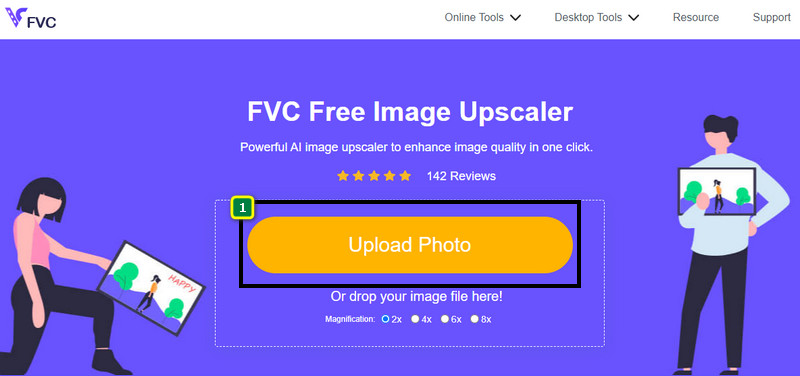
FVC Free Image Upscaler là một công cụ phóng to ảnh mạnh mẽ mà bạn có thể dùng để tăng số pixel trên ảnh và biến chúng thành HD. Trình phóng to ảnh online này được tích hợp AI có thể phát hiện các điểm chưa chuẩn trên ảnh của bạn và cải thiện ngay lập tức mà không cần bạn phải chỉnh quá nhiều tùy chọn. Ngoài ra, bạn còn có thể phóng lớn ảnh lên 2x, 4x, 6x và 8x mà không làm kéo giãn ảnh bạn tải lên. Bạn có muốn biết bí quyết biến một bức ảnh thành HD với công cụ này không? Hãy làm theo các bước được hướng dẫn dưới đây.
Bước 1. Mở trình phóng to ảnh online bằng cách nhấn vào liên kết này. Liên kết sẽ dẫn bạn đến trang web chính thức, và bạn không cần lo lắng vì nó an toàn trên mọi trình duyệt bạn đang dùng hoặc ưa thích.
Bước 2. Nhấn vào Upload Photo để thêm ảnh chất lượng thấp mà bạn muốn biến thành HD. Công cụ hỗ trợ tính năng kéo thả để thêm ảnh nếu bạn muốn thử sử dụng cách này.
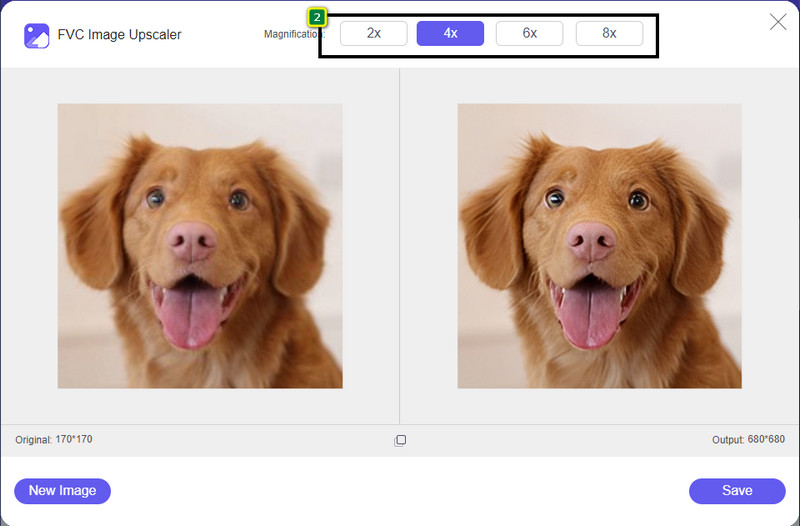
Bước 3. Chờ công cụ xử lý ảnh, sau đó chọn mức phóng đại bạn muốn áp dụng cho ảnh, và nó sẽ biến ảnh thành HD.
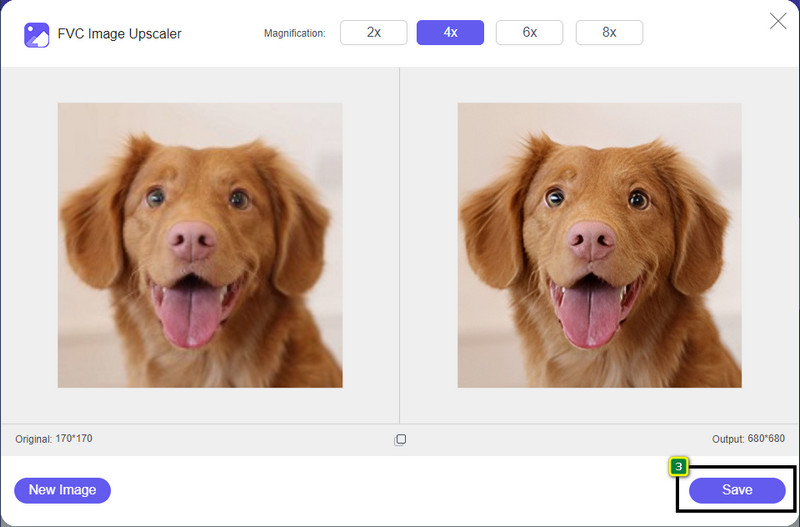
Bước 4. Giờ bạn có thể lưu ảnh đã được phóng to tại đây bằng cách nhấn nút Save ở phía dưới. Ảnh độ phân giải cao sẽ được lưu vào thư mục trên ổ của bạn; bạn có thể mở ra để xem kết quả.
Cách thứ 2. Cách tạo ảnh HD bằng cách chuyển đổi hình ảnh
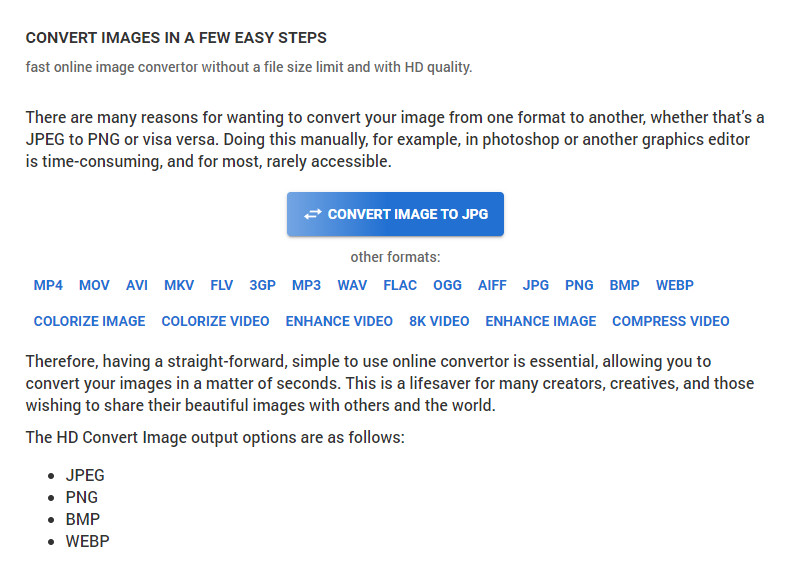
Mặc dù HDconvert.com có thể giúp ảnh của bạn trở nên chất lượng cao, nhưng quy trình lại khác đôi chút. Với công cụ này, bạn có thể chuyển ảnh chất lượng kém thành HD bằng cách tải ảnh lên đây và thay đổi một số tùy chọn để đạt được độ phân giải mong muốn. Không thể phủ nhận rằng nó có thể chuyển đổi ảnh bạn tải lên sang định dạng JPG, PNG, BMP hoặc WebP đồng thời thay đổi chất lượng ảnh. Ngoài ra, bạn có thể tinh chỉnh một số tùy chọn nâng cao cho ảnh, như thay đổi kích thước, hoặc bỏ qua nếu không muốn áp dụng. Tuy nhiên, bạn sẽ cần mua phiên bản cao cấp để có chất lượng ảnh cao. Bạn có hứng thú muốn biết công cụ này hoạt động thế nào không? Nếu có, hãy tiếp tục đọc để biết cách làm cho ảnh trông HD hơn.
Bước 1. Mở trang web chính thức của trình chuyển đổi này, nhấn Convert Image to JPG, then Select Files để tải lên ảnh bạn muốn chuyển sang HD.
Bước 2. Chọn định dạng ảnh bạn muốn áp dụng cho ảnh rồi nhấn Next.
Bước 3. Thay đổi chất lượng ảnh bằng cách điều chỉnh thanh trượt đến phần trăm bạn mong muốn hoặc 100% rồi nhấn Next.
Bước 4. Nhấn Convert File để xuất ảnh bạn đã chuyển đổi sang HD tại đây.
Cách thứ 3. Cách tạo hình ảnh HD bằng cách nâng cao hình ảnh
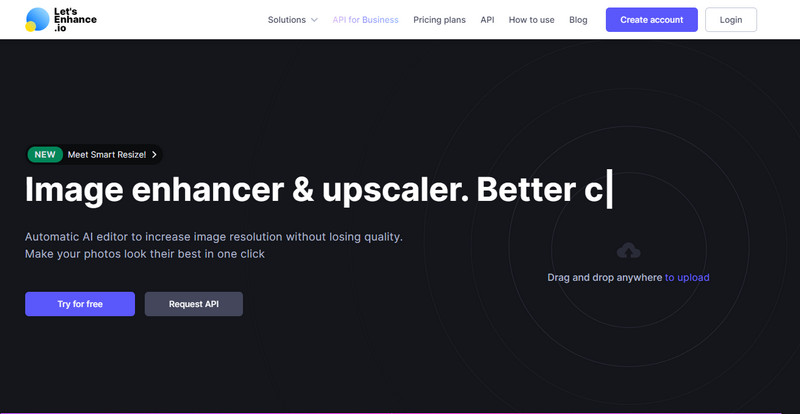
Let's Enhance.io có thể giúp bạn tăng chất lượng hình ảnh trên máy tính lên tốt hơn, như HD. Bạn sẽ không gặp khó khăn khi nâng cấp ảnh thành HD nếu dùng công cụ này. Khác với công cụ đầu tiên, trước khi sử dụng phiên bản miễn phí của nó, bạn cần đăng nhập bằng tài khoản sẵn có hoặc tạo tài khoản mới. Dù yêu cầu đăng nhập, nhưng bạn có thể yên tâm rằng hiệu năng của nó mang lại chất lượng tương đương các chương trình trên máy tính dùng để cải thiện ảnh. Vì vậy, nếu bạn muốn dùng trình tăng chất lượng ảnh HD này, bạn có thể đọc các bước hướng dẫn dưới đây khi chúng tôi thử nghiệm để chỉ cho bạn cách sử dụng.
Bước 1. Mở trình duyệt web, tìm kiếm tên công cụ, rồi nhấn vào liên kết xuất hiện trong kết quả.
Bước 2. Nhấn biểu tượng upload để thêm ảnh bạn muốn cải thiện lên HD.
Bước 3. Trong phần thao tác (operation), hãy thay đổi các thiết lập bạn muốn để biến ảnh thành độ phân giải cao.
Bước 4. Sau khi điều chỉnh, nhấn Start Processing để xử lý ảnh chất lượng thấp thành HD.
Bước 5. Nhấn biểu tượng download để tải về bức ảnh bạn đã cải thiện tại đây.
Phần 2. Cách tạo ảnh HD trên Android với PicsArt
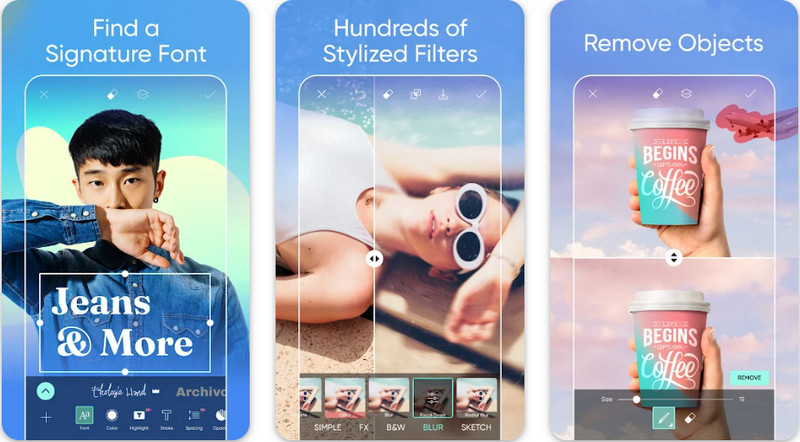
Đối với người dùng Android cần chuyển ảnh thành HD, bạn có thể thử tải PicsArt trên PlayStore. Đây là giải pháp cho nhiều người dùng nhờ các tính năng chỉnh sửa đa dạng mà bạn có thể áp dụng lên ảnh để nó trông đẹp hơn so với bản gốc. Dù ứng dụng này có thể làm được rất nhiều việc, nhưng phiên bản miễn phí sẽ để lại watermark trên sản phẩm cuối cùng. Nếu không thích watermark, bạn sẽ cần mua phiên bản cao cấp. Nhìn chung, ứng dụng này là lựa chọn của chúng tôi khi nói đến việc làm ảnh rõ nét và HD. Vì vậy, nếu bạn muốn tăng chất lượng ảnh trên thiết bị Android, thì chọn ứng dụng này là hoàn toàn hợp lý. Hãy tham khảo hướng dẫn cách làm ảnh HD trong PicsArt dưới đây.
Bước 1. Tải ứng dụng trên Playstore và mở ứng dụng.
Bước 2. Nhấn biểu tượng + để chọn ảnh trong thư viện mà bạn muốn biến thành HD.
Bước 3. Chạm vào Effects và chọn HDR; điều chỉnh các tùy chọn để biến ảnh thành HD, sau đó nhấn biểu tượng check.
Bước 4. Ở phía trên màn hình điện thoại, nhấn biểu tượng download để lưu ảnh HD vào thư viện. Để thay đổi độ phân giải ảnh trên iPhone, nhấn vào đây để tìm hiểu chi tiết hơn.
Phần 3. Câu hỏi thường gặp về Cách tạo hình ảnh HD
Làm cho hình ảnh thành HD có làm tăng kích thước tệp không?
Chắc chắn rồi! Kích thước hình ảnh không phải HD và HD có kích thước tệp khác nhau. HD có nhiều dữ liệu pixel hơn có thể cung cấp cho bạn hình ảnh chi tiết và kích thước của nó cũng nặng hơn hình ảnh không phải là HD.
Chuyển hình ảnh 4k sang HD có phải là một lựa chọn tồi?
Có vẻ như vậy, nhưng nếu bạn muốn tiết kiệm dung lượng, bạn có thể chuyển hình ảnh 4k thành HD và sự khác biệt về chất lượng hình ảnh của chúng là không nhiều. Bạn có thể thưởng thức hình ảnh 4k của mình ngay cả khi nó đã trở thành HD.
Tại sao tôi cần làm cho hình ảnh HD?
Chuyển hình ảnh của bạn thành HD có thể làm cho hình ảnh của bạn chi tiết hơn về hình thức và bắt mắt hơn so với những hình ảnh không. Vì vậy, nếu bạn muốn cải thiện hình ảnh thành HD, bạn sẽ cần một công cụ để nâng cấp các pixel trên hình ảnh để làm cho HD trở nên sống động.
Phần kết luận
Thật tuyệt vời phải không? Bạn có thể tạo ảnh HD bằng các cách khác nhau mà chúng tôi thêm ở đây mà không cần sự trợ giúp của phần mềm chuyên nghiệp như Adobe Photoshop. Sao chép các bước vào công cụ bạn chọn và cải thiện hình ảnh chất lượng thấp của bạn thành hình ảnh tốt hơn như HD.
-
 Làm cho độ phân giải ảnh của iPhone tốt hơn với các tính năng nâng cao hàng đầu
 Bạn có muốn cải thiện độ phân giải ảnh iPhone? Trong bài viết này, chúng tôi đề cập đến các công cụ tốt nhất mà bạn có thể sử dụng và các thủ thuật khác mà bạn phải biết!
-
 Khôi phục ảnh cũ trực tuyến và ngoại tuyến [Các bước dễ dàng]
 Bạn muốn khôi phục một bức ảnh cũ? Với những công cụ này, bạn sẽ biết được quy trình khôi phục ảnh cũ. Đọc bài đăng này để tìm hiểu các phương pháp đơn giản nhất.
-
 7 Pixels Enhancer hàng đầu cho tất cả các trình duyệt web mà bạn phải sử dụng
 Nếu bạn muốn biết các chất tăng cường pixel tốt nhất để sử dụng, bạn nên xem bài đăng này. Bài viết này liệt kê bảy công cụ nâng cao pixel ảnh tốt nhất cho tất cả các trình duyệt web.
