


 Chuyển đổi video Ultimate
 Trình ghi màn hình
 Sửa chữa video
 Tải xuống an toàn
5 máy nghe nhạc M4A miễn phí tốt nhất để chơi tệp M4A trên Android và máy tính
Không thể mở trực tiếp tệp M4A trên điện thoại Android của bạn? Đang tìm một trình phát M4A cho Android hoặc cho máy tính?
M4A là một định dạng âm thanh của Apple có thể được phát trực tiếp trên các thiết bị Mac hoặc iOS như iPhone, iPad và iPod. Là một định dạng âm thanh không nén mất dữ liệu, M4A vượt trội hơn MP3 về mức độ nén và chất lượng âm thanh. Tuy nhiên, Android và Windows Media Player lại không hỗ trợ M4A.

Vì vậy, bạn cần một trình phát M4A để phát âm thanh M4A trên điện thoại Android hoặc máy tính Windows của mình. Ở đây chúng tôi muốn giới thiệu 5 trình phát M4A miễn phí cho bạn. Bạn có thể xem các tính năng chính của từng trình phát M4A rồi chọn ra trình mà bạn thích nhất.
Phần 1. Trình phát M4A miễn phí tốt nhất cho máy tính - Trình phát video miễn phí FVC
FVC Free Video Player là một phần mềm phát video và âm thanh rất phổ biến, có thể giúp bạn phát nhiều loại tệp M4A khác nhau trên cả Mac và PC Windows. Ngoài M4A, nó còn hỗ trợ tốt mọi định dạng video và âm thanh thường dùng, bao gồm MP4, MOV, AVI, MKV, FLV, RMVB, AAC, AC3, MP3, ALAC, FLAC và nhiều hơn nữa.
Tải miễn phíDành cho Windows 7 hoặc mới hơnTải xuống an toàn
Tải miễn phíDành cho MacOS 10.7 hoặc mới hơnTải xuống an toàn
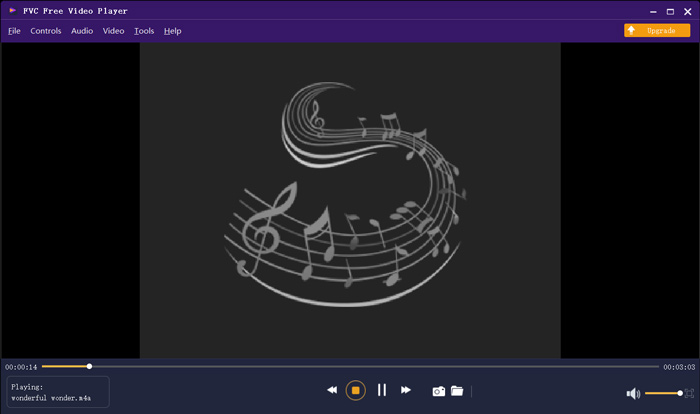
Máy nghe nhạc M4A miễn phí này được thiết kế với các công nghệ giải mã âm thanh mới nhất như Dolby, DTS, AAC và TrueHD. Bạn có thể có được hiệu ứng âm thanh tuyệt vời để thưởng thức các tệp M4A của mình. Khi bạn muốn phát tệp M4A trên máy tính của mình, bạn có thể điều hướng đến trang web chính thức của trình phát M4A miễn phí này trên bất kỳ trình duyệt nào như IE, Chrome, Firefox hoặc Safari.
Phần 2. Ứng dụng Android M4A Player miễn phí - VLC cho Android
VLC Media Player là một công cụ phát tệp đa phương tiện miễn phí và mã nguồn mở, cho phép bạn phát tệp M4A một cách dễ dàng. Nó cung cấp nhiều phiên bản khác nhau để bạn phát mọi loại tệp media trên máy tính, thiết bị Android và iOS. Khi muốn phát âm thanh M4A trên điện thoại Android, bạn có thể vào Google Play và cài đặt miễn phí ứng dụng VLC for Android.
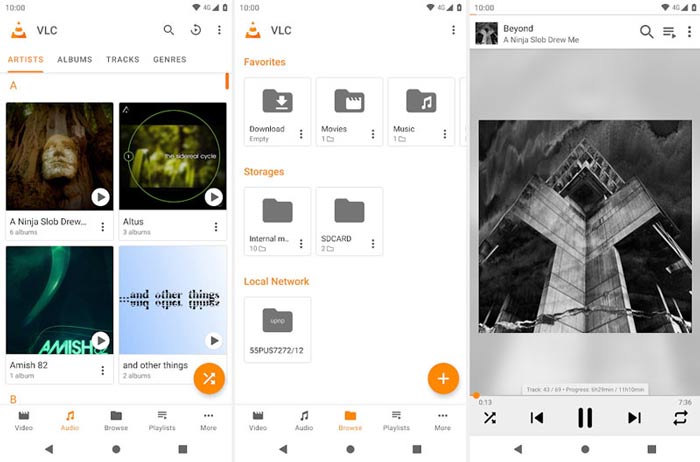
Ứng dụng trình phát M4A miễn phí dành cho Android này có thể phát các tệp video và âm thanh ở bất kỳ định dạng phổ biến nào như MP4, MOV, AVI, MP3, M4A, AAC, v.v. Nó có thể nhanh chóng quét và định vị tất cả các tệp M4A trên thiết bị của bạn, ngay cả thẻ SD. VLC media player có thể là một lựa chọn tốt cho dù bạn muốn chơi M4A trên Android hay Windows PC.
Phần 3. Trình phát M4A mặc định cho Mac và PC - iTunes
iTunes có thể là ứng dụng quen thuộc nếu bạn là người dùng iOS hoặc Mac. Bạn nên biết rằng tất cả nhạc và tệp âm thanh bạn mua từ iTunes đều ở định dạng M4A. iTunes có thể là trình phát M4A mặc định trên Mac. iTunes cũng cung cấp phiên bản cho Windows để bạn phát tệp M4A trên PC. iTunes không phải là công cụ quản lý dữ liệu iOS tốt, nhưng nó có thể hoạt động như một trình phát M4A miễn phí cho cả máy Mac và máy tính Windows.
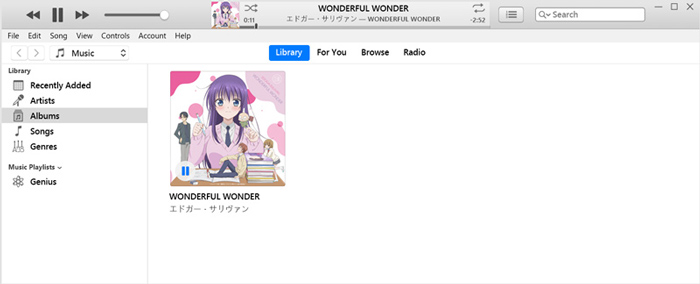
iTunes cho phép bạn trực tiếp mua và nghe nhạc M4A từ iTunes Store. Đối với các tệp M4A cục bộ, bạn có thể kéo và thả chúng vào iTunes để phát lại. Chỉ cần chọn âm thanh M4A và chỉ cần nhấp vào biểu tượng Play để bắt đầu chơi.
Phần 4. M4A Player cho Android và Windows - KMPlayer
KMPlayer là một trong những ứng dụng nghe nhạc phổ biến nhất, có thể giúp bạn phát tệp M4A dễ dàng. Nó cung cấp cả ứng dụng cho máy tính và thiết bị di động để bạn phát âm thanh M4A. Là một trình phát M4A miễn phí, nó sẽ không chèn quảng cáo làm gián đoạn quá trình nghe M4A của bạn. Bên cạnh M4A, KMPlayer cũng tương thích với nhiều định dạng video 4K, HD và các định dạng âm thanh không nén mất dữ liệu khác.
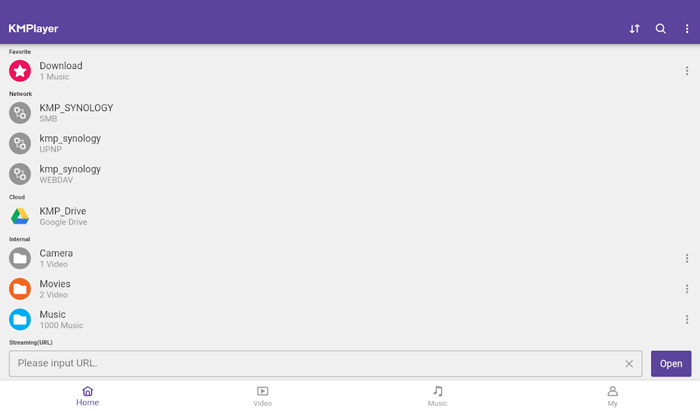
KMPlayer cung cấp một cách đơn giản để tạo danh sách phát nhạc và phim của bạn. Là một ứng dụng trình phát M4A mạnh mẽ, nó cho phép bạn phát nhạc và nội dung M4A được lưu trữ trong Google Drive. Nó được thiết kế với một tính năng tìm kiếm tuyệt vời để bạn dễ dàng tìm thấy nhạc và video mà bạn thích.
Phần 5. Trình chơi M4A Trực tuyến - Trình chơi TimeStretch
TimeStretch Player là một trình phát âm thanh trực tuyến dễ sử dụng, có thể giúp bạn phát âm thanh M4A với chất lượng cao. Nó hỗ trợ nhiều định dạng âm thanh bao gồm MP3, M4A và OGG. Là một trình phát âm thanh M4A trực tuyến, nó được thiết kế với giao diện tối giản. Bạn chỉ cần nhấp vào Open Track để tải tệp âm thanh M4A lên và phát.
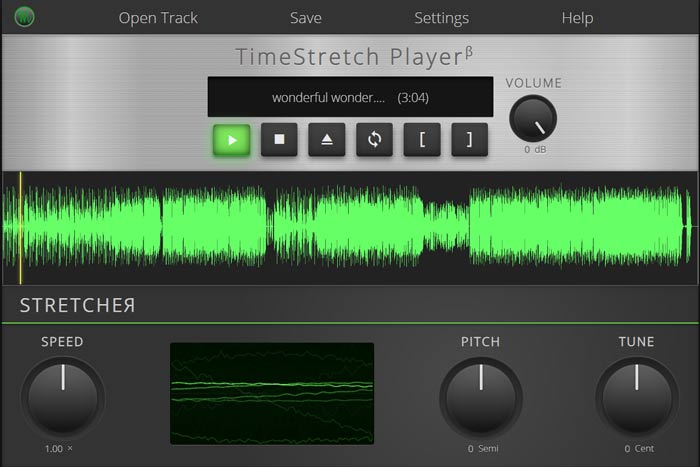
Đối với chơi M4A, bạn có toàn quyền điều khiển. Bạn có thể tự do điều chỉnh tốc độ chơi, cao độ, âm lượng và điều chỉnh theo nhu cầu của bạn. Bên cạnh tính năng chơi nhạc, máy nghe nhạc M4A trực tuyến này còn cho phép bạn chuyển đổi tập tin âm thanh sang định dạng phổ biến như MP3.
Phần 6. Những câu hỏi thường gặp về M4A Player
Câu hỏi 1. iPhone có cài sẵn ứng dụng chơi M4A không?
M4A là định dạng âm thanh gốc dành cho các thiết bị của Apple. Bạn có thể mở trực tiếp tệp M4A bằng ứng dụng Nhạc trên iPhone của mình.
Câu hỏi 2. Làm thế nào để chuyển đổi miễn phí M4A sang MP3?
Khi muốn chuyển M4A sang MP3, bạn có thể dựa vào phần mềm chuyển đổi âm thanh phổ biến là Free Online Audio Converter. Công cụ này cho phép bạn chuyển đổi âm thanh từ M4A sang MP3 mà không làm giảm chất lượng âm thanh.
Câu 3. Chất lượng M4A có tốt không?
Đúng. Là một định dạng âm thanh không mất dữ liệu, M4A với ALAC codec có thể mang lại chất lượng âm thanh cao. Nó có thể mang lại chất lượng âm thanh tốt hơn MP3 ở cùng tốc độ bit.
Phần kết luận
Là người dùng Windows hoặc Android, bạn có thể gặp phải vấn đề không phát được tệp M4A. Sau khi đọc bài viết này, bạn có thể có được 5 trình phát M4A miễn phí tốt nhất để thưởng thức nhạc M4A với chất lượng cao. Nếu bạn có gợi ý nào hay hơn về trình phát M4A, hãy chia sẻ trong phần bình luận với những độc giả khác.
-
 Cách chuyển đổi M4A sang MP3 với 4 bộ chuyển đổi âm thanh miễn phí
 Không thể chơi M4A và cần chuyển đổi nó sang MP3? Có cách nào miễn phí để chuyển đổi M4A sang MP3 trực tuyến không? Bài đăng này chia sẻ 4 cách miễn phí giúp bạn chuyển đổi M4A sang MP3 bằng iTunes, trình chuyển đổi âm thanh trực tuyến và chuyên nghiệp.
-
 Tải xuống máy nghe nhạc MP3 - 10 máy nghe nhạc MP3 miễn phí tốt nhất năm 2021
 Máy nghe nhạc MP3 tốt nhất là gì? Làm cách nào để đưa nhạc vào máy nghe nhạc MP3? Làm thế nào để tải xuống máy nghe nhạc MP3? Bài đăng này cung cấp cho bạn đánh giá chi tiết về 10 máy nghe nhạc MP3 miễn phí tốt nhất cho Windows PC và Mac.
-
 Nhận trình phát MP4 tốt nhất của bạn để phát tệp MP4 với chất lượng hình ảnh cao
 Đọc và tải xuống trình phát MP4 tốt nhất của bạn từ các đề xuất của 10 phần mềm trình phát video MP4 mới nhất. Bạn có thể phát các tệp video MP4 trên Windows và Mac một cách mượt mà mà không bị giật lag.
