


 Chuyển đổi video Ultimate
 Trình ghi màn hình
 Sửa chữa video
 Tải xuống an toàn
5 trình phát video VR tốt nhất dành cho Windows, Mac, Android và iPhone
Kể từ khi một số kính thực tế ảo (VR) kinh điển như Oculus Rift (2016), HTC Vive, PlayStation VR, Google Daydream, Windows MR (2017), Vive Pro (2018), HTC Focus Plus (2019), Oculus Quest, Valve Index, HP Reverb G2 (2020) và nhiều mẫu khác được phát hành, VR và video 360 đã khá phổ biến trong vài năm trở lại đây. Bên cạnh kính VR và máy tính, để xem video 360 độ, bạn cũng cần một trình phát video VR.

Khi bạn tìm kiếm trên Google với từ khóa trình phát video VR online hoặc trực tiếp tìm ứng dụng trình phát VR 360 trong Google Play hay App Store, bạn sẽ thấy rất nhiều kết quả. Chắc chắn bạn không muốn phải thử từng trình phát video VR đó trên PC Windows, Mac, điện thoại Android hay iPhone của mình. Để tiết kiệm thời gian cho bạn, chúng tôi đã tìm hiểu sẵn và liệt kê ra 5 trình phát video VR tốt nhất cho bạn.
Phần 1. VR Video Player dành cho Windows - SKYBOX VR Video Player
SKYBOX VR Video Player là một trình phát video VR nội bộ tuyệt vời dành cho máy tính Windows. Nó tương thích với các kính VR như Oculus Rift, HTC Vive và Microsoft MR. Trình phát VR này hỗ trợ mọi định dạng video bao gồm MP4, AVI, MOV, VR, 2D, 180 và 360 độ. Hơn nữa, nó còn hỗ trợ phim 3D Side-By-Side và Over-Under. Nó có thể phát trực tuyến video VR từ các máy chủ media UPnP/DLNA của bạn.
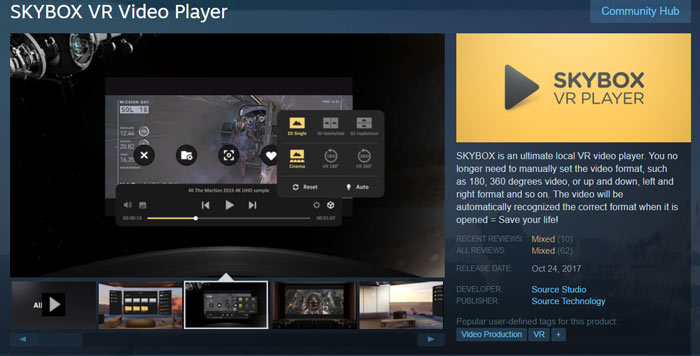
SKYBOX VR Video Player có hỗ trợ phát lại nội bộ và phát trực tuyến 4K. Nó cũng cung cấp chế độ Theater để bạn xem video 2D và 3D. Trình phát video Thực tế ảo này có khả năng tự động tối ưu hóa video của bạn và mang đến cho bạn trải nghiệm xem video VR tuyệt vời. Nó không phải là một trình phát VR miễn phí. Bạn cần phải trả $9,99 cho nó.
Phần 2. Trình phát video VR miễn phí cho Windows và Mac - PLAY'A VR Video Player
PLAY'A VR Video Player là một trình phát VR miễn phí dành cho cả người dùng PC Windows 10/8/7 và Mac. Nó hỗ trợ các kính VR như Valve Index, HTC Vive và Windows Mixed Reality. Bạn có thể phát video VR từ bộ nhớ tệp cục bộ và phát trực tuyến từ các trang web được hỗ trợ. Trình phát video cho kính VR miễn phí này có thể tự động nhận diện video 2D, 3D, phẳng, 180 độ và 360 độ nếu được đặt tên tệp đúng cách.
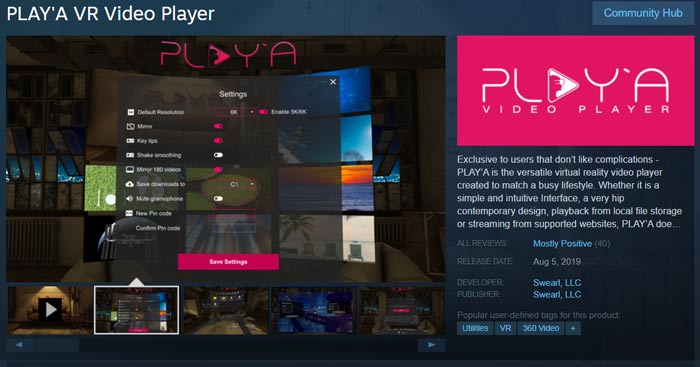
Với phần cứng được hỗ trợ, PLAY'A VR Video Player hỗ trợ video 8K. Hơn nữa, các định dạng video được sử dụng thường xuyên nhất như MP4, MOV, M4V, MTS, 3G2, 3GP, AVI, MKV, WMV và hơn thế nữa đều được hỗ trợ. Nó được trang bị nhiều chức năng hữu ích, chẳng hạn như Làm mịn lắc, Chế độ riêng tư, điều chỉnh hình ảnh và điều chỉnh video VR.
Phần 3. Trình phát video VR trực tuyến miễn phí cho Windows PC và Mac
FVC Free VR Video Player là một công cụ phát video phổ biến có thể phát video VR và 3D từ máy tính cục bộ của bạn. Nó hỗ trợ tốt hầu hết mọi định dạng video bao gồm MP4, MKV, AVI, FLV, MOV và nhiều định dạng khác. Nó tương thích với các trình duyệt web chính như Chrome, IE, Firefox và Safari để giúp bạn phát video VR với chất lượng cao.
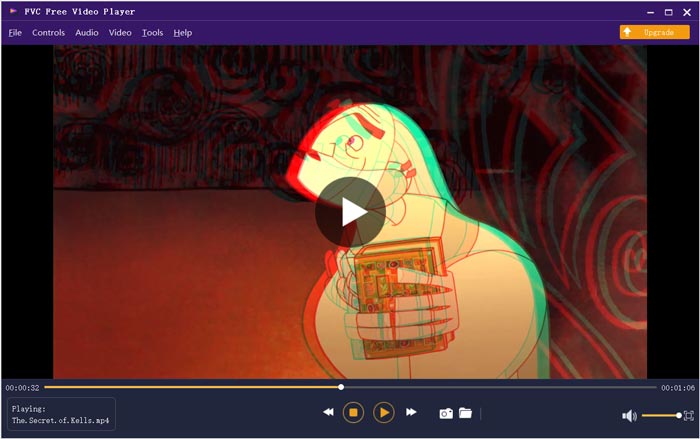
Trình phát video VR trực tuyến miễn phí này có thể tự động tối ưu hóa các video cục bộ của bạn. Hơn nữa, nó hỗ trợ DTS-HD và Dolby TrueHD để mang đến cho bạn trải nghiệm âm thanh tuyệt vời. Một điều bạn nên biết là trình phát video VR này không có tính năng phát trực tuyến. Bạn chỉ được phép xem các video VR và 360 độ đã tải xuống.
Phần 4. VR Video Player cho Android và PC - YouTube VR
YouTube VR là một ứng dụng trình phát video VR tuyệt vời để phát trực tuyến các kênh, video và nhà sáng tạo yêu thích trên YouTube trong không gian thực tế ảo. Nó mang đến cho bạn một trải nghiệm thực tế ảo mới để khám phá video trên YouTube, từ video 3D 360 đến video chuẩn hình chữ nhật. Trình phát VR miễn phí này hỗ trợ Gear VR và Go. Nó cũng cho phép bạn tìm kiếm trực tiếp nội dung YouTube bằng giọng nói.
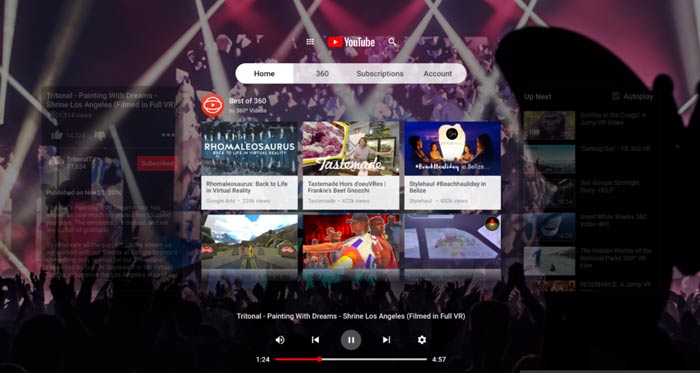
YouTube VR cung cấp một ứng dụng Android để phát lại video VR trên thiết bị di động. Nhưng nó không mang đến phiên bản iOS. Bạn cũng có thể tải YouTube VR trên máy tính của mình.
Phần 5. VR Video Codec Player cho iPhone, Android và PC - DeoVR Video Player
DeoVR là một trình phát video VR mạnh mẽ dành cho hầu hết mọi loại kính hiện có như HTC Vive, Oculus Rift, Go, Dear VR, Oculus Quest, SideQuest, Google Cardboard, Daydream và nhiều loại khác. Nó tích hợp sẵn trình duyệt media VR có thể cung cấp nội dung VR chất lượng cao từ YouTube và các trang web phát video trực tuyến khác. Nó cung cấp tính năng thu phóng giúp bạn tiến gần hơn đến hành động, ngay cả khi xem bằng mắt thường.
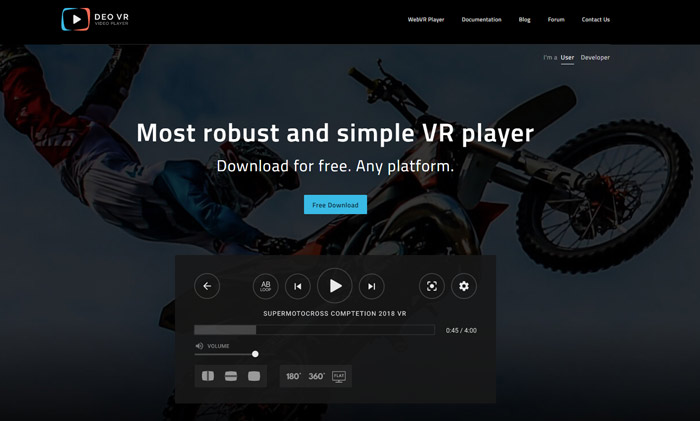
Trình phát video DeoVR có khả năng điều chỉnh video theo vị trí cơ thể của bạn. Nó cung cấp chiều cao phù hợp với chiều cao của người xem để phù hợp với POV của máy ảnh. Trình phát video VR này tương thích với hầu hết các bộ điều khiển bao gồm Oculus Remote, Oculus Touch, bàn phím và chuột, v.v. DeoVR cũng mang đến một trình phát WebVR miễn phí để bạn xem trực tuyến các video VR và 360 độ.
Phần 6. Câu hỏi thường gặp về VR Video Player
Câu hỏi 1. Video VR là gì?
Video VR và 360 VR đề cập đến các video được quay với toàn bộ 360 độ cùng một lúc. Video VR được quay bằng máy ảnh đa hướng chuyên dụng. Video VR có thể mang lại trải nghiệm sống động và tương tác. Video VR được truy cập thông qua việc sử dụng tai nghe thực tế ảo.
Câu hỏi 2. Nền tảng nội dung VR phổ biến là gì?
Một số nền tảng nội dung VR rõ ràng là HTC Vive Video, Vive Cinema, Cmoar VR Cinema, Samsung VR, Steam VR, Oculus, VeeR VR, WITHIN, Littlstar, Jaunt và YouTube, Vimeo, Facebook, v.v. Tất cả chúng đều cung cấp video 360 VR cho bạn.
Câu hỏi 3. VLC có thể phát video VR không?
Có. Bản thử nghiệm kỹ thuật video 360 độ của VLC hiện đã có sẵn. Bạn được phép phát cả video và ảnh VR.
Phần kết luận
Sau khi đọc bài viết này, bạn có thể có 5 trình phát video VR để xem video 360 độ trên kính VR, cũng như trên máy tính, iPhone và điện thoại Android. Nếu vẫn còn điều gì về việc phát video VR khiến bạn băn khoăn, bạn có thể để lại lời nhắn cho chúng tôi.
-
 Nhận trình phát MP4 tốt nhất của bạn để phát tệp MP4 với chất lượng hình ảnh cao
 Đọc và tải xuống trình phát MP4 tốt nhất của bạn từ các đề xuất của 10 phần mềm trình phát video MP4 mới nhất. Bạn có thể phát các tệp video MP4 trên Windows và Mac một cách mượt mà mà không bị giật lag.
-
 10 ứng dụng trình phát nhạc hàng đầu để thưởng thức các tệp nhạc trên các nền tảng khác nhau
 Khi bạn cần nghe các bài hát và album yêu thích của mình trên máy tính và thiết bị di động một cách trơn tru, đây là 10 ứng dụng nghe nhạc tốt nhất mà bạn có thể cân nhắc.
-
 VOB Player - 5 trình phát VOB tốt nhất cho PC Windows 10/8/7 và Mac năm 2025
 Làm thế nào để phát tệp VOB trên Windows 10? Trình phát VOB tốt nhất là gì? Bài đăng này đánh giá 5 trình phát VOB tốt nhất dành cho máy tính Windows 10 và Mac.
