


 Chuyển đổi video Ultimate
 Trình ghi màn hình
 Sửa chữa video
 Tải xuống an toàn
Đầu ghi dòng M4B với các công cụ, các bước và chi tiết đầy đủ
Định dạng M4B được dùng để lưu trữ sách nói tải xuống từ Apple iTunes Store. Ngoài ra, nó cho phép bạn đánh dấu (bookmark) cùng với âm thanh đã ghi, cũng như tạm dừng, phát và dừng khi cần. Vì một số sách nói dài gần một đến hai giờ nên việc có tính năng đó là hoàn hảo. Một tính năng tuyệt vời khác là bạn có thể chia sách nói thành nhiều chương khác nhau giống như sách thông thường. Trong trường hợp này, đây là cơ hội tốt nhất để người dùng tìm hiểu thêm về định dạng tệp này. Nếu bạn đang tìm một trình ghi M4B thì đây chính là dành cho bạn. Dưới đây là danh sách những trình ghi âm tốt nhất đáp ứng nhu cầu của bạn với tư cách người dùng, và có thể trong tương lai là khách hàng nữa. Vậy nên, không cần giải thích thêm, hãy tiếp tục bên dưới để xem những công cụ bạn có thể dùng.
Phần 1. Máy ghi âm M4B hàng đầu dành cho Windows và Mac
Máy ghi âm thanh miễn phí FVC

Một trong những công cụ ghi âm trực tuyến tốt nhất, cho phép người dùng ghi âm thanh đẹp như mong muốn. FVC Free Audio Recorder là trình ghi âm trực tuyến tốt nhất mà bạn có thể sử dụng. Công cụ này còn khả dụng trên nhiều nền tảng khác nhau. Tỷ lệ thành công của công cụ này cực kỳ cao nên bạn có thể kỳ vọng nhiều ở nó. Nếu bạn đang tìm trình ghi âm trực tuyến tốt nhất thì đây chính là lựa chọn dành cho bạn. Vậy nên, không cần giải thích thêm, hãy xem các bước dưới đây. Bạn cần đọc kỹ và làm theo hướng dẫn.
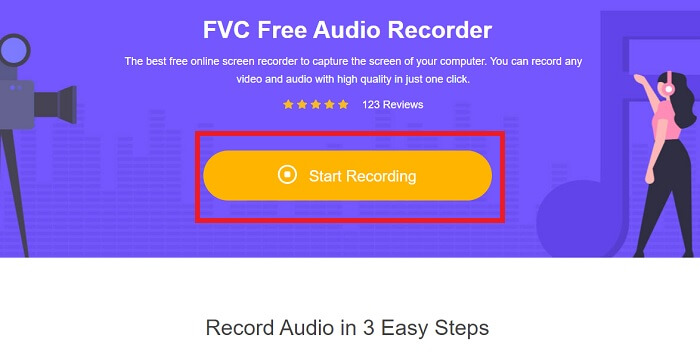
Bước 1. Nhấp vào liên kết để truy cập trang web. Bấm Start Recording để khởi chạy công cụ.
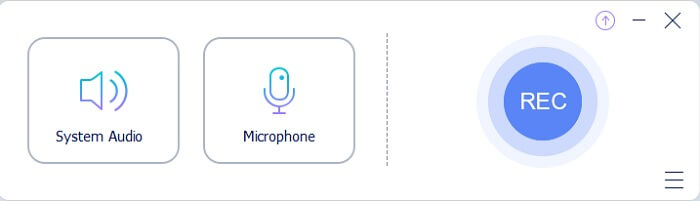
Bước 2. Một thanh công cụ như thế này sẽ xuất hiện trên màn hình của bạn.
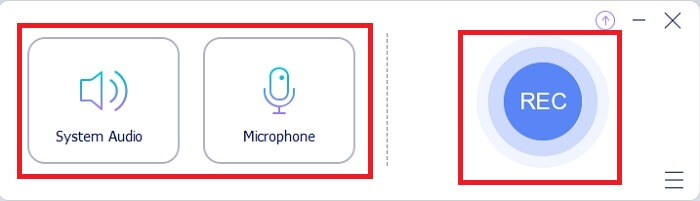
Bước 3. Nhấp vào Speaker và Microphone để thêm giọng nói và âm thanh.
Bước 4. Nhấp nút tròn để bắt đầu ghi âm.
Bước 5. Sau khi ghi xong, bấm nút vuông để dừng. Sau đó tệp sẽ tự động được lưu vào máy tính của bạn. Để kiểm tra bản ghi, bạn có thể xem trong phần các đường song song, mục trên cùng là bản mới nhất.
Phần 2. 4 đầu ghi M4B được đề xuất khác cho Windows và Mac
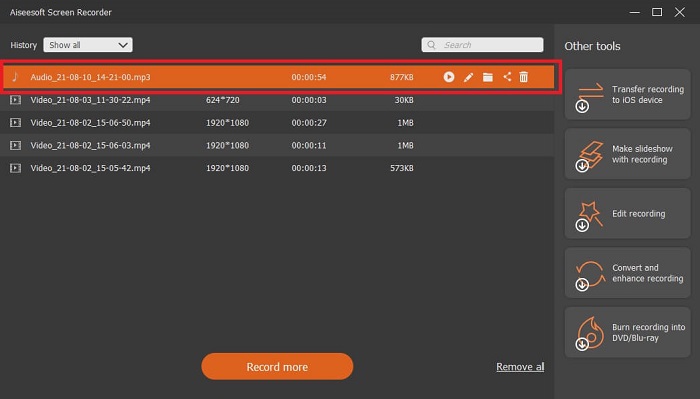
1. Trình ghi màn hình FVC
Nếu công cụ miễn phí khiến bạn hài lòng thì FVC Screen Recorder sẽ mang đến cho bạn chất lượng đầu ra tốt nhất mà bạn từng mơ ước. Công cụ này cho phép người dùng sáng tạo hơn với một chút “ma thuật” để tạo ra kết quả tuyệt vời nhất có thể. Vì vậy, nếu bạn muốn máy ghi âm kỹ thuật số Sony phát được định dạng M4B thì đây là lựa chọn tốt nhất cho bạn. Hãy hoàn toàn làm theo các bước này và tự nhủ rằng việc ghi âm “dễ như ăn kẹo”.
Bước 1. Nhấp nút tải xuống tương ứng với hệ điều hành bạn đang dùng. Sau khi tải xong, hãy cài đặt công cụ. Thay đổi phần Preference theo ý bạn rồi bấm Finish để tiếp tục.
Tải miễn phíDành cho Windows 7 hoặc mới hơnTải xuống an toàn
Tải miễn phíDành cho MacOS 10.7 hoặc mới hơnTải xuống an toàn
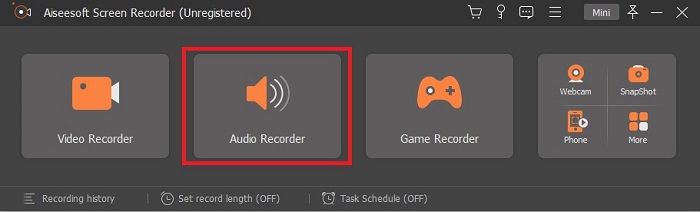
Bước 2. Một thanh công cụ nổi như thế này sẽ xuất hiện trên màn hình. Nhấp vào Audio Recorder rồi tiếp tục.
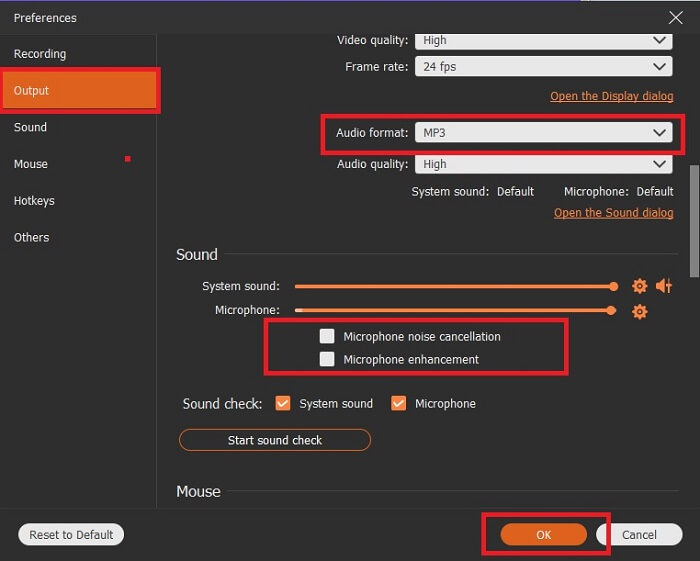
Bước 3. Ở phần giữa phía trên của thanh công cụ, bạn sẽ thấy biểu tượng bánh răng (cog), hãy nhấp vào đó. Sau đó điều chỉnh phần cài đặt Output theo nhu cầu của bạn. Nhấn OK để lưu.
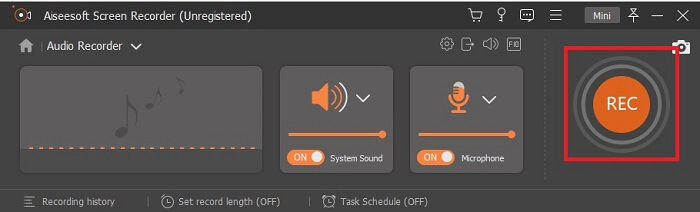
Bước 4. Nhấp vào biểu tượng Speaker để thêm âm thanh hệ thống và Mic để thêm giọng nói của bạn. Nếu mọi thứ đã ổn, nhấp vào biểu tượng hình đĩa để bắt đầu ghi.
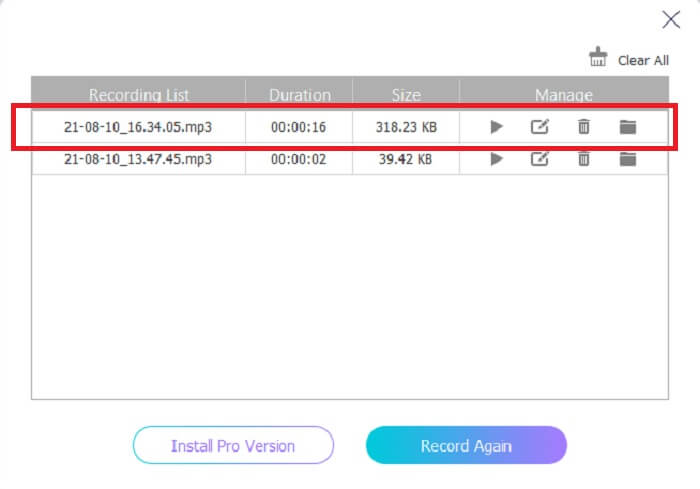
Bước 5. Khi ghi xong, nhấp nút vuông để dừng. Nhấp Save và Next để tiếp tục. Sau đó danh sách lịch sử sẽ xuất hiện trên màn hình và bạn hãy nhấp vào tệp đầu ra đầu tiên để nghe lại bản ghi.
2. Âm thanh Boo
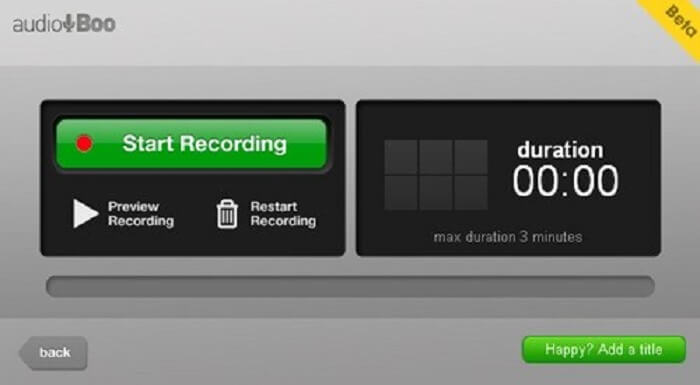
Một công cụ tuyệt vời khác cho phép bạn ghi âm là công cụ này. Audio Boo cho phép người dùng ghi lại bất kỳ âm thanh nào cần thiết theo yêu cầu của bạn. Tuy nhiên, việc ghi sẽ tự động dừng vì có giới hạn thời lượng. Vậy nên, nếu bạn đang ghi một đoạn bài hát ngắn tặng người thân yêu thì có thể bạn sẽ thích dùng công cụ này.
3. Bàn phím sóng
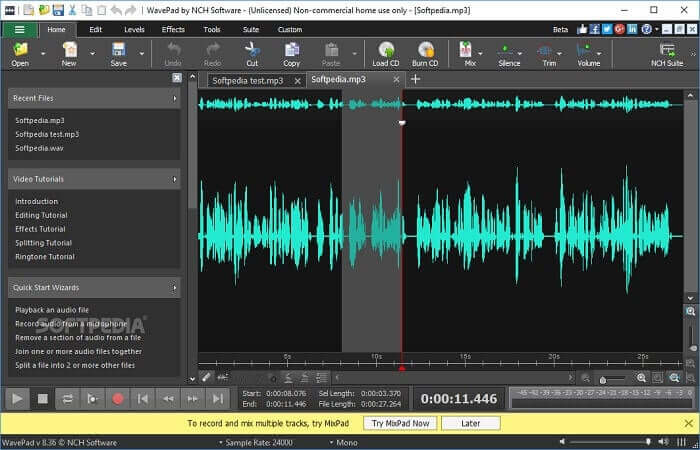
Một trong những công cụ âm thanh tốt nhất mà bạn có thể dùng để ghi những bản nhạc 'chất'. Wavepad thường được dùng cho các bản ghi âm phức tạp. Bạn cũng có thể tăng giảm âm lượng kênh (pan), thay đổi tempo và chỉnh sửa. Nó cung cấp các hướng dẫn ngay trên thanh công cụ.
4. RoseGarden
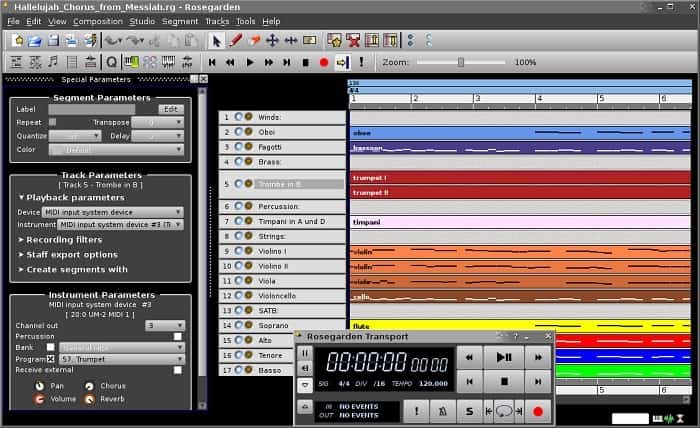
Là một máy ghi âm kỹ thuật số với MIDI và chỉnh sửa. Công cụ này là một sự lựa chọn khác nếu bạn là một nhạc sĩ thích ghi âm. Nó là một công cụ đơn giản mà bạn có thể sử dụng để ghi âm và sáng tác âm nhạc.
Đọc thêm
Phần 3. Biểu đồ so sánh
| Tính năng công cụ / s | Máy ghi âm thanh miễn phí FVC | Trình ghi màn hình FVC | Âm thanh Boo | WavePad | Vườn hoa hồng |
| Ghi âm |  | | | | |
| Khử tiếng ồn |  | | | | |
| Công cụ chỉnh sửa | | | | | |
| Tăng cường micrô | | | | | |
| Phần mềm có sẵn | Tất cả các nền tảng | Tất cả các nền tảng | iPhone, iPod touch và iPad. | Thiết bị Mac, Windows, Android và iOS | Linux |
| Định dạng có sẵn / s | MP3 và M4B | MP3, WMA, AAC, M4B, M4A FLAC, OGG, Opus và nhiều hơn nữa. | MP3 | AAC, M4A, MP4, DCT | WAV, OGG, FLAC và MP3 |
| Phạm vi giá | Công cụ trực tuyến miễn phí | Trong 1 tháng: $25,00 Trong một năm: $31.20 Đối với giấy phép trọn đời: $55.20 | Phần mềm có thể tải xuống miễn phí | $3.88 mỗi tháng cho mỗi người dùng $69,95 mỗi năm cho mỗi người dùng Nó là miễn phí cho công việc phi thương mại. | Phần mềm kỹ thuật số miễn phí |
Phần 4. Câu hỏi thường gặp về M4B Recorder
Tại sao tôi không thể phát tệp M4B trên Android của mình?
Tệp M4B không thể phát trên các thiết bị Android và một số trình phát media trên PC. Nhưng bạn có thể dùng M4B Player Online, công cụ này hỗ trợ nhiều định dạng khác nhau như M4B và nhiều định dạng tệp khác. Về cơ bản, chỉ cần kéo‑thả hoặc bạn cũng có thể tìm tệp trong trình quản lý file rồi mở bằng công cụ này.
Cái nào tốt hơn? MP3 hay M4B?
Cả hai đều tốt nhưng M4B tạo ra âm thanh chất lượng hơn. Ngoài âm thanh, nó lưu trữ thông tin, đánh dấu chương, hình ảnh và siêu liên kết nhưng nó không phải là cách tốt nhất để ghi lại.
Sách nói là gì? công dụng của nó là gi?
Sách nói là bản ghi âm giọng nói của sách giáo khoa. Nó đọc to từng từ thay vì đọc trong im lặng. Điều này cho phép người dùng khác làm những việc khác trong khi nghe. Ngoài ra, khả năng phát âm chuẩn, lưu loát, nhận biết ngữ âm và hơn thế nữa cũng được bao gồm.
Phần kết luận
Trong phân tích cuối cùng, chúng tôi hiểu máy ghi M4B là gì và định dạng này là gì. Nếu bạn cảm thấy mệt mỏi với việc đọc và bạn là một người học thính giác nhiều hơn thì loại định dạng tệp này là tốt nhất cho bạn. Như họ nói, nghe là một trong những cách tốt nhất để học mọi thứ vì âm thanh phát ra.
Như đã giải thích, tất cả các công cụ trong danh sách đều có thể làm được công việc này nhưng có một công cụ nổi bật hơn hẳn. Đoán xem đó là công cụ nào? Gợi ý là công cụ này được thương mại hóa nhiều hơn các công cụ khác, đây là công cụ trả phí nhưng không hề đắt đỏ. Đây là cách dễ dàng nhất để ghi âm bất cứ lúc nào, ở bất cứ đâu. Nếu gợi ý này vẫn chưa giúp bạn đoán ra, vậy thì hãy nói thẳng đó là gì. Đó chính là FVC Screen Recorder, cho phép bạn ghi âm theo cách tốt nhất có thể, đồng thời cung cấp hướng dẫn rất rõ ràng nên bạn không cần lo lắng nếu là người mới, ngay cả người dùng chuyên nghiệp cũng có thể dùng vì những tính năng của nó.
-
 Top 4 đầu ghi video AMV tốt nhất Máy tính Windows / Mac
 Khám phá thêm về tệp AMV và tìm hiểu về các cách thực tế nhất để quay video trên AMV và các định dạng video khác.
-
 Cách ghi lại màn hình bằng AirShou: Đánh giá chi tiết và các lựa chọn thay thế Airshou
 Bài viết này là một đánh giá chi tiết về AirShou và những lợi ích bạn có thể nhận được từ nó. Ngoài ra, bạn sẽ tìm thấy một số lựa chọn thay thế tốt nhất cho Airshou khi bạn đọc qua.
-
 5 máy ghi MOV hàng đầu cho Windows PC và Mac
 Nếu bạn cần quay video MOV với kích thước tệp nhỏ hơn tương thích với thiết bị iOS, hãy tiếp tục đọc qua bài viết.
