


 محول الفيديو النهائي
 مسجل الشاشة
 إصلاح الفيديو
 تنزيل آمن
كيفية ضغط الصور بسهولة إلى 50 كيلوبايت دون فقدان البيانات [2024]
تختلف أحجام ملفات الصور بسبب المعلومات التفصيلية والدقة العالية، خاصة اليوم، مع ما توفره الكاميرات والأجهزة الحديثة. ومع استمرار المحتوى الرقمي في الظهور في عام 2024، فإننا ندرك الحاجة إلى إدارة أحجام ملفات الصور وتحسينها. سواء لتحسين أداء موقع الويب أو الحفاظ على مساحة التخزين أو تسهيل المشاركة السلسة، فإن ضغط الصور بكفاءة أمر ضروري.
إذًا، إذا كنت تبحث عن أداة لتصغير حجم صورك، فأنت على الطريق الصحيح. سيوضح لك هذا الدليل كيفية ضغط الصور إلى 50 كيلوبايت بدون فقدان للجودة، مع التأكد من الحفاظ على جودة عالية مع تحقيق أحجام ملفات أصغر. تابع القراءة لمعرفة المزيد!

الجزء 1. ضغط الصورة إلى 50 كيلوبايت دون فقدان واضح للجودة
المشكلة في استخدام أدوات ضغط الصور هي أنها عادة ما تدمر جودة الصورة، ولكن هذا ليس هو الحال دائمًا. عند القيام بذلك بشكل صحيح باستخدام الأدوات المناسبة، يمكن الحفاظ على جودة الصورة أو ضغطها دون فقدان واضح للجودة.
إحدى أفضل أدوات ضغط الصور التي تحافظ على جودتها هي أداة FVC Free Image Compressor. هذه الأداة السريعة وسهلة الاستخدام مصممة لضغط الصور إلى 50 كيلوبايت دون التضحية بالكثير من الجودة. تتميز في ضغط صيغ الصور المختلفة مثل JPEG وPNG وSVG وGIF، وتوفر ضغطًا أفضل مقارنةً ببرامج أخرى بديلة. علاوة على ذلك، فهي مجانية بالكامل ويمكن الوصول إليها بسهولة عبر الإنترنت باستخدام مختلف الأجهزة. وفي حال كنت تضغط مجموعة من الصور، فستكون هذه الأداة مثالية لك لأنها تتعامل مع ضغط الصور دفعة واحدة وتحفظها في ملف مضغوط (ZIP) واحد بحيث يمكنك الوصول إليها بسهولة.
إليك كيفية ضغط الصور إلى 50 كيلوبايت باستخدام FVC Free Image Compressor
الخطوة 1. أولًا، تحتاج إلى الذهاب إلى موقعهم الرسمي.
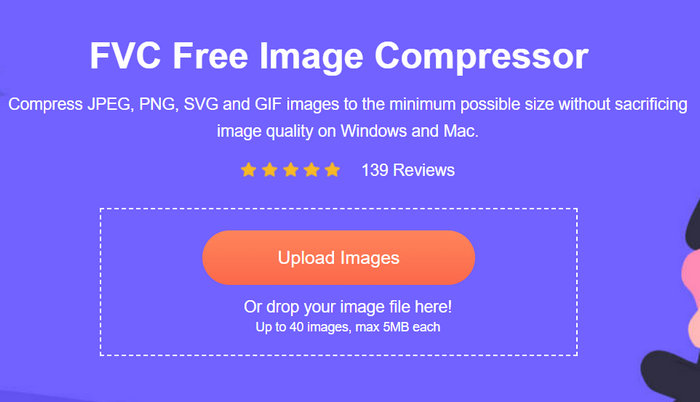
الخطوة 2. بعد ذلك، انقر على Upload Images لاستيراد الصور التي تريد ضغطها إلى 50 كيلوبايت.
الخطوة 3. بعد الانتهاء من الضغط، يمكنك معاينة حجم الصور الجديدة المضغوطة. أخيرًا، انقر على Download لحفظ صورتك.
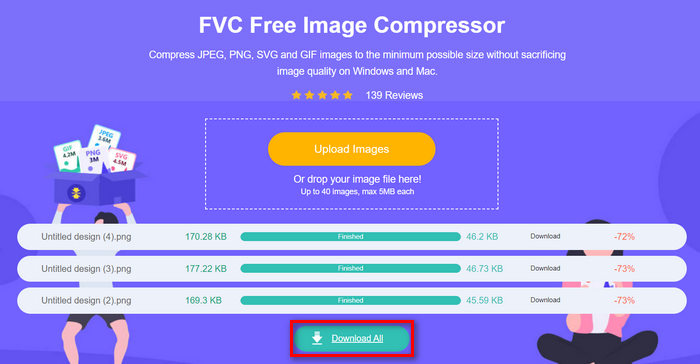
ما يميز FVC Free Image Compressor هو أن هذه الأداة لتقليل حجم الصور تتمتع بواجهة بسيطة وسهلة للغاية. يحتاج المستخدمون فقط إلى خطوتين أساسيتين: الرفع والتصدير، لأن عملية الضغط تتم تلقائيًا بعد استيراد الصور.
الجزء 2. ضغط صورة إلى 50 كيلوبايت عبر الإنترنت بجودة مخصصة
إذا كنت تفضل أداة ضغط الصور عبر الإنترنت مع خيارات جودة مخصصة، فإن Duplichecker هو الخيار الأمثل لك. تقدم هذه الأداة حلاً سريعًا وخاليًا من المتاعب لضغط أحجام ملفات الصور المخصصة مع الحفاظ على سلامة الصورة. بفضل واجهة مبسطة، توفر هذه الأداة للمستخدمين حلاً سريعًا لتقليل حجم ملفات الصور. علاوة على ذلك، تدعم تنسيقات JPEG وPNG وGIF وتسمح للمستخدمين بتخصيص تقليل حجم ملفاتهم. كما تدعم Duplicheck المعالجة الدفعية، مما يتيح ضغط صور متعددة إلى 50 كيلوبايت في وقت واحد. أخيرًا، هذه الأداة مجانية تمامًا للاستخدام.
إليك كيفية ضغط الصور إلى 50 كيلوبايت باستخدام Duplichecker
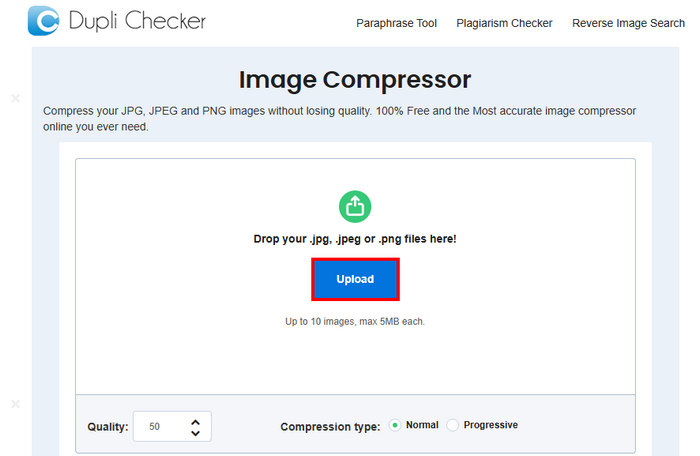
الخطوة 1. لرفع الصورة التي تريد ضغطها إلى 50 كيلوبايت، انقر على زر Upload.
الخطوة 2. بعد ذلك، سترى خيار Quality في الأسفل عند الزاوية اليسرى. اختر أو اكتب الجودة المضغوطة التي تريدها. في هذه الحالة، اكتب 50.
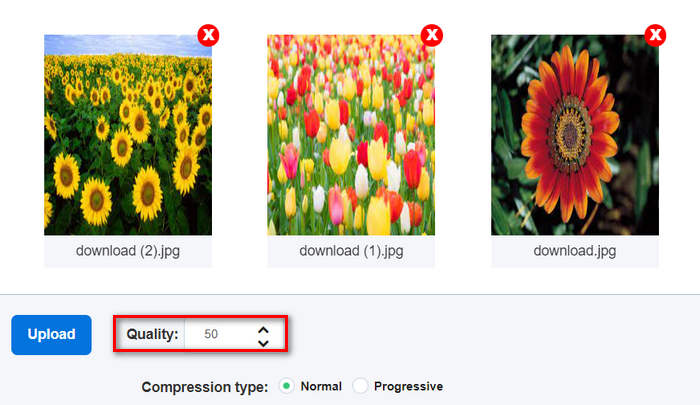
جودة الصورة هذه بالكيلوبايت أو بالكيلوبايت.
الخطوة 3. بعد اختيار الجودة، يمكنك الآن تحديد نوع الضغط الذي تفضله.

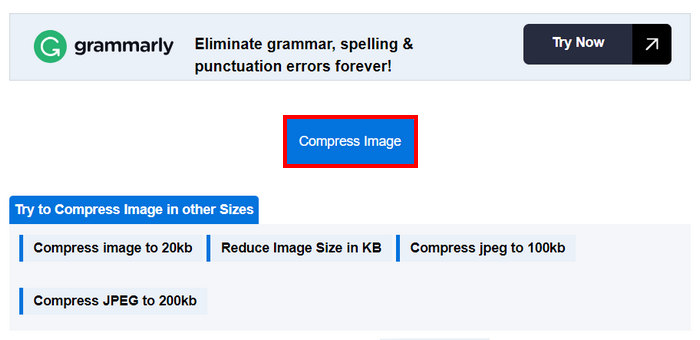
الخطوة 4. بعد ضبط الإعدادات، مرّر لأسفل قليلًا وانقر على زر Compress لضغط صورك إلى 50 كيلوبايت.
الخطوة 5. وأخيرًا، لحفظ الصور المضغوطة، انقر على زر Download All لحفظها جميعًا. سيتم حفظ هذه الملفات مباشرة على جهازك.
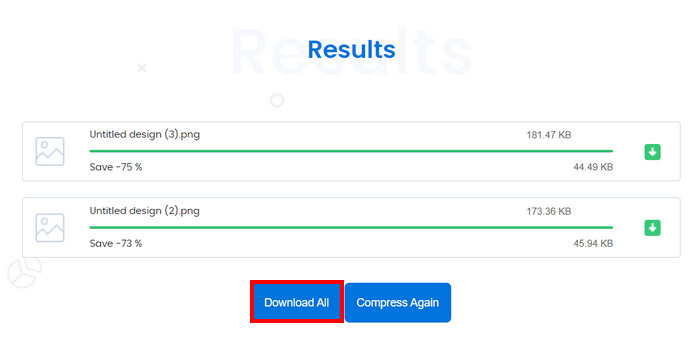
هذه الأداة رائعة بالفعل إذا كنت تريد تخصيص ضغط صورتك إلى 50 كيلوبايت. ومع ذلك، عند التحويل باستخدام صور متعددة، توقف النظام، لكن إعادة تحميله حلت المشكلة.
الجزء 3. ضغط الصورة إلى 50 كيلو نيوتن في دفعات
أداة RedKetchup Bulk Image Resizer هي أداة على الإنترنت مصممة لمساعدة المستخدمين على تغيير حجم الصور وضغطها إلى 50 كيلوبايت على شكل دفعات. هذه الأداة جزء من حزمة الأدوات التي تقدمها RedKetchup، المعروفة بأدواتها الفعالة لمعالجة الصور عبر الإنترنت. وأخيرًا، فإن واجهتها سهلة الاستخدام وسرعة معالجتها تجعل عملية ضغط الصور على شكل دفعات سهلة وخالية من التعقيد.
إليك كيفية ضغط الصور إلى 50 كيلوبايت على شكل دفعات باستخدام RedKetchup Bulk Image Resizer
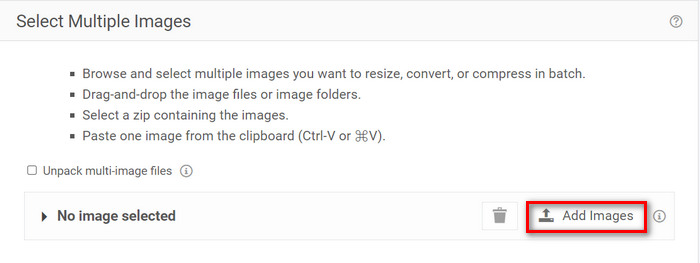
الخطوة 1. أولًا، انقر على زر Add Files لاستيراد الصور التي تريد ضغطها على شكل دفعات.
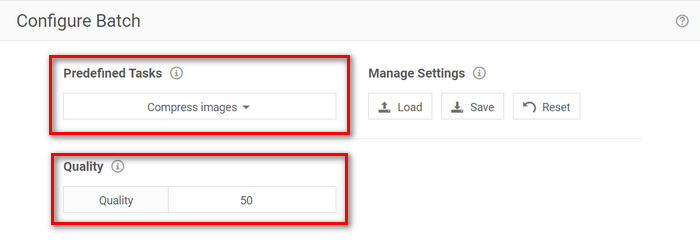
الخطوة 2. الآن، في قسم Configure Batch، اختر Compress Images من قائمة Predefined Task ثم اكتب حجم الملف الذي تريده في قائمة Quality.
الخطوة 3. بعد ذلك، انقر على زر Process Batch لضغط الصور في الوقت نفسه.
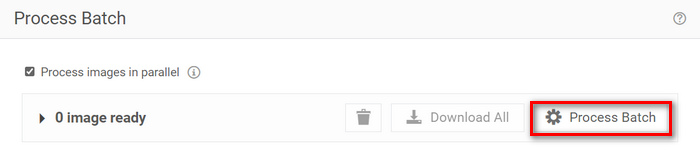
الخطوة 4. أخيرًا، لحفظ صورك المضغوطة، انقر على زر Download All.
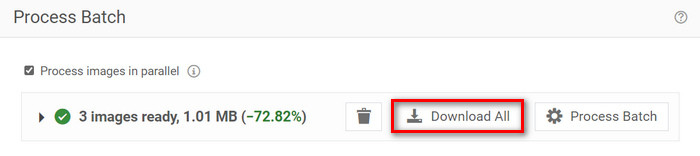
لذا، إذا كنت تبحث عن أداة يمكنها تلبية متطلبات ضغط عدد كبير من الملفات دفعة واحدة، فهذه الأداة مناسبة لك بالفعل. ومع ذلك، يتعين عليك التعامل مع الإعلانات عند تنزيل ملفاتك.
الجزء 4. مقارنة بين أدوات ضغط الصور الثلاثة
دعونا نلقي نظرة على الأدوات الثلاثة التي يمكنها مساعدتك في ضغط الصور إلى 50 كيلوبايت.
| أداة ضغط الصور | التنسيق المدعوم | جودة | سرعة | ضغط الدُفعات |
| ضاغط الصور المجاني FVC | JPEG وPNG وSVG وGIF | جودة عالية | بسرعة | يمكن ضغط 40 صورة دفعة واحدة. |
| مدقق التكرار | JPG، JPEG، GIF، وPNG | جودة عالية | بطيء | يمكن ضغط 10 صور دفعة واحدة. |
| أداة تغيير حجم الصور بالجملة من RedKetchup | PNG، JPEG، WEBP، أو HEIC | جودة عالية | بسرعة | يمكنه ضغط أكثر من 1000 صورة مرة واحدة. |
يوفر برنامج FVC Free Image Compressor معالجة سريعة ويمكنه التعامل مع ما يصل إلى 40 صورة في وقت واحد، ويدعم مجموعة واسعة من التنسيقات مع ضمان صور مضغوطة عالية الجودة. وفي الوقت نفسه، يعد برنامج Duplichecker أبطأ قليلاً ولكنه لا يزال يقدم نتائج عالية الجودة ويدعم ضغط الدفعات لما يصل إلى 10 صور. يمكن لبرنامج RedKetchup Bulk Image Resizer ضغط ما يصل إلى 1000 صورة في وقت واحد، مما يوفر معالجة سريعة ودعمًا واسع النطاق للتنسيقات. ومع ذلك، لتجنب الإعلانات عند تنزيل الصور المضغوطة باستخدام هذه الأداة، تحتاج إلى ترقيتها إلى حساب مميز.
الجزء 5. الأسئلة الشائعة حول ضغط الصورة إلى 50 كيلوبايت
كم عدد البكسلات في 50KB؟
يمكن أن يختلف عدد البكسل في صورة بحجم 50 كيلوبايت بشكل كبير حسب تعقيدها وألوانها وخوارزمية الضغط. بشكل عام، يبلغ حجم الصورة بحجم 50 كيلوبايت حوالي 200 × 230 بكسل، ولكن يمكن أن يختلف هذا وفقًا لمحتوى الصورة وتنسيقها.
كيف أقوم بتقليل حجم ملف PNG إلى 50 كيلوبايت؟
لتقليل حجم ملف PNG إلى 50 كيلوبايت، استخدم أداة ضغط الصور عبر الإنترنت مثل FVC Free Image Compressor أو Duplichecker أو RedKetchup Bulk Image Resizer. قم برفع ملف PNG، ثم اضبط إعدادات الجودة لاستهداف حجم ملف قدره 50 كيلوبايت، واضغط الصورة.
كم كيلو بايت هي الصورة العادية؟
يختلف حجم الصورة العادية حسب الدقة والتنسيق. عادةً، يتراوح حجم الصور الملتقطة بالهواتف الذكية الحديثة من 1 ميجا بايت إلى 5 ميجا بايت.
خاتمة
في الختام، إن تعلم كيفية ضغط صورة إلى 50 كيلوبايت أو إلى أي حجم ملف آخر أمر ضروري عند التعامل مع ملفات الصور الكبيرة. باستخدام أدوات مثل FVC Free Image Compressor وDuplichecker وRedKetchup Bulk Image Resizer، يمكنك تحقيق ضغط مثالي دون التضحية بجودة الصورة. سواء كنت تسعى لتحسين سرعة تحميل موقعك الإلكتروني، أو توفير مساحة التخزين على جهازك، أو ضمان مشاركة سلسة عبر المنصات المختلفة، فإن هذه الطرق قادرة بالتأكيد على تزويدك بحلول عملية.
-
 كيفية ضغط فيديو MP4 إلى حجم أصغر
 هل فيديو MP4 كبير جدًا بحيث لا يمكن تحميله؟ تريد تصغير حجم الفيديو؟ فيما يلي 3 طرق فعالة لضغط ملف MP4 إلى حجم أصغر بلا حدود.
-
 مراجعة أفضل 10 برامج محول فيديو عالية الدقة
 اقرأ وقارن للحصول على أفضل برنامج محول فيديو عالي الدقة من 10 توصيات. فيما يلي المراجعات التفصيلية لكل محول فيديو عالي الدقة لمنصات متعددة.
-
 ما هو ملف MTS وكيفية تحويل MTS إلى MP4 / MOV / MKV / AVI
 ما هو ملف MTS وكيف يمكنني تشغيله؟ يمنحك هذا المنشور إرشادات أساسية حول ملف MTS. علاوة على ذلك ، يمكنك الحصول على 3 طرق بسيطة لتحويل ملف MTS إلى MP4 أو MOV أو AVI أو MPEG أو MTS أو MKV أو تنسيقات أخرى بجودة عالية.
