


 Video Converter Ultimate
 Gravadora de pantalla
 Reparació de vídeo
Domineu l'art de convertir fitxers OGV a format AVI en línia i fora de línia
Els fitxers OGV són un format de codi obert creat per Xiph.org que té la mateixa estructura que OGG Vorbis. A més, aquest format pot contenir un o més còdecs per gestionar els fluxos de vídeo. Tanmateix, reproduir un fitxer .ogv al Windows Media Player o QuickTime no admet còdecs com Theorec, Daala o Dirac. En aquest cas, no pots reproduir el vídeo per motius de compatibilitat. La solució per resoldre aquest problema és convertir el fitxer a un format molt més compatible, com ara AVI. Aquest article presenta els convertidors que pots utilitzar i com convertir fitxers OGV a AVI.
Part 1. OGV i AVI - Una visió general
Com s'indica anteriorment, OGV són fitxers de codi obert que emmagatzemen fluxos de vídeo d'alta qualitat. Però si voleu sincronitzar la reproducció de fitxers multimèdia, l'opció ha de ser AVI. Tot i que aquests dos contenidors encara són excel·lents d'utilitzar, tenen el seu propòsit. Determinem el seu propòsit buscant més informació sobre els dos formats.
OGV
Un altre propòsit d'OGV és reproduir vídeos en HTML 5 perquè és un dels millors formats no patentats que podeu inserir al web. Amb l'HTML 5 actualitzat fet, no necessitareu un connector per reproduir els vídeos al web. A més, aquest format ofereix al dissenyador web suport multimèdia i comoditat. Tot i que els fitxers OGV admeten la transmissió de vídeo en HTML 5, el format encara no admet altres reproductors multimèdia per reproduir aquest format.
AVI
Mentrestant, el format AVI ja té un ampli suport de tots els reproductors i editors multimèdia en comparació amb OGV. I a causa del seu format sense comprimir, la mida del fitxer desat en aquest format és molt més gran que l'altre format multimèdia. Tot i que els fitxers són més extensos, encara podeu utilitzar diferents tipus de còdec per comprimir aquest format i desar-los més petits. Tanmateix, si premeu el fitxer amb aquest format, espereu que la qualitat del vídeo canviï.
I ara que tenim coneixements sobre els dos formats, ara és el moment adequat per convertir OGV a AVI a Linux, PC i Mac. Per reproduir-lo al vostre reproductor multimèdia local o editar el vídeo sota, és imprescindible convertir el fitxer a AVI.
Part 2. El millor convertidor fora de línia per convertir OGV a AVI
FVC Video Converter Ultimate
Vols saber quin és el millor convertidor d’OGV a AVI que ofereix el procés de conversió més ràpid i segur? Si és així, FVC Video Converter Ultimate és una bona opció. De tots els convertidors que hem buscat i provat a internet, aquesta eina és incomparable i ofereix un resultat fenomenal. Aquest programari inclou moltes funcions avançades a la caixa d’eines, com l’editor, la fusió, la compressió i més. A més, el procés de conversió és 30 vegades més ràpid perquè aquest programari utilitza acceleració per maquinari i una conversió més ràpida que la que tenen altres convertidors disponibles en línia o fora de línia.
A més, si voleu fer una conversió per lots, podeu fer-ho fàcilment aquí sense suar. A més, la interfície i les funcions avançades estan disponibles tant per als usuaris de Windows com de Mac. Així que ara, anem als passos per convertir el fitxer OGV en un nou format AVI en uns quants segons seguint els passos següents.
Pas 1. Abans de poder convertir OGV a AVI a Windows o Mac, primer has de descarregar el programari. Instal·la’l a la unitat de l’ordinador i fes clic a Inicia ara per executar el programari al sistema.
Descàrrega gratuïtaPer a Windows 7 o posteriorDescàrrega segura
Descàrrega gratuïtaPer a macOS 10.7 o posteriorDescàrrega segura
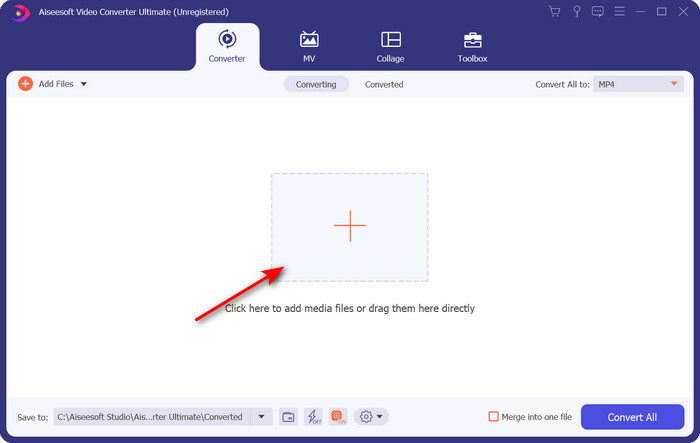
Pas 2. Puja el fitxer .ogv fent clic al botó +; apareixerà una carpeta de fitxers on podràs localitzar el fitxer i després fes clic a Obre.
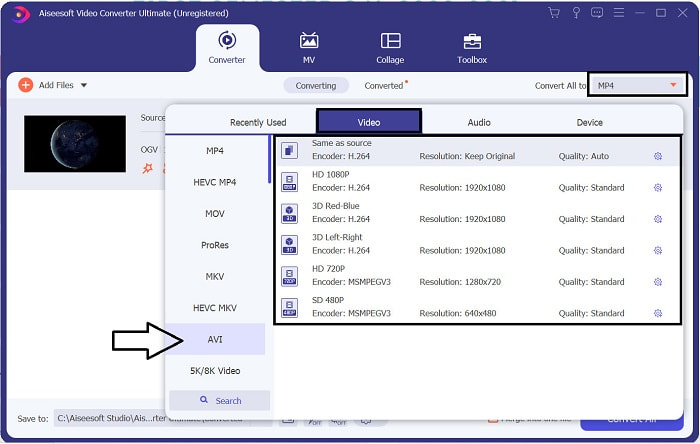
Pas 3. Un cop s’hagi pujat el fitxer, fes clic a Converteix-ho tot a, tria el format AVI o un altre format en què vulguis que es converteixi el resultat final.
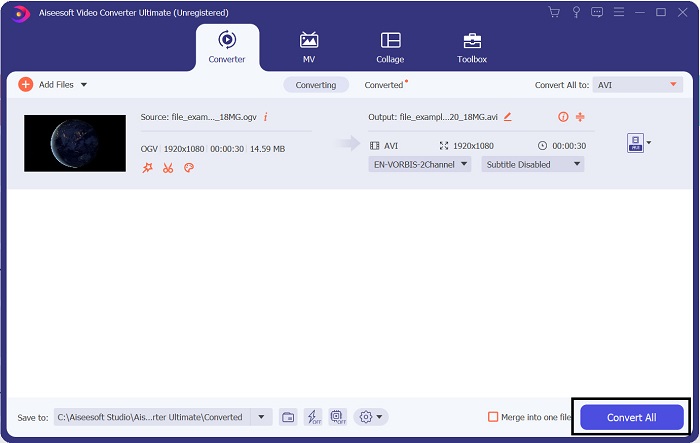
Pas 4. Fes clic a Converteix-ho tot per començar el procés de conversió; aquest procés només trigarà uns segons gràcies a la conversió ràpida que ofereix aquesta eina.
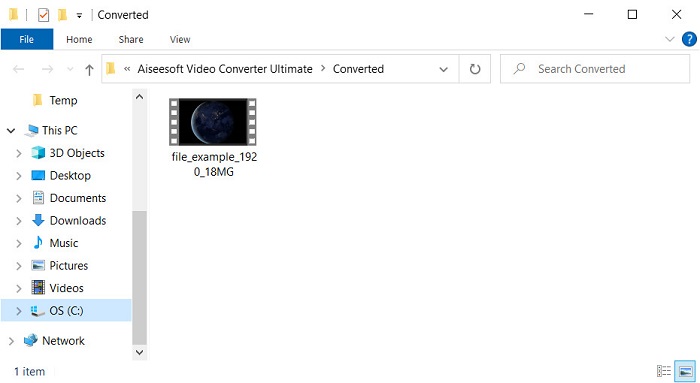
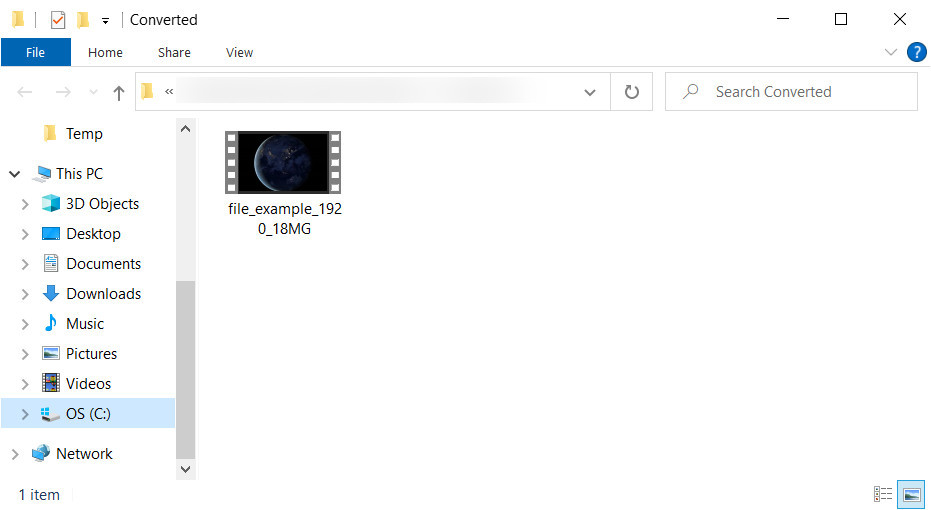
Pas 5. Després de la conversió, apareixerà a la pantalla una carpeta que conté el fitxer .avi; fes clic al fitxer per veure’l al teu reproductor multimèdia.
Part 3. Millor convertidor gratuït d'OGV a AVI disponible en línia
FVC Free Video Converter en línia
No vols descarregar un convertidor al teu disc i prefereixes convertir OGV a AVI en línia de manera gratuïta? Aleshores FVC Free Video Converter Online és la millor elecció. Avui dia, es pot convertir en línia simplement cercant una eina web que t’ajudi. Tanmateix, no totes les eines web admeten formats com el fitxer .ogv. Tot i que hi ha alguns convertidors fiables, aquest convertidor en línia és el més segur, no té anuncis i és el favorit de tothom. Per continuar, si vols convertir els teus fitxers OGV sense descarregar cap convertidor i sense cap limitació, segueix aquests passos.
Pas 1. Ves al lloc web oficial de FVC Free Video Converter Online fent clic en aquest enllaç.
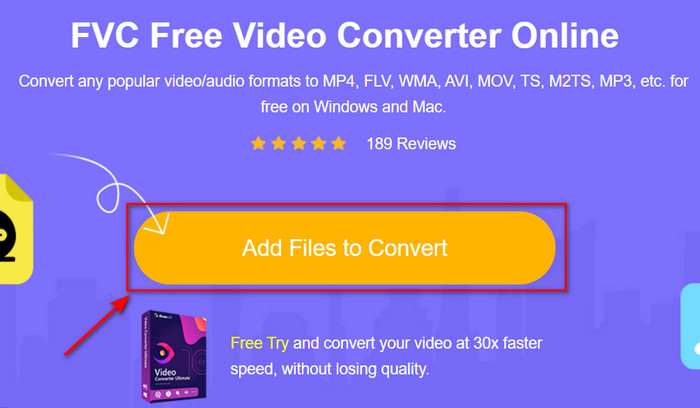
Pas 2. Un cop obert el lloc web, fes clic a Afegeix fitxers per convertir per descarregar el llançador. Prem-lo de nou per obrir una carpeta on veuràs els fitxers .ogv i, a continuació, fes clic a Obre per pujar-los. Informació addicional: tot i que aquí pots convertir sense límit, encara no pots fer conversions per lots.
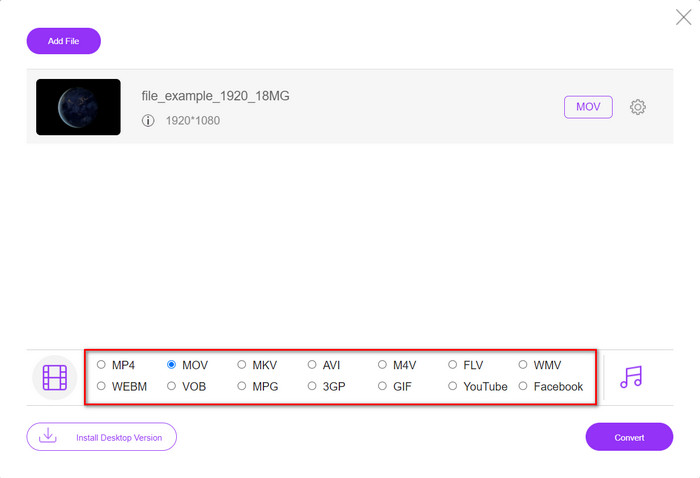
Pas 3. Tria el format AVI al submenú i fes-hi clic.
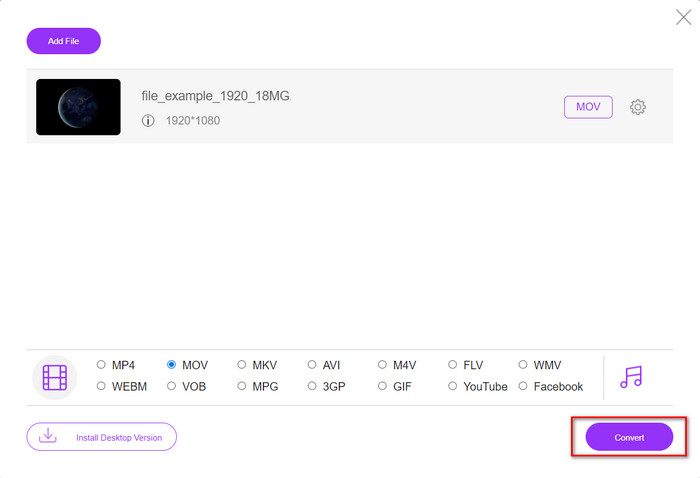
Pas 4. Comencem ara a convertir el format OGV a AVI fent clic al botó Converteix.
Pas 5. La conversió del fitxer acabarà en breu; apareixerà una carpeta amb el fitxer .avi.
Part 4. Preguntes freqüents sobre la conversió d'OGV a AVI
Puc jugar .ogv a VLC?
Sí, pots reproduir el fitxer de vídeo .ogv al teu VLC Player així de fàcil, i és un dels reproductors multimèdia més destacats que pots descarregar gratuïtament. Però si vols conèixer les 5 millors alternatives a VLC, fes clic en aquest enllaç per tenir una idea d’altres reproductors multimèdia que pots utilitzar a PC i Mac.
OGG i OGV són el mateix?
Xiph.org va fundar OGG i OGV per ser un dels millors formats que podeu utilitzar que utilitza còdecs com Vorbis i Theora. Tot i que .ogg pot contenir vídeo i àudio, encara s'adapta millor a l'àudio en comparació amb un vídeo. En canvi, .ogv és el millor format per tenir fitxers de vídeo i àudio.
Després de convertir .ogv, la qualitat es redueix?
Depèn dels convertidors que utilitzis, perquè alguns convertidors OGV no ofereixen una sortida d’alta qualitat. A diferència de FVC Video Converter Ultimate, aquesta eina et permet ajustar la qualitat a baixa, mitjana o alta per millorar la qualitat del resultat i reduir-ne la mida.
Conclusió
Tots els convertidors esmentats en aquest article converteixen OGV a format AVI sense perdre qualitat. El millor és triar el convertidor ideal que proporcioni la manera més eficient de convertir el format. Si vols convertir un sol fitxer sense gastar ni un cèntim, utilitza el FVC Free Video Converter Online. Però si el que vols és fer conversions per lots fàcilment i sense haver-te de preocupar per trobar una connexió a internet, has de descarregar FVC Video Converter Ultimate.
-
 2 de la millor elecció del convertidor de fitxers RMVB a AVI [en línia i fora de línia]
 No saps com convertir RMVB a AVI? Aquest article se centra en els convertidors que podeu utilitzar per convertir RMVB a AVI, ja sigui en línia o fora de línia.
-
 Com convertir XviD a AVI sense perdre la qualitat del vídeo [2025]
 Voleu convertir el vostre fitxer XviD a AVI? Si és així, llegiu aquest article mentre parlem més sobre XviD i com convertir el vostre fitxer XviD a format AVI.
-
 Millor estratègia sobre com convertir fitxers DV a format AVI amb passos detallats
 Voleu convertir el vostre fitxer DV a AVI? A continuació, llegiu aquest article per conèixer l'eina única que podeu utilitzar per convertir i un reproductor multimèdia per reproduir el vostre DV al vostre PC o Mac.
